
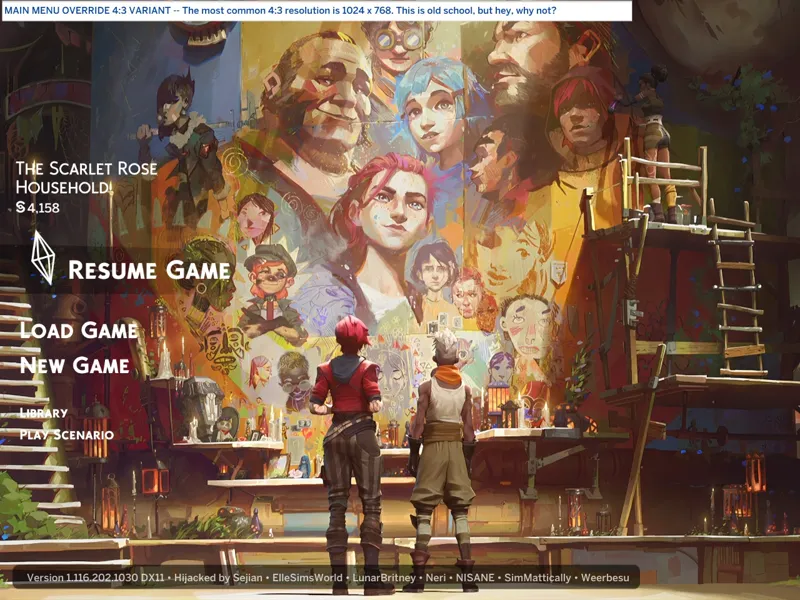
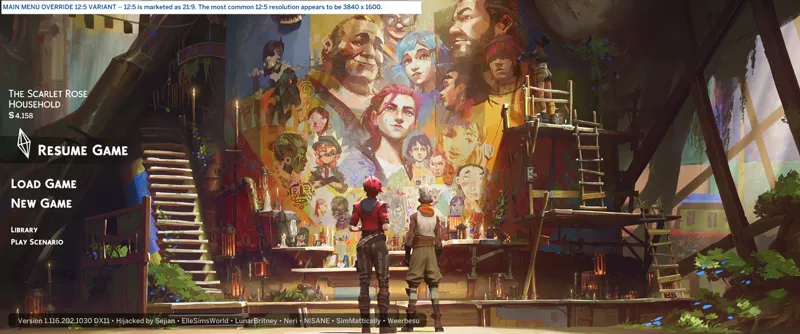
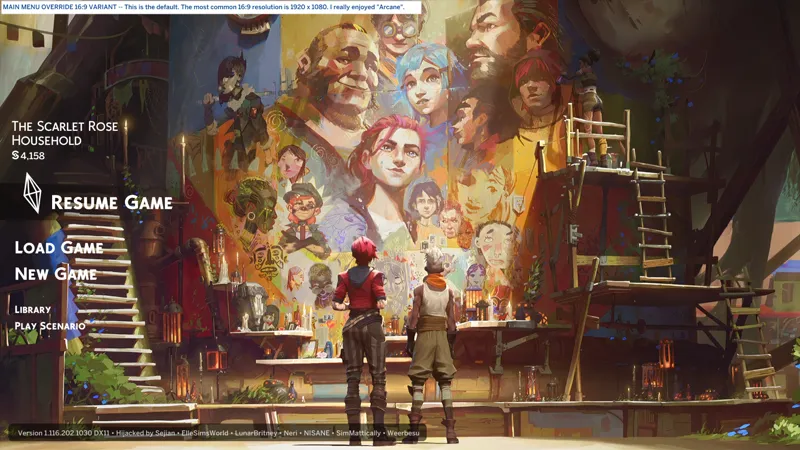
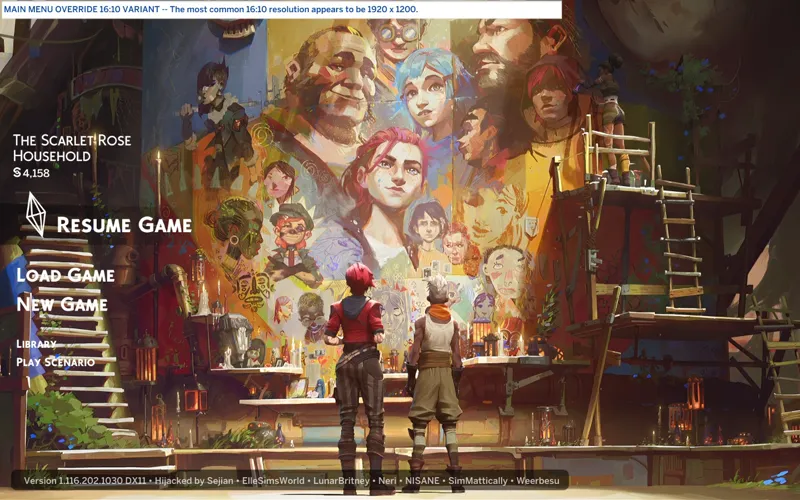

🎁 [BG] SGFX: Main Menu + Camera Angle Patches -- ⿻ (8) variants available! -- [3/2] ☄️ I still want to give the Camera Angle Patches its own post.
⚔️ TS4: BASE GAME ⋆🚀 2/4/25 ⋆🌠 9/24/25 ⋆☄️ 3/2/26
🔄 Rebuilt for almost every game update [🌐] whether or not it's broken [🌐].
⚙️ These are ZIP archives. See "BASIC INSTALL INSTRUCTIONS" for more info.
🆘 You can request assistance or inform me of issues in a new comment on this post, in a new post in the Troubleshooting Community Chat, or via DM (Discord). I don't bite, unless biting is the necessary response.
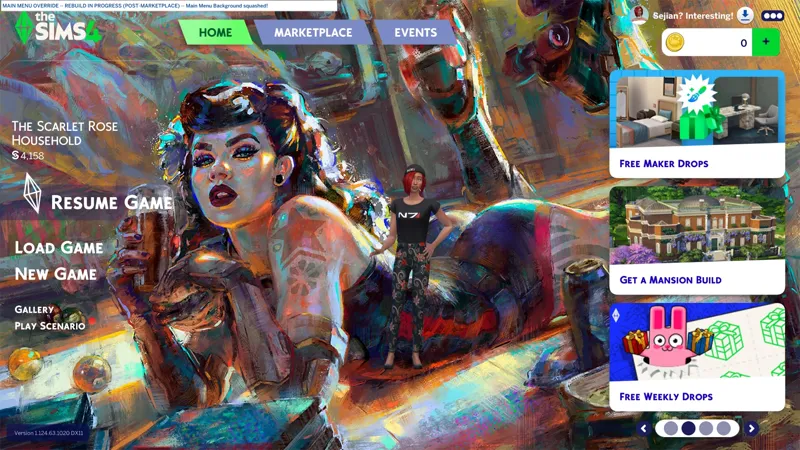
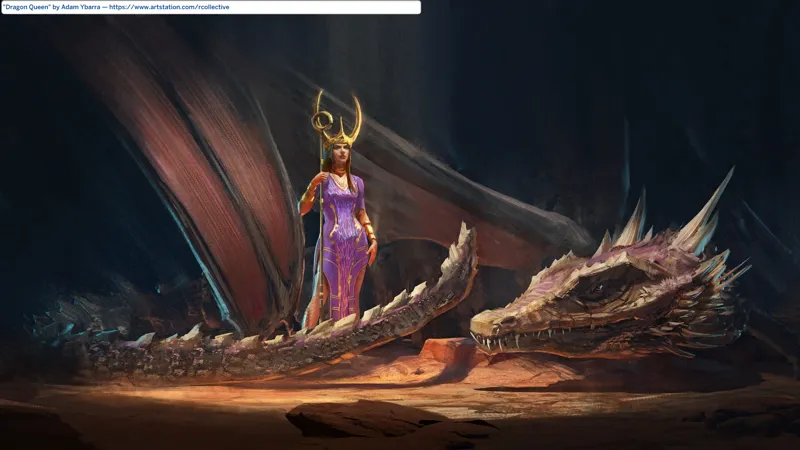
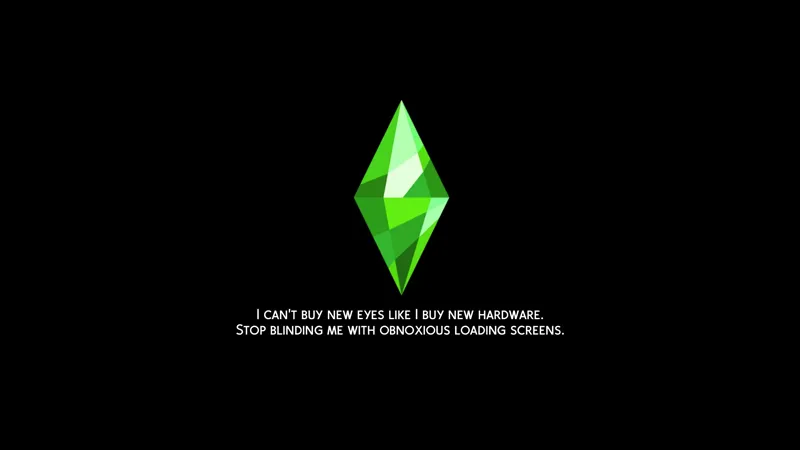
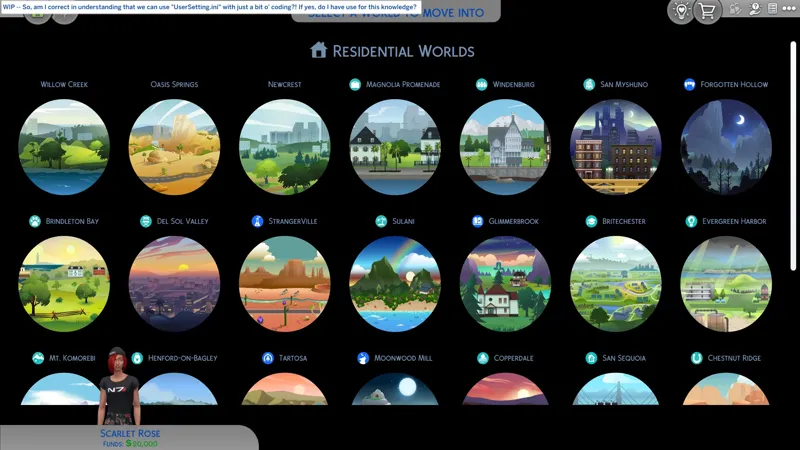
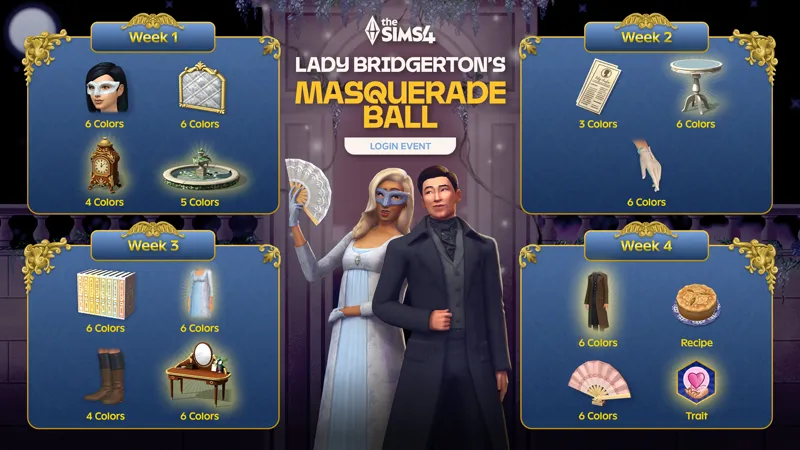
📸 Screenshots were taken in Windowed Mode on my 16:9 display.
🌟 Custom Backgrounds sold separately. -- https://../posts/123893061
☆// ⋆ TOTES "COMPLICATED" SGFX DESCRIPTION:
This is my (7th) standalone neurodiversity-friendly "SGFX Override".
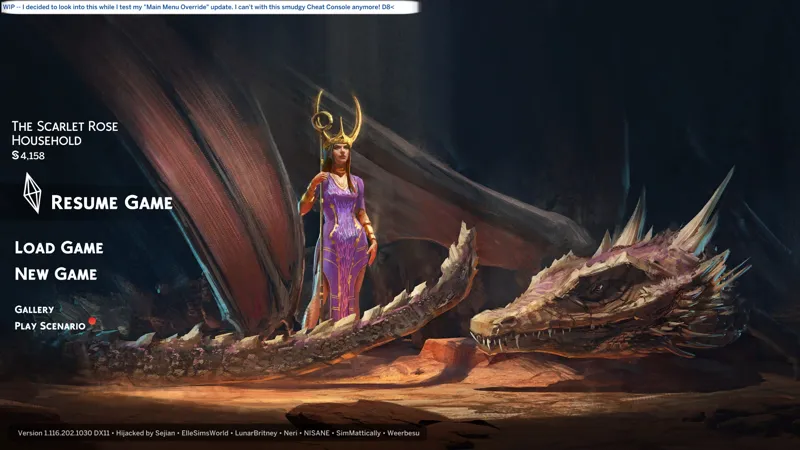
This is my personal take on the Main Menu override. See "A LIST OF CURRENT FEATURES" for... a list of the current features.
Installing this is totes complicated. 😹
STEP 1️⃣ MANDATORY -- DOWNLOAD MY "SGFX OVERRIDE"
🗜️ sej_SGFX_GameEntryLauncher_MainMenuMeltsMyEA_[VARIANT].zip
There are EIGHT (8) "Aspect Ratio Variants". Choose the one that matches your "true" aspect ratio. Learn more in the "ASPECT RATIO VARIANTS" section (below).
STEP 2️⃣ OPTIONAL -- DOWNLOAD A "CAMERA ANGLE PATCH"
🗜️ sej_SGFX_GameEntryLauncher_MainMenuCAMOvrd_[VARIANT].zip
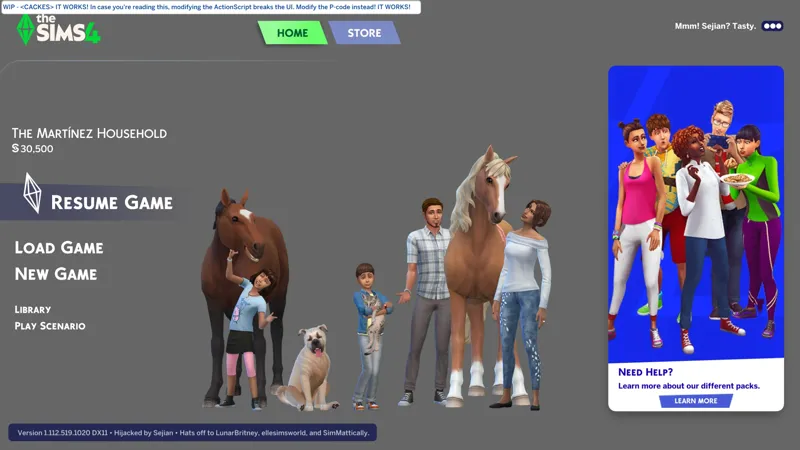
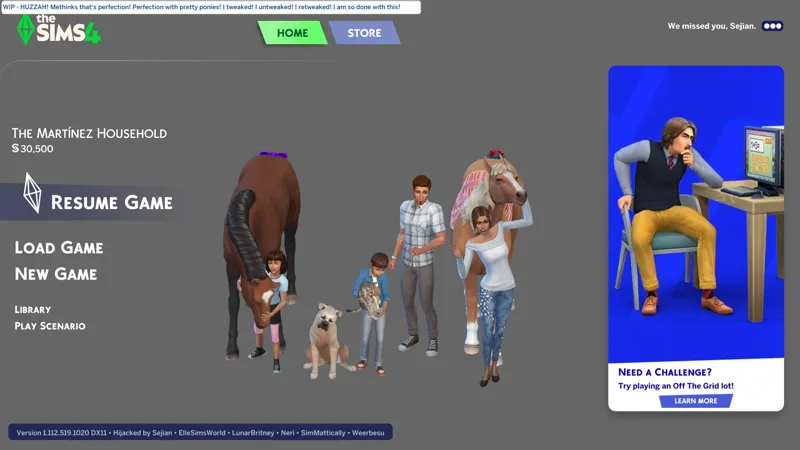
"HighAngle" is a tweaked top-down, isometric camera angle.
"LongShot" is a tweaked front-facing camera angle.
"NoHousehold" is already included in the "SGFX" override. This one hides the Household Portrait and is provided for use with third-party overrides.
STEP 3️⃣ OPTIONAL -- DOWNLOAD MY D.I.Y. TEMPLATE AND MAKE A BACKGROUND
📄 sej_RESO_DST_BG_LauncherBG_YourUniqueFilenameHere.package
Pop it into Sims 4 Studio and import your custom image into the "DST" resources.
Your custom image needs to match your "true" aspect ratio. Learn more in the "YOUR GUIDE TO CUSTOM BACKGROUNDS" section (below).
STEP 4️⃣ OPTIONAL -- DOWNLOAD ONE OF MY CUSTOM BACKGROUNDS
📄 sej_RESO_DST_BG_LauncherBG_[VARIANT].package
My custom "Launcher Backgrounds" include artwork from various artists, promotional images for games and TV series, etc.
I have attached a special set of custom "Launcher Backgrounds" to this post. Each one matches an "Aspect Ratio Variant". They were cropped from a 3840 x 1620 image at the highest possible dimensions for each aspect ratio (without upscaling), which means the file sizes are larger than usual. I wanted to ensure that you had a custom background for each "Aspect Ratio Variant" to verify that they're working properly.
⋆ ── ─ ─ ─ ─ ─ ─ ─ ─ ─ ─ ⋆ \\⛔// ⋆ ─ ─ ─ ─ ─ ─ ─ ─ ─ ─ ── ⋆
☆// ⋆ DELETE THESE FILES IFFIN' YOU GOTHAM:
sej_SGFXOvrd_GameEntryLauncher_MainMenuMeltsMyEA.package
sej_SGFXOvrd_GameEntryLauncher_MainMenuCAMOvrd_HighAngle.package
sej_SGFXOvrd_GameEntryLauncher_MainMenuCAMOvrd_LongShot.package
sej_SGFXOvrd_GameEntryLauncher_MainMenuCAMOvrd_NoHousehold.package
⋆ ── ─ ─ ─ ─ ─ ─ ─ ─ ─ ─ ⋆ \\🎁// ⋆ ─ ─ ─ ─ ─ ─ ─ ─ ─ ─ ── ⋆
☆// ⋆ NOTICE MY POST ATTACHMENTS, SENPAI:
🎁 GDrive Folder -- https://../drive/SGFX_MainMenu+
🎁 SFS Folder -- PENDING™
☆// ⋆ RELATED PROJECTS:
🪄 SGFX Overrides (Standalone) Collection -- https://../collection/1306589
🌸 SGFX Patch Collection -- https://../collection/951353
♾️ Neurodiversity-Friendly Collection -- https://../collection/877663
🗺️ Pure Black CAS Transition + Loading Screens -- https://../posts/123464880
🗺️ Pure Black World Transition + Selection Screens -- https://../posts/132809890
☆// ⋆ EVEN MOAR BOOTY:
🐞 BUGFIXES & BAND-AIDS Collection -- https://../collection/884858
🔇 Silence the Noise Collection -- https://../collection/1367566
🗺️ All-in-One Live Event Rewards Unlocker -- https://../posts/120588981
🗺️ Batty Bat™ CASMenu Override (Standalone) -- https://../posts/107958333
🗺️ More Columns × Batty Bat™ -- https://../posts/135116776
🗺️ CAS Filters -- https://../posts/126616540
☆// ⋆ THIRD-PARTY BOOTY IS AT LEAST 20% COOLER:
🎀 "Main Menu Readjusted" by LunarBritney -- https://modthesims.info/d/688934
🔞 "Redesigned Main Menu" by NISANE -- https://../posts/120071886
NISANE creates new posts for updates and has no "Main Menu" Collection.
🎀 "Main Menu" Collection by SimMattically -- https://../collection/441822
⋆ ── ─ ─ ─ ─ ─ ─ ─ ─ ─ ─ ⋆ \\😺// ⋆ ─ ─ ─ ─ ─ ─ ─ ─ ─ ─ ── ⋆
☆// ⋆ TABLE OF CATENTS:
A LIST OF CURRENT FEATURES -- Self-explanatory.
POTENTIAL FUTURE MODIFICATIONS -- Self-explanatory.
ASPECT RATIO VARIANTS -- Your guide to find the right variant.
YOUR GUIDE TO CUSTOM BACKGROUNDS -- Self-explanatory.
HOW AND WHY I MADE THIS -- Let's talk.
COMPATIBILITY WITH OTHER SGFX PROJECTS -- Self-explanatory.
COMPATIBILITY NOTES FOR THIRD-PARTY MODS -- Self-explanatory.
PROGRESSION -- This is not a change-log. ⚡
BASIC INSTALL INSTRUCTIONS -- Drag 'n drop, replace files, etc. ⚙️
PROJECT MIRRORS -- This project, but Elsweyr. 🐱
ZIP CONTAINS -- A complete list of this project's archives and files.
☆// ⋆ A LIST OF CURRENT FEATURES:
See the "HOW AND WHY I MADE THIS" section (below) to learn more about these features.
A "check mark" (✔️) means it's verified working. A "question mark" (❓) means I think it works but I'm not 100% certain yet:
Disables EAxis' "Live Background".✔️
Press "S" to Show/Hide most UI elements on the Main Menu.✔️
HOME -- Only the "Play" buttons are visible by default.
STORE -- Everything is hidden by default.
Permanently hides the "Household Portrait".✔️
Use a "Camera Angle Patch" to re-enable it.
Overhauls the "Version Info" section with interactive links.✔️
You can totes trust me. I wouldn't put ads or malware on these links. Be wary of everyone else though. #TrustNoOne #TheTruthIsOutThere
Version number opens the official "News & Updates" page for The Sims 4.
"Hijacked" opens this mod-page.
Creator names open their respective main profile pages.
Recolors some UI elements to match my "Pure Black Void" aesthetic.✔️
"New Game" / "Resume Game" background changed to transparent black.
"Version Info" background changed to transparent black.
Recolors some text to match my "Pure Black Void" aesthetic.✔️
"Version Info" text string changed to white.
"Version Info" links changed to orange on mouse-over.
Removes the "New Item Alert" red circle seen on "Play Scenario", etc.✔️
"Aspect Ratio Variant" BAND-AIDS for the widescreen support that EAxis broke.✔️
"Scale Form GFX" coding isn't my strong point, so I haven't been able to cobble together a "one size fits all" coding solution for the widescreen issue yet, but my crude BAND-AID works, and I ain't got no problem making tons o' variants of my mods. 😹
Removes fullscreen "Live Event" pop-up notification.✔️
I fink I killed it, but let me know if you see any.
Removes fullscreen marketing pop-up ads.✔️
I haven't had one since 7/3/2025, but let me know if you see any.
"Household Name" and "Household Fund" re-aligned.✔️
I've checked this off, but I might tweak it in the future - knowing it's a pixel off is gonna irritate me til I align it perfectly. 😹
☆// ⋆ POTENTIAL FUTURE MODIFICATIONS:
These things aren't a priority, but I'd like to figure out how to do them at some point:
Change the mouse-over color of the "Play" buttons.
Change the colors of the HOME, STORE, and EVENTS tabs.
I noticed that my "Version Info" text gets a bit squished on wider screen sizes, like 3440 x 1440. I'll see if I can fix it so that the text size remains the same.
Oh, how I would love to learn the coding necessary to build an override similar to NISANE and SimMattically. Don't hold your breath for this one. I have many other projects to focus on. Too many! I need a vacation. I need to finish my pending projects and find a deserted island with fruit trees, berry bushes, a spring for fresh water, "provisions" A.K.A. roots like potatoes and cassava, and beats, I love beats, and vegetables! I'll live on the beach and eat coconuts 🥥 and bananas 🍌 all day. I also really love carrots 🥕... I digress! 🌊🏝️
☆// ⋆ ASPECT RATIO VARIANTS:
Until I can cobble together a "one size fits all" coding solution, I've provided a collection of variants for different "true" aspect ratios.
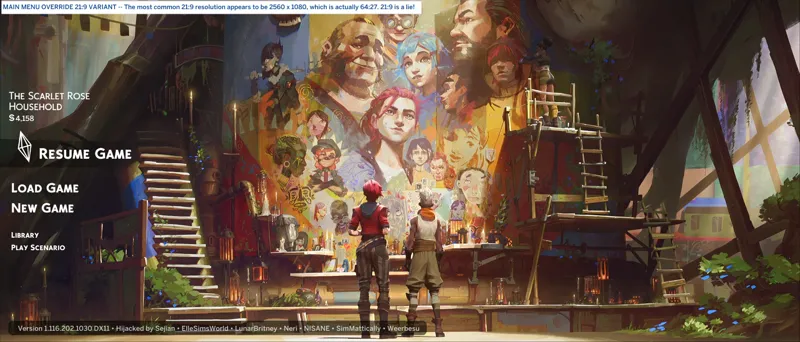
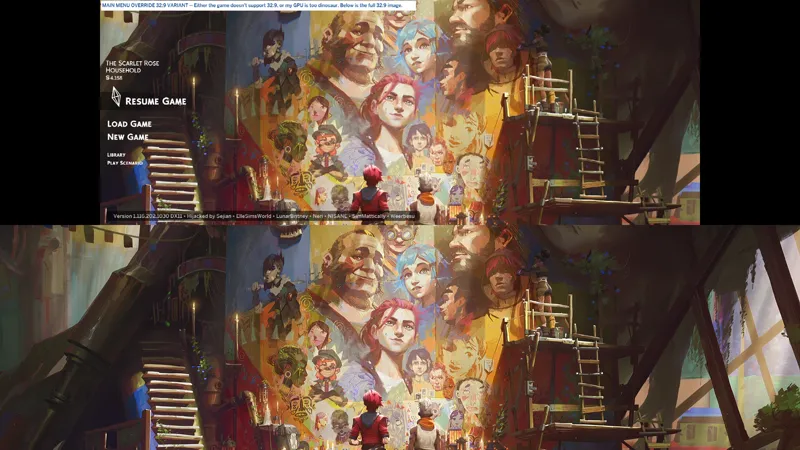
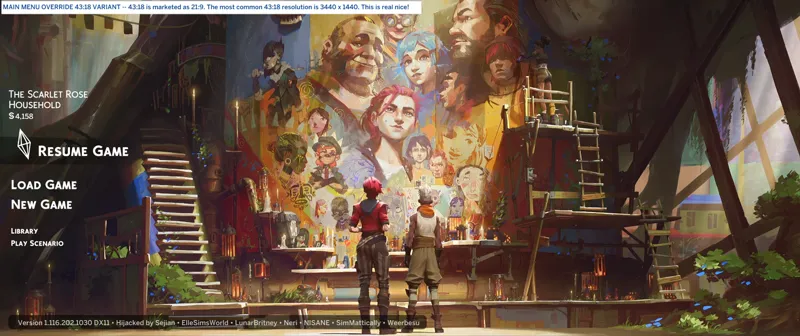
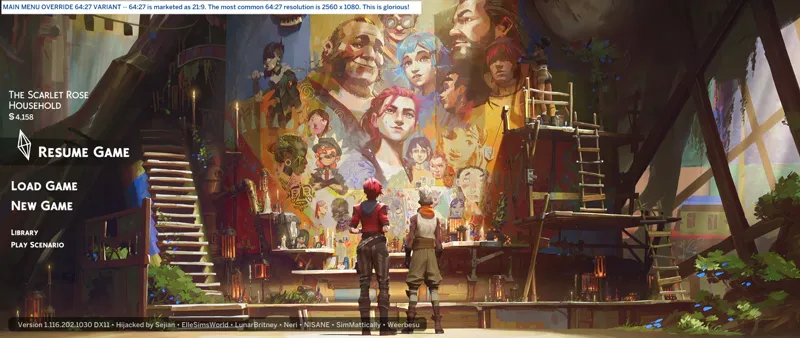
I use the phrase "'true' aspect ratios" because manufacturers cobble together various aspect ratios under a standard aspect ratio for marketing, e.g. 21:9 includes 12:5, 43:18, and 64:27, but the width and height dimensions of the resolutions that fall under these other aspect ratios are not 21:9, so if you use the 21:9 variant with a 43:18 resolution like 3440 x 1440, you will end up with black bars on the left and right of your screen.
You must choose the variant that matches your "true" aspect ratio. If a variant for your "true" aspect ratio isn't available, you're welcomed to request it in the Comments on this post or in the "Itsumi Requests Chat" Community Chat.
🖥️ 4:3 includes (0) other Aspect Ratios [🌐] -- A "check" (✔️) means it's verified:
1024 x 768 (XGA)
1280 x 960
1600 x 1200 (UXGA)
3200 x 2400 (QUXGA)
🖥️ 16:9 includes (0) other Aspect Ratios [🌐] -- A "check" (✔️) means it's verified:
1280 x 720 (HD)✔️
1600 x 900 (WSXGA)
1920 x 1080 (FHD)✔️
2560 x 1440 (QHD)
3840 x 2160 (4K UHD)
7680 x 4320 (8K UHD)
🖥️ 16:10 includes (0) other Aspect Ratios [🌐] -- A "check" (✔️) means it's verified:
1280 x 800 (WXGA)
1680 x 1050 (WSXGA+)
1920 x 1200 (WUXGA)
2560 x 1600 (WQXGA)
3840 x 2400 (WQUXGA)
🖥️ 21:9 includes (3) other Aspect Ratios [🌐] -- A "check" (✔️) means it's verified:
📐 12:5
1920 x 800
2880 x 1200
3840 x 1600
7680 x 3200
📐 21:9
1680 x 720 (WHD)
2520 x 1080 (WHD)
📐 43:18
3440 x 1440 (WQHD)✔️
5160 x 2160 (WUHD+)
10240 x 4320 (8K WUHD+)
📐 64:27
2560 x 1080 (WFHD+)
5120 x 2160 (WUHD+)
7680 x 3240
🖥️ 32:9 includes (0) other Aspect Ratios [🌐] -- A "check" (✔️) means it's verified:
2560 x 720 (DHD)
3840 x 1080 (DFHD)
5120 x 1440 (DQHD)
7680 x 2160 (Dual 4K UHD)
15360 x 4320 (Dual 8K UHD)
☆// ⋆ YOUR GUIDE TO CUSTOM BACKGROUNDS:
Due to the crude way I've "fixed" the widescreen issue, your custom backgrounds need to match the width and height dimensions of your "true" aspect ratio.
This is really only an issue for displays marketed as "21:9" which aren't always "21:9" as explained in the "ASPECT RATIO VARIANTS" section (above).
It sounds more complicated than it is because I describe things weirdly.
You just need to make sure your custom image matches the width and height dimensions of your display resolution either exactly or when resized in an image editor.
It's a simple thing to verify:
Take a screenshot of your Desktop and open it in any image editor. Paint on Windows will suffice. Alternatively, you can take an in-game screenshot then open that in any image editor, or if you know your resolution, then you can just create a new blank image in your image editor.
Find the option to "resize" your image, ensure that the aspect ratio setting is "locked" and then resize your screenshot or blank image larger or smaller to match the width of the custom image you want to make a background from. Keep in mind that images smaller than your resolution will get blurry when they scale to fit.
The width and height dimensions you get after resizing your screenshot or blank image are the width and height dimensions you need to crop your custom image to match. When you're done, just import your cropped custom image(s) into the template and Bob's your uncle, or Bob's the street cat. 🐱
Ask if you need help. I don't bite, unless biting is the necessary response.
☆// ⋆ HOW AND WHY I MADE THIS:
Despite the fact that I have multiple "Scale Form GFX" (SGFX) mods, I'm still kinda stumbling around in the dark. I don't have a background in this kinda coding. I've figured out how to do some things by accident (like my "No Godrays or Glowing Dots" overrides), or by dissecting other mods or EAxis' code.
This mod is a combination of modifications I figured out how to do via the knowledge I've gained from my "No Godrays or Glowing Dots" overrides, and modifications from other mods that I dissected and applied. I've never hidden that that's how this mod was made. If I remember correctly, I dissected at least (4) different mods and cobbled together the rough "Initial Release" version of this mod literally overnight.
I made this because I loathe EAxis' new Main Menu and I don't want to rely on any other creator to keep their Main Menu override updated - also, other creators aren't as meticulous about updating their "SGFX" mods as I am and I don't trust outdated "SGFX" mods [🌐].
This mod is basic AF compared to the mods available from NISANE and SimMattically, but all I need the Main Menu to do is not piss me off whenever I'm on it.
Let's discuss how my modifications came to exist:
Disables EAxis' "Live Background".
This is from LunarBritney's mod.
I have no idea if it originated with LunarBritney.
Press "S" to Show/Hide most UI elements on the Main Menu.
This is from SimMattically's mod.
I modified the code and applied it Elsweyr so it would hide all the things I wanted hidden.
Permanently hides the "Household Portrait".
I learned this from dissecting LunarBritney's "ConsistentMainMenuHouseholdSizes" patch.
This taught me how to create my own "Camera Angle Patches".
Overhauls the "Version Info" section with interactive links.
I learned this from dissecting NISANE's mod and SimMattically's mod.
I rewrote the code completely for it to do what I wanted.
Recolors some UI elements to match my "Pure Black Void" aesthetic.
I learned this from dissecting SimMattically's mod.
Recolors some text to match my "Pure Black Void" aesthetic.
This is all "Version Info" stuff. See the "Overhauls the 'Version Info' section with interactive links." entry above.
Removes the "New Item Alert" red circle seen on "Play Scenario", etc.
This one is all me. Removing UI elements is fun.
Removes fullscreen "Live Event" pop-up notification.
I applied the knowledge gained from removing the marketing ads (see below) to the "Live Event" notifications.
Removes fullscreen marketing pop-up ads.
I learned this from dissecting SimMattically's mod.
"Aspect Ratio Variant" BAND-AIDS for the widescreen support that EAxis broke.
For the UI BAND-AID, I applied knowledge I gained from Weerbesu back when I wanted to make my "DISMISS/PIN" override compatible with "UI Cheats Extension". If it wasn't for Weerbesu, I wouldn't know that editing "P-code" is a thing.
The background BAND-AID is all me, which is why it's so crude and unusual.
We learn from each other. Sometimes directly, other times indirectly.
I am very critical of Electronic Arts, EAxis, and the simmer and creator community whenever I think it's necessary. It's understandable if some creators don't want anything to do with me, so a lot of my learning is indirect.
Beyond that, it's "trade secrets" and "pearl-clutching".
It's every Realpearson for themselves out here! I just love Trashley. 😹
What you'll never catch me doing is stealing someone's work and passing it off as my own, e.g. "AnimXGenWear" will always be "that one special mod" for me (whether or not anyone uses it), but I've never hidden the fact that it only exists because Meep62 did it on a smaller scale. They were unable to make it work for more animations, so I stepped in, dissected their mod, then expanded it ten-fold. Unless my comment history on Mod The Sims has been purged (liked my mods), you'll find me discussing it with Meep62 in the comments section on their mod-page.
The other thing you won't catch me doing (with this mod) is wholesale copying the cooler features found in other mods, like NISANE's random backgrounds or SimMattically's animated backgrounds.
If I was to ever add features like that to this, it would be because I put in the time required to learn how to code it myself. I consider those things to be the defining features of those mods, not !@#$ like no pop-ups and widescreen support. I'm not just out here grabbing everything I can get my grubby little paws on. <WIPES OFF PAW PRINTS> 😹
I think that should cover everything I wanted to say about this. Cheers!
☆// ⋆ COMPATIBILITY WITH OTHER SGFX PROJECTS:
I mean to destroy all annoying UI effects.
To that end, I have created a collection of standalone "SGFX Overrides" and "SGFX Patches". To remove all annoying UI effects from your game, you must mix and match my standalone "SGFX Overrides" and my "SGFX Patches".
I know this is a little complicated, but merging these overrides is a recipe for disaster.
THESE SGFX PROJECTS ARE NOT COMPATIBLE:
NIL
THESE SGFX PROJECTS ARE COMPATIBLE:
✔️ Fixing CAS Because EAxis Won't -- https://../posts/134653412
✔️ LClick DISMISS + RClick PIN -- https://../posts/112728731
⚪ Main Menu Override -- YOU ARE HERE
✔️ My Beautiful Squishy (Expandable BB Catalog) -- https://../posts/123626846
✔️ No Glowing Dots on Calendar, etc. -- https://../posts/116006465
✔️ No Glowing Dots in Social Bunny -- https://../posts/117105007
✔️ No Godrays in CAS or Build Mode, etc. -- https://../posts/117006563
✔️ No Godrays on Quests, etc. -- https://../posts/116007299
✔️ No Godrays on Quests: Event Button Variants -- https://../posts/121840542
✔️ No Promo Garbage, etc. -- https://../posts/112973547
✔️ Pure Black CAS Transition + Loading Screens -- https://../posts/123464880
✔️ Pure Black World Transition + Selection Screens -- https://../posts/132809890
✔️ Smudgy Wudgy Barfy Warfy -- https://../posts/133330990
✔️ SGFX Patch for Better BuildBuy -- https://../posts/117337021
✔️ SGFX Patch for More Traits in CAS -- https://../posts/117343700
✔️ SGFX Patch for UI Cheats Extension -- https://../posts/116265171
☆// ⋆ COMPATIBILITY NOTES FOR THIRD-PARTY MODS:
This modifies the following "Scale Form GFX" resources:
GameEntryLauncher -- Defines UI elements on the Main Menu.
LiveEvent -- Defines UI elements related to "Live Events".
⋆ ── ─ ─ ─ ─ ─ ─ ─ ─ ─ ─ ⋆ \\⚡// ⋆ ─ ─ ─ ─ ─ ─ ─ ─ ─ ─ ── ⋆
☆// ⋆ PROGRESSION - THIS IS NOT A CHANGE-LOG:
🌠 7/18/2025 -- UPDATED WITH SOME MINOR ALTERATIONS:
Visibility toggle extended to "VersionInfo":
I've retired my "VariantQ" variant which removed the names of the other creators, but I also assume that not everyone cares to see a list of names, so this is the compromise I came up with. It's still there, it's just behind the visibility toggle.
I intend to maintain (8) variants of this mod until I find a "one size fits all" solution to the aspect ratio issue or EAxis gets off their arse and finally fixes it. I consider it my responsibility since I decided to share this thing. I don't mind maintaining (8) variants, but I don't want to do (8) more just to shorten my "VersionInfo".
A few little modifications to the "Resume/Play" button:
Removed the transparent black shadow behind both button states.
Darkened the color of the "RESUME GAME" text.
I'd like to change the color of the green bar, and it can be done, but the little animation on the end is green and can't be changed, and I kinda like it and want to keep it, so the button will remain green for now.
Changed the "Household Name" text from "regular" to "bold":
This has irritated me since we got this new Main Menu.
I need to find the bit of code that controls the position because it's not in line with the rest of text and it's still irritating me.
⚡ 7/8/2025 -- THIS IS FRUSTRATING...
I've been poking around for the past few hours and... it's like the fullscreen ads. The solution is in front of me but I just don't know what to do with it, and it irritates me. The problem is getting smaller images to fill height and center on the screen. If I could do that, we could have one override, no variants. It's right in front of me. (╯'□')╯︵ ┻━┻
🌠 7/2/2025 -- FILENAMES HAVE CHANGED!
Please remember to manually delete the older "SGFXOvrd" releases for this mod.
⚡ 3/22/2025 - BLACK ON BLACK!
I might lighten the transparency of the black background on the "Version Info" and "Resume / New Game" button. It looks a little dark with my ARCANE PROMO background. I'll tinker with it. Also, I totes forgot the "Marketing / News Panel" buttons and the "Escape Menu" button.
⚡ 3/20/2025 - THE MAIN MENU KEEPS DISTRACTING ME...
But the distraction has paid off at least for the little things that were bugging me:
My previous feature update introduced a visual glitch with the HOME / STORE button when toggling transparency the first time after launch. I fixed it by reducing the fade in/fade out effect.
TEN (10) HOURS of dissecting and re-writing EAxis' code FINALLY allowed me to rewrite the Version Info script the way I want it, allowing me to FINALLY get my orange soda. I like different colors, okay. I'm not just all black or all pink all the time. Sometimes I'm 🥕 orange, sometimes I'm 🍌 yellow, sometimes I'm 🥒 green, and sometimes I'm 🍆 purple, somet- I'm sorry. I do love nomming on all of those though. I don't discriminate. 😹
SOME MORE HOURS poking around finally allowed me to change the color of the "Version Info" background - I don't want to remove it outright because then the text would blend into lighter background - and the "Resume / New Game" background. It's all shades of black now! I don't mind the big green animated button, so I left it alone.
Those (10) hours didn't just give me orange, it also gave me a slightly better understanding of SGFX coding. I didn't expect to be doing this much with this override when I first cobbled it together but SGFX modding is still largely uncharted waters for me and I love learning new things.
Most recently I also resolved the ultra-wide UI scaling issue on the Main Menu that EAxis introduced with Update 1/14/2025. We've got two things left to do - fix the background scaling and kill the damn full-screen pop-up ads. I'm not 100% certain they're here, but they're somewhere... and I think I know what it's referred to internally.
⋆ ── ─ ─ ─ ─ ─ ─ ─ ─ ─ ─ ⋆ \\⚙️// ⋆ ─ ─ ─ ─ ─ ─ ─ ─ ─ ─ ── ⋆
☆// ⋆ BASIC INSTALL INSTRUCTIONS:
The following options must be enabled for this mod to work properly:
✅️ GAME OPTIONS » OTHER » "Enable Custom Content and Mods"
—
These are ZIP archives. They can be opened or extracted with:
Windows Explorer on Windows -- https://../windows/zip-and-unzip-files
Finder on Mac -- https://../mac/zip-and-unzip-files-and-folders
I personally use 7-Zip for all of my zipping needs. It's free and it's open-source:
7-Zip for Windows -- https://7-zip.org
—
This ZIP archive contains a "#Sej" folder and sub-folder for better mod organization.
1️⃣ EXIT the game.
2️⃣ DOWNLOAD the ZIP archive.
3️⃣ OPEN or EXTRACT the ZIP archive.
4️⃣ DRAG 'N DROP or MOVE the "#Sej" folder into the following folder:
Documents » Electronic Arts » The Sims 4 » "Mods"
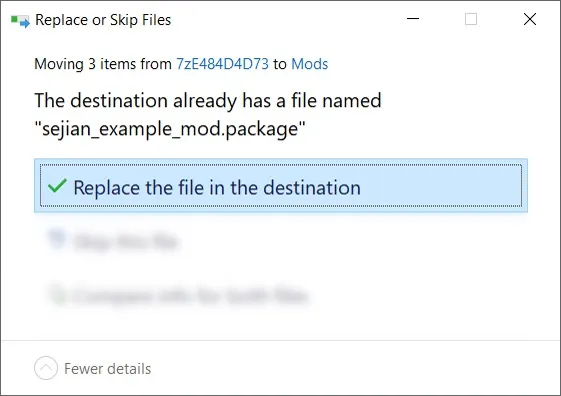
5️⃣ Choose "Replace the file in the destination" if prompted to "Replace or Skip Files":
6️⃣ LAUNCH the game.
☆// ⋆ PROJECT MIRRORS:
Bluesky -- NIL
CF (Legacy) -- https://../bg-sgfx-main-menu-override-variantq
Mod The Sims -- https://modthesims.info/d/690451
Nexus Mods -- NIL
Sims 4 Studio -- https://sims4studio.com/post/210135
☆// ⋆ ZIP CONTAINS (0) TS4SCRIPT + (1x11) PACKAGE:
This is a simple "Scale Form GFX" override.
This should NEVER contain TS4SCRIPT files, BATCH files, EXE files, or anything other than PACKAGE files, my "#Sej" folder, and a sub-folder.
This section exists as a reminder that we are in someone's crosshairs.
Rogue TS4SCRIPT files, BATCH files, EXE files, etc., encountered where they don't belong could contain malicious PYTHON script or other !@#$ that will attempt to infect your device and steal your personal information when executed by you or the game. Malware can ruin lives. Don't !@#$ around.
🗜️ *_GameEntryLauncher_MainMenuCAMOvrd_[VARIANT]_[YYMMDD]_[RELINFO].zip
📁 #Sej » SGFX
📄 sej_SGFX_GameEntryLauncher_MainMenuCAMOvrd_[VARIANT].package (x3)
🗜️ *_GameEntryLauncher_MainMenuMeltsMyEA_[AR]_[YYMMDD]_[RELINFO].zip
📁 #Sej » SGFX
📄 sej_SGFX_GameEntryLauncher_MainMenuMeltsMyEA.package (x8)
Comments (6)
Hi! Do you use script mods? I’ve tried updating these two mods with various AIs — ChatGPT, Gemini, and Claude — and I haven’t had any success. The only ones I’ve managed to update are the ones that only have a single .pyc file. https://www.patreon.com/posts/djinnify-me-100499513 https://mprinyt.tumblr.com/post/180348342118/necrodogmtsands4s-smoking-mod-47-beta-fussion Could you help me update these mods or allow them to be updated? I really appreciate the work you’ve done and would love to make them compatible with the latest game/script systems.
Hmm, I'll take a look but I can't make any promises. I've only dabbled in TS4SCRIPT a bit. -- On a side note, did Necrodog go M.I.A.?!
Hi! I am not entirely clear on what the Camera overrides do; are there screenshots on any of your posts that specifically demonstate differences? But also: i was looking around today to see if anyone has a CTRL+TAB, first-person-view camera override; one that has a less warped field of view; and is more akin to the FOV of other first person games? Do any of your camera mods do this? Or; do you happen to know anyone who has such a mod? Cheeers!
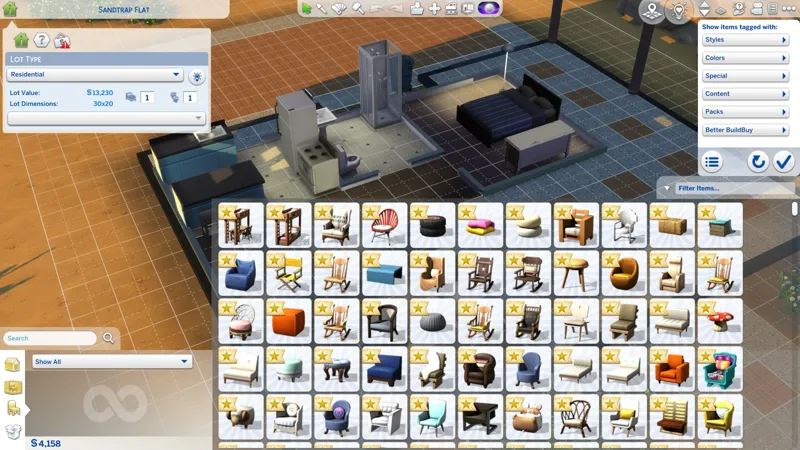
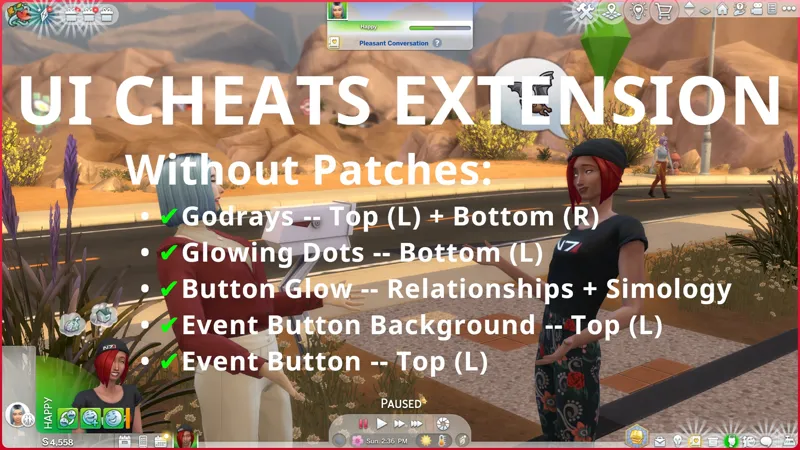
Hi! "I am not entirely clear on what the Camera overrides do" The Camera Angle Patches concern the "Household Thumbnail" that appears in the middle of the Main Menu screen. All of the Main Menu Overrides on this post disable that Household Thumbnail (because I dislike it 😹). There are (3) Camera Angle Patches: 1️⃣ "NoHousehold" -- Provided for third-party Main Menu overrides. It disables the Household Thumbnail in Main Menu overrides made by other creators. 2️⃣ "LongShot" -- Re-enables the Household Thumbnail in my Main Menu override with a modified camera angle that's a little zoomed in (so the Household Thumbnail is a bit bigger) and it's re-positioned to be a little lower. 3️⃣ "HighAngle" -- Re-enables the Household Thumbnail in my Main Menu override with a kinda isometric camera angle, so it's a angled top-down view. -- I removed the extra "WIP" screenshots at the end. The two that remain show "LongShot" and "HighAngle" in that order.
ARCANNNEEEEEEEEEE
😻 ARCANNNEEEEEEEEEE INDEED!