
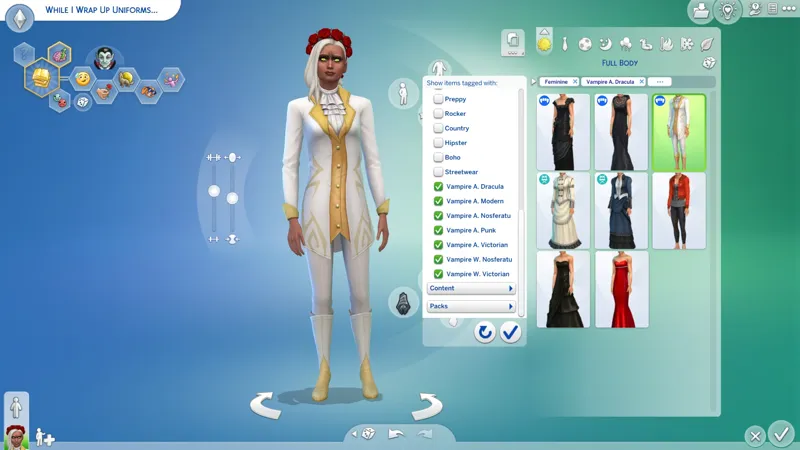
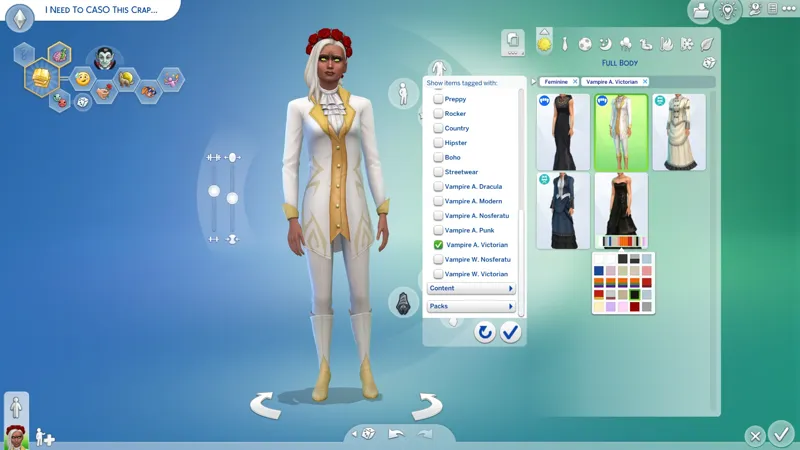
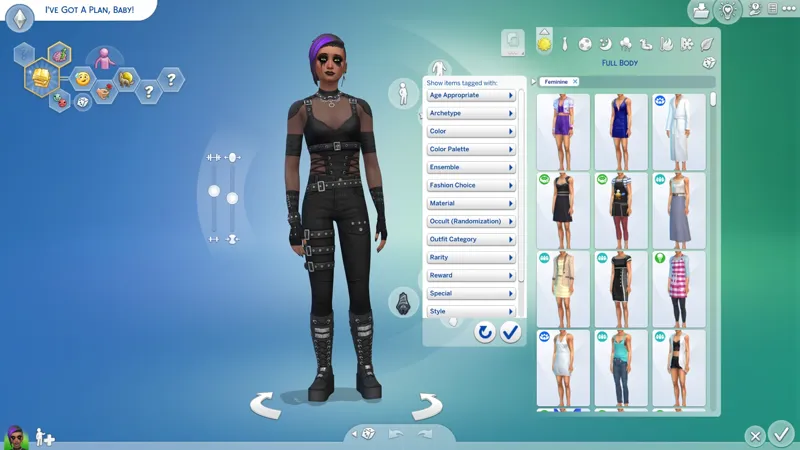
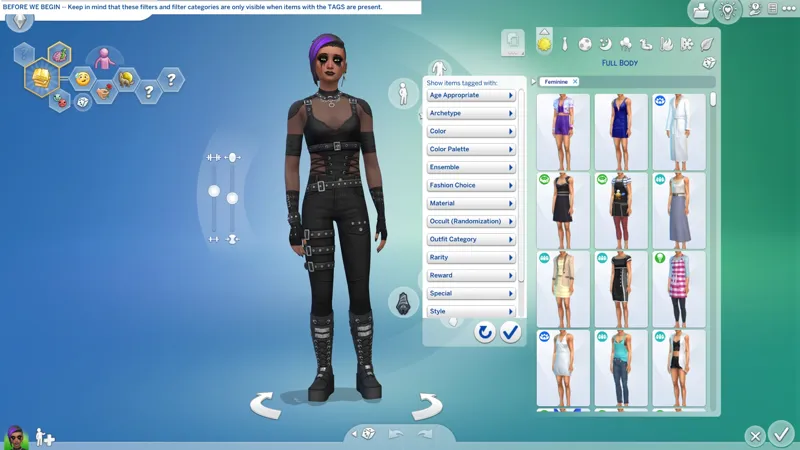
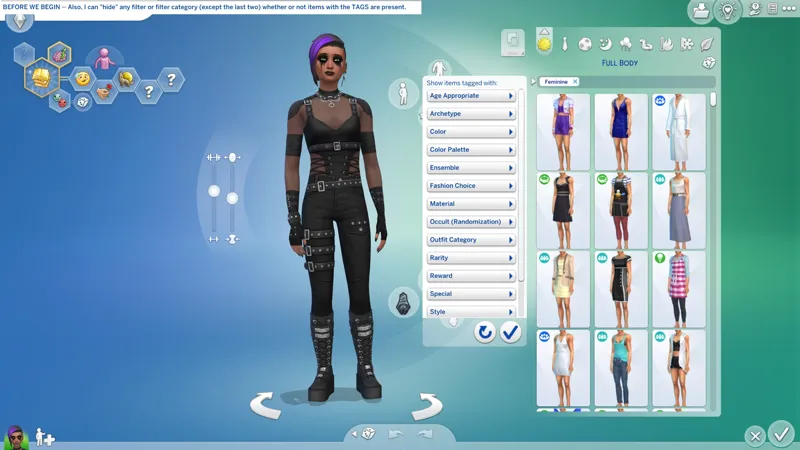
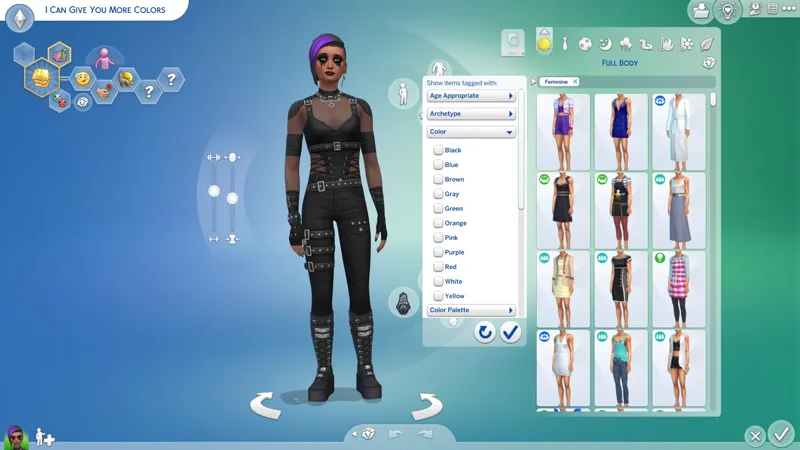
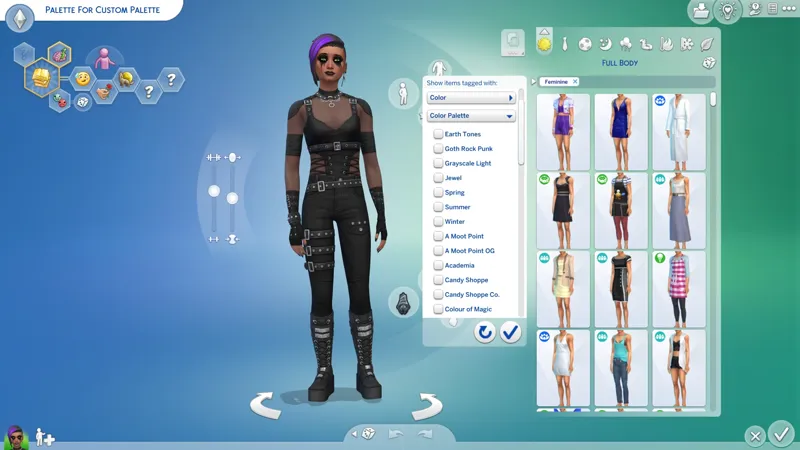
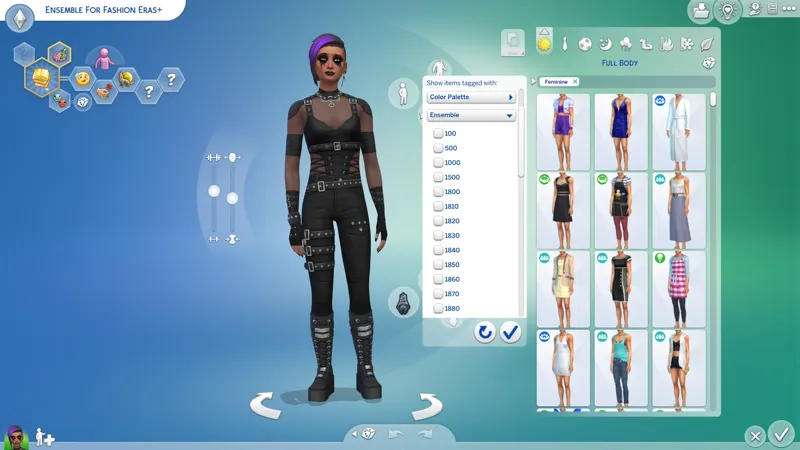
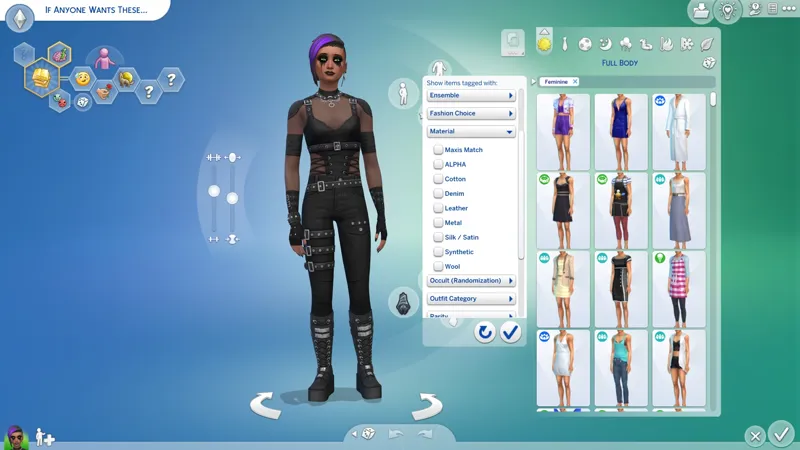
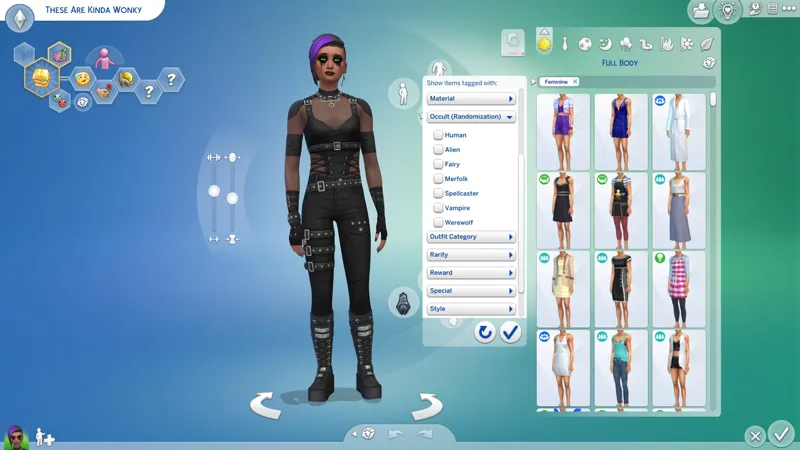
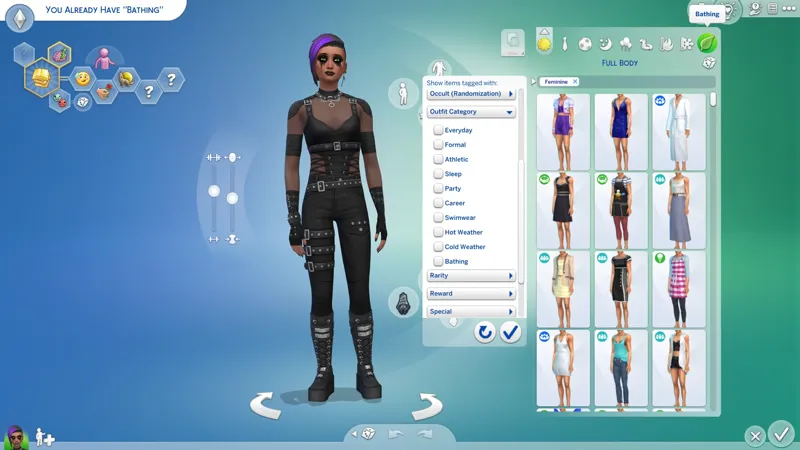
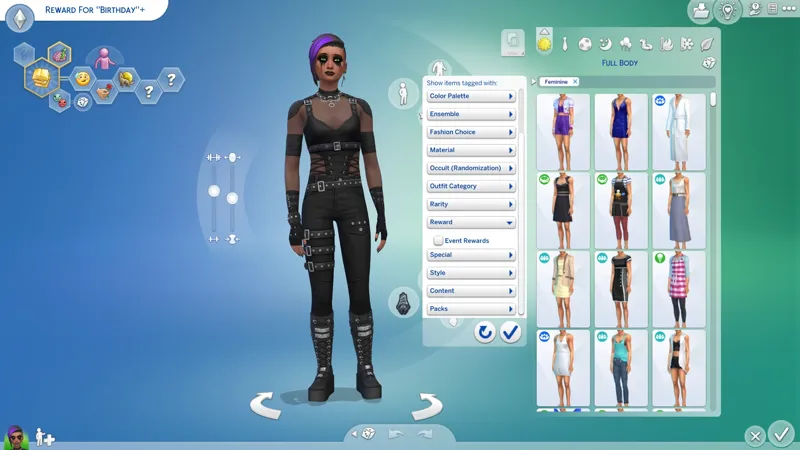
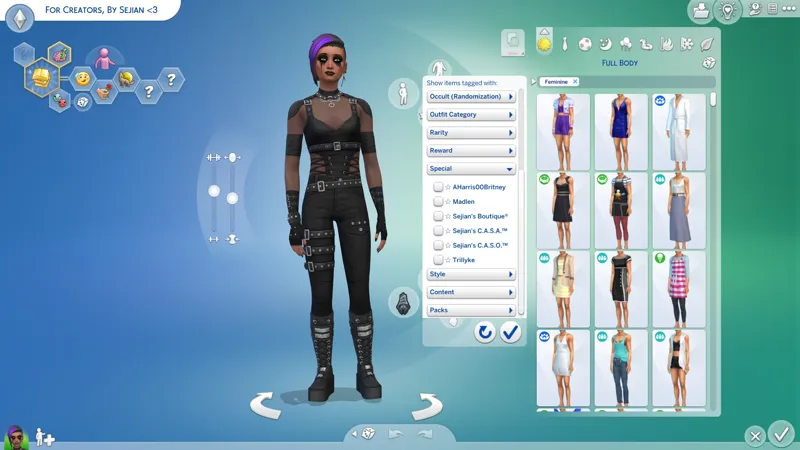
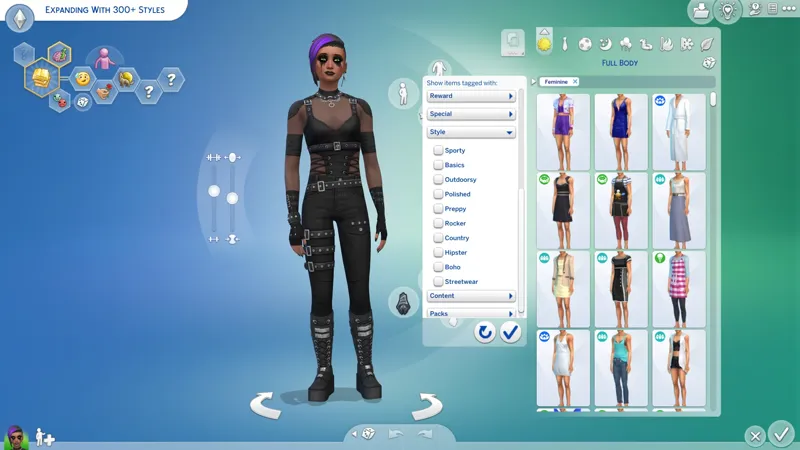
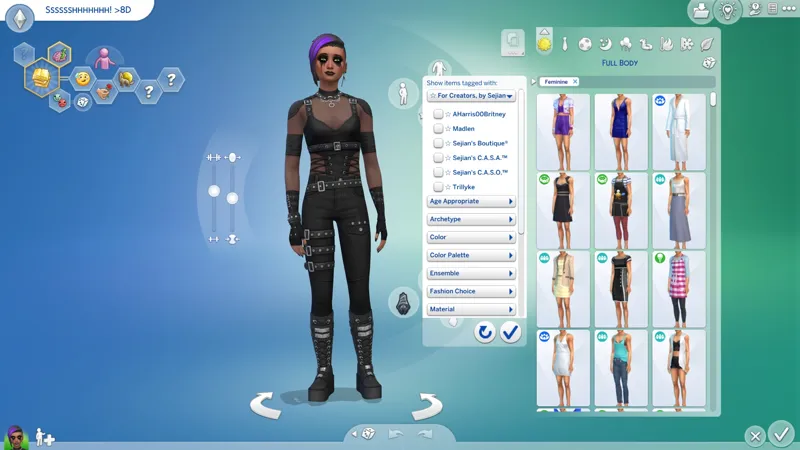
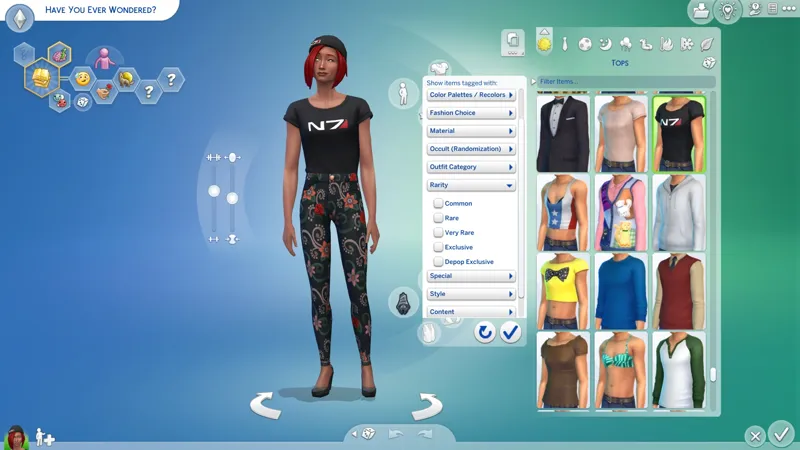
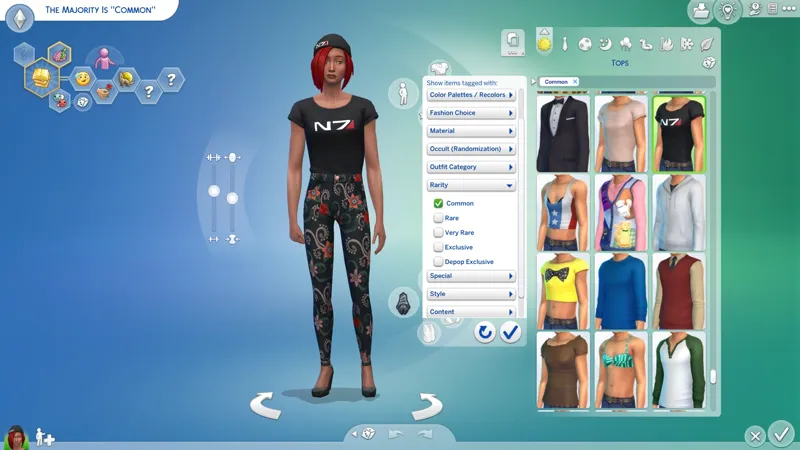
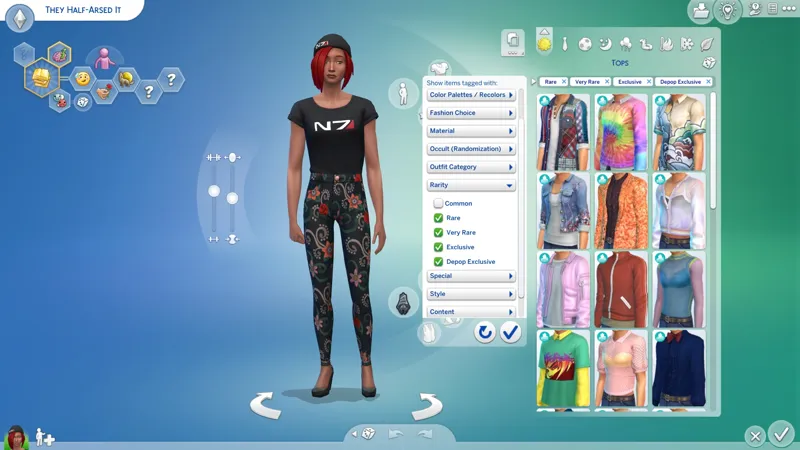
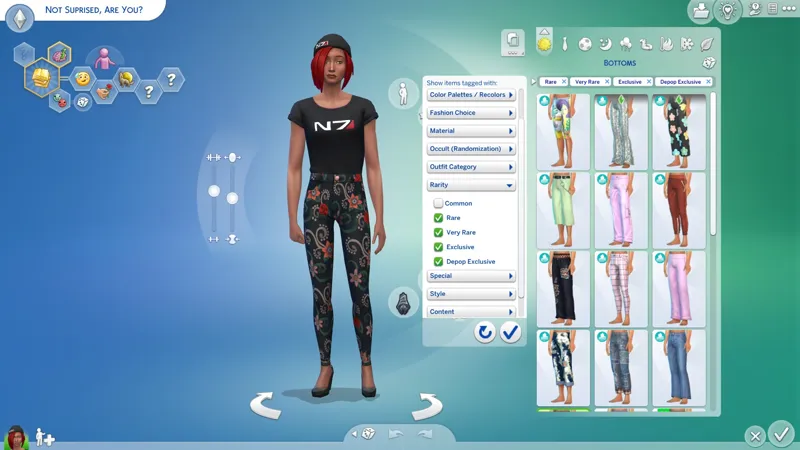
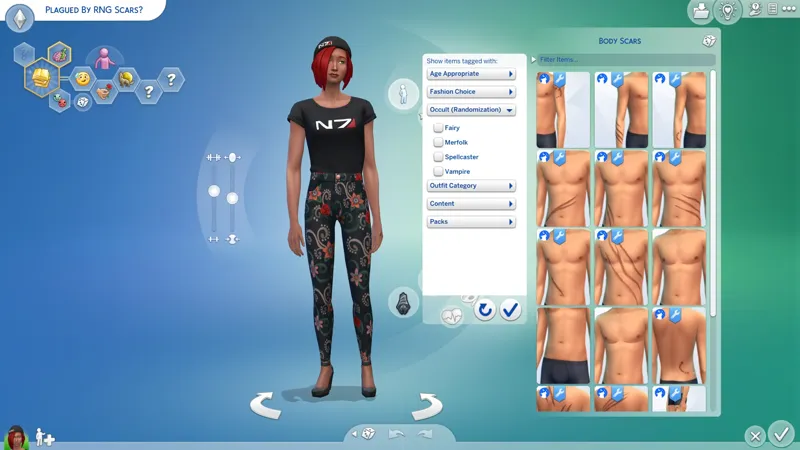
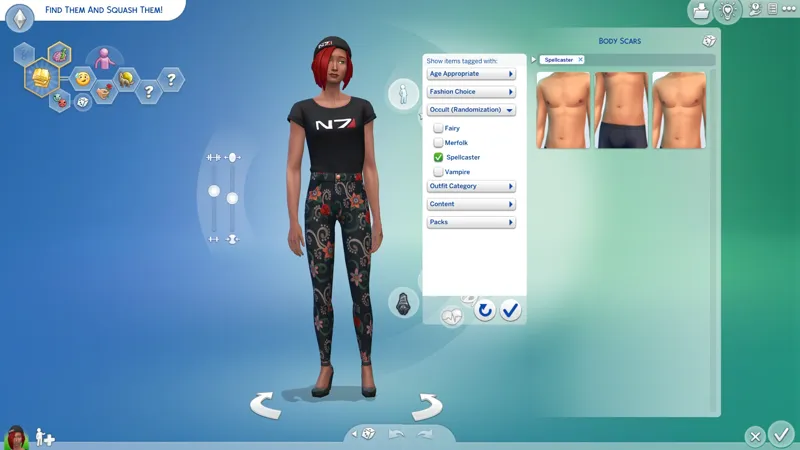
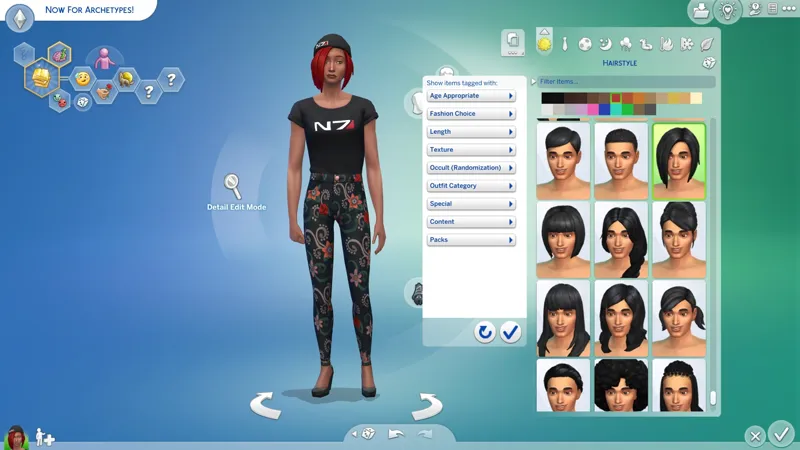
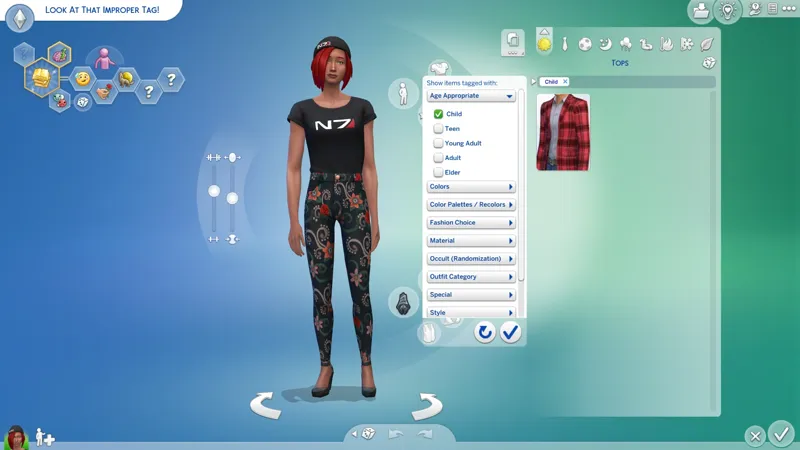
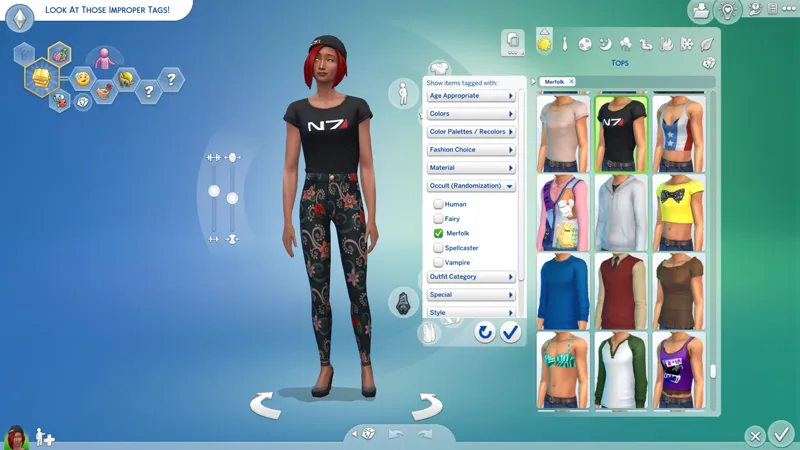
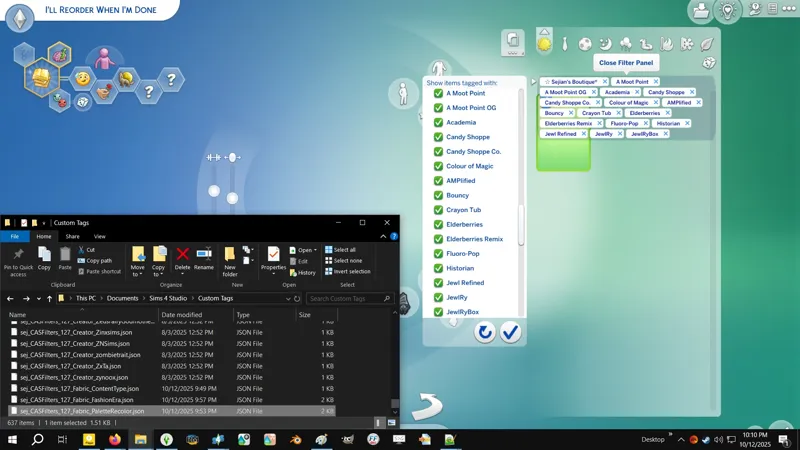
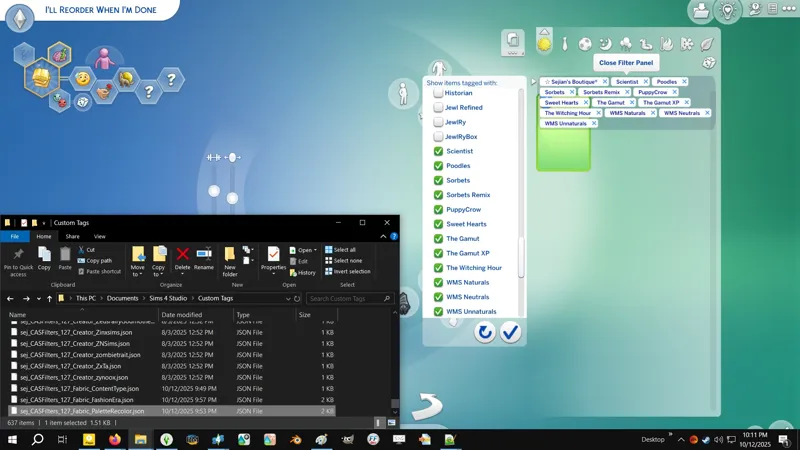
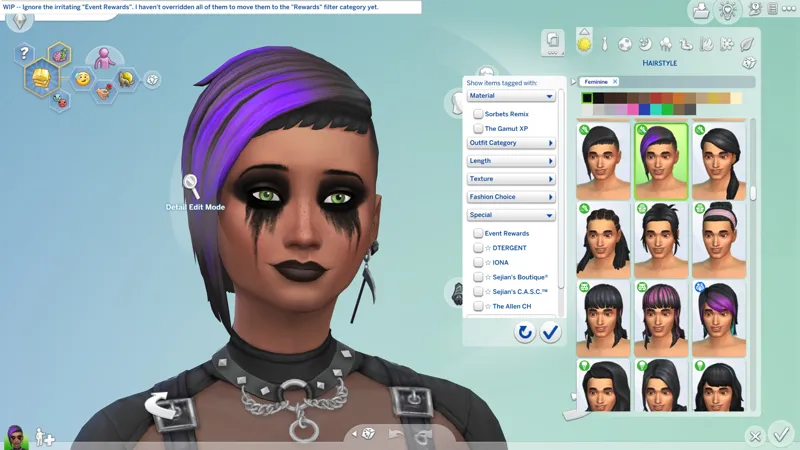
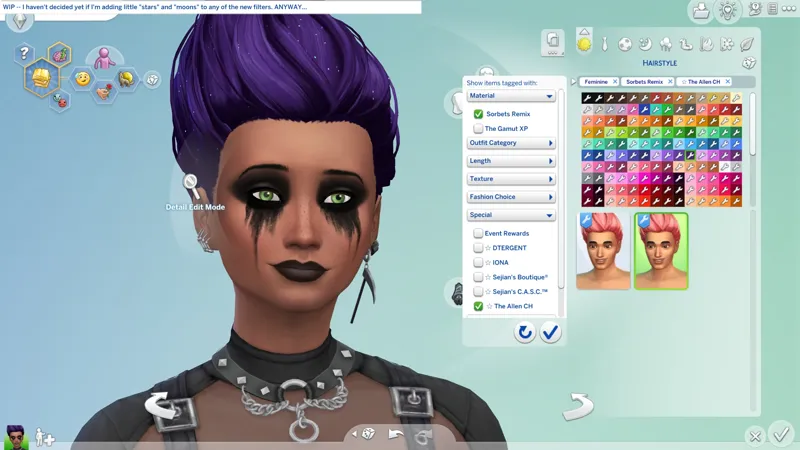
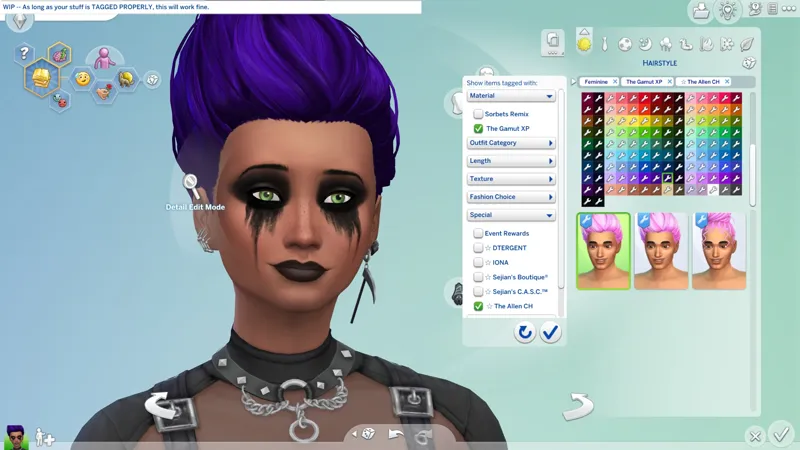
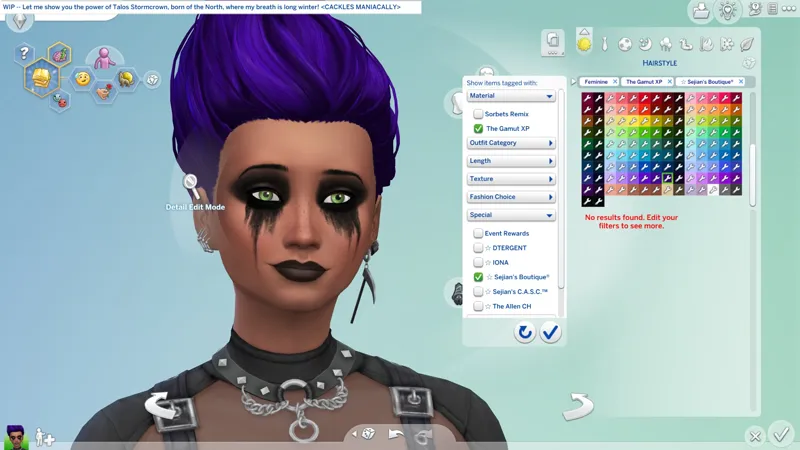
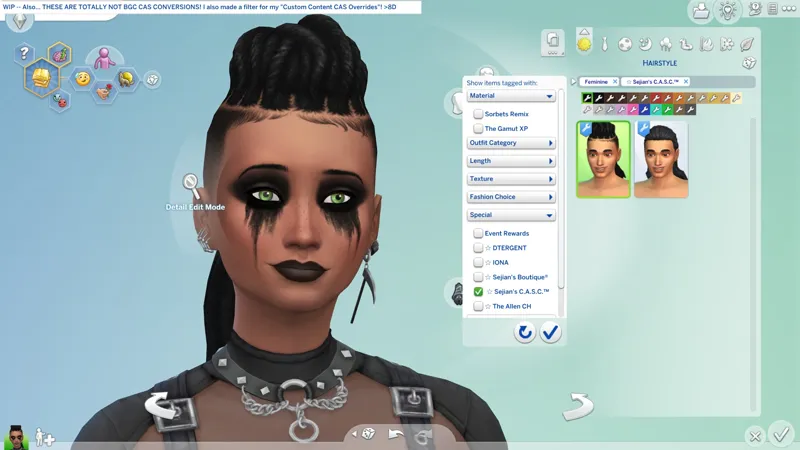
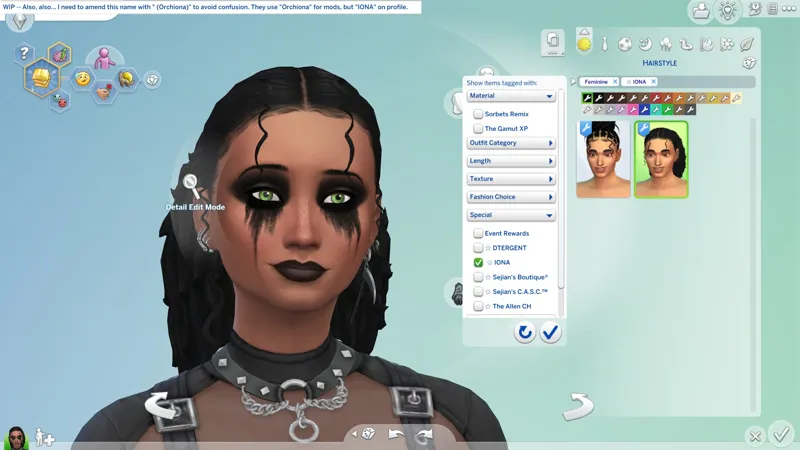

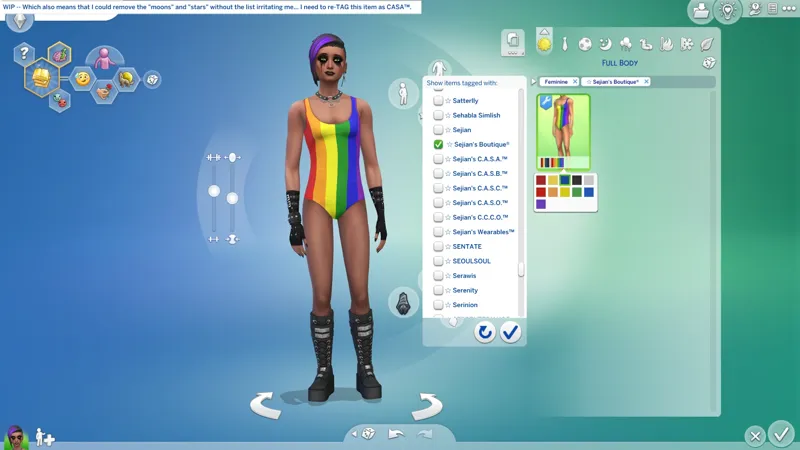
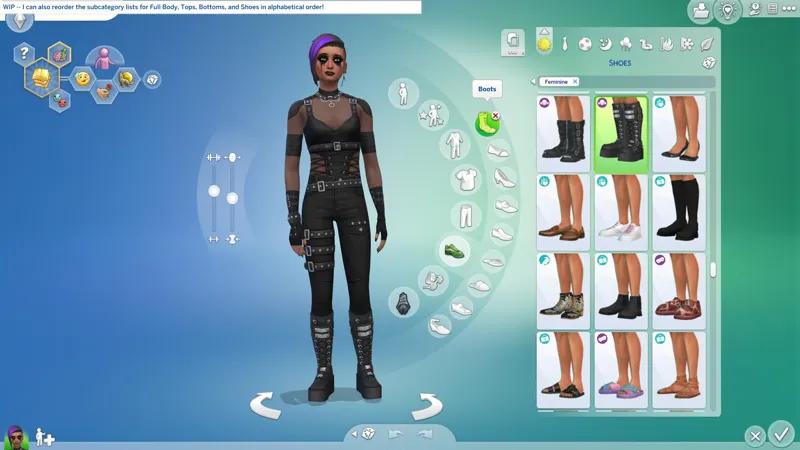
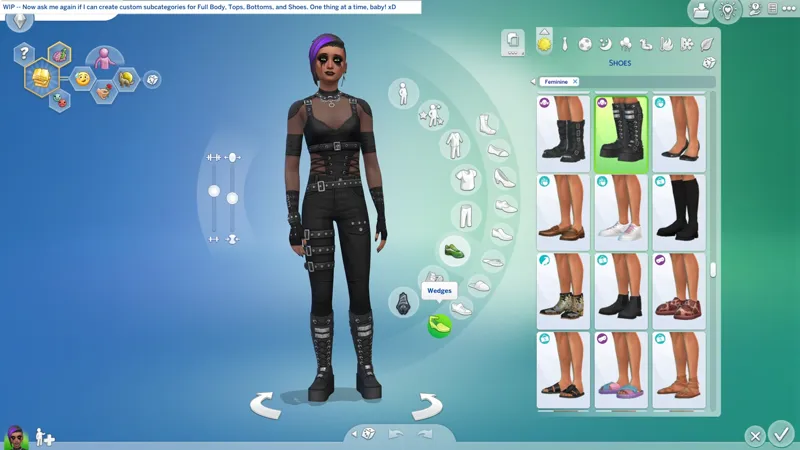
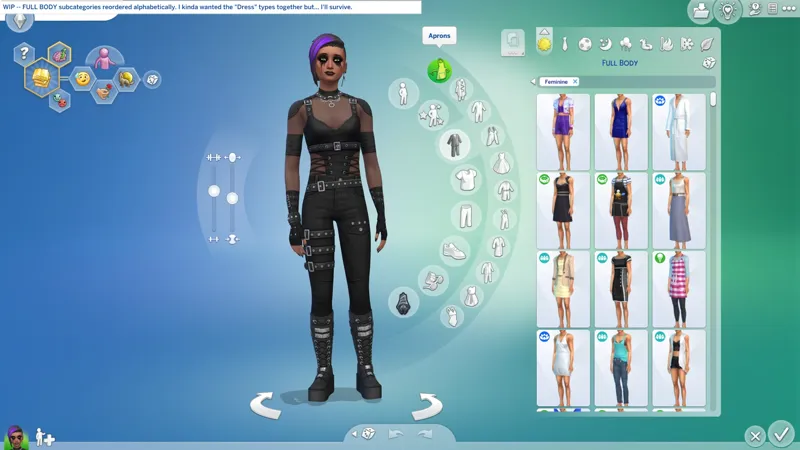
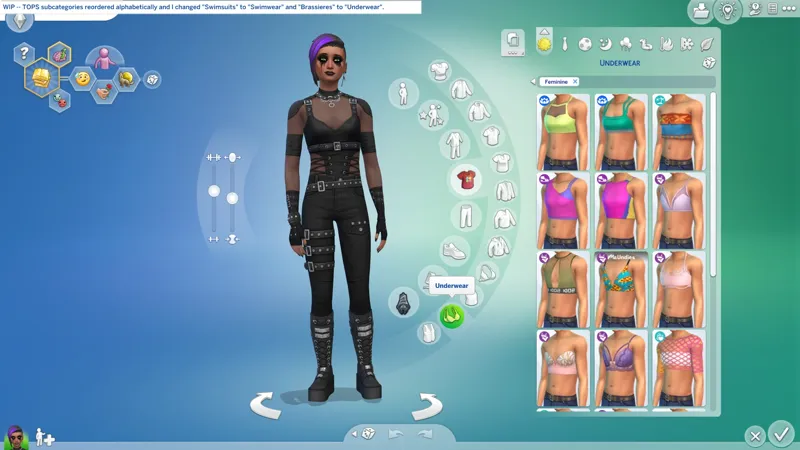
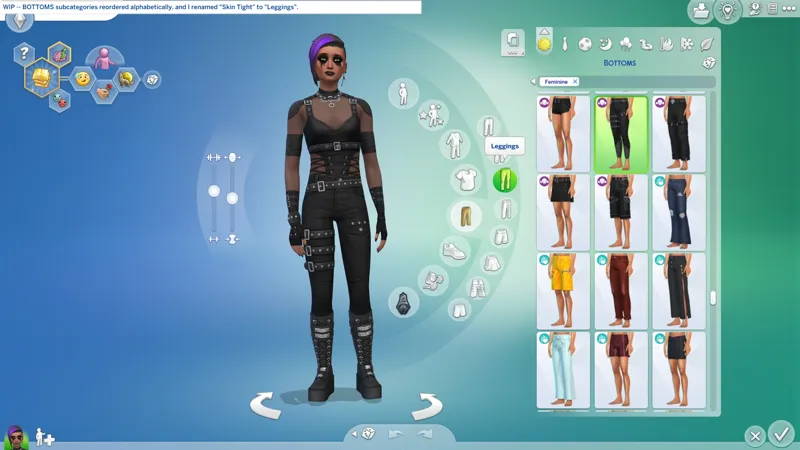
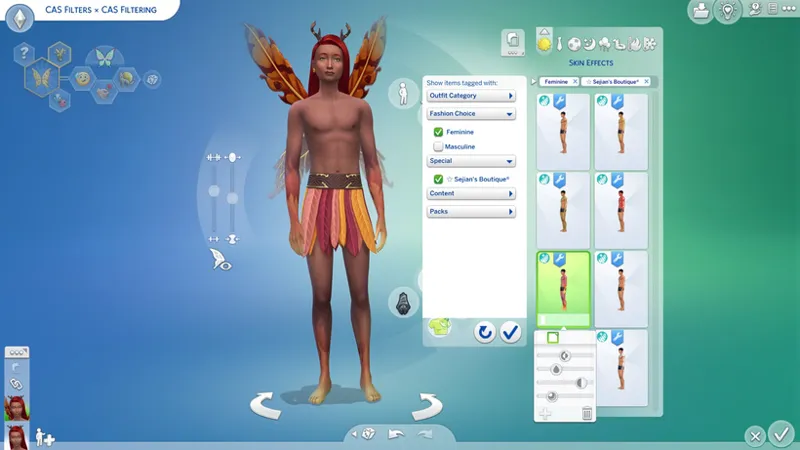
🎁 [BG] CAS Filters -- [3/11] 🕒 Thursday (3/12) is my day off. We're gonna CASO in the morning, and CAS Filters for the rest of the day. I'm sure everyone is tired waiting for this update, including me. -- 🚧 FEATURE UPDATE STILL PENDING!
⚔️ TS4: BASE GAME ⋆ 🚀 4/22/2025 ⋆ 🌠 5/22/2025 ⋆ ☄️ 7/27/2025
🔄 Hasn't broken yet [🌐], but requires compatibility updates on rare occasions [🌐].
🕒 I'ma be gone for a few days. -- https://../posts/142524627
🎬 Outdated Instructions Video (YouTube) -- https://../watch?v=DxL55_bi1r0
📊 My Glorious Spreadsheet -- https://../ThisSpreadsheetIsBasicAF
🗯️ S4S BATCH FIX Request -- https://sims4studio.com/post/213184/thread
🎙️ Come, mister tally man, tally me banana. Daylight come and me wan' go home! -- Calypso music originated in my place of birth. This might be the only calypso song you know. Is a nice one though, so is fine.
🎙️ I need to know now, can you love me again?!
🎙️ I can show you the world! Filtered, organized, and perfect!
☆// ⋆ TOTES "SIMPLE" MOD DESCRIPTION:
This simple little override currently enables (760) custom filters in CAS:
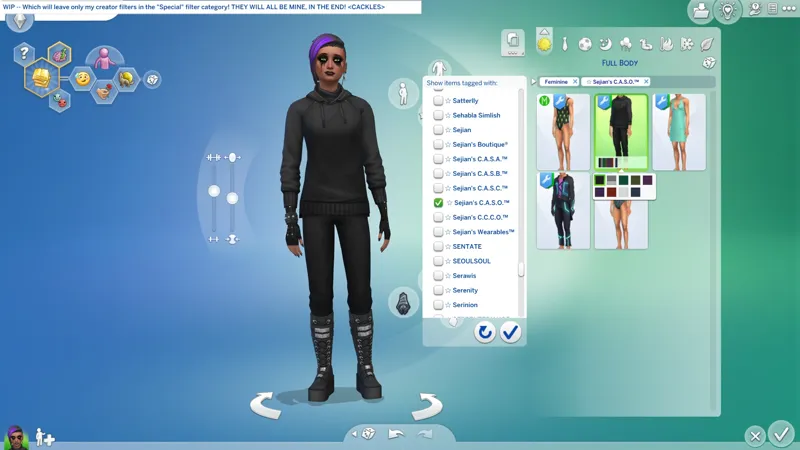
(630) filters named after creators for filtering their content.
(100) generic filters for mucking around with.
(30) "Fashion Era / Time Period" filters for "Time Period" simmers and creators.
These custom filters only appear in CAS when custom content that contain my "filter TAGS" are present in your Mods folder. Both simmers and creators can add these "filter TAGS" to existing custom content by utilizing the provided JSON files for Sims 4 Studio and following the instructions in the YouTube video attached to this post.
BE ADVISED! Some "filter TAGS" were changed! They can be easily identified, removed, and replaced, by utilizing the provided "DEPRECIATED" JSON file:
Euno Sims -- Changed in the first "Feature Update".
S-Club -- Changed in the first "Feature Update".
Cheers! I can't give you a "Search" feature in CAS yet, but I can give you this. 💜
⋆ ── ─ ─ ─ ─ ─ ─ ─ ─ ─ ─ ⋆ \\🎁// ⋆ ─ ─ ─ ─ ─ ─ ─ ─ ─ ─ ── ⋆
☆// ⋆ NOTICE MY POST ATTACHMENTS, SENPAI:
🎁 GDrive Folder -- https://../drive/CASFilters
🎁 SFS Folder -- http://../folder/CASFilters
☆// ⋆ GRAB THESE AND SEE MY FILTERS IN ACTION:
🎀 A List of Compatible Third-Party Custom Content -- https://../posts/130949657
🚩 CC CAS Overrides Collection -- https://../collection/1470122
🧦 CAS Add-Ons Collection -- https://../collection/1470024
🗺️ CAS Overrides for Trillyke's Sweet Slumber Party Kit -- https://../posts/128671216
🗺️ CAS Overrides for Madlen's Business Chic Kit -- https://../posts/128631440
🗺️ CAS Overrides for AHarris00Britney's Sweet Allure Kit -- https://../posts/128551908
☆// ⋆ EXTRA BOOTY:
🗺️ All-in-One Live Event Rewards Unlocker -- https://../posts/120588981
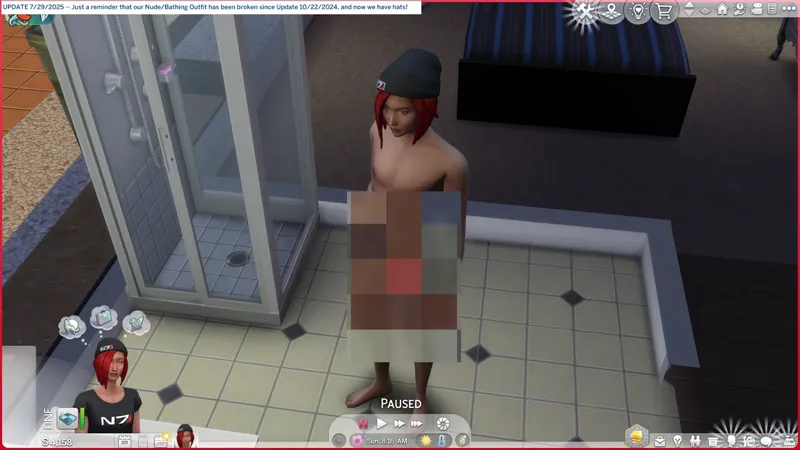
🗺️ Reset Your Busted Nude/Bathing Outfit -- https://../posts/128730766
☆// ⋆ EVEN MORE FILTERING WITH BATTY BAT™:
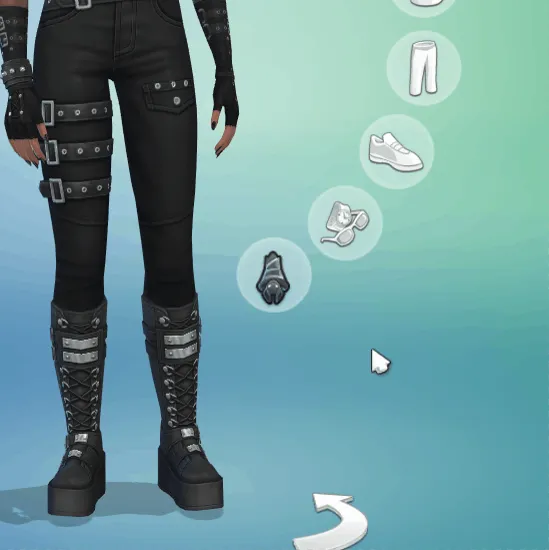
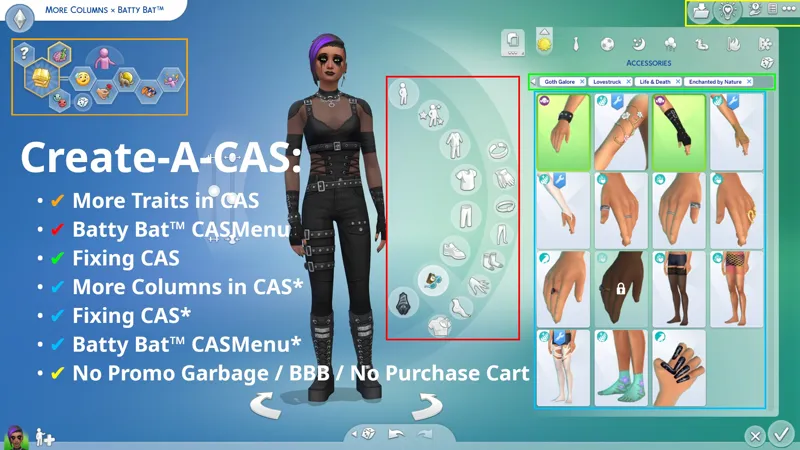
🗺️ Batty Bat™ CASMenu Override -- https://../posts/107958333
🗺️ Batty Bat™ × More Columns in CAS -- https://../posts/135116776
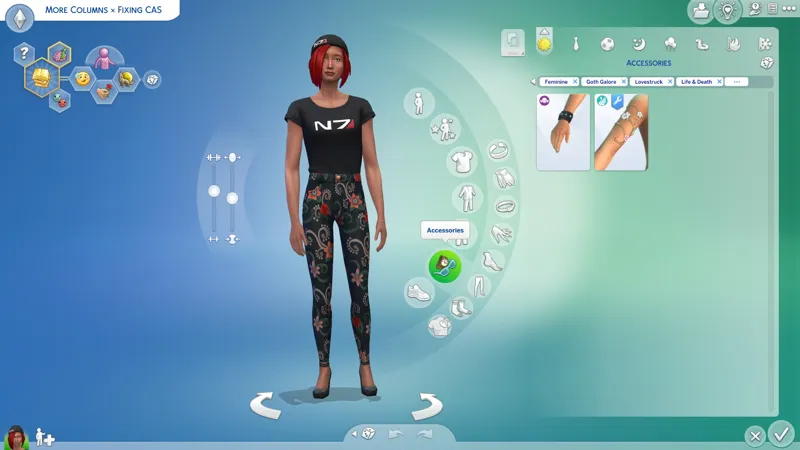
🗺️ SGFX: Fixing CAS -- https://../posts/134653412
🗺️ Fixing CAS × More Columns in CAS -- https://../posts/135108346
"SGFX: Fixing CAS" is included in "Batty Bat™".
⋆ ── ─ ─ ─ ─ ─ ─ ─ ─ ─ ─ ⋆ \\ ☆ // ⋆ ─ ─ ─ ─ ─ ─ ─ ─ ─ ─ ── ⋆
☆ // ⋆ TABLE OF CATENTS - RAWR:
🌸 A PERSONAL REQUEST -- While I have your attention.
⚙️ INSTALL INSTRUCTIONS -- I've wanted to expand this for a while.
😺 SIMS 4 STUDIO AIN'T BUSTED NO MORE -- No "Batch Fix" though.
⚠️ POTENTIAL CONFLICTS -- You're locked in here with me.
⚠️ POTENTIAL PITFALLS -- There's always a catch.
👩🏫 HOW THIS WORKS -- It's not magic, it's rocket science!
🎓 "TAGVALUENUMBER" AS "DISPLAYINDEX" -- I can "unique" you betta!
🦄 NO FEES, NO OBLIGATIONS, NO DRAMA -- I meant it, innit?
👹 ADDRESSING CRITICISM -- Okay, let's crack open this can of worms.
💜 SPECIAL THANKS -- Y'all get all the cookies!
🐐 THIS DREAM -- "Batty Bat™" chirped so "CAS Filters" could wreak havoc.
🐑 THE OTHER ELUSIVE DREAM -- I know you want a Search feature.
⚡ PROGRESSION -- I forgot what description I give for this.
🐱 PROJECT MIRRORS -- This awesomeness, but Elsweyr.
📑 ZIP CONTAINS JSON FILES -- Do not put JSON files in "Mods".
📑 ZIP CONTAINS -- A complete list of this mod's archives and files.
⋆ ── ─ ─ ─ ─ ─ ─ ─ ─ ─ ─ ⋆ \\ ☆ // ⋆ ─ ─ ─ ─ ─ ─ ─ ─ ─ ─ ── ⋆
🌸// ⋆ A PERSONAL REQUEST:
Please, please, pretty please, stop using brackets "[" "]" and other other special characters in your filenames. No spaces " " or dashes "-" either.
Use underscores "_" instead. EAxis uses underscores, so I assume they are fine to use.
Since 2015 or 2016 (or thereabouts), there have been posts floating around on the internet that state that special characters in filenames increase launch and/or load times.
If it is true, then I assume it becomes noticeable when using a lot of custom content and mods, but I can neither confirm nor verify it because I do not use a lot of third-party content and all of my filenames already use underscores. HOWEVER, many simmers believe it to be true, so much so that we have NUMEROUS tutorials explaining how to use batch/bulk renaming apps to mass rename our custom content - your custom content.
There is no need to bracket your creator name and there is no need to "yassify" your filename.
What we need is a standardized filename.
Here's an example of mine:
sej_CASA_BG_ClothingBottom_YF_TightsFootlessCropped.package
And here's a whole post dedicated to filenames that includes an explanation for why improper filenames might negatively affect our launch and/or load time from a coding perspective:
🎓 Modding 101: Filenames -- https://../posts/130391144
Even if you cannot change all of your old filenames, please consider adopting better filename practices in the future. Cheers!
P.S. I have no intention of "penalizing" anyone for having improper filenames or not changing their filenames by holding their "CAS Filters" filter hostage. Everyone gets a filter, period.
⋆ ── ─ ─ ─ ─ ─ ─ ─ ─ ─ ─ ⋆ \\ ☆ // ⋆ ─ ─ ─ ─ ─ ─ ─ ─ ─ ─ ── ⋆
😺// ⋆ SIMS 4 STUDIO AIN'T BUSTED NO MORE:
I did a full BUGWATCH for this. -- https://../posts/130539081
For a while we were plagued with (2) issues:
The "Apply To All Swatches" button in the STUDIO » CATEGORIES » "Miscellaneous" section was erasing "CategoryNumbers" from "Miscellaneous" TAGS and effectively breaking them.
When adding a "Miscellaneous" TAG from the new drop-down list, no "CategoryNumber" was being added, forcing us to go into WAREHOUSE and add it manually to every swatch.
Both of these issues were addressed in the 7/31/2025 update for Sims 4 Studio:
3.2.4.6 (Star) for Windows
1.4.4.3 (Aurora) for Mac
I feel all warm and fuzzy and special! We got a whole "CAS Filters" update!
No Batch Fix, but the features mentioned above now work as they should - as they were meant to - which is the best consolation prize we can ask for!
⚠️// ⋆ POTENTIAL CONFLICTS:
TL;DR: I'm not locked in here with you. You're locked in here with me! 👹
—
CONFLICTS WILL ONLY OCCUR IF YOU HAPPEN TO USE THE SAME 9-DIGIT "TAGVALUENUMBER" FOR A "SPECIALCONTENT" TAG FOR CAS CONTENT.
I am so bold as to recommend that no one randomize 9-digit "TagValueNumbers" for "SpecialContent" TAGS from now on. Avoid the potential hassle of conflicting with this mod, and use 5, 6, 7, or 8-digit numbers instead.
You can also use any 10-digit numbers starting from "1,000,000,000" and ending with "4,294,967,295". Numbers above "4,294,967,295" are not valid and do not work. This isn't me saying this, this is the error that Sims 4 Studio gives.
I stand by what I said above.
You don't actually need to stop using 9-digit "TagValueNumbers" for your "SpecialContent" TAGS or even change your 9-digit "TagValueNumbers", but there is no scenario where I will modify my "TagValueNumbers" to be compatible with any third-party content or mod that might find itself in conflict with "CAS Filters".
Consider the inconvenience caused to you if you had to modify your content because your "TagValueNumber" conflicts with one of mine, then multiply that by any number of other creators who might make their content compatible with "CAS Filters", and the inconvenience they would face if I changed my "TagValueNumbers" every time "CAS Filters" was in conflict with some third-party content or mod.
I'm sorry I wasn't around and modding 7~10 years ago and didn't create this 7~10 years ago, but 🎙️ these are the breaks.
If this is something the community wants, then the community needs to make the necessary accommodations so that "CAS Filters" can work free from obstruction.
If there was another way to do this, one that didn't require me to "claim" all 9-digit "TagValueNumbers" for CAS "SpecialContent" TAGS, then I would have done that instead.
It's been TEN (10) YEARS. If someone, anyone, has a better way to do this, then please, reach out and collaborate, or get it done.
⚠️// ⋆ POTENTIAL PITFALLS:
FILTER LIMITS -- I don't know if there's a limit to how many entries I can stuff into the Tuning resource I'm modifying for this to work, so I'm going to continue stuffing the Tuning resource until it breaks or I create filters for "everyone".
TS4SCRIPT -- I intend to keep this mod away from TS4SCRIPT for as long as possible because of our recurring malware incidents, whether or not it can be done with TS4SCRIPT. However, if is can be done with TS4SCRIPT, it would be more efficient - instead of one override with hundreds of custom filters, we could have hundreds of- wait... Is having hundreds of individual custom scripts running in the game actually more efficient? That's hundreds of potential malware vectors! Yeah... nope. We're avoiding TS4SCRIPT unless it's absolutely necessary. 😹
ALPHABETICAL ORDER -- I "claimed" 9-digit "TagValueNumbers" in order to maintain some semblance of alphanumerical order in the filter list in CAS, but (9) digits is not actually enough. You can already see it failing in my glorious spreadsheet. (9) digits only allows me to ensure that the first letters of a name are always grouped together. I needed more, like (33) digits "more". A 33-digit "TagValueNumber" would allow me to maintain alphanumerical order for names as long as (16) characters.
👩🏫// ⋆ HOW THIS WORKS:
TL;DR: I'm the queen of this castle and you will follow my lead. 👑
We can't reasonably expect that every creator will, or even can, update their entire catalog, but it takes little to no effort to include the new TAG in new content.
—
There are four* parts to this:
A TUNING RESOURCE must be modified to add each new filter, and each new filter requires a custom "String Key" and a unique "TagValueNumber".
A CUSTOM STRING TABLE containing custom "String Keys" and "String Values" for each filter must be created, or the filters will have no names in CAS.
A UNIQUE "TAGVALUENUMBER" must be created for each filter. These will also be used for the custom TAGS that must be added to custom content.
A CUSTOM JSON file for each filter (or an all-in-one JSON file) must be created for Sims 4 Studio to make adding the custom TAGS to custom content easier.
Then there's the bulk of the work:
THE CUSTOM TAG must be added to custom content. This can be done during content creation or retroactively to existing custom content by modifying the PACKAGE directly, or by creating an override.
If the "TagValueNumber" in the custom TAG in the CAS content don't match the "TagValueNumber" in the Tuning resource, then the filter won't work.
If the "String Keys" in the "String Tables" don't match the "String Keys" in the Tuning resource, then you won't see a name next to the filter in CAS.
Consistency is paramount, which is why some teamwork is needed for us to realize this dream. In other words, I create the unique "TagValueNumbers" and the custom JSON files for Sims 4 Studio, and everyone uses my "TagValueNumbers" / JSON files.
That's it.
🎓// ⋆ "TAGVALUENUMBER" AS "DISPLAYINDEX":
TL;DR: My "TagValueNumbers" can be repurposed as unique "DisplayIndexes", but to do so, you must delete the SECOND (2nd) number and THIRD (3rd) number from my "TagValueNumber". 🪓
—
My "TagValueNumbers" are 9-digits long, but I recommend using 7-digit numbers for "DisplayIndex". You can use longer numbers, but it gets "wonky".
Example; "719354260" is my personal "TagValueNumber". To use it as a unique "DisplayIndex", I'd remove the two numbers in brackets "7 [19] 354260":
My personal "TagValueNumber" is "719354260".
My unique "DisplayIndex" is "7354260".
The SECOND (2nd) number and THIRD (3rd) number in my "TagValueNumber" are "grouping numbers". They are the only numbers you can safely remove to reduce my "TagValueNumber" from (9) digits to (7) digits while maintaining the uniqueness of the number.
I already fine-tune my "TagValueNumbers" to avoid instances where names with the same beginning (7) characters might overlap, e.g. "Strange Grapefruit" and "Strange Storyteller", so you need not worry about that.
⋆ ── ─ ─ ─ ─ ─ ─ ─ ─ ─ ─ ⋆ \\ ☆ // ⋆ ─ ─ ─ ─ ─ ─ ─ ─ ─ ─ ── ⋆
🦄// ⋆ NO FEES, NO OBLIGATIONS, NO DRAMA:
NO FEES -- This is my declaration that this mod will never be pay-walled in any way. As long as I have a hand in developing this mod, you will never have to pay for it and it will never be in Early Access.
NO OBLIGATIONS -- My Patreon is truly "public", meaning you don't even have to be a "Free Member" in order to read this post or download this mod from the post attachments.
NO DRAMA -- This doesn't mean that drama will never happen. What it means is that no drama that I find myself in with anyone, including other members of the community, will prevent me from making this mod, maintaining this mod, or adding filters to this mod. "CAS Filters" ain't about my feelings, it's for the community.
If I'm not mistaken, my "No Fees, No Obligations, No Drama" statement was part of this post even before what transpired in [X] and in the Comments.
It was added because I have no qualms about criticizing anyone, including EAxis, when I believe that a situation has become so egregious that someone with my "disposition" needs to say something about it.
It remains because I'm still me. I've been me for longer than I've been modding this game, and I don't see me changing anytime soon. Cheers!
👹// ⋆ ADDRESSING CRITICISM:
This section has it's own post. -- https://../posts/127325028
Be advised, it is a very scathing rant about the drama surrounding this simple (but very time-consuming) mod.
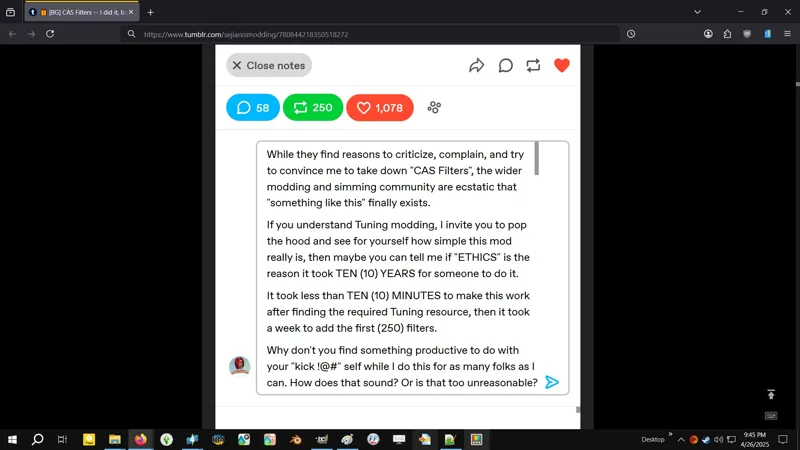
In it I address what I consider to be bad-faith arguments about "ethics" and "unreasonable expectations" concerning "CAS Filters" and my "CAS Overrides" project. I also lay out some years-long criticisms that I'm sure we've all had at one point or another concerning the state of custom content and the creator community in general.
You might also find some value reading this other post. -- https://../posts/127188386
During one of my post overhauls, I had unintentionally removed the "No Fees, No Obligations, No Drama" statement, but I expanded it in this other post, and now I've done so again in this post, as seen above.
💜// ⋆ SPECIAL THANKS:
To Crilender for their "CASUnlocks" mod. The knowledge I gained from dissecting "CASUnlocks" allowed me to create my "Batty Bat™ CASMenu Override", and the knowledge I gained from successfully summoning "Batty Bat™" was applied to "CAS Filters". Without "CASUnlocks", "CAS Filters" might not exist. 🙀
To TajLIbra Creations for pointing me in the direction of that egg hunt for the Sims 4 Studio "Custom Tags" folder. These JSON files eliminate at least half the busywork required to add these TAGS! 😸
To vampishly for their totes not basic as !@#$ spreadsheets containing hundreds upon hundreds of creator names, links to their profiles, notes on what they make, and a bunch of other useful information. Seriously, these spreadsheets are amazing and amazingly made. My spreadsheet don't even have headers, pfft! I dun even know how to header! Not jealous in the slightest. No siree! 😹
To everyone else for the encouragement, because this is a ton of tedious, mind-numbing, and mundane work, and there were multiple instances in the week leading up to "INITIAL RELEASE" when I regretted figuring out how to do this. I've known to some extent how much work this would require ever since I summoned "Batty Bat™" back in 2024, and I knew if I ever figured it out, I'd take it upon myself to make it work for as many creators as I could. 🐱
🐐// ⋆ THIS DREAM:
Custom tags and custom categories would make my "tomorrow"! 😹
— Me, to my anonymous friend on 5/11/2024 @ 8:58 PM.
I've wanted to do this ever since I created my "Wearables™ CASMenu Override" a.k.a. my cute little "Batty Bat™" seen in some of my CAS screenshots, that is now finally released as my "Batty Bat™ CASMenu Override" with a variant for use with "More Columns in CAS".
Make no mistake, my "Batty Bat™" was always combat ready, but there were screen-space limitations. I couldn't possibly make custom CASMenu entries for absolutely everyone because there's simply not enough screen space. But filters, filters are a scrolling list, innit?!
If I can do "Batty Bat™", then I should be able to do TAGS or filters for everyone, right?
That was the question, and the answer is yes, and it ain't actually that difficult either.
It's no more work than I was doing to get my Wearables™ into my custom "Batty Bat™" CASMenu category, which was arguably a lot of work, and yes, this is a ton of work. 😹
🐑// ⋆ THE OTHER ELUSIVE DREAM:
Look, I get it. I know we want a Search feature in CAS, but that dream remains elusive.
I do not have the Scale Form GFX modding knowledge required to make it a reality yet.
Just like I can't give you fully functioning wheelchairs yet, because I don't do 3d modeling or animations yet, but I can give you this - https://../posts/116007526 - and I can tell you, without a doubt, that wheelchairs are possible, if only someone (or "a team") were willing to do it.
⋆ ── ─ ─ ─ ─ ─ ─ ─ ─ ─ ─ ⋆ \\⚡// ⋆ ─ ─ ─ ─ ─ ─ ─ ─ ─ ─ ── ⋆
☆// ⋆ PROGRESSION - THIS ONE IS A CHANGE-LOG:
⚡ 10/14/2025 #1 -- I GOT A PLAN! IT'S A GREAT PLAN!
I'll expand on the new screenshots later. I should be on Kitchen Doody.
⚡ 10/13/2025 #2 -- I DID SAY I'D GIVE YOU EVERYTHING IF I COULD...
I reached out to S4S_Andrew, but it might take some before I get a response.
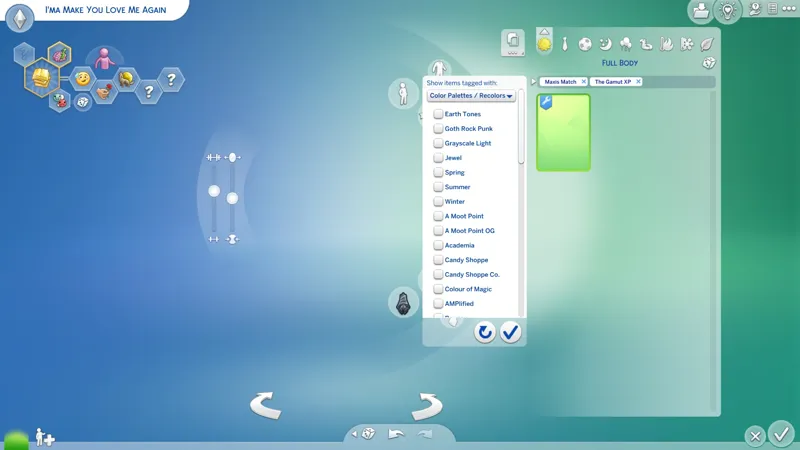
In the meantime, I'm going to try to enable the following filter categories that we see in Sims 4 Studio but not in-game:
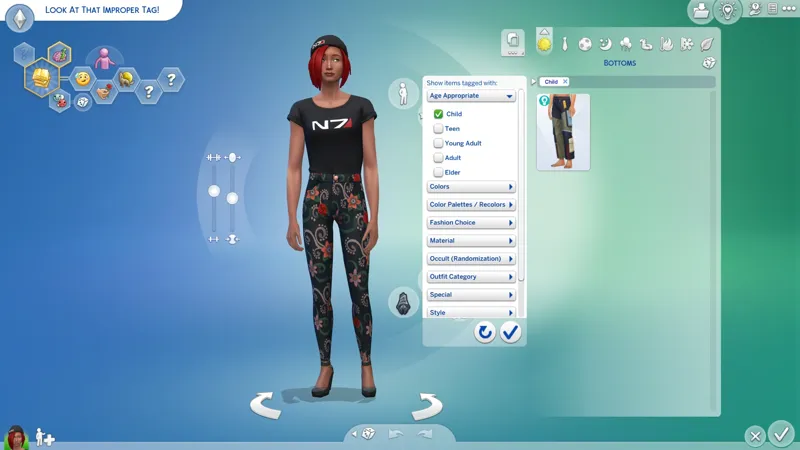
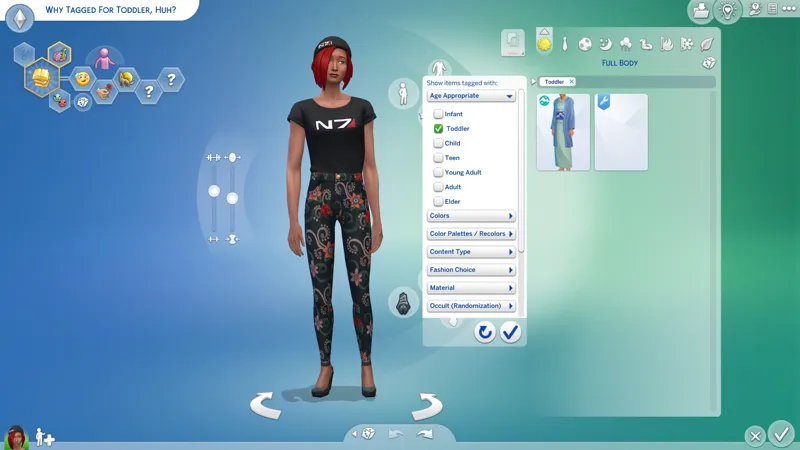
Age Appropriate -- Done!
Archetype
Color Palette -- Already done, baby!
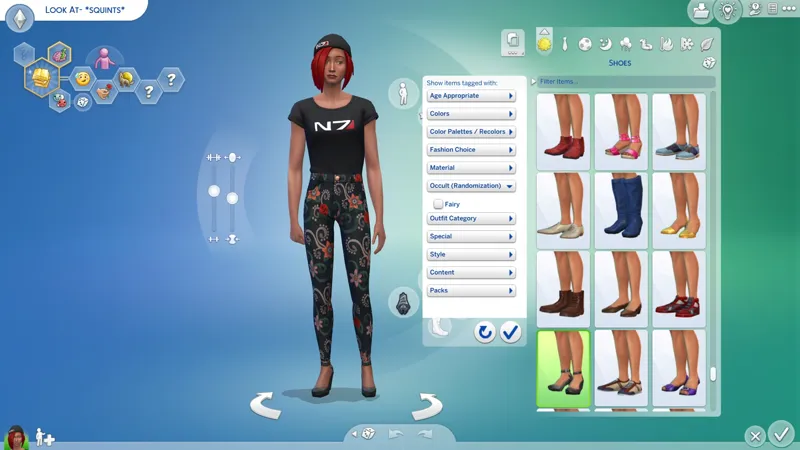
Occult (Randomization) -- Done!
Vampire Style -- This is "Style". The Vampire filters just aren't visible in CAS (yet).
I'm also gonna reorder the category list alphabetically.
And so help me, if I can figure out how to filter for the following, you gon' get that too:
Allow For Random
Restrict Opposite Gender
Restrict Opposite Frame
When I'm done with these, I'll push a feature update, then continue with the custom filters.
Can I claim CAS as my territory yet? 😹
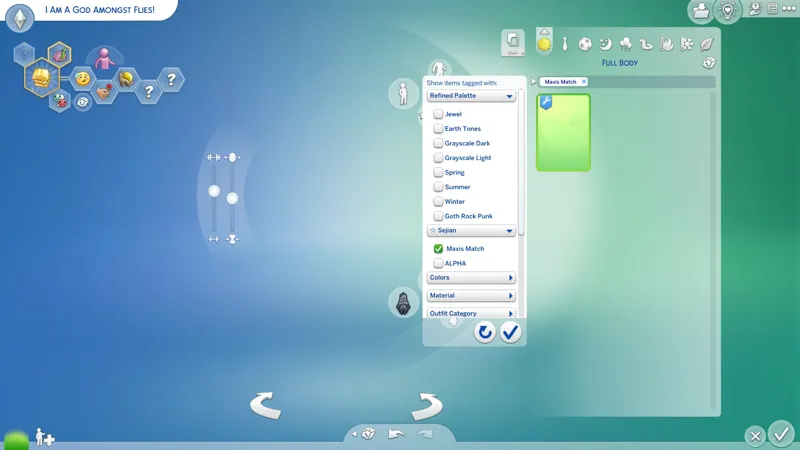
⚡ 10/13/2025 #1 -- I AM A GOD AMONGST FLIES! <CACKLES MANIACALLY>
I few things have been delaying this big update.
One of them is the lingering thought that "I probably know how to create custom CAS filter categories, and I just haven't found the right resource yet. What if it's been right under my nose all this time?"
Turns out... it was. Cat dammit! (╯'□')╯︵ ┻━┻
There's a caveat though...
For S4S to do custom filter categories properly, I will have to reach out to S4S_Andrew and ask them to add support for any custom filter categories that I create.
⚡ 8/19/2025 -- I'M STICKING A PIN IN TRADITIONAL STYLES FILTERS...
I started, then I realized that the list I was looking at only had (41) countries, and I remembered that there are more than (41) countries in the world, and Shirley at least some, if not all, of the (150+) countries not listed in that list, will have their own traditional clothing, right?
So that's almost (200) more Styles filters. BUT WAIT, THERE'S MORE, because countries are generally larger than my little pinhead country, and different regions will have different traditional clothing, which means anywhere between (1) and (5+) filters for some countries, which means I'm looking at at least (400) more Styles filters - maybe less, who knows...
But it also means days of research because if I want to do this, which I do, then I'm Shirley not going to half-arse it, now am I? I know we may not have a lot of creators doing faith-based CAS content or traditional clothing CAS content, but I'm not gonna half-arse this mod.
Is full-arse "bottom in de road" or nothing! 😹
"Bottom in de road" is a "slang" phrase here in my country for... I don't really know. Maybe it's literal, like- MOVING ON! 😹
I'll add the (195+) "generic" country Styles in a following update, then I'll work on refining each of them in a future update.
This is, of course, all providing that the override don't break.
I'm sticking a pin in it for now because first and foremost, CAS Filters is about giving you a way to filter your content by creator.
I've already deviated with almost (350) aesthetic Styles filters. I maybe kinda got all excited and forgot why we're here when I realized that I can make custom filters in most of the filter categories we see in CAS. 😹
⚡ 8/13/2025 -- <CACKLES MANIACALLY> I AM A CAS GOD!
Shirley this entry was supposed to have content... Either the internet died or the electricity died while I was typing this and now I can't remember what it was for, however, I am indeed a CAS god. 😹
⚡ 8/12/2025 #2 -- I HAD A CHAT WITH A "PALETTE" CREATOR, AND...
I proposed tossing the "Palette Recolor" filters that they requested into the "Materials" filter category, and after some consideration, they agreed that it's the perfect plan:
Ain't nobody uses "Materials" filters in CAS, just like ain't nobody use to use "Special" filters in CAS before I came 'round. <EGO ALERT> 😹
Tossing the "Palette Recolor" filters into "Materials" means you can "refine" your "Sorbets" and your "Elderberries", etc., with "Colors" filters, "Styles" filters, and "Special" filters (we use these for our creator filters).
"Materials" filters work for Hairstyles too! You just ain't never seen them before because ain't nobody been TAGGING their Hairstyles as "Metal" and "Synthetic".
Am I blowing your mind with my <EGO ALERT> vast knowledge and modding powah yet?
There's something else... that I don't want to highlight yet, because I don't want to get anyone's hopes up, but I noticed something that has been in front of my face all this time. I just have no idea if I can make it work yet. It will require my full focus, so I'm shelving it til I complete this "CAS Filters" update.🐱
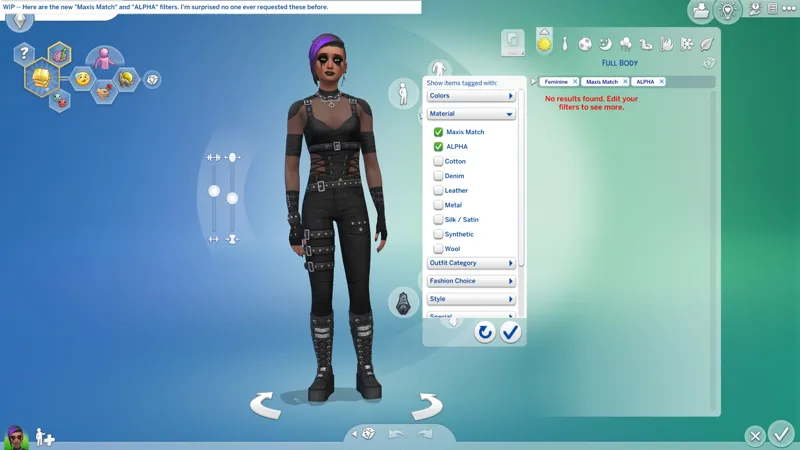
⚡ 8/12/2025 #1 -- ALSO, I CAN DO MORE THAN JUST STYLE FILTERS!
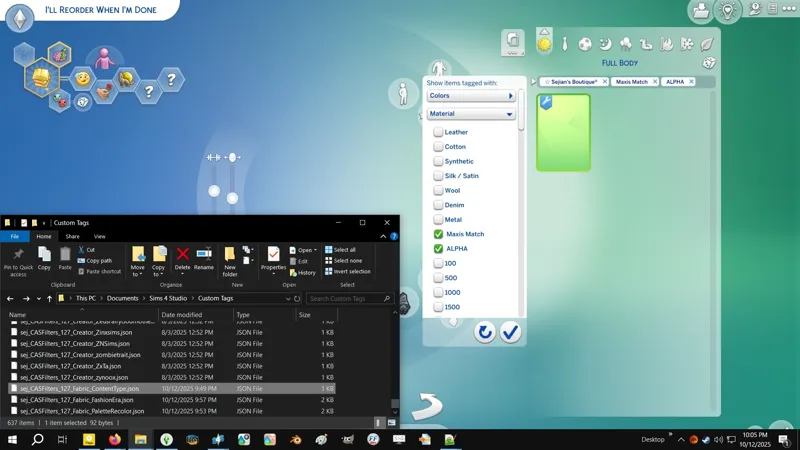
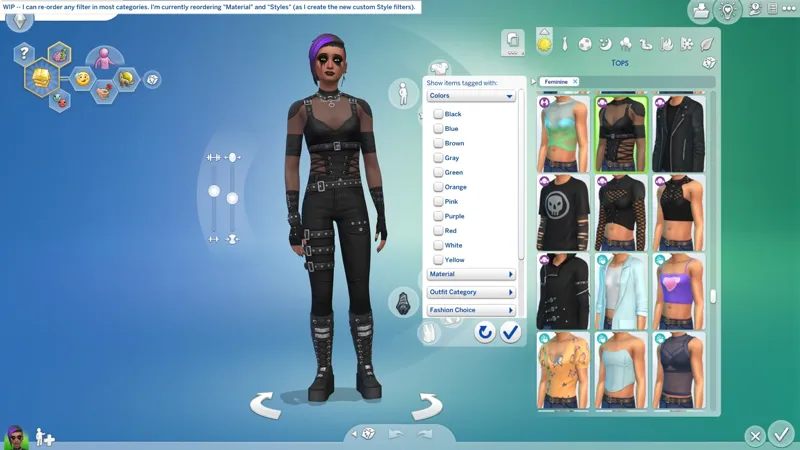
I can give you custom filters in any/all of the following filter categories, and I can reorder the filters inside of them however I damn well please, which means alphanumerical order wherever it's applicable:
Colors -- For now I've only reordered this but we can totally have all the colors!
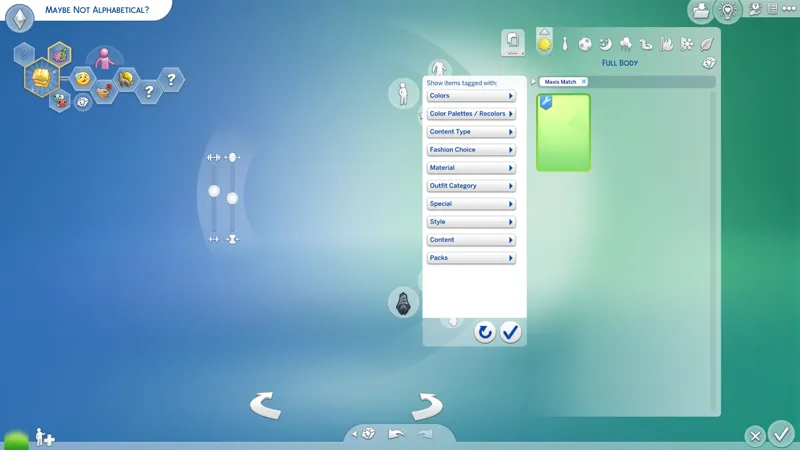
Material -- I'm adding a custom "Maxis Match" filter and an "ALPHA" filter in here and I'm also reordering the EAxis filters below them.
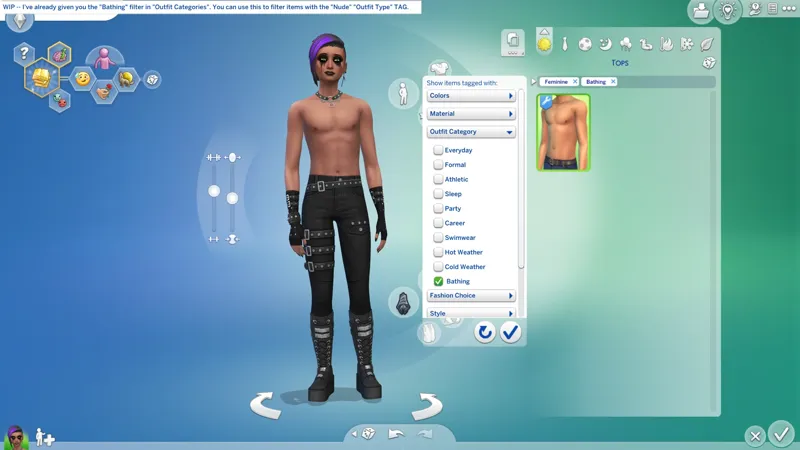
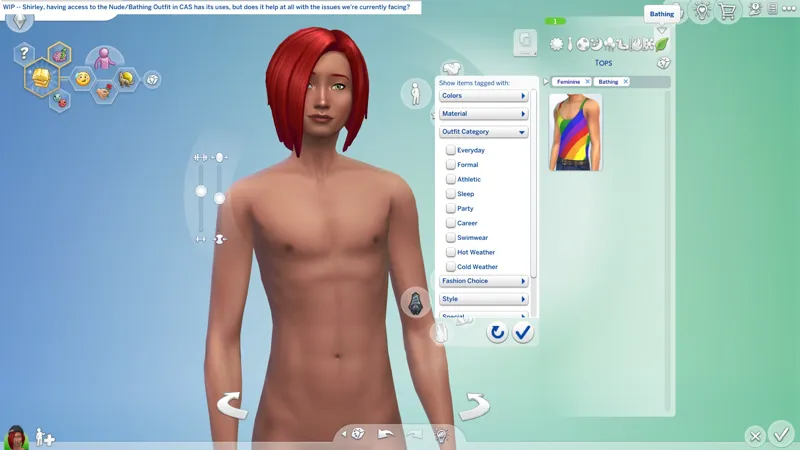
Outfit Category -- All you're getting here is the "Bathing" filter. I will not be reordering this.
Fashion Choice -- I don't think I want to do anything in here, but I could.
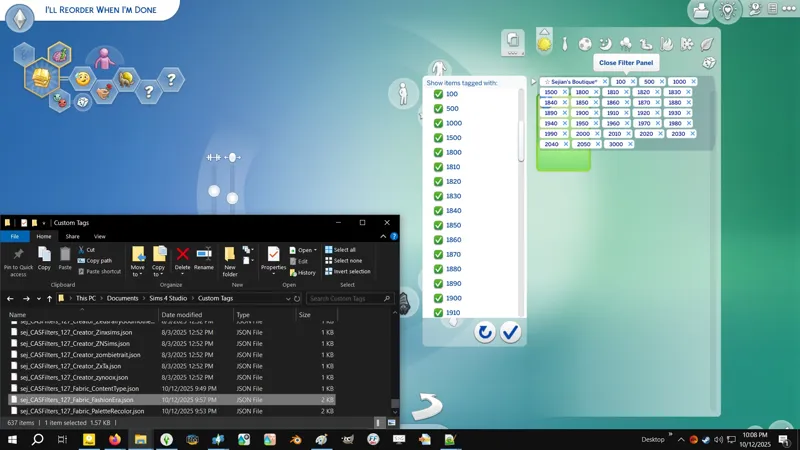
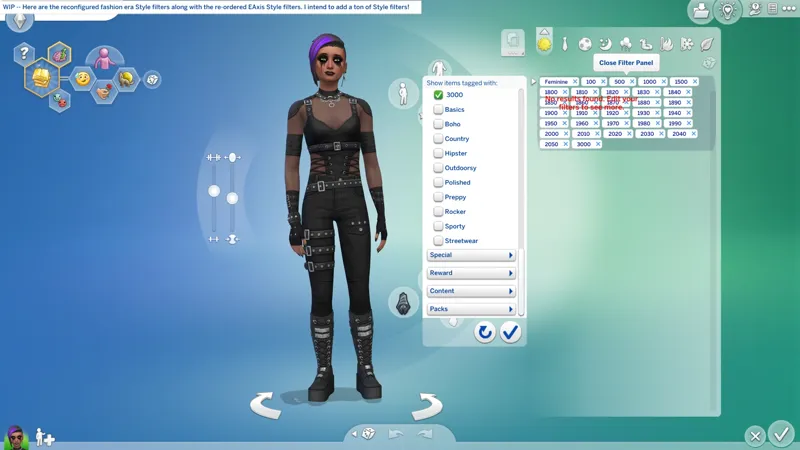
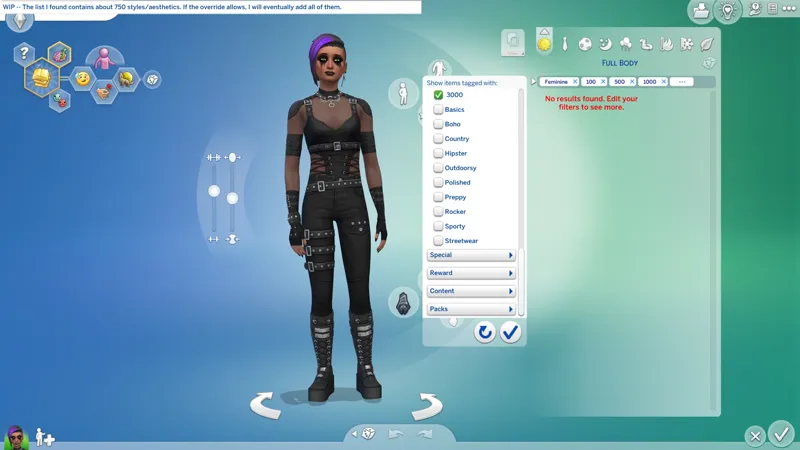
Style -- Our fashion era filters are moving here. I'm also reordering this.
Special -- Our custom creator filters are in here.
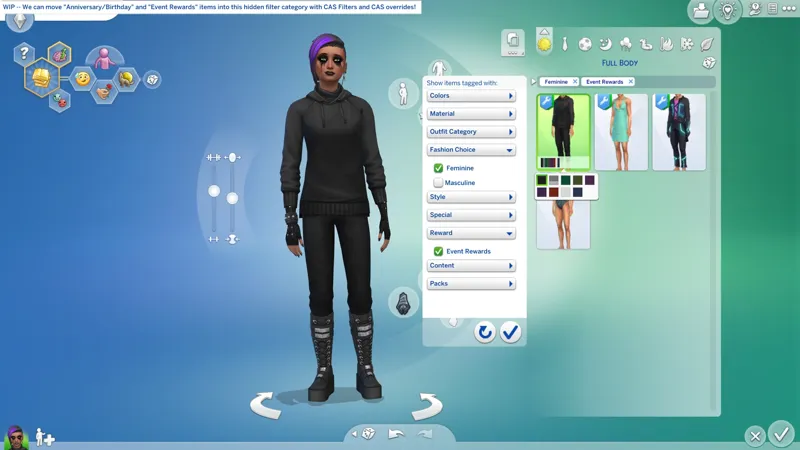
Reward -- Shhh! This category is hidden. At least I've never seen it used. Have you?
I don't really want to create any "Reward" filters. I don't know what EAxis has planned for it. I'm not even sure how long it has been there. I don't understand why "Event Rewards" aren't in the "Reward" filter category. Had I noticed this apparently unused category before (if it has indeed existed for a while), I'd have used it for our creator filters. As it is, we're (600+) filters too deep for me to go changing our creator category. Instead, I will re-categorize all "Event Rewards" and "Birthday" items into the "Reward" category when I "CAS Override" them.
I can't make new filter categories without dragging this "simple" Tuning mod into Scale Form SFX territory, and I don't want to do that because of the potential conflicts with third-party CAS mods. We're keeping this Tuning-based so it doesn't conflict with anything. As it stands, the only other mod "CAS Filters" could conflict with is a mod that copies "CAS Filters". No one besides EAxis uses this Tuning resource for anything.
⚡ 8/11/2025 -- I FOUND A LIST OF STYLES/AESTHETICS!
How would you like all of these as Style filters? -- https://../wiki/List_of_Aesthetics
⚡ 8/9/2025 -- CUSTOM STYLE FILTERS ARE COMING!
I've been working on the railroad while waiting for the internet to come 'round, and as it turns out, I can give you custom "Style" filters!
This will allow us to "fine-tuning" our filtering the way I wanted us to be able to.
Right now we have (30) "Fashion Era" filters. They are currently "Special Content" filters like our (600+) creator filters:
If you enable the "1800" fashion era filter, you'll see all items from all creators with the "1800" fashion era filter.
If you then enable my creator filter alongside the fashion era filter, all items with my creator filter will be added to the filter results whether or not they have the "1800" fashion era filter. This is not the way I want this to work.
If I convert our "Fashion Era" filters to "Style" filters:
If you enable the "1800" fashion era filter, you'll see all items from all creators with the "1800" fashion era filter.
If you then enable my creator filter (which is a "Special Content" filter) alongside the fashion era filter, you will only see my "1800" items.
If you enable another creator filter alongside my creator filter and the fashion era filter, you will see my "1800" items and that other creator's "1800" items together. This is the way I wanted this to work.
The only filters right now that will be affected by the change are the "Fashion Era" filters. I might also change their unique TagValueNumbers and claim all ONE BILLION (1,000,000,000) numbers. <CACKLES MANIACALLY> Sorry. 😹
"Non-creator" filters that Simmers and creators have requested will also be added as "Style" filters - this includes the "age group" filters that were requested some time ago. I'd also like to add a few more "fashion" styles like "Goth", "Gothic", "Grunge", "Sci-Fi", etc. If anyone has any ideas, lay them on me!
BUT WAIT, THERE'S MORE!
I figured out how to enable the "Bathing" filter under the "Outfit Category" filters. This allows you to filter for all items with the "Bathing" "Outfit Type" TAG.
It's silly that EAxis omitted this filter, especially after all the instances that we've had over the years of custom content with improper "Bathing" TAGS. It's literally (12) lines of code!
Maybe they just don't want you to see that they have also improperly TAGGED items with the "Bathing" TAG and still can't be arsed to fix them! Ain't life grand?
BUT WAIT, THERE'S MORE!
With a significant amount of additional work, I might be able to fine-tune the creator filters to achieve perfect alphanumerical order without changing any of the unique TagValueNumbers. Huzzah! Don't celebrate yet. I know I can reorder the filters, but I don't know yet if I can fine-tune it to the extent required to actually achieve perfection.
The "imperfect" alphanumerical order of the creator filter list will probably only irritate you if you've got some kinda neurodivergence, which I clearly do, because it irritates the !@#$ outta me! 😹 I WILL HAVE PERFECTION, OR I WILL HAVE DEATH! 👹
🏗️ 6/6/2025 -- FIRST POST OVERHAUL FINALLY COMPLETE!
I had the idea to split this post into a "mod-post" and a "companion-post" in order to shorten this one, and I still might, but I haven't done it yet. Instead, I did some spring cleaning - expanded some things, shortened other things, added and removed whole sections, and I added a bunch of my snazzy new text-divider that will totally line-break if you resize the screen. Huzzah!
The main goal was to clean up my "RELEASE INFO" section seen at the very top of the post, and make the "short and simple" description more visible, and I think I did that.
☄️ 5/27/2025 #2 -- JSON ZIP RE-UPLOADED!
I "disabled" (3) JSON files while I was working on the last update by changing the file extension from "*.json" to "*.jsonOFF" and I forgot to "re-enable" them:
sej_CASFilters_127_0109_ForPersonalOrPrivateUse.json
sej_CASFilters_127_1099_ForPersonalOrPrivateUse.json
sej_CASFilters_127_3000_FashionEras.json
This won't affect anyone who downloaded the JSON ZIP before the last update because these TAGS have not changed. You'll likely just have two of every JSON in your "Custom Tags" folder now. If you do, you can safely delete the "*.jsonOFF" files.
For anyone else who downloaded my JSON ZIP for the first time after the last update, you can either rename the file extensions yourself, or just delete and re-download the JSON ZIP.
Cheers! Sorry about that...
⚡ 5/27/2025 #1 -- TIS A WEEJIO!
8 minutes 52 seconds
1080p
60 FPS
210 MB
I might create a new YouTube for my modding and upload it there too. Patreon seems to be connected with Vimeo to some extent, so maybe there too?
🌠 5/22/2025 -- UPDATED + "#Sej" SUB-FOLDERS!
We're now at (760) custom filters! We're a long way from my humble beginnings with (30) filters, but we still need at least another (500). Don't you fail me now. I want everyone!
Starting with this release I am now including sub-folders in my "#Sej" folder for better organization. I use all of my sub-folders, so if it works for me, then it should work for you, because in that respect, our games are the same. Cheers!
If you use my "#Sej" folder, you will need to manually delete the previous version of the mod. This new version will not prompt you to replace the old one because they are no longer "in the same place".
🌠 5/13/2025 -- UPDATED + I CHANGED A FEW NAMES!
(25) additional filters for creators added. It's a tiny update, sorry. I had no intention of working on this yet, but I was made aware that I !@#$ed up the last update by forgetting to "Copy string tables to all languages" and I didn't want to update it just to fix that when I had (11) names in my "PENDING" spreadsheet, so I expanded the list and did a feature update.
Fear not, I totes "Copy string tables to all languages" this time! I apologize to all non-English simmers who may have encountered filters with no names after the 5/5/2025 update. I got distracted and I totes forgot to do it. I've altered the way I update this mod to ensure I don't forget it again.
I changed the names of the generic filters "Ten" to "Nineteen" to "10" to "19" to match the other (80) I added in 5/5/2025 update. When I have the time I might find actual words for those extra generic filters, but today is not that day.
I changed prefix of the fashion era filters to all little "x". The alternate "+" and "x" was irking me something fierce. I thought it would look cute, but no. The "x" is meant to represent the sun since we can't get the sun emoji - "☼" just refuses to work in-game. Moon, Sun and Stars, get it? Celestial objects! Is cute! 😸
🌠 5/5/2025 -- UPDATED WITH MORE FILTERS, MORE JSON, AND EVEN LESS ETHICS!
I have now added (6,000) lines of code to the override. Fingers crossed it can take another (6,000 - 12,000). If you're wondering how that math works, each filter requires (12) lines of code. The original Tuning resource contains (1,977) lines of code. I'm a bit concerned, but it ain't broke yet, so we keep going!
More importantly, I changed the "TagValueNumber" for (2) creator filters:
Euno Sims - Part of the "Initial Release". Changed in the first "Feature Update". I accidentally used the wrong second and third grouping numbers and this filter ended up in the "D" section, and I didn't notice it until I was working on this update.
S-Club - Part of the "Initial Release". Changed in the first "Feature Update". This filter was ordering as "SClub" instead of "S-Club". I had a similar issue with "J3LLYFISH" and forgot to apply the "fix" here.
I apologize. I know it is an inconvenience to change these number after release. I will not make this a regular thing. The inconvenience of this, especially with Sims 4 Studio currently busted, is the reason "that section" concerning compatibility with third-party mods exists.
⚡ 4/23/2025 -- "BATTY BAT" BECKONS!
The way "Batty Bat" works is similar to this, and I'm wondering if I can make "Batty Bat" work with these new "SpecialContent" TAGS. "Batty Bat" has a special feature - I can hide my items from the EAxis CAS categories and have them only appear in my custom CASMenu.
🚀 4/22/2025 -- INITIAL RELEASE!
This should have been out hours ago, I apologize.
⚡ 4/21/2025 -- REMEMBER WHEN I SAID "INITIAL RELEASE" AT (30)?
Now we're at (250) and the override still works, baby! No more entries til after release.
Now I need to do the JSON files for S4S. Technically it could be done in two minutes, but I want to make life even easier for you by creating individual JSON files for every filter, so it'll be more like two hours. I'll explain why when I'm done.
⚡ 4/19/2025 #4 -- "CUSTOM CONTENT CAS OVERRIDES"!
Starting with that PENDING "The Big Day" collaboration from Caio x Serenity, then I'll do my favorite skirt from Trillyke, then my favorite heels from satterlly, then that cute prawn dress from Javi Trulove, and... uh, I downloaded a couple other things from other creators I've got filters for. Then we'll backtrack away from this for a spell so I can share my "PartMapping" BAND-AID and those BASE GAME CAS stuff.
This project completely derailed everything I was doing. I apologize. I was happily doing my little BASE GAME CAS Add-Ons to detox from the few days of !@#$ internet and suddenly, "EUREKA!" This is the process, I'm afraid. If it wasn't, we wouldn't have my SGFX Overrides and Patches that remove annoying UI effects. That was literally a "Oh! I keeled it! <LOOKS AROUND> Can I keel this too?! <GASP> ERRTHANG MUST DIE! <CACKLES>".
⚡ 4/19/2025 #3 -- I'M STARTING TO GET A BIT IRKED...
By the inconsistent capitalization of names in the filter list.
F.Y.I. I don't think I made this clear, but you won't ever see every single name the way I do. You will only see the names of the creators who you have custom content from IF the items are configured with my TAGS. I see all of them because I added every creator TAG to my "invisibility cloak" for testing.
⚡ 4/19/2025 #2 -- HOW WOULD CAS SEARCH EVEN WORK?
The CAS catalog isn't like Build Mode, so what I'm wondering is if the search bar would be able to even give us results from multiple categories or if it would just be from the selected category.
Now that I have a better understanding how Build Mode creators make their items searchable, would we be able to apply that method to CAS without the need for my Custom Filters?
Also, in my brief test, my toggle-able filters didn't appear in Build Mode. I think I need to modify something else to make them work. I did not expect them to be searchable, but it was a pleasant surprise.
I don't see Build Mode creators adopting my Custom Filters. The way they do it gives them the freedom to include multiple item-specific search terms, while my Custom Filters only allows for a searchable creator name - only really useful if you don't want to define a STRING KEY + VALUE for your "NameHash", and S4S has made that easy now by generating a unique STRING KEY for you when you click "Add".
👩🏻💻 4/19/2025 #1 -- MY TAGS CAN WORK FOR BUILDBUY SEARCH!
With some tweaking, I can give everyone matching BuildBuy Search TAGS too. VERY EASILY.
I need to dissect a custom content "BuildBuy" object to understand what the difference is between how I just did this and how other creators do it, 'cause I'm sure they're not overriding these TUNINGS.
Are you ready for me to assume direct control of your content TAGS?
👩🏻💻 4/18/2025 #2 -- EUREKA! JSONS FOR S4S!
I've delayed the "INITIAL RELEASE" due to someone unintentionally cracking open that damned "Custom Tags" folder in Documents » Sims4Studio! WHY IS THERE NO TUTORIAL FOR THIS ON THE S4S WEBSITE, BRUH?! C'MON!
I can now make either an all-in-one JSON file with every "TagValueNumber" defined or individual JSON files for every creator.
Why is this important enough to delay the release? Well, I'ma tell it to ya!
This allows us to use the DROP-DOWN LIST in STUDIO » Categories » Miscellaneous to select our custom TAG, and it makes our custom TAG compatible with the "Apply To All Swatches" button! In other words, it makes the process of adding your TAG easier! No more copypasting your unique 9-digit "TagValueNumber", just filter your desired TAG from the DROP-DOWN LIST!
Keep in mind though that adding TAGS from that DROP-DOWN LIST does not configure the "CategoryNumber" and TAGS do not function without their "CategoryNumber". HOWEVER, if Sims4Studio can fix the other problem of the "Apply To All Swatches" breaking the "CategoryNumber" (to be quite fair, it not breaking it, it's just not copying it), then we will be able to use the DROP-DOWN LIST to add our custom TAG » navigate to WAREHOUSE and add the required "CategoryNumber" (127) » navigate back to STUDIO » Categories » Miscellaneous » and "Apply To All Swatches" to copy/apply our custom filter TAG to all swatches!
⚡ 4/18/2025 #1 -- 120 FILTERS DEFINED!
👩🏻💻 4/14/2025 -- EUREKA! I CAN CREATE CUSTOM FILTERS IN CAS!
I just figured out how to make custom filters for just about anything and anyone including any creator in CAS! This is going to ruin my life… but maybe it'll make The Sims 4 a little more tolerable for you.
⋆ ── ─ ─ ─ ─ ─ ─ ─ ─ ─ ─ ⋆ \\⚙️// ⋆ ─ ─ ─ ─ ─ ─ ─ ─ ─ ─ ── ⋆
☆// ⋆ INSTALL INSTRUCTIONS:
The following options must be enabled for this mod to work properly:
GAME OPTIONS » OTHER » "Enable Custom Content and Mods"
—
These are ZIP archives. ZIP archives can be opened or extracted with:
Windows Explorer on Windows -- https://../windows/zip-and-unzip-files
7-Zip on Windows -- https://7-zip.org
Finder on Mac -- https://../mac/zip-and-unzip-files-and-folders
I personally use 7-Zip for all of my zipping needs. It's free and it's open-source.
—
The contents of "sej_CASFilters_[YYMMDD]_[RELINFO].zip" goes into your "Mods" folder. This ZIP archive contains a "#Sej" folder and sub-folder for better mod organization.
1️⃣ EXIT the game.
2️⃣ DOWNLOAD the ZIP archive.
3️⃣ OPEN or EXTRACT the ZIP archive.
4️⃣ DRAG N' DROP or MOVE the "#Sej" folder into the following folder:
Documents » Electronic Arts » The Sims 4 » "Mods"
5️⃣ Choose "Replace the file in the destination" if prompted to "Replace or Skip Files":
6️⃣ LAUNCH the game.
—
Sims 4 Studio might need to be up-to-date for custom JSON files to work properly.
Sims 4 Studio Official website -- https://sims4studio.com/#category-2
We are currently still using the OPEN BETA VERSIONS of Sims 4 Studio.
The contents of "sej_CASFilters_JSON_[YYMMDD]_[RELINFO].zip" goes into your S4S "Custom Tags" folder. These JSON ZIP archives do not contain any folders or sub-folders.
1️⃣ EXIT Sims 4 Studio.
2️⃣ DOWNLOAD the ZIP archive.
3️⃣ OPEN or EXTRACT the ZIP archive.
4️⃣ DRAG N' DROP or MOVE the JSON files into the following folder:
Documents » Sims 4 Studio » "Custom Tags"
5️⃣ Choose "Replace the file in the destination" if prompted to "Replace or Skip Files":
5️⃣ LAUNCH Sims 4 Studio.
☆// ⋆ PROJECT MIRRORS:
EA Forums - https://../discussions/customizable-cas-filters
Pinterest - https://www.pinterest.com/pin/1128292512913906247
TikTok - https://../@sejianismodding/video/7504360339048287494
☆// ⋆ ZIP CONTAINS (395+1) JSON FILES FOR S4S:
These are JSON files for Sims 4 Studio.
JSON files go into your Documents » Sims 4 Studio » "Custom Tags" folder.
These archives should never contain anything other than a ton of JSON files.
🗜️ sej_CASFilters_JSON_[YYMMDD]_[RELINFO].zip
📄 sej_CASFilters_127_[NAME/IDENTIFIER].json
🗜️ sej_CASFilters_JSON_DEPRECIATED_[YYMMDD]_[RELINFO].zip
📄 sejian_CASFilters_127_DEPRECIATED.json
☆// ⋆ ZIP CONTAINS (0) TS4SCRIPT + (1) PACKAGE:
This is a simple "Tuning" override.
This should NEVER contain TS4SCRIPT files, BATCH files, EXE files, or anything other than PACKAGE files, my "#Sej" folder, and a sub-folder.
This section exists as a reminder that we are in someone's crosshairs.
Rogue TS4SCRIPT files, BATCH files, EXE files, etc., encountered where they don't belong could contain malicious PYTHON script or other !@#$ that will attempt to infect your device and steal your personal information when executed by you or the game. Malware can ruin lives. Don't !@#$ around.
🗜️ sej_CASFilters_[YYMMDD]_[RELINFO].zip
📁 #Sej » CASFilters
📄 sej_CASFilters.package

Comments (108)
Hiya I'm new to this mod does it still work?
Hi! I have a question. I got sims4 studio and to put filters there Documents » Sims 4 Studio » "Custom Tags" I got also folder "Categories". Should I put files there?
there are no install instructions in this post and I am so lost on what files I'm supposed to install and where to put them please someone help TAT EDIT: ok I found the install instructions but I am still at a loss what files I actually am supposed to download now? The one with the latest date or the one linked towards the top or all of them? TAT
i'm almost certain i've put all the files in the right place, however, only the Dissia tag is coming up when i open CAS when i have a whole bunch of cc by many of the other creators listed in the JSON files.
So when I picked the creators that I already have, it only showed 3 for women and two for men in clothing
Do i need all three of them for it to work?
Made a plugin for Sims 4 Studio to batch add tags to packages, exactly like you asked for. Read instructions and download here: https://www.patreon.com/u14948579/posts/s4s-plugin-batch-162542302?utm_medium=clipboard_copy&utm_source=copyLink&utm_campaign=postshare_creator&utm_content=join_link
I finally got this working and can I just say -- it's amazing. Absolutely amazing. Ive managed to use all 10 of the free categories to categorize CC by clothing era. I think I love you. Thank you so much for this. It took me a looonnngg time to successfully tag all my CC, I won't have to do it again when game updates or the mod updates right? once it's tagged the hard work is done? Also please could you tell me if it's possible to rename the categories? I know the 10 free categories for personal use have random names - I wonder if it's possible to rename to 'Asian themed' for instance Thank you so much for this mod, it has changed my simming life in the biggest way possible - because my main frustration with this game was how hard it was to search through thousands of CC items when building a themed character and you are an actual genius. Thank you 🩷🩷
I've been desperate for years to be able to sort Japanese themed CC, I have installed this mod and given all my Japanese clothing the 'Japanese - Contemporary' tag under styles, but this tag doesn't show in game under styles? not sure if I've done something wrong. I notice I have 3 creator tags under 'special' but I'm not bothered about sorting by creator, I would rather have themes like Medieval - Royalty, Medieval - Peasants, Fantasy - Fairies, Japanese, etc
OMG Thank you!!! Not only for this but for talking about all the special characters.....it DOES SLOW DOWN the game TREMENDOUSLY!!!! I have a ton of CC for creating RL Sims (and I want to get back into builds as well) which I'm slowly, finally getting back into (Zazzle Sims). I just can't thank you enough!! 🧡🧡🧡🧡 I appreciate you!
hey, so i found this literally only yesterday, took my time reading and looking at the (outdated) YT tutorial and upon doing so - these custom tags do not show up in the misc tags section.. like at all, no matter what is searched. im also using the most recent version of S4S so that could be why
same here, can't get the misc tags to appear when searching
This mod is incredible! This is the future! i was wondering whether your tagging system can be used to sort items by types (ie, tube tops, hair overlay, nose piercing) instead of creators? That would actually be incredible for me, since that's how I organise my files and often some tags are missing, or accessories are in the wrong categories on purpose, like bags in hats or rings. When I'm dressing my Sims, I'm not thinking "I want this creator's mini skirt", I'm thinking "I want a mini skirt", does that make sense? Anyway, I'm rambling. Whenever I have time, I'll try to use it for that purpose by trying a small batch for testing.
Hey! I have a few suggestions for creators to be added, but I wanted to ask if there is a specific place I should put my suggestions or if I can just comment them here. Thanks!
Hi! I'd like to thank you again and share my experience using this amazing mod! I have to say that I'm a minimalist. Firstly, my computer isn't very powerful and can't handle many mods. Secondly, I don't like visual noise and long lists, so I always tailor all mods to my needs (sorry if this annoys you, I only use the changes for myself and never share them anywhere in any form!). So, I took three json files, renamed them for myself, renamed them in the CAS filters file, and got three additional categories in the clothing selection! After a lot of tweaking (I edited the files more than I played, eternal problem), I realized that three flag are more than enough for me. I don't use too many CC (and always try to reduce their number, but then I download new ones and everything comes full circle), but now I'm incredibly happy when I go into character creation; all that remains is have to edit original EA clothes! So, once again, a huge, virtual, heartfelt thank you! And forgive me if anything sounds strange; I'm using Google Translate :)
Hey! I really like the idea of this mod, but it's too cumbersome for me. If I don't need creator tags (and I really need clothing tags, I NEED CLOTHING TAGS), can I remove those rows via S4S and just not use all the creator files? I'd like to separate my entire huge clothing collection into different eras, because my game looks like several generations from different eras, and I'm tired of dressing them all up and scrolling through rows and rows of these clothes! And thank you for such a huge amount of work; it's colossal, it's even scary to think about (I manually tidied up the creators tags, many of which didn't even bother to remove the fur coat from the swimsuits; I can roughly imagine what it's like to do THAT much work). This is wonderful!
Hi! 1. You don't need to download or "install" the Creator JSON files unless you intend you use them. 2. I could just as easily release a variant that doesn't include the Creator filters, but does include the Fashion Era filters (and the 300+ Styles I've "teased" but not yet released). -- I need to push that feature update, I know. This mod has been collecting dust for like 6 months, and it shouldn't. I will get it done over the coming days. Don't do any heavy TAG work yet. Wait for the update. Take a look at the Fashion Eras that I currently have and tell me if you need any others. I'm moving where those Era filters are, so I can expand them as much as I want.
Hi! Is there any way that this could also be implemented into Build Buy? Or will this be a CAS only feature? Thanks!
EAxis Build/Buy is capable of custom filtering through the Search Bar, though the custom content creator needs to modify the necessary fields in S4S. As for replicating how this mod functions in Build/Buy... The Search Bar detects and filters for my custom creator filters, but I wasn't able to make them appear in the filter list yet. I'm not sure if BB creators would have much use for how it works right now, since the way they do it right now through the Search Bar is simpler. If you're interested, there should be a tutorial online somewhere... It's literally just typing words into one of the S4S WAREHOUSE fields and they become search terms in Build/Buy. I can either look for a tutorial and link it in this post, or do a D.I.Y. and link it in this post.
do i have to have s4s?
For editing content to include the Filter TAGS if their creators haven't already included them, yes. Unfortunately there's no easy way to do this, and since this mod was never created before I did it, it means no one had these unique TAGS before. I intend to provide overrides for a third-party CAS content in the future for creators who either retired or haven't adopted CAS Filters for whatever reason, but it'll be after I return to this mod and update it with all the pending features and a few hundred more creator filters. Right now I'm working my butt off trying to eliminate as many of my SKULLS (computer issues) as I can, as soon as I can, hence the extended delay getting back to this mod despite finally having my own internet and having returned to "active modding duty". However, I am taking my weekly day off tomorrow, and since we didn't have another official update today, it means I can focus on updating AnimXGenWear, doing some CASO, and doing some CAS Filters.
I LOVE this. SO MUCH. Crying because I have 11,000+ CC items with 7,000+ being CAS items... but I will do what I must. Why EA didn't make this a feature from day 1 I'll never understand T.T
hi ! am wondering if this mod will work if i have 2 main folders for bb/cas and creator names under those folders? i'll explore this tomorrow and confirm but wondering since that is always how i've had it set up
IM BEGGING please do this for build buy too omggg
I love this so much!!!! Brb gonna go through my 1000+ library of cc but it will be so worth it. Btw, how do I rename the personal custom tags and get those set up? I'm not very well versed in S4S
This is sooooooo freaking awesome! I been looking for a way to filter all my undressable CC etc for so long. This mod and the personal tags just nailed it for me. Now i can filter everything, wooohoooo!!!! Thank you so much!
You're welcome! 😸 Regular updates should become a regular thing again soon. I'll go through the creator list on WW and add the ones I don't already have.
I saw your comment that Calypso music originated in your place of birth. Are you a fellow Trini!
I am! Hello! 😸
I'm not sure where to write which creators I see missing so I'll post them here: Afra-K, ANGISSI, BaddieSims, BarbieAiden, BeatBBQ, BlackLily, Bukova, CaesarSims, CherryBerry, ChordoftheRings, Cocoona, Couquetts, Deceitful Jester, Diggoverse, Dyoreos, EggSims, ForLima, greyIS, IzzieMcFire, Infinite Plumbobs, ironik, JavaSims, jwofles-sims, Katco, KaTPurpura, Kotehok, Lavenfur, linavees, Lisaminicatsims, LVNDRCC, MaddieEddie, MagicHand, Mazero5, McLayneSims, MSQSIMS, nesurii, Osiruko, Outfitopia, Pelineldis, pixelette, plumbobsnfries, Puresim, remaron, PlayersWonderland, Pinkzombiecupcakes. QRSims, Sadly Dulcet, ShaoXingJiu, SIIKGLOBAL, SimmieV, Simomo, Sims House, Sugar Owl, TaiyakiSims, thisiskiro, Tori, TurkSimmer, Wild-Pixel, Wysteria, Yunseol, ZAO, Zenx I'm so so sorry in advance for the massive list-
"I'm so so sorry in advance for the massive list" I don't use a lot of custom content so at least a third of the time it takes to do every major update is spent gathering names. Massive lists make my job easier, so thank you! 😸 Hopefully I should continue work on this project this coming week. I'll include your list.
I thought it was automatic, but I see we have to edit it all of the mods folder manually... meh
Unfortunately there's no way to do it automatically. Our best bet right now is to get it out there more so more creators start adding their custom filter TAGS to their items, that way end users don't have to.
Hey! Amazing work, I was waiting for a feature like this forever. You nailed it. I was wondering, how to properly rename the "ForPersonalOrPrivateUse" Tags. I renamed them like "#CASFilters_127_0003_GrungeGothEmo": 100000003," respectively but they appear as oStrength, oIdentity, oTruth in my Filter Box. I would love to give the filters my own custom names. Any chance? Cheers!
Hi! Renaming those "generic filters" requires renaming the STRINGS, not the JSON files. Also, if it's styles you're doing, I have almost 400 custom Styles filters pending, including: Emo Goth Goth Punk Gothic Gothic Lolita Grindhouse Grunge Give me the rest of today and tomorrow. Let me see what I can do while the internet is working.
it's working? i love it
Is it, but I might release Yet Another Game Version Compatibility Update before we finally do the big update that adds all the new stuff.
Esto sería una maravilla! No uso demasiados creadores (bueno, unos 8 serán) y me encantaría poder filtrar por ellos! Aunque a veces en el cas igualmente aparecen en orden, ojala los creadores pudiesen poner etiquetas para funcionar mejor con otras funciones del mismo juego! Como en cuanto al estilo! Recien estoy familiarizandome con el studio, no me siento apta aun para tocar demasiado y mucho menos en cas! que no me aparecen ni las miniaturas ): espero que pronto podamos tener un mejor sistema con todo esto!
¡Hola! Dame los nombres de tus 8 creadores y los añadiré a la lista. Además, mañana intentaré crear nuevas instrucciones con imágenes. Quería hacer otro video, pero mi internet está muy mal ahora mismo y dudo que pueda subirlo.
im crying omg. im gonna need to study up on CAS, filters and a whole lot to understand the instructions. im so sleep deprived i dont have enough brain functions to understand the instructions ToT // love your mod tho! I learned about it from a friend that downloaded it and it made the game more fun for him!!
😸🫂 Don't worry, it's not abandoned, even though it's taking me forever to update.
I thought CAS filters were exclusive to utopia I'm cryinggg. I'm also typing on my pc and don't have easy access to emojis which is kind of the only circumstance in which you'll see me type "I'm cryinggg". Please mentally replace that with an image of me jumping up and down and running in circles in excitement. Thank you so so much!!! Also I'm just spending a whole bunch of time reading this and laughing my ass off. You're hilarious (and genuinely a modding genius and a CAS god because what the ACTUAL FUCK how is this even possible, this is not modding this is making a whole new ass game). Also again, I'm curious about what country you're from! I read you say it's tiny and mention expressions from there but I totally get if it feels like a creepy question and apologize lmao. I'm argentinian myself. Anyway, I slightly turned down my "act normal" filters after reading posts of yours for fifteen minutes, hope that's okay lmao. Again: thank you SO SO much! doing all this work is absolutely insane in the best way you're a fucking genius. And I'm running to batch fix my cc filenames, my game takes a full hour to load. *thank you* for that too. I'd love to see that instructions video to add tags to cc that you mention in another comment if it's ever possible, but no expectations Edit: I found you through AtomicLight's patreon! They seem to be tagging their cc with this system YAY
I'm sorry but the file is UNDER 200KB?? I expected it to be multiple gigabytes for some not-coding-minded reason what the actual fuck. I mean it makes sense but jesus christ you can overhaul CAS in 200KB but some cc dresses are hundreds of megabytes. mods are weird (I do know a tiiiny bit, enough to see how that makes a lot of sense. Even though hundreds of megabytes for a dress is still catastrophically too much, it makes sense why. Still, wow)
do i download all 3
Yes and no. It depends on what you want to do. The JSON ZIP archives are only needed if you intend to use Sims 4 Studio to add filter TAGS to your custom content. If you just want the mod, then just grab "sej_CASFilters_[YYMMDD]_[RELINFO].zip" — Next update we'll just have (1) mod archive, and (1) JSON archive.
My gosh, you have an amazing personality. I love reading all your lil quips. Talented and witty - what a phenomenal duo.
D'aww, thank you! 💜
Hi again, I was just curious is the ~100 blank generic use tags could be edited? A lot of my creators arent given their own tags and it's hard to remember who is what number. i'd like to go in through finder, update the json tag and the SEJ folder's tag if possible. Unsure if this would actually cause my custom display name to show up in game, though. If not possible, would you be able to add on support for leeleesims and simkoos? theyre creators i have a bit more stuff from, but i will definitely be adding support requests here when i find a creator who isnt listed. (ik youre planning on adding a lot more tho so they'll probably already be que'd)
wyattssims is another good addition <3
I don't know how I stumbled across you. But I love you.
Well I'm glad you did and I hope you enjoy your stay! 💜
this doesn't show in my game is there a video tutorial
It won't show unless you have custom content that already contain my custom TAGS. If you have EP19: ENCHANTED BY NATURE, you can grab my recently released "CAS Add-Ons" for EP19 to see how it works. My older "CAS Add-Ons" need updating. You can also grab some custom content from any of the creators listed in the "🎀 A List of Compatible Third-Party Custom Content" post linked in the downloads sections.
is there a way to fix the broken tag numbers on macbook? theres no way for me to open the workshop like you did in the youtube guide, and now i cant even apply the custom tag to the first swatch bc it just doesnt have a tag number at all. this mod is SO necessary but i probably wont be able to actually use it until the apply to all button is fixed </3
"is there a way to fix the broken tag numbers" Do you mean the custom JSON TAGS or the "Apply To All Swatches" button? If it's the "Apply To All Swatches" button, then no. It's not something I can fix and I dunno what Sims 4 Studio is doing. It wasn't fixed in the last update. I'll report it again.
sorry to show up with requests. i don't mean to bother you, but whenever you add more creators to the tag list, can you please add westerosisims and parsapuff (both tumblr creators)? i can't think of anyone else rn or i'd throw them in one list but tysm again for putting in the work for us 🙏 also sorry if this is not the right place to ask
Everywhere is the right place to ask, though if you asked previously on Tumblr and I didn't respond it's just because I haven't been paying attention to Tumblr for a hot... month? Also requests are fine and it's never a bother. I've just been busy trying to fix the never-ending tidal wave of !@#$ that EAxis keeps throwing at us. For example, I'm about to release my "CASMenu" override which includes... a couple fixes for things EAxis broke in CAS, which isn't nearly as many as I'd like to fix or that I think I can fix. I pinky promise, I am getting back to "CAS Filters" soon!
Thank you soooo much for this!!! Sry to bother but it's odd tht only LiyahSim's cc hv a tag in CAS nd all other creator don't. Do you know how do I solve this?
That's because LiyahSim is one of a few creators who can and have updated all of their CAS custom content to be compatible with "CAS Filters". For CAS custom content to filter with "CAS Filters", my unique custom "filter TAGS" must be added to the item. One of the reasons you might not see more already-released custom content getting updated to support filtering is because the previous version of Sim 4 Studio wasn't copying Miscellaneous TAGS properly with the "Apply To All Swatches" button, meaning my "filter TAGS" had to be added to all swatches manually. I haven't checked yet if it was fixed in the newest version. What you can do is reach out to the creators of content you use and ask them to check out the mod and "adopt" their unique "filter TAG", and if you use content from creators I haven't made TAGS for yet, you can "request" them to be added to the list by simply replying to this comment with a list of creator names. A link to their profile is helpful but not always necessary. If I can't find someone, I'll just ask for more information.
Hi! Could I be added to the spreadsheet (sulsulzukohere)? Would love to see a custom "fantasy" tag as well if possible.
Certainly, just give me some time to wrap up my "Main Menu" stuff.
unsure if this is where i should do this but- i was wondering if i could be added to the spreadsheet? i dont want to accidently make a conflicting number
Of course! I'll let you know when it's done.
Hi! New person here. I am so fridging excited for this mod. But I have a problem. I am a visual learner and I was wondering, do you or someone who has used your mod have a video on the steps. I can’t focus on too many words… I am slightly embarrassed that as old as I am, for the life of me I still find it hard to follow written instruction. Sorry for this long message. I have waaay too much cc and I like to pretend I am organized.
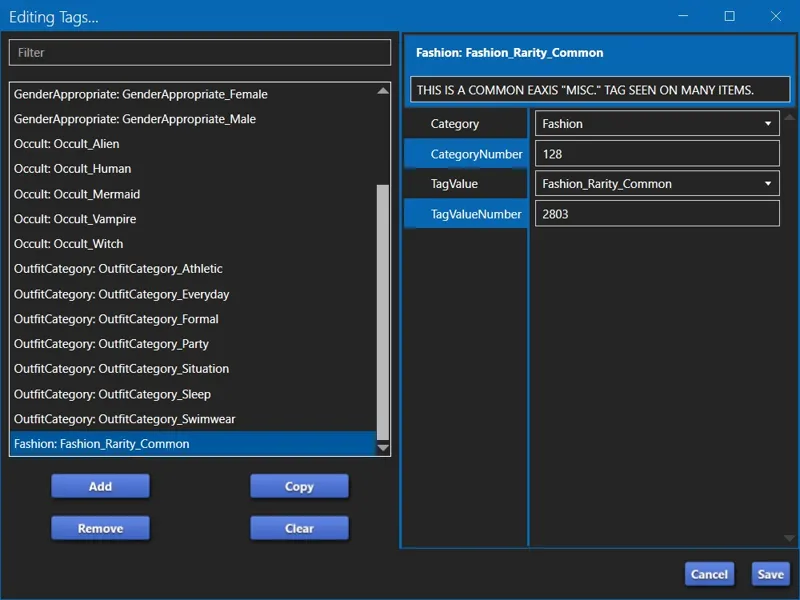
Sorry for the delay, the internet has been proper ded and is absolute trash right now. — "I am slightly embarrassed that as old as I am, for the life of me I still find it hard to follow written instruction." Eh, don't be. — There isn't a video tutorial yet but I can try to record something today. However, I have no idea how soon it'll get uploaded due to the internet, also, it'll be basic AF because I do not have a mic and I can't really use my iPad for video editing anymore. — The instructions are honestly way more simple than I've made them out to be. The complications arise because of the broken "Apply To All Swatches" button in the "Miscellaneous" section... and because CAS creators keep messy WAREHOUSES. — If everything was as it should be, this would be the instructions for the "QUIK N' DIRRTY" method for adding the TAG to just the first swatch: 1. Open your item in S4S. 2. With the first swatch selected in STUDIO, navigate to CATEGORIES » "Miscellaneous" and add the desired TAG from the drop-down list. 3. Navigate to WAREHOUSE and click on the "CAS Part" that matches your first swatch. 4. Navigate to TAGS » EDIT ITEMS... (button) » EDITING TAGS... (window) and locate the TAG you added. It will appear as "None:#CASFilters_127_[*]". 5. Change the "CategoryNumber" from "0" to "127" and click "Save" on the "Editing Tags..." window. 6. Click "Save" on the main S4S window and test your item in CAS. That's literally it. And to do all swatches (if the button wasn't broken), you'd just go back to STUDIO » CATEGORIES » "Miscellaneous" and click on "Apply To All Swatches" and then "Save" your package, but if you do that right now with the current versions of S4S, it will break every "Miscellaneous" TAG.
I don't think I'm understandings this process. I tried to add a tag on one of the CC's in my collection (not mine). I followed your instructions, and it does not come up in the game. Are these instructions for creators of CC content? Do we not have the ability to modify what we downloaded through the years?
Hi! "Are these instructions for creators of CC content?" Both! Same instructions for everyone. — "Do we not have the ability to modify what we downloaded through the years?" Of course we do! — After adding the TAG from the drop-down list, did you change the "CategoryNumber" in WAREHOUSE from "0" to "127"?
I'm having trouble with the mod. I installed a few of the custom filters, and it's not showing up in Sims 4 Studio. It's not showing up under "Miscellaneous" however I can click on a blank line that appears and it shows a string of numbers (ex. 201738422). I'm assuming this is the Tag Value Number. Could it be conflicting mod? I'm sorry if I can't report a bug here, I may be stupid and not doing this correctly. Thanks!
Of course you can report a bug here! I'm active everywhere and I respond everywhere, unless I'm inactive and I'm sleeping or the internet is ded. 😹 — "I installed a few of the custom filters, and it's not showing up in Sims 4 Studio." First things first - ensure you're using the latest version of Sims 4 Studio. "Not-current" versions seem to have issues with JSON files and I have no idea why because the format of the JSON doesn't change. I don't work on S4S so I have no idea why or how this is a thing, but it's a thing and you're not the first simmer to have issues with JSON files and S4S. — "it shows a string of numbers (ex. 201738422). I'm assuming this is the Tag Value Number. " Yes indeed! The 9-digit numbers are the TagValueNumbers! — "Could it be conflicting mod?" Unlikely, unless someone is actively trying to sabotage this project - which is possible, but let's not speculate. Also, the PACKAGE mod itself has no effect on S4S. Nothing in your "Documents\EA*\The Sims 4\Mods" folder is supposed to have any effect on S4S or the JSON files. It's likely just an outdated S4S version. I need to make a note of this in the post because it's a recurring issue. Let me know if it was indeed an outdated version of S4S causing it or if it's still a problem and we'll figure it out. 💜
Hello! I just found this mod and I'm going to try it. I have a question about Tags. I may have missed it when I read it, so I am sorry if you have already answered it. Is it possible if we could create our own tags? Like I want to create tags for "Celebrity" and "Teen". Is this possible? Thanks!
Hi! Sorry for the delay. The net went down shortly after I posted the update and I just gave up after about an hour of trying to reconnect. — "Is it possible if we could create our own tags?" Yes and no, is the answer to your question - allow me to explain... You can only have ONE (1) override that does this at any given time. If this can work with TS4SCRIPT then things would be different, but (1) I have little experience with TS4SCRIPT and (2) even if it could, I would avoid it as long as possible due to our ongoing malware incidents. An unofficial motto of mine is "If I can achieve it without TS4SCRIPT, then by golly, TS4SCRIPT can kiss my ar-" 😹 I totes just made that up. In other words, I can create TAGS for you for anything, just like I did with the "Fashion Era / Time Period" TAGS (those were requested), but for efficiency, I should do it on my end so that you don't have to modify "CAS Filters" every time I release an update. — "Like I want to create tags for "Celebrity" and "Teen". Is this possible? Thanks!" Anything is possib- err, that's a fairy tale. "Some things are possible." 😹 It's also possible to utilize the generic filters I've already added with some STRING VALUE override shenanigans because I doubt anyone actually needs (100) generic filters... but who knows! — Is it just those two? If we're doing "Age Groups", I will also add "Young Adult", "Adult", and "Elder".
This may be a dumb question but can we request to be added to the TVN doc as to not have any conflicting numbers?
Of course! -SQUINTS- Did I remove the bit where I said anyone can request to be added to the list or request that their favorite creators be added to the list if they're not on the list yet? I think I did. I'm sure I had a whole section that included that bit. — The mod is meant to be for everyone or however many filters the override allows me to add. There's no approval process, and the only reason I don't have a request form is because I don't have any clue how to do that.
I tried to reply to your comment but it kept saying I'm replying to myself so update. I found that creator you mentioned thank you sooo much for that suggestion that literally is what I was looking for all last year. Second Yeah it's the butterfly clips with braids. What are your wig things then I'm confused what they are for is it mix hair with different genders? Also I was wrong about the categories I thought someone did create a custom one turns out laced up was always part of shoes I just never noticed it lmao idk what it's even for honestly lol. But really wanted to follow up about the sgfx stuff. What does that mean? for the scale form gfx for switching those buttons to allowing the arrow down when scrolling in those menus when buying stuff from certain mods. Is there a way to message you so the convo is more organized lol
"Is there a way to message you so the convo is more organized lol" Certainly. You can send a message in the "Itsumi Member Chat" Community Chat if you want to keep it on Patreon, or you can add me on Discord. My name is the same. But fair warning, my internet issue means my Discord don't always work properly even when I'm online and active here. It's part of the reason I haven't shared the "Discord Support Server" even though it has existed for... how has it been (7) months already?! — "I found that creator you mentioned thank you sooo much for that suggestion that literally is what I was looking for all last year." Cheers! — "What are your wig things then I'm confused what they are for [...]" Right now all of my wigs require the Packs or Kits they're from for them to work, but I could probably make BGC variants of all of them. The primary purpose of my wigs is to allow you to use a different hair color (with a different hairstyle if you so desire) on any and every outfit. Example, Scarlet is a red head, but one of my favorite outfits is from Goth Galore Kit and I needed black hair for it. My wig collection literally exists because I needed ONE (1) different color hairstyle and EAxis doesn't allow us to change hair color across outfits, even though I think they could. The secondary purpose of my wigs is to allow you to change your hairstyle without breaking your "Everyday Outfit 0 Hair Link". I've been meaning to do a whole write-up on the "Hair Link" for over a year. Congrats, you're digging it out of me. This is gon' be a crude explanation though because I just woke up. "Everyday Outfit 0" is the very first outfit in the "Everyday" outfit category. "Hair Link" is a setting saved in our sim's data. It's a "1" by default on every outfit in every outfit category, meaning all hairstyles are "linked to Everyday Outfit 0", or it's a "0", meaning that specific outfit or that entire outfit category is not "linked to Everyday Outfit 0". When you create a new sim and you change your hairstyle on that first "Everyday" outfit, it changes the hairstyle on every other outfit in every other category. That is the "Hair Link" setting. If you manually change your hairstyle on any other outfit, that "Hair Link" setting changes from a "1" to a "0" (from "linked" to "unlinked") for that specific outfit. If you change your hairstyle on the first outfit (Outfit 0) of any other outfit category, you just "broke" the "Hair Link" for every outfit you will ever create in that outfit category. You can maintain your "Hair Link" by NEVER MANUALLY CHANGING YOUR "OUTFIT 0" HAIRSTYLE ON ANY OTHER OUTFIT CATEGORY. If I'm not mistaken, it should be possible to extend this to just ensuring at least one outfit is "linked" but I'd have to test that. As long as you maintain the "Hair Link" on your "Outfit 0" (the first outfit of every category), then you can "re-link" other outfits you manually changed your hairstyle on by deleting those outfits and creating a new outfit from "Hair Link" isn't something a lot of folks think about, or probably know exists, or understand. I'm only meticulous about it because I want the Tray/Library saves of my sims to be absolutely perfect - I accidentally broke Scarlet's "Hair Link" on the other outfit categories once without realizing it and I couldn't recover it by just loading an older version of Scarlet because I had done some face sculpting that I couldn't possibly replicate, so I went on a hunt to find a way to "fix" Scarlet, and that's when I encountered SimplyAnjuta's SimPreset tutorial and repurposed it to "fix" my "Hair Link" and start my war on "CAS Unlock Sims". EAxis could probably give us a little toggle setting in CAS to re-enable our "Hair Link", but it might take them another TEN (10) YEARS, and the only other way to "fix" a broken "Hair Link" is by creating a SimPreset of your sim and doing some shenanigans. I'll queue a write-up for this now that I've devoted all this time to typing this explanation... all because you asked about my wigs. — "Also I was wrong about the categories [...]" Boo! Custom categories is possible, but it requires TS4SCRIPT modding, and I'm not skilled enough in that department to do it yet. "Batty Bat" on the other hand is a "simple" Tuning override. I could personalize "Batty Bat" for anyone or I could do a D.I.Y. for "Batty Bat" (whenever and if ever I release it) so folks can reconfigure "Batty Bat" to show only the items they want, but it requires custom TAGS like "CAS Filters" to achieve what it does. I should reach out to Crilendar and see if they'll consider adopting some of my modifications for their CASMenu override. I honestly feel kinda weird about releasing my CASMenu override because that's - at least to me - Crilendar's big mod that I know them for. It's also because of Crilendar's CASMenu mod that I understand CASMenu modding. I could even go so far as to credit Crilendar's CASMenu mod for us now having "CAS Filters" because Crilendar's CASMenu gave birth to "Batty Bat", and "Batty Bat" gave birth to "CAS Filters". I will add Crilendar's name to my SPECIAL THANKS section. — "[...] wanted to follow up about the sgfx stuff. What does that mean?" Scale Form GFX modding, or "SGFX" modding as I refer to it, is user interface "UI" modding. We can split TS4 mods/modding into a few "main categories", each functioning as an umbrella for a few other "sub categories" that might sometimes overlap: 1. CAS Custom Content modding. 2. BB Custom Content modding, which is different enough from CAS modding that a BB creator might find it easier to "switch lanes" than a CAS creator. 3. Tuning modding. 4. SGFX (UI) modding. 5. TS4SCRIPT modding. 6. Maybe something else that I'm forgetting. #4 and #5 are the most complicated forms of modding because they require special tools and an ability to read and write programming code. The tools we use weren't made specifically for TS4 and I can only read code at a novice level but I have no training in coding, so writing or modifying it can be difficult for me. Example, I consider SimMattically, Vyxated and LunarBritney to be skilled SGFX modders (Shirley there are others but I just woke up), so while I was struggling to figure out how to kill the full screen ads on the Main Menu, one of them might have been able to take what I discovered and bring it to fruition. To be fair, I did not DM any of them saying "I think I know how to kill the full screen ads but I'm not skilled enough to do it. Here's what I think I found. Does this help get us there?" I had reached out to them previously for other things, and again to be fair, one of them did respond to me at that time. Since the others didn't, I didn't bother to reach out a second time, and then I got distracted, and then SimMattically figured it out on their own, and now I'm eager to dissect their mod and see if I was actually on the right path. I digress. Where some of the coding for SGFX modding is concerned, I learn from comparing code, either EAxis code with EAxis code, or another creator's code with EAxis' code, or another creator's code with another creator's code. So when I said, "let me know if you know any mods that allow you to scroll any menus with keyboard hotkeys instead of the mouse wheel" and "I'll see if any in-game menus already allow us to do it", I meant it in the sense of if we have an example of it working, then it might be easy for me to take that working thing apart (a.k.a. "dissect" it), then apply it somewhere else. I've always been open about how I learn some of the things know how to do, so me saying this here isn't a "OMG, YOU TOOK APART SOMEONE ELSE'S MOD TO LEARN HOW TO MAKE YOUR OWN?!" kinda gotcha thing. I'm sure a lot of us learn this way, or by asking for help. I can figure out some stuff on my own so I don't bother asking for help, and I'm on shite internet, so I just try to figure things out on my own. It's an endless cycle of "!@#$ it, I'll just do it myself." That's also why I said "point me in the direction" of the other mod when you had thought it was custom CAS categories. — I apologize for the wall of text. I hope I answered the questions. I just woke up and my brain is still booting.
Has the sims 4 studio updated to allow a batch fix for this yet? I did it for one creator but that took hours. Updating old content simply isn't possible unfortunately
Not yet. 3.2.4.3 (Windows) is still the current version. I've been checking every other day or so, or whenever whenever the internet allows.
This is amazing! Wish me luck 'cause the post was kinda complicated and I didn’t fully get it, but I’m gonna give it a shot anyway! A video tutorial would be amazing though! 🎥😅🤞 Thank you very much for this mod!!! ❤️❤️❤️❤️
Good luck! 😹 I will try to refine this post some more. In the meantime though, try out the "QUIK N' DIRRTY" instructions (the second set of instructions) first. Add the TAG to the first Swatch, add the "CategoryNumber" to the TAG in WAREHOUSE, then save and check it out in-game. I will do a video if I can.
I read the entire post lol I think I understand it but with my adhd brain the problem is after I read so much of it I'll end up forgetting almost everything once I get to the end of the first paragraph lol. So what I gathered is the tags won't work unless we modify it ourselves or the creators change their tag numbers and value codes themselves. I want to say that I really appreciate all the time you put into this post even if it's long lol I still appreciate this mod in general. Second I love your personality and how you don't want others to feel dismissed so mentioned that if we feel like we were ignored we can kindly remind you on here again. I don't think many creators are like this where they care if someone does feel ignored lol. I can tell you are one of the few genuine out there. I hope your stuff never gets paywalled but I totally support your idea of donations because I feel those should always be provided to those who put in the hard work for their creations. Anyways I really appreciate the effort, I'm sorry another creator commented a very rude remark to you. What you're doing is fantastic. I had a few questions after looking at all your other mods again. Do you know how to create custom categories for subtypes in cas like for example if you go to shoes you can click on the types or if you click clothes you can click other substypes like overalls. I was curious if you knew how to create other additional categories if you could send me info how I could do it. I know it's possible because a creator bergdoff (I spelled that wrong idk) he managed to add a subtype for shoes which even though wasn't helpful for me but the concept was and if I could add my own little categories that would be cool but then I wonder if I'll have to edit all my cc items to do so. Okay three more questions: Since I saw a couple of your overriding mods I was wonder if you either knew how to make a mod like this or how maybe I could attempt this lol. I hate how the map button is right next to the open gallery button and everytime I am building I always accidently hit the damn map button instead of the gallery exiting out of my current build. Is there a way to switch those lol I actually posted about this on the EA forum but I doubt it will get enough traction. Do you know how to override the functioning of buttons in the game like for example in mods or even in the game when you are scrolling down viewing traits or idk objects you have to use the mouse only but someone with chronic pain and issues with constant wrist movement this makes it not accessible like it should be. I also asked this on the forum but wanted to see if you knew if there's a way (or you can in the future create something) so we have the option or can press on the arrow down key instead of holding the stupid mouse button. Little things like this make the huge difference and it's really sad EA hasn't implemented anything like this. Okay one more question since I also saw you override certain things so they are base game compatible. Would you ever consider making certain stuff kits released by EA BGC? It's not that I can't afford the kits I just hate the clutter of items that I end up not using when I really just want to use like 3 or 2 things from the stuff kits. I have a few stuff kits and the amount of stuff I don't use makes me annoyed I bought them in the first place I wish we had the option to choose what we want lol. Also not sure if this helps in anything you're doing but I successfully figured out how to uninstall certain packs and expansion packs if that's information that can help you with something idk I use to remove star wars lol. Seriously though, love the effort you put into this post, love that you're not like other girls and personable and look forward seeing more mods or getting to know you more as a creator. This is really exciting :)
Catdammit, the internet dropped and Patreon error'd my reply before I could copy to clipboard. (╯'□')╯︵ ┻━┻ You're gonna have to give me a little time to re-type all of that. In the meantime, check out xSavannahx987. They do a lot of BGC conversions - https://www.patreon.com/xsavannahx987 IIRC, this is the creator I reached out to concerning Live Event Rewards, because they were devoting unnecessary time to "converting" those items, and we have an easy way to "unlock" them. Their pinned post is a list of the content they've BGC'd - https://www.patreon.com/posts/86797122
Amazing !!!!! Thank you thousand times
You're welcome a thousand and one times! 😸
Maybe I missed or did something wrong but I can’t see the tags in my CAS 🥲 Can you help me, please ?
Oh! Just read some comments and If I understood, the CCs I have in my game need to be tagged manually for this to work.
Hallo muss ich noch was machen mir wird im cas nix angezeigt
Hallo! Haben Sie dem Artikel das benutzerdefinierte Etikett hinzugefügt? Der Mod funktioniert nur, wenn er die Labels hat. Schauen Sie sich die Screenshots an. — Vergessen Sie nicht, die Datei aus dem ZIP-Archiv zu extrahieren. — -- Translated with Google Translate
I would be down to add the tag to my future cc, just need a number!
Here ya go: 820666372 I'll add your filter in the coming update.
You’re are an absolute super trooper for all the hard work you’ve put in to this mod! ⭐️ Thank you so much for trying to make CAS more organized for us CC fanatics! I’m dumb as a door nail when it comes to this stuff, but your instructions and photos make it hopefully doable! Thanks again for this! 💚💚💚
You're more than welcomed to hop into the Community Chat for this mod or DM me on Discord if you run into any issues. There is one thing I forgot to mention in my instructions that I need to make a note of, and it's that MY "CAS Parts" in my custom content (as seen in the screenshots) is neatly ordered in WAREHOUSE, but this isn't the case for all custom content out there - sometimes the first Swatch in STUDIO is not the first "CAS Part" in WAREHOUSE. If you're doing the "QUIK N' DIRRTY" method, match the colors to make sure you're editing the right "CAS Part". Also, you're welcomed to let me know if any of my instructions are confusing and I will try to simplify them. It usually takes me a few post overhauls to make things more layman-friendly.
Could you post the coding for this, please? I'd like to make my own personal tags for the CC I've downloaded, but I'll need more than the 9 provided categories, lol.
"but I'll need more than the 9 provided categories" The (9) categories you're referring to are the "generic" filters. There are (250) filters for creators in the "INITIAL RELEASE" + another batch of (50) coming in the first update + about (100) more in waiting. I don't intend to stop adding filters until I've either covered every CAS custom content creator OR the override that enables the filters breaks under the weight of the amount of entries I'm adding. Also, I can add like (91) more "generic" filters if you'd like, or (991) if needed. It'll be easier for me to add it to the "official" override, then give instructions how to override the names of the "generic" filters so you can name them anything you want. -GASP- That's the other instructions I needed to do! 🙀
I really think after the conversations you've had with CC creators indicating that this puts a burden on them without their even having been asked to participate, you should've not released this. It should not have released without being exclusively made up of creators who consented to be involved- as now you've got a full list of people who are gonna be bothered by fans wondering why their stuff doesn't work with this. Multiple comments say you intend to override other people's stuff to get it to work with this which you were also explicitly told isn't cool. The description is also insanely long and bloated and nobody's gonna read it. You're gonna get tons of people confused about what's happening and asking the creators on the list why their stuff isn't "working". The whole thing is a mess. It is a cool idea but it was irresponsible to build this outside of a network of opted-in, ready-for-the-process-to-start creators and just hope they'd hop on once it came out. A neat idea, but a very selfish request of several hundred creators to update all their existing content and add a new step to making future content IMO. Not to mention declaring that nobody should use a billion (literally, like LITERALLY one billion) ID numbers that you've decided are yours, and just hope everybody in the world knows about it...
No one is required to do anything. Not use the mod, or add the TAGS, or anything. And me overriding content neither changes the original content or re-hosts the original content. In fact what it does, is highlight custom content from other creators, driving traffic to their profiles because the original content must be downloaded for an override to work, just like the original content must be downloaded for a recolor to work. I am beyond confused about the meltdown over overrides, as though no one understands how an override works. Furthermore, this mod does not contain any overrides, nor will it ever, because that would mean that for this mod to work, it would rely on specific custom content being downloaded. No one is forcing anyone to do anything here. I made a mod to manage custom content with filters that, as a simmer, you can use on your own with Sims 4 Studio for personal use, or as a creator you can use so simmers can filter your items. With all due respect, y'all are behaving like I'm EAxis telling y'all that if you don't use this new format, I will ban modding. With all due respect, for years the wider community have been asking for something like this to be made. There is no mandatory obligation for any creator to use this or to add those unique TAGS to their items. This is not an opt in or opt out program. The names are there so if a creator doesn't want to filter their own content and a simmer who downloads their content does, that simmer has a TAG to use with S4S. — Also, if the post is too long and there are too many words, then that's a you problem. Once upon a time, back during our first malware incident, I recommended to a creator that they add a note to their mod's description informing simmers that it was safe to use after previously being compromised, they responded something along the lines of, "if folks can't read, that's their problem". I'm not that kind of asshole, but I will be if you need to me to be.
I'm sorry, but I'm too lazy to read everything. How do I install it? Do I need to download both files?
😹 It's a long post, you're fine. "sej_CASFilters.package" goes in your "Mods" folder. "JSON" files go into your "Documents\Sims 4 Studio\Custom Tags" folder. However, this mod doesn't work unless you have CAS content that have my custom TAGS added to them. These filters aren't automatic. I'm afraid there's no way to do this automatically.
I can start adding this tag to my future stuff. But there is no way I can go back and edit content that I have created already...
If that's what you can do, then that's what you can do. 💜 But stay tuned, "Initial Release" is coming today and I will be providing an all-in-one JSON and individual JSON files for S4S for every creator, so you can easily select your TAG from the dropdown list in STUDIO and/or WAREHOUSE.
Could you please send more information on including my CC. I use the anniversary/birthday tag in all my cc so t shows my creator name. I'm wanting to understand how to allow for your mod to sort my cc within your mod. I already have keys created for my creator name.
All you need to do is add a new "SpecialContent" TAG and use the 9-digit "ID" provided for you in my Spreadsheet for the "TagValueNumber". I don't think I have you on the list yet though. I'll create an "ID" for you. What's your STRING KEY? I can use it in the TUNING OVERRIDE provided it doesn't overlap.
When is this being released? I saw you said today on tumblr but not sure when that was dated
As soon as I'm done with the (20) names I have PENDING. My unreliable internet issue has been keeping me back. I intended to "INITIAL RELEASE" at (30) filters, but then decided to go for (100).
This would be a game changer 🙌
This would definitely be amazing and make having lots of CC more manageable yaaah! I hope there are CC creators who would jump on this!!
My little emojis are returning! Do you like my 🐐? 😹
OMG OMG OMG!!!! That would be amazing 🤩
Yes, indeed! I've obviously already created the override, and I intend to share it and maintain it, because I want this. Even if we can't get anyone on board, I can show everyone how to D.I.Y. TAG their custom content. It's just a lot of work. I can also start including the unique custom TAGS into my "Custom Content CAS Overrides".