
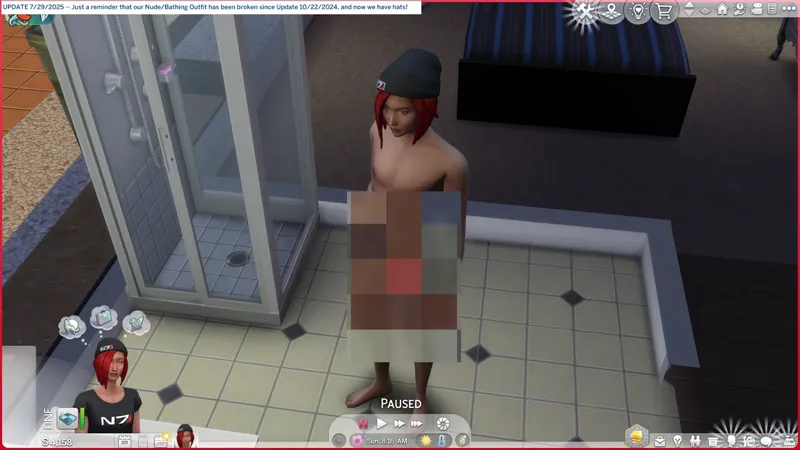
🎁 [BG] XTSC: "Reset Deez Nuts" fixes our busted "Nude/Bathing Outfit".
⚔️ TS4: BASE GAME ⋆ 🚀 5/18/2025 ⋆ 🌠 NIL ⋆ ☄️ 8/10/2025
🔄 7/29/2025 -- Check Announcements [🌐] if this isn't up-to-date [🌐].
⚠️ FILENAMES HAVE CHANGED! See below for more information.
⚙️ These are ZIP archives. See the "INSTALL INSTRUCTIONS" section for more details.
⛑️ If required, you can ask for assistance in the Comments, in the "Itsumi Troubleshooting" Community Chat, or via DM. I don't bite, unless biting is the necessary response.
🎙️ I'm just a man who needed someone, and somewhere to hide.
☆// ⋆ DELETE THESE OLDER MOD-FILES:
⛔ sej_XSCRIPTko_LynireLMS_ResetDeezNuts.ts4script
⛔ sej_LEWD_BG_TagNudePartMapping.package
⛔ sej_CASOvrdMERC_BG_NudePart.package
☆// ⋆ TOTES SIMPLE "XTSC" DESCRIPTION:
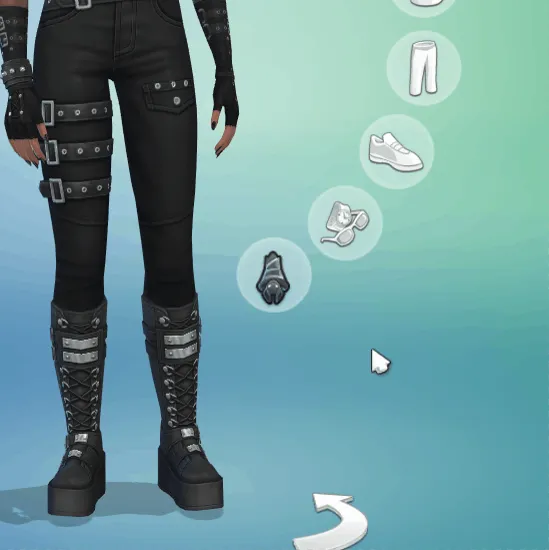
This resets our busted "Nude/Bathing Outfit", though special instructions are needed if you've got a buggy Hat/Headwear item on your "Nude/Bathing Outfit". You can find these special instructions in the "HOW TO RESET YOUR NUDE/BATHING OUTFIT" section below, or you can watch my silly little video attached above.
These are your commands (without the quotation marks):
"reba" -- Shows these instructions.
"reba all" -- Resets the "Nude/Bathing Outfit" for all sims.
"reba me" -- Resets the "Nude/Bathing Outfit" for the active sim.
"reba [FirstName] [LastName]" -- Resets the "Nude/Bathing Outfit" for a specific sim.
My "BUGFIX: (ROG) NudePart Override" is included. It will conflict with third-party "default replacements" for nude body parts, including feet.
See the "THIRD-PARTY FEET AND BODY PART OVERRIDES" section for instructions to make your third-party "default replacements" work with "BUGFIX: (ROG) NudePart Override".
P.S. I apologize for the juvenile name. It was the work-in-progress name and it just stuck. 😹
⋆ ── ─ ─ ─ ─ ─ ─ ─ ─ ─ ─ ⋆ \\🎁// ⋆ ─ ─ ─ ─ ─ ─ ─ ─ ─ ─ ── ⋆
☆// ⋆ NOTICE MY POST ATTACHMENTS, SENPAI:
🎁 GDrive Folder -- https://../drive/XTSC_ResetDeezNuts
🎁 SFS Folder -- https://../folder/XTSC_ResetDeezNuts
☆// ⋆ RELATED THIRD-PARTY BOOTY:
🎀 "Reset Bathing Outfit" by LMS -- [CF] https://../mods/reset-bathing-outfit
💀 "Reset Bathing Outfit" by Lynire -- [MTS] THIS IS SEVERELY OUTDATED!
☆// ⋆ EXTRA BOOTY:
🔪 XMODTko Collection -- https://../collection/884886
🌟 All-in-One Live Event Rewards Unlocker -- https://../posts/120588981
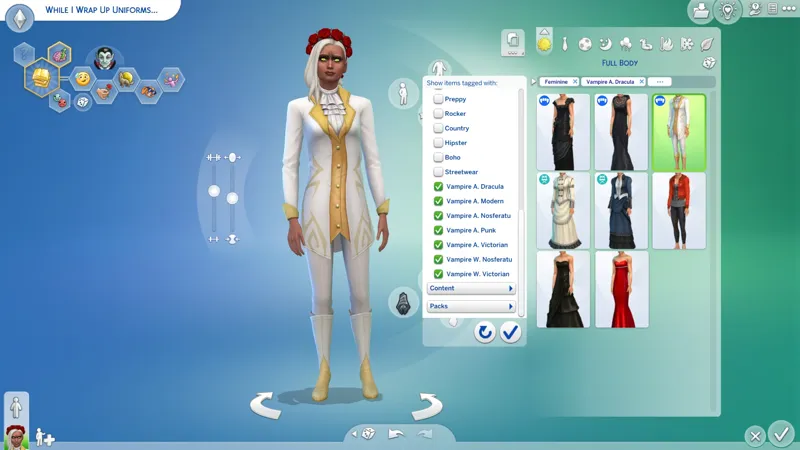
🌟 Batty Bat™ CASMenu Override (Standalone) -- https://../posts/107958333
🌟 CAS Filters for Every Baddie -- https://../posts/126616540
🗺️ No Mosaic Censor -- https://../posts/116735361
🗺️ No Random Body Hair or Bald Facial Hair -- https://../posts/97494935
🗺️ No Random Scars on Occult Sims, etc. -- https://../posts/119633307
⋆ ── ─ ─ ─ ─ ─ ─ ─ ─ ─ ─ ⋆ \\✒️// ⋆ ─ ─ ─ ─ ─ ─ ─ ─ ─ ─ ── ⋆
☆// ⋆ TABLE OF CATENTS:
HOW TO RESET YOUR NUDE/BATHING OUTFIT -- Special instructions.
THIRD-PARTY FEET AND BODY PART OVERRIDES -- Special instructions.
"XMODTKO" IS A WEIRD NAME -- I am not a crook! 🦝
MY FIRST FORAY INTO TS4SCRIPT -- Isn't this fun?! 👾
INSTALL INSTRUCTIONS -- Self explanatory. ⚙️
PROJECT MIRRORS -- This project, but Elsweyr. 🐱
ZIP CONTAINS -- A complete list of this project's archives and files.
☆// ⋆ HOW TO RESET YOUR NUDE/BATHING OUTFIT:
1️⃣ Install the mod.
2️⃣ Launch the game and resume your saved game.
3️⃣ If your "Everyday Outfit 0" includes a Hat/Headwear item, enter CAS and remove it, then exit CAS.
4️⃣ Pause the game to avoid your outfit changing and bugging out with the hat again.
5️⃣ Press "Ctrl + Shift + C" to open the Cheat Console and type in the command "reba all" to reset the "Nude/Bathing Outfit" for all Sims, or "reba me" to reset the "Nude/Bathing Outfit" for the selected Sim.
6️⃣ Cheers! You're done!
"BUGFIX: (ROG) NudePart Override" now does the thing that "BAND-AID: PartMapping Override" did, meaning it should ensure that the "Nude/Bathing Outfit" doesn't bug out with clingy underwear again after fixing it.
The buggy Hats/Headwear are a separate issue.
You need to not ever wear Hats or Headwear items on "Everyday Outfit 0" until EAxis fixes whatever they broke, unless you want it on your "Nude/Bathing Outfit".
I can't guarantee that official updates won't cause our "Nude/Bathing Outfit" to bug out again, but if it does, then just go through the steps to reset it again.
HOWEVER, if we get updated and your "Nude/Bathing Outfit" starts bugging out constantly, then it's possible that the update broke my fixes and you should notify me in the Comments or in the "Itsumi Troubleshooting" Community Chat so that I can look into it.
☆// ⋆ THIRD-PARTY FEET AND BODY PART OVERRIDES:
"BUGFIX: (ROG) NudePart Override" includes overrides for all of our EAxis nude body parts, including our feet. This will conflict with third-party "default replacements" for nude body parts and feet (unless they're "resource overrides").
To make your third-party "default replacements" work with my BUGFIX, you just need to ensure they load before my BUGFIX.
You can do this by modifying your "Resource.cfg" file (which might be confusing if you don't understand how the "Resource.cfg" file works) or you can create a new sub-folder in your "Mods" folder for specifically for "default replacements/overrides".
For the sub-folder:
1️⃣ Create a New Folder in your "Mods" folder.
2️⃣ Rename your New Folder to something obvious with a number or special character that places it above all other sub-folders, e.g. "#DefaultOverrides" or "0DefaultOverrides".
3️⃣ Dump all of your third-party "default replacements/overrides" into that folder.
I will remove "BUGFIX: (ROG) NudePart Override" if EAxis ever fixes the PartFlags on our CAS "NudeParts". Don't hold your breath though, because our "NudeParts" have been broken for quite some time.
☆// ⋆ "XMODTKO" IS A WEIRD NAME:
"XMODTko" a.k.a. "XTKO", "XTCC", and "XTSC", is my grouping prefix for mods made by other creators that I've dissected and rebuilt from the ground up, either modifying them or updating them for game version compatibility. These can be from active or inactive creators.
My goal is not to pass off anyone else's work as my own.
You will always find the original creator's information plastered all over these posts, including links to their profile (Patreon if they have one) and links to the original mod.
☆// ⋆ MY FIRST FORAY INTO TS4SCRIPT:
I dissected Lynire's "raw" PY script, applied the changes from LittleMsSam's XMODTko, then modified a few minor things.
The main change is the shorter console cheat command.
Instead of typing "reset_bathing_outfit [x]", it's now "reba [x]".
Less words + no underscores = happy fingers.
I mean to do more with this, but I don't have the time to delve deeper into TS4SCRIPT modding right now.
—
The PYTHON SCRIPTS found inside TS4SCRIPT mods don't necessarily need to be compiled. Nowadays, creators do this to as a way to ensure other creators don't "steal" their homework. It doesn't help against malicious actors in any way because compiled PYTHON SCRIPT can be decompiled, modified and compiled again, and while I personally don't know how to efficiently decompile PYTHON SCRIPT yet, it would be silly to think that the malicious actors who create malware capable of crippling international government systems don't already have the necessary tools.
Contained in my TS4SCRIPT is a "raw" (uncompiled) PY file and a "blank" PYO file.
Both PY and PYO files can be drag and dropped into a basic text editor like "Notepad" to view the contents and verify there are no malicious links or commands.
Late January 2024 - A malicious "raw" PY file was shoehorned into various legitimate TS4SCRIPT mods and custom content PACKAGE ZIP archives after creator accounts were compromised. This "raw" PY file contained commands to create and execute a BATCH file that downloaded and executed a malicious EXE file hosted on Discord. It's mid May 2025 as of this writing and the Sims community is still facing malware attacks.
I have no intention of obfuscating anything I do in PYTHON. I am more concerned with our safety than with another creator copying my homework. Creators who build TS4SCRIPT mods likely already know how to decompile PYTHON SCRIPT, so I see no point in making it near impossible for regular simmers to verify that my PYTHON SCRIPT is safe.
Patreon's formatting isn't meant for code like this, so I'm splitting it up into separate quotes.
This is the contents of my "raw" PY file:
COMMENTS:
# Reset Bathing Outfit -- OG by Lynire, maintained by LittleMsSam, nicked by Sejian.
# Resets the Nude/Bathing Outfit.
IMPORT FUNCTIONS:
import sims4.commands
import services
import enum
from sims.outfits.outfit_enums import OutfitCategory
DEFINE "REBA" COMMAND OUTPUT:
def ResetBathingOutfitUsage(output):
output('reba all -- Resets the Nude/Bathing Outfit for all sims.')
output('reba me -- Resets the Nude/Bathing Outfit for the active sim.')
output('reba [SimFirstName] [SimLastName] -- Resets the Nude/Bathing Outfit for a specific sim.')
output('')
output('Reset Bathing Outfit was orginally published by Lynire in 2015.')
output('Some time later it was adopted by LittleMsSam.')
output('Now it\'s been nicked by Sejian. For mine own machinations! <CACKLES MANIACALLY>')
DEFINE OUTFIT CATEGORIES:
def OutfitDisplayName(category):
if category == OutfitCategory.ATHLETIC:
return 'ATHLETIC'
if category == OutfitCategory.BATHING:
return 'BATHING'
if category == OutfitCategory.CAREER:
return 'CAREER'
if category == OutfitCategory.COLDWEATHER:
return 'COLDWEATHER'
if category == OutfitCategory.EVERYDAY:
return 'EVERYDAY'
if category == OutfitCategory.FORMAL:
return 'FORMAL'
if category == OutfitCategory.HOTWEATHER:
return 'HOTWEATHER'
if category == OutfitCategory.PARTY:
return 'PARTY'
if category == OutfitCategory.SITUATION:
return 'SITUATION'
if category == OutfitCategory.SLEEP:
return 'SLEEP'
if category == OutfitCategory.SPECIAL:
return 'SPECIAL'
if category == OutfitCategory.SWIMWEAR:
return 'SWIMWEAR'
return 'INVALID'
DEFINE GET CURRENT OUTFIT:
def ResetBathingOutfitForSim(SimInfo, output, ShowWorn):
FirstName = SimInfo.first_name
LastName = SimInfo.last_name
if len(FirstName) == 0 or len(LastName) == 0:
return None
CurrentOutfitCategory, CurrentOutfitIndex = SimInfo.get_current_outfit()
if SimInfo.has_outfit((OutfitCategory.BATHING, 0)):
SimInfo.remove_outfit(OutfitCategory.BATHING, 0)
output('{} {}\'s bathing outfit was reset.'.format(FirstName, LastName))
else:
output('{} {} has no bathing outfit.'.format(FirstName, LastName))
if CurrentOutfitCategory == OutfitCategory.BATHING:
SimInfo.generate_outfit(OutfitCategory.BATHING)
SimInfo.set_current_outfit((OutfitCategory.BATHING, 0))
if ShowWorn:
output('{} {} is currently wearing {} {}.'.format(FirstName, LastName, OutfitDisplayName(CurrentOutfitCategory), CurrentOutfitIndex))
DEFINE CHEAT COMMANDS:
@sims4.commands.Command('reba', command_type=sims4.commands.CommandType.Live)
def ResetBathingOutfit(*args, _connection=None):
output = sims4.commands.CheatOutput(_connection)
argc = len(args)
UseAll = False
SimFirstName = SimLastName = ''
if argc == 0:
ResetBathingOutfitUsage(output)
return True
if argc == 1:
if args[0].lower() == 'all':
UseAll = True
elif args[0].lower() == 'me':
pass
else:
ResetBathingOutfitUsage(output)
return False
elif argc == 2:
SimFirstName = args[0]
SimLastName = args[1]
else:
ResetBathingOutfitUsage(output)
return False
if UseAll:
for SimInfo in services.sim_info_manager().get_all():
ResetBathingOutfitForSim(SimInfo, output, False)
output('Done.')
else:
if SimFirstName and SimLastName:
SimInfo = services.sim_info_manager().get_sim_info_by_name(SimFirstName, SimLastName)
if SimInfo is None:
output('Error: No sim named {} {} was found.'.format(SimFirstName, SimLastName))
return False
else:
target = services.client_manager().get(_connection)
if target is None:
output('Error: No sim is selected.')
return False
SimInfo = target.active_sim.sim_info
ResetBathingOutfitForSim(SimInfo, output, True)
return True
⋆ ── ─ ─ ─ ─ ─ ─ ─ ─ ─ ─ ⋆ \\⚙️// ⋆ ─ ─ ─ ─ ─ ─ ─ ─ ─ ─ ── ⋆
☆// ⋆ INSTALL INSTRUCTIONS:
The following options must be enabled for the mod and this patch to work properly:
GAME OPTIONS » OTHER » "Enable Custom Content and Mods"
GAME OPTIONS » OTHER » "Script Mods Allowed"
—
These are ZIP archives. They can be opened or extracted with:
Windows Explorer on Windows -- https://../windows/zip-and-unzip-files
Finder on Mac -- https://../mac/zip-and-unzip-files-and-folders
I personally use 7-Zip for all of my zipping needs. It's free and it's open-source:
7-Zip for Windows -- https://7-zip.org
—
The contents of this ZIP archive goes into your "Mods" folder. This ZIP archive contains a "#Sej" folder and sub-folder for better mod organization.
1️⃣ EXIT the game.
2️⃣ DOWNLOAD the ZIP archive.
3️⃣ OPEN or EXTRACT the ZIP archive.
4️⃣ DRAG N' DROP or MOVE the "#Sej" folder into the following folder:
Documents » Electronic Arts » The Sims 4 » "Mods"
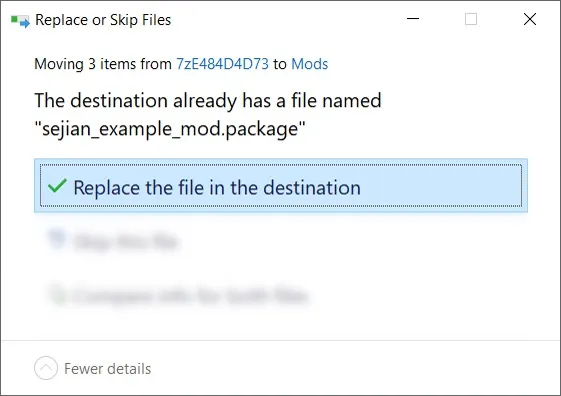
5️⃣ Choose "Replace the file in the destination" if prompted to "Replace or Skip Files":
6️⃣ LAUNCH the game.
☆// ⋆ PROJECT MIRRORS:
NIL
☆// ⋆ ZIP CONTAINS (1) TS4SCRIPT + (1) PACKAGE:
This is a "TS4SCRIPT" mod.
Don't ever download this from anywhere not listed in this post.
If my accounts are ever compromised, do not download this until I secure myself.
This section exists as a reminder that we are in someone's crosshairs.
Rogue TS4SCRIPT files, BATCH files, and EXE files, etc., could contain malicious PYTHON script or other !@#$ that will attempt to infect your device and steal your personal information when executed by you or the game. Malware can ruin lives. Don't !@#$ around.
🗜️ sej_XTSC_LynireLMS_ResetDeezNuts_[YYMMDD]_[RELINFO].zip
📁 #Sej
📄 sej_XTSC_LynireLMS_ResetDeezNuts.ts4script
👾 ResetBathing.py
👾 ResetBathing.pyo
📁 #Sej » BUGFIX
📄 sej_BUGF_BG_CASNudePartOverride_ROG.package
EAxis broke our "Nude/Bathing Outfit" in Update 10/22/2024 ─ Let's fix it! (YouTube)
Comments (3)
I know how that goes! I live in an area that seems to love tornados and ice storms, and have lost the power more times than I can count! And when it happens, my son with autism melts down. With summer coming on, and peak energy alerts beginning soon, it will be iffy at times for us too. And no electric, no internet. Then I melt down! Can't wait for the update! It drives me freaking nuts they do not have this fixed! THANK YOU for doing what EA seems to have no freaking idea of what to do. Maybe YOU should be running their company? Nah, no much crap to fix! Although it would be job security 😁 There must be 50,000 bugs in this dang game!
Thank you!!!
You're welcome! But we're only a third of the way to the BAND-AID! 😹 The electricity went poof for a few hours, but I'm back now. I hope...