
🎁 [BG] SGFX: Pure Black CAS Transition + Loading Screens
⚔️ TS4: BASE GAME ⋆ 🚀 3/8/25 🌠 3/19/25 ☄️ 2/4/26
🔄 Rebuilt for almost every game update [🌐] whether or not it's broken [🌐].
⚙️ These are ZIP archives. See "BASIC INSTALL INSTRUCTIONS" for more info.
🆘 You can request assistance or inform me of issues in a new comment on this post, in a new post in the Troubleshooting Community Chat, or via DM (Discord). I don't bite, unless biting is the necessary response.
⚠️ This will conflict with anything and everything that changes the Loading Screen Background image and/or replaces the Loading Screen Plumbob animation. HOWEVER, Loading Screen Plumbob recolors should be 100% compatible.
☆// ⋆ TOTES "SIMPLE" SGFX DESCRIPTION:
This is my (8th) standalone neurodiversity-friendly "SGFX Override".
Your eyes will thank me:
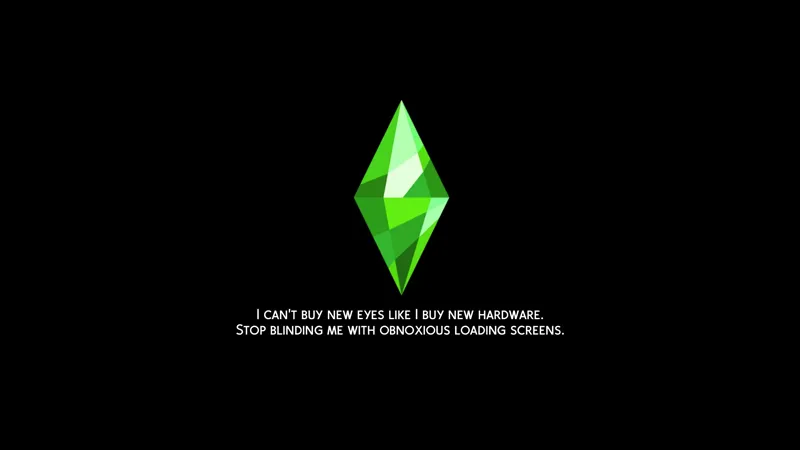
Changes the color of the CAS Transition Screen from the awful blinding white abomination, to a scenic and picturesque pure black void.
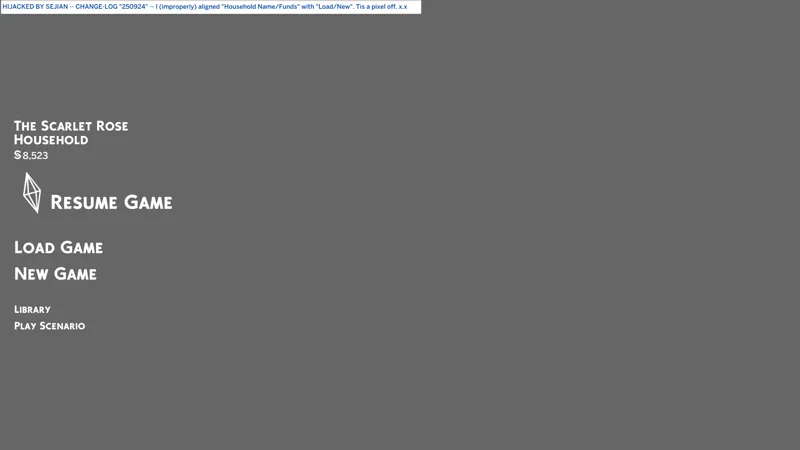
Changes the Loading Screen Background color to a pure black void.
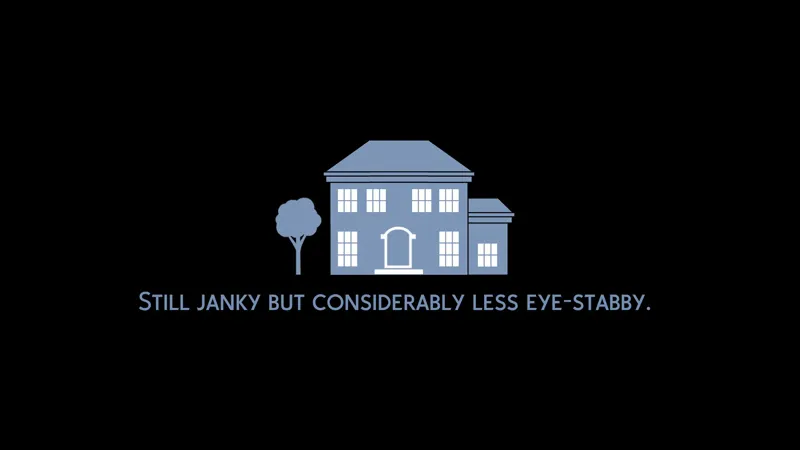
Removes the Lot Construction Screen Background and changes it to a pure black void.
You're welcome!
This pairs well with my "String Overrides" that remove the text from the Loading Screen and the Lot Construction Screen, and the more recent "Pure Black World Transition + Selection Screens" that expands my pure black void. You'll find them all linked below.
P.S. "SGFX Overrides" are usually updated every time the game updates.
⋆ ── ─ ─ ─ ─ ─ ─ ─ ─ ─ ─ ⋆ \\⛔// ⋆ ─ ─ ─ ─ ─ ─ ─ ─ ─ ─ ── ⋆
☆// ⋆ DELETE THESE FILES IFFIN' YOU GOTHAM:
sej_SGFXOvrd_TransitionScreenMolecule_QuitBlindingMeEA.package
⋆ ── ─ ─ ─ ─ ─ ─ ─ ─ ─ ─ ⋆ \\🎁// ⋆ ─ ─ ─ ─ ─ ─ ─ ─ ─ ─ ── ⋆
☆// ⋆ FEAR NOT WHAT LURKS IN THE DARK, SENPAI:
🎁 GDrive Folder -- https://../drive/SGFX_QuitBlindingMeEA
🎁 SFS Folder -- PENDING™
☆// ⋆ I HAS COOKIES (I CAN TOTES GET COOKIES):
🪄 SGFX Overrides (Standalone) Collection -- https://../collection/1306589
🌸 SGFX Patch Collection -- https://../collection/951353
♾️ Neurodiversity-Friendly Collection -- https://../collection/877663
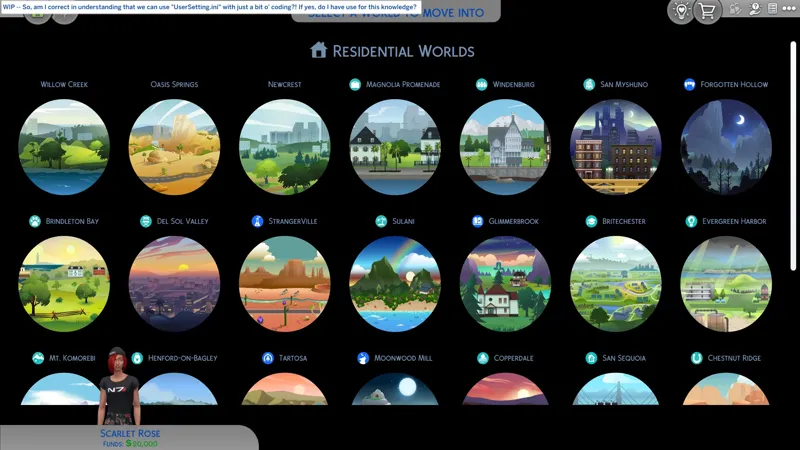
🗺️ Pure Black World Transition + Selection Screens -- https://../posts/132809890
🗺️ No "Building Lot" Construction Text -- https://../posts/124678850
🗺️ No Loading Screen Tips -- https://../posts/123887707
☆// ⋆ SOUR SKITTLES® ARE HARD TO FIND THOUGH:
🐞 BUGFIXES & BAND-AIDS Collection -- https://../collection/884858
🔇 Silence the Noise Collection -- https://../collection/1367566
🗺️ All-in-One Live Event Rewards Unlocker -- https://../posts/120588981
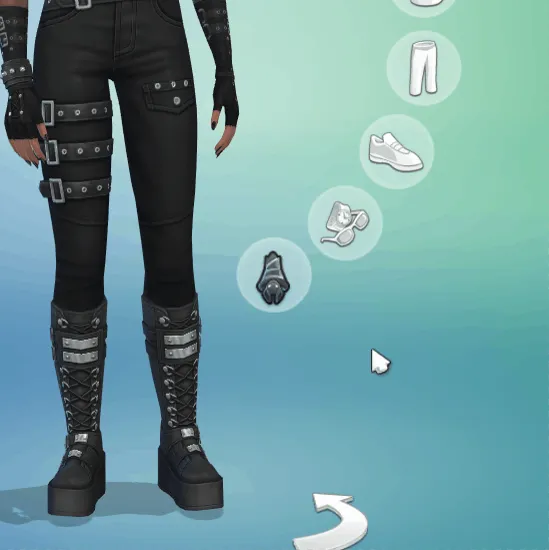
🗺️ Batty Bat™ CASMenu Override (Standalone) -- https://../posts/107958333
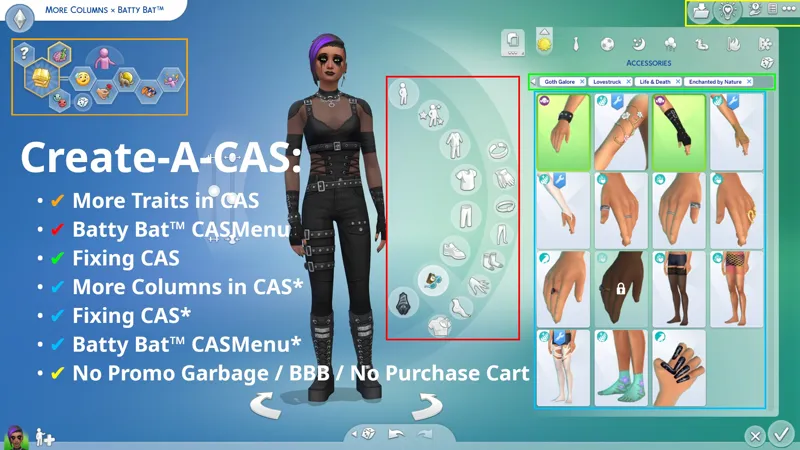
🗺️ More Columns × Batty Bat™ -- https://../posts/135116776
🗺️ CAS Filters -- https://../posts/126616540
⋆ ── ─ ─ ─ ─ ─ ─ ─ ─ ─ ─ ⋆ \\😺// ⋆ ─ ─ ─ ─ ─ ─ ─ ─ ─ ─ ── ⋆
☆// ⋆ TABLE OF CATENTS:
COMPATIBILITY WITH OTHER SGFX PROJECTS -- Self-explanatory.
COMPATIBILITY NOTES FOR THIRD-PARTY MODS -- Self-explanatory.
PROGRESSION -- This is not a change-log. ⚡
BASIC INSTALL INSTRUCTIONS -- Drag 'n drop, replace files, etc. ⚙️
PROJECT MIRRORS -- This project, but Elsweyr. 🐱
ZIP CONTAINS -- A complete list of this project's archives and files.
☆// ⋆ COMPATIBILITY WITH OTHER SGFX PROJECTS:
I mean to destroy all annoying UI effects.
To that end, I have created a collection of standalone "SGFX Overrides" and "SGFX Patches". To remove all annoying UI effects from your game, you must mix and match my standalone "SGFX Overrides" and my "SGFX Patches".
I know this is a little complicated, but merging these overrides is a recipe for disaster.
THESE SGFX PROJECTS ARE NOT COMPATIBLE:
NIL
THESE SGFX PROJECTS ARE COMPATIBLE:
✔️ Fixing CAS Because EAxis Won't -- https://../posts/134653412
✔️ LClick DISMISS + RClick PIN -- https://../posts/112728731
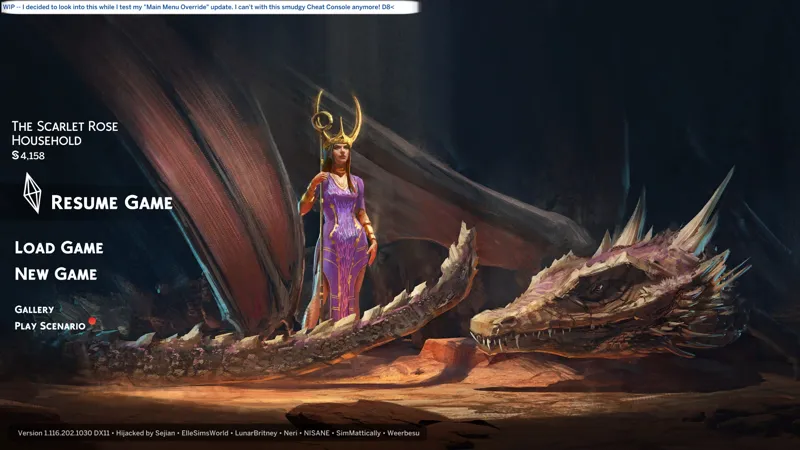
✔️ Main Menu Override -- https://../posts/121348052
✔️ My Beautiful Squishy (Expandable BB Catalog) -- https://../posts/123626846
✔️ No Glowing Dots on Calendar, etc. -- https://../posts/116006465
✔️ No Glowing Dots in Social Bunny -- https://../posts/117105007
✔️ No Godrays in CAS or Build Mode, etc. -- https://../posts/117006563
✔️ No Godrays on Quests, etc. -- https://../posts/116007299
✔️ No Godrays on Quests: Event Button Variants -- https://../posts/121840542
✔️ No Promo Garbage, etc. -- https://../posts/112973547
⚪ Pure Black CAS Transition + Loading Screens -- YOU ARE HERE
✔️ Pure Black World Transition + Selection Screens -- https://../posts/132809890
✔️ Smudgy Wudgy Barfy Warfy -- https://../posts/133330990
✔️ SGFX Patch for Better BuildBuy -- https://../posts/117337021
✔️ SGFX Patch for More Traits in CAS -- https://../posts/117343700
✔️ SGFX Patch for UI Cheats Extension -- https://../posts/116265171
☆// ⋆ COMPATIBILITY NOTES FOR THIRD-PARTY MODS:
This modifies the following "Scale Form GFX" resources:
TransitionScreenMolecule -- Defines the CAS Transition Screen, Loading Screen, Lot Construction Screen, etc.
This will conflict with anything and everything that changes the Loading Screen Background image and/or replaces the Loading Screen Plumbob animation. HOWEVER, Loading Screen Plumbob recolors should be 100% compatible.
⋆ ── ─ ─ ─ ─ ─ ─ ─ ─ ─ ─ ⋆ \\⚡// ⋆ ─ ─ ─ ─ ─ ─ ─ ─ ─ ─ ── ⋆
☆// ⋆ PROGRESSION - THIS IS NOT A CHANGE-LOG:
☄️ 7/2/2025 -- FILENAMES HAVE CHANGED!
Please remember to manually delete the older "SGFXOvrd" releases of this mod.
🌠 3/19/2025 -- FEATURE UPDATE - 1 MIAM, 0 KILLS.
Whatever I killed wasn't the full screen popup ads. I got one for the sale on my last test before release. Such disappointment, one frown, one raised fist, "YOU WILL RUE THE DAY YOU FULL-SCREEN'D GRU!" 😹 The hunt continues.
⚡ 3/18/2025 #2 -- I'M ALMOST CERTAIN THE POP-UP ADS ARE IN HERE.
But I can't be certain that I've killed them. I killed something. I haven't crashed the game yet.
As for the Construction Screen... If I were better at this, I'd honestly just do away with that thing entirely and replace it with the regular loading screen. It's so janky and disgusting to look at.
⚡ 3/18/2025 #1 -- I MEAN TO KILL V. MAIM THE CONSTRUCTION SCREEN.
It took me a while - about THREE (3) HOURS after waking up - but I finally killed the screenshot that serves as the backdrop to the Construction Screen's "SLAM" thing.
I can already kill each and every part of the animation including that awful white overlay.
When I'm done with this game, I will finally enjoy playing it.
🌠 3/10/2025 -- FEATURE UPDATE - PAINT IT BLACK!
I hadn't considered doing it for initial release 'cause I don't hate the darker blue loading screen we now have, but for the sake of consistency, !@#$ it - PAINT IT BLACK!
The blinding white app-launch screen remains. I don't actually think we can change it but I'm still gonna look for it when I have the time.
🚀 3/8/2025 -- INITIAL RELEASE!
⚡ 3/7/2025 -- I'M CONFLICTED ABOUT HOW TO DO THIS.
I can do this as a Resource Override or an SGFX Override. They're both simple, but they both conflict with third-party mods in different ways.
A Resource Override conflicts with anything that changes the color of the Loading Screen Plumbob, and an SGFX Override conflicts with anything that changes the Loading Screen, including NISANE very groovy mod.
Personally, I don't really care that much about custom Loading Screens. All I needed was a darker color than the blinding blue we used to have, and EAxis delivered on that, but I understand that other folks like them. Also, I will D.I.Y. this for you.
For the modification itself, an SGFX Override is better. It's cleaner - literally.
Modifying the SGFX gives me a pure black screen with zero artifacts. I can't do custom colors with it, but all I really need is that blinding white screen gone and pure black is fine. It fades in and out.
Modifying the DDS resource for a Resource Override results in "artifacts" on both the Loading Screen and on the CAS transition screen.
For Loading Screens, you may have noticed that most or all Plumbob recolors suffer from a dark outline around the Plumbob itself. The tools we made for this are now very old and possibly the cause. Unfortunately, the DDS resource for the CAS transition screen is one of the many DDS resources required for the Loading Screen Plumbob, so modifying it to change the CAS transition screen color introduces the "dark outline around the Plumbob". Ain't life grand?
For the CAS transition screen, no matter what color I use, a discolored horizontal line appears on the screen stretching from one side to the other. I !@#$ you not, this is happening even with a pure black color and it irks me. I am irked. I assume this is happening due to modifying the resource because I see no discolored lines on the blinding white unmodified screen.
I don't understand why anyone would think white transition screens or loading screens is a thing anyone needs. Is it so we'll know the game is still there and it didn't crash our device when it's taking its sweet time to load? 😹
⋆ ── ─ ─ ─ ─ ─ ─ ─ ─ ─ ─ ⋆ \\⚙️// ⋆ ─ ─ ─ ─ ─ ─ ─ ─ ─ ─ ── ⋆
☆// ⋆ BASIC INSTALL INSTRUCTIONS:
The following options must be enabled for this mod to work properly:
✅️ GAME OPTIONS » OTHER » "Enable Custom Content and Mods"
—
These are ZIP archives. They can be opened or extracted with:
Windows Explorer on Windows -- https://../windows/zip-and-unzip-files
Finder on Mac -- https://../mac/zip-and-unzip-files-and-folders
I personally use 7-Zip for all of my zipping needs. It's free and it's open-source:
7-Zip for Windows -- https://7-zip.org
—
This ZIP archive contains a "#Sej" folder and sub-folder for better mod organization.
1️⃣ EXIT the game.
2️⃣ DOWNLOAD the ZIP archive.
3️⃣ OPEN or EXTRACT the ZIP archive.
4️⃣ DRAG 'N DROP or MOVE the "#Sej" folder into the following folder:
Documents » Electronic Arts » The Sims 4 » "Mods"
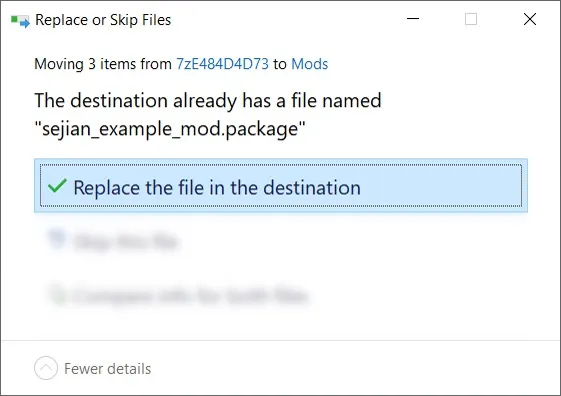
5️⃣ Choose "Replace the file in the destination" if prompted to "Replace or Skip Files":
6️⃣ LAUNCH the game.
☆// ⋆ PROJECT MIRRORS:
Bluesky -- NIL
CF (Legacy) -- https://../bg-sgfx-transitionscreenmolecule
Mod The Sims -- https://modthesims.info/d/690476
Nexus Mods -- https://../thesims4/mods/3753
Tumblr -- NIL
☆// ⋆ ZIP CONTAINS (0) TS4SCRIPT + (1) PACKAGE:
This is a simple "Scale Form GFX" override.
This should NEVER contain TS4SCRIPT files, BATCH files, EXE files, or anything other than PACKAGE files, my "#Sej" folder, and a sub-folder.
This section exists as a reminder that we are in someone's crosshairs.
Rogue TS4SCRIPT files, BATCH files, EXE files, etc., encountered where they don't belong could contain malicious PYTHON script or other !@#$ that will attempt to infect your device and steal your personal information when executed by you or the game. Malware can ruin lives. Don't !@#$ around.
🗜️ sej_SGFX_TransitionScreenMolecule_QuitBlindingMeEA_[YYMMDD]_[RELINFO].zip
📁 #Sej » SGFX
📄 sej_SGFX_TransitionScreenMolecule_QuitBlindingMeEA.package


Comments (3)
Is there a way to get this without the loading screens? i'll comission! :')
My eyes are thanking you ever so much 😭
Your eyes are most welcome!