
Common problems | UI Modes Mods | The Sims 4
Here you will find solutions to the most common problems when installing my UI mods.
⚠ ATTENTION BEFORE CONTINUING! ⚠
CHECK THIS FIRST:
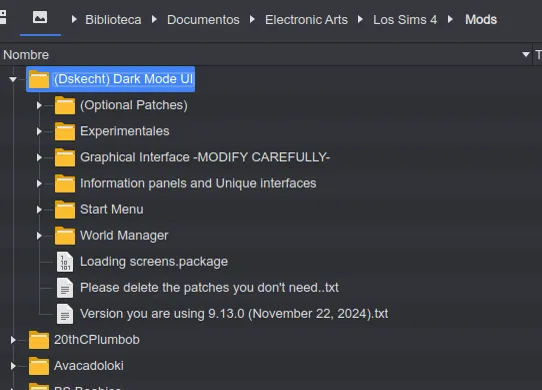
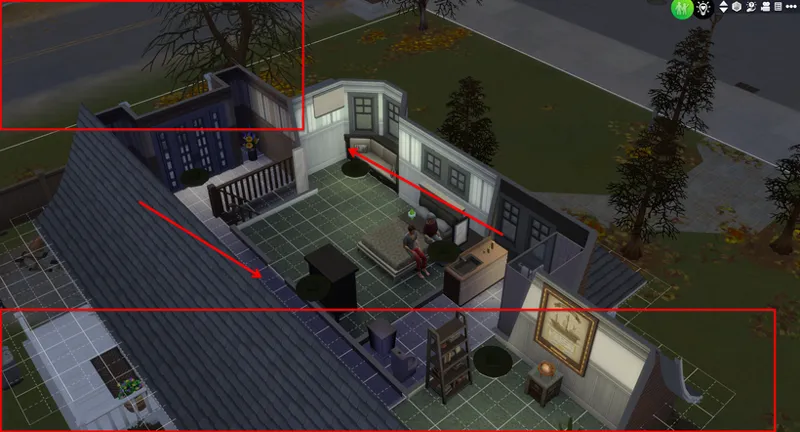
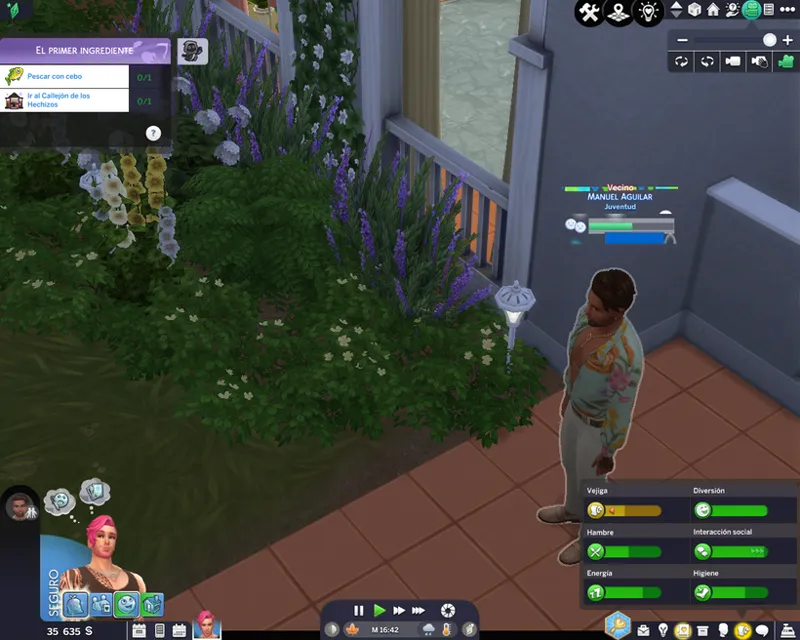
If my mod in the MODS folder does NOT look EXACTLY as it should once installed correctly (as shown in the SCREENPLAY),
IF IT DOESN'T LOOK THE SAME, SOMETHING IS WRONG and you must fix it before continuing.
------------------------------------------------------------------------------
📌 BEFORE CONTINUING:
First, read the post where I explain THE MOD LOAD ORDER and HOW IT WORKS IN THE SIMS 4, as this will help you avoid or solve most mod issues.
How to view, track, and fix mods that are broken or conflicting with others? | The Sims 4
------------------------------------------------------------------------------
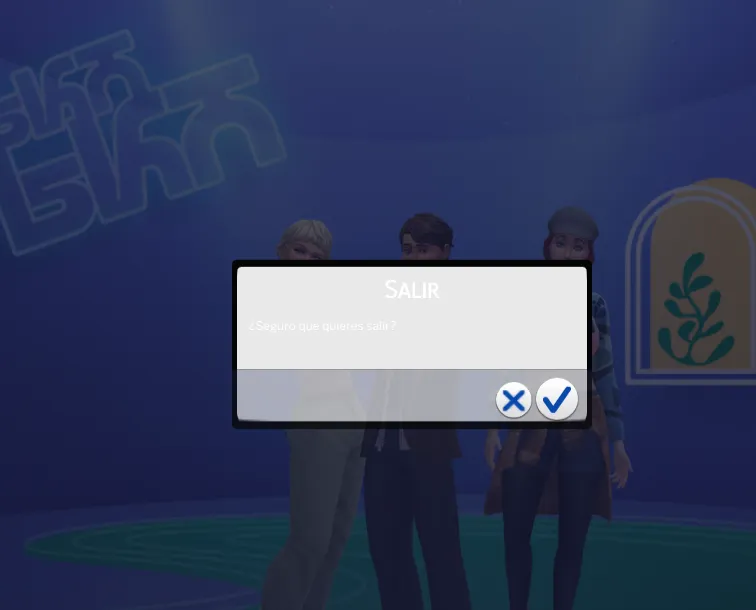
The interface is not responding / It is corrupt / I cannot exit the game.
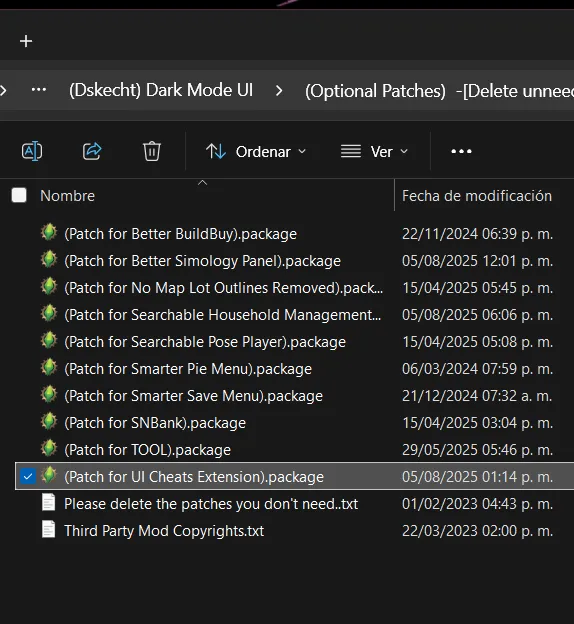
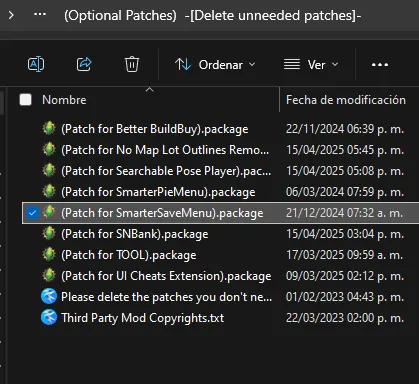
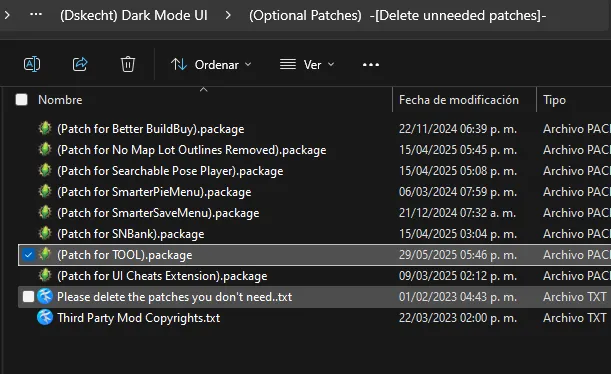
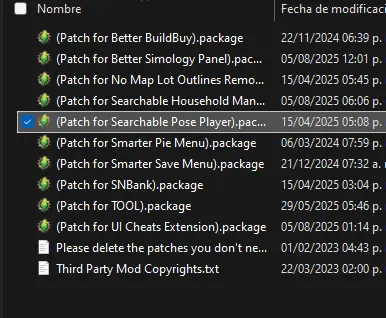
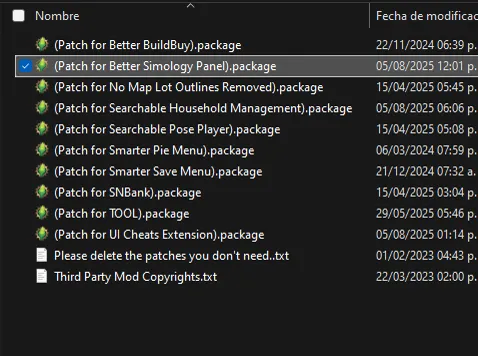
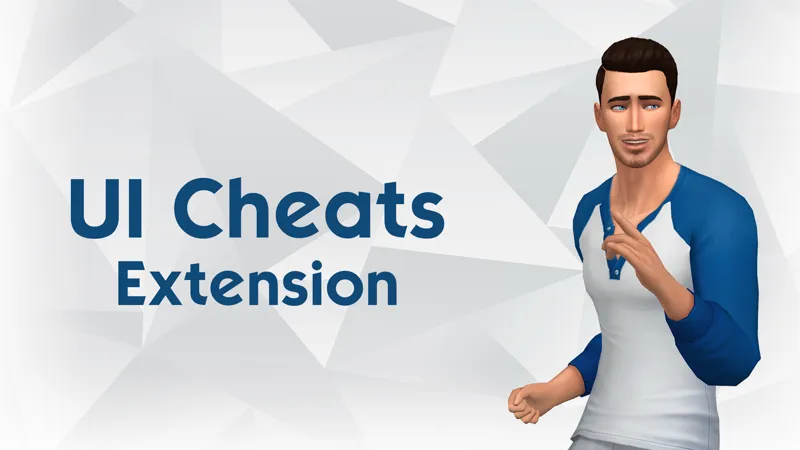
This is because you use the patch for "UI Cheats Extension" without using the corresponding mod.
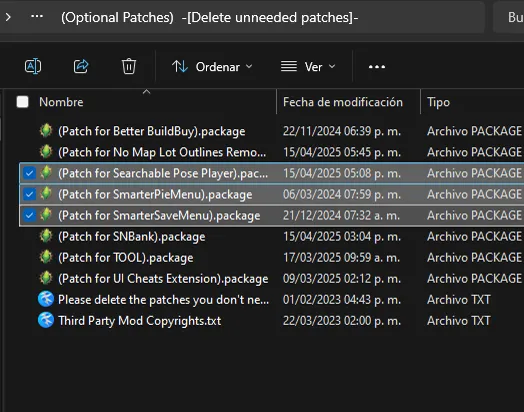
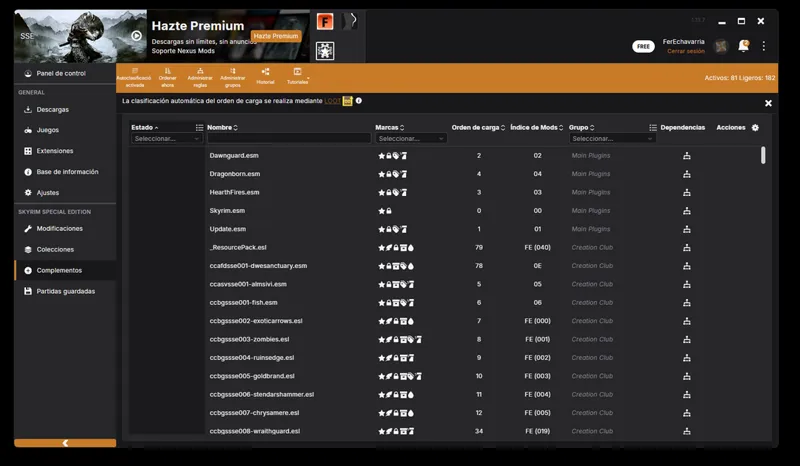
The problem is solved by removing the corresponding patch (seen in the screenshot below)
------------------------------------------------------------------------------
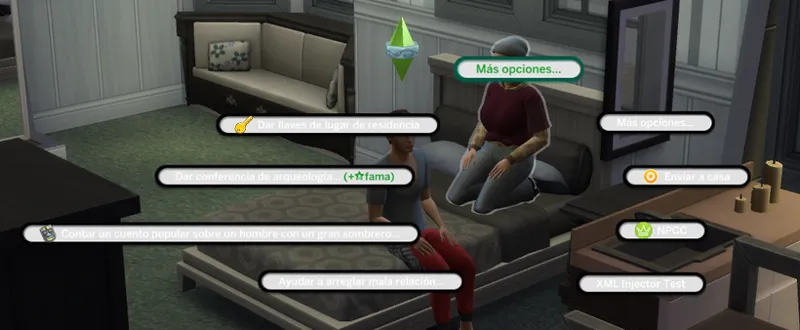
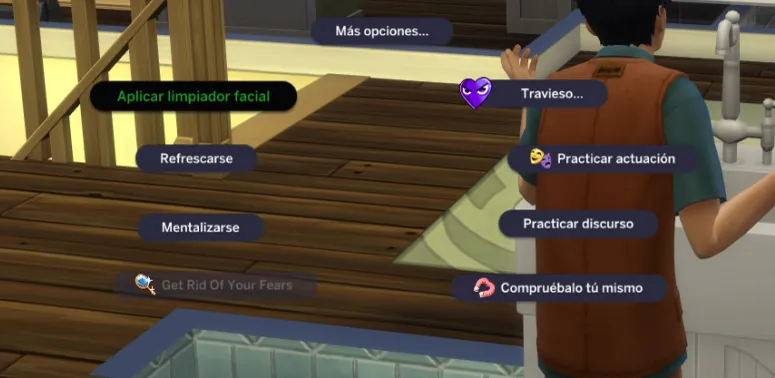
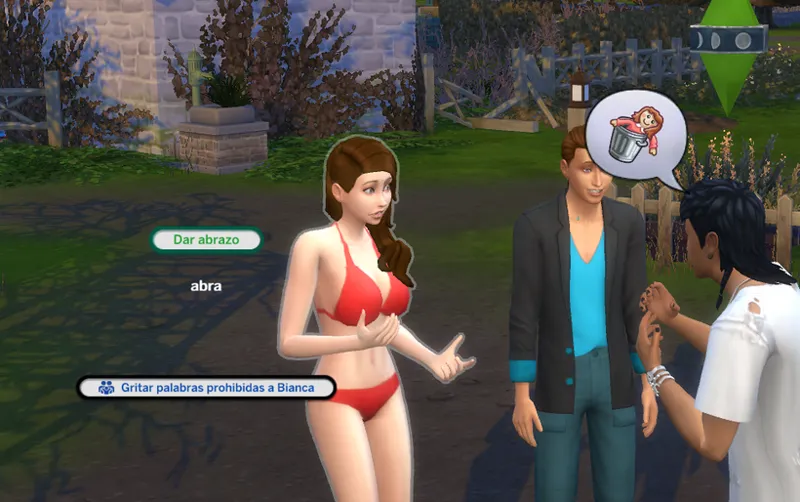
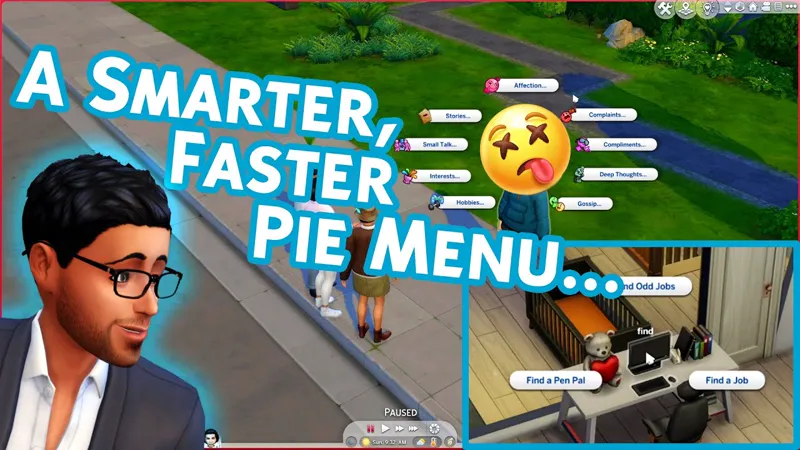
The Menu Pie is not readable, unless you select it.
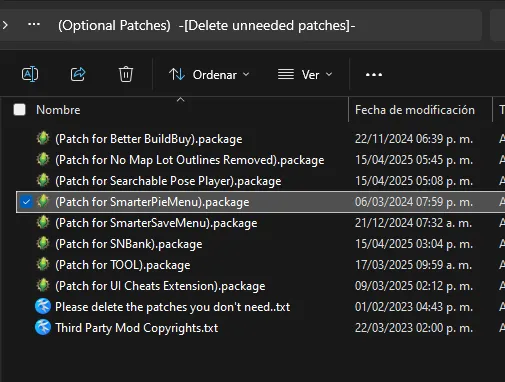
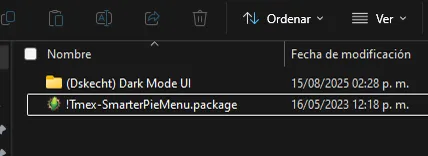
This problem is due to the patch for Smarter Pie Menu, either because you do not use that mod, or because you did not install it correctly.
I don't use the mod.
This is resolved by removing the patch so that everything returns to normal.
Without the patch installed, it should look like this
If I use the mod.
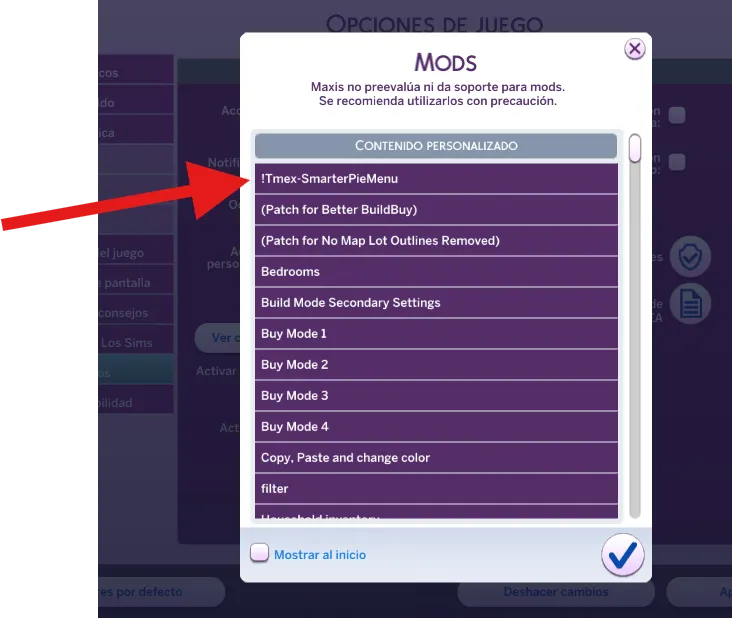
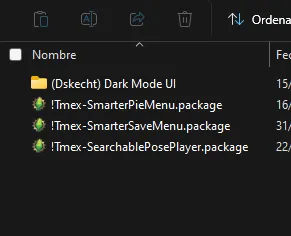
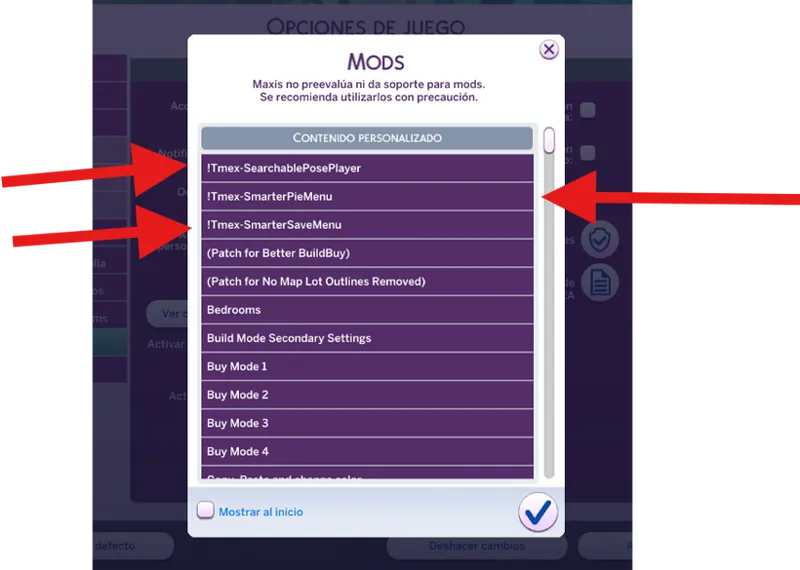
Changing the order of the mods is more than enough to get them working properly. In this case, Smart Pie Menu must be loaded first.
If you don't know what mod loading order is or how it works, please read this post.
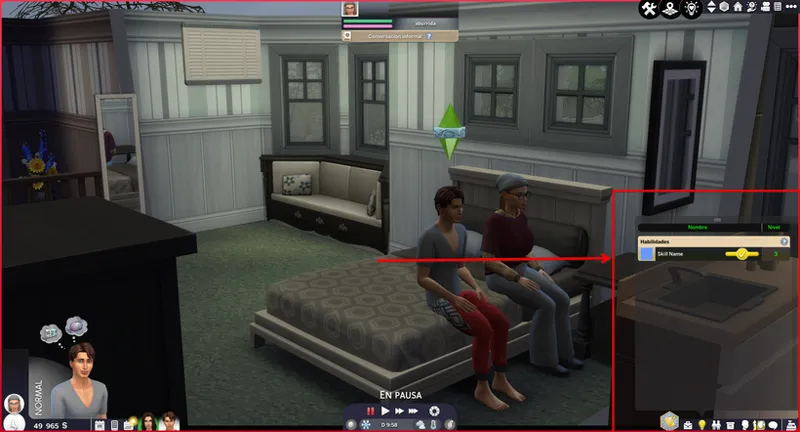
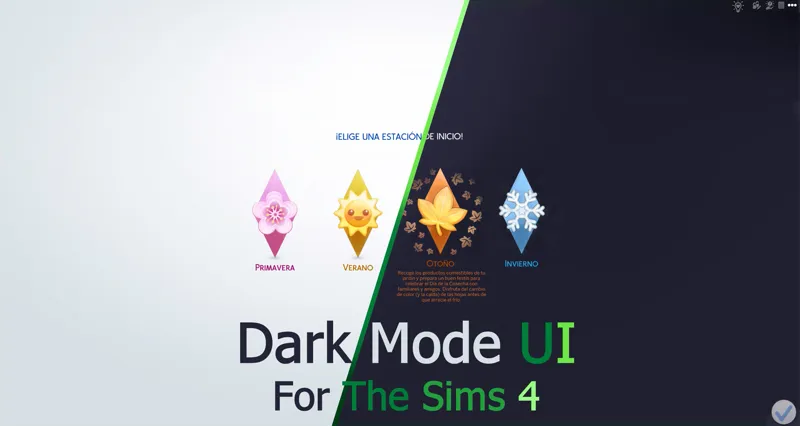
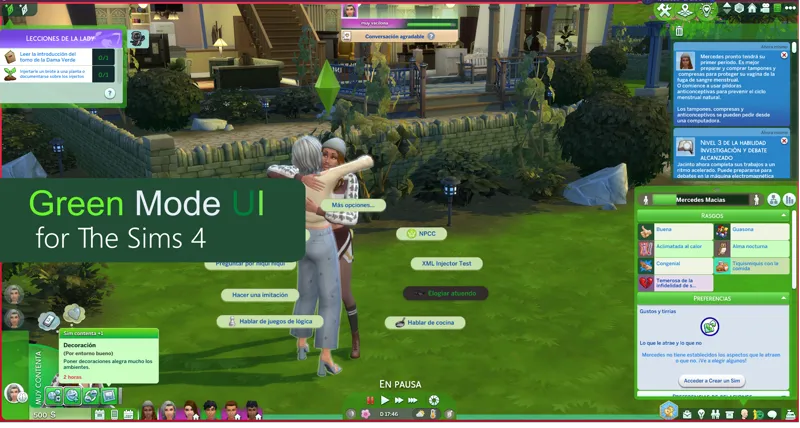
To confirm that the installation was successful, the game should look like this.
These issues affect the: Dark Mode UI,
For other colors that are experiencing this issue but don't have the patch, simply changing the mod's loading priority will get it working again.
------------------------------------------------------------------------------
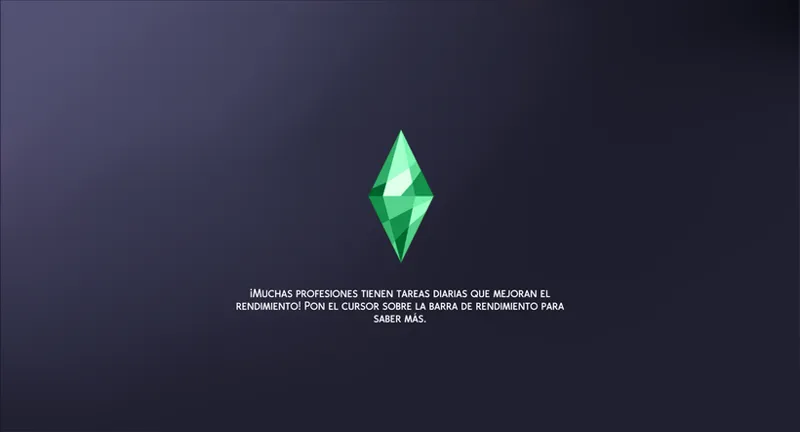
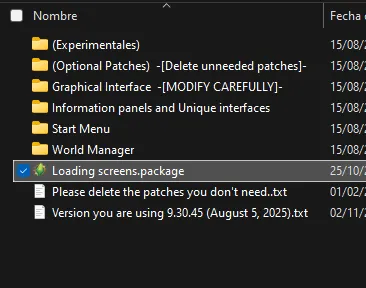
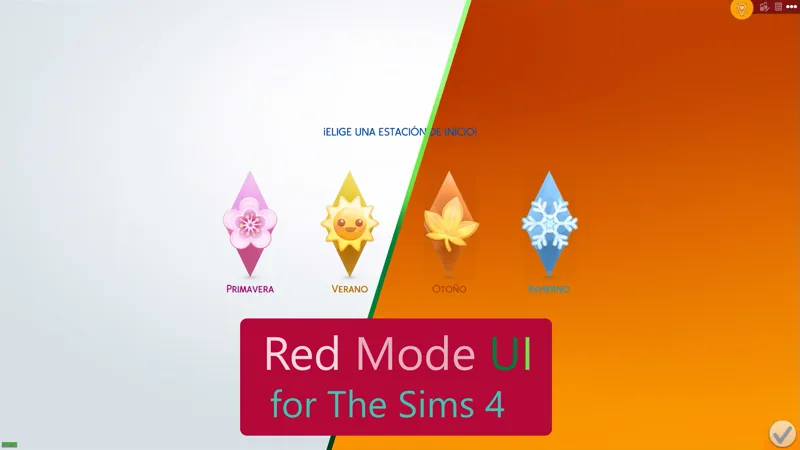
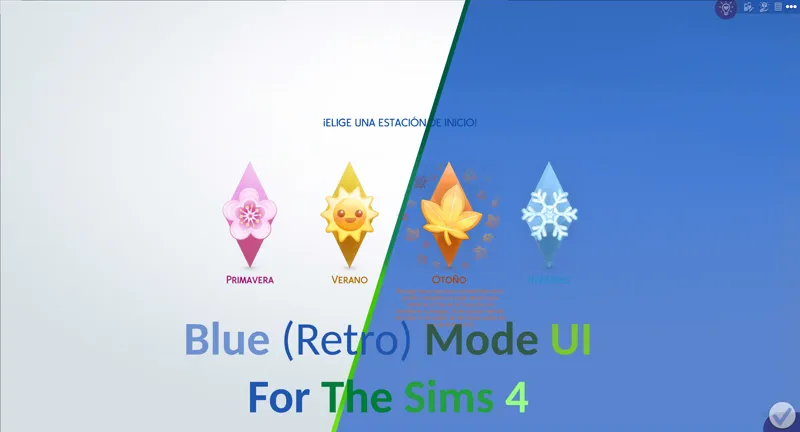
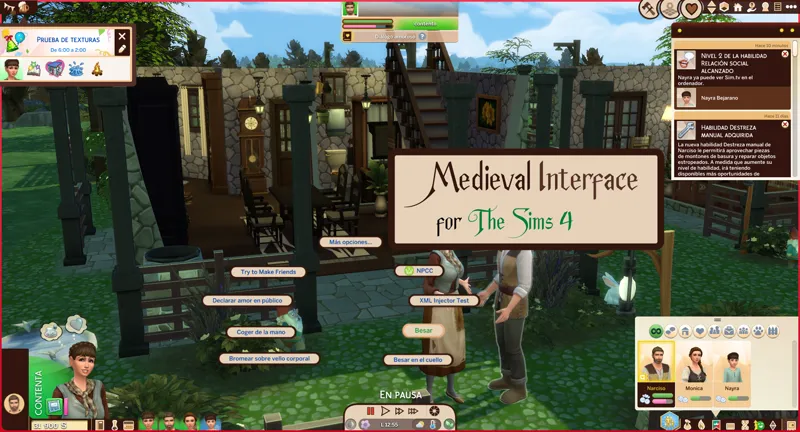
I don't like this loading screen. / I can't change the default. / How can I change my loading screen?
This is fixed by removing the default loading screen
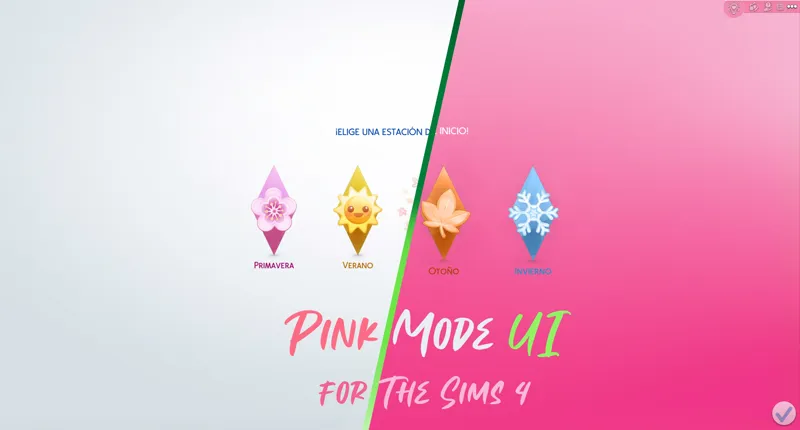
These issues affect the: Dark Mode UI, Pink Mode UI, Purple Mode UI, Blue (Retro) Mode UI, Medieval Interface, Green Mode UI.
------------------------------------------------------------------------------
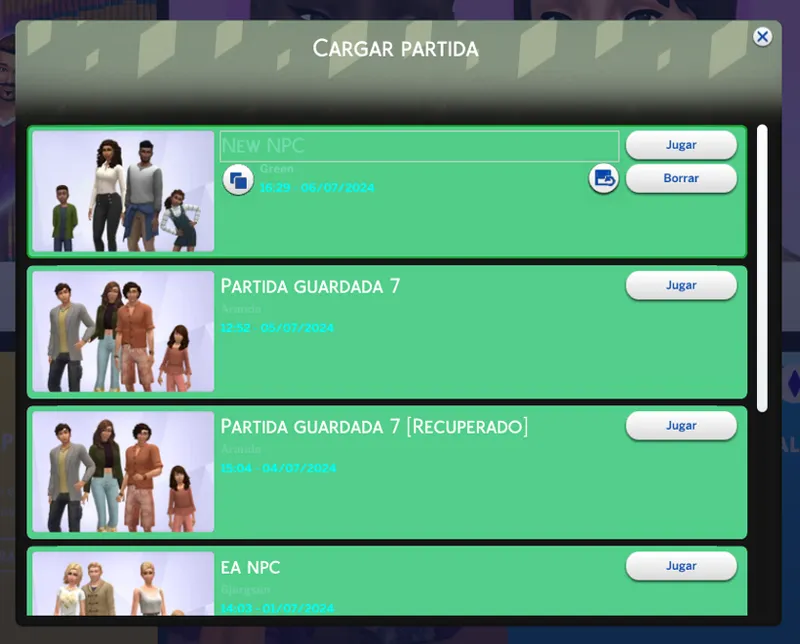
I have trouble reading the save menu
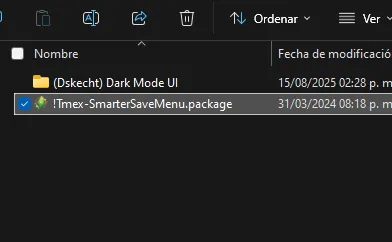
This may be because you are using the patch for Smarter Save Menu and have not used or installed it correctly.
I don't use the mod
It can be resolved by simply removing the patch so that everything returns to normal.
If I use the mod.
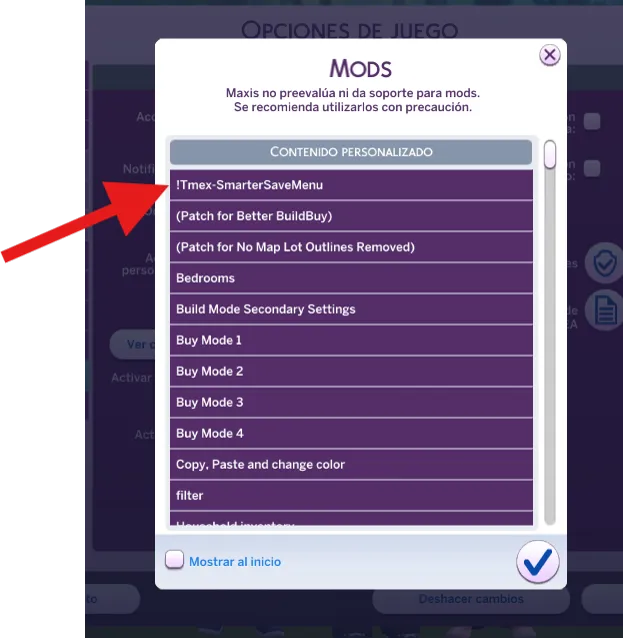
Changing the order of the mods is more than enough to get them working properly. In this case, Smart Save Menu must be loaded first.
If you don't know what mod loading order is or how it works, please read this post.
It works the same as Smarter Pie Menu, installing the mod in the patch folder.
These issues affect the: Dark Mode UI
For other colors that have this problem but do not have the patch, changing the mod's loading priority is more than enough to get it working again.
------------------------------------------------------------------------------
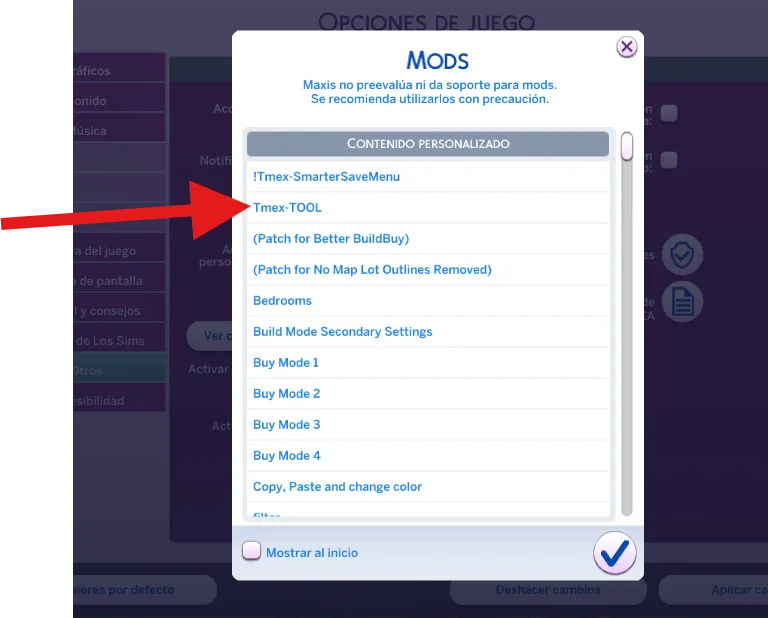
Why does the menu look like this? / Why doesn't the TOOL patch work?
This may be because you are using the TOOL patch and have not used or installed it correctly.
I don't use the mod
It can be resolved by simply removing the patch so that everything returns to normal.
If I use the mod.
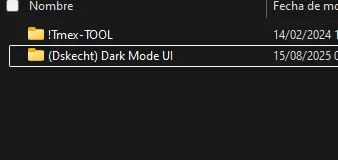
Changing the order of the mods is more than enough to get them working properly. In this case, you must first load TOOL, which you can do by simply adding this to the folder name.
If you don't know what mod loading order is or how it works, please read this post.
It works the same as TOOL, installing the mod in the patch folder.
For other colors that have this problem but do not have the patch, changing the mod's loading priority is more than enough to get it working again.
------------------------------------------------------------------------------
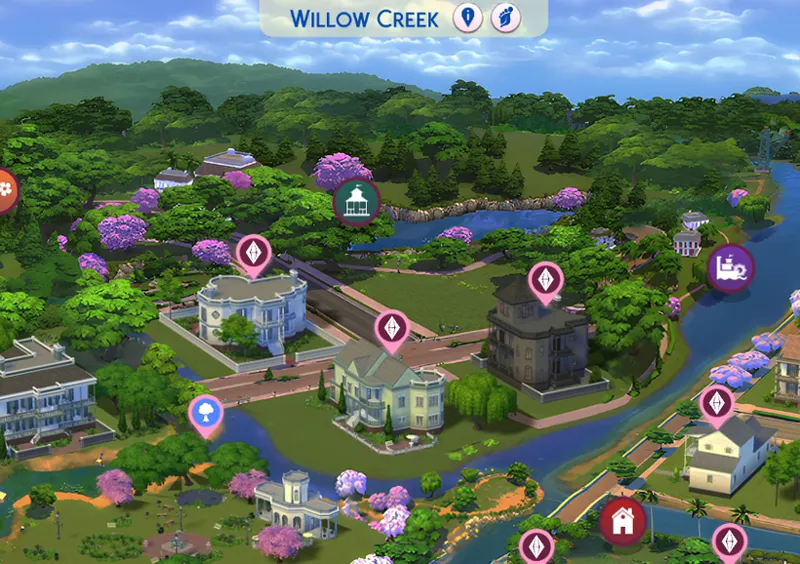
How does Patch for No Map Lot Outlines Removed work?
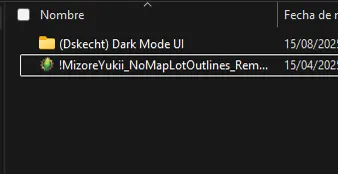
Changing the order of the mods is more than enough to get them working properly. In this case, "No Map Lot Outlines Removed" must be loaded first.
If you don't know what mod loading order is or how it works, please read this post.
Nothing happens if you don't remove this patch, as it is merely a texture to make the MizoreYukii mod text visible. However, the appearance varies from version to version; some versions do not present visual difficulties, while others do.
These issues affect the: Dark Mode UI, Pink Mode UI, Purple Mode UI.
------------------------------------------------------------------------------
Why does the menu look like this? Why is it not the same color as the interface?
That is due to the patch for Searchable Pose Player. Once you remove the patch everything should be back to normal.
------------------------------------------------------------------------------
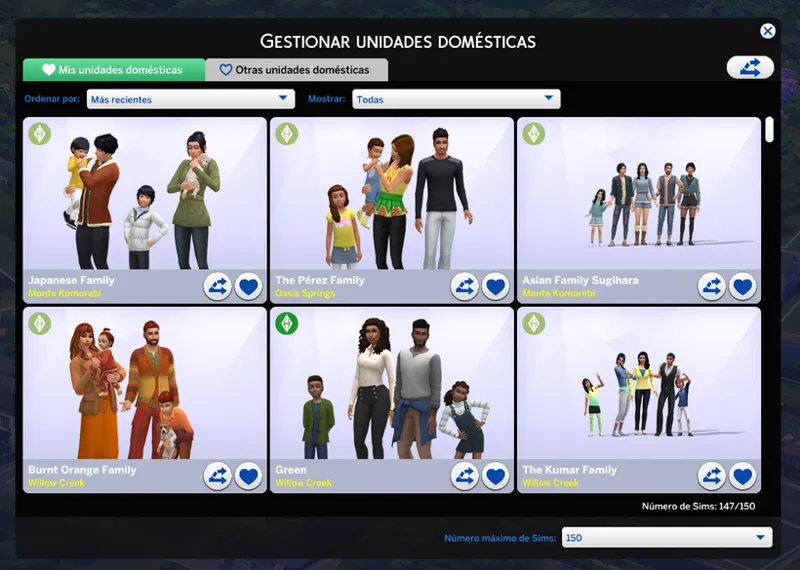
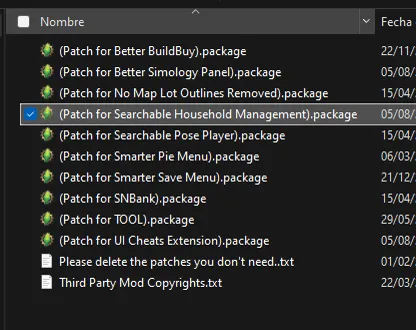
Why does the household manager look like this?
This is due to the patch for Searchable Household Management, you must remove the patch to get everything back to normal.
These issues affect the: Dark Mode UI
------------------------------------------------------------------------------
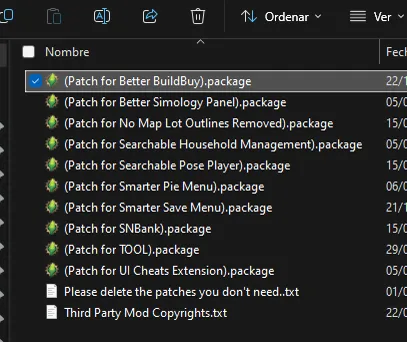
Floating signs look distorted
The problem occurs when using the Better BuildBuy patch without the corresponding mod; the problem is solved by simply removing the patch.
------------------------------------------------------------------------------
All Tmex mods that provide the search capability option must load before the conflicting interface mod.
It's also important that if the interface mod has patches for those mods, they must be present in the specific storage folder, as it has alternative textures for changing the font colors.
If you don't know what mod loading order is or how it works, please read this
These issues affect the: Dark Mode UI, Pink Mode UI, Purple Mode UI
For other colors that have this problem but do not have the patch, changing the mod's loading priority is more than enough to get it working again.
------------------------------------------------------------------------------
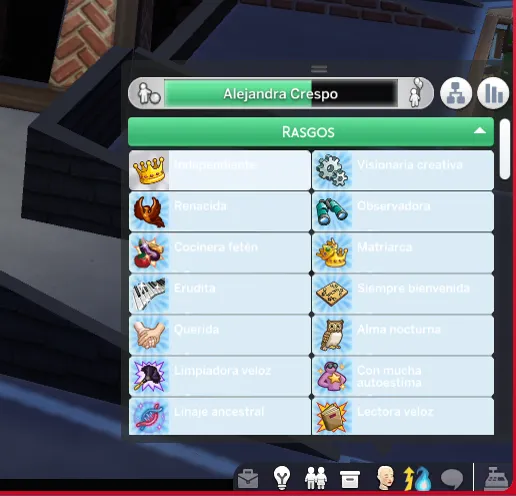
Sim traits are not readable / Better Simology Panel patch not working
This problem is due to the patch for Better Simology Panel, either because you do not use that mod, or because you did not install it correctly.
I don't use the mod.
This is resolved by removing the patch so that everything returns to normal.
If I use the mod.
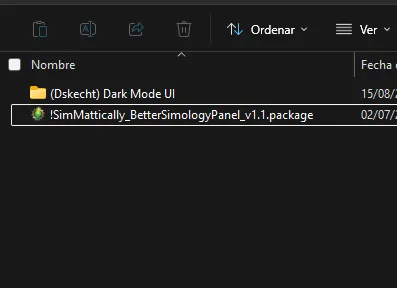
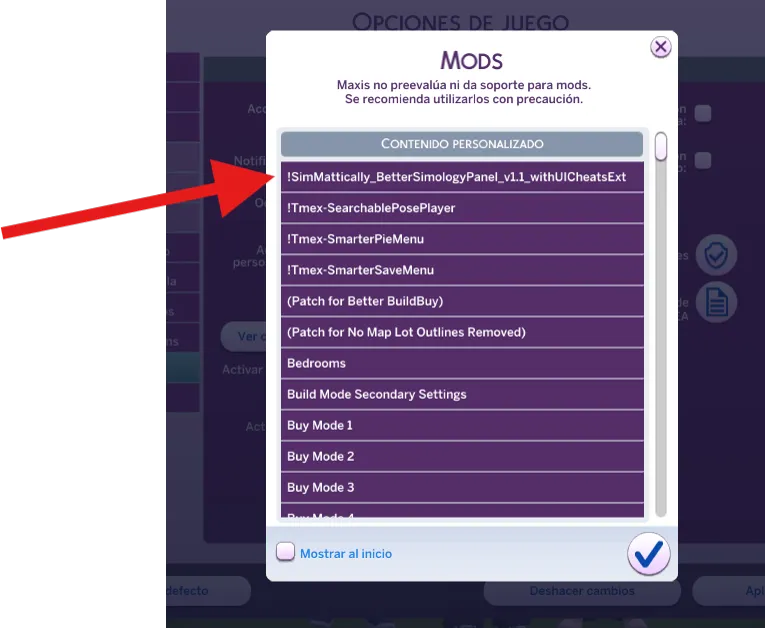
Changing the order of the mods is more than enough to get them working properly. In this case, Better Simology Panel must be loaded first.
If you don't know what mod loading order is or how it works, please read this post.
It works the same as Better Simology Panel, installing the mod in the patch folder.
These issues affect the: Dark Mode UI,
For other colors that are experiencing this issue but don't have the patch, simply changing the mod's loading priority will get it working again.
------------------------------------------------------------------------------
This solves the most common problems (or the most frequently asked questions) about my mods.
In the event that your situation is not found here, you can check this alternative list on incompatibility.
Comments (44)
So I have a issue that isn't stated on here. When I try to save my game, it puts the menu below all other menus up and even when I get to that menu to finish the save, it never saves. I have followed your guides very carefully and no matter what I adjust, I still have this issue.
Sorry for the late reply, your comment got lost among all the pending notifications. Could you give me more information about your problem? The latest Sims updates have changed the save menu three times.
EDIT- Do I need both: 1) the other mod loading first, and 2) its respective patch for dark mode? Does every mod that has a patch in Dark Mode require higher load priority? Or only some of them.
Could you be clearer about the problem? I don't understand what's going on.
Hi, everytime i add the mod into my game and try saving i get stuck in a infinite loading screen, no matter what i remove or change in the file or leave it unchanged it still does it, how can i install this properly i think im doing something wrong
Are you sure you're using the latest version of the game? Interface mods are only compatible with the most recent version, and they modify the interface libraries to change the text color. Using them on an older version will cause conflicts in the game, and the same will happen if you do it the other way around.
Hi i keep receiving an error that this conflicts with tool but i didn't delete the patch version in the darkmode folder. do i just make tool load first?
As stated in the instructions, you must prioritize loading the TOOL mod, since Dark Mode is overwriting it, hence the error. The patch only provides an alternative texture due to the change in the text font color. In other words, the patch is merely a visual aid; it doesn't do anything. The trick is to change the loading order.
I'm having an issue with this conflicting with TOOL mod. I have followed the instructions and FAQ per your patreon and still am having issues. I may be missing something? Any suggestions? Thanks!
Borrar el caché, a veces el juego no registra los cambios hechos en los mods, ya que quedan archivos residuales en el caché. Con borrar y seguir los pasos anteriormente mencionados se solucionaría el problema.
Sorry if this has been answered already but can I use "SimMattically_BetterSimologyPanel" while using Dark Mode UI?
Not at the moment, until I return from vacation I will start adding that patch and several more pending ones.
this post SAVED my game thank goodness I happened to see this post pop up in my emails because I had no idea what was going on
muito obrigada, já estava sem esperanças sobre o pie menu. thank youu
hi. I deleted the patch for build buy and my floating signs are still distorted. is there something else I can try?
I have already tried to delete the cache, since lately it has been corrupted a lot, or there may be another mod that is causing this error and you don't know about it.
I downloaded the recent update and when I go into build and buy, the walls I place down are invisable. Is there a way to fix this? I really like this mod as my eyes are sensative.
Well, in that part I can't help you, since my mode only modifies the textures and graphic files, which is mechanically of the game I don't move anything.
Minha tela fica branca assim que passa do menu de carregamento, não sei o que deu errado! Minha versão é 1104.58.1030
Para usar as interfaces de usuário, você deve ter a versão mais recente do jogo (mais atual 1.109.185.1230). Se você usar a versão escura ou rosa, os arquivos de backup estarão disponíveis; você pode pesquisar os arquivos aqui. https://www.patreon.com/collection/88170?view=expanded
Hi! Sorry, but Tmex-SearchablePosePlayer (last version) again dont working. I put it in [Optional Patches] with [Patch for SearchablePosePlayer] and it doesnt wirking in game. But without black UI mod SearchablePosePlayer is working....
It's funny since the patch is just a texture. I'll try to figure out what the problem is later.
Hi, better build buy (Tmex) patch isn't included when I downloaded this mod, does the current version of this mod conflicts with BBB in the current lovestruck patch? I'm using the Dark Mode UI specifically.
For several months now, BBB has no longer conflicted, as the patch already comes natively in the mod. Since it is a missing texture.
am I allowed to remove the experimentals section?
Yes, if there is a feature that you don't like you can remove it without a problem.
dark mode is merged into my ui and world manager, i deleted it and the options.ini, localthumbcache, etc. its still broken because of the new patch but i deleted it
Using this mod or any variant at this time may corrupt saved games. Please see the sims update status post for more information. https://www.patreon.com/posts/108597510
Latest patch has broken the UI a little. Icons below are acting all weird.
Using this mod or any variant at this time may corrupt saved games. Please see the sims update status post for more information. https://www.patreon.com/posts/108597510
hi, i keep having something on my screen every time i'm in gameplay, it's like a small box with some words in it but everything else is fine but that's the only issue.
What version are you using?
My screen keeps going white as soon as it's past the loading menu. Not sure what I'm doing wrong 😅
What version do you use?
Hello, I have an issue with the traits menu not showing up, It shows up all white like the pie menues
I recently realized that in conversation balloons there is always a light blue dot next to it and like a transparent square around the conversation balloon, these are details that I could only see by looking closely, as a general view it is not appreciated but if one pays attention it is. , that only appears when I have the mod, when I remove it everything returns to normal
I already stirred up that bug in version 9.5.1 of Dark Mode. It came out 2 days.
i have issues of glitching before but after following the right thing to do it worked ^^ thank you so much it's so pretty
I dont have UI cheat/pie menu/etc mods at all and still have issues with it being corrupt in-game, not letting me click on sims or perform actions or save occasionally. does this mean I simply cant use?
also I already deleted the patches I dont need, I only have the wicked whim one, it still is broken in game
I’m having issues with my smarter pie menu, and my loading screen. I can’t figure out what you mean when you say it has to be uploaded in a certain way to have those s functions still work in my game. 😊 can you please help me please.
This happens because of the way the game loads files, doing so alphabetically, whether it is a file or a folder. The instructions take advantage of this method to ensure that a certain feature is loaded first, since two files with the same ID will not be overwritten; the game will load the one it finds first.
Do i have to put UI extension and better build buy in the mod folder too or just smarter pie menu?
Only the smarter pie menu requires special installation. Any other mod (if it has a patch) does not need to do extra steps.