
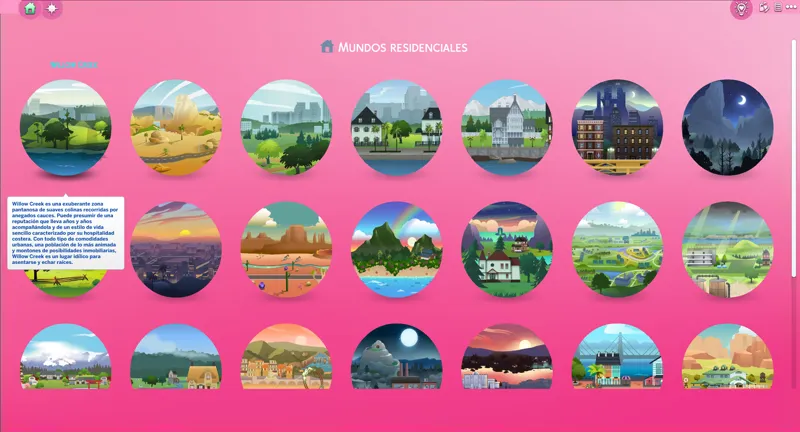
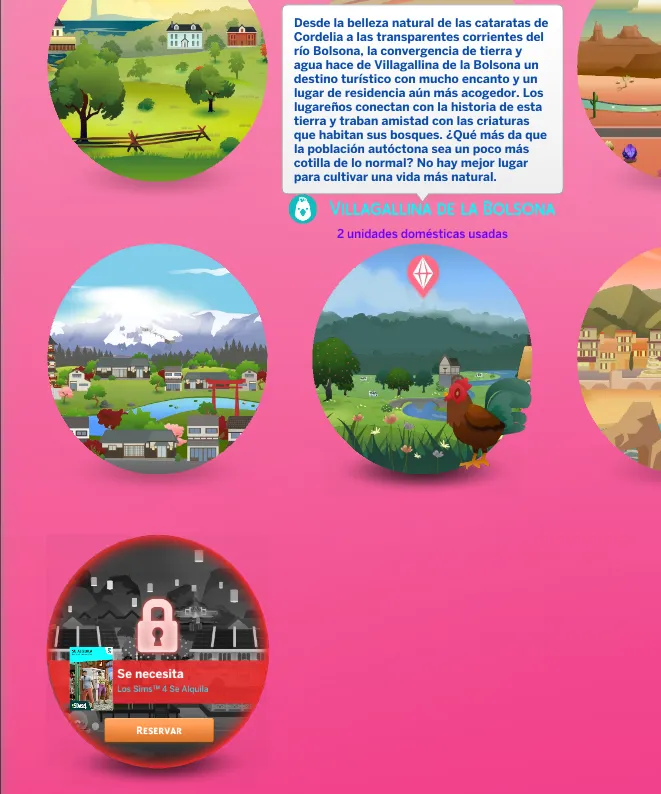
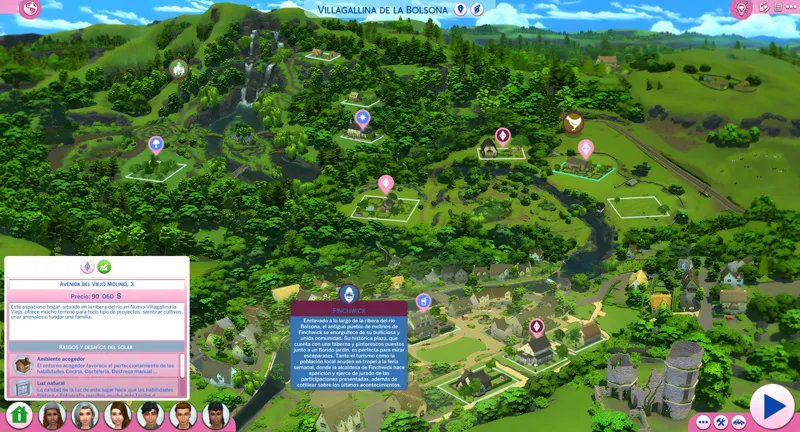
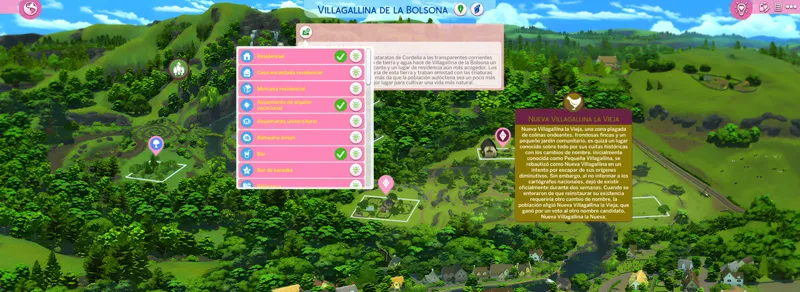

Pink Mode UI | The Sims 4 (September 23, 2026)
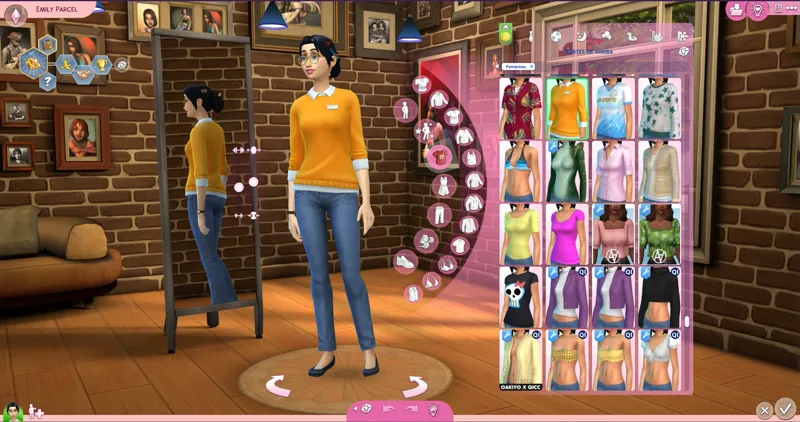
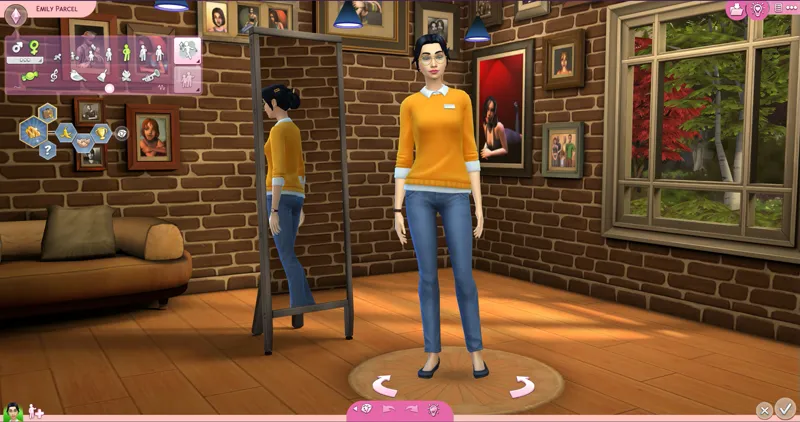
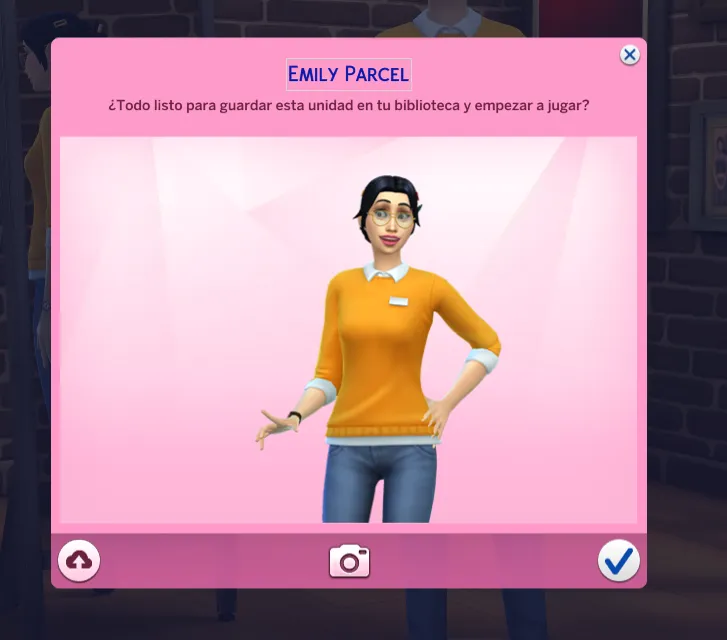
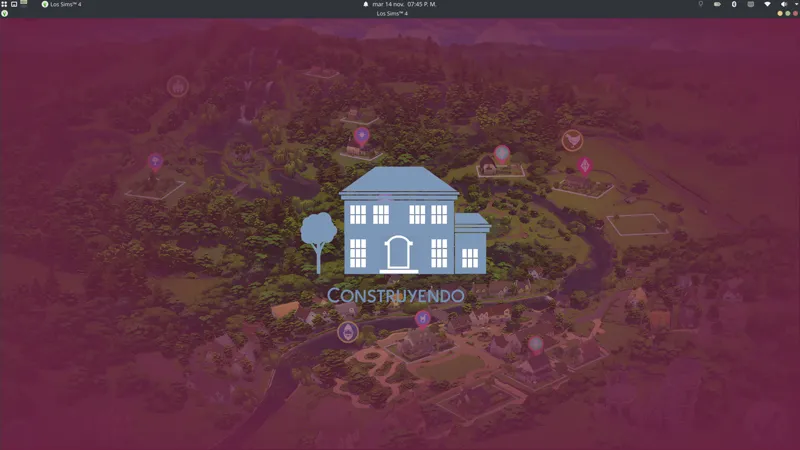
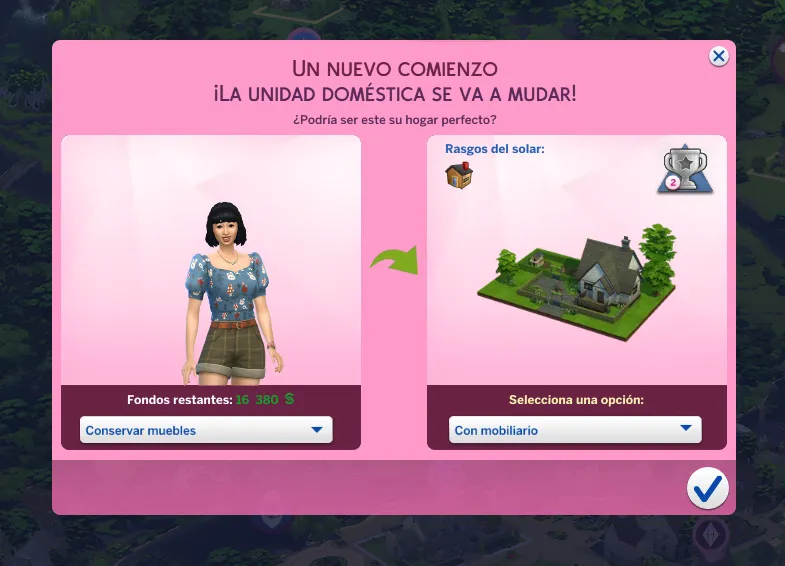
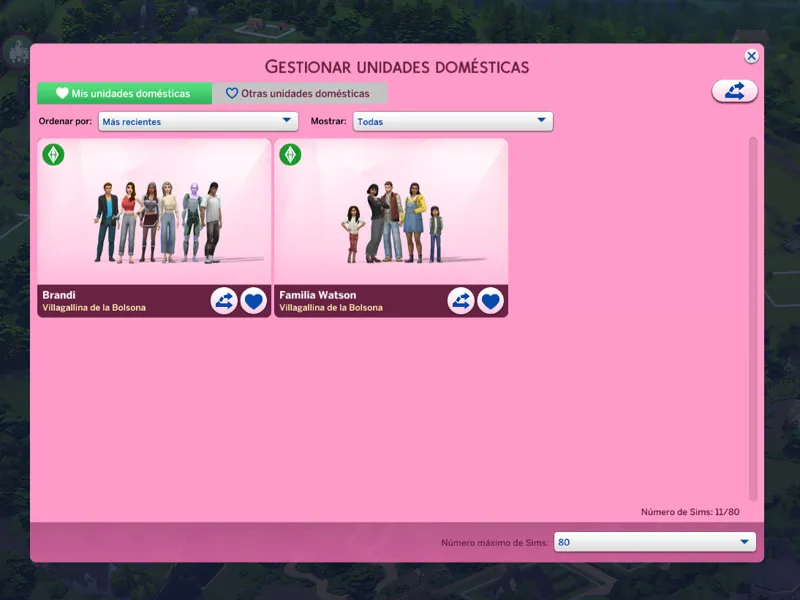
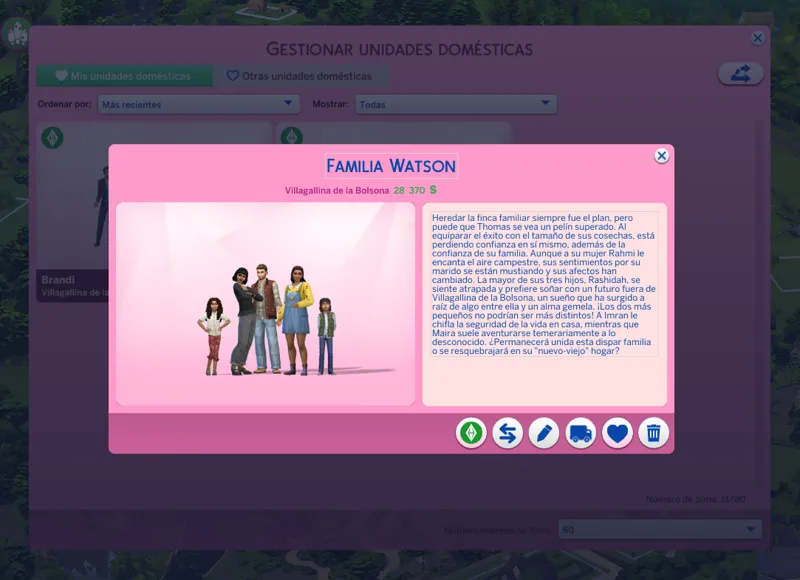
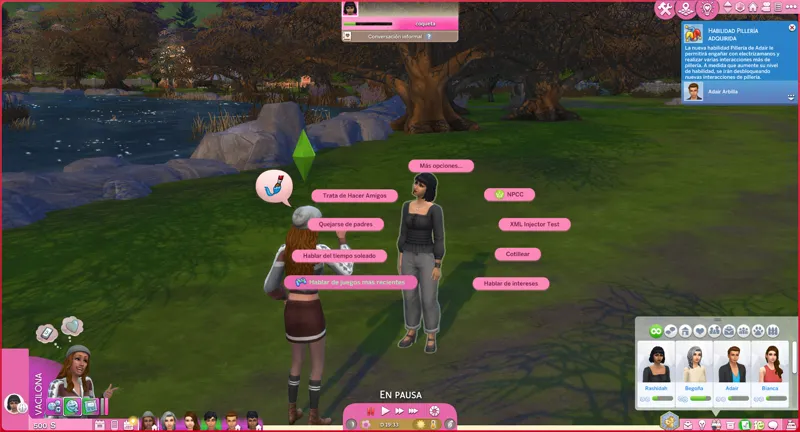
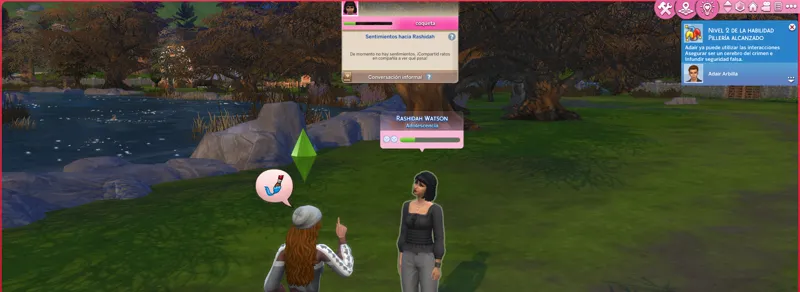
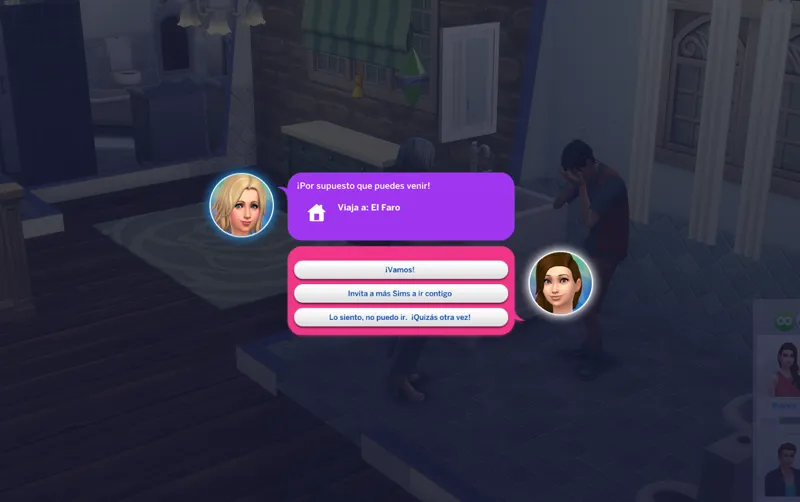
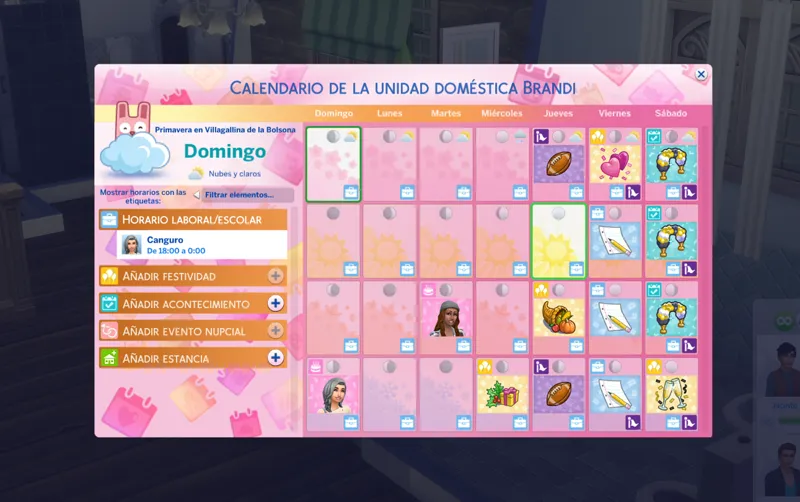
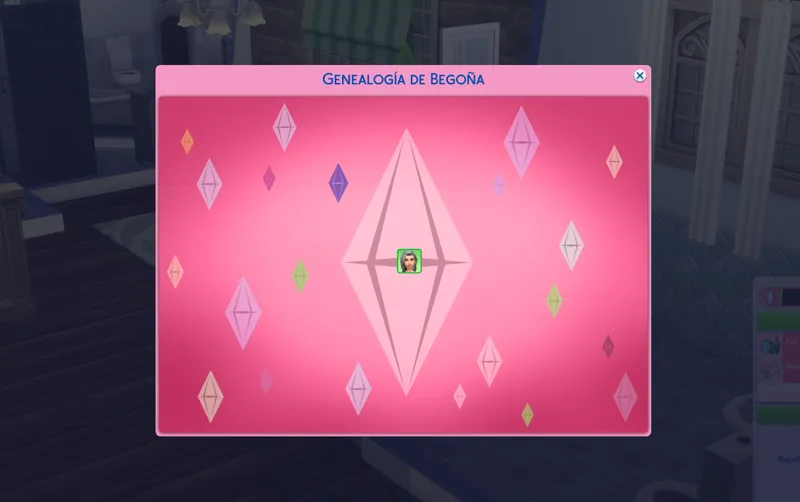
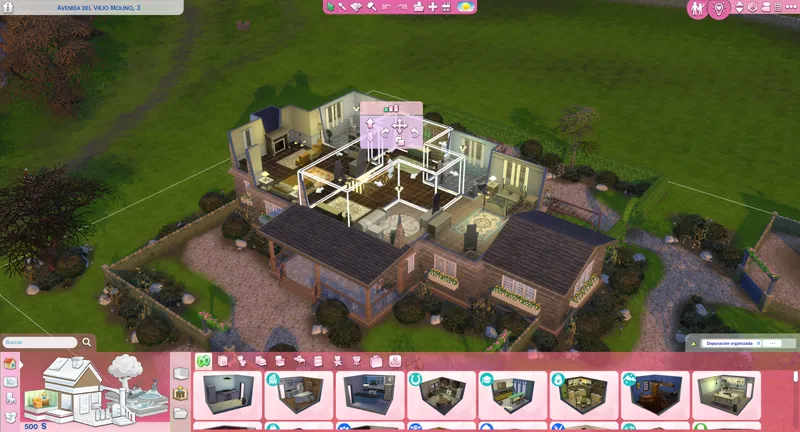
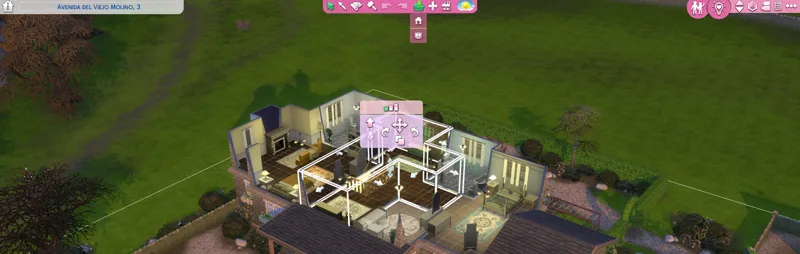
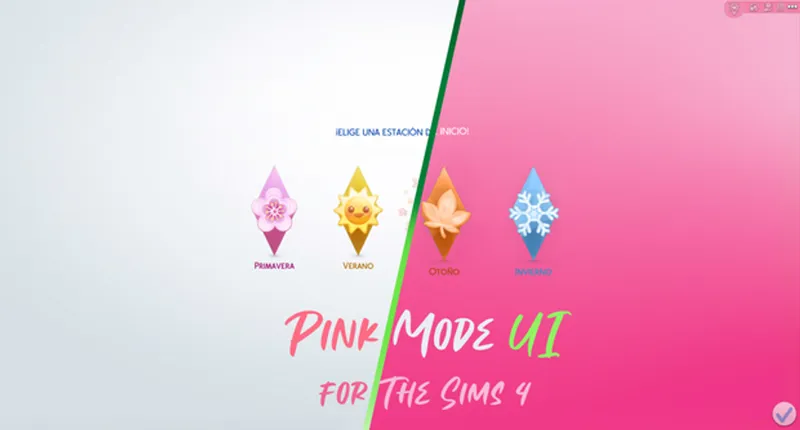
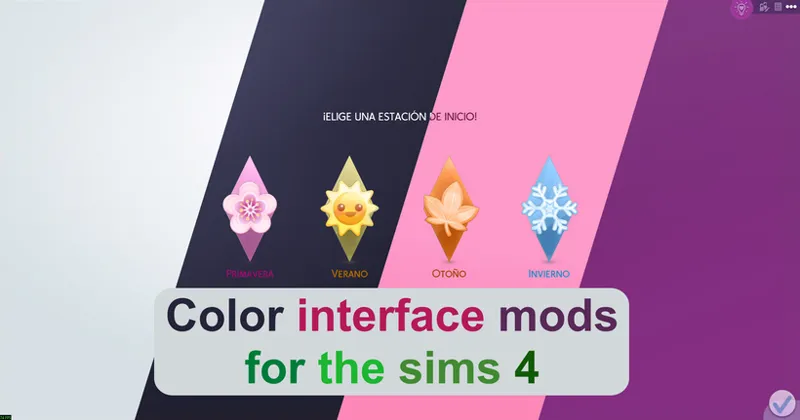
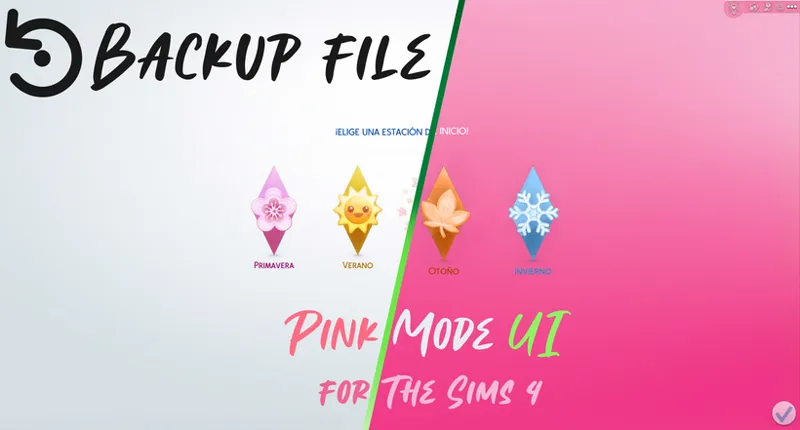
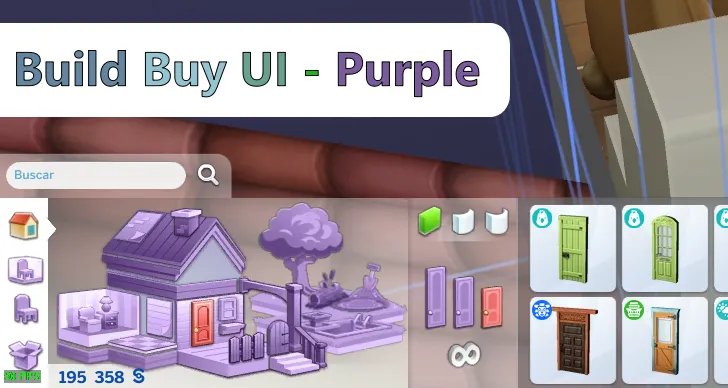
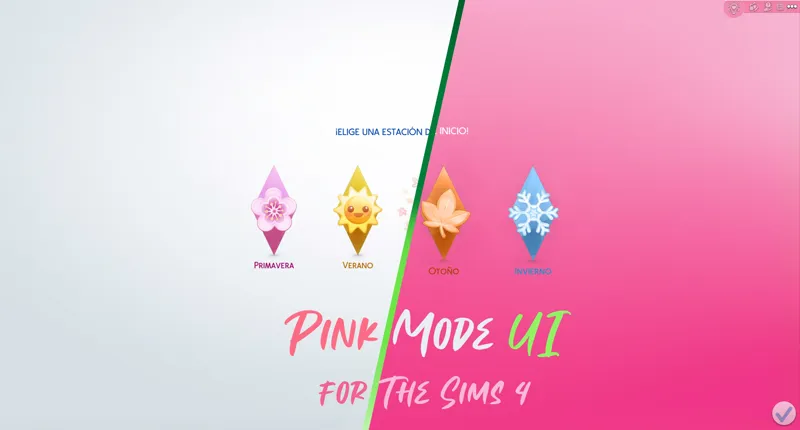
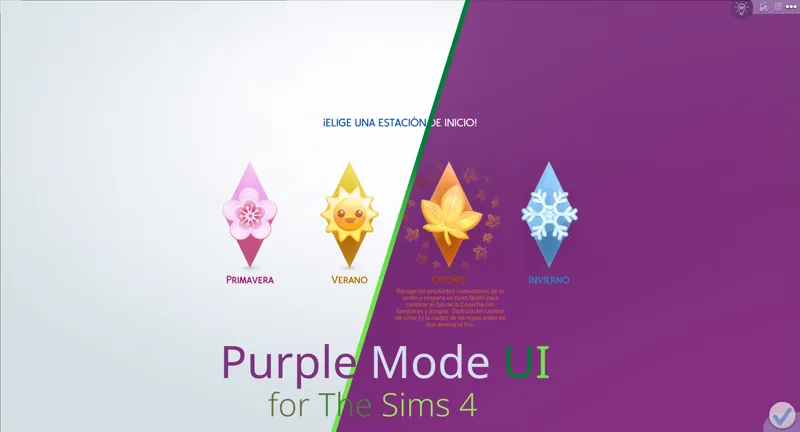
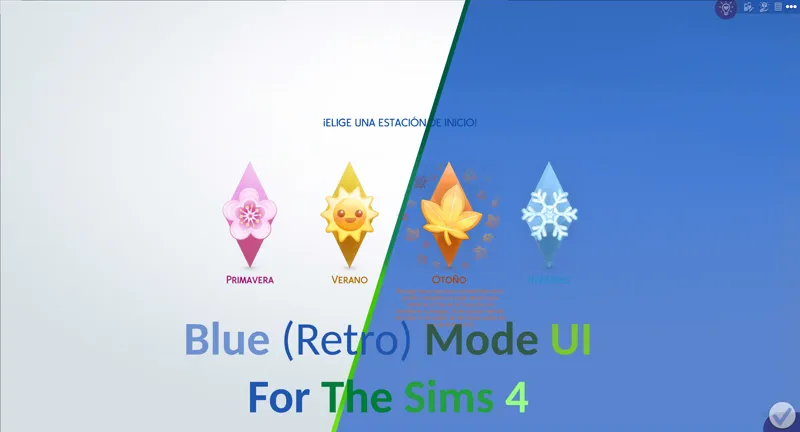
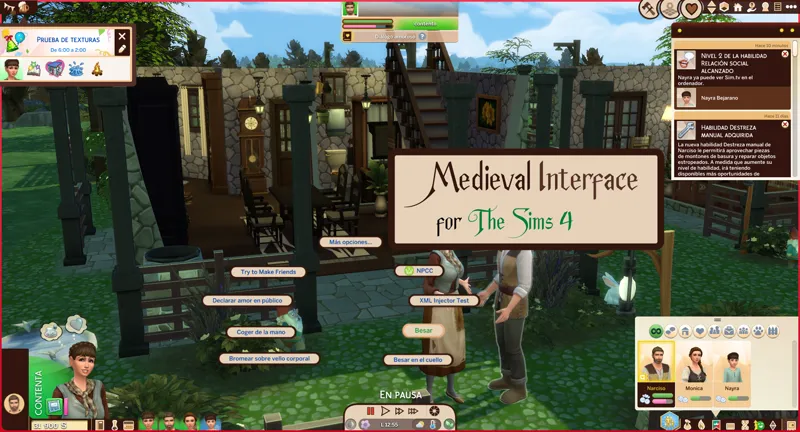
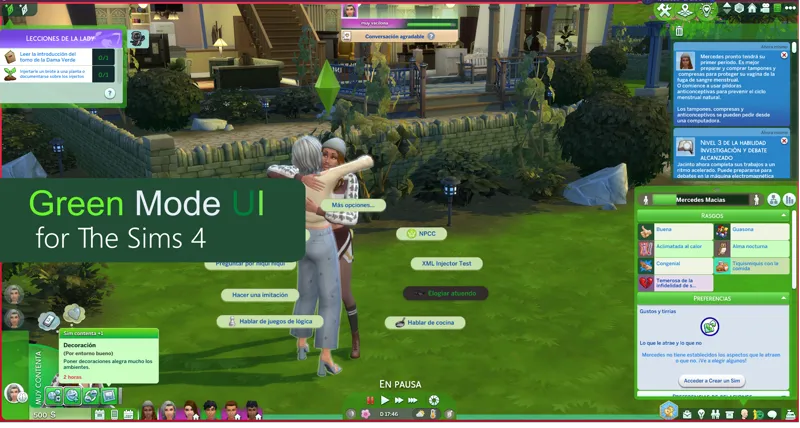
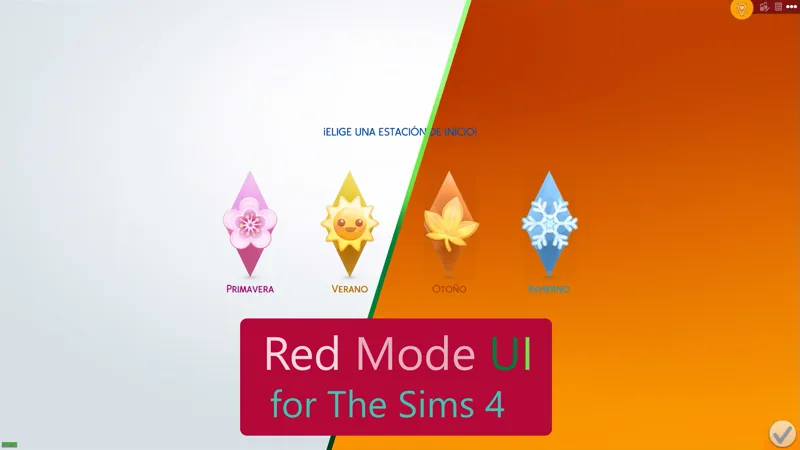
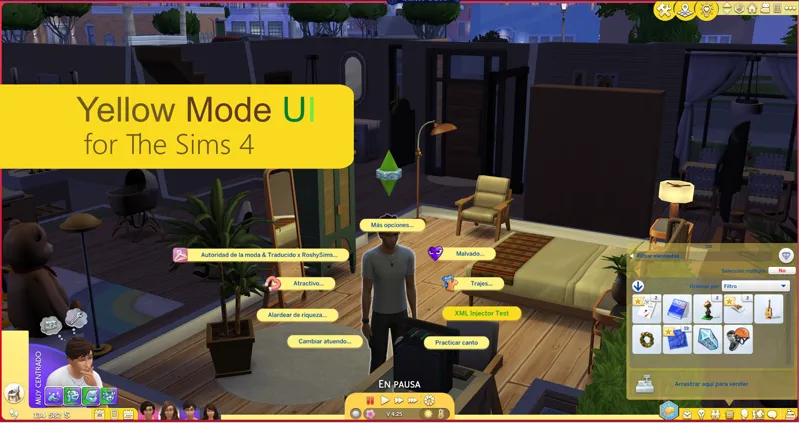
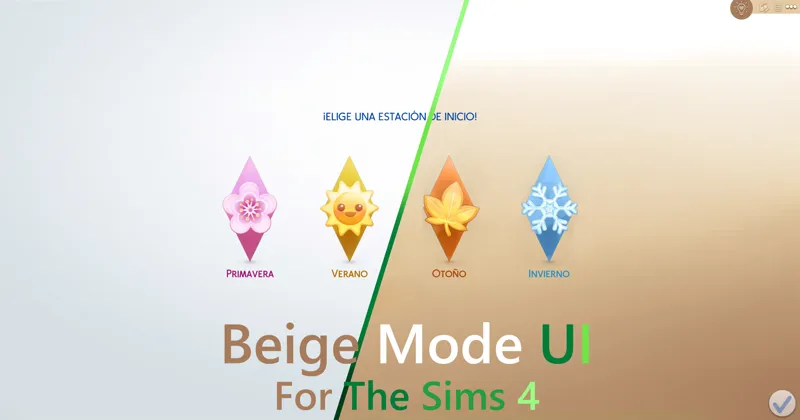
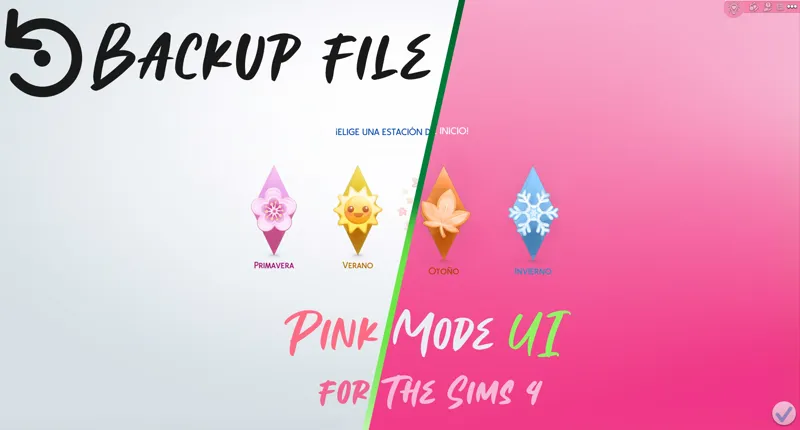
As its name says, it is a mod that changes the appearance of the interface of The Sims 4, simulating that the "Pink Mode" is activated.
You can comment, criticize and suggest about the mod with complete confidence.
Change Log:
9.15.78 (February 8, 2026):
Updated for update - PC: 1.125.59.1030 / Mac: 1.125.59.1230
New patches available for third-party mods.
Patch for Quick Save Button - BuildBuy.
Patch for Plumfruit Essentials.
Patch for Better Simology Panel.
It now works as the UI Cheats Extension patch.
Patch for Better Simology Panel x UI Cheats Extension
9.20.340 (September 23, 2026)
Updated for update - PC: 1.128.90.1030 / Mac: 1.128.90.1230
Color corrections in various parts of the interface.
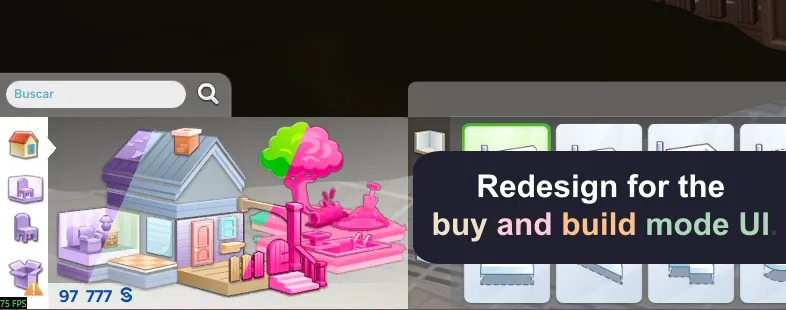
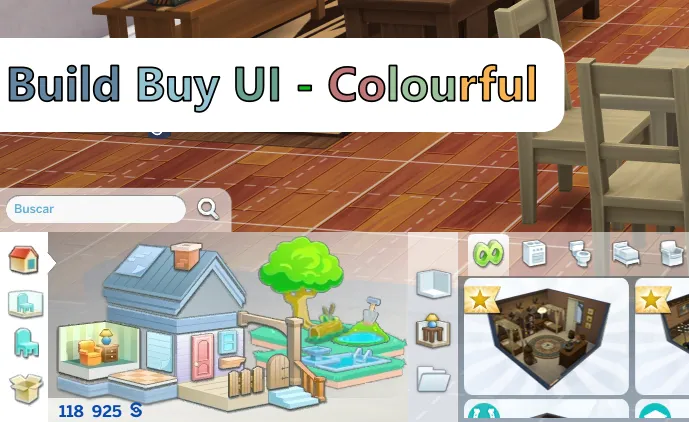
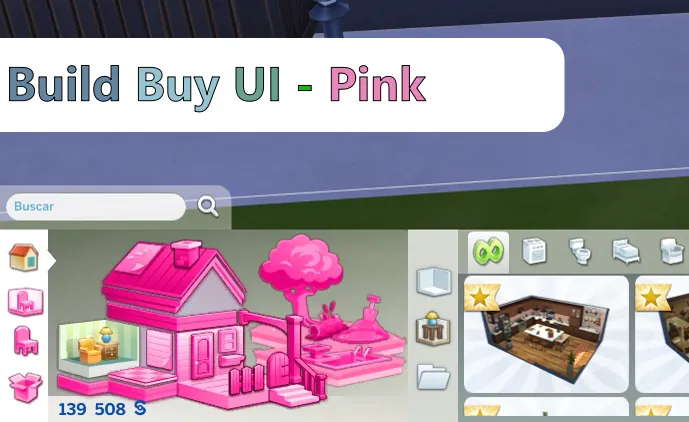
The issue with the Buy and Build mode catalog was resolved.
Warning: Due to the mod being restructured, the name of the main folder and several internal folders have changed, as well as the names of some files.
A clean install of the mod is mandatory.
Many thanks to:
totallynotkayla
Your comments were very helpful to improve this mod.
Installation:
Warning.
Because the mod makes very big changes to the game. please do the following.
In the sims folder delete the following folders:
cachestr.
onlinethumbnailcache.
And delete following files:
GameVersion.txt
localthumbcache.package
This is done so that the game reloads the mods correctly.
Repeat every time the game is updated or every time, I updated said mod. (This process also works for any mod)
***********************************************************
Installing my interface mods is very simple, you just need to drag the mod folder to The Sims 4 mods folder.
Remember that my interface mods include optional patches that you should remove if you don't have those mods, as they could cause errors in the game's textures.
Note:
When updating my mods, you should always perform a clean installation; never overwrite existing mods.
One more thing, most mods are just retextures for that mod, since for various reasons it is not possible to create a real and functional patch.
In other words, I have to re-upload the entire conflicting mod, but modified, to create a patch, and that's not right.
Simply having the patch installed and changing the load order of the conflicting mod is more than enough to make the mod work.
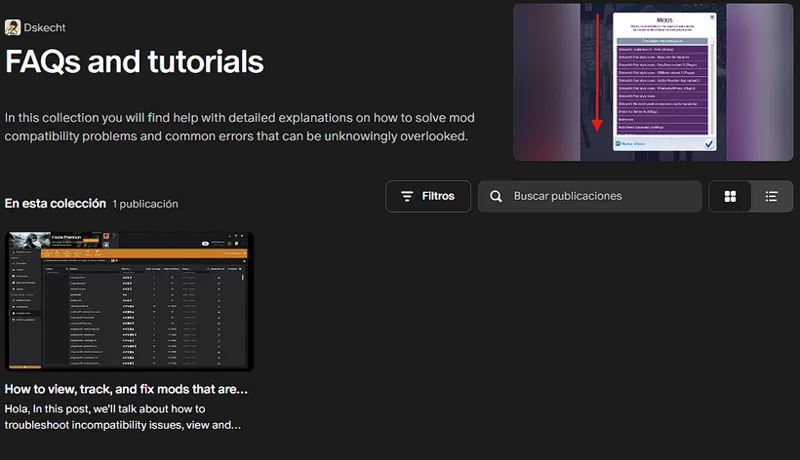
If you want to know which mod requires a special installation, you can check out my collection of help posts and tutorials for the game.
If you don't know how to do it or need visual aids, check the FAQ post where you'll find all the instructions and tips to solve your problem.
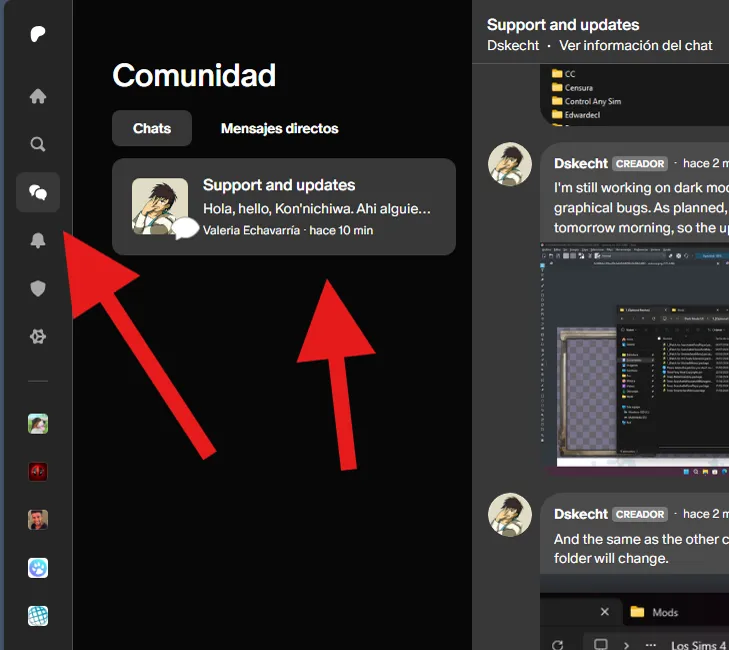
If you have any issues with the mod or would like to contribute to its improvement, you can do so via the group chat (support and updates) on Patreon.
You can access it via the community tab.
***************************
***************************
Looking for older versions of the mod? Check out this post.
Comments (468)
When I go in Build Buy, it's blank. I deleted the patch for Better Build Buy because I don't use that mod. It's worked for me before, so I am not sure what I'm doing wrong this time.
Now Buy and Build mode is malfunctioning. https://forums.ea.com/idea/the-sims-4-bug-reports-en/coach-repurposed-capsule-in-buildbuy-filters/13582733
I downloaded the recently updated version and I'm having issues. It won't let me open build mode, and when I do, it won't show me any items. Is this because of another mod I have or is anyone else having this issue?
And it is not allowed to open the information panels, such as work, aspirations, and friendships?
Hola! Sorry to bother you. I wanted to ask if you could add the new layer category within the next update? I tested which ui mod was hiding it and it was this one. Thanks for all your work <3
hi is this mod updated for the new patch?
Not yet, I'm still working on it
hi can you update this for the new patch
This mod is now compatible with the PC update: 1.123.66.1030 / Mac: 1.123.66.1230 - 04/16/2026. Apologies, something that should have taken me 2 days took me 4 because my daughters got sick and they are always my priority.
Its broken due to todays suprise patch </3
This mod is causing all of CAS items from Island living to be broken - I removed the patch files i didn’t need but i have no idea why it’s breaking them. I am using the pink UI
That's impossible since I don't modify anything in the construction system.
hii thank you for this mod. however, im getting a conflict with TOOL each time i load onto my lot. is there a patch for this?
If you don't know how to do it or need visual aids, check the FAQ post where you'll find all the instructions and tips to solve your problem.
Hi, I hope you are doing well! I have a small issue where when I downloaded March 26, 2026 Pink Mode UI it does not show my BuildBuy Filter in build mode. Is there anything I need to be aware of or do?
Hello how do we remove the pink wrench override?
I've already answered that several times, and it's marked in the mods with incompatibilities post. This is due to how the game handles textures; it's not an isolated icon, but part of the game's generic textures. In other words, you can't create patches, as that would literally be re-uploading third-party mods. Deleting that file will break the entire interface.
Hola! Just wanted to let you know that the file for gallery interface is missing. I downloaded twice to make sure. Thanks for all your hard work <3
The gallery files do not yet exist for this version, as I paused it because this update forced me to reset my previous progress.
To fix a small but important bug, it is mandatory to update the mod to the date of March 26th.
thank youuu
The mod has been updated and is compatible with the March 18, 2026 update.
yay thank you!
The mod has been broken since the March 18, 2026 update, and I'm already working on a new version, so please be patient. If you want to know when it will be ready, check this post. https://www.patreon.com/posts/153300330
The Sims update from March 17, 2026 is causing problems with mods, and I can't work on it until EA releases a new version of the game.
Yes, I know about the SimMattically mods, and no, it's not possible to create a patch, but if you follow the advice to change the load order so far, you'll be able to use your family tree mods.
hey i just downloaded this mod it removed all my packs... and wont let me use any of ccs
That only happens if you're using very old versions of the game. And there's no other way for that event to occur.
If I already have a mod background, will this interfere with it?
If you're referring to the CAS background image, the answer is no, I don't modify the CAS background.
Hello, my game crashes with this mod😖 its so beautiful but i cant use it
Did you follow the installation instructions and are you on the latest version of the game?
Hi , I have question I have a pie menu override , will that conflict with the pink mod ? I also have UI extensions too so do I need to leave that patch in there or was that just for when it wasn’t updated (ui extension).
Any mod that modifies the Pie menu must be prioritized for loading. You can find instructions on how to do this in the FAQ. https://www.patreon.com/posts/100070514 In the case of UI Cheats, you only need the patch if you're using that mod. Otherwise, you must delete the patch, as it can corrupt the game and depends on files from the original mod to function.
According to what I've been told privately, Dark, Pink, and Purple modes need a small update to add compatibility with some details of the new DLC. If those updates arrive, great, but I don't have that DLC yet, so it's on hold. It's not a big deal; it's more of a visual and readability issue.
You're right, it has minor issues of visual and readability but I can live with it! You take your time! Its no big deal or rush.
thankyouuu I missed my pink game
The mod is already compatible with the PC update: 1.121.342.1030 / Mac: 1.121.342.1230, but I can't yet guarantee its compatibility with the new DLC, as that's an expense I can't afford right now. If you have the new DLC and notice errors such as reading difficulties, please let me know so I can release a temporary patch.
how do i do it that quck save menue and searchable pose player work i did put them in the folder with your ui but it waont work
The quick save menu isn't currently conflicting with my mod. For the pose finder, you need to change the mod load order. You'll find instructions on how to do that in the FAQ.
thaankk youuuuuuu<333
I've just confirmed a bug with the game's job selector that was reported to me, affecting both Dark Mode and Pink Mode. I hope to resolve the issue shortly, in a few minutes or hours.
Update Status February 3, 2026 (The Sims 4) [Broken] Yes, I'm aware of the mod's status and I'm already working on an update. Please see the following post for an overview of my other mods and when an update might be released. https://www.patreon.com/posts/149883778
are the things that we're meant to delete going to have a big impact on our gameplay in the future or are they just unneeded documents?
Yes, it happens on initial startup, but it's minor, as we force the game to rebuild its cache. This is because the game doesn't delete, but rather overwrites, the information, and it's also due to the way the game loads mods, so the game cache is cleared to generate a new one. After that, everything works normally; this procedure isn't just for my mods, but for any new mod or update, as it helps fix loading errors.
I installed a mod and all the buttons on the right side of the game don't work. I removed all the conflicting mods.
That's because you removed UI Cheats but left its patch installed. The patch uses files from the original mod, so if you reinstall UI Cheats, everything will work again. Check the FAQ post if you have any questions about how to get a conflicting mod working again. https://www.patreon.com/posts/100070514
Heyy if its not a lot of trouble would you please consider making a patch for the smarter pie menu and tool mod, I saw that you had it in previous versions but stopped after a while. Unfortunately the mods don't work if I put it in now and I read your FAQ and tried the method but it doesn't work
What the patches actually do is provide alternative textures for dark mode, since for various reasons I'm prohibited from doing so, or the modification is so extensive that I can't force a change in the text color. To fix these problems, you just need to change the load order of those mods, as explained in the FAQ post. If that doesn't work, check the list of loaded mods and make sure TOOL or SPM are set as the load priority. The reason they no longer exist is because they're no longer needed, as the color palette no longer interferes with proper readability when those mods are installed.r readability when those mods are installed.
i had a hello kitty loading screen that i really liked, but this mod replaced it with yours, is there a way i can keep this mod and use my other loading screen?
Yes, you need to delete the loading screen from my mod; it's the first file you'll see when you enter the mod folder.
I can confirm that all my mods are compatible with today's update, January 13th. Although there were some changes, they do not affect the functionality of my mods.
Will you create a patch for the TOOL mod soon?
Pink mode is compatible with TOOL, provided you follow the installation instructions and modify the mod load order as described in the FAQ post. https://www.patreon.com/posts/100070514
hi when i have download this mod everything worked fine but this mod is messing up my ui idk why
Could you be more specific about the problem you're having?
If the problems persist, you should simply reinstall the mod from scratch and clear the cache so that the game loads the installed mods correctly.
Hi! Which file(s) should I remove to change the plumbob icons above lots in map view? I want to keep everything the same, but I would like the plumbobs above the lots to return to normal color. I was able to do it with older versions, but with the new version, I'm just not quite sure which file it is related to? Thank you!
It's in the world manager file, but the only catch is that everything related to that menu is removed, since it's several files that function as one in the game. It's like a puzzle: one texture has parts of another to complete an image.
hello! can u make a baby pink one or just a lighter pink ui?
where da old versions?
https://www.patreon.com/posts/111377499
The mod needs updated, the butttons in CAS are broken from the December 2 update. 🩷
Yes, I'm aware this mod is broken, and I'm still very active, but this update coincided with my final exams at university. So, expect some inactivity. For more information, see this post or any updates. https://www.patreon.com/posts/144810185
Names of the files for broken pink ui https://gyazo.com/3e0defeb020d95131477fd0e73d01db1 https://gyazo.com/75b1984a8d52ab24e3f84646cfc3d8d5
Not all the broken files are there, more are missing; it's the entire CAS folder and the low-level interface, plus the top left corner of live mode.
i could be mistaken but this mod also changes the color of the cc wrench icon for custom items in BB and CAS.. Im not sure if there is a way to remove it but i noticed this conflicts with a couple of versions of cc wrench overrides that i have tried using along with it, and the wrench overrides work without pink mode during testing. thank you for reading
Yes, that conflict exists, and in the post about conflicts I talk about why it exists and why it can't be resolved. https://www.patreon.com/posts/107684858
I received a notification that this mod was broken after the latest patch. Will you be updating?
It's not broken. I do have an update planned, but the mod is compatible with the November 4th update. I checked all versions of these mods and their critical files, and they haven't received any changes. The fact that my mod is being reported by programs that generate exceptions doesn't mean it's broken, since exceptions lump all mods together, including those that modify graphics files or a game bug that sometimes prevents an interface from loading correctly. With the advanced report, you can find out what actually failed, whether it was my mod, or some other mod that modifies the interface or an interface library, like traits or CAS.
Can i use this mod with a pie menu overrides?
Yes, as long as you follow the instructions for the Smart Pie Menu compatibility mod, since it's the same issue. You can find the instructions in the FAQ post. https://www.patreon.com/posts/100070514
The conversation bubbles are breaking for me? I dont know if it is a fault ob my end but I wanted to put this here as a way of finding out!!
Asegúrate de haber eliminado los parches que no necesitas y que vienen preinstalados, o verifica que el mod en conflicto esté instalado correctamente. El mod en conflicto es el BetterBuildBuy.
For some reason, I can't see the skill bar thingy?
Hello, are there any other mods that conflict with this because Ive not been able to use this mod with betterbuild buy for months
Well, no, the real issue with BBB and my mod is with the floating elements when you hover over a Sim, as you can see their name or their relationship to others. This happens because BBB uses a custom texture, and that's where the conflict arises. Aside from that, there are no issues with BBB in buy and build mode, as they only deal with textures and neither the text nor the gfx files are modified. This could cause some kind of error, as it happens with UI Cheats.
the simrealist bank app is no longer in the phone did i do something wrong there?
There's no conflict with that mod or any other mod that adds apps to the Sims' phone, as no mechanics are modified; everything is merely textures on the phone's interface.
Hi! I’m using your pink UI mod, and I downloaded the latest version, but I’m having an issue where it seems to mess with my Sims’ thought bubbles. I’ve cleared my cache, repaired the game, and removed other mods that might conflict, but the problem is still happening. Do you know if this is a known issue or if there’s a fix?
It's not about removing conflicting mods, but rather removing the pre-installed patches, in this case specifically the BBB patch, which is causing this error. If you're not using Better BuildBuy, you should remove its patch.
Mod won't allow for my cas background mod to appear any workarounds? your cas files doesn't have specific cas names
No, my mod shouldn't override the CAS backgrounds, as I don't have one and don't know how to modify them. I can confirm that it's not caused by my mod, as I also use a custom CAS background, and it's even on the thumbnails.
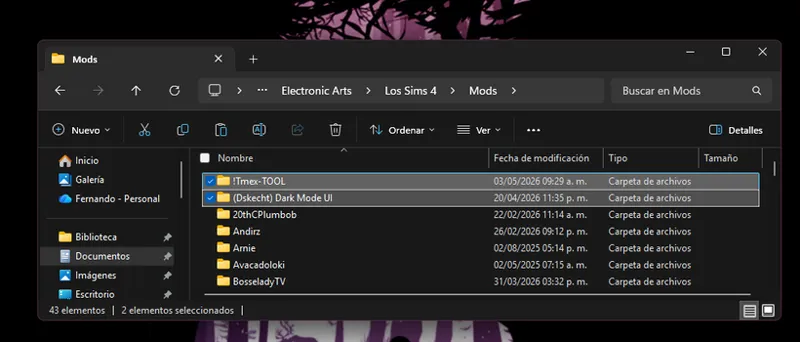
📌 Compatibility Reminder for TOOL Mod Users The patch is no longer necessary. Compatibility is now resolved by changing the loading priority of the TOOL mod. 👉 This means that TOOL must load before this mod. If you're unfamiliar with this issue, check out this post for a full explanation: 🔗 How to View and Change the Load Order of Mods https://www.patreon.com/posts/how-to-view-and-127588575 Quick Instructions: Go to the folder where you have the TOOL mod. Rename the folder by adding "!" at the beginning. Example: from Tmex-TOOL → to !Tmex-TOOL. This will give TOOL priority and make it work properly.
where can I download the patch for the tool mod? it's not in the files)
In the instructions it says that the versions that do not bring the patch, changing the loading order is more than enough.
Tell me, does it work with tool mod?
Yes, as long as you follow the instructions in the FAQ post. https://www.patreon.com/posts/100070514
is there a way we can use custom wrenches again?
Yes and no, the problem is that it's already a point of no return. The only icon you want to change is mixed in with all the other low-level miscellaneous elements. You can't change a single icon without overriding all the other interface elements. If you want to make a change, you must make sure your mod loads first or delete the "Miscellaneous and Chats" file.
Is this UI compatible with the Better Worlds Mod by SiMattically? Or should we make sure it's before the UI in game load order as well?
It's not designed to work with this mod. While it's possible to manipulate the load order so both mods work at the same time, but not so that it's readable or you don't have readability issues due to textures, I can't guarantee it.
Pink Mode is now compatible with the Better Simology Panel mod, just make sure it loads before Pink Mode by adjusting the loading order.
Hi, I wanted to know if there's something I am doing when installing the mod that is wrong because I cant use this mod with BetterBuildbuy. It always messes up the ui above my sims heads. I have the most up to date version of the two and I hate that I cant use two of my fav mods together
Make sure the patch for that mod is installed, check in the optional patches folder.
hello i noticed the mood icon is green and not white like it was before. i updated to the new version. i know you are on vacation but when you get back can you look into this . i have screenshot but i dont know if i can upload pics
You can send a screenshot of the problem to the Patreon group chat, since my useless sister, who is my moderator, didn't even bother to help you.
Amo suas criações <3 Eu não sei se seria possível ou se já é, mas, no futuro quando tiver um tempo, haveria como ter um arquivo de compatibilidade com o mod Better Simology Panel do SimMattically? Claro, se não for trabalhoso. É que ao menos para mim, o Better Simology acaba conflitando com seus mods de interface ç-ç
Sim, e algo que estou investigando sen morrer na tentativa, pois e um problema um tanto complexo, pois preciso criar um patch sen ter que lancar varios patches para diferentes combinacoes possiveis. Esse mod ja entra em conflito com outros mods menos conhecidos, alem do UI Cheat.
this is breaking my game just downloaded it
Did you follow the installation instructions and delete any unused patches?
Hi! I just downloaded the updated version of this mod, but it is glitching the thought bubbles/skill levels :(
Did you follow the installation instructions and delete any unused patches?
Hi there! I can't find the patch for TOOL anywhere.
Attention, TOOL mod users: The patch has been removed and now works by changing the loading priority of the TOOL mod, meaning that TOOL must load before pink mode. If you're unfamiliar with this issue, check out this post, which explains it in detail: https://www.patreon.com/posts/how-to-view-and-127588575 In short, simply add "( ) " to the beginning of the mod's folder name. If it was previously "Tmex-TOOL," it will now be "( ) Tmex-TOOL" to assign loading priority.
Have a small question. Does the UI extend to the Gallery as well? I want to make sure I did not remove anything I wasn't supposed to
At the moment no
Attention, TOOL mod users: The patch has been removed and now works by changing the loading priority of the TOOL mod, meaning that TOOL must load before pink mode. If you're unfamiliar with this issue, check out this post, which explains it in detail: https://www.patreon.com/posts/how-to-view-and-127588575 In short, simply add "( ) " to the beginning of the mod's folder name. If it was previously "Tmex-TOOL," it will now be "( ) Tmex-TOOL" to assign loading priority.
And just so it's clear, the TOOL patch will be removed, and TOOL will now need to be loaded first to function properly. If you don't know what I'm talking about, please see the new mod instructions in the FAQ post. https://www.patreon.com/posts/100070514
ty for ur hard work! cant wait for ur next update so itll work properly again! glad u waited tho since the sims team did another update lolz. luv u and ur work <333
why its broke my game? my game now crash
For now it's broken until I update it.
What is the name of the old files so i can delete them and add the new ones?
Who knows, I've changed, relocated, or deleted so many files that I can't even remember their names. That's why the mod should be kept in a single folder, as the instructions indicate.
hi! this is currently causing a bug in game not allowing the secondary exit screen to pop up (ex. when manage worlds, hit exit, etc.)
Did you follow the installation instructions, and delete the patches you don't use, like the patch for the TOOL mod?
There is currently a bug in the game that is bugged the text box, causing it to have a weird stretching, it is a problem that is out of my jurisdiction.
i second this
What is the name of the mod i cannot find it in my mod folder but it shows in game
Did you follow the installation instructions? Because if you install file by file, we already have a problem.
hi will there be an update soon for this mod?
But the mod has been updated exactly 2 weeks ago, do you have some kind of problem?
I love this so much I want you to know I appreciate you for making this!! I love pink🩷
idk why but this mod causing my game to lag always when I go into build mode
It's not the mod, it's the game. It's a reported bug that causes lag after a while when using buy and build mode. I suffer from it too, especially when uploading builds from the gallery.
Sorry if you keep getting asked this, but my game isn’t working with this version—is there an update for the latest Sims 4 patch, or have I got a conflicting mod? :)
If you followed the installation instructions, remove any unused patches, as they may be the cause of your problems. Or you can send a screenshot to the group chat on Patreon.
I have the mod installed but i wanted to use a different background do i delete the loading screens package?
Yes, you have to delete this file if you want to use a different background.
hi! since using this mod - i am unable to click in to view my custom content - when I click that the game crashes, do you know how I would solve that?
If you removed the preinstalled patches you don't need?
can the build and buy ui be a cooler tone? , it almost looks red and doesn't quite match the rest of the ui
If the colors are the same as Live Mode / simulation, how strange
can you please make the select a word section a wayyy lighter pink, like baby pink. its distracting and unrealistic being that dark of a pink and sort of tacky. but i still want it pink but like a light faded pink would do the interface wayyy more justice, and look mature not so fake
It isn't made for some people love <3 heres an alternative lighter version: https://www.patreon.com/posts/wip-pastel-pink-114167964?utm_medium=clipboard_copy&utm_source=copyLink&utm_campaign=postshare_fan&utm_content=web_share&epik=dj0yJnU9X2REVDFuUzRsOWh0T05kNURlNDJqNkJGSkpkNlByMnMmcD0wJm49TEthaTdSQm1hMW1EQkFYZTZOcHd6dyZ0PUFBQUFBR2ZzSnBj
so just like... copy and paste the whole thing in my sims 4 mods folder and thats it?
Yes, just remember to remove any patches you're not going to use.
Hi which package deals with the wicked whims menu the lettering is too dark for me to adjust to and I'd like to remove it.
It's the entire "Low Level Interface" folder, but you're using the pink one. Could you send me a screenshot in the Patreon group chat so I can see what the problem is?
What file is for the progress bar when they are working on a skill? I'd like to delete that one since it's kinda wonky. It only shows half of the bar and that duplicates to the side of it. So you cant really tell what their progress is.
If it's because of the floating signs, it's because you're using the BBB patch without using the mod or you didn't install it correctly.
some of the menu items is not available. I have no other mods in the game. I had to manually override to get out of the game.
Did you follow the instructions and remove the patches you don't need?
Updated the patch for TOOL, due to multiple bug reports (if you do not use or will not use TOOL in the future you can skip this update)
This mod now conflicts with TOOL so remember to use or remove its patch, depending on your case.
So does this mean to remove the patch if you use tool, or keep it in the folder. Just a little confused and I keep getting the pop up about the incompatibility.
Please, before commenting on an issue, follow the installation instructions, remove any patches you are not going to use, and verify that any mods that conflict with it are installed or updated. And most importantly, CONFIRM THAT THE PROBLEM IS CAUSED BY MY MOD, USING THE 50/50 METHOD
Will this be updated soon?
If you have problems with the mod, please read the installation instructions, as the mod is functional, or check that the conflicting mods are updated or installed. The next scheduled update is after the update we will have in the last week of February.
Hello, I started having an issue today with saving after weeks of playing with this mod, my screen would basically freeze. I got a better exceptions notification and when I tried to load my game it would say error and could not launch. I removed the pink ui folder, my game now loads. Is ther a way to fix this? I love playing with this mod! I have enjoyed it so much and have not had any issues prior
ive also had problems i cant click on my notifications, butttt ive had problems with my simolgy no information, no milestones its just nothing then when i go to leave the game i have to shut my whole PC off cause it wont let me leave the game
Hola, primero gracias por todo que haces <3 yo puse el Rosa UI en mi mods y yo tenía una sims main menu override mod. Ahora el main menu mod no anda. Por ahí es porque tu mod también tiene main menu override? Ni se si me puedes ayudar pero quería tratar jaja.
Actualmente mis mods no estas modificando nada relacionado con el menu de inicio, así que no puedo decir porque no se ejecuta. Ya que no hay nada que lo impida.
Is there a way to remove the loading screen as I have a custom one i'd like to use ^^
You just have to delete the loading screens file
Remember to do a clean install of the mod before updating, since I deleted some files that are from the start menu Later I will make a clarification of how and when I will add it back to the mod
is the mod compatible with the newest patch? i hate the new patch everything looks so ugly. I haven't opened up the game or updated it yet, but I'm so scared.
whats the new name of this mod cus i cant find it in my folder
Hey! i noticed a problem! When i play my game the thoughts of all my sims or ( achievement level up bars ) are glitched out and not working properly, is this a bad thing on my end or is there a glitch?
Did you delete the patches you don't use? In this case, the BBB one, or are you sure you have the BBB installed or updated?
Hey! Not sure if it's a mod conflict, but when I have this mod in my game I can't look at the career/school tab.
Did you follow the installation instructions?
so im trying to turn my sims pink except my loading screen of course and for some reason its not popping up pink for me still
Did you follow the installation instructions?
just a concern, when you ask to delete certain files like cashestr it says that it will remove it completely from my pc, so im just wondering if it'll damage my game since i have every pack downloaded and i dont want to loss 1,000 dollars worth of money over something that can be avoided, i hope im not overreacting but i am concerned.
If you go into the file in that folder with modding tools like S4S, you'll see that there is only one STBL file, which is a translation file, which includes all the translations for all the offers and banner ads in the start menu. The files I'm asking you to delete are just cache files and files that are overwritten every time you enter or interact with the game, since sometimes the game doesn't overwrite already written information, and this way it is forced to re-create the information They are just a shortcut for the game, they don't create information to improve "performance".
this mod is glitching my "open profile" UI
I'm playing with the mod and haven't had any errors. Have you followed the installation instructions and removed any patches you don't use?
Hello, I just wanted to make you aware that I am receiving Last UI Exceptions files as a result of this mod. I use weerbesu's UI Cheats mod and this mod of yours, these are the only UI mods I use. I removed your mod and continued playing with weerbesu's mod and I didn't receive a Last UI Exceptions file. I added your mod back in my game and removed weerbesu's mod and I received the last exception file. I don't know what can be done about this but I wanted to make you aware that this is an issue for me. Before you updated this mod, I wasn't receiving Last UI Exceptions files but after downloading your updated version of this mod, I am now receiving them.
Did you remove the patches you don't use, as the instructions indicate?
let's say i just want to install the file for the top left where it shows the sims name in pink (3rd slide) what file am i meant to install? as i have another UI from a different creator but the name part isn't pink
The file is called "Cas part 6" and is in "Graphical Interface -MODIFY CAREFULLY- -> CAS"
I just wanted to report an issue I am seeing. The conversation bubbles and the bar thing that goes above a sims head when building skills seems to be messed up, this is not a game breaking issue I just thought I should bring it to your attention. Love this mod so much thanks for all your hard work.
Did you remove the patches you don't use, as the instructions indicate?
Hello, up until like the last update my game was working but now the floating signs are all messed up. , I looked through the FAQs and took out the patches I didnt need but I'm still having the same problem.
You use BetterBuild. If not, it's because you're using their patch without using the mod or you have an older version of BetterBuildBuy, since this mod received several updates in the same week.
is this still compatible with smarterpiemenu with the patch? i cannot get my pie menu to be searchable and not sure which is the issue.
Some third-party patches and mods require additional steps to work properly; additional instructions for these mods can be found in the FAQ post. https://www.patreon.com/posts/100070514
How do I keep the pink UI without it overriding my cc loading screen?
I deleted the loading screen package file and replaced it with one of my choice
This mod is clashing with the new holiday event tab
I tried and edited all the holidays in the game, no errors came up. Did you do something very specific or did you use a mod to add more events?
hey LOVE THIS MOD, however did want to let you know when going into build mode my game gets a BE it says this mod MAY be the cause. just wanted to let you know. THANK YOU!
Can you give me more information, like what type of lot you were trying to edit, were you using traits or challenges? It has weight since I can get an idea of what I'm looking for. Because being on a basic lot doesn't trigger any errors.
Build mode doesn't load when I have this enabled?
hey hey! my game is crashing each time I click on anything regarding the UI. Is there a fix for this? Only started with recent update
Mines crash when I go into my game setting like trying to save the game or adjust game settings. I sadly had to take it out
Hi! I'm trying to locate an old file because I think its causing my events not to load up its the one that has to do with the map outline
Did you install the mod exactly as instructed in this post, or did you do it file by file? If you did the latter, then you installed the mod incorrectly.
The mod is broken with the update of 03/12/2024. In this post are the steps you must do to make it work again. https://www.patreon.com/posts/117256394
hello! i'm just wondering if i can remove the pink ui from live mode whilst still having it on my menus, world map etc? it's a bit much to look at whilst i'm playing the game, but i like the pink elsewhere
Yes, yes you can do it
Hi, so I’m having trouble with getting my cas background to show up with the pink ui. There isn’t anything in the faq post to help with this so I’m asking directly. What can be done to fix this? I placed my cas background package file in the pink ui folder along with my loading screen. Should I not be doing that?
There really shouldn't be a conflict, as it doesn't mess with the CAS background. Often the problem arises because they install the mod into the backup folder, or the game cache is causing conflicts, or the game is ignoring files, which requires a repair or reinstall, that's all the info I can give you, as it's more of a problem with the game than with me.
Because I know there are people who don't read the changelog, a patch has been added for Better BuildBuy. If you have problems with floating banners, assume it's because you're using this patch without using BBB. There's no need to remove anything anymore, as BBB will work fine with the patch.
what about the smarter pie menu? i've been having issues with that and have no idea what to do!
Not sure if someone asked this or not but with Hepandeerus abandoning his Build/Buy mod will you be updating it? Just wondering :)
There is still texture incompatibility with BBB (version 3.3.1) if you want to use the mod, to resolve the conflict, delete the BBB mod or remove the "Social Elements" files from my mod located in "Graphical Interface - MODIFY CAREFULLY -" -> "Simulation - Live Mode".
its giving me an error when i try to delete it
hi, is this still updated for the latest update patch? i would love to use it but i do have some UI mods i think, and was wondering if it affected custom loading screens and plumnbobs etc ?
My gallery is still in the basic color, is this an issue ?
No, since they have not been edited yet, there is only the folder but it is empty.
If you are facing issues with speech bubbles and floating signs, and you are using BetterBuyBuild, I am sorry to inform you that Tmex's mod is somewhat outdated for this version of The Sims. This is because it forces the game to use older files, which causes texture incompatibility.
im having trouble deleting the pink mode color all the way. i wanted to try another color. what am i missing?.
Did you follow the installation example as shown in this post?
hello!!! how can i change the CAS bakround?:0
My mod combines the background of the CAS, the one you see in the screenshots are from a third party.
The new version still says 7.21.99
Forgot to update the version file name, but the file that caused the error is updated
I just want to say thank you,i love you mods so much
i did everything right and my pie menu is broke. i read everything even the comment you made the Common problems but its still broke for me.
Can you send a screenshot to the Patreon group chat?
Hey, the smarter pie menu seems to not be working, is there a fix for this?
Some third-party patches and mods require additional steps to work properly; additional instructions for these mods can be found in the FAQ post. https://www.patreon.com/posts/100070514
can i change the loading screen? or will it crash the mod :(
Yes, you can change it, just by deleting the file that is in the folder
Thank you so much💖
My UI mods are broken and very dangerous to use if you pre-ordered the new Sims 4 expansion pack. Please remove my mod until further notice. To find out when the update will be available, check out The Sims Update Status post. https://www.patreon.com/posts/status-for-of-22-114428525
Also, how can I keep my custom CAS room?
There's no problem there, I only modify the interface and the background, I don't touch anything, so you can use the CAS background you like the most. If you have problems with it appearing, I can assure you that it's not a mod, since I consider it unnecessary to make one because I also use a custom one and, in addition, I don't know how to modify the files.
Holaa, escribo en español porque se me hará más sencillo explicar el "problema". Acabo de descargar el mod siguiendo las instrucciones, y lo único que quité es la pantalla de carga, ya que yo ya tenía una distinta de antes. Lo que me llama la atención es que el ícono de Needs es como si fuese un emoji antiguo, todos los demás íconos están bien, solo el de Needs es distinto y no sé a qué se debe :'(
El icono de necesidades está diseñado así a propósito, ya que funciona como una firma de mi trabajo. He notado que otros suben mis mods modificados en otros sitios, y este icono es una manera de identificar que han usado mi mod, lo han modificado y lo presentan como suyo. Continuaré modificando ese icono para que combine con la interfaz, ya que es un recolor del icono de la interfaz medieval.
Everything looks greatexcept my Smarter Pie Menu isnt working and I have the patch. I dont know why its not woking
Some third-party patches and mods require additional steps to work properly; additional instructions for these mods can be found in the FAQ post. https://www.patreon.com/posts/100070514
i deleted the following folders but somehow my game still looks like before
You checked what was in the correct folder
will this change my loading screen
Yes, but you can remove the default loading screen from my mod and use whatever you like.
amazing work! favorite mod to add <3
i'm just dropping in to say that i LOVE this mod... like fr it's my fave one, so thank youuu <3
please make a light pink ui , and when i say light i mean PASTEL pink please PLEASE
Hi, when I added the new pink ui files into my game it completely conflicts with my custom loading screen and plumbob recolor. Do you know why this might be happening?
In conflict posts you can find instructions to fix incompatibility with mods for which it is not possible to create a patch. https://www.patreon.com/posts/107684858
Excuse me, is the pie menu with a pink border instead of being fully pink another version or a different mod?
Some third-party patches and mods require additional steps to work properly; additional instructions for these mods can be found in the FAQ post. https://www.patreon.com/posts/100070514
Will this be updated for the new patch? :)
I'll give more information later, as I'm at work now and can't confirm the damage. So far, no one has told me if it's broken or not. But looking at the other creators, it's most likely not broken. Or maybe it is, but in a very specific area.
love love lovee this!!! i am curious though, If I am using other custom loading screens, is it oka to remove the Pink Loading screen? as I just want a pink UI though the rest of the game + my custom loading screen
It is completely safe to remove the loading screen and install the one you prefer.
Thank you so much for this, it's the first one I find one Pink UI being really cute and so well done, so thank you very much! I love it! <3<3<3
this is cute
You should make a Lavender one??? <.<
It'd would be amazing if you could make a light pink ui mod!
right!!
hi,I wanna know if this version is matching for 1.103?Or where can i download the older version of the mod?
No, it is necessary to have the latest version of the sims for it to work, and for a long time I stopped supporting older versions of the game, as I cannot guarantee compatibility.
hi can i use different loading screens with this?
Sim, ao remover a tela de carregamento padrão do mod, o mod poderá carregar sem problemas.
hi ♡ do you have any plans to create a pastel pink and/or a white version ?
Yes, I do plan to increase the color range, but only after I have reached a certain level of editing with the other colors.
so odd issue, when i have this installed my options bar will not show up and going to manage worlds doesnt have a load screen pop up / buildbuy has no search box product menu / the screen goes completely black.. i did check the rest of my mods and came to it being specifically this one. Any ideas ?
Some third-party patches and mods require additional steps to work properly; additional instructions for these mods can be found in the FAQ post. https://www.patreon.com/posts/100070514
I think this needs an optional package for Better Build Buy?
The BBB patch is no longer necessary, as the textures previously missing from the patch have now been natively included in the mod for months now.
Well, it happens every time I click on something, like in live mode and even pose or in the cas. If I want to click and hold something the lines will be there until I let go.
Hello, I have a problem, every time I click somewhere on my screen I see a vertical and horizontal pink line but I'm not sure what folder it is in the mod folder that I need to take out for it to not appear.
This is the first time I've heard of this problem. Could you give me more information?
Hello! Thank you so much for creating such a cool mod. It seems it's not working for me even after deleting patches I don't need, do you have any recommendations? I did update the game as well and deleted the necessary folders < 3
What kind of problem do you have?
Hi, I'm so sorry, but even with updating and the 50/50 method, this mod has messed up my sim panels. Both the notebook and the phone just have a reverse symbol, my werewolves have the vampire mark on the needs panel, my vampires have the spellcaster mark. My inventory has a giant reversed play button. It stopped happening when I removed this mod.
It's because you haven't updated the game, as you describe exactly how the mods looked before being updated to version 1.108.329. The same icon distribution you describe. It is not compatible with versions older than the August 8, 2024 update.
thank you!
im able to just add folders into my mods folder with it still showing up in my game? I didnt know that i thought i had to drag each mod from the folder and just use the file. So im able to just drag the folder to my mods folder?
As shown in the installation reference image, you just need to drag the parent folder to your mods directory and delete the patches you are not going to use, and it will be installed.
YAY!
That's great! i love it!,thank you!❥(^_-)
Understood,thank you
excuse me i deleted my thumbnailcache and it deleted all my mods
Make sure you didn't delete your mods folder when you cleared the cache, you may have missed it without realizing it. Check your recycle bin
Hey,rly love this mod,but where can i download the 1.103
Unfortunately, I do not support older versions of the game due to incompatibilities that arise with every update and third-party mods, making it very difficult to keep track of everything. Also, even though I have given access to my mod backups, there is always someone who makes a complaint about a version I no longer support. And demands that I fix it.
Thank you I was waiting so patiently on this💖
Hey> i love your stuff but would you consider creating a brown ui?
Please, before reporting an issue, perform the 50/50 method to determine what is causing the issue. This is necessary as several mods are interfering with the game interfaces and not allowing the options to appear.
I'm really sorry to be a bother but even with the smarter pie menu patch for pink mode, I can't actually search for any interactions? is this a bug or something unfixable? thankyou for the mod ♡
Some third-party patches and mods require additional steps to work properly; additional instructions for these mods can be found in the FAQ post. https://www.patreon.com/posts/100070514
Hi, in my game the mod has an error in the Sim's needs panel. Have you seen or heard about it? :(
Yes, but I fixed it with this update. Have you tried the 50/50 method to confirm the error?
omg sorry lol. thought i was in my search bar🤣🤣🤣
I can delete the comment if you want. Or I'll leave it.
what does back fixing do sims 4
I’m still having a problem with the skills and careers not being visible when this mod is installed, is it something I’m doing wrong on my side?
I’ve double checked and I don’t have any mods that conflict at all, I’m sorry to bother you with this
Im sorry to bother you but I had this issue where if i asked to change the venue during a date the game would kind of bug out at the map screen and not let me travel to any lot or exit out of the map page. I checked all of my mods doing the 50/50 method and figured out that the issue was caused by the pink ui mod. I was wondering if this is a bug or is it because i downloaded it wrong somehow? Thank you for all your hard work !!!
Yes, I'm already aware of the problem, and I'm working on a solution.
I’m sorry if this has already been asked, or already has an answer I haven’t found, but in order to update the files for Pink UI, do we need to delete them and re-install?
Yes, it is always a good idea to remove the old version before installing the new one, as sometimes there are package renaming, merging or removals, and this can cause conflicts with older versions.
thank you so much for all you do !! i love this mod so much <3
Thank you! my favorite UI color <3
Is there a CAS background included in this? If so is there a way I can delete it as I have my own I want to use but still want to have the Pink UI
No, there is no custom background for CAS and I have no intention of adding one at the moment. So don't worry about that right now.
thank you so much for working so hard on this!
Hi! I redownloaded the updated Pink Mode UI yesterday and added it to my game as usual, deleting the optional patches since I don’t have any of the mods used, and also the loading screen since I already use my own loading screen, though upon starting up the game it wouldn’t let me past the Sims 4 main screen that shows up when the game starts and the music that plays when the game begins was buffering heavily, skipping forward and backwards. Do you have any idea what could be conflicting to cause that?
I also noticed when I download, the optional patches don’t include all of them listed here.The only ones I tend to have are smarter pie menu, no map outline, and ui cheats
I love this mod, thank you so much for all your effort
thanks for all your hard work getting these updated mods out! i know it takes a lot of time and effort and i really appreciate it!! :)
Thank you for updating the Pink UI, my birthday was yesterday and this has been the best gift!!!
YOU SAVED MY LIFEEEEE. thank you omg we appreciate the HELL out of you.
thank you love, very much appreciated! <3
que felicidadd lo re extrañaba, graciass
your work is appreciated. thank you so much!
i have been waiting for this! tysm for your hard work!
tysm!!! this mod is my all heart im sooo grateful
Hi, is this mod compatible with mac?
I'd be offended if it wasn't so; if I can play my mod on Linux, then it can be played on any operating system. At least no one has said anything. As long as you follow the instructions you should have no problems.
Can you come out with a gold version of this?
First I want to finish the colors that I have already launched [he says it in a fetal position in the corner].
Definitely downloading this tomorrow 🫶🏻
thank you!!!
YESSSSESESESEES THANK YOU SO MUCH !! SO SO MUCH APPRECIATED
OMGGG bless ur heart, thank you so much for all that u do 🫶🏽
Please, before reporting an issue, perform the 50/50 method to determine what is causing the issue. This is necessary as several mods are interfering with the game interfaces and not allowing the options to appear.
Hi, new here, where can I find the Tmex TOOL and BBB optional patches for the Pink Mode? Thank you.
The BBB patch is already natively included with the mod, so there's no need to leave it as a separate file. As for TOOL, there is no patch for this version, as it doesn't need one. That's why there's the caption "Patches shown in the image may vary depending on the color version you're using; Not all versions have the same conflicts."
Your PINK UI mod is one of my faves! Waiting patiently and take your time! I appreciate your hard work thanks so much!
very excited for the lovestruck update
this mod is up to date right?
Not yet, the process is slow due to the number of files you have, since the mallorca were updated. So far only the Blue Mode UI and the Medieval Interface have been updated, and the Dark Mode UI I hope to release the update tomorrow.
hey i feel like this will be extremely dumb, but im trying to remove the pink ui out of my mods folder so i can download one of your other colors, it’s deleted out of live mode but not build and buy mode. and it’s driving me insane 😂 i cannot find it anywhere
Did you follow the installation instructions as outlined in this post or in the FAQ?
hi!! how i can remove the cas bg?
I did not provide a BG for the CAS because I use one from SimMattically, and I still don't know how to modify it.
This mode crashed my game, and also the bottom icons are all switched around. This is a pretty mod I wish to continue using.
All Interface mods are broken; Please read this post before commenting. https://www.patreon.com/posts/108597510
is this working with the new lovestuck update?
No, and there is no date for when it could be ready, since the changes were abrupt.
bij mij werkt pink mode gewoon
does this work with tool mod? just wondering cause I see streamers and such using it with tool mod but there's no patch in the zip
At the moment there is no incompatibility with the TOOL for this version.
hi! this mod works very well and its really nice but i have an issue that i dont know how to fix, all of the icons on live mode are all switched up and i deleted the mod and downloaded it again to see if it did anything but it didnt, i removed the "simulation living mode" folder and it seemed to be working and all my icons were back to normal but it wasnt pink so im not sure how to fix this.
If you just updated the game and none of my mods are broken, the next thing would be.... I'm still doing a damage count since it's huge.
I can't use my cheat console after I downloaded this.
I don't understand what is happening, since I have not modified anything related to the command console and I do not plan to change that function. Have you tried using the 50/50 method to see what's causing it? Edited: I just tested the mod and it works correctly. Therefore, it must be something else causing it, and to date you are the only person who has reported this case to me, regardless of the color of the version, so there is no precedent.
hi, my career/school tab has no longer shows anything?
Remember to follow the installation instructions. The mod includes pre-installed patches; If you use these patches without having the necessary mods, errors may occur. If you have more questions, you can consult the frequently asked questions post. https://www.patreon.com/posts/100070514
喜欢(≧∇≦)ノ
Heya, mine for some reason isnt working at all, when the loading screen finishes its just a white screen. IDK why but what could be the cause?
I don't know either, there are already two people who have reported this problem, but with other colors. However, there is no incompatibility that would cause that, unless you are using an older version of The Sims. I'm currently seeing if it's the EA app's fault as it has caused some files to become corrupted. You could try to repair the game and see if it fixes it.
Is there a way to get this version compatible with refreshed main menu? I put the package in the optional patches folder like recommended, but it's not showing still.
You can delete the "Starting screen.package" file that is in the "Start Menu" folder, since it is the one that controls the start menu. If it doesn't show up after that, then I don't know what the problem is, because the entire start menu depends on that file.
There was no update, it was just a help for those who cannot see this post
Hello,I did found link,first time maybe there was some kind of problem when I opened the same link.I did read everything,but still can't find any solution for my problem.
I saw that you edited the comment. It had not been updated in the Patreon app. If you were already using the mod before and this error appeared today, and the EA app won't allow you to fix it, that means you need to reinstall the entire game, and even the EA app. It is a bug that this damn application has that corrupts files, and until today there has been no solution. I know because it has happened to me more than once. You can skip this step, unless you remember having installed or updated a mod since yesterday. It could be responsible for the current error; You can organize your mods folder by modification date to get a better idea.
HI,I have problem with work pannel with this mod.I've downloaded pink ui mod,however it does work and everything,but when I want to see work pannel it doesn't showing me work days.It says only starts in ## and that is all what is showing me.I didn't have any problem with this pink ui mod,however that starts showing up today,I tried to repair with the game,but it doesn't wanna to repair.Also,with dark mode ui,when I downloaded it's clicking on the wrong objects in the game,also I've delete necessary files.
In the FAQ post you can find how to resolve your situation. https://www.patreon.com/posts/100070514
hi! i really love this mod! i wanted to let you know of a problem im having with it though. the rest of my screen shows the color but when i click on my sim, the speech bubbles only show the color around it and the middle of it is white, isnt the speech bubble supposed to have the color everywhere?
Please send me a screenshot of the issue, either through the Patreon group chat, Instagram, Twitter, or Tumblr.
i love this mod and it is a must have in my mods folder. i was wondering if you would ever make a pink interface that is lighter? sometimes the bright, hot pink isn't my style. like a baby/pastel pink would look gorgeous too! im sure it being lighter could cause some visibility issues. just wondering! thank you for the hard work! <3
In the past it was lighter, but I started getting a lot of complaints that it was tiring to the eyes, especially at night. I made it louder and more of the same. So far, when using shades of a foundation, I have not received any complaints as it does not strain the eyes during long periods of play.
Thank you for updating Pink Mode UI!!! Love this mod!!
Please perform a clean install of the mod, as the name of the main folder and several files have changed.
Hi! This mod has been working flawlessly for me ever since I deleted the necessary files. However, my friend did an install and deleted the necessary files from the sims 4 folder but when she opens the game the deleted files spawn back into the folder causing the game to crash. Any solutions to this?
If you are deleting a file and it reappears, you may have a problem with your hard drive, or your operating system, which is beyond my capabilities.
sorry i know you got alot of other things to fix or do but i notice the child birth mod from pandasama and the llamaze class app dont show on all your color ui modes its blank and when i click nothing happens and its stuck maybe thats everybody problem if they have it cause it works perfect when the mod it out the game i could be wrong but me its that mod btw i love uii color mod
I haven't had a chance to play the game properly yet, so I don't know what the status of support for the PandaSama mod is. Anyway, I have a mod update planned for next week, so I'll take a look if I notice anything out of the ordinary.
Got it! Looks great so far, and very fun. Thanks to you!
Hi, so I've got this problem where the buttons on the right top is glitchy or broken. I tried the common problems suggestions and it still won't work. Are there mods that aren't compatible with this one? The only ui mod that I've found in my mods folder is this. I deleted the patches that I don't need in the optional patch folder in the pink ui folder but still nothing.
The mods that control that corner are the ones that remove EA's new in-game purchase button (the shopping cart) or Better BuildBuy (the latter is not well known, but it does it). Make sure you have the latest version of any mod.
If I have a custom start menu, do I need to delete the pink UI's start menu for it to show?
You can do that, or install your personalized menu in the patches folder so that it has priority over my mod.
hi im trying to remove this mod/file to switch color but cant figure out how. how do i remove it?
Depending on whether you maintained the organization of archives as indicated in the instructions, simply eliminating it will be erased the mod. But if you extracted and moved files from its original place, then you installed the mod incorrectly from the beginning.
Remember, if you require assistance with installing the mod, check out the FAQ post. But the most important thing is to eliminate the patches that you do not use. https://www.patreon.com/posts/common-problems-100070514
Hey do you have any of the older versions of this mod? I haven't updated my game yet,
This is beautiful, i absolutely love it. thanks so much. One thing though, the gallery file is missing from the download? many thanks xxx
They are not missing since they do not exist at the moment, it is just that I have not added them at the moment, since I do not have it well implemented.
Can i request yellow?
I still have my finger on the page to create those versions, but for the moment I am giving priority to the 3 most popular versions, because my advances and improvements will later reach the others.
Thank you so much for creating these!
This mod is so bad Everytime i go to my jobs its just blank i tried deleting it but it wont even let me delet it
If you have questions about the installation, do not hesitate to use the patreon group chat or use Instagram or X to help you correct the problem. @dskecht
I have issues of glitching before but after following the right thing to do it worked ^^ thank you so much it's so pretty
Hi, I love this UI so much but when I put this update in my game it would not let me type or anything? Is there something I missed? And the link you put on the other comment doesn't send me anywhere.
In this same post, before reviewing the notes, you can find a phrase that says: "If you have problems with the installation, you can consult this frequently asked questions post." By clicking on this section, you will be redirected to a post where you can solve any compatibility problem with a mod or a bad installation. Or you can search for a post with the name "Common problems | UI Modes Mods | The Sims 4"
This mod is broken It broke all my buttons.
Here you can find the most common problems when installing my mod. https://www.patreon.com/posts/100070514?utm_campaign=postshare_creator
What folder do i need to delete if i have a certain CAS background i really like instead?
The mod does not change the background of the CAS, nor does it plan to do so in the future.
This is a reminder that the Patreon group chat is available to donors of any amount, where you can send your questions, complaints, and suggestions about my mods. If you have any problems, you can send your screenshots to the same group chat, since it supports multimedia content. And in the same chat I share screenshots and progress of my mod updates.
Hii if I remove the loading screens will it conflict with the mod? I have a loading screen that I really like but I love the UI of this mod <3
Not at all, there's a reason why the mod is designed in a modular way, if you don't like a feature you can delete it without problems.
Hi is the update meant to override our existing loading screens? Its overriding mine...
By default yes, but I can override it by clearing the default loading screens Here you will find instructions on how to do it https://www.patreon.com/posts/100070514?utm_campaign=postshare_creator
Before you ask me, if the breasts of the sims in the screenshots are very big, to be exact they are 2.75 times bigger, it is part of a mod that I have been working on for a while, but it is not finished yet.
I am missing the experimentals in my pink ui package and also when I go to look at the job panel its like its glitched off.. How can I fix it ?
Here you can find the most common problems when installing my mod. https://www.patreon.com/posts/100070514?utm_campaign=postshare_creator
hi are you going to turn alot of the other ui's pink like the case columns and the menus?
Yes, as I said in the Sims update post, I want to add the notification system and part of the low-level interface, and I'm working on it, but it's taking me a little longer to add it. Since modifying the low-level interface forces me to change the color palette of several elements so that there is harmony.
Hi! When i want to see my sims skills it only shows ''skill name'', only as if they had only 1 skill and then it crashes! do you know how can i fix it? :D
Here you can find the most common problems when installing my mod. https://www.patreon.com/posts/100070514?utm_campaign=postshare_creator
Hey, im having issues with livemode icons like needs , career, etc. where do i get the medeval version?
At the moment the medieval version that has the redesign of icons is exclusive for my donations of 5 dollars or more, since it is laborious to redo each one, since I have to respect the theme and it is a slow process. since for each icon you have to make 2 or 3 versions for each one, Normal, selected and deactivated. https://www.patreon.com/posts/82943970
can you remind me how the pink plumbob mod should be placed into the folder??
It is the compatibility list with mods you can see the instructions on how to make it work again https://www.patreon.com/posts/conflict-reports-81220426
If I don't use any of the patches is it safe to remove them all? including Better Build Buy?
Yes, yes it is safe, in fact if you use the patches and do not use those mods, you can ruin your saved games. I always recommend removing patches before playing.
Can you fix the career problem at the bottom on the side of the screen when you check for needs and you click career it doesn’t show up and personality traits as well as the ancestors doesn’t work right for windows
Here you can find the most common problems when installing my mod. https://www.patreon.com/posts/100070514?utm_campaign=postshare_creator
Hiii! First of all thank you for making this I LOVE IT SM!!! But is there a reason as to why the WickedWhims optional patch is missing or is it just my PC?
It is not necessary for this version, since it does not need it like dark mode.
does this come with its own CAS backgrounds?? Is so, how do I use a custom CAS background?? I'm trying to figure out why my custom background is chopped off in CAS, I've tried 3 different backgrounds
No, you can install the one you like the most without problems.
hi i dont really want the mod anymore how do i delete it? i got the black UI
You must delete the game cache, in the corresponding posts there are instructions on how to delete the game cache
I actually CAREFULLY read your instructions a few more times and I realized it was because I did not remove the patch files for the mods I dont use.. I LOVE and am obsessed with your pink UI mod.. You are AMAZING !! Thank you also for the fast response :)
HI So I just downloaded the brand new update on the PinkUI and it is still not showing any of my work panels and will not even let me exit my game.. :( not sure what i did wrong..
Here you can find the most common problems when installing my mod. https://www.patreon.com/posts/100070514?utm_campaign=postshare_creator
hii!! are you able to make one that looks like the sims 2 ui? i looove the frutiger aero look and the jelly buttons!
Yes and no, the blue version uses the same color palette as The Sims 3 and 2. But an exact copy, no. Since the tools to modify the interface are no longer available, there is no way to find them even in pirate. Because I've been looking for years, and it's not the same to add or remove things to recreate the Interface.
mine wont work where the gallery is and bulid buy its green and invis and i cant press everything I've deleted it and tried it again
This happens because you did not remove the pre-installed patches from the mods that you do not have, the one that is causing this is the patch for the Ui cheats extension
im trying to del this out my game but idk the name of it
If you had the unified version, its name was "Pink Mode UI"
I have a problem with the mods menu at the start and a few other things in CAS. Do you have an idea on what it could be??
Could you describe the problem to me, or could you send me a screenshot to my X or Instagram account? @dskecht
If you notice that the speech bubbles do not make sense in your potion, it is due to Better BuildBuy v3.2.4, TwistedMexi did not notice the change in textures and is testing the error. If by the time you see this, the number is greater than the one I mentioned, then the TwistedMexi problem has already been corrected.
Hi! I don't know if this is a problem others are experiencing but in my game the thought and speech bubbles are flipped around! It's not game breaking but I get a little confused. Should I delete something in the folder to make it go back to normal?
It is because of Better BuildBuy v3.2.4, TwistedMexi did not update a file that controls the dailogo grobos. I want to believe that he did not notice the change, since the change is not immediately apparent.
Bonjour, Il n'y a pas le Unified?
En las notas de cambios esta el link donde hablo el porque lo elimine de forma temporal.
Hello, I believe the latest update may have messed with this mod. Some icons were all jumbled together or missing until I removed it
so sad my ui and stuff isn't pink right now lol can't wait for this to be updated
Before you ask, it is yes. "Refreshed Main Menu" mod created by SimMattically, you can use the mod without problems, but you must do some extra steps. You must use the modular version and install the SimMattically mod inside the patches folder for it to be functional. It is merely impossible to create a patch due to the nature of the mod, (something similar with Smart Menu Pie)
Is there a rainbow ui
Yes I had a concept but I deleted it, as it was very selfish to do, and adding that the game is very limited what when the content what can be edited and the how.
can you stilll explain to me?
Ok, a level 7 summary. A game texture is divided into 2 .dds files. To edit it you must convert them to .png (because there is no editor that can read these .dds files correctly, it has strange properties) You must use the "Tool to work with UI textures" from CmarNYC, and convert them to .png, this conversion is not perfect and has noise, because you will see that it has spots or mixtures of colors. Once finished, with the same program you must convert them to the 2 .dds files. and put them in a package. Once I warn you, these edits have noise, regardless of what you make, try to avoid light colors. How do I locate my texture files? In my case I use "Sims 4 Studio" to search for them and explore the game files.
Hi um i want to make a custom one for my game but i do not know how can you tell me how to make one?
Con gusto te puedo llevar de la mano en tu proyecto. pero te puedes esperar después de la actualización de los sims 4, es que siento que se ropera algunas cosas con las texturas en esta actualización.
Ola , eu instalo o mod na pasta sem ui cheats porque nao uso , e tenho o modo de simulaçao todo bugado porque será?
Verifica que lo eliminate correctamente, porque si te pasa eso, es que el parche no fue eliminado de tu carpeta de mods.
when i install the pink ui package just the base mod if i click on skills tab and ive started devolping a skill it crashes my game. the extenisons dont change anything. is it because of the onlinethumbnail file? everytime i delete it it comes back
This is because you use the patch for the ui cheats extension, and you do not use the mod, you must find the patch and remove it so that everything returns to normal. Depending on how you installed it, the patch is still present in your mods folder.
Heyyyyy! So while I was waiting for the Pink UI update, I fell in love with the Dark Mode one. Cant wait to see what the Pink Dark Mode UI will look like!!! ❤️❤️
Hi! I love this mod so much. It's so pretty and just makes my whole game so much better. Thank you so much!
Hi ! I need some help, I have no idea what i am doing wrong :( . My pink UI wont open any of the panels in game (aspirations,inventory, relationship, simology, etc) it won't even open up the menu for saving,quitting, etc. I deleted the games files that are included in the instructions. Thank you!
Hi Mia, that is due to 3 possible scenarios. Scenario 1 is because you use the patch for ui cheats extension and you do not use the said mod, this is resolved by removing the patch that comes pre-installed in my mod. Scenario 2 is that you use the ui cheats extension, but it is a very old version, it is resolved by updating the mod from the creator patreaon. https://www.patreon.com/posts/ui-cheats-v1-16-26240068 Scenario 3 is that your game is very old, or broken. These are resolved from the EA or Steam app I already gave you the tools, you just have to try which scenario best suits your situation.
Please bring the Pink UI back to me soon! The blue is blinding my eyes!
hi!! i jst want to say i got an old vrs of the mod a while back and i cant find the file in my folder to remove it. i just wanted to know if u ever had an old name for the file that i could search for??
Previously they were called "Pink Mode" if it is the unified version, "Pink Mode [Modular]" if it is the modular version. Although the latter did move all the files from the folders that contained them, it is simply impossible to locate all the files, since with each update I tend to rename files.
Is the pink ui broken due to this new update
Yes, I already published a post here on Patreon where I gave more details.
Pink ui still broken :( am i downloaded a broken version ? where can i download a fixed version ? Please help
Ok calm down, first things first, describe the problem so I can help you
Hi, I’m having trouble with my plumbob on my loading screen. It glitches between the original green color and the color I chose with the plumbob mod. This only started after I updated to the new pink UI. My friend is having the same problem as well and she uses the pink UI too. Do you know if there is a way to fix this?
I already knew in advance what was going to happen, it is an image noise that is generated when the textures of the game are manipulated. The loading screen uses 3 texture files to generate an animation (in an almost random order) I edited one of those files to change the background of the construction loading screen (that loading screen when you put a batch directly from the gallery, without entering editing mode) It can be solved with 2 different methods. The first. You can use a custom screen that replaces the plumbob with something else. (the default one does that, you can reverse engineer it to make your own) The second, you must use the modular version and delete the file "Construction loading screen.package" this is located in; Pink Mode UI [Modular] -> Graphical Interface -MODIFY CAREFULLY- -> Low Level Interface.
yaaay thanks for pink ui >>>
thank you the new update looks amazing!
OMG thank you so much. so excited to have my pink UI back!!!
thank you so much. you work very hard for us!
thank you so much for your hard work ‼️ the pink UI makes everything so much better 🥰
my pink ui is working fine except for the bottom menu when i launch the game, i can't see anything except the cash register in the bottom right corner. am i doing something wrong?
You downloaded a broken version, it is now working again
Yesss I agree with @totallynotkayla. I been wanting a more softer, powder, pastel pink.
hey! i lovee your work! please consider making a blush pink ui!
Bonjour, savez vous quand le mod sera mis a jour? J'aimerai savoir pour la couleur rose. C'est juste une question pour savoir. Merci a vous Bonne journée
Hola I don't have fixed dates, as I finish I move up, and if I rush I only cause errors. You just have to be patient since many changes have come to the game's textures, and I have to verify that everything is in order. Happy dia de muertos to you.
Hey! I'm trying to delete the localthumbcache but it won't let me, any clue of what to do?
It is only a recommendation to avoid errors in the mod, but if it works well for you, there is no problem.
hey , the folder CAS in the modular version what does the package files in that folder do? ex: "Cas 3" "Cas 5" "Cas 6"
Change the color of the interface, CAS 3 (if I'm not mistaken) is the bottom bar, CAS 5 are the items that appear when selecting a sim to edit, CAS 6 is the bar in the top left corner (where the name is) And if there are more files for the CAS, which modifies more things, but due to visual errors I deleted them. In total there are 11
Hello, I love your mod recolors. Would you ever do a blush or neutral ui for the aesthetic girlies? Lol, thank you!
If it's something you've been asking for, maybe next year since I'm still saturated with what I do now.
how do i take it out?
Could you be more specific? so that i can help you
my ui is not working and i have done everything meantiond above and its still not working i get a career panel bug and ui freezing
In my mod there are patches for other mods, if you are not going to use it delete them The patch that is causing it is from UI Cheats Extension
If you are using Better BuildBuy version 2.11.2 or higher, remove the patch that comes pre-installed in my mod, as this is not needed at the moment, and is what is causing the dialog bubble error. I will try to get an update as soon as possible.