

Dark Mode UI | The Sims 4 (September 23, 2026)
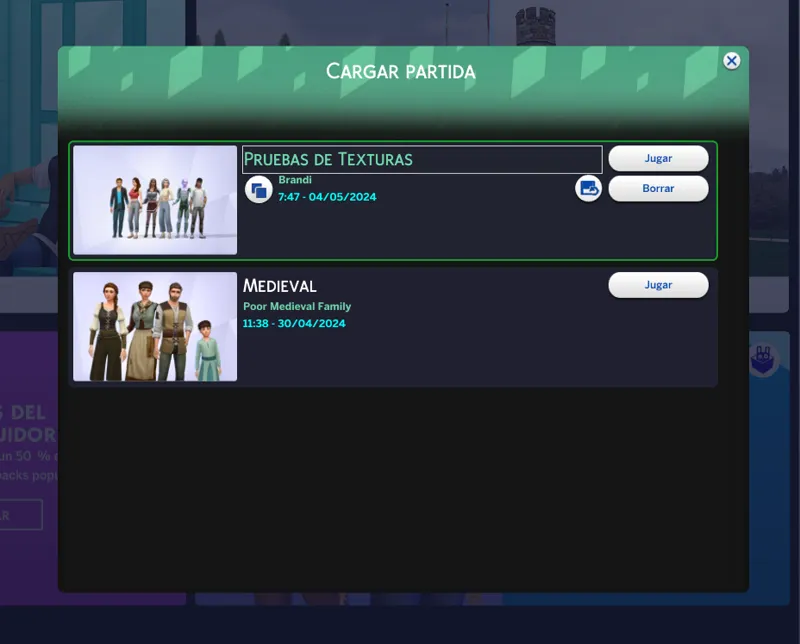
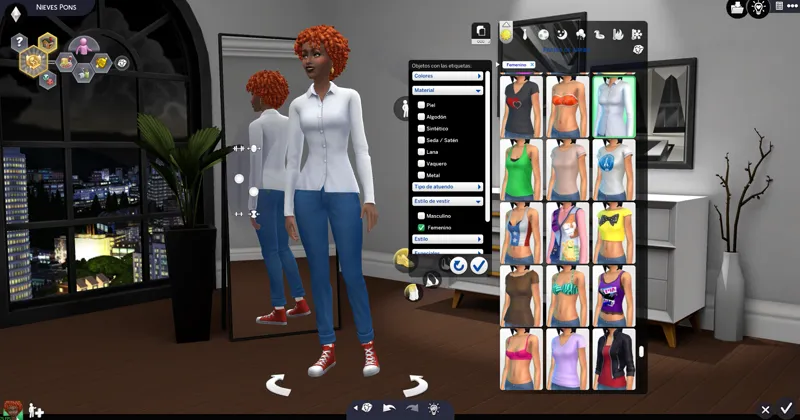
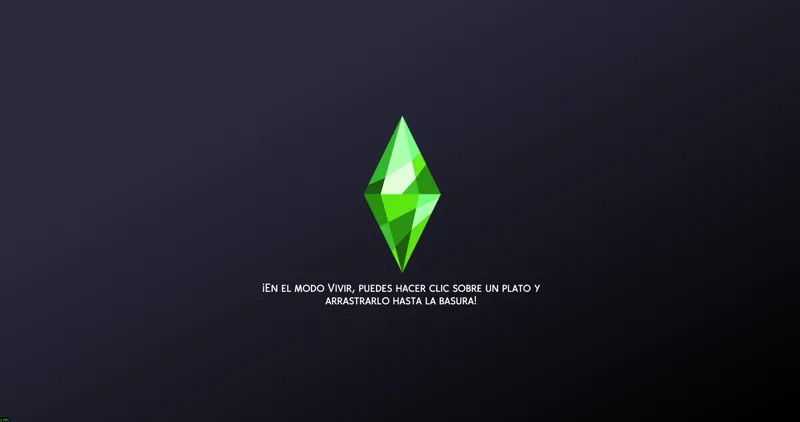
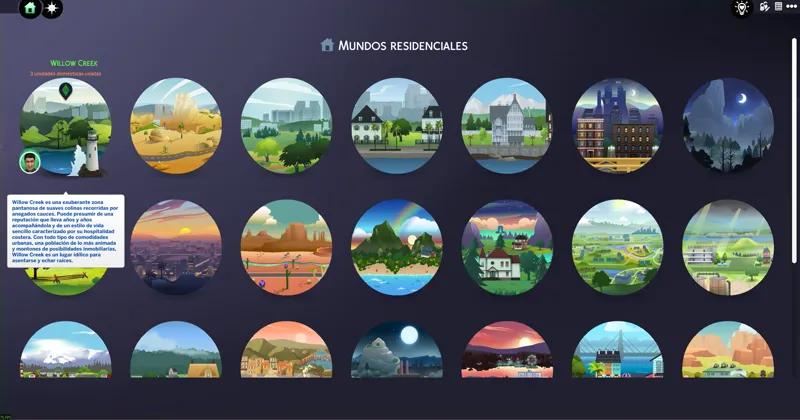
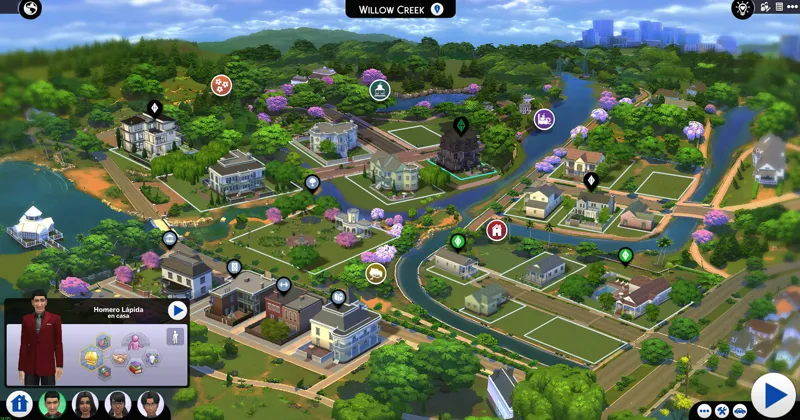
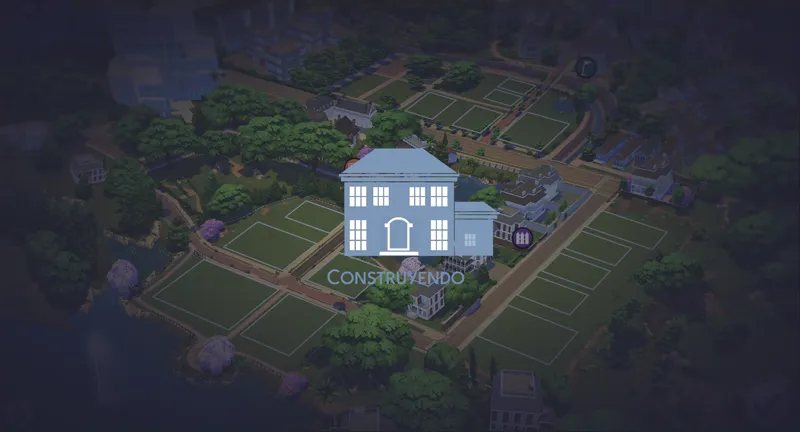
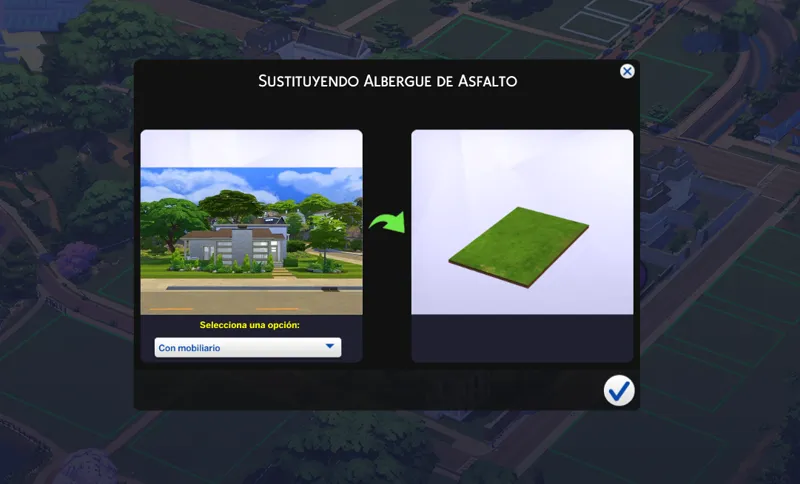
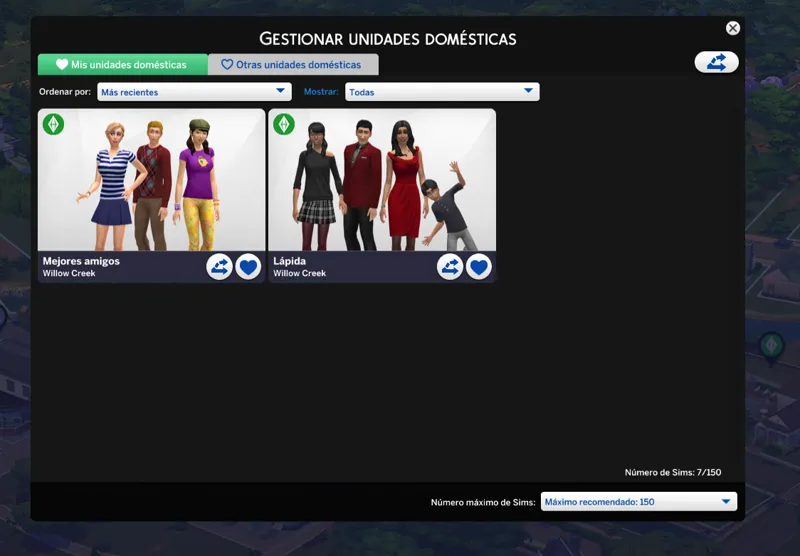
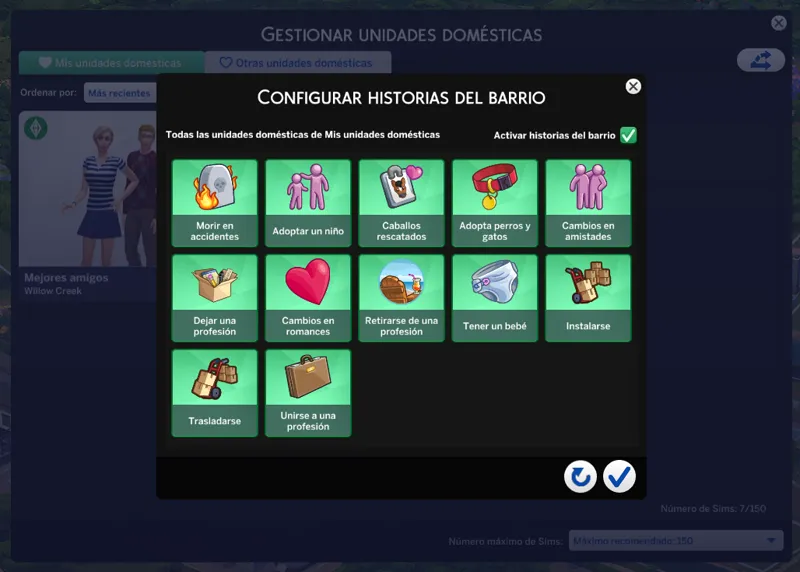
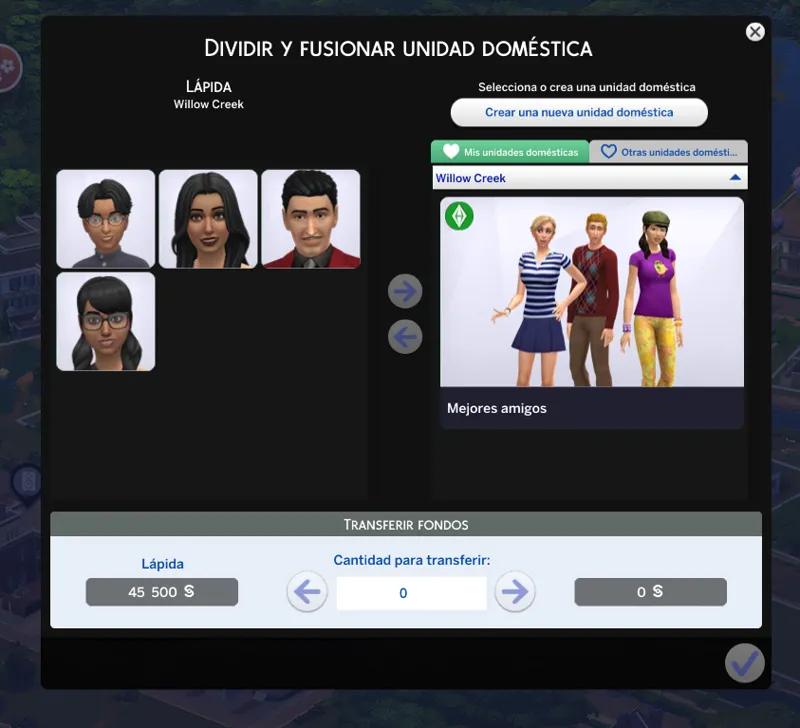
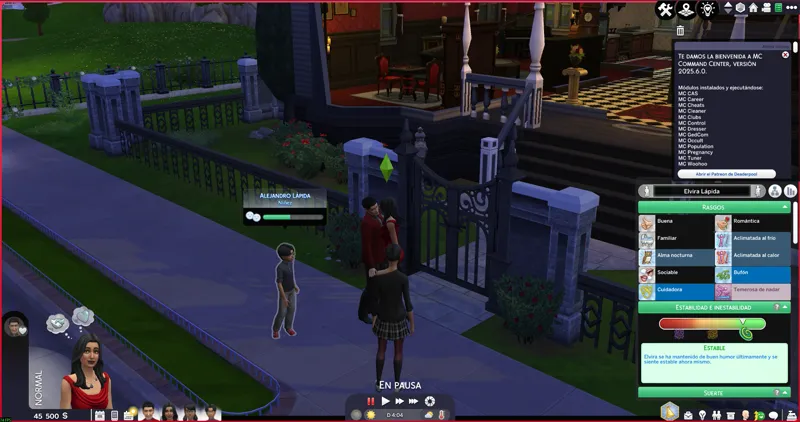
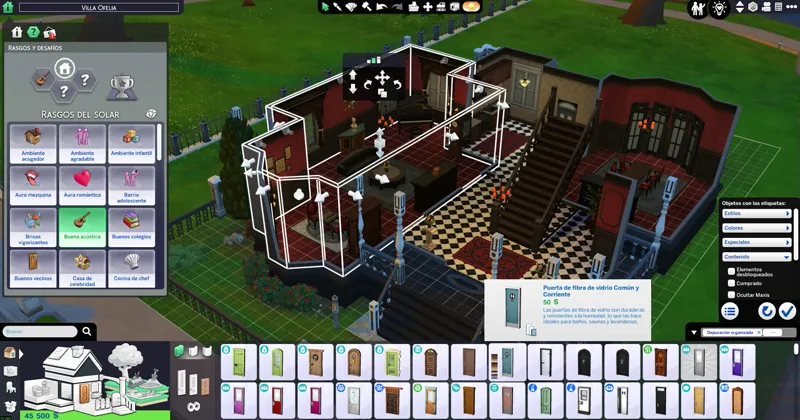
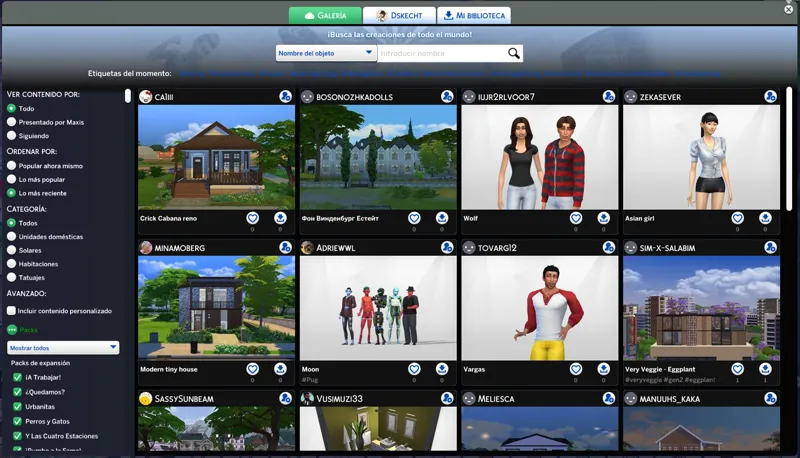
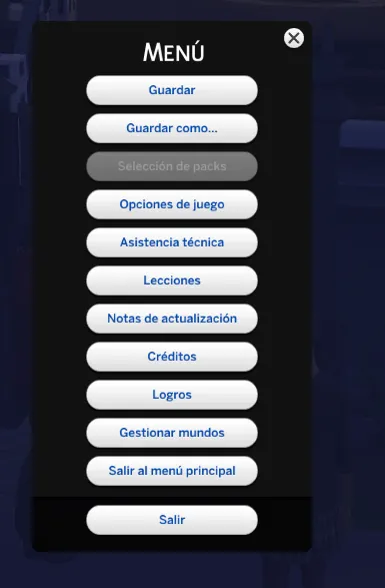
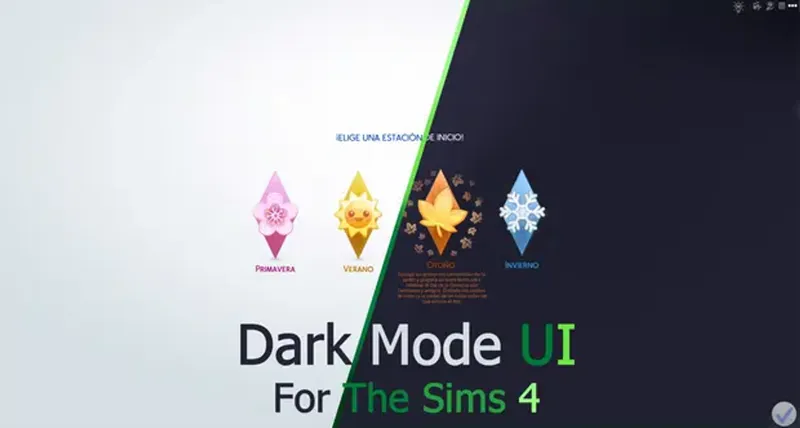
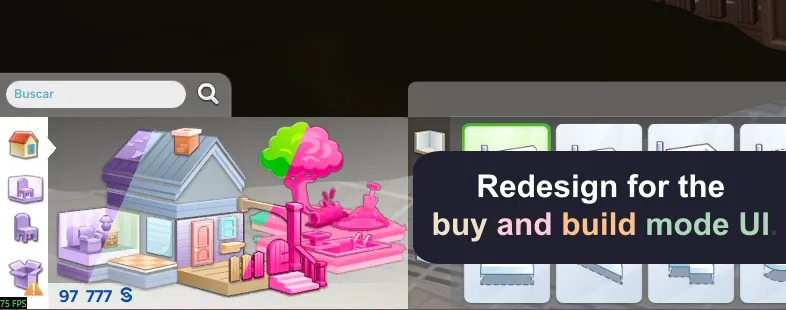
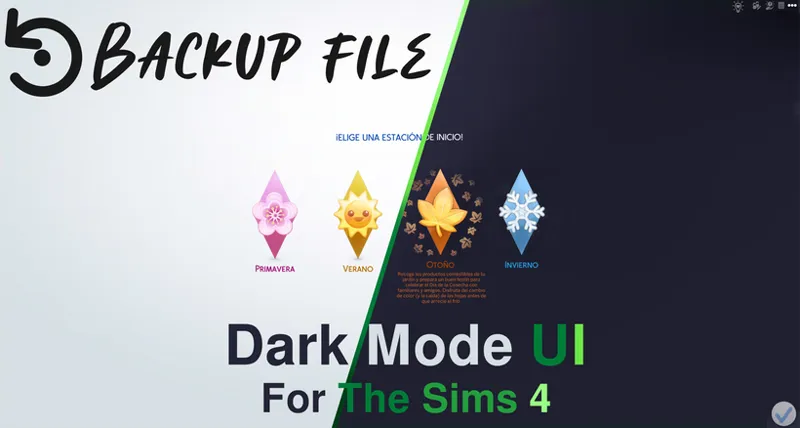
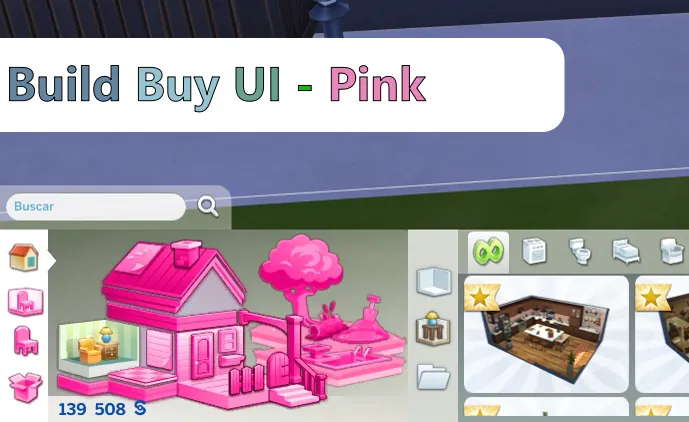
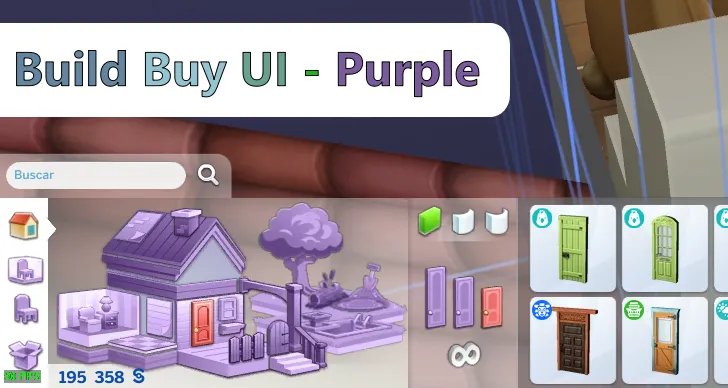
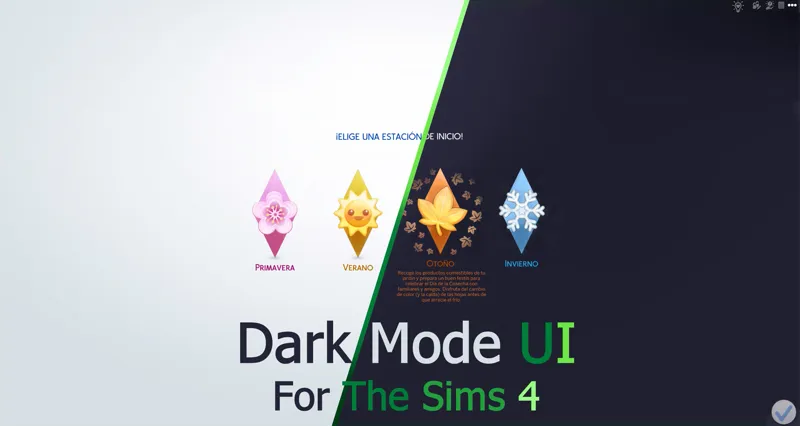
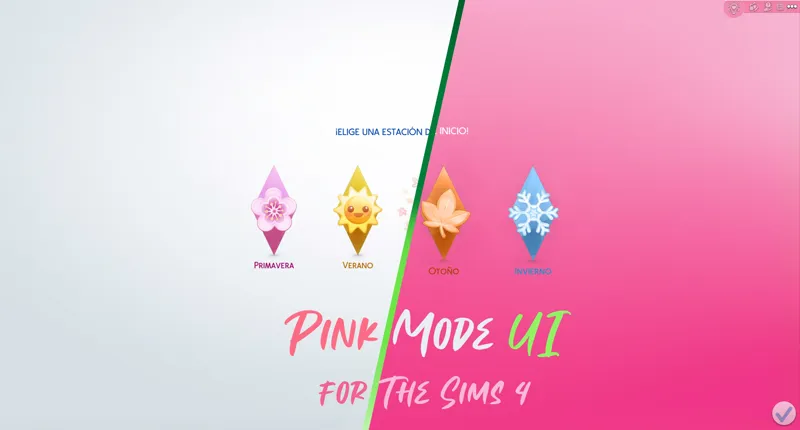
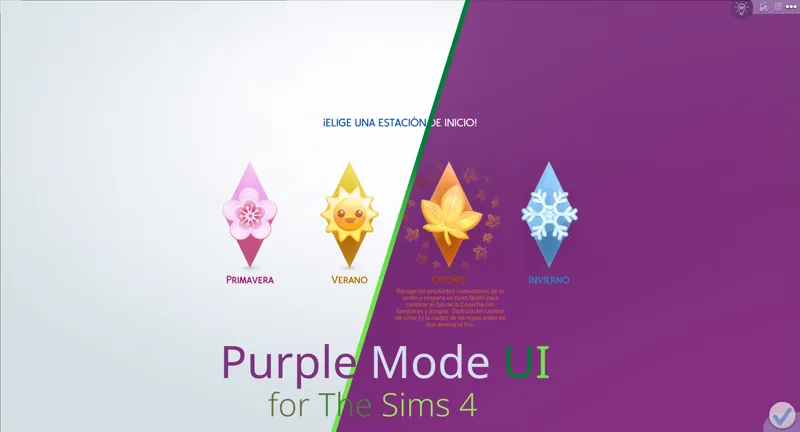
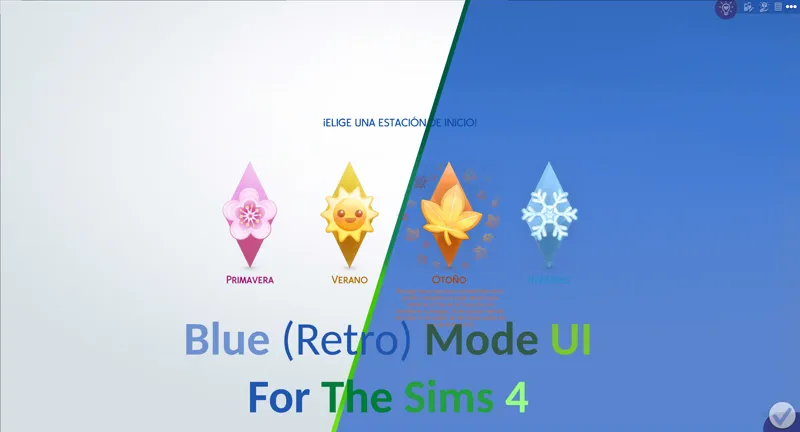
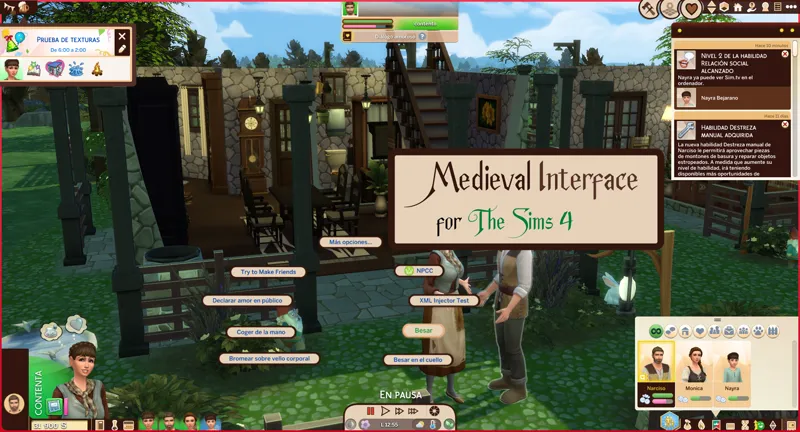
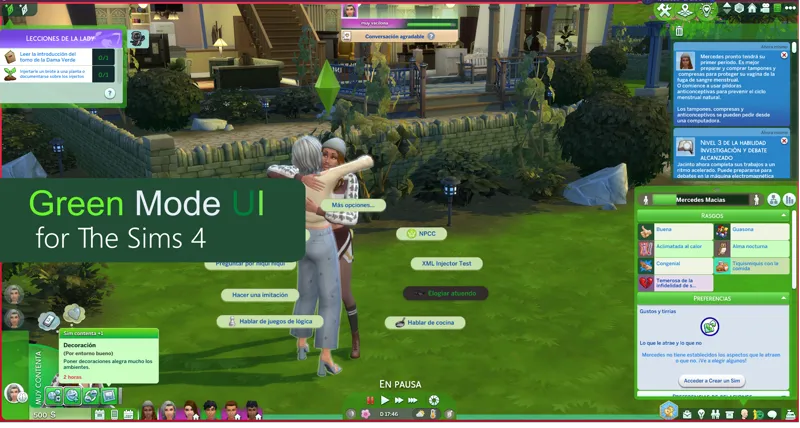
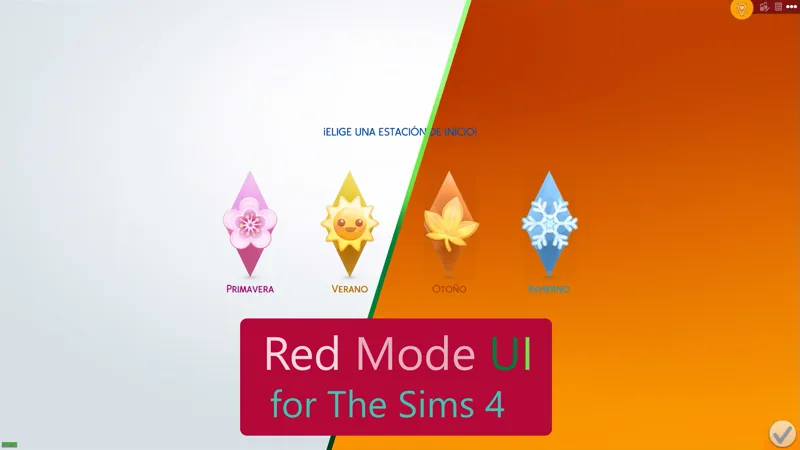
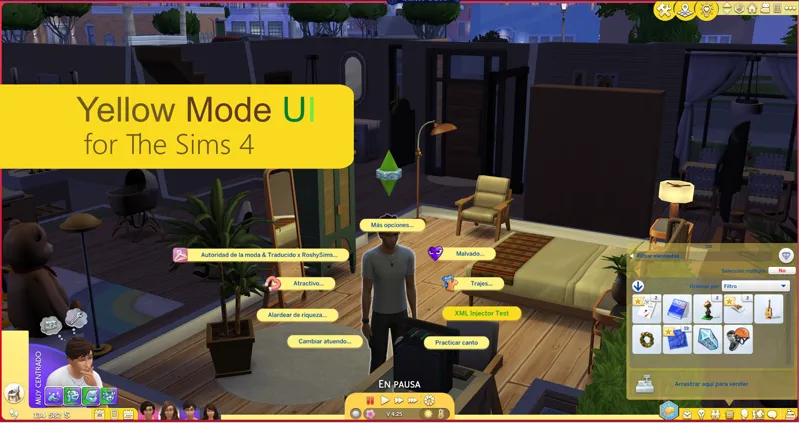
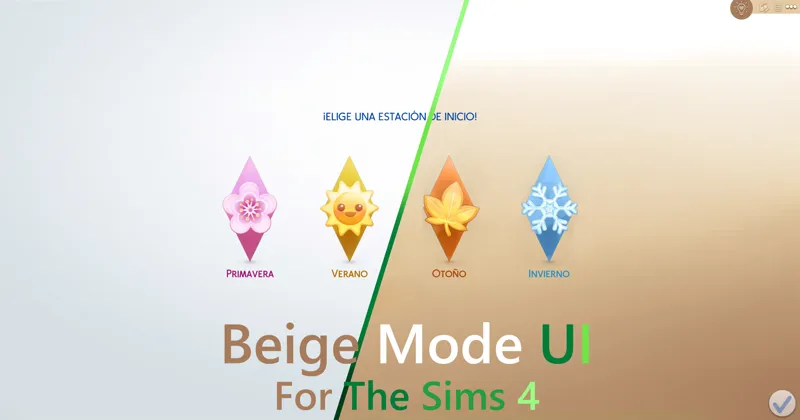
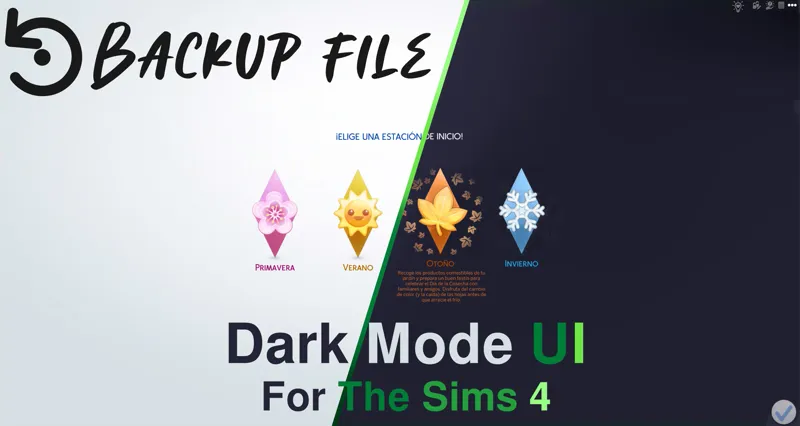
As its name says, it is a mod that changes the appearance of the interface of The Sims 4, simulating that the "dark mode" is activated.
You can comment, criticize and suggest about the mod with complete confidence.
Change Log:
11.4.23 (July 1, 2026):
Updated for update - PC: 1.125.59.1030 / Mac: 1.125.59.1230
New patches available for third-party mods.
Patch for Quick Save Button - BuildBuy.
Patch for Plumfruit Essentials.
Patch for Better Simology Panel.
It now works as the UI Cheats Extension patch.
Patch for Better Simology Panel x UI Cheats Extension
Several minor changes to the live mode interface.
Several minor changes to the buy and build mode interface.
The problem with the gallery username has been fixed.
11.5.26 (September 23, 2026):
Updated for update - PC: 1.128.90.1030 / Mac: 1.128.90.1230
Color corrections in various parts of the interface.
The issue with the Buy and Build mode catalog was resolved.
Warning: Due to the mod being restructured, the name of the main folder and several internal folders have changed, as well as the names of some files.
A clean install of the mod is mandatory.
Many thanks to:
Luvrsrock
Your comments were very helpful for the creation of this mod.
Installation:
Warning.
Because the mod makes very big changes to the game. please do the following.
In the sims folder delete the following folders:
cachestr.
onlinethumbnailcache.
And delete following files:
GameVersion.txt
localthumbcache.package
This is done so that the game reloads the mods correctly.
Repeat every time the game is updated or every time, I updated said mod. (This process also works for any mod)
***********************************************************
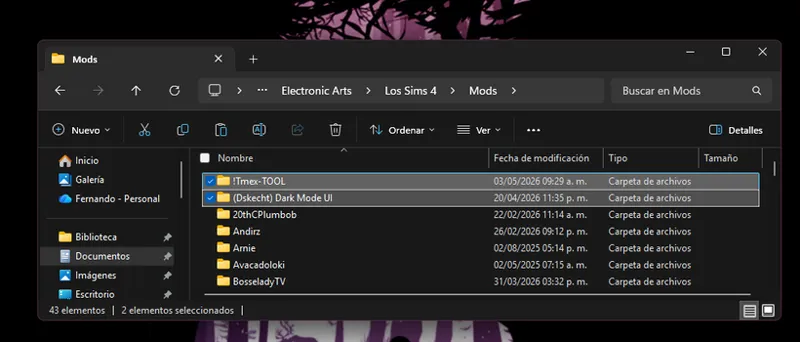
Installing my interface mods is very simple, you just need to drag the mod folder to The Sims 4 mods folder.
Remember that my interface mods include optional patches that you should remove if you don't have those mods, as they could cause errors in the game's textures.
Note:
When updating my mods, you should always perform a clean installation; never overwrite existing mods.
One more thing, most mods are just retextures for that mod, since for various reasons it is not possible to create a real and functional patch.
In other words, I have to re-upload the entire conflicting mod, but modified, to create a patch, and that's not right.
Simply having the patch installed and changing the load order of the conflicting mod is more than enough to make the mod work.
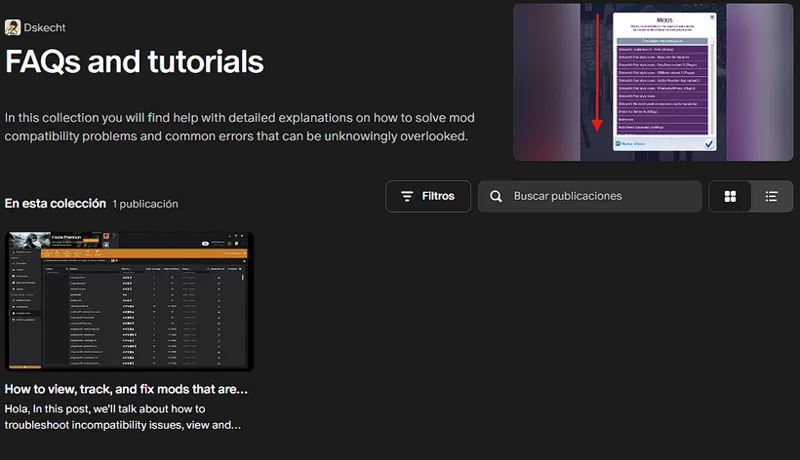
If you want to know which mod requires a special installation, you can check out my collection of help posts and tutorials for the game.
If you don't know how to do it or need visual aids, check the FAQ post where you'll find all the instructions and tips to solve your problem.
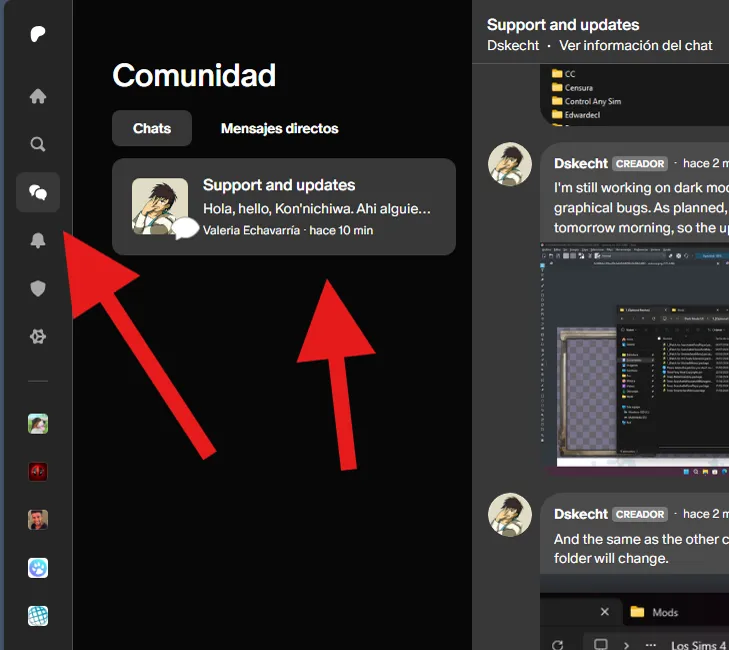
If you have any issues with the mod or would like to contribute to its improvement, you can do so via the group chat (support and updates) on Patreon.
You can access it via the community tab.
------------------------------------------------------------------------------
------------------------------------------------------------------------------
------------------------------------------------------------------------------
Looking for older versions of the mod? Check out this post.
Comments (442)
I have used it and it is very fustrated to use. I try on build/buy and try using fillters and it has a message about BBB which I never download in the mod before and then I try deleted all the files that is connected with BBB and the fillter options doesn't show the list of either CC or Pack content. For me. I am done for.
What? The catalog still isn't showing up? Have you checked the help section to see what's going on?
v11.4.56 (July 29, 2026) is refusing to show the contents of BuildBuyMode. (Its just a gray box) I just spent 4 hours using the 50/50 method, to narrow down what was causing this error in my game. It's this mod. I narrowed my search down to this single mod, with nothing else installed. I did a fresh install, I cleared the appropriate caches, and I tested this mod alone without any other mods installed. Thought you would like to know, and I look forward to redownloading it whenever you get around to updating(: Thank you so much for all you do. xx
https://www.patreon.com/Dskecht/posts/how-to-fix-issue-169763514
i test all of them, its ''filter.package'' is broking the buildmode, without filter it works fine. its ''in buy and build mode'' or in ''low level interface'' im not so sure which one
https://www.patreon.com/Dskecht/posts/how-to-fix-issue-169763514
I don't get the buybuild work
https://www.patreon.com/Dskecht/posts/how-to-fix-issue-169763514
Hi, Dskecht! I think since the new TS4 patch update in August, while using the mod, BuildBuy mode is completely blank.
https://www.patreon.com/Dskecht/posts/are-you-issues-166224584
Could you make a compatibility patch for the new mod Immersive World Map from Simmattically?
I'm already working on that.
you forgot some elements in cas in dark blue mod. repair this,please. some pushes without any colors.
Hi, Dskecht! Would it be possible, in a future update, to make your Dark Mode compatible with januksenkosketus's "Keep Buff/Moodlet Panel Always Open" mod?
Hi. There's an issue with pop-up elements (usually the ones asking for cofirmation, like "are you sure ou want to exit", etc.), they are "behind" others menus, like pause menu, therefore unable to interact with. Also TOOL constantly indicates about conflict
Here you will see how to solve the problem. https://www.patreon.com/Dskecht/posts/how-to-fix-with-157255108?collection=2112645
Many thanks
Thanks for letting me play without sacrificing my retinas.
Hello, is there a file to delete with this mod, so that I can use a different cc wrench override?
I have the latest version of SimMattically's Quick Save Button with UI Cheats Extension installed, the latest version of SimRealist's SNBank mod and TURBODRIVER's Wonderful Whims installed. Will any files within the Dark Mode UI folder conflict with those mods? I checked my mods folder using the Sims 4 Tray Importer and it said that SimMattically's - Quick Save Button - Live Mode.package is conflicting with SimMattically's Quick Save Button with UI Cheats Extension; SimRealist - SNBank.package is conflicting with SimRealist - SimNationalBank_3.2.1.1.package; Asperations.package, information panel with a sims.package, Life Milestones.package, Needs.package, Perks.package, Simbiology.package, Skills.package, Store.package, Worked.package are all conflicting with UI Cheats Extension.
Okay, that's a lot of information, so I'll answer it little by little... SimMattically's - Quick Save Button - Live Mode: there's no conflict in the file itself, only in the mod icon, which was recolored to match the interface. SimRealist - SNBank: same story, but with the menu backgrounds changed because they were too light for the menu text. UI Cheats Extension: Yes, there is a conflict, but a patch for that mod already exists and is pre-installed, so there shouldn't be any problem. If you're having trouble, I just uploaded a tutorial on how to fix it using the UI Cheats Extension and the Better Simology Panel. https://www.patreon.com/Dskecht/posts/how-to-fix-with-163941684
Thank you for the update. And all you do. I did notice that with the better simology panel/UI cheats combo patch there are certain UI cheats that do not work. For example, cheating work performance. UI cheats updated and the error still occurs. I took out dark mode and it the cheat worked. I just wanted to let you know. 💙
Yes, I'm already working on it.
Much appreciated
Hi, there are some issues with the contrast in some parts. i.e. in the gallery when you wanna select a lot size, the background is white and the text is white as well, or it is so light grey that is not visible. Same issue in the building mode interface when you want to activate the custom content for example
I found that the same thing happened in CAS as well as the others places you specified for me also. Say if you needed to specify which pack you were looking for.
Hi! So I just installed that mod, but the UI in game is completely broken when I play with it, some windows are out of their usual spots, some picture won't appear etc etc...
Are you sure you're using the latest version of The Sims, 1.124.54.1030? Otherwise, there's no way that error could occur.
Hi is this being updated has I am experiencing problems when entering build mode and CAS I get a black screen in build mode and No textures in CAS. I removed all other Mods apart from Dark mode and Better Exceptions I then removed Dark mode and put other mods back in and the problem stopped. I am getting a report from Better Exceptions that the problem is Mods\(Dskecht) Dark Mode UI\(Experimentales)\Reinos.package. I am using 10.45.95 (May 12, 2026) I understand this takes time and thank you for all you good work and hope this info helps you. Thanks
Okay, the file listed as the cause isn't related to any of those, as it's a world file containing information for the Dynasties and Kingdoms DLC. If it's the only file listed in the exception, then something is wrong with the game, since that file is looking for specific libraries that aren't present in your game, hence the error. This also explains the other errors, as my interface depends on internal game libraries to function, and if these are missing, corrupted, or outdated, then everything will fail. Try updating or repairing your game, because from my perspective, using two operating systems (Fedora and Windows), I don't see any of those problems, especially not in the most common and frequently used parts of the game.
Hey hello. Somehow I am unable to get this to work with the better simology tab. Despoite having the patch installed the Tab does not look like intended but like the standard tab. Deleting your mod fixes it.
You need to change the loading order as SimMattically indicates and prioritize it. You can check here to see how: https://www.patreon.com/posts/100070514
This mod is now compatible with the PC update: 1.123.66.1030 / Mac: 1.123.66.1230 - 04/16/2026. Apologies, something that should have taken me 2 days took me 4 because my daughters got sick and they are always my priority.
Hi, My game also doesn't save when using this mod.
That error only appears if you're not using the latest version of the game...
Hi, does this affect the arrows for buildings with multiple floors? some of the buildings the arrow disappears and i'm not able to see the other floors. If so, maybe I can delete that specific package?
No, it doesn't, and there shouldn't be any conflicts; they are two different systems.
My gallery isn't readable. I didn't see a section on which patch affects the gallery in the FAQ. This is how my gallery looks: https://www.pasteboard.co/Gl0FqSXsFFDK.png
It appears the game is ignoring mod files and gallery textures, which is why it looks like this. The issue of the game not ignoring mods hasn't been fully resolved yet; the February 18th update didn't completely fix it.
When I have the mod installed, in the filters subsections, they appear without the name. eg. the filters in CAS> content> all of those options don't have a name. Same in BB.
you, me, and one other person have reported this issue. dskecht seems to think it's a game bug, but I don't have the issue when I don't have the mod in game, and I don't have any conflicting UI mods. it seems there's an issue with the mod.
Hey, it works but in CAS its dark for clothes and everything body. When i zoom in for hair, makeup etc i dont even see my CAS items at all. Any tips?
That's because you're using the more columns mod patch and you don't have that mod, or you have an outdated version.
Text for filters in CAS/Build/Buy is invisible (a problem i had before the most recent update as well). Everything looks great otherwise! Thanks for updating!
Try reinstalling the mod from scratch, as it changed several things internally.
The mod has been updated and is compatible with the March 18, 2026 update.
thank you so much for your hard work! 🖤
The mod has been broken since the March 18, 2026 update, and I'm already working on a new version, so please be patient. If you want to know when it will be ready, check this post. https://www.patreon.com/posts/153300330
The Sims update from March 17, 2026 is causing problems with mods, and I can't work on it until EA releases a new version of the game.
Hola! Uso el Dark Mode y en el panel de trabajo/universidad el primer bloque donde dice la carrera que esta cursando mi sim, las materias y los dias restantes de semestre tiene fondo blanco y letras blancas también.. es un bug del mod o será mi juego? Gracias!!
Es tu juego o algo externo, ya todo lo relacionado al trabajo se actualizó, y mi mod depende de librerías internas de interfaz para funcionar. SI estas no coinciden con la última versión, todo fallara.
Do I remove the files in the graphical interface/textures for third party mods folder if I do not use those mods?
It's not necessary, as these are only activated if you use those mods.
Yes, I know about the SimMattically mods, and no, it's not possible to create a patch, but if you follow the advice to change the load order so far, you'll be able to use your family tree mods.
can you help me? my is say that TOOL CONFLICT DETECTED – UI records of other mods that alter pop-up dialogs are not compatible with TOOL.”
Did you follow the installation instructions? Have you already checked the installation tips in the FAQ post? Did you already follow the advice to change the loading order of the mods as shown in the instructions?
why is wicked whims not here
If you're referring to the patch, it's no longer necessary; it was removed a year ago.
Only the Dynasty Manager is not included in the redesigned menus, and since I don't own the DLC, the kingdom and title system are working perfectly and are included in this update. I hope to include the Dynasty Manager and the entire social group management system in a future update.
Hello! Does the February 8th ver. work with the latest patch?
The minor update from 12? Then yes, but if you install the new DLC, you'll only see that some texts have their default text, only the new DLC menus.
Just wondering can you make the black UI compatible with Arnie Plumfruit Essentials 2.0 in live mode
Yes, I plan to make the patch, but since I've been distracted with other projects, I forgot to make one.
According to what I've been told privately, Dark, Pink, and Purple modes need a small update to add compatibility with some details of the new DLC. If those updates arrive, great, but I don't have that DLC yet, so it's on hold. It's not a big deal; it's more of a visual and readability issue.
I apologize for all the questions but I wanted to know if I could use the organized event planning by zerbu with this mod
Hmm, I'm not aware of that mod, but let me look it up. I'll let you know what's going on with it.
Can you make it compatible with better world select from simmatically?
Yes, you just need to prioritize loading your mod, the same procedure as TOOL or the sim-biology panel mod.
I've just confirmed a bug with the game's job selector that was reported to me, affecting both Dark Mode and Pink Mode. I hope to resolve the issue shortly, in a few minutes or hours.
Hey, for some reason the "worked" package showed up in better exceptions while choosing a career and for some reason I could not see career times at any career. I do have careers mods installed, so the issue might be on me but I never had that happen before with one of your UIs and custom careers. Thank you so much!
Give me a few minutes and the problem will be confirmed.
Hey, I have a problem. I use multiple patch mainly better simology panel and Tmex mod. I don't know how to order the mod since better simology panel doesn't work. Saying Tool have issues with it.
The patches are just alternative textures (except for more columns and UI cheats), so you need to change the load order for the mods to work again. You can find more information in the FAQ.
The mod is already compatible with the PC update: 1.121.342.1030 / Mac: 1.121.342.1230, but I can't yet guarantee its compatibility with the new DLC, as that's an expense I can't afford right now. If you have the new DLC and notice errors such as reading difficulties, please let me know so I can release a temporary patch.
Some mods are broken, such as TOOL, which hasn't been updated yet, and the pre-installed patch won't make it work. You'll have to wait for these mods to be updated before using them.
Hi, I am having trouble with top right corner and it keep saying that there is issues with TOOL and I should get the "patch", which I do.. I tried to reinstall and the usual fixes, still persist :(
That's because the patch itself doesn't do anything; it's just an alternate texture for that mod. The real trick to getting the mod to work is changing the load order. As you can see in the FAQ post, all the necessary instructions for doing that are there. https://www.patreon.com/posts/100070514
Thank you so much ur a genius
I can confirm that all my mods are compatible with today's update, January 13th. Although there were some changes, they do not affect the functionality of my mods.
Hello, I'm having trouble in the CAS screen with the filter panel. Everything is blank. This is the only menu this happens on. Everything else works as it should.
I just checked, and as far as I can tell, that part is working correctly. What might be happening is that a mod is overriding that part, like the mod that adds more columns to CAS, although Dark Mode already has a patch for that mod. However, it only works if Dark Mode has load priority.
If the problems persist, you should simply reinstall the mod from scratch and clear the cache so that the game loads the installed mods correctly.
the mod works wonder but everytime i open the game, the folders and files just... are back? i delete them, start the game, notice ui problems, go to sims 4 files and realize the files are back. im not sure why but it keeps happening qwq
If you're deleting files and they reappear, check that you're not using a cloud service that might be restoring them. In the case of Windows, OneDrive is enabled by default.
Thank you so much for this mod! how do i get the search pose by twistedmexi to show up?
The answer is in the FAQ post, as it contains visual aids and examples of how to solve these types of problems. https://www.patreon.com/posts/100070514
Hello! Thank you so much for this mod, by the way. My eyes can't handle a bright screen, so this was really helpful, but there was one problem: every time a menu for Healthcare Redux pops up, it just shows a blank screen... I'm also receiving UI reports from BE. (Mods\(Dskecht) Dark Mode UI\Graphical Interface -[MODIFY CAREFULLY]-\Low Level Interface\Miscellaneous and Chats.package)
Ok, revisaré la compatibilidad con el mod de adeepindigo más tarde; como es un mod que no uso, no sé exactamente qué sucede. Solo se me ocurre que podría ser algo parecido al SNBank, que utiliza una textura personalizada para sus menus, y como el texto es blanco, púes. Sobre el informe, ¿qué hacías exactamente para que saliera el mensaje o qué evento detonó el error?
not sure if this has been noticed but say December 04 2026 instead of 2025 :)
No, because I'm from the future and it will be supported until December 2026. jajajajajajajaja
Hola! First of all, thank you so much for this mod! I wanted to ask if it's possible to have the wrench file and pie menu separately in the file bc otherwise I cannot use my custom ones?
Yes, that conflict exists, and in the post about conflicts I talk about why it exists and why it can't be resolved. https://www.patreon.com/posts/107684858
i keep having reports from my ui of this mod but i love this mod
Can you tell me exactly what you were doing that caused the error to appear?
Hi, loving the mod! Clearly there's something about Smarter Pie Menu that hinders you from making a compatibility patch that keeps the full Pie Menu bubbles dark, but the black outline of the current compatibility patch against the white bubbles is just such a big contrast that it's not easy on the eyes at all. Because of this I'm currently using Dark Mode UI completely without the Pie Menu module.. Any thoughts on making a separate compatibility patch with a grey outline or a soft gradient (if that's even possible) instead of the current heavy black outline? Thanks for making the mod in any case!
Yes, the patches are just simple retextures or alternative textures, since for various reasons I can't change the text color of that mod. And yes, I have considered redesigning the patch, but the problem is that, since the theme is the dark mod, it's difficult to find an alternative color that makes the text easier to read. This isn't an issue I've had with the other color schemes I've created.
Hi i love your work,I get the message that this mod is not comfortable with TOOL, but there is a folder of tmex Tool in it? I did exactly as told
Hola. The problem is actually changing the loading order. The instructions in the FAQ post provide examples of how to install both so they work together, since the patch currently only provides an alternative texture for the text; it's impossible to change the text color. https://www.patreon.com/posts/100070514
Hey there! I'm having an issue with my search menu and Dark mode UI. When I look at my options they are blank. Every other menu is fine. Any ideas what could be wrong? I have all my UI mods loading first before yours like your FAQ says to do.
If you followed the instructions in the FAQ post, check the list of loaded mods. Can you find the button in the menu to activate mods that shows which mods are loaded? In that list, the mods are ordered by load time, so the conflicting mods should appear first. If they don't appear, you may have made a mistake, such as renaming the mod but not the folder it's in. Simply prioritizing that folder will ensure all its contents load first
wyokming
I'd love a dark mode for my game, but I think the fact that you leave buttons and popups white on a black backgound actually makes it harder to see. It might just be me, but I'd suggest getting rid of as much white as possible and replacing it with a pale to mid grey.
This is because you have conflicting mod patches, and you're not using those mods since they're alternative textures (or if you are using them, they're installed incorrectly). For various reasons, you can't change the text color of those mods, but removing those pre-installed patches restores everything to normal, as shown in the screenshots.
Do you happen to know the cause of the error where the window for selecting a character's action appears white (with a black border) and the text also appears white? I can't figure it out, so I'm contacting you, even though I know it might be rude. This is such a wonderful piece, I really want to use it. As a foreigner, I'm sure I misunderstood some of the explanations you provided. I apologize.
This refers to patches for several third-party mods. This happens because there are conflicts between some mods, and my mod includes pre-installed patches that are primarily alternative textures to resolve the issue. You'll find more detailed instructions on how to troubleshoot the issue and also how to get those patches working if you have a conflicting mod in the FAQ post. https://www.patreon.com/posts/100070514
i have the patch for more cas columns, i am using the 4 columns version and everything is up to date but they are conflicting with eachother. it is causing the cas filters (material types and such) and the build mode filters as well to go blank. i tested it with deleted cache and just those two mods in there
The patch works the same as the UI Cheats patch, meaning you don't have to change the loading order or anything. By chance, did you make More Columns in CAS load before Dark Mode? Because that could be the problem. The same thing happens with BBB.
I have the patches in but im still getting an error from the TOOL mod
Yes, the FAQ post contains instructions on how some patches work, as some additional steps are required to work with their corresponding mods. https://www.patreon.com/posts/100070514
Hi sorry to ask!! Idk if it's only me but my autopause menu by thepancake1 is not working with this one, does it suppose to be compatible with that one too?
This mod, like any other that modifies the behavior of the pie menu, causes a conflict. Thepancake1 explained this in the same post where you downloaded the mod. To make it work, you must follow the instructions and use the patch for the Smart Pie Menu mod, as the problem is exactly the same. You can find the instructions in the FAQ post; the link is in this same post.
For those having issues with CAS, I remind you that a new patch has been added for the "more columns in CAS" mod. The patch works the same as the one for UI Cheats, so you don't need to do anything additional. Just check if you have the mod or patch installed correctly, or uninstalled, as the case may be.
Good news, dark mode is compatible with the "More Traits in CAS" update, as it doesn't modify any files I use. You can use it without any problems.
I enjoyed the mod really much. But there is a white blank transition screen always appears before the dark loading screen really annoying and hurts my eyes a lot (cause I usually play in the dark) . Do you know any way to replace that transition screen? For example, the white blank appears right after you choose "New game".
It's not a white transition as such, but rather how a lot or world loads, as CAS occurs in a lot, a world, and a special room where we can create or customize Sims. This is due to a bug, as there is a loading screen between the start menu and CAS, but this loading screen doesn't run for some reason. It's a bug that's been around for years, but since no one reports it or they don't know it's a bug, it's stuck as a game mechanic.
iva used this mod a lot, but on recent updates, everytime you delete the files that need to be deleted in order for the mod to work, the game just... re-adds them? it used to work, that you just delete them and they stay gone. i even left the files open, while strating sims, to see when sims 4 adds the files again, and it literally happends while loading into the start menu. i dont really know why, since it didnt do that befote, and maybe its also just a problem with me, but i cant use this ui mod anymore :( atleast for now
This is quite strange, as it shouldn't happen; in fact, it's impossible for it to happen. I think it could be due to another cause, such as a cloud sync, either Mega or OneDrive, which would be restoring any changes made.
hai!! i LOVE this mod!! but i recently updated it and it still is kinda broken! some icons are missing!! but i understand it takes it time & you are doing your best! just thought too let you know!
where exactly is it missing?
is it compatible with the better simology panel mod?
Yes, as long as you follow the instructions in the FAQ post.
The mod may need another update when the expansion pack comes out, as I need to confirm that the files were edited correctly.
Hello, can this mod conflict with other UI mods? For example, if I want to change the loading screen background ?
u just need to delete the loading screen file in the ui's mod fold if u want to use a different loading screen file
ok das problem mit der schriftart kommt von einem anderen mod
What exactly was the problem? Have you checked the FAQ post? https://www.patreon.com/posts/100070514
also bei mir klappt der dark mode aktuell, aber wo kann ich die farbe der schriftart ändern, denn mein menü ist weiß und die schrift ist auch weiss
Hi, I a have quick mention, I think this dark mode is currently incompatible with ClaudiaSharon´s No CC Wrench Anywhere, Period!. If I change the priority of this mod, it completely breaks the Dark Mode
Unfortunately, yes, it's a problem that can't be fixed by patching it. In the incompatibility post, I go into more detail about why it happens and why it can't be fixed. https://www.patreon.com/posts/107684858
Hello! How are you? 😁 So, I installed it and realized that the MOD isn't compatible with the Mod More Traits in CAS by Thepancake. Why isn't there a patch? Could this happen? 🥹 I use this mod a lot; it's crucial for me. And I also really like your UI mods. 🫶🏻 I didn't want to have to delete it. 😢
Yes, since I'm adding the gallery interface and several low-level elements, like checkboxes, some mods may conflict, as these are elements that many mods modify. I haven't created a patch for that mod yet because no one has reported the conflict, but I'll see if it's possible to create one. In the meantime, you can prioritize loading the traits mod or delete the experimental folder, as everything new is in that folder. It would be like going back to a previous version.
hello, the outline of my pie menu options is black, but the inside is white, making the letters blend into the bubble options. how do i fix that?
Yes, the FAQ post contains instructions on how some patches work, as some additional steps are required to work with their corresponding mods. https://www.patreon.com/posts/100070514
New items have been added to the experimental folder! If you encounter any issues, whether with the interface or compatibility with another mod, please let me know in the comments or in the Patreon group chat.
Hi, the attachment above says it's from August 19th and not September 1st. EDIT: Just saw the date change, thank you very much for the updates and your hard work into making these UI mods.
Hi, I have the Dark UI Mod and I was wondering what would be the cause of white text in the filter section in CAS? I can't choose Colors, Material, Outfit Category etc. because all the text is white and unreadable :(
Yes, as I mentioned, many of the issues that may arise with the mod are currently due to experimental files. This update, I focused on the gallery, but the gallery uses many low-level elements, and in this case, the checkboxes aren't invisible; the text is white and on a white background, which is why it looks like this. You can delete the file called "Elementos aleatorios" and everything will go back to normal, or, alternatively, delete the experimental files folder, as that would be like going back to the previous version. I'm already working on it, and I should upload the update next week.
This is a long shot but would anyone know what may be causing the text in the CAS filter box to be blank? I attempted a fresh start with no other CC just Dark UI as well and the issue still persists. I assumed it may have been a conflict hence attempting to load just the UI and nothing also (with the patches removed as well incase) but nothing seems to work. If anyone has any ideas I would really appreciate it! Everything else in the UI mod works as intended this is the only issue i seems to be having.
Yes, as I mentioned, many of the issues that may arise with the mod are currently due to experimental files. This update, I focused on the gallery, but the gallery uses many low-level elements, and in this case, the checkboxes aren't invisible; the text is white and on a white background, which is why it looks like this. You can delete the file called "Elementos aleatorios" and everything will go back to normal, or, alternatively, delete the experimental files folder, as that would be like going back to the previous version. I'm already working on it, and I should upload the update next week.
It's a scam. I tried every version the mod on 1.111.102.1030 and it's simply doesn't work. Don' t waste your time on this mod. What a disappointment.
We are in the 1.117.221.1020, and you're using a very old version, no mod especially interface will work on older versions of the game. Before criticizing, check if you meet the requirements of the game to be used.
The following changes are located in the experimental folder, if it bothers you you can delete the folder. Added gallery interface. Added several low-level elements. Partially added changes to the pack selector menu for activating and deactivating. Possible incompatibilities with unreported third-party mods.
It doesn't work nothing will open and then I get a hard crash. I have followed all you instruction delete the following folders: cachestr. onlinethumbnailcache. And delete following files: GameVersion.txt localthumbcache.package
This seems more like a game bug, which occurs when you go from 5,000 to 7,000 files. The game stops loading menus or textures, and it's more tied to your computer's capabilities and how Windows handles files. Try loading only my mod and verify by going to the settings menu; if it changes color, then it's working.
hey how do I add a CAS background?? I added one and it won't show up
Well, who knows why it doesn't appear, my mod doesn't modify the CAS background, so there shouldn't be a conflict.
The new Better Simology Panel patch works by priority, meaning you must ensure that "Better Simology Panel" loads first when loading mods. This is the same procedure used to get TOOL working.
Mods that changed the CC icon are now incompatible and there is no way to patch them.
Hello, I installed this mod and it works quite well, but when I click on an item, the options appear in white and the text is not readable unless I hover over it. How can I fix this? (I deleted everything I needed to delete.)
https://www.patreon.com/posts/100070514
<3 <3
can i have both the searchable pie menu mod and the dark ui mod or are they both still conflicting?
Here are the exact instructions on how to do that. https://www.patreon.com/posts/100070514
Hello, I downloaded the Black UI mod, but I would like to remove the fact that the wall building tool turns black, because I already have a CC to modify it. What should I remove then please?
My mod only modifies the interface, not the tools, so it doesn't conflict.
hello! thank you for your work. i am running into a problem when i click on the scouting board and click "view badge progress" it just displays messed up
That's strange, I don't move any of that, but I'll take a look at it.
Attention TOOL mod users, the patch has been updated and now works by changing the loading priority of the TOOL mod, meaning that TOOL must load before dark mode. If you're unfamiliar with this issue, please check out this post, which explains the issue in detail: https://www.patreon.com/posts/how-to-view-and-127588575 In short, just add "( )" to the beginning of the mod's folder name. If it was previously "Tmex-TOOL," it will now be "( ) Tmex-TOOL" to assign loading priority.
Could we just add "z" to the beginning of this mod?
Has anyone else had an issue with it not loading animal info correctly, i remove this mod and its fine. Its mainly the cows and such, the overhead where it has their needs gets buggy and itll not show all the needs etc
I'll take a look to see what happens, is that the only thing happening to you?
There is currently a bug in the game that is bugged the text box, causing it to have a weird stretching, it is a problem that is out of my jurisdiction.
I just want to tell you how much I appreciate your working tirelessly to make sure this Mod (especially Dark Mode) is updated and ready with each new update. I suffer from Migraines and could not play my game without this mod and your unending dedication. I appreciate you so much. Thank youu. <3 <3
Hello!! I recently downloaded a couple of sims 4 DLC's, and after loading up the game (while keeping this mod inside my folders), the ui started to mess up, especially with the popup (save/exit). Do I just need to reinstall this mod?
Have you used my mod before? Perhaps a clean reinstall of the mod, removing the patches you can't use, and clearing the cache will fix the problem.
Hey! I was wondering if theres a patch going on for selecting the sims to do something?
What do you mean? Do you have a problem?
Hola, al parecer este mod sigue siendo incompatible con el PIE MENU, incluso con el parche instalado, pues al desinstalar este mod, el PIE me empezó a funcionar correctamente. No creo que sea problema de instalación ps la hice tal como dijiste, o si se deba al hecho de que estás re-estructurando el mod. Además, también tuve un error y es que cuando intentaba usar una interacción, tenían fondo y texto blanco, con solo el borde negro, haciéndolo imposible de leer (o al menos más dificil de lo normal).
Sí, en el post de preguntas frecuentes están las instrucciones de cómo funcionan algunos parches, ya que se necesitan realizar algunos pasos adicionales para que funcionen en conjunto con sus mods correspondientes. https://www.patreon.com/posts/100070514
Hi! Where i can find patch for Tmex-SearchablePosePlayer? thanx
I removed that patch since that mod isn't getting updates, it's been broken since November and I don't see Tmex intending to update it anytime soon.
Updated the patch for TOOL, due to multiple bug reports (if you do not use or will not use TOOL in the future you can skip this update)
Depois da ultima instalação, mesmo seguindo suas dicas o mod não funciona. Fica um azul escuro em degrade, os botões brancos continuam branco. Infelizmente tive que voltar para a última versão desatualizada dele pois é a única que 'funciona corretamente'. Tirando o fato de que alguns dos botões nem ao menos aparecem mais como o botão de sair do jogo, me obrigado a fechar o jogo pelo ALT+F4
Você está usando os patches para TOOL e Smart Pie Menu? Pode ser que você tenha esses mods, mas eles não estão instalados, por algum motivo específico. Esses são os problemas típicos que ocorrem quando os mods para os patches que você usa não estão presentes.
installed the same way I always have, dark mode works for everything but the gallery
In the changelog I added that I should remove the files from the gallery temporarily, as I am currently redesigning the entire interface.
Thank you for updating this mod, your hard work is greatly appreciated!
Please, before commenting on an issue, follow the installation instructions, remove any patches you are not going to use, and verify that any mods that conflict with it are installed or updated. And most importantly, CONFIRM THAT THE PROBLEM IS CAUSED BY MY MOD, USING THE 50/50 METHOD
Hey! Not sure if you are aware but TOOL has been updated now. Will you be making a patch ? :) Thank youuuu!
As I explain to you what I thought I already published the patch, it is ready and as I started doing other things I thought I already published it, later it will be available as an optional download.
So with the previous iteration of Dark Mode, it worked OK with TOOL...but this one doesn't...is there another step I need to take to address this?
TOOL needs to update before I can create a patch.
Remember to do a clean install of the mod before updating, since I deleted some files that are from the start menu Later I will make a clarification of how and when I will add it back to the mod
New update (January 14th one) breaks the main menu with Dark Mode. You get everything pushed into one side of the screen and the word "TEXT" on the upper left
can confirm this happened to me as well! Hope to see an update soon i love your mods! :)
New dark mode update: remember to follow the installation instructions and check the FAQ and incompatibility posts. The links are in this post.
I think Smarter Pie Menu still doesn't work or something may be wrong with my files. But I do have the 2.0 version, and I do see TMEX said it still doesn't work. I do have the patch in the Optional Patches folder. Everything else works fine though!
Additional instructions on how to get the mods that provide search capability working can be found in the FAQ post, as they require special installation along with their patches.
This mod has saved my light-sensitive eyes. Ty so so much for all of the hard work you've put into it. I can't imagine playing without it now.
hola me gusta mucho este mod pero cuando lo pongo en los sims 4 se me queda congelado todo el juego y mi pc es vieja
Es normal que en el primer arranque tarde un poco más de lo normal en iniciar el juego, ya que se están recargando las texturas. Eso sí, ese tiempo depende mucho de tu computadora.
Hi, im having an issue where when i click on a family from manage households, the entire game crashes and I also get an UI exception at the same time. i did the 50/50 method and unfortunately I think this mod is what causes it. it was happening with the previous version, I updated it today and it still happens
Could you be more detailed about what you were doing? I edited, moved, and merged families, and no errors were thrown. Is this due to a specific event? I'd like more information if possible.
The mod is broken with the update of 03/12/2024. In this post are the steps you must do to make it work again. https://www.patreon.com/posts/117256394
Hi! I love your work and I've been using it until 1 hour ago when they released the update for the new holiday quest event. The thing is that now with the quest icon, the white box appears and the quest text doesn't appear. For me it's a pain because with my migraine problems, your mod gives me life against the white interface of the game.
Y recuerda que puedes hablarme en español, al fin y al cabo soy mexicano, ya vi que eres la streamer española de Twitter.
Hi! I installed Dark UI and everything ran smoothly except for the notification of TOOL not being compatible even though I have the patch installed. This issue happened the last time I tried this mod, but I saw that you'd updated it, again. I'm not sure if I'm misreading the installation instructions, but thought I'd let you know!
I can only answer you because I wasn't home all day (he went to cry in a corner). I just tried both mods and I didn't get any errors. As long as the two mods are not in the same folder there will be no problems - that is, Dark Mode is in its own folder and TOOL is also in its own folder, and if it's the default folder for both mods, all the better. This is because if you install both mods in the same folder, unexpected problems can arise. Also, TOOL may contain files that are not thoroughly scanned, which could result in critical files not being read.
hello does this mod work with gshade?
That's how it should be; what the program changes doesn't affect anything I do. They are not even correlated
Because I know there are people who don't read the changelog, a patch has been added for Better BuildBuy. If you have problems with floating banners, assume it's because you're using this patch without using BBB. There's no need to remove anything anymore, as BBB will work fine with the patch.
hello, im having issues with the dark ui mod. the action boxes are showing up white instead of black. everything else is fine except when i click for the interactions. what am I doing wrong? im so confused and have been trying to get this right for hours
okay nvm, i figured it out! all the patches I didnt need had to be removed. I thought I needed something but I didnt. thank you making this mod and all the work you do!
it looks like the name of the zip file is wrong, the contents are fine and updated, but it confused me a lil
hey I'm not sure if you already mentioned this but the whickedwhims patch is not in the download, do we still need that if we have that mod?
In the changelog mention what was removed, as it can fix the root problem.
Hello, can you help me? Some ui cheats functions are not working, for example, when I want to improve sims skills, I put the ui cheats patch
Do you have the mod installed as shown in the example? Because everyone who has the same problem installs the files individually, and it shouldn't be that way. If yes, The patch is not loading correctly, it could be because the game is not loading the mods properly. In case of problems with add-ons, try clearing the game cache. If that doesn't work, delete the user settings. In the most extreme cases, it's because the save got corrupted. This can happen if one saves during a social event, such as a romantic date, and some mods stop loading correctly.
There is still texture incompatibility with BBB (version 3.3.1) if you want to use the mod, to resolve the conflict, delete the BBB mod or remove the "Social Elements" files from my mod located in "Graphical Interface - MODIFY CAREFULLY -" -> "Simulation - Live Mode".
thanks so much!! I'll be this trying since my eyes are too sensitive to play without dark mode and bbb makes building much easier <3 i appreciate your work so much
Hello! unsure if Im doing something wrong but when I have this in my game? and try to leave things via the new Will feature? instead of it showing the sims they can leave said items to, its a blank blue texture that says "sim namey", when I remove dark mode it goes back to normal!
Can you send a screenshot to the patreon group chat, since I'm not familiar with that feature, or I know it by another name, since I play in another language.
Hello, I'm having an issue with Dark Mode that's not answered on the FAQ. The UI is messed up on the sims themselves when you hover over their names and when they have a thought bubble. Nothing else that I have tested seems messed up except those two issues. I remove just the Dark Mode mod and it works fine. All cache has been deleted and game version as well like the FAQ says. I have only the patches that I have in game for TOOL, UI cheats, and Smarter Pie, including having Smarter Pie installed the way FAQ says to and I still have the issue. I have the most updated versions of all mods including yours. I also have Wicked Whims but noticed in your latest install there is no patch for that for Dark Mode like there normally is. Could that be the issue? Thank you for your help.
In the case of signs and floating elements, it is due to BBB, as this mod has outdated files that are not compatible with current sims textures. To resolve this, either delete the BBB mod or delete the "Social elements" files from my mod which is in "Graphical Interface - MODIFY CAREFULLY -" -> "Simulation - Living Mode". In the case of WickedWhims, the changelog indicates that the patch was removed as it is not necessary for the correct functioning of WickedWhims.
Hey, I like your work. So my question is, when you change the UI colors and follow the instructions, do you have to follow the same instructions when you want to use a different color?
Yes, all variants use the same Instructions. Since they use the same structures, why can you combine colors.
hi, i already had tested your mod early the week, and even removing all my mods and tmex mods, i still have problems with the info panels, some of them don't even appear, and the ones that does, have some type of error, the needs one is cut by half, while the career and skills don't appear at all. I love you mod and i really want your help to fix this.
One question, did you delete all the patches you're not using? This sounds like the issue with using the UI Cheats patch without using the mod. Is it similar to what it looks like in the FAQ post? https://www.patreon.com/posts/100070514 I'm working on the TOOL patch update and I don't see any apparent issues.
If you are facing issues with speech bubbles and floating signs, and you are using BetterBuyBuild, I am sorry to inform you that Tmex's mod is somewhat outdated for this version of The Sims. This is because it forces the game to use older files, which causes texture incompatibility.
hi, the mod sems to be broke. I have the new patch and all the overhead names and bubbles of action of another sims are broken, mixing up textures and the bubbles of action arent readable. The basic iu is broken too, as the needs painel is cut by half and the simology and the others painel dont show at all. The game isnt gameable. Thanks for your support.
If you're using BBB, I'm sorry to inform you that TMex's mod is not up to date (even though he said it is), and is forcing the game to use old files, which corrupts the speech bubbles and floating signs. As for the info panels, I doubt it's my mod, as it's been updated for this version; possibly another mod is causing a conflict. You can check it using the 50/50 method and see if the problem persists.
Hi, I have the patch for TOOL in my game, but the UI is still messed up with the popup saying UI recolors aren't compatible. I just downloaded the latest update for both mods right now
Let me check both mods to see if there is a problem
hola Dskecht! te hago una consulta, el dark mode se me ve bien en general pero las interacciones de los sims se ven con el fondo blanco y la letra blanca también! solo alcanzo a leer lo que dice si pongo el mouse encima, será algun conflicto con otro mod?
Algunos parches y mods de terceros requieren pasos adicionales para funcionar correctamente; puedes encontrar instrucciones adicionales para estos mods en la publicación de preguntas frecuentes. https://www.patreon.com/posts/100070514
Hey, So I'm having problems with this mod, and I'm not sure if it's because of this, but I did have a custom content loading screen and i had an glitch in the loading blob, and I also got a better expectation to remove the mod from my game after updating!
Loading screens after this update are completely outdated, and only a few creators have updated their screens. Any loading screen released and not updated after October 22nd is completely broken.
Hi Dskecht! I recently played with the Life and Death expansion pack and noticed a UI issue. I tested it with your mod and Twisted Mexis BetterBuildBuy and there is an issue when you hover over the sims, it makes their name all wonky. Side note: I played it with only your mod with nothing else and BetterBuildBuy with nothing else, and they work fine separately, not together. BetterBuildBuy was updated yesterday.
The BetterBuildBuy mod is not updated at all, TMex overlooked crucial files for the rubbing elements, and these files have been updated. It is necessary which TMex solves this problem since it is using old files that are not compatible with the current interface
Can you help me for a sims 4 ui project ? How to decompile the simsz 4 ui and edit it, recompile it, thats all !) if you can, thank you!
I saw your message, but I was so busy at the clinic that I forgot to reply. I use several programs: Krita for image editing, Sims4Studio for packaging mods, "Tool to work with UI textures" which is used to convert DDS files to PNG and vice versa, so the game can recognize the image, and "Sims 4 Image Viewer" which is used to view and extract the game's textures.
Hello, I've updated to the newest version of the mod along with the life and death update and I noticed when I have the mod installed, if im doing the actress career the icons are gone.
Later I will do tests and then I will confirm it if the problem exists.
thank you for the quick update, i cant live without this mod!!
Before reporting a bug, please do a 50/50 test, as several mods have not yet been updated. I have removed the TOOL patch because the mod needs to be updated for the latest version of The Sims. The patch for WickedWhims has been removed as it is no longer needed for proper functioning.
Thank you so much for your hard work on this mod! It seems that with today's game update, the mod may no longer be fully compatible. I’m unable to open CAS mode with this mod enabled, but it works fine when the mod is removed. Just wanted to let you know! I’ll look forward to any updates you may release. Thanks again!
file:///C:/Users/Eleni/Documents/Electronic%20Arts/The%20Sims%204/BE-UIExceptionReport.htm says that everything is broken because
What you are sending is not a link, but a local file that is on your computer and only you can see. Did you follow the installation instructions or have you already checked the FAQ post?
hey when i download this mod it doesnt let me click anything when the game loads and the screen is really messed up i have to shut my laptop down to leave the game help pls
Did you follow the installation instructions? What version of the game are you using? If it is older than 1.109, it will not be compatible.
Hi Dskecht!- I love your work, but none of the UI's Modes you've made so far really interest me... Is it possible you can make a transparent/translucent version of your UI Mods? I think the Sims4 community would appreciate it 😊!
Funny, back when I first started making this mod I asked if I should keep transparency or remove it, as removing it would help improve graphical performance, and most people went for performance. Maybe one day I'll reinstate transparency, but I'm not sure, as the color palette I use in this mod is more thoughtful and works better without it. Adding it back would force me to readjust the color palette. So I'll leave it as a maybe, until I get a better handle on it and have optimized the workflow.
Hi, so I read the FAQ you linked above a couple of times and maybe I’m just dumb but I still have questions so I hope you don’t mind 🙈. - my icons are pretty messed up. Deleting icon for example looks similar to a sent icon you would see in an email program, UI cheats doesn’t work pretty much at all. Does in my Mac though (I’m trying this on Windows at the moment), the UI cheats doesn’t work for cheating skills on both platforms, can’t quite remember if this was only a windows issues but I also can’t cheat away any annoying moodlet anymore … and yes I installed the cheat ui inside the optional patch folder. I also use the better pie menu alongside the tmex thing which doesn’t work with the searching thing no matter if I install it inside the folder or not… only change is that I the text with the patch is white with black text inside. I’m confused … and hope I’m not too annoying sorry 🙈.
Ok, let's go step by step, since it's a lot of information. As for the icon disorganization, it could be that you have some outdated mod that is causing conflicts, since many mods modify the interface and you never know. Regarding the patch installation, only the mods that are mentioned as needing a special installation, such as TMex mods that add search capability, should go in the optional patch. UI cheat is not one of them and needs to be out of my mod folder. So what causes the Smart pie menu issue? I honestly don't know, since several mods stopped working now that the grim reaper event started, and several TMex mods also crashed, possibly they need an update or I'm not sure. As for the icon disorganization, you should use the 50/50 method to see what is causing the conflict. Make sure you have everything updated, both the game and the mods to their latest version.
I love this mod so much. However, I'm not sure if I installed it wrong but since the update, I can't see the interactions because the text is white.
Some third-party patches and mods require additional steps to work properly; additional instructions for these mods can be found in the FAQ post. https://www.patreon.com/posts/100070514
Hello! When I use UI Cheats on the weather (eco lifestyle's one) panel, nothing happens, all the other panels work though
I just tried the option, it's not that it doesn't work, but it seems offset, as if it's not centered, slightly to the left, or maybe it's affected by the size of the UI, since I play at 80% size.
Just wanted to say thanks for this awesome mod!
I just fixed an issue with dark mode, where the patches folder wouldn't load. I did the fix from my phone, renaming the folder from "[Optional Patches]" to "(Optional Patches)". In case you had the problem, here's the solution. Thanks to my sister who let me know.
Debo de quitar cualquier otro mod que personalice la imagen de la pantalla de carga y del menu?
tengo un problema con el mod, no sé si es un problema que causé o no, pero el mod moretraits de thepancake no aparece en el cas.. sólo muestra los tres del juego en sí.
Hasta ahora ese confricto no exite con mi mod, pueda qué el confricto se deba a otra cosa, ya que tambie uso ese mod.
Hello, I love your Dark Mode mod. However, I'm getting double pie menu options from Dark Mode. Do you have any suggestions?
Some third-party patches and mods require additional steps to work properly; additional instructions for these mods can be found in the FAQ post. https://www.patreon.com/posts/100070514
when i have dark mode installed, i am unable to ready any of the interactions because the texts are white.
Some third-party patches and mods require additional steps to work properly; additional instructions for these mods can be found in the FAQ post. https://www.patreon.com/posts/100070514
Better exceptions says these files: [Optional Patches]\1_[Patch for WickedWhims] and Simulation - Living Mode\Emotions are broken. Is this correct?
If it says 10% or 30%, that's a false positive as I updated those files with the August 8th update.
When will it be made ready sir
can you mix and match colors?
Yes, it would be trial and error but it is possible.
Hola, Dark Mode seems to be blocking the text that goes with the High School Years popups when a sim graduates. It still says Graduated with Honors or Dropped Out across the top, but the paragraph in the center is missing. Tested with only Dark Mode in my mods folder to be sure.
Gracias por avisar
Hello are there any mods that conflict with dark UI because it crashes my game every time I use it?
This may be due to incorrect installation or you are not using some patches properly. You can find additional instructions in the FAQ section of the site. https://www.patreon.com/posts/100070514
the other sims my sims are friends with dont show up i dont know if that has something to do with it your mod or has anybody else had this problem
It's not my mod, since no one has reported that behavior, you've already tried using the 50/50 method.
love you pookie
radial action menu. It's not possible to read this. Please bring back the old version with a dark background. Т_Т
This may be due to incorrect installation or you are not using some patches properly. You can find additional instructions in the FAQ section of the site. https://www.patreon.com/posts/100070514
i love this mod but when in game pop up shows up they're hard to ready bc the text is white and so its the background. i can only ready a few lines before I cannot read it all
If you can tell me which windows, since I'm compiling all the windows for the DLCs. In order to see them I need to play the game and I don't have enough time to do that, so help me force the game event.
Hi! Lates update doesnt work with searchable pose mod) hope you can fix it) ty!)
This may be due to incorrect installation or you are not using some patches properly. You can find additional instructions in the FAQ section of the site. https://www.patreon.com/posts/100070514
is there a build buy patch in the new folder?
Not anymore, because that patch is no longer necessary, since it is already installed natively.
Hello. I've installed this mod and notice that the pie menu isn't clearly readable until I hover the mouse over the individual options. Is this as intended or would a mod conflict cause this? By not visible I mean the pie menu option looks white with very very light text, until I hover over it. I do use the Smarter Pie Menu Mod with along with your patch.
This may be due to incorrect installation or you are not using some patches properly. You can find additional instructions in the FAQ section of the site. https://www.patreon.com/posts/100070514
Hello the Wicked mod has been updated does the wicked patch work with it?
Yes, it is just a texture so that you can read the emotions, since it is not possible to change the color of the text.
Olá, toda vez que entro com o mod, meu jogo fecha sozinho, vc poderia me informar o que posso fazer para resolver?
Isso ocorre devido ao patch do TOOL, já que você está usando o patch sem o mod correspondente. Você deve remover todos os patches que não estiver usando.
Please, before reporting an issue, perform the 50/50 method to determine what is causing the issue. This is necessary as several mods are interfering with the game interfaces and not allowing the options to appear.
Hey, I have a problem with build mode in Ciudad Enamorada. When I turn it on the game freezes :(
I'm now testing the game in ciudad enamorada And I haven't had any problems. What do you do to make the error come out?
Hey te informo de nuevo que el mod tiene serios problemas que no me dejo entrar al modo compra / construir saque todo los mods pero cuando saque el modo oscuro resulto que era el modo oscuro, no se que pasa pero es para que sepa si sabe la solucion hazmela saber porque con el mod adentro no podia darle a la tecla f2 y acceder al catologo
No encontré ningún problema, solo noté que muestra el último catálogo que consultaste si presionas de nuevo F2, pero no vi ningún impedimento con respecto al modo de compra.
Hola handsome oye una pregunta tengo ya instalado el modo oscuro pero veo en el CAS que esta generando conflictos y no tengo los parches de los mods de twisted maxi porque solo uso el better build y el actualizo ese mod, uso el ui cheats, el more columns cas y more traits in cas eso solos mods de interfaz que uso y el BB no hay parche para dicho mod del modo oscuro........ bueno cambiando a uno de mis Sims en el CAS veo que hay unos problemas visuales sobre todo la parte donde aparece los numeros de los atuendos creo que lo ha notado
Si ya estoy al tanto del CAS, subiré la actualización junto con el pink mode.
Hello! Dark mode is still conflicting with UI cheats for me and crashes my game every time I try to load a game. It loads the menu fine, but any saved game crashes. Do you think they might be corrupted? This is the first time this has ever happened for me :(
Check that you do not have the patch for TOOL installed, as it depends on the original mod for
have you fixed the dark ui mode where its glitched in cas?
Yes, I'm already working on that. It's just a cosmetic issue; it doesn't represent a massive problem for the game, the update will come out along with the pink mode.
so I just downloaded the updated dark mode was so happy to do so but when i have an occult sim the UI is cut off and I can only see part of it, is there a fix for that , that i am not aware of or is this still and on going issue
What hidden sims do you use?
I also ran into a few issues with CAS, the UI at the top where you can add additional outfits was a bit distorted as well
Yes, I just realized this now that I'm working in pink mode.
Hello! I just downloaded the new update and everything is working great EXCEPT: The Needs Panel (For a Werewolf Sim) is missing the icons for the quirks you get as you go through the werewolf ranks. After removing the needs file from your mod, it was fixed. Just thought you should know :)
I'll try to check it out this afternoon and I'll confirm what happened. I'm at work now.
DSKecht thank you for the Dark Mode UI update cant play Sims 4 wihtout as iam very light sensitive. Thank you for your hard work!
i am too, so this is my top favorite mod, thank you so much Dskecht <3
Hello, I had the dark mode mod in my game and then noticed that in create a sim mode the columns to have more outfits are not displayed correctly. And when I am in game mode and I click on a sim to select something he should do then they are still white and only black around. I thought I would write them that.
If you use "More Columns in CAS" you should update it, since the textures have changed.
omggggg tempted to get this while i wait for pink mode, thank you for all that you do🫶🏽
Same I just cant deal with the dull blue. So I just downloaded it I think youll like it
Please, before reporting an issue, perform the 50/50 method to determine what is causing the issue. This is necessary as several mods are interfering with the game interfaces and not allowing the options to appear.
Love this Mod so much! As a migraine sufferer, its ESSENTIAL for my gameplay! Take all the time you need to update I'm playing in Offline until then(: Thank you for all you do !!! <3 <3
it not work for me
Using this mod or any variant at this time may corrupt saved games. Please see the sims update status post for more information. https://www.patreon.com/posts/108597510
so, this works with smarter pie now?
Using this mod or any variant at this time may corrupt saved games. Please see the sims update status post for more information. https://www.patreon.com/posts/108597510
I'm having issues with the mod. all the buttons are in the wrong place or have the wrong icon. I cleaned out all my mods and its this mod causing conflict.
All the mods are broken, and there is no date for when it could be ready, since the changes were abrupt.
yes of course
Hello may i get help pls, using this mod and trying to change loading screen but screen goes white
Did you delete the file that controls the loading screens, as instructed in the FAQ? Deleting that file will return the loading screen to the game's default settings, and you can then install the one you like best.
dark brown like the medieval but without the cream :)
The medieval version is like this, so that it is compatible with any type of mod. That is, it is by design. Although I created another color, I have not yet been able to maintain the other two colors that I have left half abandoned. So I can say that it is a yes and no for the moment.
Can you make a brown UI please?
Hello, i have an issue with this mod, when i start a new round my sims 4 automatically crashes and kicks me out of the game, any solution?
I always mention that the mod has patches for third party mods that can break the game if you don't have those mods installed. Please remove any patches you don't use.
Is it possible to delete everything and just keep the dark pie menu that comes up when clicking on your sim? I use to love this mod when you first came out with it , it was beautiful but now there are too many white buttons and too much white. etc.
That's because of the patches, you should delete the ones you don't use, since I can't change the color of the text for several reasons.
Make sure to always perform a clean install of the mod, as the main folder has been renamed and some items have been renamed. If you encounter problems, follow the mod's installation steps and remove any unused patches.
Could you add a patch for Twistedmexi's Searchable Pose Player, please? I can't use that mod with your mod installed 😭
I am aware of this, but I have not yet been able to determine in detail which files are causing the conflict, since I do not use any pose mods and therefore have not tested the mod. In the next update, I will possibly include a patch, considering that it is not the only mod that is causing conflicts at the moment.
Hi, there seems to be an issue with the mod. In combination of all my other mods, it will crash when trying to load into live mode or build mode (via manage world). So I removed all my mods and only installed this mod, where I could load into live mode and build mode but as soon as I clicked on any options in the option menu (like the one with save and exit) the window wouldn't appear and the game gets unplayable. I had to close sims with task manager. If needed I can send the lastexception from better exception mod, which I got when the game crashed with all my mods.
if you can send it
Hi, there seems to be an issue with the mod. The loading screen has the words on it skewed and triggers Better Exceptions to do a UI scan. Also, the menu that pops up after pressing the X button in the top right corner either is taking a long time to load or doesn't load at all. It also crashed my game after clicking "New Game." The first two issues, I know for certain, still happen without any other mods or cc as I tested it, so there are no conflicts to blame. Here's the link to the Better Exceptions scan report: file:///C:/Users/wolfc/Documents/Electronic%20Arts/The%20Sims%204/BE-UIExceptionReport.html
Oh, and I made sure the optional patches that don't apply to me were removed, and the issue persisted.
Thanks so much for this brilliant mod! Everything is working great except I noticed that I can't remove the Phone file without breaking the bottom bar of live mode being dark. I understand we should refrain from deleting individual files under Graphical Interface, but I find it strange that removing the phone file is an element that breaks everything else when the other files I deleted don't do that. I just want to be able to use my own phone wallpapers, as I never wanted the phone to be in dark mode. Any future update to separate that or allow wallpapers would be awesome. Thanks again!
It is possible, but the default will be the one from my mod, since it is a texture. The other backgrounds can be modified, since they are individual files and are predetermined by the game. To avoid conflicts, make sure I load the backgrounds after my mod, as the game loads the files alphabetically.
I love this mod! But it keeps exiting out of the game completely when trying to load my game save
I've left a comment above that identifies the cause, which is the patch for TOOL that is causing this. If you don't use that mod, remove the patch. And also any other patch that you don't use.
Hi, I noticed that there was no better build buy patch in the latest version. Do we still need it?
The patch has been natively integrated into the mod three updates ago, and this change does not impact gameplay.
Remember, if you require assistance with installing the mod, check out the FAQ post. But the most important thing is to eliminate the patches that you do not use. https://www.patreon.com/posts/common-problems-100070514
can you make the action selection bubbles text visible when you update? the white text against a white background is hard to see for obvious reasons XD
Here you can find the most common problems when installing my mod. https://www.patreon.com/posts/100070514?utm_campaign=postshare_creator
is this version compatible with the latest game update?
This version is playable, although some textures are missing from the start menu, this does not prevent play. I am working on the update due to the numerous changes made, such as the addition of many new menus, which requires me to update low level files starting from scratch.
Just downloaded the newest Dark Mode, and decided to try out Smarter Pie Menu. I read both instructions on each mod and I still can't use SPM with Dark Mode. I deleted all files you said to, and patches I'm not using. Still can't use SPM. Any ideas other than not using SPM?
There are several reasons why I might not work, could you tell me how it is reflected in the game? For example, in the post of frequent questions, I includes a screenshot of how the SMP should be installed so that it works correctly, and how it will be reflected in the game when the installation is successful. https://www.patreon.com/posts/100070514?utm_campaign=postshare_creator If you don't see how in that, you could describe or send me a screenshot to understand your problem, it may be that the game has broken and you need to repair it. Either on Instagram or Twitter. @dskeckt
bonjour quand je veux seulement la version purple du mod dois-je quand même installer le dark ou ajouter seulement les dossiers manquant dans la version purple car il y'a des dossiers supplémentaire dans le mod dark car vous mettez que chaque version de couleur doit être de la même manière que l'installation présentée en image.
DO NOT TRY TO MIX FILES, at this time dark mode is in an experimental phase due to the accumulation of critical files from the low-level interface. However, if it is possible to do that, what you would have to do is use dark mode as a base (since dark mode is a more advanced version) and then overwrite the files with the purple version.
Warning: Having the TOOL patch without the corresponding mod may cause the game to crash during game loading or the shutdown confirmation menu not to appear. You may need to force quit the game through the task or process manager (depending on your operating system.)
Hey, I have the patch for ui cheats downloaded but I cant use some of the cheats in the skills, simology and career menus with this mod.
I took out the modules for those menus but the text is white on a white background so I can't read it. I have used this mod before and never had this issue.
Just for the info, I have scumbumbo's conflict detector and I had seen the GFX conflict with the TOOL, that's how I was able to locate the fault. If it helps. The module in question is “Color del Texto 1”. I've left the rest for testing, I see that you say to remove everything, but, if we remove the color del texto 1, it no longer blocks the construction. I'm trying to help you so you don't have to do it all over again. Have a nice day.
Thank you first of all, it's super beautiful. Conflict, building via MAP with the TOOL, everything was blocked and there was a petty message in English, probably from TwistedMexi blocking the screen. I had trouble getting back to the desktop to stop the game via the task manager, all the command buttons were obsolete on the screen. I looked in your conflicts, it's not planned or am I wrong? Thanks again for sharing and for your hard work. The module in question is “Color del Texto 1”. ;)
hello, the file that conflicts with TOOL is "Color del texto 1.package" from the Experimentales folder
They already reported that Tool is getting into conflict with the mod, what you can do is eliminate all the content of the experimental folder to return to the old version.
Thanks! Will do that,I appreciate how you are staying on top of everything! I know its not easy
I hope the other colors of the UI mode get updated to the quality of this one soon. <3 Thank you for all your work!
Before reporting a problem, complete these steps first. If you are new to using the mod, please read the FAQ post to resolve any questions. https://www.patreon.com/posts/conflict-reports-81220426 If you already have experience with the mod, you may have ignored the notes and changes, so here's a summary. I still cannot guarantee 100% compatibility for all game menus, as I do not own all the DLC, but I do own the base game. I have separated all changes from other files, in the "Experimental" folder since I modified critical game files, which means that compatibility with other mods is still under review. If you have experience with mods, please let me know which ones it conflicts with so I can work on a solution.
I love the mod but I’m not happy with the pie menu change. It’s literally white on white and it’s difficult to read. I liked it when it was darker
Here you can find the most common problems when installing my mod. https://www.patreon.com/posts/100070514?utm_campaign=postshare_creator
I just finished installing and setting up and checking out the way it looks, and I'm noticing a post to X feature in the gallery. Is that added with this mod?
The button that was already in the game is from Twitter, but since it changed to 'X', I just beat EA to it and changed the texture. As for whether it is available or not, it depends on the language or region you play the game in, as that influences the content you will see. You know, the censure between countries and all that.
Love these so much do u think of coming out with a vanilla-y color or maybe a beige white?
In fact, I want to get back to creating more colors, but first I have to update the ones I already have before expanding the variety.
This is a reminder that the Patreon group chat is available to donors of any amount, where you can send your questions, complaints, and suggestions about my mods. If you have any problems, you can send your screenshots to the same group chat, since it supports multimedia content. And in the same chat I share screenshots and progress of my mod updates.
I inform you that the TwistedMexi mod, Smarter Save Menu: Searchable Saves v1.0, is not compatible with dark mode, and has the same problem as the Smarter Pie Menu. I plan to bring a patch for the next update. P.S. Using that same logic, please note that Tmex's upcoming Smarter mods are incompatible, as I'm sure they use the same principle.
Hello! I hope you have a nice day/afternoon/night I have a question and that is that if If I download the mod and don't delete any files (except for the patches) this won't generate lag to my game? I say this because being a somewhat large folder so to speak, I think and think that it can generate lag, I hope you help me answer and clear me of doubt, thanks for reading. :)
Apart from the first boot (since the game rewrites the textures), this mod does not generate lag. It seems big but it is an illusion, compared to other mods it is very light. For that part, don't worry, you won't have a problem playing, someone who owns a Lenovo idealpad s145 laptop, with a 2-core, 1-thread AMD processor at 2.6Ghz and 4 Gb of ram, tells you.
Hello, I am getting a lot of UI errors... the cheat code panel, work panel, simology panel, skills panel won't show at all. sometimes the relationships and inventory panel shows, but not always. i am not sure what is making these errors for me?
Here you can find the most common problems when installing my mod. https://www.patreon.com/posts/100070514?utm_campaign=postshare_creator
thank u for update <3
Hello @Dskecht. Usually, I knew how to download your Dark Mode before when you had it separated between the Modular, etc. I just want to get a better understanding that I am supposed to download the mod and not delete any of the folders (experimentales, graphic interface, etc). Those folders are required for the Dark Mode UI to work, correct? Sorry for asking a dumb question.
As my grandmother says: "It is better to ask than to be left wondering." If correct, except for patches, you should not delete anything from the folders, as this may cause errors. This is because conflicts can be fixed with mods, or game updates will be faster to resolve, allowing you to continue playing while the update comes out.
do you need the wicked whims optional package if you use wonderful whims? or is it fine to have the wicked whims optional package with wonderful whims in your game?
Yes, it is necessary for both Wicked Whims and its variant, as these mods use a custom font that changes the color of the emotion descriptions.
How do I use custom loading screens and loading plumbob with dark UI?
Here you can find the most common problems when installing my mod. https://www.patreon.com/posts/100070514?utm_campaign=postshare_creator
I am not sure if its been stated but the events still come up messed up. 😕
Like love day and pirate day on the left side of the screen
Hey, I just downloaded the mod. Everything went smoothly until I entered the game, but when I tried to cheat (ctrl + shift + c), the cheat box didn't show up in the usual top-left corner. Any idea how to fix this, so the cheat box appears again? I've followed all the tutorials step by step. Waiting for your response! Thank you very much!! By the way, I'm loving your dark mode!
Could you send me a screenshot of your problem, it's the first time someone has described something like this to me. @dskecht instagram or on X
Hi!! I just wanted to say with this new patch the pie menu has been broken it doesn't show the words unless you click them and it is the Dark UI mod I just wanted to ask if you could fix it!
In the notes above are the instructions to solve the problem.
Hi! Before I updated the moodlets description were in dark mode but now it's showing the normal white but with a black border. I also have all the correct patches that I need for the mods I use. Any idea why this may be happening? I took a pic for reference if needed.
Yes, a special patch was created for the TURBODRIVER mods, since they use a custom font for the titles, I can't force it to change color in the game, so I changed the background. To return to the old version by removing the patch for that mod.
Hello! I just wanted to say that I love this mod! Thank you very much for your effort! However, the new version is a little difficult to read, the fact that the writing is very clear and only when we place the mouse over it does it darken. I just wanted to see if there is a possibility of changing this issue. I imagine how hard it must be, but it's really difficult to do.
If you mean that the menu appears with a black border, that's due to the patch for smart pie menu, it's solved by removing the patch.
Hi, this is my first time ever having a problem with the dark mode ui mod because of the new patch, my game was working perfectly and all of a sudden my aspirations and manage world, etc. is blocked out with white boxes. I deleted the mod, created a new game, repaired my game and everything but I’m still having these issues. I have picture proof as well for a better understanding of what I am saying. Sorry if you’ve repeated this many times!!
If that's due to the pre-installed UI Cheats Extension patch, if you don't use that mod you should remove the patch so that everything flies back to normal.
sorry, first time ever installing this mod!
The patches change the behavior of the mod, so that it does not conflict with some mods. If it is maintained and you do not use the mods for which they were made, it complicates or causes errors in the game, to the point of being unplayable in some cases.
so i cant just remove the file that comes ith the dark UI for the smarter pie menu? i have to remove the actual pie menu mod???
No, if you use the Smarter Pie Menu you must install it along with the patch, in the patch screenshot, in the change notes there is the screenshot of what it should look like in your mods folder
is there a reason of why i cant see the text in the bubbles on the pie menu until hovering over them? did i install it wrong??
It is due to the patch for Smarter Pie Menu, you must remove it if not use that mod.
That's because of the patch for smart pie menu, you need to remove it, the instructions are in the best possible way.
i noticed the options in the pie menu are white with black outlines when i use this mod, i don't have smarter pie menu installed, how can I fix this?
That's because of the patch for smart pie menu, you need to remove it, the instructions are in the best possible way.
If you notice that the speech bubbles do not make sense in your potion, it is due to Better BuildBuy v3.2.4, TwistedMexi did not notice the change in textures and is testing the error. If by the time you see this, the number is greater than the one I mentioned, then the TwistedMexi problem has already been corrected.
so since everyone has to use modular now should we just put the whole thing in our folder and remove stuff we do not need/want? or is that only allowed for the patches
Just drag the mother folder and it is installed. Everything is organized, if you want to delete a feature you can do it without any problem.
Hi dskecht, I don't know if it's actually a problem but I currently have the smartPieMenu mod. The letters of the interactions are dark blue which makes it difficult to read and I didn't remove the mod patch (smartPieMenu) in the optional folder. I wanted to ask if this is normal, and if so, if it is possible, to resolve this small inconvenience. thanks in advance! p.s: thank you for creating this mod for saving my eyes at night!
If the background is white, this is how they work. But if it's black then we do have a problem.
Hello, I'm not sure if its just me or something im doing wrong in the install process. I wanted the dark UI, I do use the smarter pie menu mod and all the mods you have patches for. My pie menu is coming up white with a black outline. Everything else seems to look like it should, just the pie menu I am having trouble with.
If this is how the patch works, since I can't change the text color, change the menu background. As the updates come out, I will be retouching the appearance of this one to make it more aesthetic.
I don't know if it was just me, but the mod simply bugs the game, I can't click on anything, travel anywhere, or even access construction mode with the mod installed, can anyone help me solve this?
It is due to the patches, to be more specific the UI cheats Extension, you must eliminate the ones you do not use, in the installation section there are instructions to search for and eliminate them
Before you ask, it is yes. "Refreshed Main Menu" mod created by SimMattically, you can use the mod without problems, but you must do some extra steps. You must use the modular version and install the SimMattically mod inside the patches folder for it to be functional. It is merely impossible to create a patch due to the nature of the mod, (something similar with Smart Menu Pie)
I'm just curious, because I don't know if it's a game limitation or you just haven't got to it yet (which is totally fine!) but is the current state of the game options menu going to stay this way? (Black background with white mixed in) No big deal because of course we shouldn't be spending a ton of time there. Just asking out of sheer curiosity 😅 I love the dark UI, so thank you so much!
In a few weeks I should change it, as I'm doing color tests, as I want to preserve the aesthetics of the game.
thank u for update
I tried having black ui and Pink ui and they won't work in my game i deleted files and it won't work please when you have a chance please get back to me
Could you describe what type of problem you have, so I can help you solve it?
hello! I have a colored plumbob and this mod conflicts with it. Any ideas on how to keep my pink plumbob and this mod?
It's the first time I've heard that, could you give me the link to the Mod so I can do my research.
the patch for smarter pie menu is not in the folder. is it on purpose? the wicked whims patch is also missing. i've downloaded both versions (unified & modular) and they do not seem to appear...
The WickedWhims patch is under development, the patch for Smarter Pie, I know someone throws it, but I don't have the link, I just have it to try it. If I do it and publish it, I would get into trouble with Tmex.
Hi, So just curious would More Columns In CAS conflict with the Dark Mode UI Mod?
At the moment it is no, since these modifications have not been made public.
The menus are super glitched out for me since updating the files. Any ideas on why?
You could be more specific about what's happening to you. It's to give me an idea of the problem.
hi! what is the gallery folder for?
It contains the texture files of the gallery, these files are optional as they are in a beta stage
I love this mod but unfortunately I have to choose between this and TwistedMexi's smarter pie menu since they conflict. I would love to be able to use both.
hey! you can download the Modular version and take out the pie menu file that way you can use smarter pie AND the color UI🤗
thks a lot !
Hi, first it did not show career window and skills window correctly, then after trying to install the mod again my game crashes when I try to open career window. I never used UI Cheats so this can not cause the problem.
The patch for UI Cheats Extension is still present in your mods folder, you have to find it and remove it
Hi there, first I got the problem that the career window is not showing anything, after trying reinstalling the mod my game crashes when I try to click on the career window. I never uses UI Cheats, so it can't be the problem.
Hi! does this work with UI cheats?
If you use the patch that comes pre-installed in the mod, yes
Ahhh mi modo oscuroooo no puedo vivir sin el Gracias Ketch eres el mejorrrr
Hi! I love your mod! I have noticed that the icons on the map and events are broken for me when i use this mod (did the 50/50 method when i noticed it and it was your mod that seems to break it). Do you have any solution for this?
I'm still working on the update, since there were many changes to the textures, some big, others more subtle. I hope to have the update ready on Monday.
For the the folder named gallery do we just download 1 of them or all ?
If you're talking about the unified version, it's all together, since the gallery is still in a beta state, I left them as separate files since some of them don't like how it currently looks and I gave them the option to delete it temporarily.
I love this mod! Does it still conflict with Smarter Pie Menu by twistedmexi?
It still continues and will continue to conflict with that mod, since since we modified the same file there is no way to create a patch, at least in the honest way.
Hi! I downloaded the Unified version, and sadly it makes my game unplayable - I can't open the main menu, the Sim panel (with traits etc) is blank, and I can't open the aspirations panel or the job panel :(
Common error, the mod comes with patches for mods that may conflict, in this case you must remove the patch for ui cheast
Thank YOU :D
Yayyy Thank you🖤
YESSSSS its back thank you <3
Oh nice! I'll install it as soon as possible. Cheers!