

Chalk'd UI - The Sims 4 Dark Mode Mod
Hey all 👋 happy to share this TS4's UI overhaul project that I've been working on! Enjoy! :]
Check the status of my UI mods all in one post + Frequently Asked Questions
🖼️ Mod Gallery 🔗 Guide to UI Mod Glitches 🔗 Installing and Troubleshooting Tips
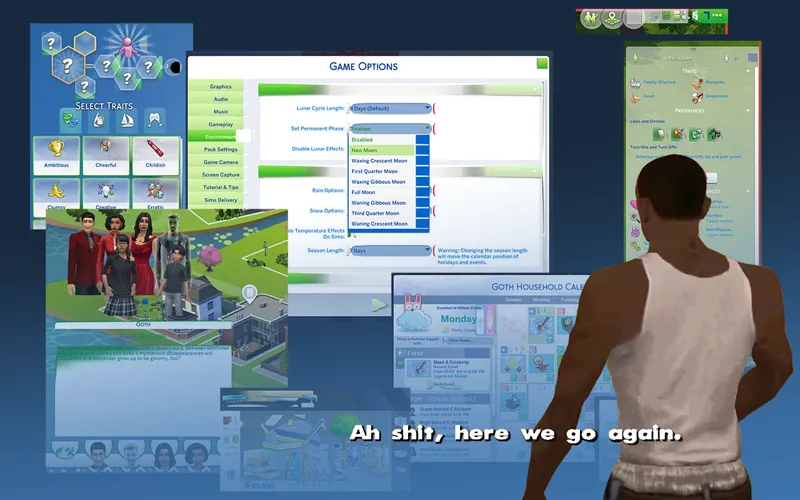
All major UIs have been properly recolored ^^ From now on, mod updates will focus solely on recoloring new UI elements and updating altered files on future game patches.
Some texts & UI elements will revert to original due to mod conflict reasons (only if you remove the conflicting files.)
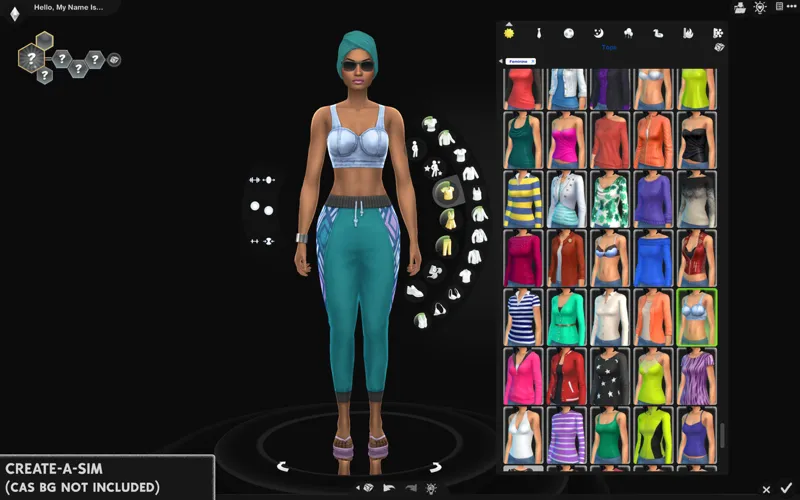
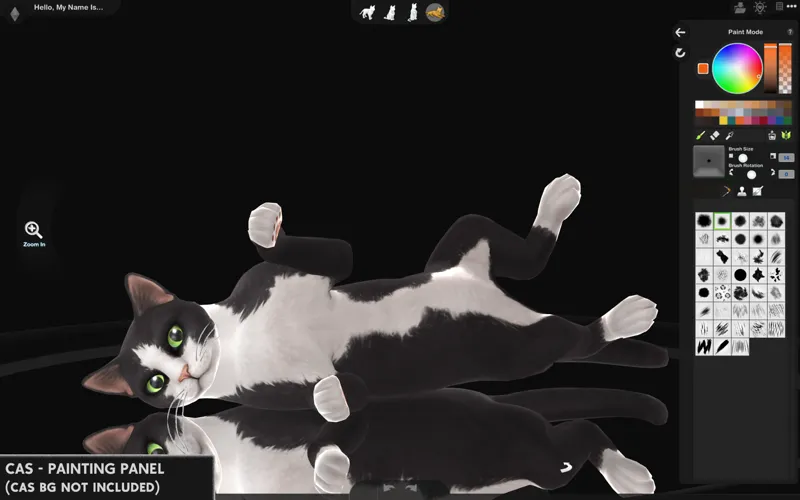
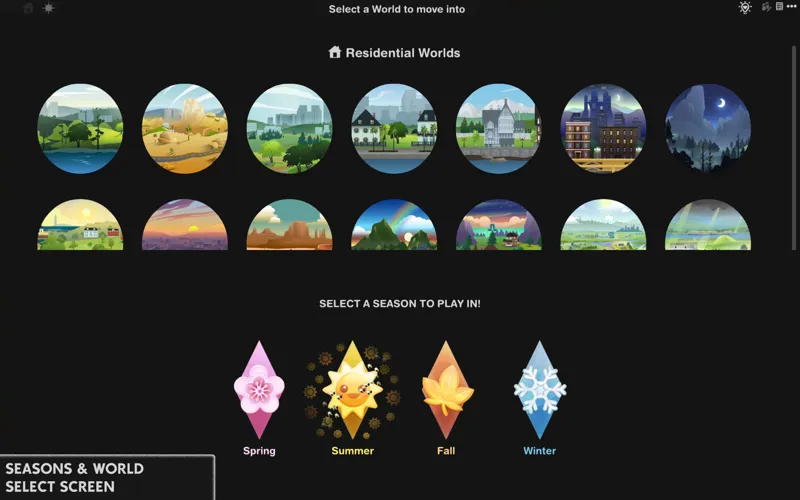
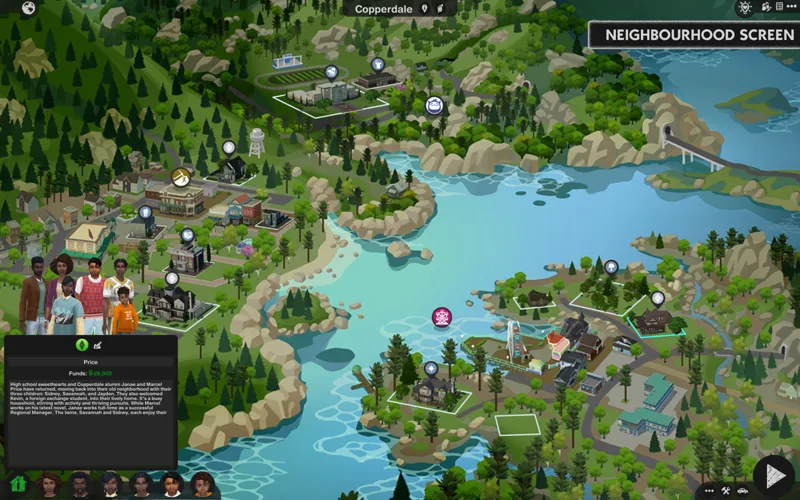
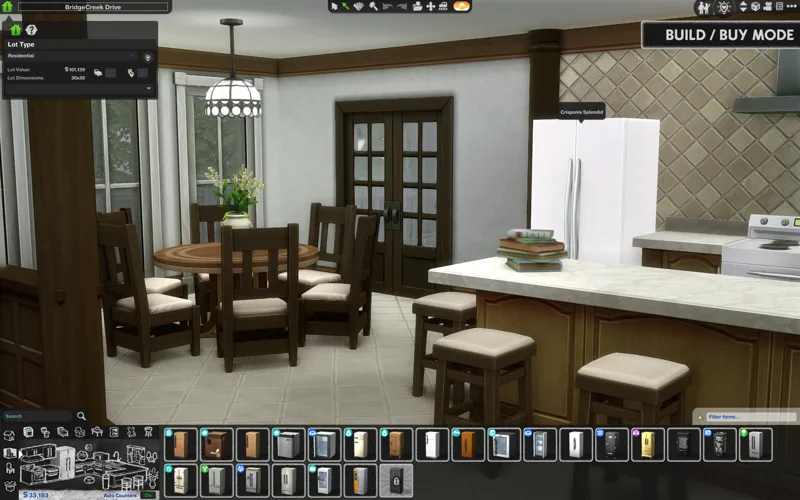
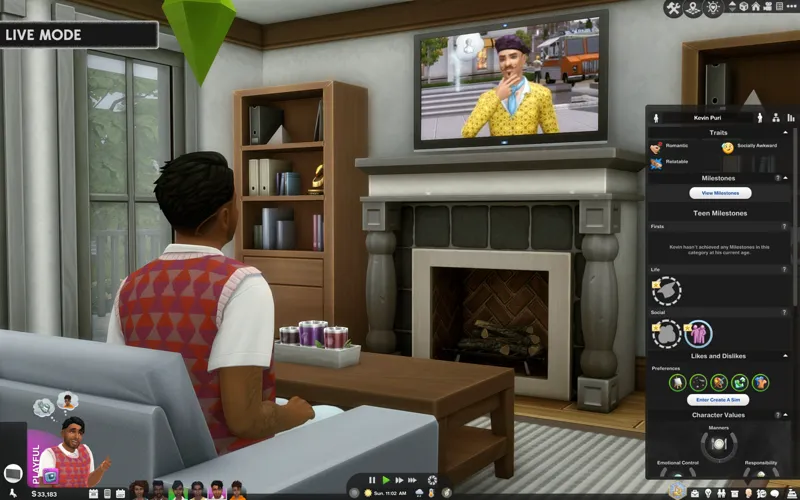
Preview what the mod does in the linked mod gallery. Each image will display the associated package file that it's responsible for.
📥 Installation
// Main mod
Before installing/updating, remove any old versions of Chalk'd UI whenever there's a new mod update and clear your caches.
Alternatively, keep the CONFIG folder and read the Changelog on which files have been removed/changed and update the affected files, and completely delete & replace the "Text" and "Texture" folders to avoid redoing the config.
Download & extract the Chalk'd UI zip file into your Mods folder.
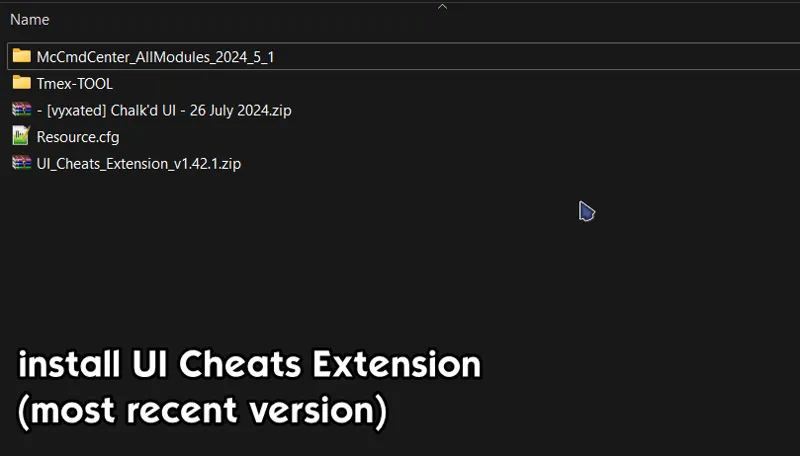
Install the latest UI Cheats Extension mod and make sure it loads after the Chalk'd UI mod (if not, a lot of texts will remain blue and some UIs back to white).
Please read the README txt file located in "_CONFIG" folder and remove files if you use any conflicting mods. You can go to the Known Conflicts section to see which mods are affected.
If a folder has the "__" prefix: choose only one file from within to avoid duplicates.
If a folder doesn't have the prefix: delete folder if you use the conflicting mod.
// Extras
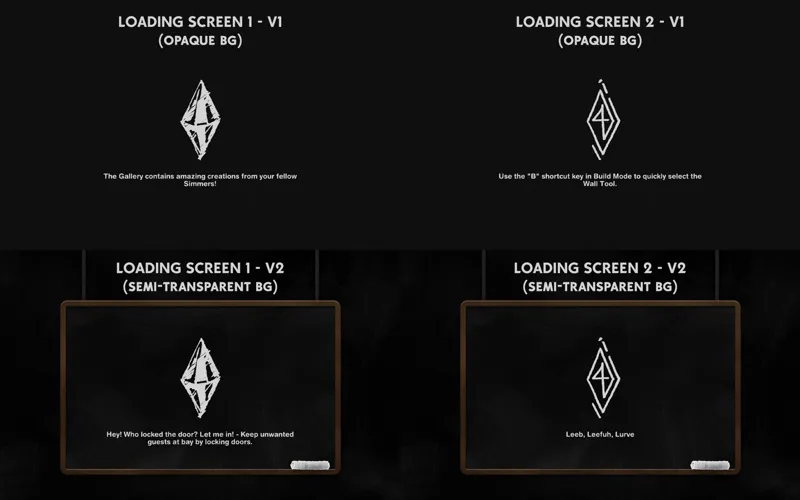
[Chalk UI] Loading screens - loading screen files. Only choose one.
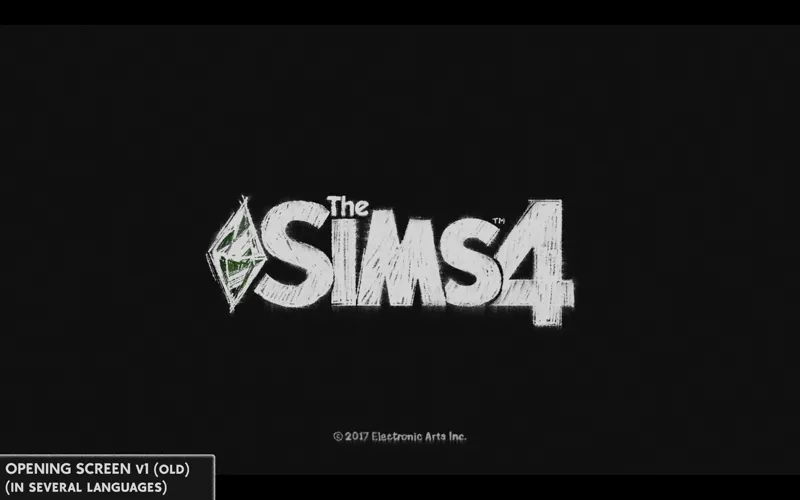
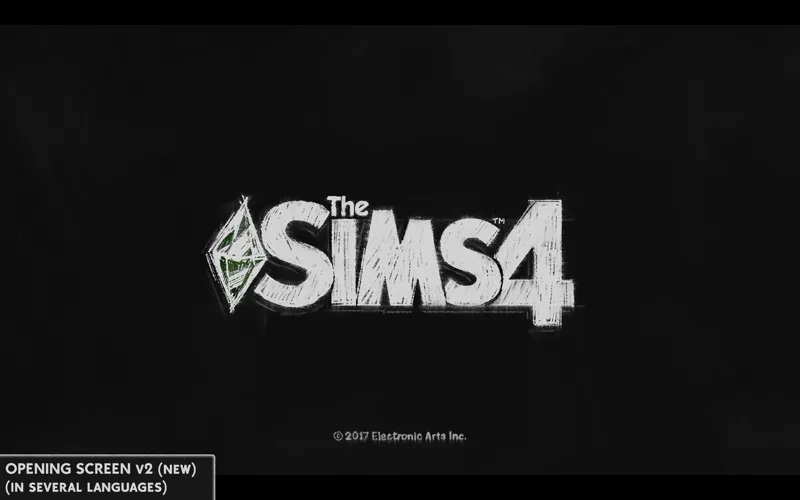
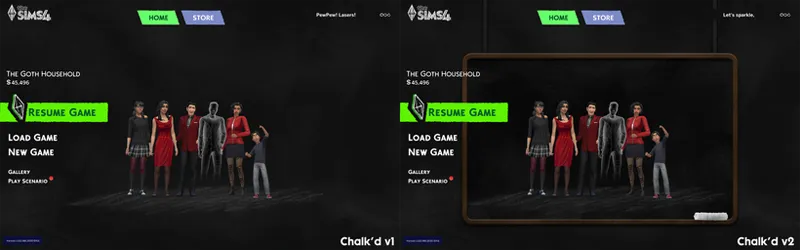
[Chalk UI] Splash screens - file to replace the TS4 intro screen. Choose depending on which game language you use. 2 versions: v1 (original) & v2 (updated)
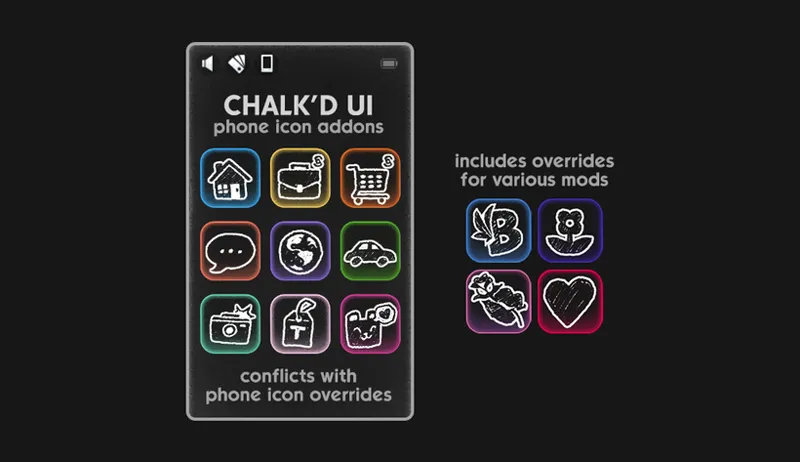
[Chalk UI] Phone icon Addons: pick & choose depending on which mod you use. Also includes EA icon overrides.
EA Notif: optional file if you prefer to keep the notification in its original color scheme.
🔗 Installing and Troubleshooting Tips
Encounter a visual glitch or LastUIException with this mod installed? To help with troubleshooting:
Info about UI mod version + current game version + UI cheats version (make sure any previous versions are removed before installing and they are all updated to the latest version.)
Test with only Chalk'd + UI Cheats installed without any other mods to determine if the error is fully caused by Chalk'd or other mods. If so,
Where you encountered the error/glitch and the action that generated the LE. This will help me replicate the error and fix the affected files. The more detailed your report is, the easier it will be to help and isolate the cause ^^
Example 1: opens Gallery > out of place buttons and icons.
Example 2: opening Calendar > create new Getaway event > add/select Custom Role > add Role Activities creates LastUIException.
🖥️ Mod-related Info
// Recommended mods to complete the Chalk'd UI / sketchy look:
any of my CAS Background overrides in black recolor
CAS organizers in TV / cam / postage
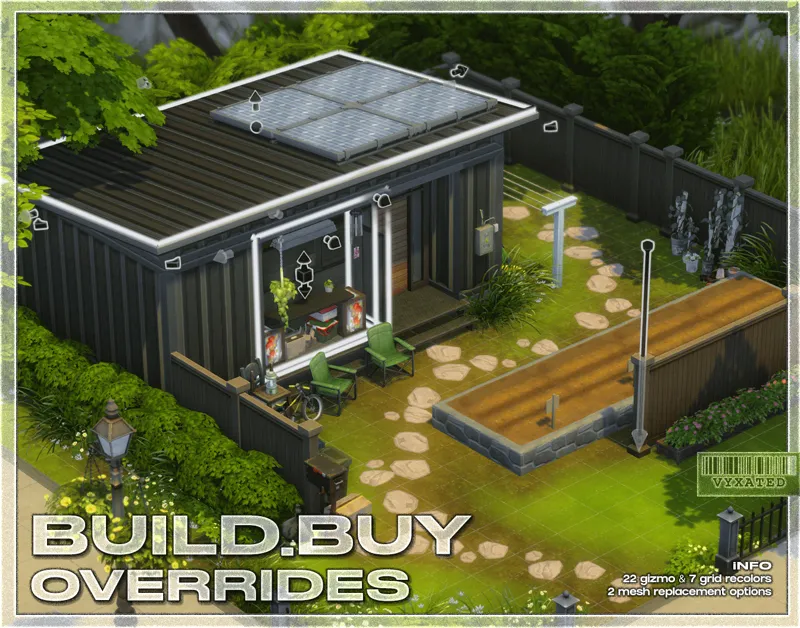
buildbuy gizmo override (outline mesh + chalk'd swatch + grid recolor) or flat build/buy gizmo in black
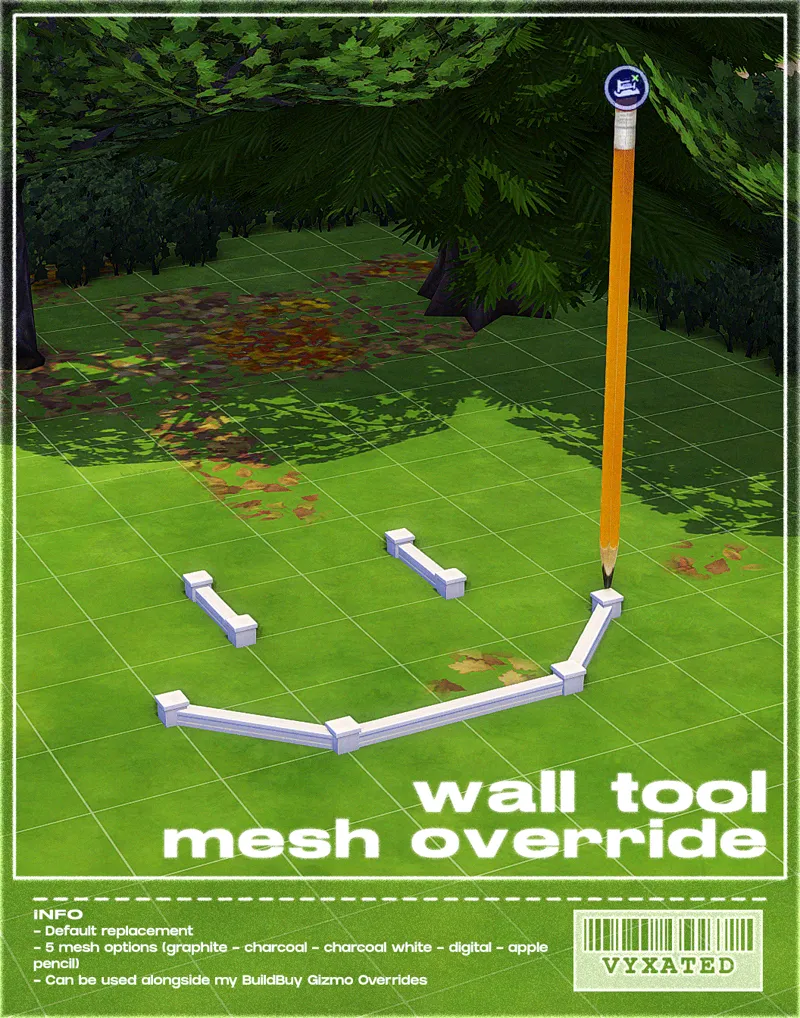
wall tool override in charcoal black/white
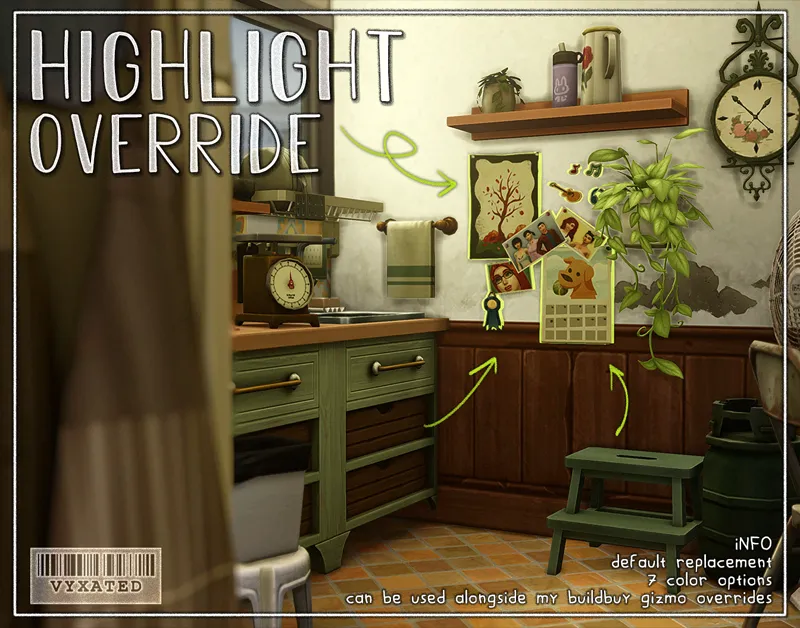
highlight/outline override in black
// Compatible Mods ✅
UI Cheats Extension by weerbesu - original mod required
Full dark mode compatibility w/ UI Cheats Extension (latest version required to work). To avoid any issues, keep the original mod in your mods folder (both .package and .ts4script) and have it load after the Chalk'd UI mod to ensure texts & UI elements are properly recolored.
⚠️ Not installing this mod will cause several UIs to disappear when switching between game modes/UIs.
Small Business mods by LunarBritney ✅ as of April 16th '26
Full dark mode compatibility w/ More Small Business Employees (original mod required) and Higher Activity Limit.
UI Mods by SimMattically ✅ as of March 10th '26
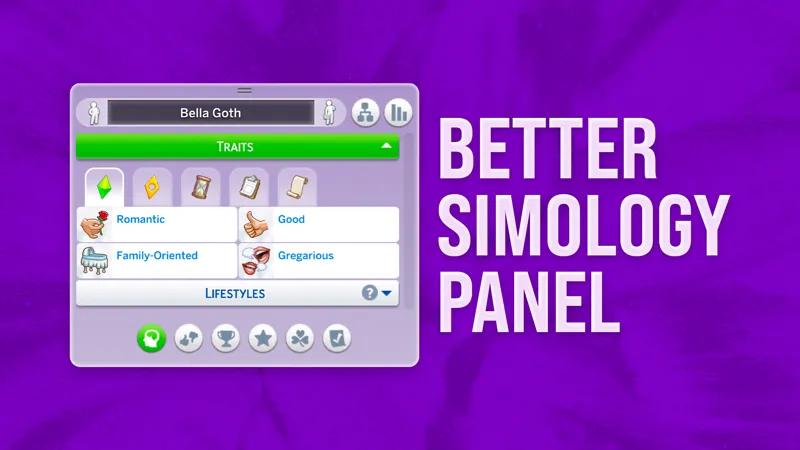
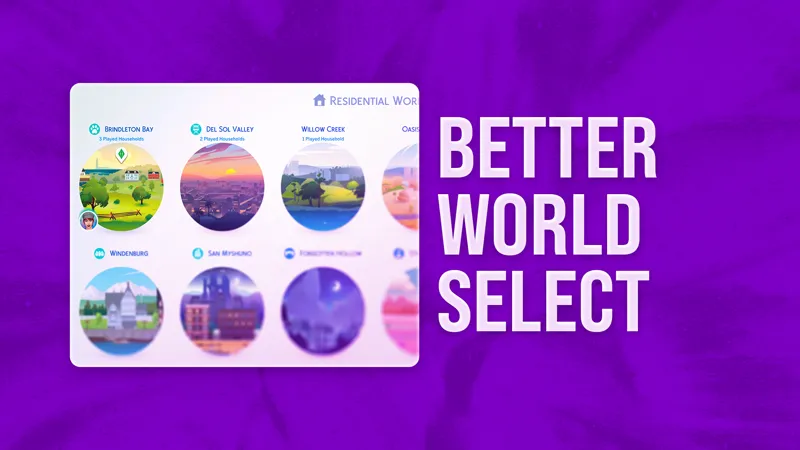
Full dark mode compatibility w/ Better Simology Panel v1.2.4 (UI Cheats ver.) and Better World Select v2.1.1.
Original mods are not required since my files are built using the mods' base files w/ permission.
Refreshed Moodlet Panel by tyjokr ✅ as of September 2nd '26
Mods listed below currently works with my UI mod as I don't modify the files found in them. If you happen to come across conflicts, do let me know ^^
Better BuildBuy by TMEX
Remove Sims from Conversation by thepancake1
Color Sliders by thepancake1
More Column in CAS by weerbesu
More Traits in CAS by thepancake1
// Known Conflicts ❌ (please read)
All identified files that conflict with other mods have been placed in the "CONFIG" folder. You can remove files if you choose to use any of these conflicting mods or keep if you don't use these mods. Instructions on what to do will be found in the README text file found in the folder.
🔧 Custom wrench icons: can be edited to add your own custom wrench icon.
UI overhaul mods (Dskecht's UI mods, Sims 2 UI, Pastel UIs)
Family tree mods (SimMattically's Bigger Family Tree and TMEX's Better Family Tree)
Phone UI mods (SimMattically's Customizable Phone and TMEX's Phone Search)
januksenkosketus's Moodlet Panel Always Open
No Map Lot Outlines by MizoreYukii
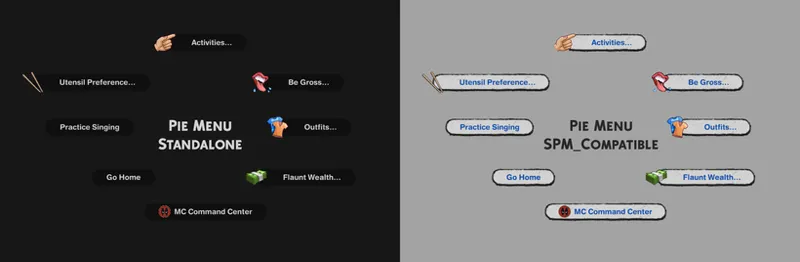
Various mods by TMEX (TOOL, Smarter Pie Menu, More Rentals, Searchable UIs)
Phone icon override
📜 Credits/Resources
S4Studio, UI Texture Squasher (CmarNYC), Image Viewer (luniversims), JPEXS Flash Decompiler
Loading screen tut, splash/opening screen, UI/world map override tut, UI setup, phone icon resources by xosdr
Base files from weerbesu, LunarBritney, and SimMattically mods
📋 Changelog
Small updates
// 24 September '26
[CONFIG] Tyjokr - Refreshed Moodlet Panel
tyjokr_Compatible file has been updated to receive the new moodlet options (see tyjokr's post here). For players with game set to other languages than English, you may want to download the original mod since the translations are not included with my file.
Added simplified screen slams
// 1 September '26
Updated for UI Cheats v1.59.1
[CONFIG] Moodlet Panels renamed to __Tyjokr - Refreshed Moodlet Panel. Compatible file has been added to work with the Refreshed Moodlet Panel mod.
Individual file DL: "Chalk'd UI - 2 Sept '26 fix"
// 13 August '26
Added new phone icon recolor for one of adeepindigo's mods
[CONFIG] TMEX - Searchable Recipes compatible files added
// 25 July '26
Updated for July 21th patch (Auto-save setting) and UI Cheats v1.57
// 6 July '26
Updated for June 30th patch (Store related UIs + Festival Notif settings) and UI Cheats v1.56
[CONFIG] Updated GUI (Wrench icon) text & texture files
[CONFIG] Updated Better Simology Panel compatible file (1.2.3 >> 1.2.4)
[CONFIG] Separated "Sim Info - Tray n Phone" files into its own folder to configure if you use other Phone UI mods. Check the README txt file for more info.
// 23 May '26
[CONFIG] Fixed GUI (Wrench Icon) texture
📂 Alternate Link: SFS
Comments (721)
Hi! Would you ever consider doing the ui recolor in a muted white? Not bright, just muted like oatmeal. lol
Hi, i recently updated this mod and came across an issue, I used it with TOOL only and the exit pop up and the tool pop up are both broken, everything else is fine its specifically those two and the TOOL incapability pop up isn't showing any issues neither is BE or MCCC. I was told to contact you about this issue, my apologies, This started from not being able to use the "search in BUILDBUY" without the game crashing.
Hey~~I love this UI so much, awesome work! ❤️ but I have a quick question—the text in the moodlet/buff tooltips (when hovering over emotion icons) is a bit hard to read for me because of the dark text on dark background. Do you know which package file controls that specific panel so I can remove or tweak it? Or is there any fix for this? I've attached a screenshot just in case. Thanks a lot~
Oops, realized I can’t attach images in comments! It’s the blue text on dark gray background in the moodlet description tooltips. Hope that helps clarify! 😅
Hi! I love your UI mods! Would you ever consider making a white UI with black text? I’d absolutely love to have one like that!
Not really for the white UI since Glass UI already tackles that, but a standalone font/text recolor that can be mixed with any of my UI mods doesn't sound too bad 🤔
This mod doesn't seem to work for me, the load game screen and the save game screen does fill with chalk. The pie menu isn't in chalk. The refreshed moodlets panel doesn't seems to work even with the compatable one. This makes me feel very fustratred with the gameplay. For now, I will remove all the associated file of your dark mode UI mod into the new folder until you fix the issues that I said beforehand.
All the things you mentioned are listed in the README text file found in CONFIG folder, which lists in detail what mod conflicts with Chalk'd, what you can do to remove/reduce mod conflicts, and how doing so will affect the visual of some UIs. I cannot make a full dark mode compatible files for all UI mods out there, so the very things you mentioned are the result of the decisions I have to take to make sure this can work with as many UI mods as there can be.
Hey, i don't use this mod for long, but i love dark mode and i'm downloading it again. I'm a bit confused with the new config folder, but i will test it in a bit. I just really don't like the phone icons, because of the textures, so i try never use it. But besides that you're amazing for making this mod, it's very easy on my eyes. I have central heterochromia, and i barely can stand lightful things. I don't know how anyone can even deal with white designs for long. I have youtube, and everything dark modes, and sims is fine as blue, but black is even better. Thank you Vyxated. Also ignore the rushing to update stuff. People have lives, and it's great when it's fast updated, but we lost many creators due to this. Don't let entitlement ever affect you that way. Have a great time.
hey i got a exception about this Mods\- [vyxated] Chalk'd UI - September 24 2026\GFX-Text files\Live_2 - Notebook - Text.package ive never got it before idk if its a bug or not just wanted to let you know its just a Better Exceptions UI Exception Report it doesnt give much detail
it says "Detection Type: BROKEN UI Mods" i did update the mod
so sad about conflict with TMEX mods, especially TOOL
i love this mod sm!! however, im having an issue where the menus overlap each other - for example say i go to save as, and i click new save, i have to close that window in order to get to the window to name the file and save it - or when i click the menu button to exit the game, i have to close out of the menu in order to click the window that asks yes or no to exit! thank you!
If you use TOOL, you may want to delete the Standalone file from me found in CONFIG. The readme text file should tell you which file you want to remove.
im having an issue where everything is recolored except the bottom bar section. What could be the cause of that?
Probably Plumfruit mod. There's no compatible files for that yet.
Thank you! ❤️
DO NOT UPDATE UNLESS YOU CAN WAIT FOR AN UPDATE :)
Hi! First of all thank you so much for creating all these UI mods, I really love them :) However I was wondering, if you had any plans to make this UI compatible with SimMattically's "Challenge Tracker"? It currently doesn't show up in my game at all with the UI installed.
Hello, It's me again, sorry to bother you but i was just wondering if the "immersive world" mod is compatible with this ?
Delete the Better World Select folder in CONFIG since that's the mod Immersive World Select suggests to delete
pshh, nvm this looks complicated a hell to install 🤔
it's actually pretty simple, what do you think makes it hard?
Hi vyxated, some of the text overrides are still not working for me in game even after the update, like the moodlet panel and the fridge menu, so some things are unreadable
Hi, Vyxated, I love your UI mods so much and i just had only one question about the wall* notifications because they're still the same default color and i was wondering if a notification recolor was included or if im not putting in the right file or if somethings conflicting? please let me know!
It is already included. This only happens if you have the EA notif optional file installed.
Hello! To anyone who have issue with live mode sim tray still being white. It because file version August 13 is missing live_1-sim info tray n phone package. Just use the archive version or wait for the update.
The sim info tray file was moved to the CONFIG folder since I've added both standalone and compatible versions that work with other phone mods (like SimMattically's customizable phone or TMEX's phone search). The only difference with the compatible file is the phone background reverting to original, otherwise everything else retains the dark mode. If the UI is still white, then it may be conflicting with phone mods that alter the texture themselves, like Arnie's plumfruit mod, which has no compatible counterpart as of now.
Is this compatible with the Challenge Tracker mod?
It's currently not fully compatible, although if you configure the load order you can keep the challenge tracker mod's functionality albeit missing UI recolors in small select areas of the aspiration panel.
Hi there's been an updated to the UI Cheats and with it the blue text is showing on the moodlets versus it being white. I isolated the mod using only the chalk'd ui and ui cheats and tested it out that way
Its a mod conflict most likely, the only issue i have is UI cheats and that just means you need to wait for an update. Also there's a difference between letting them know that the mods is causing a glitch and sounding entitled, I even had to correct my own comment.
You're mod is working perfectly except the UI cheats portion
Is this compatible with the latest patch?
Hey hopefully you see but for some i cant get ea notifications to show of chalkd i actually had this for a while only 1 time EVER was i able to get it to work but it was a minor inconvenience to me so I just figured I stop by to see if u got insight while I organize mods and what not
Do you mean the notification panels not showing in dark mode? You'll need to remove the optional EA notif package if you have that installed, since the file reverts back the notif panels to blue.
Hi! Not too sure if i got things wrong or just dumb asf. But i have done EVERYTHING accordingly to ensure that my game fully runs on darkmode. (I only use simmattically's better simology pannel) so i included that in my config folder(compat file version) but still have some options stay white (Game options tab, save game tab, household panel tab, options bubbles when i click on object or sim as well) I also ensured that chalk ui loads first and everything else (ui cheats) loads after.
Did you remove the GUI texture to use other custom wrench icons by chance? The GUI file is the one responsible for most of the UIs you mentioned. As for the pie menu and save game menu, it's only if you remove the standalone files to use TMEX's searchable pie menu & smarter save menu. The Readme txt file included in the mod folder should tell you in detail.
job menu missing
Hi! I wanted to ask if you’re planning to add compatibility with Immersive World Map | The Sims 4 All-in-One Map Selection Screen by SimMattically in the future? I really like your UI replacement mod, but I’d also love to use it together with this map replacement. Do you think compatibility with it might be added at some point? Thank you!
is this mod compatible with the plum fruit essentials mod
Hi, I'm not sure if I figured this out before and just forgot or if this is a change, but I can't find any compatibility info on it, so in case you're not aware, the current version of `1_Main menu - Store - Text.package` isn't compatible with main menu overrides that remove the ads and/or the moola box on the main menu, since they both override the engagementlibrary file.
Ah, it's incompatible indeed. I made the file mainly with the Refreshed main menu mod in mind since it didn't modify the engagementlibrary file. The store package only modifies the marketplace UI so you can safely delete it without affecting other UIs ^^
Searachable recipes from tmex does not show when this is installed and I see its no compatiable file or it either
Hello! I'm having a problem. The buttons are lagging. For example, when I enter Build Mode, the bottom panel stays the same instead of switching, as if it's frozen. The same thing happens with other buttons they lag and sometimes don't respond at all. The theme itself works, though. I tried to find out what might be causing a conflict, but after spending a lot of time troubleshooting, I still couldn't fix the problem. I'm using the latest version of the game. I really love this theme , and I don't even want to play without it. Has anyone else experienced this issue? I'd really appreciate any help, as I'm not very knowledgeable about this kind of thing.
Im not sure what I've done differently in the download process from past versions cause I'm following the same process I always follow but for some reason my live mode UI is white while everything else is in dark mode pls help
Same. I have been experiencing the same issue. I genuinely thought it was my pc. I can only repair my game so much...
The bottom bar of my game isn't in dark mode; I don't know what to do.
Did you figure this out cause i have the same issue
i think phone icon override doesn’t work with adeepindigo anymore, they changed their mode and added new phone menu in new tuning file so current adi override has nothing to override.
THANK YOU BAE
I'm trying to solve an issue I've been having since the latest update. The UI bar where the Sim's portrait and moodlets are displayed isn't turning black. Everything else in the game works perfectly fine, except for this bar, which stays white. I'm not sure what could be causing this. The other UI mods I use are Better Simology Panel and Better World Select, but I always make sure to use the correct compatible files and versions for them :(
I have both mods in and it works fine, I would double check your other mods and make sure you have simmaticallys mods folder with the ( ) around it so it loads before other mods
Do you know if it is compatible with the update on july 25th?
is this compatible with the most recent update (7/21)?
Probably not. It's only been a day and i do not have time yet to update and check things out.
idk if this question has already been answered but will this mod ever be compatible with Plumbfruits phone mod?
Only if it's confirmed to be working just fine. Is it generating any LEs?
I had a very strange encounter the other day, when I removed the vyxated folder with the chalk´d ui from my game, and tried to load without it, my game crashed. Does this mean I can never play without this mod like ever again ?
Try resetting your caches. Removing the Chalk'd UI folder shouldn't do anything except removing the UI recolor from the game.
i think i broke it idk how but instead of the text being white text on black ui rn 80% of my text is blue idk why
It's due to a mod load order issue. Fix it by moving the UI cheats file around.
Would you be willing to add the previous version ( 23 May '26) to the UI mod archive? I would love to use this <3
Could you help me via private message? This mod isn't working for me, and I've tried everything.
hii, there are certain buttons that are loading as ea default ui, like the filter panel in cas and all buttons in the main menu panel are ea default except "game options" do you know what could be causing it/how to fix it? they're not glitching, it looks like there just isn't chalk'd texture for those buttons
It happens only if you'd deleted the GUI file to make way for custom wrench icons.
my fav mod, i can't play without it and i'm so grateful for every update! i hope you're always fine and well rested 💖💖💖
Hi! Just wanted to let you know that whenever I tried open the marketplace and tried to download some of the kits packs, there is no download options as its like have others of layers blocking it if that makes sense? and also blocked me to see the gamepacks
I'm unable to add pets from the gallery/library into the household in CAS and Better Exceptions pointed to this file: "CAS - Menu - Text.package"
i have one quesion and one only what is i just want the ui that you see in game play and worlds? what files do i keep?
So glad I got this working. I LOVE it.
Hi! I’m having an issue with the latest version of Chalk’d UI. The Inventory, Career, Skills, Relationships, Phone, Calendar, Build Mode, and other UI buttons only work the first time I click them. After that, they stop opening until I restart the game. My game is fully updated, and I’m using the latest version of Chalk’d UI. I also made sure that I downloaded and installed all the required files correctly. I removed all my CC and other mods to test it, and the issue still happens even with only Chalk’d UI installed. I’m not sure if I’m still missing any required files or if this is a bug. Is there anything else I should check? Thank you!
Is UI cheats installed to the latest version? Both the package and ts4script files.
Hi! I'm having problems with the inventory, work, skills, etc. buttons. They just don't open for me, they only open the first time I press them and then not anymore. I don't know if it's because it's broken or if I'm missing something to download, thanks :)
It's usually from not having UI cheats installed. Other bugs/issues unrelated to the one you mentioned is due to the recent patch since this mod isn't updated yet.
The only thing I’ve noticed is that's new is the settings are missing for the notifications options. I’ll let you know if I notice anything else :)
hey! i was wondering if we could look forward to seeing an update to include compatibility with SimMatically's new mod legacy challenge tracker? I found that his mod only loaded into my game when I took yours out. Thanks again! I absolutely love your work chalkd ui is basically an essential for me now! so thank you for all you do :)
I have both mods in and it works fine, I would double check your other mods and make sure you have simmaticallys mods folder with the ( ) around it so it loads before other mods
Is it normal for some parts to be blank?
Will you be adding a file to make Simmatically's challenge tracker mod to be compatible? I can't make that pop up with dark mode installed for the life of me 😭
Would be great for TwistedMexi's Phone Search as well. Just straight up doesn't appear with Chalk'd installed.
hello! im not sure if this is just me but im pretty sure this mod is broken. could u please check if it is?
00_Live Mode_Text Overrides - weerbesu_UICheats_v1.55_REQUIRED seems to be causing issues for me, i have latest updates for this mod + ui cheats. noticed it firstly with infants in a high chair, gives me an ui exception and their portrait disappears, then i travelled with them and my portraits disappeared into blue boxes and couldnt swap characters + ui exception. removing this ui recolor fixes this.
I apologize for the constant reports but I also noticed it in the text box for typing out the name of your saves being hard to ready as well. Unless thats the cause of a mod then I will definitely check
Thank you so much for this mod and the fast updates! I do have a question, are there any specific mods that mess with the color in the clubs section because i can barely see the different tabs for the task but the individuals tasks are fine.
Should be fixed now. Thank you for the report 😄
ever since i downloaded this ui i havent been able to actually save my gameplay, like it enters the saving screen and takes ages to save but as soon as i press ESC the screen goes back to normal without saving, does this ui conflict with anything ? If not i think ill just have to remove it sadly, i hate bright uis
First of all I'd like to say that this mod is a lifesaver for disabled people. Not just the dark UI, but all the utility features like the easily accessed save button make the game a lot easier on me as someone with an undiagnosed mystery illness that destroyed my life. Thank you for creating this. Aaand to get a bit off-topic.... the base layer option is not showing in CAS. It's not important and we've gone without it this whole time, but just something to note.
Hey, and thank you so much! I'm really happy that it has been helpful for many especially those with visual impairments :-) and you can thank SimMattically for some of his mods that I get to incorporate with Chalk'd As for the base layers, you'd need to update either More CAS Columns or CAS Unlocks mod if you have those installed, as Chalk'd isn't overriding any of the files that would affect the category's visibility.
Hey Hey i downloaded this UI and it started messing up after a while where nothing on the UI wanted to work or come up when you click on them. Thought id let you know. I love the dark mode and cant wait to use it again
Ui cheats must be installed.
Hi, are there supposed to be duplicate files in this override? The Textures and GFX folders contain CAS files with the same name.
Text and Textures are 2 different file names, so no, no duplicate files there.
Thank you so much for such a quick update!! YOU ARE APPRECIATED!!
Btw, I wasn't in the impression that this mod broke after the May 12 patch. Mayne that's a good thing?
Visually, only 2 UIs broke. In reality, there are 8 other files that needed an update, otherwise you might end up with missing features and last exception errors popping out :-)
Thank you so much! Now I can update my game.
Hi, I think this needs updating since the latest update I keep getting a last exception :)
Is this compatible with the recent update? Just want to know before I update my game. If not take your time by the way, I just refuse to play without it.
Nope, few things are broken but not too many.
I love this mod, but unfortunately I was forced to use a different dark mode interface, since the creator only supports the latest versions and I don't want to update my game because of all these problematic updates. But I hope someone has version 1.121.372 and can share it for download, because this is the best dark mode interface out there.
There is an archive that includes a version for that game version https://www.patreon.com/posts/124193490
I'm not sure what I'm doing wrong but I keep getting a Better Exceptions UI Exception Report as soon as the game starts loading. The game does load. Is it because UI Cheats was updated to v1.54?
I'm having the same issue
Love this mod, it is so cute when it loads up, but after it finishes loading I get a black screen, likely from the last update I just wanted to report hope all is well <3
same
Thank you so much for your hard work, you make the game much more enjoyable.❤
new update broke this mod i cant see out of it when boot into game loading pop up and go into main just black cant see anything and i love this mod make it easy for me to read because i colors blind blue and white and cant read black on white because white over taking black that why this mod save me headache
Sorry for the late reply. Do you have any main menu overrides that need updating? And make sure you remove existing Chalk'd UI files and redownload & reinstall the mod from scratch.
I never was able to get this to work without causing ui exceptions, and most of the time it is stuck on the loading screen when I try to open a save or start a new save.
Have you tested with just this mod in its latest version and UI cheats installed, without any other script mods or UI mod overrides?
Hello! How can I make this work with colorful combability icons? Like these: https://sims4dailyplumbob.game.blog/mods-cc/mods/more-colourful-icons/
You can delete this file: Sim Info_4 - Relationship panel Icons
Hi, I wanted to know how do I get this to be compatible with Simmattically's Customizable Phone UI mod. It doesn't seem to work when I put in the Dark UI mod and when I remove it, it works. I've tried deleting what I thought the files that might conflict but it still doesn't work and I really want to use both mods at the same time.
You have to make your simmattically folder have higher priority. He has a link on the download page that explains how to do it. That's how I got it to work.
I noticed that UI Cheats Extension was updated to v1.54 on April 20th. I've been using this mod alongside v1.54 and haven't run into any issues so far. Still, I wanted to let you know about the update and check if you still recommend using this mod with v1.53 instead.
You can use v1.53 as usual, it'll just be missing the new trait cheat that was added on v1.54. I plan on adding that later in May when the game gets an update.
Hello, I am Brazilian and I wanted to say that I loved the dark mode. But I wanted to download the plumbob from inside the game, dark mode version, and I can't find the link
https://www.patreon.com/posts/96733235
I’ve always used vyxated’s mod, but there’s one thing that bothers me. The in-game notifications have a black background, but behind them you can still slightly see the blue bar. I don’t use any other UI replacement mods, so I’m wondering if I might have accidentally deleted an important file without realizing it, or if it has always been like this. Ever since I started using it, it’s been this way, but it’s starting to bother me. It’s a small detail and easy to ignore, but if anyone knows what might be causing it and can help, I’d really appreciate it. And vyxated, I don’t want to take advantage of your kindness, sending you a big hug! I love your work!
It's always been like that, though I could recolor it for the next mod update, whenever that may be.
hello, here for a niche question. i’m using nori override for cupids corner but i love your phone icon overrides. i noticed icons file has only dst images, will i break something if i’d delete image for cupids corner in your file or its fine and i can freely combine nori and your override?
No it won't break. You can freely delete the dst image
Thank you for the update! I only have concern, the blue text in the buff/moodlet is kinda hard to read. Is there a way to make the blue text white again or the background white again?
NOTICE: the April 16th version of this mod has not been tested yet with the April 16th game update that came after the mod update, because of course the game decided to receive a new update right after I updated mine
Latest update fixes issues regarding getaway and small business UI, along with visual adjustments to existing UIs. Thank you for waiting :-) All of the modified files can be downloaded separately for your ease!
Hello I would like to know how I can get the previous version, please. My game is on version 1.121.372.1020.
Can i have the 1.121 version?
Better exceptions says the smallbiz panel-ea package file is broken & i cannot add business activities or manage employee tasks with this in game. But when I remove it I am able to, however the dark mode color goes away in the business window. Is there anyway this can be looked at & fixed please?
I plan to fix it this weekend. In the meantime, have it removed to avoid getting LEs
Hi I absolutely love this override so much! I dont have any issues with the ui in itself but i just wanted to know if there was a way to remove the black background when you hover over the moodlet, I find the text difficult to read at some points. Do i need to remove a specific file from the folder?
CONFIG > januksenkosketus - Moodlet Panel Always Open > delete the file within. This will revert it back to the original white, just fyi ^^
Hi, event targets are not showing to me
Hiya! Not sure if this is the right place to ask about such things, feel free to delete if not! I wanted to ask if it would be possible to make a compatibility between your Chalk'd UI and the Plumfruit Essentials 2.0 phone ui mod? 🥺 Along the way, i also wanted to thank you for your hard and amazing work, big thank you <3
I have plans to, after arnie releases the super mod pack that was mentioned in the recent post, since I can modify the file freely after it's released :-)
Vyxated, if you can tell which package to take out to fix it, please and thank you! Edit: When you get a chance can you tell me which package changes the phone text color too, I cant see the text
Hey Hun, I noticed a glitch in the settings menu, when you click on the sims delivery option, it doesn't let you close the menu and it gives a LE UI, if anyone has this same issue, the workaround is reseting your settings to default but from what ive seen it's not game breaking. I did notice that the sims delivery express isn't on the settings without the mod now which is weird.
Don't know if anyone is having similar issues, but this mod is causing the "infinite loading screen" glitch for me.
It's not this mod.
The small business panel does not allow me to select activities, either with the EA standalone, or with Lunar Britney's mods installed.
I have this same issue
Hey, I'm having issues with the custom venue/getaway menu. The schedule part is bugged and doesn't show anything, just a lot of WWWWWWW. I opened my game with only chalk'd and ui cheats installed just in case and it still happened. I made sure I don't have conflicting config files too.
i have the same problem :(
Hi, I love the work you do, it’s truly amazing. I was wondering if you’ve ever thought about making the Chalk’d interface compatible with Arnie Plumfruit’s Essentials mod. Right now, there’s a conflict between the two, I think because they both edit the same file but only modify the Calendar, Notebook, and Phone, oh, and the Business icon too. Well, thanks in advance🤗. If that were possible, it would be great for those of us who don’t want to give up either mod.
I would love to second this! I would love to see a compatibility folder for this mod. ❤️
Can i have the 1.121 version?
i'm also looking for it!
First of all, thank you for making this mod, my dark mode self loves it a whole lot! Unfortunately, I have an issue that I am trying to troubleshoot. The ui that usually stacks on top of each other, ie exiting the game and the popup "Are you sure?" going on top, now stacks beneath the previous ui. It doesnt stop me from using it, just an annoyance. I put the ui cheats mod inside of the first layer of the chalk'd folder, but am I supposed to do something else or is that not the cause?
Hi! Sorry for the late reply. If you use the TOOL mod, make sure that is updated. It's usually the cause for dialog UI glitches
Thank you!
tysm <33
o melhor!
Hello, I can't figure out which files I need to remove so the text in the phone menu isn't blue? Could you please tell me?
Thank you <3 I appreciate you
Thank you so much💃🏿. I never update my game until this is updated. It's so hard to play without, plus it's easy on the eyes. All my electronics are on dark mode🤣
GOD THANK YOU
TE AMO
Thank you 💕💕💕💕
Thank you sooooo much!! you're awesome!! 🌟🌟
Changelogs have now been moved to the bottom of the post (up to two updates), along with links to useful information. Read those please, before commenting, because almost every answer to your questions can be answered by simply reading those. And always check the first paragraph of this post, that'll answer your question whether this mod is outdated or not. I've also now specified which files have been edited in the CONFIG folder, so that you can update each files accordingly without having to redo the entire configuration. You'll still need to remove the "Text" and "Textures" folders entirely, since I may occasionally remove or add files to those folders.
OMGGG THANKKYAAA SO MUCH I APPRECIATE YOU! 🩵🩵
i would like to see a medieval ui
Hello I have been trying to replace the pie menu in ur mod with a different one and I don't know which files to delete 🥺....anyone can help
If you updated none of them should be in your game until there updated…
i know shits broken atm, but this is more of a " can you " than a " fix it pls " kind of thing. i was wondering if you've ever considered making chalk'd ui (or any of your other ui's) compatible with arnie's plumfruit mod?
Oh, yeah, I was going to ask the same thing. If that were possible, it would be awesome for those of us who don't want to give up either mod.✨
i hate you went to fix this only for it to break again due to EA .... i know ppl are flooding you saying its not working, if only ppl read ish! so please take your time! SLOWY lol
hi there im new here so im not sure if its already being worked on, but this no longer works with the new update (my updates were turned on automatically i did not know :( )
Hey! This patch somehow prevents a lot of mods and even CCs to load in the game at all. I can't vouch for any of my mods to work atm nor work on those updates until they resolve the issue. Until then, you may want to play the game without this mod unfortunately.
hellooo! there's a problem with ur UI where when i try to pass a heirloom to my sim the ui there glitches(where u get to choose the sim that recieves the heirloom) and i tried using ur other ui mods and it works fine, I just dont what causing the glitch. and i sent u a picture on tumblr too cuz i actually dont know how to describe it properly and everything works just not when u choose to pass a heirloom :')
Hey! I saw ur message & pic :-) it would be caused by "Live_2 - Social bunny - Text", the same file that's currently causing issues with the Stay Over UI. You can remove that for now as I'll update it for the new patch coming riight around the next day or so. Thanks for letting me know.
Hello there. I love this mod btw and it is very helpful for me, being that I have vision issues. Thank you for that! I notice when I go to the Career panel like when it's time for my sim to go to work, nothing shows up on the panel. If she ends up being late, you cannot see "go to work" or anything. Did I download something wrong? I chose all Standalones even though idk what it means lol.
Standalone just means that my file will conflict with other UI mods that happen to override the same resource, and is meant to be kept if you don't have other UI mods installed. As for the go to work button, it shows up just fine on my end, unless it's caused by specific careers (custom or not). Make sure UI cheats is updated, and test to see if the error still persists when Chalk'd is not installed, as it could be caused by any career related mods.
hi, i just updated to your new files but i have an issue in the calendar and on the phone when planning an overnight stay, it doesn't recognise me picking the sims (says at least one sim has to be clicked when i've already clicked two) and i can't confirm my choice then, and the ui looks a bit messed up (better exceptions also keeps popping up) :/ your mod is the only proper ui mod i have installed, do you think it could be conflicting with something else?
Checked the files and it's the "Live_2 - Social bunny - Text" file that's causing the issue. Delete it for now, I'll get it fixed & updated for the upcoming patch ^^
Anyone missing the simology panel recolors (if you use the Standalone file) or the missing Balance & Imbalance UI recolor can download "Sim info_6 - Simology - Texture" and put it inside the Textures folder ^^ sorry for the incovenience
The career panel for me. There's a few menu options at the bottom where that is that light up yellow or lime green, i guess to let me know which ones are bugged or me downloading something incorrectly.
Hi! I didn't need the improved Better Simology Panel, so I only left the Standalone file in this folder. But then the text on the "Harmony" card turns gray instead of blue, making it hard to read on the green background (everything else is fine). Could you tell me if I'm deleting the wrong file or something?
Nvm my previous message, I'll fix that asap ^^
Don't know if it's just me, but with the new update the simology panel is impossible to read because all the traits have a white background and grey text. I tried it with both the original better simology panel installed and without (as per the update it's not needed anymore). I have the file labelled compatible installed in that section, is it supposed to be the standalone file instead since it's included now? Or is it a conflict?
Ah, I kept the background recolor in the Standalone file instead of separating them. For now keep both Compatible and Standalone file, I'll quickly fix the file setup. Thanks for letting me know ^^
⚠️ Please remove the old version and re-install the mod as I've moved files around. // 10 March '26 - Restored stair railing sliders and Royalty pack settings in the Game Options menu - Fixed Career Selector UI causing last exceptions - [CONFIG] Chalk'd UI now has full dark mode compatibility with Better Simology Panel (UI Cheats ver) and Better World Select by SimMattically. Original mods are not required since my files are built using their base files w/ permission. The Standalone version (w/ original UI functionality) is still available to choose from - [CONFIG] Separated the Family Tree text file into the CONFIG folder to delete if you use other family tree mods - [Phone Icon Addons] added new overrides for adeepindigo's Custom Nuptials, Lot51's Hotel Suite, NisaK's TamTam Tab, and thatssojordy's mods (Business Casual, Digital Romance, Growing Pains, and World Tour- some phone icons are still untouched). Several files have also been merged so please remove the old phone overrides and reinstall the new files - [Extras] ReadMe.txt file has been updated for more info regarding compatibilities ====
I've never been this early to an update in my life lol I LOVE YOUR MODS. Please don't disappear babe. You make my game worth playing.
Hello, there is another problem i'm having. when i added the mod it was saying data was missing/damaged, but as soon as i removed the mod, my game went back to normal. do you have any idea what's causing this? please let me know. also, i'm a huge fan of your content and maybe when i get the money to i can pay for a subscription. thanks!
Does this happen when you launch the game? I also have this happen occasionally regardless of the UI mod I have installed/not installed. Relaunching the game usually helps.
Dear, I can't get the Sim's dashboard to be completely black, like it shows in the image gallery; it always shows a bit of white... can you help me!?
You'll have to be more specific. Which UI parts are still white?
hi! i downloaded this mod for the first time! my CAS brackgound has turned back to the default bright blue which i dont rlly like :/ can this mod be used with a different cas background?
Yes. No CAS background files are included in this mod so nothing should conflict if you have others installed.
Sadly, had to delete, after using for a long time. The text in certain menu (cas, live mode, build buy) is white/greyed out making it hard to see words, it only turns green when I hoover to click on the box/word. I haven't had this issue before. I tried everything, made sure I carefully went through the CONF folder, UI cheats load after chalk ui so it can't be that. Hopeful I can use again in the future :(
Can you be more specific about which part of the UIs you mentioned? Some of the checkbox texts hover as green or are white when they're unselected (and has been like this for a while) because I need to make sure they are also readable on UIs that I can't edit or can be removed by users to avoid conflict with other mods. One example is the checkbox texts for the CAS settings (sim's romance/gender preference), Gallery filter, and BuildBuy filter; all of those texts are handled by one file, whereas each of those backgrounds are edited separately, one being in a file that conflicts with BetterBB mod. So for that particular text it has to be green to make it readable on both dark and white background. If it's something that's only been changed on this current version and it worked differently one update ago, then do let me know so I can revert it back.
hii, I think it would be a good idea to make Chalk'd UI compatible with Arnie's Plumfruit Essentials. Is that maybe possible? i love your mod and i can't play without it!!
I would like to, though I'll have to ask Arnie first. Is the Plumfruit mod still working? I'm getting mixed answers from checking the mod's post.
Hi, I think there is a bug with this update. I am getting a BE when I try to join a career, the text that shows the pay, working hours and days only shows symbols and hashtags. Just wanted to let you know that, I love your work so much! The Chalk'd UI is amazing<3
Redownload Sim Info_2 - Career selector - Text.package it's in the files
Hello, i am trying to find the module that affects texts. My text in cas is white, but highlights green when I hoover to click on it. Do u know what it could be please
hii, i think it's not compatible with better family tree of tmex😿😿
It's not compatible, yes. I'll separate the file when I update this mod sometime soon
Hi, no matter what I do to make ui cheats load after the mod the live mode text interactions stay white...maybe im doing something wrong?
i fixed it for myself! not sure if its the same solution for you but just in case, make sure you havent deleted the "00_Pie menu - Standalone" file from the "__TMEX - Smarter Pie Menu" subfolder in "_CONFIG"
Other than the missing stair railings UI & missing Royalty game options setting, have anyone noticed any other bugs/missing feature I should know about before putting up another update?
I can double check for you
Hey, just to let you know, when I installed this override, the stair railing option was not showing. I removed my other mods and tested the game with only this one and UI Cheats, which I know is required for this mod to work, and the option was still missing. After I deleted the mod, the option came back. I just wanted to let you know. Thank you for your work 😊
In case, you didn't see the comment on the mod status post, I do want to let you know that royalty and legacy in the game settings aren't showing and the new UI for stair railings are missing but it's NOT throwing errors so it isn't game breaking, just thought you should know :) Take your time with the small fixes.
helloo. i do not own the Expansion Pack so i do not have a solution for that but i do for the railings if you wanna fix that in your game. i commented this twice already so i'm just gonna paste it:) so i also had this issue and i went through the files and noticed that a few files in the "Texture Files" or "GFX- Text files" and in the "_CONFIG" folders were double. i deleted the few that are in the "_CONFIG" folder and kept those in the other two. for me those files were "2_Gallery - Text - Standalone" and "BB - Menu n Controls - Text - Standalone" in the "TMEX - More Rentals" folder and also "3_World select - Text - Standalone" in the "SimMattically - Better World Select" folder. as i said those files are double and can be found in either the Text or Texture folder. it did work for me after i deleted those three double files. i hope it also works for you and hopefully it's only a temporary problem and i believe it will be updated^^
Hello, the railing UI disappeared
hii. so i also had this issue and i went through the files and noticed that a few files in the "Texture Files" or "GFX- Text files" and in the "_CONFIG" folders were double. i deleted the few that are in the "_CONFIG" folder and kept those in the other two. for me those files were "2_Gallery - Text - Standalone" and "BB - Menu n Controls - Text - Standalone" in the "TMEX - More Rentals" folder and also "3_World select - Text - Standalone" in the "SimMattically - Better World Select" folder. as i said those files are double and can be found in either the Text or Texture folder. it did work for me after i deleted those three double files. i hope it also works for you and hopefully it's only a temporary problem and i believe it will be updated^^
thank you!
i waited this for almost a month 😭😭 ily vyxated
I know this is weird but I am missing the railing changes when I have this in my mods folder. I also added the main menu override too. It was fine with them out. Any help would be greatly appreciated.
hii. so i also had this issue and i went through the files and noticed that a few files in the "Texture Files" or "GFX- Text files" and in the "_CONFIG" folders were double. i deleted the few that are in the "_CONFIG" folder and kept those in the other two. for me those files were "2_Gallery - Text - Standalone" and "BB - Menu n Controls - Text - Standalone" in the "TMEX - More Rentals" folder and also "3_World select - Text - Standalone" in the "SimMattically - Better World Select" folder. as i said those files are double and can be found in either the Text or Texture folder. it did work for me after i deleted those three double files. i hope it also works for you and hopefully it's only a temporary problem and i believe it will be updated^^
omg finally
Огромное спасибо!!!!
YASSSSS <333
LOVE YOU SO MUCH
Thank you!
Quick update: Anyone experiencing UI Exceptions w/ "Career selector - Text" file can download the updated file separately above (main mod has been updated as well. ==
YESSSSSSSSSSSSSSSSSSSS!!!!! BEEN WAITING SO PATIENTLY TYSM VYXATED <3
thank you for your hardwork vyxated !! much appreciated <3
YESS I SCREAMED OUTLOUD WE APPRECIATE YOU VYXATED!!
Thank you for all the work you do. We appreciate it so much.
thank you for your hard work! i hope your trip went well <3
ahhhhhhhhhhhhhhh so excited <3 I hope you enjoyed your time away, and welcome back!
On the day of my birthday, yaaay!
Welcome Back>3!!! and Thank You>33333
thx u for the update <3
Thankkyaaaaaaaaaaaaaaaaaaaaaa! appreciate yaaaa :))))
I just got the notification that my favorite override was updated and I immediately ran to your page to download it! I’ve been patiently waiting for this update, and I’m so happy it’s finally here. I really appreciate that you took your time with it and didn’t feel pressured by people constantly asking about it. That kind of dedication and care really shows. Thank you so much for your hard work it truly means a lot to me!
Just now watched email after email get sent to me of you launching every update that you couldn’t get out in the last few minutes! Just wanted to say thank you so much for being such a great creator, and for caring about your little simming community. Despite some of us not doing the best to appreciate you, the majority of us do! You are awesome, and so is the work that you do! thank you again. 🖤
// 1 March '26 - Updated for Royalty & Legacy patch (new kingdom overview, dynasty panel, sword competition UIs) - Fixed missing UIs like notification wall, moodlet panel, and other glitches caused by the patch ====
yay!!! thank you so much!!
Hi!!! The mod works perfectly fine except for when i go to exit, the previous menu selection stays so I have to close that and then click save, exit, or whichever. Is there something I'm doing wrong for this?
NEVERMIND I DIDN'T DELETE THE TOOL FILES THANK YOU
Heyyy! does anybody know when the last update was? when i added this to my game, the UI was severely glitched. i haven't played in months and i was updating everything. if anybody knows, please remind me. thanks!
Read the post, and you'll know it tells you when the last update was
I’ve been wanting to say something and avoiding it but at this point people are annoying y’all act like cc creators do not have lives I’ve been checking every other day or week and sometimes not at all to see if it’s been updated patiently like the everyone else should be doing. There are Hella UI mods this creator makes to use until then, I have read some ridiculous comments on this post bringing up their disabilities and how they really need this mod. Please GO touch grass because if this creator decided to stop making mods altogether, you would be really sick… SO PLEASE let them breathe! Most of y’all are truly ridiculous and need help frfr.
👏🏼👏🏼👏🏼 Thank you!! Some of these comments are awful, I hope no one over the age of 13 is writing them because it’s honestly embarrassing behaviour. I love vyxated mods too but they have a life and gave advance warning that updates would take a while and people are still being rude and impatient. Sorry I took over your post to rant, I also have been avoiding saying anything but it’s getting ridiculous now so I can’t imagine how the creator feels to have to come back to read this entitled whining.
Hi for some reason i don't have any text on my notifications in game i was wondering if anyone might no of something i'm doing worng XD everything else is fine just the notifications <3
You're not doing anything wrong don't worry. The UI just needs to be updated and we just have to be patient and wait for the author to update their work. x
I'm writing this to show that I really love this author's work and am waiting for updates. I know that updates take 2-3 weeks, thank you.
People need to stop pestering creators and commenting ‘waiting…’ when it’s obvious they aren’t able to post yet. Stop rushing creators and be patient, they TOO have lives.
i'm still waiting...
So is everyone else. They literally said it'll be a 2-3 week delay and it hasn't been 3 weeks. Let's stop rushing creators, please.
waiting update ❤️
I sent screenshots ❤️
Checking for updates everyday... just in case :>
they already told you how long it will take
I loved this ui mod but its breaking my moodlet panel and I'm really sad about that. I was getting really enjoyed using it.
me too ):
This mod is more essential than any other mod. I don't want to play Sims 4 without this mod. I'm feeling the importance of this mod. I don't want to burden you but it's true.
it is not essential. it just changes the aesthetic. let them take their time. you'll survive.
While you endeavor to get all the new EP21 UI on board, I humbly remind your lordship that the previous stable version of this mod didn't support the new Rewards Store filter for Formative Moments Traits added in EP20.
I love the way you worded this, got a giggle outta me!
I’m a Deafblind gamer. I only have a tiny bit of useful eyesight (5%) and hearing about 70%. This mod is literally the ONLY way I can play Sims. I can’t see well enough to read blue text on a white background. Dark UIs always work better. So I want to thank you for making Sims accessible for me to play. I’m sorry the update broke it. I will have to be patient and find some other games to play until you get a chance to fix it. Sims Devs already didn’t score points due to a lack of accessibility options. The update breaking your mod has only taken more access away. Please know how much your work is appreciated. Thank you.
Omg same here bro i am fully blind in my left.Eye and in my right eye, it's almost like looking out of a straw these mods help me a lot specifically the chalk ui because of the contrasting colors, it's also very hard using the base game cursor because it just blends in with almost everything.And the little eyesight that I have always loses track of it lol
Hi! I love your mod alot! I have it downloaded since last year, before Christmas, I wanted to let you know that every time I tried to host a event, it wouldnt let me as like there is blocked image on it and even tho I can pick places, people, timing etc, it simply blocked me doing the event to do so, when I removed this mod, it works smoothly. (This happened way before the Feb 3 patch, I didn't have time to report this issue.)
📢 As usual, the Feb 3 patch broke UI recolor mods. All UI mods will have a 2-3 week delay in updates as I'm away and do not have access to my game/files. Please remove them if you have updated the game. https://www.patreon.com/posts/149762879
The mod is unfortunately broken. It's breaking the interface. I can't live without you (((
update's delayed for 2-3 weeks. I'm away and do not have access to my files.
hello! I’ve had your mod installed since september of last year roughly, I’ve loved it so much! it’s been a lifesaver for me and my sensitive eyes, I just wanted to let you know I have been having an issue since The Sims updated, since updating my weerbesu UI cheats extension and MCCC last night (the only scripts i really have), no other UI altering mods other than yours, I haven’t been able to see my notifications at all showing up except for the loading up MCCC noti, and then everything is blank. It goes back to normal when I remove your mod, i’ve done loads of troubleshooting in order to prevent me having to remove it 🥲 just wanted to see if there was a solution you could think of or if you know what the problem could be, or at the very least let you know of the issue!
update's delayed for 2-3 weeks. I'm away and do not have access to my files. UI mods break on every big patches so it's to be expected
Hi, so I just installed searchable pose player and double checked if I had the chalked add on for it and I do, but the search bar doesn't show up in the pose player menu?
The file you mentioned needs to be removed. Standalone just means the file is meant to work alone and will not work with any mods that modify the same resources. CREATOR_Compatible files on the other hand have been modified to work with other mods
Hi I think this needs to be updated, isn't working properly as of feb 2, 2026
What is broken exactly? Last patch didn't break much based on my testing and the EA patch notes (only mentions the Gallery UI being updated, which I did update back on Jan 25)
Hello dear author! Thank you so much for the mod. I can’t imagine the game without it. But I have a question: will the mod be compatible with Plumfruit Essentials 2.0? Thank you!❤️
I'm having trouble with the phone icons overrides for other mods. The overrides aren't working in the phone UI and I see the original icons instead of the chalk ones. Is it possible that I have the overrides in the wrong place in my folders? I put them in the "CONFIG" folder with the EA phone icon override file.
It's a small update so you can download the 2 updated files separately from the zip // 25 January '26 - Updated Gallery - Text file - Fixed Getaway UI and restored the extend & end getaway buttons
im having a little problem, everytime i put this in my mod folders and go to do the configs and everything. i always have this one problem. i can open the skills menu but then after that nothing else, any fix or anything?
Do you mean that the skill menu goes empty and so does the other menus? That's usually from not installing the UI Cheats mod
hey! thank you for the mode! it works well ^^. have a little question though: i noticed two grey lines across a bottom of the screen:it happens when the loading screen switches to another command, like showing CAS or anything else. i have a screenshot, if anything! im using loading screen V1. can you help, please? <3
Is it at the bottom edge of the screen? I've noticed the default EA loading screen has it too, the dark background just made the lines more pronounced
Inside the TMEX - Searchable Pose Player folder (in __Config), there's a .packageO file (with an O at the end). I think it's a typo or a duplicate, so I just deleted it.
Can be safely deleted yes, just a file I had renamed that didn't get replaced when I copied over the other file
Works on version 1.120.140.1020?
Seems to work fine, but there is one file I'll need to update since the patch modified it (it's related to Gallery UI)
so what do i do with the white and blue pop up in cas
Does anyone know why the pie menu bubble isn't black but white?
I also had the same issue and was able to fix it. Apparently, some files had gone missing. Redownload the mod and then go inside the "_CONFIG" sub-folder. There, you will see several more folders that are named based on mods that conflict with this mod. Make sure to go through all of those folders as some will contain package files and a note that says "CHOOSE ONE" which means you will have to pick a package file depending on if you have that conflicting mod or not and then delete the others. Since I had no conflicting mods I just kept choosing the package files that ended in "standalone". Once you go through each folder and follow the directions it should work :)
Dear, I can't get the Sim's dashboard to be completely black, like it shows in the image gallery; it always shows a bit of white... can you help me!?
might be another mod conflicting...
this just broken my game please help me I deleted everything and link its still giving off the black side lines and stuff I just wanna play my game please help me
just got an ui exception with this for the vyxated_Chalk'd UI - December 14 2025\vyxated-Chalk'd-Loading screen 1 v1.package
Would you happen to have plans to make a version of this that isn't blacked out? I'd love to have the main menu and UI stuff look like the chalk style, but I don't want the black UI. I'd love to have your pink or purple UIs with a chalky style!
Hi! Wanted to let you know that the mod is causing the getaway menu to not show the option to end or cancel a getaway when I click on the X button. It's only giving the option to extend. Without the mod in my game, the menu shows that you can either extend or end the getaway.
Is "UI Cheats Extension" necessary? (Sorry, English is not my native language, so I'm not sure if I can express my question clearly)
Yes, you'll have to install it
// 14 December '25 (small update) - Fixed background color in gallery details from red back to black - Fixed schedule editor dropdown colors - Updated LunarBritney compatible files Last update (Dec 5th) I moved the GUI/wrench icon file to the texture folder and have now restored to its previous location, so you can find them as usual to delete or edit the file to use as base for your custom wrench icons :-) ====
Hi, Is there any way to have it so its just a UI change in live game, not for the CAS, Main Menu, Selectable worlds etc.?
I am having trouble using a custom wrench. It won't show up with this mod added to my game. I searched through the files for this download to see if I need to remove something and I can't seem to find anything. What am I doing wrong?
Custom wrenches conflict with this mod
Will this recolor ever be made Compatible with Tmexis tools and such? - I really want the dark ui, but i also use tool & bb very much :(
Unfortunately not ^^; You can use the blue text compatible file instead if you don't mind having blue texts over the dark background
I don't know exactly why, but the bar that should have information such as the name of sims and floor of buildings indicated below the images opened in the gallery is completely red. It's the only visual bug I've seen so far, and I don't know why (everything in my game is updated - UI Cheats included, just like other mods), at least the white text appears on top.
Oh yeah I'm aware of it ^^ must've been a mistype from my end I do have a follow up update for this to fix that & 2 other minor updates
🖤🖤🖤
thank you sm for the update !
I noticed that the background of the loading screen is a bit wonky. I can DM a pick for a better understanding, it shows the UI in the background
It happens on the v2 only since I purposely made the background semi transparent, v1 is the one that's completely opaque
// 5 December '25 - Updated for Dreamy Kits patch - Fixed game options file to restore the memory boost option - Recolored Life & Death's tarot UIs - More Traits in CAS mod is now compatible w/ Chalk'd UI :-) for custom wrench icons, you can create your own by using the GUI file located in the Textures folder as a base to work with ====
Thank you for the update! 💜
THANKK YOUUU!!!! You're the best!!
I'm really looking forward to the mod update, because it's impossible to play without it T_T
How do we make it so this mod loads before ui cheats?
the way the folder is named, it should automatically place the folder at the very top of your mods folder so you shouldn't have any worries. Just keep in mind that if you organize your folder and want to rename the folder, to keep the dash ( - ) so that it stays at top so organize around that. I hope this helps, my wording tends to be a bit weird.
Não vai ter atualização para o mod?
Been having some UI mods act up the last day or two, cleared cache and emptied mod folder. Just having my usual Chalked UI + UI Cheats Extension in the mod folder causes a crash before the game can fully load.
Atualiza o mod por favor, estou tendo problemas com a interface
Would it be possible to add some sort of compatibility with MC Command Center? Most of the UI is fine, but parts of MCCC use the default sims blue text that is very hard to read on the dark background. Not a big deal, because the mod is functional, but the UI sometimes makes getting information hard.
The text color is likely set by MCCC itself, so not much that I can do from my end unfortunately. Same thing with WW too where some texts display as purple
Hi, sorry to be a burden, but I have two problems :(( 1; I want to get rid of the overall pie menu file because I have a custom one, but don't know which file it is. I'm used to the file naming system in your pink and blue UI mods and can't find a file with the same name. 2; I want to keep the more traits in cas compatible file, but delete the wrench one. I don't really understand which to delete/keep from the note. For both; which ones do I delete?
Hello! Is it correct that the files 00_Base UI 2 - GUI - BlueText_Compatible and 00_Base UI 2 - GUI - thepancake1_Compatible have the file type set as .packageO? Doesn't this prevent them from working properly? Thank you in advance for your reply and have a great day!
Hi! For some reason, when I go into CAS to edit my Sim and then return to live mode, everything disappears, the UI glitches out like I’m in free camera mode, even though I’m not. I can’t click on Sims or see any interactions, it’s just stuck like that. I only have the dark mode(this) and GShade installed, no other mods.
UI cheats needs to be installed too to avoid this issue
Hii ! just wanted to let you know that for some reason, every time i press 'open business' an exception gets triggered and it never gives a full report and the ui disappears. I went through all my mods and checked in-game multiple times and when the mod was still in my folder thats when it happened and when it wasnt everything worked fine :) just wanted to let you know so you could check it out, it might be a problem on my end with conflicting mods even though i dont have any of the known ones though but, just saying in case its happening to others !!
Oi, Vyxated! Tudo bem? Eu uso esse mod há bastante tempo e, por algum motivo, o override dos ícones "wonderfulwhims" e "wickedwhims" não estão funcionando...
I would like to be able to use Chalk'd UI in combination with "Keep Buff/Moodlet Panel Always Open", but the latter overrides only the Simhub Scaleform GFX, not the textures. As a result, the tooltips for the moodlets become illegiible. Do you think we could get an optional package for Chalk'd which also keeps the moodlets open?
OMG THANK YOU FOR DOING THIS 💖
Hey, I noticed that with the chulk Ui installed that the new boost mode toggle disappears in the game settings thank you for the amazing mods. 😀
I don't use any mod, but this UI doesn't work (no skills name and crash) but the beige UI works
hey, i hope this is the appropriate place to report this, i think the 0_Game Options - Lessons - Credits - Text file is broken and causing a bug that softlocks you in the game options menu :( (betterexceptions scan brought up your file and removing it successfully solved the bug for me)
Eu baixei os override dos mods que eu tenho no telefone mais por algum motivo só o override do basemental drugs não aparece,sabe me dizer o porque??
amg o meu wonderful/wicked nenhum aparece... também n sei pq
Não tem complemento de icone de telefone do mod a caminho da riqueza? :(
If I'm understanding your question correctly, I will create & share the phone icon override for the Road to Wealth mod ^^
This may be dumb, but is there a way to make the text in-game white? I absolutely love this mod but the text in live mode for things appears blue and it's a little hard to read considering the UI is black lol. Is there something I need to download/remove to have white text or is my font replacement messing it up?
white
hi, me again! out of curiosity, have you ever considered opening a support discord? i think it would be beneficial to be able to attach images natively when seeking support but i'm not sure if you were interested in that kind of thing haha. if you ever make one and need support staff/mod help i'd be happy to help out tho! i help out in a couple other ones as well so i've got a sizable amount of experience i think ✨
Hi I just found out the chalk ui seems to conflict with the Mod "buff panel always open"by januksenkosketus. I was using Pestal purple for the all time and changed to chalk today, then the buff panle started to folds up. And I changed back to pestal purple, the buff panle mod works fine, Idk which file in chalk I will need to delete inorder for the buff panel mod to work?
Hiii I noticed that the folder for thepancake1's More Traits + Custom Wrench Icons has two packageo files instead of package files! Just to let you know <3
Is there a custom wrench with chalk'd UI? I could've sworn it came with one but my wrench is the EA blue wrench
Hi , I don't know what went wrong but everything but the needs popup is either just black or doesn't come up, and i dont have better simology panel installed , is there a way to fix this?
UI cheats must be installed to to the latest version
idk whats wrong, i tried everything, but sadly half of simology panel is white (half of traits, milestones, likes dislikes). for sure i installed everything right and probably its not because of search.pose player(which makes picker white). i used simmattically bluetext version due to mod. but in your gallery it looks better, full black. am i missing something or half white is what i get for using simmattically mod? because few days ago i saw a streamer with chalk ui and simmattically mod and they also had half white simology panel.
because bsp & chalk'd override the same file you have to use the bluetext version. if you look at the moretraits compatible screenshot you can see that more clearly. i think if you want the black one you have to delete bsp
Is the current update compatiable with the memory boost stuff? or would that be a future update?
Do i need to put the live text overrides by weerbesu thats included in the mod file in my mods folder for any text overrides i have to appear white or can i just remove that file?
it says "REQUIRED" in the name edit: also font overrides work regardless IME
can you add the versions from the august 19th update? I've been too scared to update my game lol and maybe add a chalk font?
there's alr an archive post https://www.patreon.com/posts/ui-mod-archive-124193490?utm_medium=clipboard_copy&utm_source=copyLink&utm_campaign=postshare_fan&utm_content=web_share
Hello! First of all, I would like to sincerely thank you for creating such a wonderful mod. I do have one question, though, that I haven’t been able to solve myself. When selecting a save slot, there is a line showing the save name. If I activate it in order to rename the save, the text appears as very light letters on a white background, which makes it difficult to read. Could you please advise me on how to fix this issue?
hey is there a way to remove the edits on the moodlets tray? i have a mod i want to use that allows for the moodlets to stay open at all times, can you help me with that thank you!
you'll have to delete the file "Live_1 - Simhub Emotions - Text" from the Text folder, though the text color will revert back to blue. I'll separate it for future mod updates
in the "__MoreTraitsinCAS & Custom Wrench" folder some of the packages say .packageO this definitely will confused some people
ah woops, a leftover from my testing. You can rename .packageO to .package to enable the file
hey! i downloaded the newest version of the mod as soon as a i could but i found out i cant really use it, when i go into build mode i can only delete one object cant delete anymore without leaving build mode and going back. Also wasn't able to drag and drop stuff out of my sims inventory... maybe user error i have a lot of mods haha. Just letting you know. I love this mod keep up the good work!!
you may need to update TOOL and UI cheats, though I'm unsure if it's related to your issues the mod's currently fine all on its own + ui cheats
Hey Vyxated! Does your smart pie menu compatible package work with every mod that alters pie menus, or just TMEX? E.g. Tyjokr, Andirz, Arnie
as long as those mods don't modify/override the piemenu.gfx file, then they are compatible
the memory boost panel it's missing :<
same issue
no matter what i do, some texts are white. i just dont get this installation even though im really not dumb lol
Can you specify where the texts are white when they're not supposed to be? Like white texts on white backgrounds
Probably user error on my part, but I'm at a loss even after trying to get chat gpt help lol. I just updated my game and all mods today, prior to update all my texts with chalk'd ui were white (sims needs, pie menu) after update they're now blue. i took every mod except this one out and loaded in and the texts were white again, i added UI extensions and the texts reverted back to blue. i know load order matters and UI is loading after chalk'd ui based on order in my mods folder. i removed localthumbcache etc, but no matter what with ui extensions in my mods folder with chalk'd ui the texts are blue. same with twisted mexi's spm. with these 3 mods together i can't get my white text and idk how to fix it. i would just play with the blue text cause it's really w/e but it's hard for me to read the text with the black background and i love this override :(
1) make sure you didn't rename the chalk'd ui folder as I purposely name it in such way that it'll override the other mods you mentioned 2) you can try moving the ui cheats file into the chalk'd folder itself, usually does the trick 3) with SPM, there isn't a white text version as that will conflict with the mod since they're overriding the same file. Only the blue text and white background w/blue text option is available (go into CONFIG > SPM folder and choose just one file)
Im sorry for being a bother, the favorites icon when you click a build in the gallery is a white box but its only cosmetic.
Thank you for the fast updates and creating this mod <3 im prone to migraines with super bright colors so this helps a lot
So am I. This mod is a must have
The gallery is a bit messed up <3 lol i took out the texture package and its good now
ah I must've missed it. File's updated :-)
is this upated now?
...... yes
tysm for updating!!! i love your ui mods so much 💋🫶🏻
could you make icons for road to wealth? thank you so much for such a fast update!!! <3
🙂↕️
getting this notification made my day <3 thank you for everything you do
// 21 September '25 - Updated for Adventure Awaits patch (recolored custom schedule related UIs) - Recolored Compatibility & Attraction icons from the relationship panel - Fixed broken UIs caused by the patch (buildbuy - gallery - dialog popups - calendar - aspiration & simology panels - world select) PS: EA changed the way the traits UI is handled so this mod may end up being compatible w/ the More Traits in CAS mod (or maybe not). For now, I've put the files in their usual location until I can confirm its compatibility. ====
Thank you very much, I was eagerly awaiting your mods, they are amazing
hi!! is there any way you can please make this ui work with the better simology panel by simmatically? :D thank you so much regardless
is this mod borken rn?
yes. you can always check the mod's status and compare the version/last updated info to the current game version
cannot live without dark mode 💔
Yes, it needs an update. Just wait and be patient, this happens after almost every major update we get from EA...
does this need to be updated? its conflicting with certain panels in my Ui like the career panel. I love the design!
yes, it's currently broken right now
LOVE IT
Is there a way to have the fully black pie menu and white text with smarter pie menu installed?
I'm not sure if anyone else is having this issue but when I put the main ui mod into my folder, my game wont lauch. Every other ui mod from you works, it's only this one that I'm having issues with.
After testing a bit, I was able to get it to work. I redownloaded the file, extracted it, opened the file and then dragged that second file into my mods folder and it worked somehow.🤷♀️ Hopefully I explained that well enough and it works for you!
Idk if it truely is your mod butt everytime i try to open the work panel everything is messed up. the proformance thing goes haywire and it had like "Date ####" as the title.. is it bc i have an outdated version?
Is there already a fix for this, i have the same problem
Can someone please send me the version from August 1st?
Is anyone having problems with the dark mod? Every time I extract the mod and put it in the mods folder and go to open my game, it always gives me an "initialization error" in the EA app and my game doesn't open.
One of your mods might be conflicting with the ui mod!!
hey vyxated, do you think you could look into changing some of the text color in the sims 4 from blue to white or so? its so difficult to see the dark blue text on the phone with a dark background 😭
It's already recolored to white. You may need to configure the Chalk'd UI and UI cheats load order instead, since the wrong load order will result in some of the texts still being blue. You can put both package & ts4script files from UI cheats in the chalk'd mod folder
can someone upload older versions of the mod? Please? I need this specific one: Chalk'd UI - 5 December 2024.zip
honestly there's probably no creator that will still be hosting mods for your game that is almost a year old, you should definitely update at some point if you really want to continue using (new) mods
Just in case anyone else has had this problem, I had to put Better Simology Panel in the Chalk’d UI folder in order for it to work (after deleting the correct config folder). For whatever reason, it wouldn’t work in overrides or in its own folder. I assume it’s something to do with load order.
Thank you. I never could figure out why it wouldn't work for me.
// 22 August '25 - Updated Pack Details related files - Updated escape menu/GUI file to include the new Pack Selection button - Fixed short wall icon in the "BB - Menu n Controls - Texture" file - Fixed Navigation icons on the upper right corner (if they are still glitching, update BBB or remove cart icon mods) - Separated the gameentryworldselection gfx file into the CONFIG folder to delete if you use SimMattically's Better World Select mod - Files in the CONFIG > Better Simology Panel folder has been renamed to make it easier to identify which files to delete - Phone icon addons zip now includes EA icon overrides ====
thank you so much!
Will this mod be updated?
It's only been a day, be patient and play offline
So far the main issue I’ve encountered is the main menu and the 3 dots are missing (icon is invisible) in the top right. If you need any testers as always im available :) I haven't seen any game breaking bugs so far <3
weird, even when i still had it in my mods folder the three dots at the top right were still there.
I think this broke with today's update! it was working completely fine yesterday though. My main menu screen is all dark and I can't click anywhere.
remove any main menu mods for now. I'll still check the UI mods to see if anything else was broken by the patch ^^
Everything is fine, but I don't know why my MC control center is part of the game itself.
i think this mod is broken with the new patch because my menu went black and i couldn't click anywhere
remove any main menu overrides as it's the one causing the main issue. this ui mod itself can still be used as usual, though there are very minor bugs present (it won't affect your overall gameplay)
Hi! This mod is really amazing, thank you so much for sharing this! But I would like to know what reshade you use in the game, 'cause the pictures look amazing too!
I don't believe I used any reshade for the pictures of this post in particular 🤔 maybe just a simple MXAO/sharpen/anti-aliasing shader enabled. as for my other posts/previews that do use it, I'm using a personal reshade of mine that I haven't shared yet anywhere
i dont know why but it made my game crash, i had to delete it :(
First, thank you for your mod. It has singlehandedly saved my eyes. Second, Everything is working as intended except for the Notification Pop Ups (The ones that appear in the middle of the screen) Those remain Base Game and I cannot figure out what I've done wrong. Is this something that's been brought up before?
if you use the TOOL mod and deleted the tool folder from the CONFIG folder for compatibility reasons, it will also remove the recolors for those dialog popups. you may want to instead keep that folder, and inside the folder keep only the BlueText_Compatible file and delete the other two
Hi. So I like to keep my mods so that if I upload a sim to the gallery, it doesn't automatically trip the "modded" tag. I've been going through my mods tediously one by one, and did find a few problems. However, as soon as I add in "Chalk'd", it trips the tag, and I have to start all over again, because removing it doesn't remove the tag for some reason.
hi for some reason my pie menu is black instead of white but im pretty sure i installed everything right
Which pie menu file did you delete? The standalone file is the black version and the compatible file is white as shown in the example
// 1 August 2025 - Fixed Pickers - General standalone file that causes the game to freeze when ordering items on the computer - Restored the Enchanted by Nature settings in the Game Options menu - Separated the Sim Picker file into the CONFIG folder for you to delete if you use TMEX's Searchable Sim Picker ====
Hi, when I filter by packs, the list appears blank for selecting a pack. Is this normal, or is there something I need to install to do this? Thanks.
I installed the mod, but when I go to the store to buy a book or anything else, the menu doesn't open and I have to force it to close :( I have everything updated.
Guys, we all want to play with this mod and the creator is aware that it needs an update. Just patiently waiting <3
This is the only ui mod i will use 🥰 i am afraid it needs to be updated though.
hi! can you help specify me which part is broken? the missing enchanted by nature setting will be fixed soon, so if there's anything new lmk ^^
the loading screens are amazing but they move so fast. love the dark ui anyway
please update this soon!! i really want to use this!!!
The settings in game options for the new expansion are missing and in the ui as well 🥰 I’m here if you need testers
Hey! I have a problem where stores like the entire Order category on the computer and the flower shop and buying apothecary ingredients and so on won't open - the screen gets a dark transparent overlay and then I can't exit at all and have to force quit the game! I've done the 50/50 method and this is the mod that came out at the end... I have none of the conflicting mods as far as I can tell, could this be a common issue at the moment?
was UI Cheats installed/updated? and if, when updating my mod, an older version of the mod was deleted (fresh install) or if it's replaced by copy & pasting the new files some time ago the UI cheats mod included a file related to the Order menu and I had to move files around. the dark transparent overlay could be caused by an older file laying around (the mod at its current state works fine). if you're able to find a file named "Live_3 - Pickers - Purchase panel - Text", you'll need to delete it
I was so confused on why this mod breaks my game, I checked with the compability and realized I have each and ever tmx's mod that I dont remember installing besides one, so thanks
Hi, I recently deleted this mod because it was conflicting with some things, and I was wondering why it is still showing up on the UI after I deleted everything.
Hi! I'm having a problem with the UI of occult sims, the need are scooted down.
Hi, I just wanted to make you aware that I had to remove this mod because in the game the Enchanted Nature Pack Settings would not show up in game. Once i removed this mod the settings showed up fine.
yeah, im having that too, ig we just wait for the update 🤍🤍 its gonna be so weird to look at the ui now lmao
Hello, so the part of the dialogue that turns white and clashes with the entire UI will be recolored in the future?
Hello! Do you plan to create the same mod with a bright version of the interface?
I think it's worth updating the interface again. Because of this, in the game settings - game set settings, the settings of the new DLC are not displayed.
Hello! I've been having an issue where better exceptions states that the file "Live_3 - Pickers - General - Text - Standalone.package" is causing an issue with the ui and causing me to be stuck in a grayed screen. I do not have the TMEX searchable poses mod, so I am not sure why this is causing an issue :( This happens when I try to purchase books in live mode
i have the same issue with changing outfits and purchasing via phone or laptop :(
hey, is it possible you could upload the older versions of the mod? specifically the 29 May 2025 ver. because i dont want to update to 1.116 because of the bugs. pleaseeee
Would this be compatible with Tyjokr's Tidy Pie Menu?
yes
idk if anyone had this problem, but i couldn't enter CAS, i did a 50/50 and i realized that this mod was the one that didn't let me (all my mods were running normal without the Chalk UI). to clear my doubts i just left the Chalk UI and the UI cheats in my mods folder and ran another save file, it DID LET ME ENTER CAS! xD. then i did another 50/50 and the culprit was the All scenarios mod T-T
3 July 2025 Changelog (I've now included a text file in the zip too) - Updated for Enchanted for Nature patch (notebook, household collections, inventory UIs updated) - Fixed the gallery's tattoo filter UI - Fixed family recipe related files. Sims should be able to create and teach the recipes again - Made fully compatible with LunarBritney's More Small Business Employees & Higher Business Activity Limit mods. You can find the files in the Config folder if you wish to keep/remove the mods' features. (the More Employees mod would require the original mod to work properly) - Separated "Sim Info_6 - Simology" text & texture files into the Config folder for you to delete if you use SimMatically's Better Simology Panel mod. Everything in the simology UI will revert back to the original state if you delete these files. - Added phone icon recolors for Plumlaces mods (SimCare & PlumKidz) and Lumpinou mod (SimLines from RPO's Genealogy Tracking module) ====
Question, I installed the mod and It was Grey Mode, not dark mode. I cleared the caches by deleting the for files launched again and still grey mode, not dark mode. What did I do wrong? please help.
Can't wait for the update
Heyyy!! I love you mod, but it's broken in 1.116 :( Hope you will fix it soon
is this broken from july 1 update
Most likely.
Hey! :) Just wanted to report something new I noticed, as this is my favorite mod. But as always, absolutely no rush to fix it. Just an fyi! - I'm experiencing a bug where I'm not able to create family recipes. When I click on the stove and select "create family recipe" the dialogue box does come up, and I'm able to select the options I want and name the recipe. But after I click the checkmark, my sim doesn't start actually cooking the recipe. They just stand there. I used the 50/50 method, and with only Chalk'd UI in my mods folder, I'm experiencing this issue. When I remove it (and all mods), I'm able to create/cook the family recipe again. Also, I tried keeping only Chalk'd UI in my mods folder, but removing specifically the "family recipe" files from this mod, and my sim was able to create/cook the recipe again. Thanks for this amazing mod (which I plan to keep using despite this in the meantime lol). Have a nice day! :)
thanks for letting me know! it should be fixed in the recent update :-)
Hey! Would it be possible to make the cas item backgrounds the chalky colour? all the hairs are black so that makes it super difficult to see the hairstyles on the black background!
is there a specific package that overrides the pie menus? i wanna mix and match with another override
Go to _config > delete tmex - smarter pie menu folder
Hi! Love this UI but the needs bar, buy build and everything else goes missing when my sim travels away from the lot or after going into the build buy menu a time or two.
This is happening to me too. I just found out that this was the mod causing it 😢
Helloooo !! Thank you for this nice UI !! I totally love it. I was wondering if you were planning to do a compatibility with Simmatically's Better Simology Panel? Welp, for now, I know it's kinda new and still in early access but i was just wondering. Anyway, thank you for all of your hard work! I use all of your CC :P
for now I've separated the files that conflict with his mods into the CONFIG folder for you to delete. No full dark mode compatibility yet
Any chance you could make a patch for SimMattically's Better Simology Panel? Would be amazing because I can't play without this UI!
how do i use my tool mod with this chalk ui?
There are parts of my interface that stays white like when I go into manage households. Is this normal or does anyone know how to fix?
Heya for some reason my prepare family recipes is not working. So I went through my mod and it seems Chalk'd UI is mostly likely the culprit if not one of them. I mixed it at first so I redownloaded it and used the full chalk'd and still the same result its not coming up. Is there a chance this is known problem and will be updated?
Mind you I tested the ui as is every other mod is out of the game while I'm doing this.
Hey, this suggestion is for the phone icon addon:) compatability with the following apps would be sweet! Plumlaces mods - "SimCare" & "Plum Kids" Lumpinou's - rpo addon app - "SimLines" bosseladys - "Friend finder" app thank you for the lovely mods & super quick updates!
so ive started having a weird problem that has only happened today & last night, but i have better exceptions and i have chalk'd ui, and they were working perfectly fine together just the other day, and then suddenly last night, i wasn't able to edit my sim's outfits after & before she aged up. i couldnt see anything in any of the simology, just their names. i couldnt do build mode properly, i couldnt save, and almost every other function just--wasnt functioning. i dont think sims updated, especially with the fact i have auto updates turned off for steam. i took out the ui folder from my mods folder, and everything is working perfectly fine again. im a little confused if theres some random mod thats conflicting with the ui? ive taken out all of the standalone files that conflict my mods, so im a little confused.
hi! love this mod and have been using it for a while. I keep having issues with the social events/holiday notification that appears on the left - when I have this mod installed they don't show up which I found from removing it and replacing it in. This is with the newest May 29 2025 updated one.
do you have ui cheats installed? It's required for the events UI to work properly
does this mod conflict with cocogames phone wallpaper backgrounds?
nope, should be compatible with it
Hi!!💕LOVE the UI you made!!💕But I think I maybe got something wrong...Cuz I can't find OPENING SCREEN in the files,just Loading Screen and Splash screen. Thank you for answering🤩
the splash screen is the same as the opening screen
Okay so I've tested with only UI Cheats and Chalk'd in my game and I'm still having an issue where the notification wall is a blurry red dot instead of the Chalk'd icon in CAS and the top right buttons are incorrect in Live Mode. It looks like this: https://prnt.sc/sNBDOxshBzAm / https://prnt.sc/DsKhkgVrl72R
see if you have any duplicate "Live_1 - Navigation - Texture.package" files laying around in your mod folder also the current mod is updated for the May 27th patch/game version 1.115.216.xx, so if your game has not updated yet/is of an older version, it will also show that glitch
i have to ask. i know what the answer is. but i'm gonna DO IT. are there previous versions of this tucked away anywhere? i can't imagine the volume of terrible support requests if so but mayyyybe someone has it? i haven't updated to the may update and i don't plan to anytime soon.
would font overrides be compatible ?
nvm, i figured it out myself LOL they are!!!! :D
I have a mod, "No Purchase Cart Button" by SimMattically, which is not compatible and ends up bugging the UI, I want to know if there are any specific files that I can delete to fix this or if it would be possible to make it compatible.
it is already compatible though, there might be some old stray file lying around that may cause the bug if you use/have the betterbuildbuy mod, it also removes the cart icon and if it's not updated then that could also cause the glitch
thank you so much for updating so quickly. this is my favorite ui overhaul thus far and i appreciate all that you do in the sims community! is there any possibility this'll ever be compatible with tmex's searchable menus?
probably not; it's already semi-compatible if you remove the standalone files in the config subfolders (some UI parts will be white for readability, some parts retains the dark UI)
Thank you :)
29 May 2025 Changelog - fixed upper right navigation UI (if you use BetterBuildBuy / Remove Cart Icon mod, make sure you have those updated too) - fixed dialog menus ====
hi! did this mod need to be updated with the 05.27.25 patch? i cant tell if this is breaking my ui or maybe something like more cas columns.
yeah, there are about 3 UIs that break so it'll need an update
if I install Better BuildBuy by TMEX with your mod, then my icons in the upper right corner break. without it, everything works, why is that?
You have to wait until they update and take out the mod
hey, so after I enter build mode and switch to live mode again, the game is unplayable and I cant click on anything. I cant even save the game. Can u help me maybe ?
Waiting until they update and take out the mod
Hi there! Thanks so much for this last update! Just curious - is there any possibility you might be willing to add compatibility with LunarBritney's Higher Business Activity Limit?
thank you very much! my must have forever <3
Would you make a Chalk'd cursor? I like that the Sims 2 UI has it's own Cursor, would love to see one for the dark mode as the white cursor feels a bit out of place.
1 May 2025 Changelog - fixed main UI panel glitch (exit UI, notifications, etc.). also updated the "Base UI_0 - EA Notif" file to fix the same glitch
hi just updated to the new version, it seems that the weather and season info panel is still white. would u mind looking at it?
what is the difference of the [vyxated] Chalk'd UI - 12 March 2025 and Chalk'd FIX - 12 March 2025
the FIX contains individual files that were fixed/updated after the initial mod update back on March 1 or 6, so that those who had already downloaded/installed the mod before March 12 can download that instead of the whole thing again don't have to bother with it though since this mod will be updated again for the 29 April update
Is this compatible with 1.113.297 update?
hi, my version is 1.113.297.xxxx, currently the Simology panel is not all black. would u mind taking some time to look at it? btw, this also happens when this mod is solely loaded .
of course with the ui mod loaded as well
hi I updated for the family recipe fix and thats fine but teaching a family recipe does not work. Thank you for all you do!
hi! wdym 'load after'? how does that work? i open the game with only the ui recolor without the cheats extension? and then start the game with the cheats extension afterwards?
Yes, that's what it means.
will it be updated? i cant scroll any menu in game with this UI but i cant play without it either😔
Hi, so the phone icon addons are not showing up in my game. I have no mod conflicts, so I'm unsure what would be causing this
hi! did you ever find out how to get them working? the EA phone icons are changed by the mod, but not the additional ones from mods and i'd like to get them working for the sake of cohesion lol.
mine doesn't enter the game, even without any other mod in the game
Hello, just thought i would pop a message to notify you that the simology panel does not work when using this, and my game goes into a state where i cannot exit or save or even go to the main menu! no stress! just thought i would let you know!! 💞
This sounds like better build buy. It's currently incompatible with UI mods
I honestly don't know what's going on. Some things work, and some don't, like the semiology thing, skills popping up, and more. I don't know what to do. I tried both of the folders, and they're just not working, and the wheel for the life-and-death thing is all wonky as well.
Hey, is there a reason why the career, skills, simology, just that whole bar really, doesnt work? great mod otherwise becuae its the only mod out there thats actually black
if you encounter issues regarding those UIs, always make sure you have the latest & required UI cheats mod installed as well (and have them load after the Chalk'd UI mod, otherwise a lot of them will be in the original EA color scheme)
I AM OBSESSED! What an outstanding work you did! Finally my eyes are not getting nuked when I play, THANK YOU SO MUCH. Question, is there any possibility, for this beautiful mod to have a v2 with the "regular" style font instead? I mean just like sleek white design like you made now ofc, but without the chalk effect on it? Thank you again for your outstanding work, you are VERY talented! <3
idk if its just me but my Betterbuild buy clashed with this chalkd ui so i had to take it out :( it said i didnt install bb correctly. i went to twistedmexi's discord and saw others saying it bc of ui mods
Again - LIFESAVER !! Though I'm not a fan of the BB, Manage Worlds (The text should be changed from BLUE to WHITE) & maybe a few other interfaces, I LOVE this Mod overall as it makes it easier on the eyes (Add in the older Black loading screen I use & it's PERFECT) :)
the BB, manage world, and other UIs with blue text only happens if you delete a conflicting file from the CONFIG folder in order to use another UI mod that conflict with mine. unfortunately I don't have permissions to use the files from the other UI mods as a base to work with so the blue text is unavoidable
hi! sorry to bother you but the fix version doesn't changes the load games, gallery and game options :( not sure if i did anything wrong
Is this compatible with the 1.113.297 patch?
hey, would you possibly consider in the future making a chalk pie menu effect in a separate file? or is there a way to just download the files which will change the pie menu borders? i understand that ui file is a zip but i got lost trying to navigate it...i dont understand what files do i need to leave in the game. i read all the tutorials too which i could find
you can search for "pie menu" in the search bar and it will bring up 2 files (choose only one: either standalone or compatible), move it somewhere else, delete everything that's not the pie menu file ust make sure you place it somewhere that you can locate in case I need to update the file in the future
Hi, I'm not sure if you're aware but this seems to conflict with LunarBritney's Higher Business activity mod. I had to take out the smallbiz panel text file in order for his mod to show up in game. I'm hoping you can make it compatible. Thanks for all your hard work!
I'll try asking lunar about making a full compatible version but if it's not possible, it'll just be separated into its own folder like I did with other conflicting files
is it ok to merge the texture files together?
you can. just make sure you know where to locate it when a patch happens in the future in order to delete it
Good afternoon I would like to know if it is possible to make the text white for emotions?
do you mean the moodlets? they're already recolored, you just need to make sure that UI cheats is loaded after my mod (you can place the package & ts4script files in the chalk'd mod folder)
does this also fix not being able to pick a base recipe for the family recipes
Yes. The updated file is called "live_3 - recipe panel - text", or something along those lines
12 March notes (sorry for the flurry of updates 🫠): - updated "CAS - Menu - Text" file to fix making custom tattoos accessed from the tattoo table in live mode - updated "Sim info_8 - Club details - Text" to fix missing club hangout button you can dl the files separately from the "Chalk'd FIX - 12 March 2025" zip file. main mod has been updated as well :-)
my game would be boring without you. thank you <3
Hello! Thank you so much for updating this amazing mod, which has already become indispensable for us! 💖 I noticed that when you make a custom tattoo on a Sim, you can't save it by clicking on “Confirm” inside CAS. The only option ends up being to exit without saving the custom tattoo. I just wanted to share this detail with you. And, of course, thank you for all your incredible work!
thanks for letting me know! in the mean time, you can delete the "CAS - Menu - Text" file to use the custom tattoo feature :-) I'll put up an update soon
11 March 2025 notes: - fixed family recipe UI from preventing you to select a base recipe and the manage employee uniform option on the small business panel - added recolors for small business summary - changed "additional files" to "config" just so it's easier for me to help troubleshoot lol - you can download these fixes separately with the "Chalk'd FIX - 11 March 2025" zip file (also includes files from the mod's March 6 update if you haven't downloaded it yet). main mod has been updated as well :-)
Thank you so much!! If you ever need someone to test I’m here.
Will there be an update for compatibility with new Tool version? quit menu seems broken with it :(
delete the conflicting standalone file in my additional files > tool folder, it must be deleted to prevent that issue
maybe i’m doing something wrong, but everything else is blacked out besides my main screen😭
have you tested with just this mod in your mods folder?
Thanks fot this Mod. Not only does it look cool but it also makes the game easier to play in dark rooms as then you're not having to deal with BEING BLINDED by all the bright colors EA insists on putting in the game with NO customization options :)
Hi, I've found out, that with this mod in my game I cannot create the family recipes. The base food doesn't get selected, everything else does.
I don't have the pack right now but I'll fix it when I'm able to ^^ idk which file is responsible but you could delete the "Family Recipes - Text" file and see if that helps
Tysm for the fast updates & all your hard work!! Something minor I noticed in my game (and found only happens from chalk'd through the 50/50 method and eventually narrowing it down) - it's not a big deal but just fyi in case no one else has mentioned it! When you're playing with a family that lives in/owns a small business venue, and you attempt to design/assign employee uniforms for the small business, the tiny menu that allows you to select "design" or "assign uniform" isn't popping up unfortunately. :/ Again, truly no rush. Thanks for everything and have a happy Friday!!
The same happens here
Thank you so much for the updates so quickly!! I did notice that the family recipes menus for the new EP is blank when select recipes.
just updated the file! ^^
6 March 2025 notes: - fixed jewelry crafting, perks panel, aspiration panel, text overrides, and dialog UIs - fixed story progression icon on manage household UI - you can download these fixes separately from the "Chalk'd FIX - 6 March 2025" zip file. main mod has been updated as well :-)
perhaps a silly question but have you ever though about making a chalk'd version of the in game cursor?
Hi, I still haven't figured out how to change the opening screen. Should I replace the game files or?
hi, you have to select one of the "splash screen" files in the language of your choosing and put it in your mods folder. :)
hello! when i have chalk'd ui in my game, i can't load into CAS :(
Its a mod conflict, check your mods.
hey! i would like to ask a question, i recently downloaded this mod and when there is a task that gives simoleons or is an event, it always opens by itself. i always close it, because i'm not interested in doing the missions, but when i change character and come back, the missions tab opens again. is there a file i can uninstall to stop this? i assumed it was from this mod, when i removed it from my folder and it stopped happening. i use the better exceptions mod and it didn't point out any conflict with any other mod i have in the folder. vyxated, can you help me solve it?
what kind of mission/task do you mean? (if you can send screenshots w/ any image hosting site, that would be nice) and do you have ui cheats mod installed to the latest version?
1 March notes: updated the Dialog files to fix the instance #. You can download the Dialog Fix.zip file to get the fixed files individiually
Hi! I've tried to download this mod a couple different times, and every time it doesn't appear in my mods folder, or anywhere else I try to save it. I've downloaded other mods that were updated, and they've shown up fine. Is there anything you could think of that would make this happen?
Hello, where can I find this mod for version 1.112.519?
is it normal that in the build/buy moe there's some icons that is bugged?
the latest chalk'd mod update already fixes that issue, but it you're still experiencing the bug you'll need to update tmex's better build buy mod if you use it
Absolutely LOVE IT!!!!! Getting it tonight
27 February 2025 Changelog (putting it here for now): - New phone icons added for other mods (Basemental Gangs, SimHub for WickedWhims, YourFalseHope's Spa Wellness) - Fixed various UI issues relating to world select screen, CAS, Build Buy, live mode, and gallery. Also fixed the missing Life&Death heirloom option in the game options menu - Added recolors for the new UIs for the upcoming pack (family recipe, small business UI) - Renamed the splash/opening screen files to make them more distinguishable ====
Thank you for all you do! I'll be waitng for the pink or purple pastel!
in short, an update came out, and it looks like it broke the mod, almost completely
is there any other option for text colors for the moodlets? its very hard to read the blue text on the dark background ):
it should already be in white. if there's blue text on the moodlets and other live mode panels (simology, skills, career, etc.) then it's caused by the load order of this mod & ui cheats mod you can place the 2 ui cheats files in the same folder as chalk'd and my mod will automatically override the blue text
Hello, i don't know if this is a conflict caused by another mod, but the option to disable heirlooms in the settings/pack settings does not show if i use this UI Mod. It appeared back again when i removed Chalk'd UI folder from my mods folder, please help. 😞
hey! looks like I didn't update the file for the game options menu, sorry! I'll update it when the patch for the business ep comes along. In the mean time, you can remove the "Game Options - Text" file to access the setting
How do I make it so that CheatUI loads after Chalk'd UI? I can't really find anything on Google on how to adjust the load order.
you can put both ui cheats package and ts4script files in the chalkd folder
Hey with the new event it breaks the UI for the event, and any ingame event (Like parties, and go to work jobs)
I'm pretty sure It's fixed now! :)
Hey, I have problem. All buttons (arrows, esc menu, interaction menu, etc) are still white and I don't know why, cause I don't have any mods that can cause conflict.
I also have this issue. I have no other mods in my folder, I did test the sims 2 ui and same problem. i also tested the pastel ui and that works fine. im hoping im just missing something lol.
Hi, So the UI is broken for me. under my job tab its showing question marks and is going haywire. Exceptions mod is also saying the mod is outdated. I took it and even re downloaded it and still shows same thing. Im using the dark ui now and dont have issues but I dont like it so im probably gonna wait till your mod updates. Ty <3
I came here wondering the same thing since it is the only mod left now doing my 50/50 method.
This might not be related to Chalk'd, but I'm having an issue in Build/Buy. After a certain bit of building, my game will glitch out and not let me place any additional things down. It also soft freezes and although I can move the mouse, I'm kinda stuck in the game. Whenever I remove Chalk'd it seems to work (unfortunately, I LOVE this UI mod.) ** Just started happening after the update on Tuesday I think, maybe yesterday ** Adding in that some of my phone icons aren't working as well, namely the add-on ones. Some of them are, but not all of them. The ones not functioning are: (Basemental Gang [not sure if there is one though so I wasn't worried about this one], OnlySims, SNBank, SimHub, WickedWhims, and the Strip Club)
I'm also having the same issue with eventually being unable to click on anything in build/buy mode while being stuck in the game.
hello! might be a long shot to ask but is there a chance you would be able to do an addon like the phone icons for some custom trait icons in the simology panel? like lumpinou and wicked traits, etc. its a small detail but its the only thing with a white background for me haha! no worries if not and thank you for the work youve been doing<333
Hi! Turns out I didn't recolor the backgrounds for those traits shksdjls so thanks for letting me know! I'll update them when I get to
Hey I opened my game and the UI is messed up. It isn't catered to the new layout. Did I do something wrong?
Which section is it? Usually it's from a stray outdated file laying around or from other outdated mods
25 January 2025 Changelog (putting it here for now): - Traits in CAS, dialog popups, and main menus have been fixed - Age up panel has been fixed to deal with the issue of not being able to select traits - Main menu files have been separated from the main mod folder and can be found here https://www.patreon.com/posts/main-menu-mods-120743746 :-) ====
thank you so much, youre the best ❤️
I will add to the above that the following bugs were discovered. 1. after the start of a party, or any other event, it may be bugged and displayed with artifacts. 2. When a Sim transitions between age stages, it is impossible to select traits.
I don't care how long it takes for this mod to be updated. I just won't update my game till it's fixed. For all of us with sensitive eyes, we LOVE this mod because of how easy it is for us to get headaches from the game without it. Love you and take your time.
I have a damn license. It is updated almost automatically, and yes, the updates correct many errors. And on the topic of time, maybe the mod is updated frequently on a tariff more expensive than the free one, but we don’t know.
When will there be an update, has the client already updated several times? ☹️
No matter how long it takes, I refuse to play without this mod. I hope you are doing well. Have a nice day <3
SAME!
is it possible for this but without the chalk affect?
Is this still usable without the main menu files?
yes but u will have ui issues in game like the save box with be green words but still useable (too me)
have this mod being updated yet
not yet, hoping to work on all of my ui mods by this weekend
Hey! When can we expect the update to be released? I can't play without it :(((
O meu sonho é entrar aqui e ver que esse mod foi atualizado. Um dia realizarei esse sonho.
Mas tava atualizado até a atualização de hoje kkkkk tadinho do vyxated
Please provide a simpler explanation of how to install this mod. It's like a puzzle! I spent hours trying to understand how it works and couldn't find any tutorial videos on the topic. :c
-download the mod - extract to ur mods folder - read the read me note and remove any mods you may have that may conflict with this mod. -download the ui cheats extension if you havent already, extract to ur mods folder. and done, hope that this helps
Hello, hello! I don't know if this is something anyone else has experienced, but Chalk'd UI seems to make the Life & Death pack setting in the menu disappear? IMGUR link: https://imgur.com/a/BBh4A2K It only makes it disappear but doesn't disable it, so it's possible to use the feature even when it's not visible. Just wanted to mention it!
Oh looks like they updated the game options file, thanks for letting me know! I don't have access to my files to fix it atm but you can remove the Game Options - Text file if you want to turn on/off the setting
hi! tried updating the mod and ran into a problem with menus appearing underneath other menus, like you can see here: https://gyazo.com/87d43226be474aa547b99b8eeb9193a7 unfortunately in trying to fix it on my own, i seemed to have made it worse: https://gyazo.com/a0fcb6ee4b2ec5304f32475ed698fd7c i updated all of my mods and followed the downloading process step-by-step, but seemed to have missed something anyway. do you have any idea what i'm doing wrong? :sob: edit: i tried removing your mod for now so i could play, but it seems the issue is persisting: https://gyazo.com/9e600dae1e97b97e3b9a6c5e8aeb6392 so... yeah, i made it worse lmao
for the first one: go to AdditionalFiles folder > TOOL > delete Standalone file & choose between the 2 compatible files. (Keeping the standalone file will cause that menu issue since it conflicts w/ TOOL) for the 2nd & 3rd one: make sure you've updated More Traits in CAS and/or any CC wrench icon mods. Those 2 are usually the main culprit behind those specific button glitches and both needs to be updated often. If you use the more traits mod, you'll need to go to the AF folder > More Traits and choose between standalone/compatible file.
I put this mod in the game and it ends up bugging from the part where the sim's daily work tasks appear onwards.
Hello @ vyxated I am hoping you can help me with an issue I have with my sims phone icons. It appears that some of them have the chalked look to them however some dont. Is there a way that I can fix this?. I currently do not have your mods or overrides installed so I am not sure what is going on. All I know is, when I did have them downloaded, I experienced this problem from then onwards and I have not been able to fix it even after removing it. I'd really really appreciate your help ..if you can x
need an update((
The new event messed everything up T_T
Will work on the fix within a day or two ^^ thanks for letting me know!
I deleted everything, cleaned my cache. Put only your mod in and of course UI_Cheats_Extension_v1.44.1. Everything works great but then I added Better Exceptions and ran it and it is saying that Mods\UI_Cheats_Extension_v1.44.1\UI_Cheats_Extension.package conflicts with Mods\- [vyxated] Chalk'd UI - 12 November 2024\00_Live Mode_Text Overrides - weerbesu_UICheats_v1.44.1_REQUIRED.package. Is it suppose to do that?
It's supposed to happen yeah. I edited the ui cheats files which is why that happens, but functionality wise everything's working as intended
Hello, how are you? I wanted to suggest that you create a chat here on Patreon or Discord, so that your followers could report problems or receive help from each other. I think that would organize things. Anyway, I left another comment with my problem, I hope you read it. Thanks for the mod <3
Firstly, I want to say that I absolutely love your mod, and I don't know if anyone else has come across this glitch yet, but when I tried to write a will to give the simoleons to my sim's sugarbaby, it just blued out. When I removed the mod, it showed normally, and when I tried to install it again to confirm, the problem was still present. I love you and please have a great day💙 https://prnt.sc/C9d5c4_OH5TQ
hey! I've identified the broken file and will put up a fix on a separate post :) thx for letting me know
deleted my prev comment, but coming back to say i got it to work! love this mod, thank you for all your work!! <3
I am in love😍Thank you, my all time favorite mod!
Thank you for your hard work! I really like your UI mods, and I was wondering if you could tell me which software you used to create them. I would also like to try making my own UI designs.
OMG! Thank you so much! But, could you help me? The rewards panel and simology of The Sims look like this: https://prnt.sc/VBInrd3D-Ki5 / https://prnt.sc/YaepydTg-Sd2 I don't know if it's something native to the mod that can't be changed or if I'm installing the game the wrong way. Also, my WickedWhims icon doesn't update to the dark mode version: https://prnt.sc/eJHizAnI8OsZ :(
maybe it's the searchable pose of TMEX. the compatible file makes the game look like that 😔
HI vyxated.I would like to report a bug that the new version of the ui seems to make the ui of the Cupid mobile app confusing and unclickable.(Please work at a pace that makes you comfortable and have a good day)
This version seems to be conflicting with Pandasamas child birth mod prevent the pregnant sim from completing the birth interaction.
If you need the LE UI I got to help please let me know. I want to do whatever I can to make it easier for you ❤️ I appreciate you and all of your amazing mods
hey i just wanted to mention that i aged up my infant sim and then i could use any of the ui, i was clicking on things but i couldnt do anything, i took out the mod and and everything was fine again
got it. I'll put an update later. In the mean time, you can remove the "Live_3 - Age Up panel - Text" file from the GFX folder to access the UI ^^
LOVE this, but some things at career panel (only freelancer career) is broken, there are blue squares instead some icons
got it. I'll put up a fix sometime today, which will be posted on the changelog post
thank u <3
obrigado pela atualizacao
My simology panel and friendship panel is white, everything else work, i did all the steps when downloading, Why dosent it work?
likely the load order of the UI Cheats mod. Move around the UI Cheats files or you can place them (both package & ts4script files) into the folder of my mod.
thank you so much for the update! I love your chalk'd UI <33
Happy Birthday to me!! Thank you for the updates to chalk'd. 😊
hi, vyxated! i just wanted to wish you strength in your work with updating your dark mode and take the opportunity to ask if, once updated, do you intend to add an opening screen in Brazilian Portuguese? thank you so much for your incredible creations and for making them available for free! (and sorry if my english is bad haha, i´m brazilian)
how long till this is updated?
LOVE this so much. Can't wait until it is updated :)
When wil you update for the october patch?😊
I should be free to start working on it tomorrow or the day after
TMEX updated BBB and Tool. Please update when you can. I really love your mod.
es una pena el mejor mod de todos y ke ya no sirve por la actualizacion la vida y la muerte vas actualizarlo estoy muy triste ke no puedo jugar sin este mod
Thank you for your hard work, this UI is a staple in my game. Can't wait for the update but please take your time as IRL comes first 🩷
I'm really looking forward to updating the mod. I just can't play without him.
Hey, thank you for this modification because with my eyesight problem, only thanks to this mod I can still play the Sims! Since the last update of the game, this mod is not working properly, please update!<3
hai! i recently updated TS4 patch and to my knowledge it is no longer working for me <3
Hey! Great mod! I love the aesthetic! Is there a way to download older versions of this mod, or am I out of luck? I really didn't wanna update my game, I'm currently using the Lovestruck patch that's from July.
Hello ! Thank you a lot for this, it is really amazing. For some reason, I can't seem to make the opening screen work in English while playing in another language. I've emptied my mods folder, deleted cache and made several tries to figure out if I needed to add both the "English text for Other Languages" file and the "English only" file, to no avail (the screen dims for a second at the end of the Sims 4 screen animation then switches to the loading screen; the chalked up version never pops up). It does work when I use the file for my game language though... Did I miss a ReadMe file somewhere ?
You only put the file that matches your game language. So if your game is in English - you have to put ONE of the english files in. Just see what language it is when you open it without the mod and that's the file you have to use.
I LOVE YOU MOD SMM, cant play without it 🙏, can you add a blue text option for more traits in cas tho? otherwise is perfect :3
this mod i believe is causing my games ui to disappear after leaving build mode. which makes it unable for me to save.
[TMUIP] TMSETTOOLPOSITION CUSTOMFROMSCRIPTIO^O What does this mean?
Conflicting files that haven't been deleted. Go to my TMEX - TOOL folder and delete the standalone files
i really love this mod, thank you! however, i've noticed that some of my households in my library go missing when using it. i have tested with only your ui mod in my game and same result. taking out the mod brings them back. any idea why? it seems to affect households with no pack items used.
for some reason this isnt working for me ): it glitches out my main menu and makes me unable to click on any of the buttons and doesn't show any of the content there
I was wondering if you could teach me or do a tutorial video on how to create opening screen overrides for my game.
I love your mod, but I actually got a question. Is there a way of having brighter font text instead of the dark blue and darker green? Some parts in my UI still have a dark blue or the dark green - for example: in CAS where you type in your Sim's name - I'm not sure if that's just how it is. Also my tooltip backgrounds and in my main menu the button backgrounds are still white (while in the "saving"-menu the buttons are dark), so I'm not sure what I'm doing wrong.. :(
Same here for me. The dark blue barely makes text unreadable for me. I also experienced the same issue with another dark mode UI mod.
Your mod was working amazing for me before the recent update, I had finally installed it right. I installed it the same way this time and iget blue text in some sections, and also when an event happens, the textures on it are superr glitchy
Which sections and events? If by events you mean the top left UI in live mode, could be from an outdated UI cheats mod.
You HAVE to make this fully compatible with tool. I mean, I beg you xD As a builder who will often be up late, staring at all the white UI while sitting in a dark room kills my eyeballs. I'm about to give the offwhite a try, if it's still too intense I'll do the blue-text. However, would love to see full compatibilty. Great work either way I will still be putting this to much good use. Edited to ask, do I need to keep the rest of the additional folders? the only mod I use out of them is tool and I deleted all the files but 1 in that folder, do I just leave the folder alone now?
I've contacted TMEX about it a while ago and unfortunately I can't make a full compatible version for it ^^; And for your 2nd question, keep the files/folders, yes. Generally you'd want to delete files only when you use the associated conflicting mod. Though you might also want to delete the Compatible files in folders with "__" prefix to avoid duplicates.
Unfortunately it is not compatible with thepancake1 Color Sliders, I like the module you two made, it is hard to choose between the two, can you fix it (I use a translator, sorry for the words)
Hi ^^ It is compatible, the color sliders mod is currently not updated for the latest game patch. You'll have to wait for the color sliders mod to update.
Hello! It looks like with the recent update they added a stupid little hand in the upper right corner that leads you to the game lessons. Would you be willing to remove that like you did the stupid little shopping cart? 🥴
OMG nevermind! You can get rid of it in game options!
Hello, first I want to thank you for this mod. I have a problem with it since the last update. I noticed that when the file "2_Gallery - Text" is in the "GFX-Text files" folder, some of my saved families are not showing up in my gallery.
thanks for letting me know! I'll put the updated file sometime today on the main Changelog post ^^
For me, most of it works, except the phone (only some of the apps are chalk'd the rest are EA) and the menu when I click on sims to interact, it's regular EA white with blue text.
could be from a conflicting phone icon override (for ex. xosdr's phone ui mod has a phone icon override). for the pie menu, if you deleted all the pie menu files in the additional files folder, it'll also remove the recolor. Either keep the Standalone file or one of the Compatible files if you use/not use tmex's mod.
Hey! Thanks for the fast update. I just can't seem to fix my main menu even tho I replaced all the files with the updated ones. What is causing that?
Have you tested with just this mod and nothing else?
hi! im sorry, but I haven't updated for version 109, where can I find a link to the mod for 108?🙏
No links for now, but I can put up an archive for older mod versions on a separate post
Hi I´m sorry to bother but I can´t figure out why I´m having issues with the UI, everything is in white background and blue text. The rest is working perfectly.
Which UIs are working and which ones are not? Also make sure you have ui cheats 1.43 installed
I genuinely love this mod but whenever im deleting the additional files for the mods i dont need, it takes very long. Is there a reason why? (this also happened with the dark mode, pink mode, other ui mods by other creators)
File size wise, (my) individual files/packages are smaller than regular CCs so it shouldn't have any huge effect on performance. It may be worth it to manage the files on desktop/outside the mods folder and move it after you've deleted the files.
Heyyy, my BE is telling me that this is outdated I'm confused 😭
Same! I’m having issues with UI in live mode, once I took it out my game was fine
Hi vyxated, I'm having a problem with your dark mode... the pie menu is the only one that isn't staying in dark mode, do you know what it could be? I don't have any other interface mods
did you delete the entire Pie menu folder in order to make this ui mod compatible w/ smarter pie menu? because if so, then yes the pie menu will revert back to EA's. You'll have to go into the folder and delete only the Standalone files. Leave the compatible file alone.
hi !! i just started using your chalk'd ui mod a few days ago and I was trying to figure out why there was still blue text, so I managed to look through these comments and found out my answer and have since fixed that issue. Thank you for being so helpful and an even bigger thank you for making this ui. As somebody who's visually impaired, I can see the game so so much better now and it feels much easier on the eyes. Much appreciated don't mind the anime stuff hahah i made this account when i was extremely young and had forgotten to switch to my main lol
When I play with Werewolves their temperament icons aren't there, just like the default missing icon image. It doesn't interrupt with gameplay as I can just hover and read it but is there any way to fix that?
I'm aware of the issue, though I have yet updated it. There's an update I want to do for both this and the TS2 UI mod, so it would be fixed by then
how do you make an override for the opening screen if you dont mind me asking? i want to make a pink one :)
hey :) you'll need to override the texture w/ instance # D140E8A9101F59EE. You can look at my files to see the instance ids for different languages. when saving the image, you'll need to save it as dds with DXT1. I find that importing it as png will cause issues on lower graphic settings.
is better pie menu compatible?
by andirz? yes
hi, hope you can help me! so I noticed on the mod gallery that notifications should primarily be dark, however in my game they stuck with the original colors. if i may ask, which files are connected to the notification wall in order for me to have the same dark effect? thank you!
oh my gosh I'm stupid... i just read the description for EA notif file and i thought it meant to keep it in my mods folder for it to be in dark mode. my bad! thank you for the mod 🫶🏽
Hi! I need help ^^ I have a small problem with the simology panel where it's not fully black and it's white? How to fix it? PLS HELP :c I love this mode, but this small problem it's driving me crazy ;/
It could be because of where you put ui cheats on or if you renamed my ui mod folder. Since my mod and weerbesu's override the same simology panel file, if the ui cheats mod is loaded up first, then the white/EA colors will show up instead. I named my folder so that it will load first over other mods. You can try playing around with the file location and see if that works
I'm a little bit confused on the compatibility files. So for example, I use "Refreshed Main Menu" Mod, do I keep or delete "Main menu mods". So basically do I delete the "additional files' of a conflicting mod I DO have, or do I delete the "additional files" of the conflicting mods I DONT have.
delete "main menu mods". each of the additional files has different instructions, the readme explains it
Привет! Во первых, хотела бы поблагодарить за такой шикарный мод! Большое спасибо! И у меня возник вопрос, я не использую не один из перечисленных модов кроме мода TOOL. я удалила файл со словом " text" остались файлы только "texture". Вопрос: Меню должно быть таким, белый цвет кнопок и серый текст, при активации кнопки текс зеленый, это норма?
hello ! i’m a really big fan of this custom ui and been enjoying every minute of it since it doesn’t strain my eyes. i thank you for it ! also, i’ve been having a bit of an issue. for some reason as many times that i’ve followed the instructions, i still get a white pie menu and i also get a pop up for TMEX’s Tool mod. the pop up shows each time i load my game. another problem that i’m having is trying to save my game but the main menu blocks the save menu until i exit it out. i REALLY wish there was a tutorial or at least more explanation to install this properly since i see a lot of people struggling as well. all in all, i really adore this custom ui and it’s helped me a ton ! thank you again for your work. <3
Hi! Really glad to hear it's been helping you 😄 - For the pie menu: if you deleted the whole folder, then yes it will revert back to white. If you don't use the SPM mod, delete the TMEX_Compatible file as it has the white variant. If you do use the mod, delete the Standalone files. Using the compatible ver will still make the pie menu white, but it will be slightly toned down as pictured on the post ^^ - For the TOOL and 3rd problem (as it's interconnected): you'd want to either delete the whole folder (if you don't mind the whole thing be reverted back to white) or delete just the "Dialog - Text - Standalone" file if you're okay with the blue text on dark bg. The popup menu & save dialog issue happens because the Text file and TOOL mod exists at the same time and are conflicting with each other. Removing the Text file should resolve the issue. I can definitely create a brief post w/ gifs about how to keep/delete files! I've been trying to come up with a way to make it easier too so hopefully the next update should be easier to follow 😄
I'm unsure why my phone isn't changing completely. The icons for the mods changed fine, but not the default. I can't think of any mod I have that could affect the phone layout, I even removed my DR for the phone thinking it was the cause...
Another mod I know of that replaces the EA icons with an exact look/style would be xosdr phone UI, so in case you have that you might need to delete that file, and choose the version that only reorganizes the icons and not the one that replaces them.
can you help me? Which file specifically do I have to delete to be able to use my own custom wrench icon?
That would be the "Base UI 2 - GUI" file found in the "Additional Files > thepancake1 - More Trait in CAS" folder. If you delete it, just know that you'll have quite a couple of UI elements no longer in dark mode and also make sure to delete everything in that folder contents (including the text) so that the text in games can be easily read ^^
I'm sorry for the constant messages >.< I just noticed another glitch, when you ask a sim to change date venues it wont let you change, no LEs that I noticed.
I welcome your reports 🫡 I have this fixed as well and it was another file that I think gets rarely updated, so it went under my radar again 😅 the file should be available to download in the Changelog post. Let me know if it fixes it.
Thank you so much for the quick update, I also noticed that if build mode is glitched on penthouses with vacation rentals. I encounted the error when I tried to change the lot into a nightclub
Ah thank you! This looks like a different issue than the previous one and so I was able to recreate the issue. Likely caused by the recent ability to create residential rentals on penthouse lots (which is why I wasn't able to recreate the bug on a normal lot). Will be working on the fix today, and until then you can remove the BB - Lot Info - Text file in the GFX folder which causes the glitch.
thank you so much for making this mod it is incredibly helpful with my migraines! everything works so well BUT build mode the objects don’t come up and it freezes my game D: did i download something wrong?
It's currently working fine on my end 🤔 I'm testing it with no other mods except for MCCC & UI Cheats, so it could possibly caused by other BB related mods. Sorry I can't be much help ^^;
I cannot enter cas mode, my game keeps me stuck on the loading screen, could this be a incompatible mod or did I do something incorrectly?
This mod was recently updated to fix the cas loading issue so if you haven't updated yet, you can download the recent version ^^ If not, the only other mod I know of that had this issue was the More Traits in CAS mod, which has been updated too.
The UI for the "open profile" isn't working, it doesn't show lovestruck UI, it glitches out causing random music and being unable to open the profile.
I'm honestly just not sure how to install this mod :( I really want it, looks so nice but every time I put it in my game nothing happens. I don't have any of the conflicting mods, do I need UI Cheats installed while I put it in the mods folder? Are the files supposed to go elsewhere in the games files? Really wish there was a video I could watch with a tutorial of how to install because I'm just so confused lol
you just put the folder ur mods folder, I would say if that doesn't work try to repair ur game and delete localthumcache file(it'll make a new one once u reload ur game)
tell me which file is responsible for replacing the wrench
it'll be found in the Additional Files > thepancake1 - More Traits in CAS folder. Fyi, if you remove the file to use other wrench icons, you will be missing several UI recolors as it modifies the GUI (buttons & dropdown menu) ^^
Hello, Do you know the file name that colors the build buy ui , just the part where you click the items in order to find the thing you're looking for
Do you mean the tooltip where it says the object name and the ones where you click a wall? It's under Additional Files > TMEX More Rentals folder and the file is called BB - Menu n Controls
hi, I love this mod, but for some reason my cas doesn't load as soon as I add "More columns in CAS from weerbesu" to the mods folder, is it possible to solve this?:(
Hii, I saw this comment before I updated the mod but just letting u know that the latest mod update should fix that :) More column is and will always be compatible with mine as I don't modify the files that conflict that mod ^^
hi! why i can't open the CAS? i tried everything and i don't have so much mods, when i delete the folder with the chalk'd UI i can open the CAS again. can somebody help me? thanks <3
It's an issue caused by the recent update. I've identified which file is causing it and currently working on fixing it ^^ there is also a 2nd patch that was just released so I need to assess what changed and hopefully be able to finish everything up within today. Till then, I reccommend putting it out the mods folder to avoid issues :)
Same here too
Hey hey, I love this mod, but I am having an issue where the Sims profiles won't open at all or will open with no information/broken. Not sure if it could be a conflicting mod, thanks!
If you just updated then yes, it's currently broken/glitches out since I haven't release an update for this mod yet. I'm currently working on it and hopefully able to share it in a day or two ^^
when will this be compatible with T.O.O.L?
Hey Vyxated can we please get an update for this mod i hate living without it 😢
Hi there hun, I love the way this mod looks n how easy it would be on my eyes. I've tried for hours trying to figure out what is it that I'm doing wrong, LOL. I don't have any conflicting mods but for some reason I'm still getting the panel where the traits, milestones and likes n dislikes is at. I think in ur mod gallery is the LIVE MODE section. The text is blue n BG is white. Everything else is fine is just that issue. But I did look in the other MAIN folders n I didn't see a LIVE MODE just seen Live Mode 1, 2 etc. So idk if maybe that's the reason? Idk hun, I hope u can help me thank u so much in advance.
Update: I removed ALL MODS only had the UI Cheat Extension Mod v.1.41 plus my reg cc no Defaults no Overrides and ur Chalk UI Mod. And still the LIVE MODE section where the Traits, Milestones, Likes and Dislikes is at had blue Text and white BG. Hopes this helps narrow down what it could be, maybe the mod needs to be updated to the new UI version? Idk just wondering if that could be the issue. Thanks again in advance for ur help.
Hi! This mod is great, but it was conflicting with the Get Together clubs and making the icons not appear or make them a blue square. Is there any update version?
I absolutely LOVE this mod! But I'm having a bit of a hard time understanding how to mess with the additional files. could you do a video tutorial? I really want to use this mod but I don't think I could give up TOOL- XD
Hello :) I don’t know if i installed the mod wrong or if it’s meant to be like this but do you know why in world select when I hover / pick a family the hi is still white? Idk if it’s meant to be like that but I just wanted to ask
I don't know if this will help you, but if you watch this video https://www.youtube.com/watch?v=xhG3YBOaH_k. It may work, it got the mod to work for me. It might also be hard to understand because it's in a different language but it may help
please tell me there is a conflict with Better Pie Menu from by Andirz?
nope! no conflict with that particular mod ^^
I dont know if anyone else has this issue - but when i try to use your UI and tool i get an error from tool - i assume its from updates just wanted to let you know! thanks for such a great mod i really love it
Hello! How do I remove this mod now? Because at the moment I want to transfer the game files to another computer, I have already deleted all the files with the mod, but this surprise remains in the game. Please tell me what to do.
Hi! First of all, thank you for making this wonderful UI, my eyes are eternally grateful! Now I only have a small issue, everything is working fine, but the sims profile to read about them, like its dark except for the boxes with the info and their profile image are still white. Build buy when selecting packs and colors, and the gallery in the drop-down menu when choosing a lot size/packs (I hope I explain those well;; )