
Main Menu Mods
Hey all :-) while updating my UI mods and playing around with the new main menu file, I got a couple ideas and decided to put up a new post since I'll be separating the main menu overrides from my UI recolor mods, as well as putting up smaller mods for you to download.
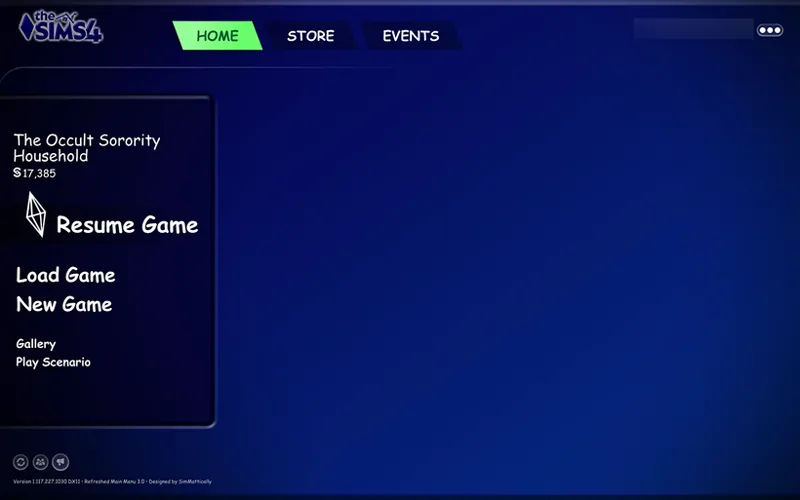
🆕 October 2, 2026: new logo & main menu override [Retro98 UI]
July 6, 2026: updated Sketchy UI. Please also update the required Refreshed Main Menu mod.
May 4, 2026: new logo & main menu override [PaperLite UI]
March 25, 2026: updated Sketchy UI and added Pastel Green Logo and Main Menu overrides. I've also removed all small mods (except for logo and sketchy UI) since they are no longer required. If you'd still want the hide news feature, you can use the Refreshed Main Menu 3 mod instead.
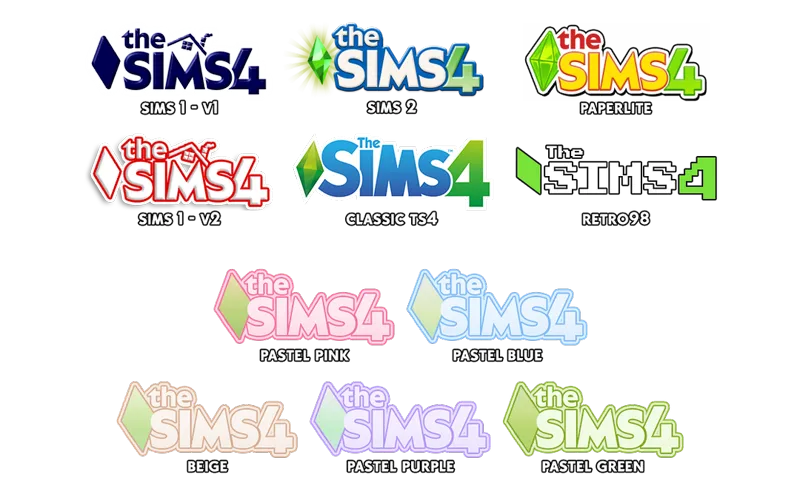
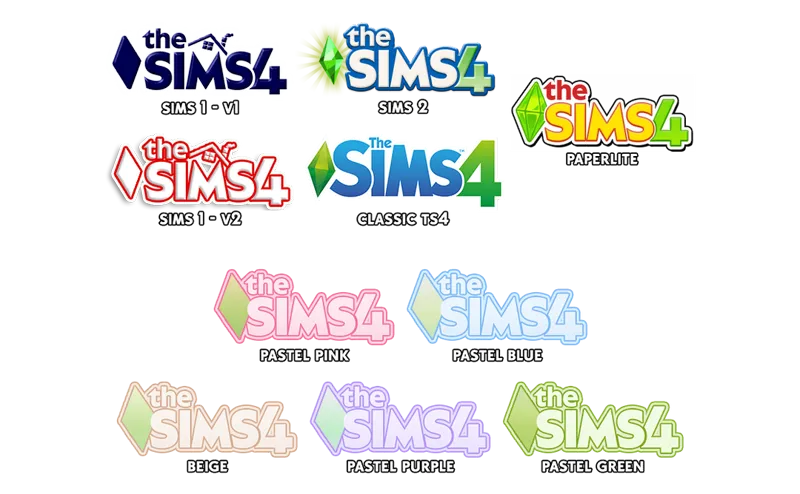
All Logos have been renamed and slightly edited. You can install them anywhere :-)
August 24, 2025: updated main menu overrides (now compatible & requires w/ Refreshed Main Menu 3), new custom logos, and removed the Remove Clutter mods. Please delete any main menu files of mine that you've installed!
August 3, 2025: added main menu overrides for pastel & beige ui
Small Mods
#1 - Custom Main Menu Logos [LATEST UPDATE : October 2, 2026]
I've separated custom logos from my main menu overrides so that you can use them interchangeably :-)
To install, download "vyxated - Main Menu Logos.zip", extract the file you'd like to install, and put it in the same folder as SimMattically's Refreshed Main Menu 3_BASE file (if you have it) in order to override the mod's custom logo.
Compatible with other main menu overrides? ✅
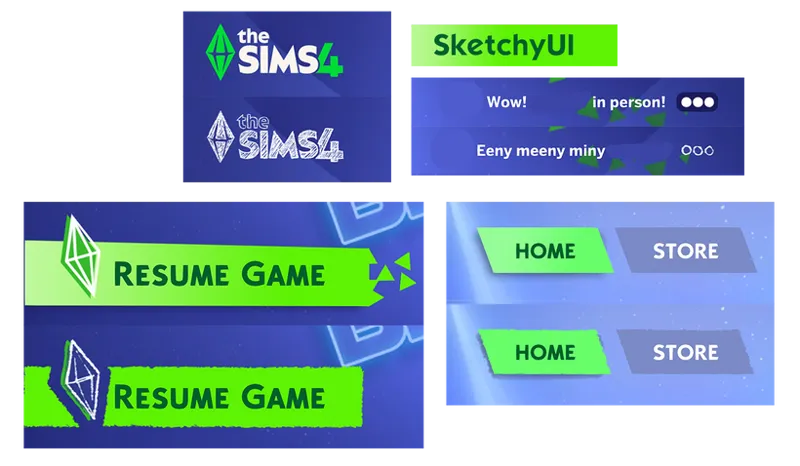
#2 - Sketchy UI 📰 [LATEST UPDATE : July 6, 2026]
A redraw of the plumbob icon, The Sims logo, and some UI elements :)
Included in the "vyxated - Main Menu Logos.zip" file.
To install, extract "vyxated-Chalk'd-SketchyUI" and put it in your mods folder. (Remove previous Sketchy UI files.)
Compatible with other main menu overrides? ✅
Main Menu Overrides
My main menu overrides are now compatible with & requires Refreshed Main Menu 3.2 base file! Install as many as you like or just a select few :-)
Delete any previous main menu overrides of mine you have installed as they are broken.
Custom graphics (such as the logo and redrawn UIs) have been separated from these mods.
🆕 The vignette (seen in the PaperLite preview) is toggleable w/ G. Please update the required Refreshed Main Menu mod to get the new feature.
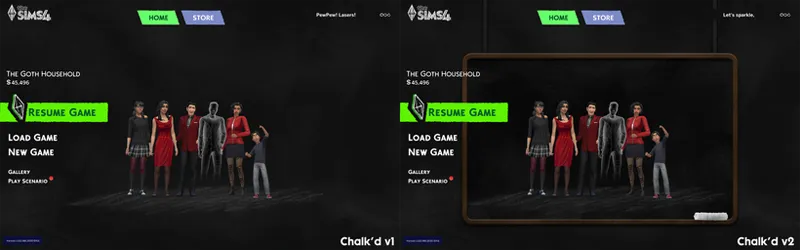
// Chalk'd UII
comes in two versions: with and without board.
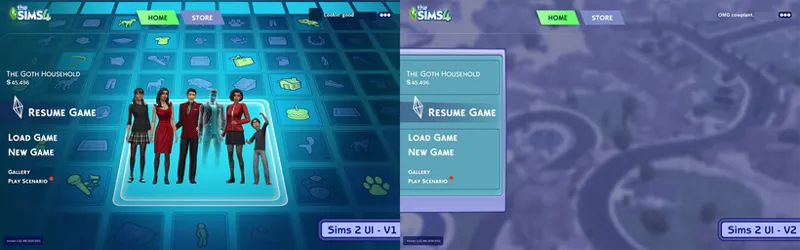
// Sims 2 UI
comes in two versions: v1 inspired by TS2 loading screen, v2 by the world selection menu.
// Sims 1 UI
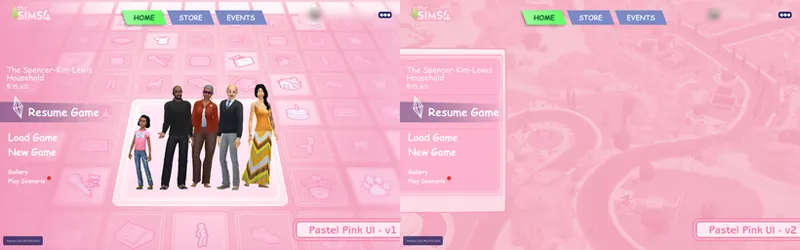
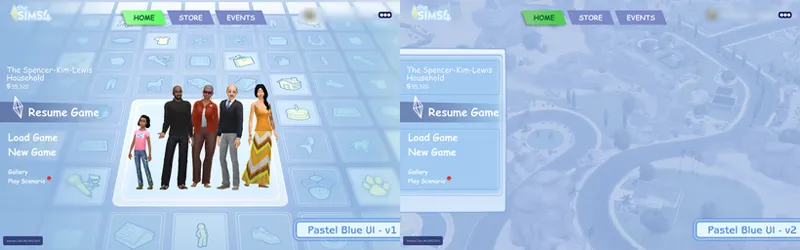
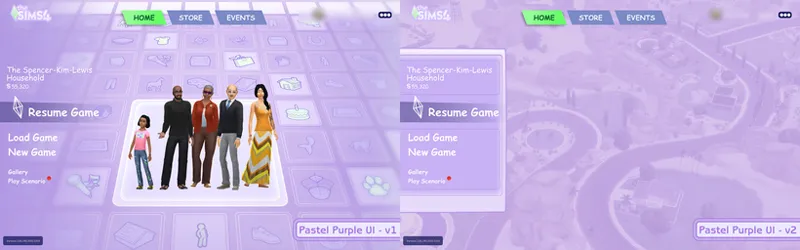
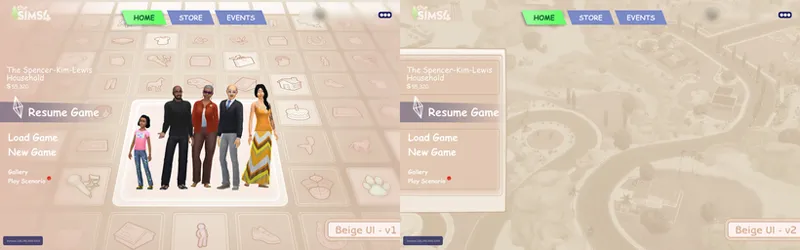
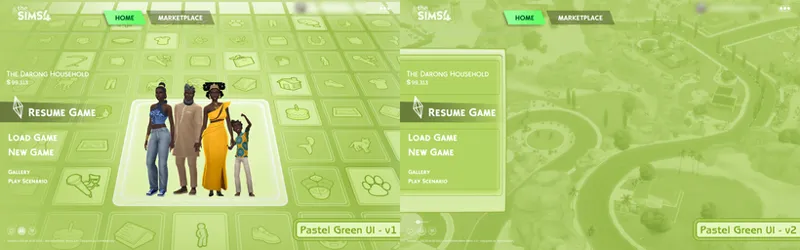
// Pastel UIs
pastel pink: v1 (left) & v2 (right)
pastel blue: v1 (left) & v2 (right)
pastel purple: v1 (left) & v2 (right)
beige: v1 (left) & v2 (right)
pastel green: v1 (left) & v2 (right)
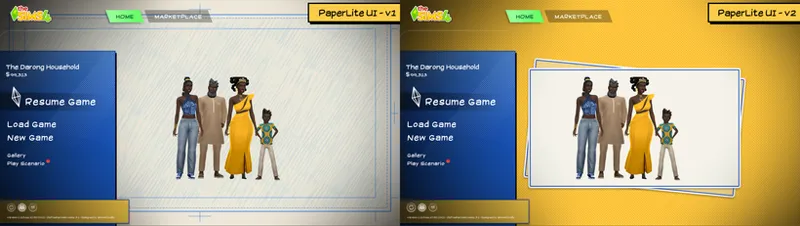
// PaperLite UI
v1: white bg ; v2: yellow bg
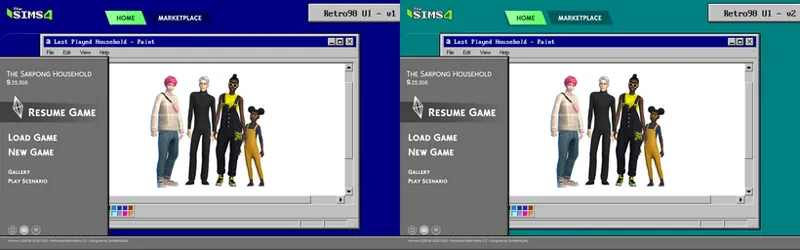
// Retro98 UI
v1: blue bg ; v2: teal bg
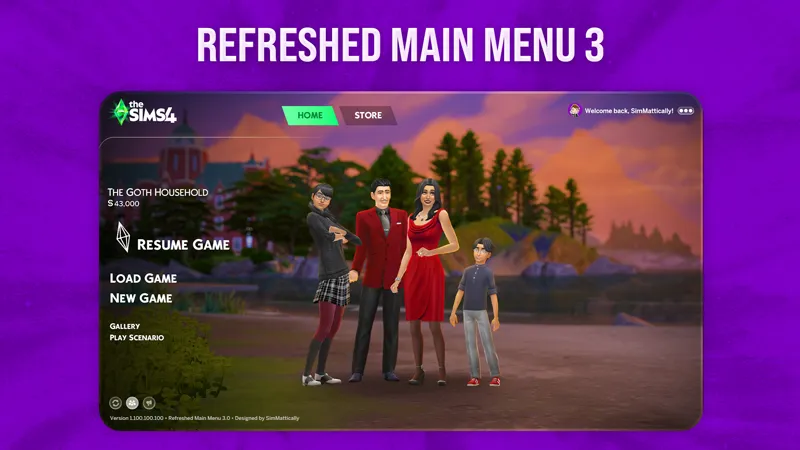
credits: SimMattically's Refreshed Main Menu 3
📂 Alternate: SFS
Comments (111)
how do i remove the black shading on the left on the pastel ui?
Have the latest refreshed main menu mod and press G.
Hi, the Sketchy UI included in "vyxated - Main Menu Logos.zip" is the March 25, 2026 version. I can't find the July 6, 2026 version anywhere.
Fixed, thanks! somehow forgot to replace the actual file 😅
I love your designs and am so happy you chose to make them compatible with Refreshed Main Menu 3. It’s wonderful to see my mod being used by other creators. I'm glad it fulfilled its mission. 🥹
I love using Chalk'd with the Refreshed Manu Menu, cheers to you both :)
Hi! I would like to write that I downloaded the pink interface, and I recently wanted to delete it! However, I am unable to completely delete it, even with the help of the Mod manager. It is possible that your names were incorrect, or I may not understand something...
is there a way to keep the main menu yours instead of the default from SimMattically's mod
from immediate launch i mean.
on the main menu my characters are super small in comparison to these screenshots.
You can resize the household image via the slider from the bottom left. More details on the Refreshed Main Menu 3 mod's post since it's a feature of said mod.
sketchy ui is broken for me after the most recent updates:( (love your work, btw)
The MainMenu HideNews is broken for me after the 03/18 update
It may end up being removed since I'm likely to incorporate the file into Chalk'd UI for the pack detail recolors but excluding the hide menu functionality. You may want to get SimMattically's Refreshed Main Menu instead since it has that functionality and more
I have a question do I need the SimMatically Refreshed main mod even tho im just using ur main menu n just one ? bcuz thats how i have it n is not working for me.
It's required, yes
Hi, the main pink menu is not working. Wont show up.
Hi there, I have a bad news about 'find online background disabled' mod, it seems missing. Therefore I can't have the pink background in main menu, how could I fix this problem T v T
Hi! I'm not seeing the pastel blue ui main menu when I load into game, I think it may need an update for the newest patch. Thank you for all of you work!
The mod is working fine as it contains only an image file. You'll need to install the required Refreshed Main Menu mod by SimMatically for it to show up
How did you get rid of the black vignette for the pastel overrides? I have them but the black vignette in the main menu looks bad with the pastel background, and I noticed that in the preview images the vignette isn't there
The left vignette is part of the Refreshed Main Menu mod, so from my end there isn't anything I could do to remove it. The non vignette previews were taken when it was using LunarBritney's main menu readjusted mod as a base, but since it's discontinued I've been unable to recreate the main menu as it was before ^^;
Does anyone have a video on how to install this? I'm so confused reading the instructions, nothing makes sense I feel like I would be better off watching a video to understand what to do.
heyy bookiee, do you see where the credits are? You would have to download SimMattically's Refreshed Main Menu 3. Read through that and download the base then come back here and download your override. and thats all sweetheart<33
Hi vyxated, I found that the main menu can not show up normally after updating to 1.118.257.1020
same
Hi vyxated! I have a question, do you intend to make the main menu logo in the green version?
With Hide News installed, whenever I get a full page ad on the main menu, the ad is visually glitched (how varies by which ad it is) and I get a UI error. I've been trying since early September to narrow down which mod was causing it, but since there's no way to force an ad, it's been slow going, removing one UI mod at a time until I get another ad. Finally today I got an ad and the only UI mod I've removed is Hide News. Sorry that I can't test with it alone, which would be better, but it's next to impossible - I've been restarting my game for a couple of hours testing a mod and only just got an ad.
Hi, I keep getting UI exceptions when I have the "Hide News" file in my folder.
Hi, im not sure if im doing something wrong. this is my first time using a main menu mod. but i am using the chalk'd main menu override.. if its up to date, am i doing something incorrect? I downloaded and placed in my mods folder within the chalk'd ui folder. I have never used a main menu override so i dont have any old versions or different main menu overrides
You should also download the linked Refreshed Main Menu mod for it to work
Have the up to date Refreshed Main Menu, up to date Chalk'd UI with all the correct modules. The Sketchy UI file is in the same folder as Main Menu but still won't override the mods custom logo. Don't know if I'm doing something wrong.
Not sure if I am the only one who had this issue, but I figured I would share. I had to add another “!” at the beginning of the Pastel Pink UI Main Menu Logo file for it to load properly with Refreshed Main Menu v3. In that folder is the RMM base file, one of the backgrounds from RMM, and your logo. So, problem solved, but this might help anyone else who ran into this issue.
Thank you!! I was having the same issue and just tried this, and it's worked!
i love the remove all clutter ver 😭😭😭🙏🏼🙏🏼🙏🏼 update it please!!!
does the hide news mod need refreshed main menu
It's a standalone mod, so no
the required mod is paywalled rn 💔
oh the mod is available for free members, you don't have to pay for anything
i have the whole soft pink theme! i was wondering if i could still have that with the redraw of the plumbob icon, the sims logo and ui elements?? without it breaking.
yes, you could use both
the main menu screen works for me too
EA's ugly main menu wont go awaaayyy
this is the problem I'm having too
I don't see any way to download remove clutter T_T
It says in the post it's broken atm so the files were removed
hello,i just download the Chalk'd UII-V1 override,but i in toing the main menu still EA stlye, would you know what happened?
same thing for both sims 2 menus. im not sure what part im missing tbh besides the hide clutter addition (says broken still in the description)
can someone tell me what am I supposed to do now that it’s compatible with the refreshed main menu??? I downloaded the pink one and I think I was supposed to just use the refreshed main menu BASE package that comes but I’m so confused on how to use it now
Put both my pink main menu and the refreshed main menu base in the mods folder
i downloaded the pastel blue main menu override and it wont show up? do we have any ideas on why?
It's made specifically to be compatible w/ simmatically's refreshed main menu 3.0.. it's linked in the post.
will the ts2 background also get an update for refreshed main menu?
Just uploaded them ^^
@vyxated in the mean time could u provide an file for Refreshed Main Menu for Chalk'd ?
I've been working on that so it should be up soon 😄
Hi, I just wanted to let u know that I'm using the Pink Pastel Main Menu, and neither of the two versions is working, plus the Sketchy UI and the Hide News.
vyxated Developer 2d ago "Yeah, it's broken for now. I'm currently waiting for the base file I used from another creator to be updated before I can update mine"
i don't think this is compatible with the latest patch :(
Yeah, it's broken for now. I'm currently waiting for the base file I used from another creator to be updated before I can update mine
need update
for some reason it doesnt work right?? like its still the business and hobbies main menu even when i put the sims 2 one in my folder
hi, just wanted to mention, after fairy update i started getting a UI exception when the main menu loads. x button on the event screen at launch appeared broken. BE pointed to an issue with mthemes, error 1056, when I removed chalkd menu replacement, the issue disappeared.
same here
Is this all good for the Fairy pack?
Does this main menu override fix the blue screen glitch?
Idk if this is somewhere but is it ok to use with UI cheats?
yes
Is there an estimate timeframe as to when the pink ui will be updated? I hate playing the game without your mods lol
it's updated, check pinned
Are you going to update the pink one
Thank you so much for your hard work! And fast too I believe. :D I was wondering if it was possible to move the "resume game", "new game" etc. buttons to the right? As you may know, muscle memories has it hard....
SulSul! I was wondering if you would be able to update the BB menu overrides (purple) ? They seem to be broken with the update from today </3
The RemoveClutter one doesnt work with the logo replacement and a background override :(
Try renaming my file by adding a ! prefix "!vyxated" and place it in the same folder as your main menu override
Can you do a chalkd in baby pink background? <3
Hi! I don't know if you take suggestions, but I was thinking... is it possible to remove the event tab from live mod the same way (where the holidays are)? It's super annoying and breaks the immersion a lot, and I am sure I won't be the only one who hates it - there's a thread on EA Forums about turning it off, but sadly EA won't do this :( It makes my neurodivergent mind go crazy. If you're interested in this, of course! And thank you for this mod and many options - they're super helpful, without them the game is insanely overwhelming
thank youu!
Can I use your file as a template? I just want to change the background.
does this mean you are updating the clean ui addon for reshade/gshade aswell? cause i cant seem to get it to work at all :( even with all the versions of it ive tried.
it still works. make sure you remove _DX11 from the shader addon .ini file
I love it, there is also the one from lunar britney, I need this for the events to work, as KiaraSims wrote that in her article, i just don't know which one to pick, like which are the differences from this to lunar britney's one + is this compatible with the Main Menu by Simmatticaly or other custom Main Menu overrides? I love the Sims 2 UI, does it also changes the whole UI of the game to Sims 2?
Main Menu Overrides conflict with each other because they modify the same Scale Form GFX resource. You should only have one in your Mods folder at any given time. Also, the devil is in the details: The big difference here is the permanent removal of the News/Marketing panel.
感谢
Another creator says to download the mod mentioned in the link provided by SimmerrBoi96 that will allow you to still use their custom main menu mods, but I don't see anywhere that it says it will disable EA's dynamic menu. The mod states it will conflict with main menu mods. So how are we supposed to still be able to use our own?
Not sure about other main menu mods, but using the mod in the link with this mod fixed my issue
The main menu backgrounds don't seem to work
This is why https://simscommunity.info/2025/01/28/sims-4-main-menu-dynamic/
I love LOVE all your work, I hope you have a very sweet dream every night. YOU'RE AMAZING ❤️❤️❤️
hey i absolutely adore ur stuff, thanks for all u do so glad to have ur mod fixed it was worth the wait!! but i was just wondering if main menu overrides work now w ur sims 2 ui mod? since in the original post you said its not compatible has that changed at all with other overrides? i'm only asking because i'd like to try out an arcane main menu override lol but i'd rather prevent my game from breaking if it's not possible... ty!!
oh yeah both are compatible, I forgot to remove that part ever since I no longer include the main menu files in the sims 2 ui mod lol
Can I download this to my phone for cloud gaming?
ty!
I have been waiting for this since the new menu :') THANK YOU!
Hi excuse me, could you please make a Menu UI override (or CAS Background) as the Sims 2 had it? (I mean one backdrop where it was like a photo studio before accepting playing with the family)*. I hope that made sense haha! Thanks!
this is a great idea!
You are amazing 🥹🤍
ate <3
you’re always a lifesaver!!!!!!
you gone eat every single time. thank you :3
Everything you make is absolutely perfect! You are a life saver! 💗
This is amazing. Thank you so much.
Thank you for making this!!! would it be possible for you to make it so the color of the sims 4 logo can vary? other than green ;u;
how do you always know exactly what we all need?? thank you so much you're amazing these are amazing 👏
Thank you so much. The news was impossible to find (for me, not you, and I'm so glad)
Honestly the main menu gfx file for this patch does make it harder to pinpoint which sprite the news section is :'D (from what I can tell, removing it will also remove the sims picture.) Just happened to find the file that is responsible whilst trying to find the image resource for the logo lol
YOU'RE THE GOAT!!! I COULDNT FIGURE OUT HOW TO REMOVE THE STUPID NEWS!!!!!
thank u so much! ❤️
Thank you thank you thank you for just the hide news version (and all the other versions other people will use)
you're amazing!! <3
thank you! i love the sketchy stuff you do