Installing my UI mods (w/ gifs) + Troubleshooting
// Installing the main mod
Install both my UI mod and UI Cheats Extension (if required by the UI mod ; most recent & the required version listed on each mod's post ; it's required for Live Mode to properly function.)
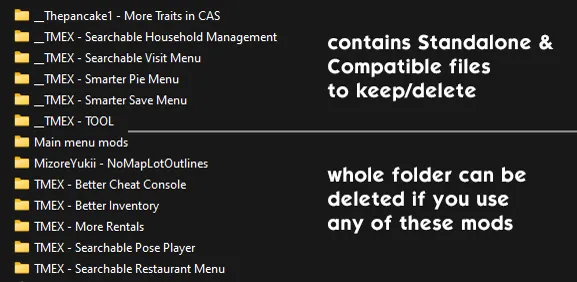
With this, the mod is completely installed :) Now, all you need to do is to go to the "_CONFIG" folder (previously Additional Files), and browse through each folder's content to keep/delete files depending on whether you have the conflicted mod installed.
// Folder structure
If a folder has the "__" prefix: choose only one file from within to avoid duplicates.
If a folder doesn't have the prefix: delete folder if you use the conflicting mod.
// Standalone vs Compatible version
Standalone: will conflict with other mods. Has all the UI and text recolors. Delete this file if you use the conflicting mod.
Compatible: will not conflict and can be used alongside my UI mod. Texture has been modified so that the texts remain readable in its blue color while keeping the UI elements without texts in dark mode. Delete this file if you don't use the conflicting mod.
The README text file has all the info on what deleting either of these two does, as well as which files to delete.
// Deleting conflicting files
If there are only Standalone files: delete all packages within that folder if using the conflicting mod.
If there are 1 Standalone and 1 Compatible file each: choose one and delete the other file to avoid duplicates.
// Troubleshooting UI Mod Issues
⚠️ Before posting your issue, make sure you've test my UI mods alone without any other mods. If the problem persists, then share the issue you're experiencing.
General: UI glitches, icons are not where they're supposed to be.
Outdated UI mods. Always happen on each patch. Wait for updates from modders and update your mods when one is available ^^
General: buttons, dropdowns, traits/aspiration frames, and other similar UI glitches out.
Most commonly associated with UI mods that override GUI. Always breaks on each patch, so glitches are to be expected. Update your CC wrench icon mods and any UI recolors whenever a big patch happens ^^
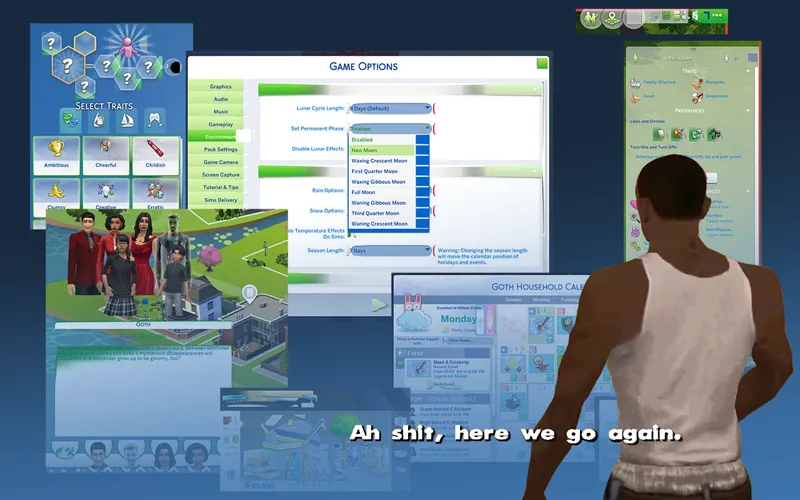
Live mode: UI panels can't be clicked, unable to save & exit the game, icons glitches out.
Missing / outdated UI Cheats Extension mod. Make sure to install the mod to avoid these issues.
Live mode: Save popup behind the Options menu, empty TOOL popup that can't be clicked
Caused by conflicting files. Remove the TOOL folder under Additional Files folder to resolve the issue.
Others: not specified
Read the Changelogs on each UI mod post & its comments to see if a bug/glitch has been addressed or if others are experiencing the same issue. Make sure to test first if it is my UI mods or other mods that's causing the issue.
If a LastUIException error is generated, then it's caused by an outdated UI file. Let me know where you encountered the error/glitch and the action that generated the LE on each mod's post.
🔗 Mod Status & links to UI mods
🔗 Guide to UI Mod Glitches