
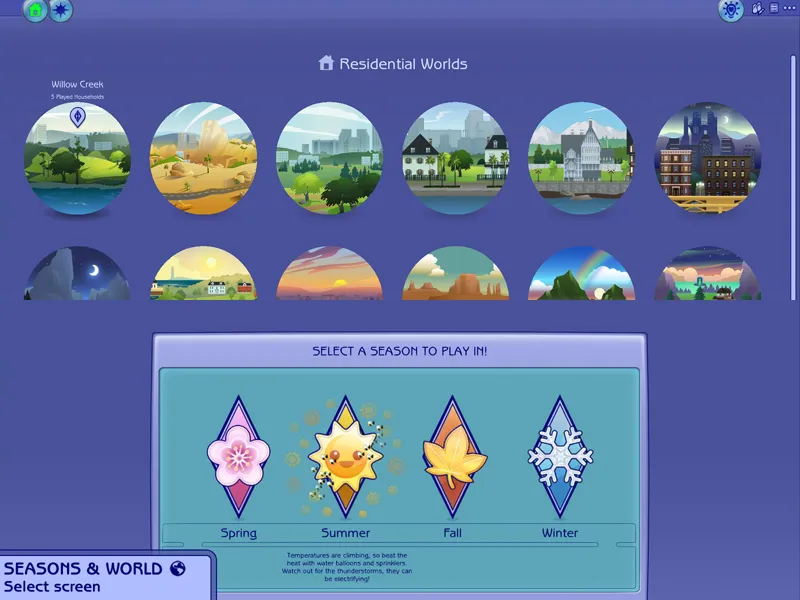
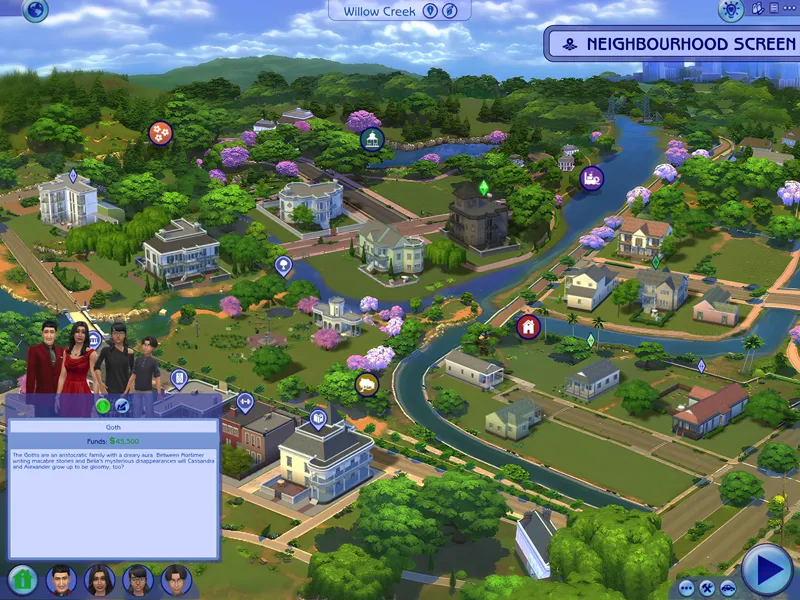
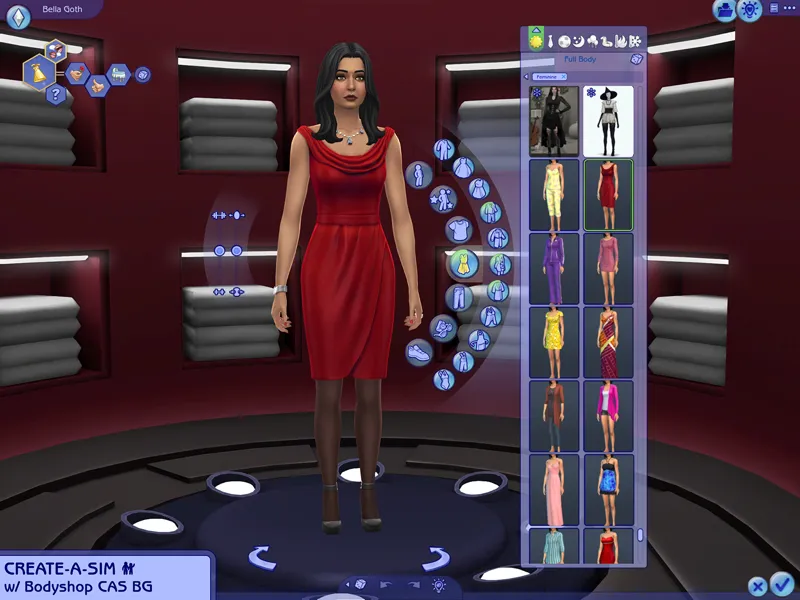
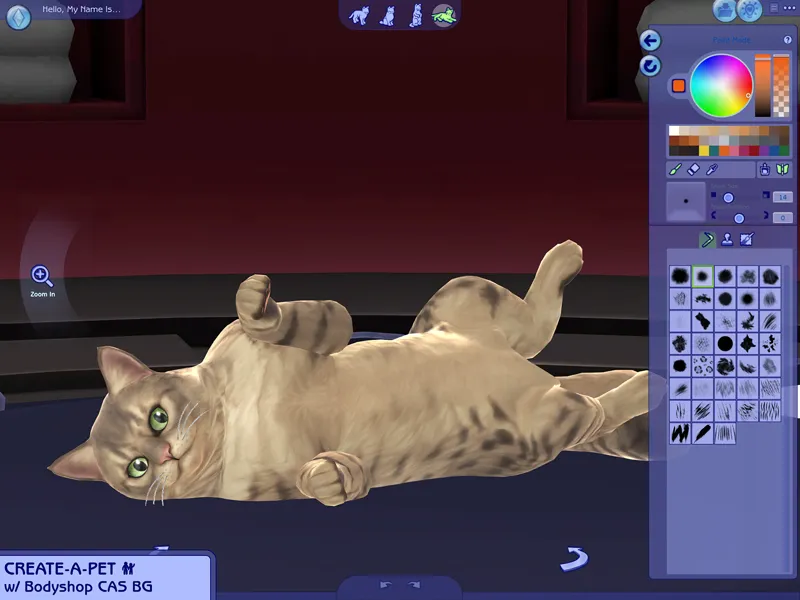
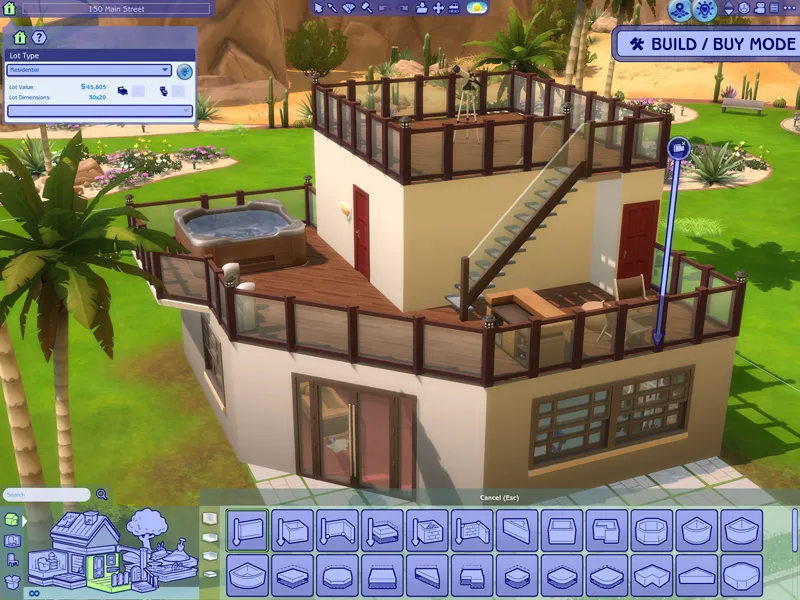
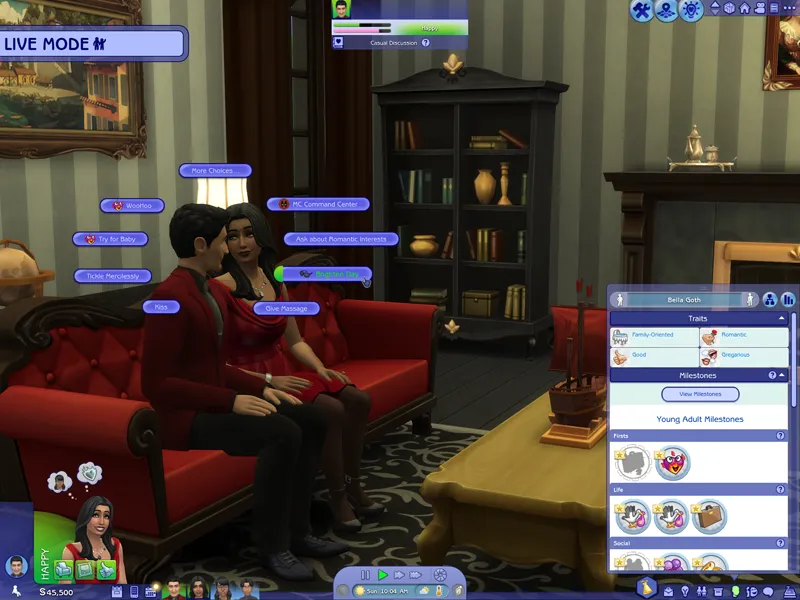

The Sims 2 inspired UI for The Sims 4
After making my own UI override, I've been itching to look back in time and try to recreate The Sims 2 UI in TS4, and here it is!
I tried to capture the look & feel as best as possible, so I hope you can enjoy this mod and reminisce a bit c:
Check the status of my UI mods all in one post + Frequently Asked Questions
🔗 Guide to UI Mod Glitches 🔗 Installing and Troubleshooting Tips
UI overhaul in the style of The Sims 2's UI.
Over 500+ additional icons recolored for CAS, Build/Buy and Live Mode!
Sims 2 style cursor recolors.
📥 Installation
// Main mod
Before installing/updating, remove any old versions of Sims 2 UI whenever there's a new mod update and clear your caches.
Alternatively, keep the CONFIG folder and read the Changelog on which files have been removed/changed, and delete & replace the "Text" and "Texture" folders to avoid redoing the config.
Download & extract the zip file into your Mods folder.
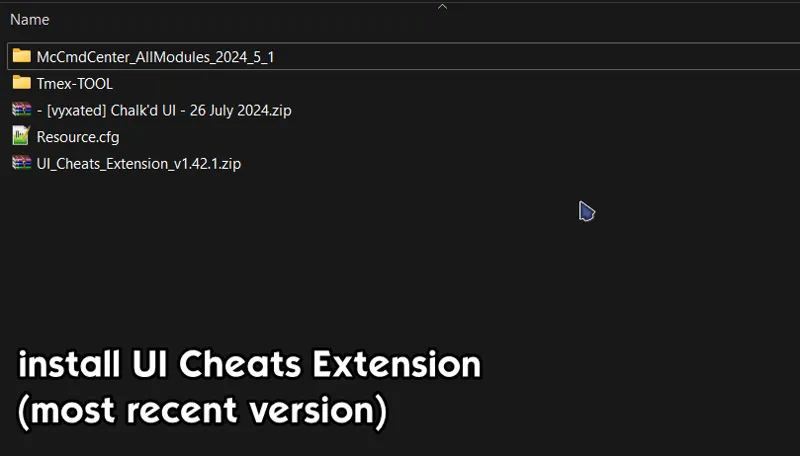
Install the latest UI Cheats Extension mod and make sure it loads after the Sims 2 UI mod.
Please read the README txt file located in "CONFIG" folder and remove files if you use any conflicting mods. You can go to the Known Conflicts section to see which mods are affected.
If a folder has the "__" prefix: choose only one file from within to avoid duplicates.
If a folder doesn't have the prefix: delete folder if you use the conflicting mod.
// Extras
Main Menu Override - now separated from the main mod.
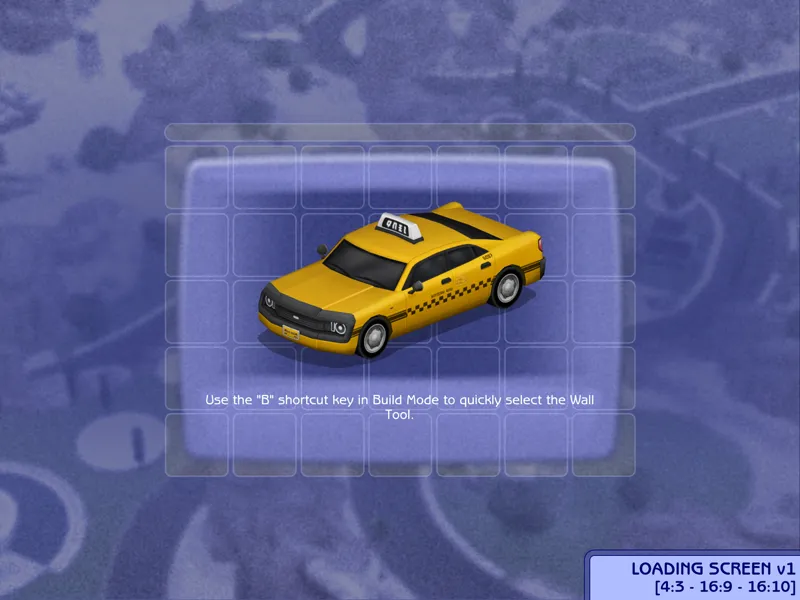
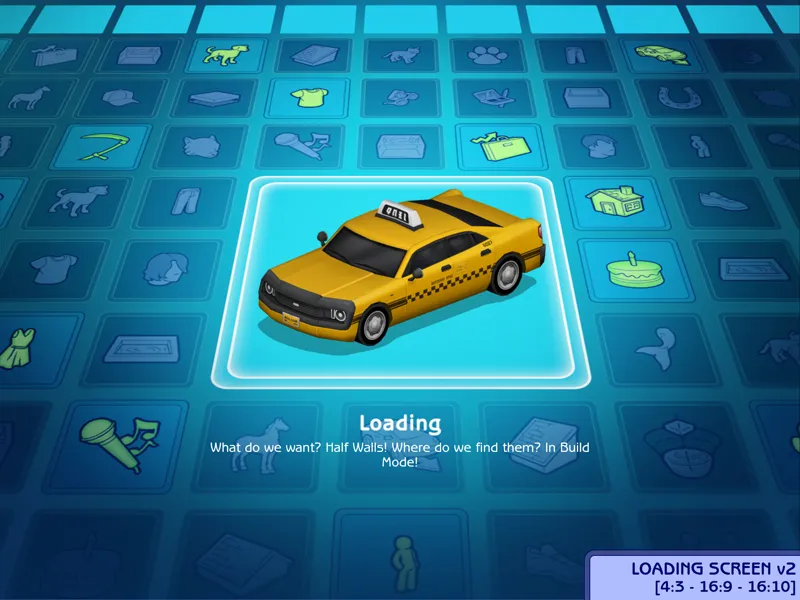
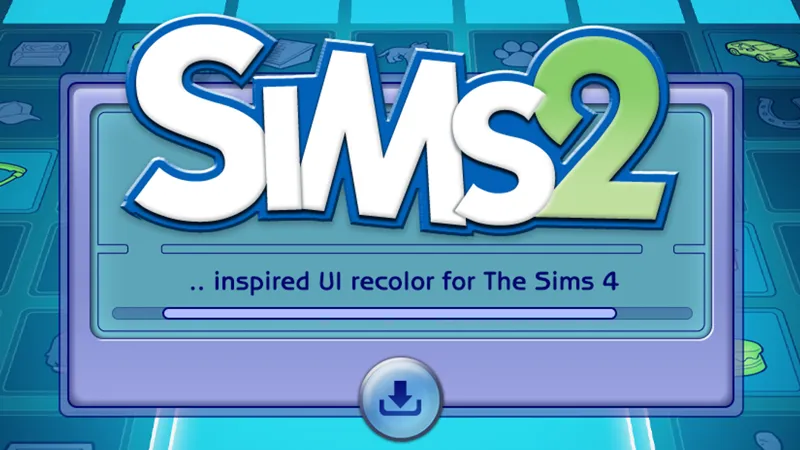
[Sims 2 UI] Loading screen: download only one loading screen file. Available in: 4:3 - 16:9 - 16:10 aspect ratio.
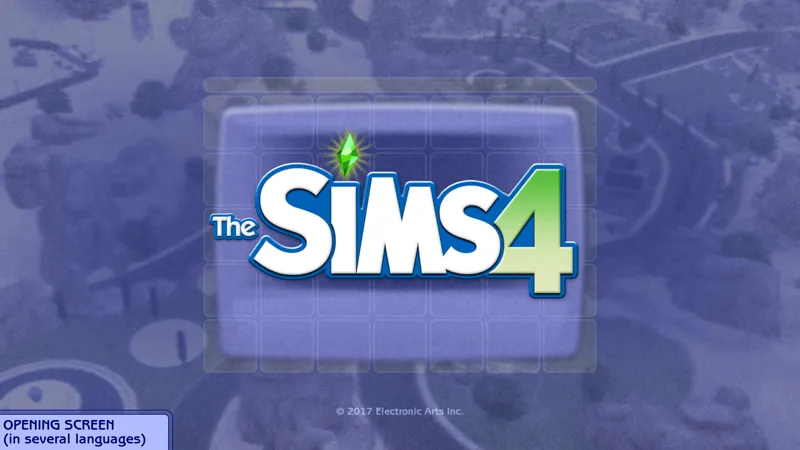
[Sims 2 UI] Opening screen: file to replace the intro TS4 screen. Choose the file that pertains to your game language.
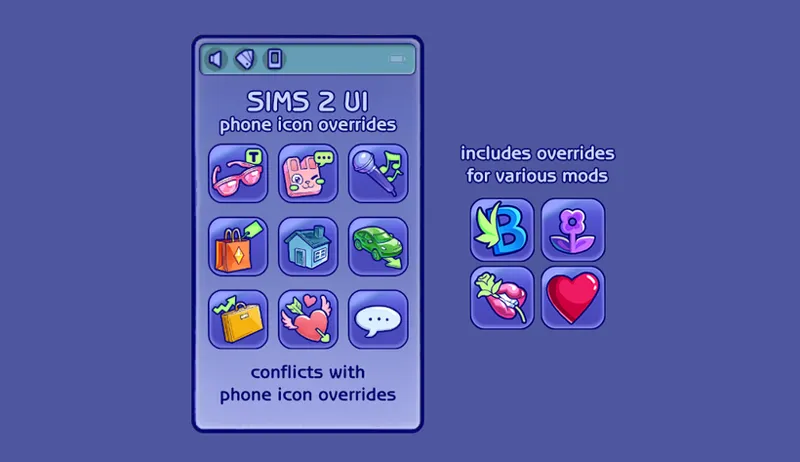
[Sims 2 UI] Phone icon Addons: pick & choose depending on which mod you use. Also includes EA icon overrides.
TS2 Cursor: recolored TS4 cursor to match with TS2's cursor. Unfortunately, some cursors are missing their recolors (rotate cam & grab+arrows in CAS). Also available to download here.
EA Notif: optional file if you prefer to keep the notification in its original color scheme.
🖥️ Mod-related Info
// Recommended mods for more immersion:
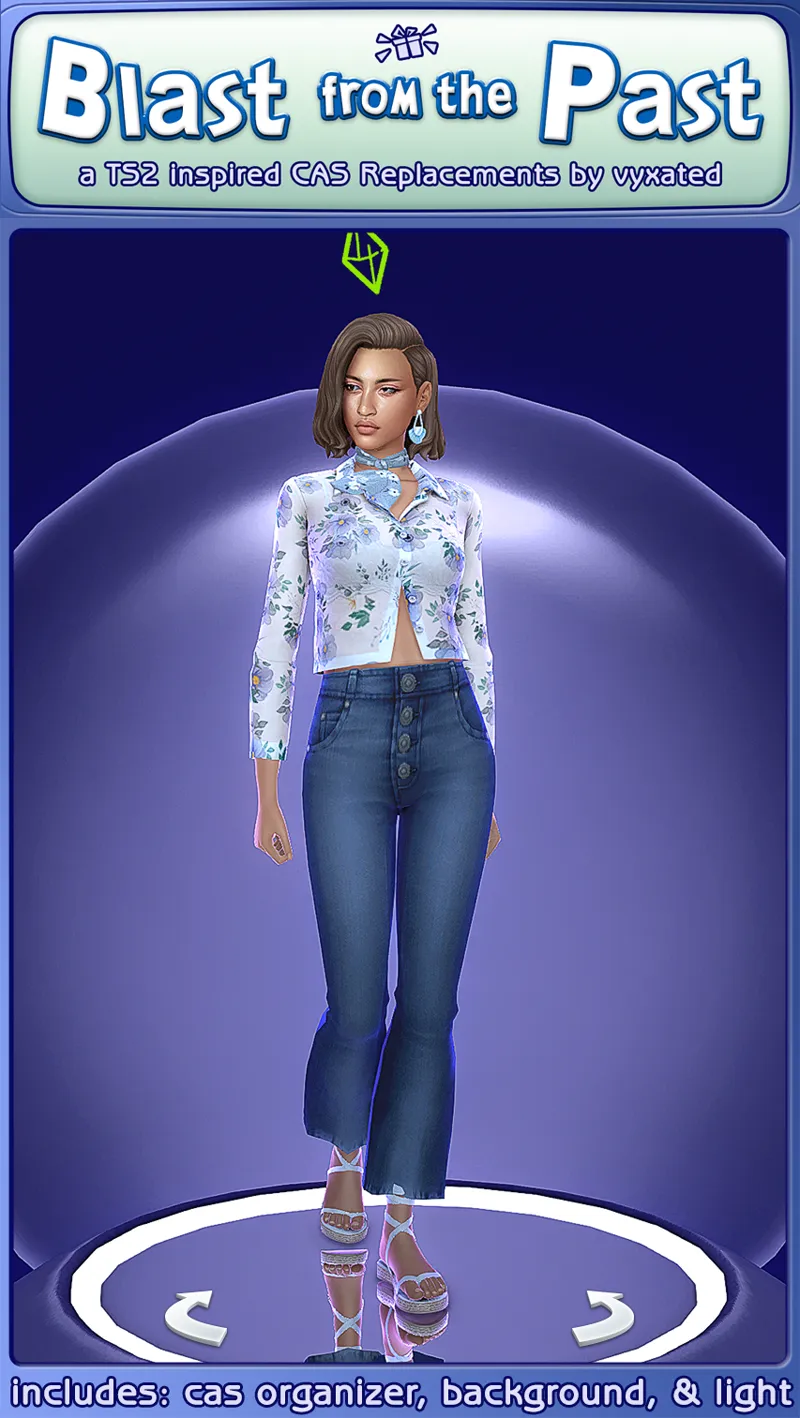
CAS overrides: bodyshop room & icon + CAS organizers, TS2 room by simsi45
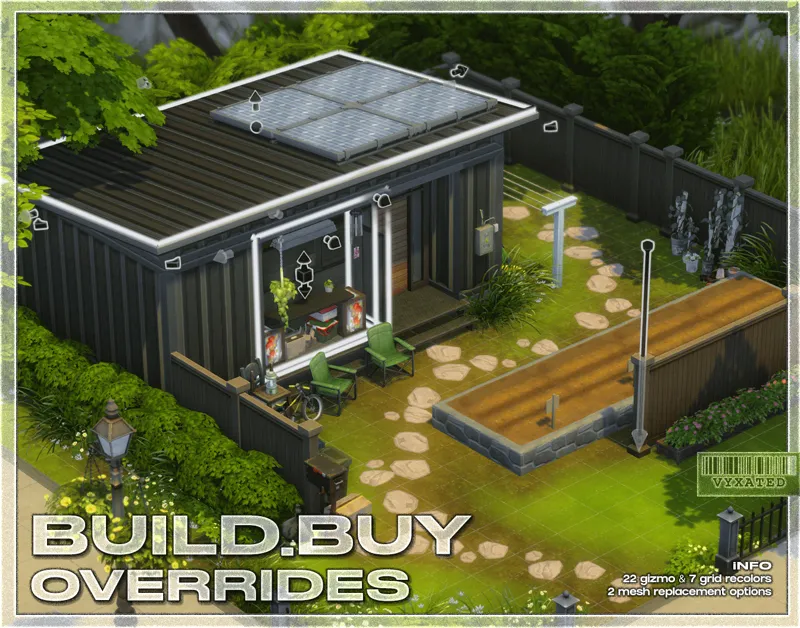
buildbuy gizmo override (outline mesh + ts2 blue/green swatch)
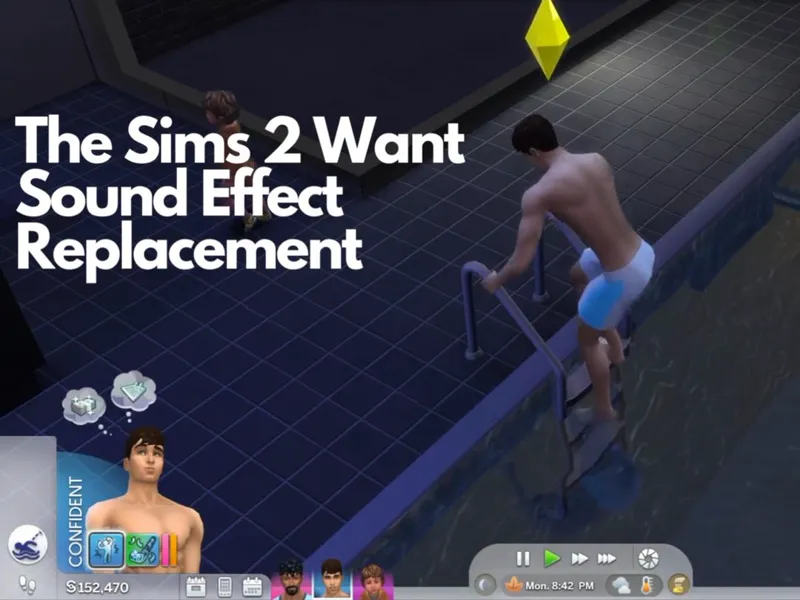
TS2 font & want sound replacement by thepancake1
TS2 font replacement (more characters) by squee
TS2 music for TS4 by buurz
Map replacement by 20thcenturyplumbob
Old EA intro by thehuman20020
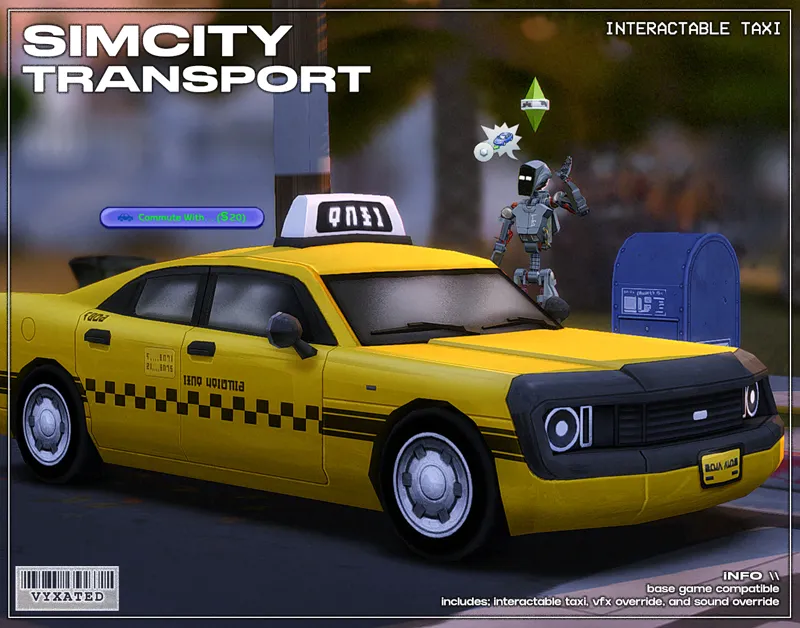
Taxi mod & sound override (same object as the loading screen taxi)
// Compatible Mods ✅
UI Cheats Extension by weerbesu - original mod required
Fully compatible w/ UI Cheats Extension. To avoid any issues, keep the original mod in your mods folder (both .package and .ts4script) and have it load after the Sims 2 UI mod.
Other major mods are also compatible (TOOL, More Traits in CAS, etc.)
// Known Conflicts ❌
All identified files that conflict with other mods have been placed in the "CONFIG" folder. You can keep/remove files if you choose to use any of these conflicting mods.
UI overhaul mods (Chalk'd UI, Dskecht's UI mods)
Custom wrench icons
Better Simology Panel & Better World Select by SimMattically
Various mods by TMEX (BetterBuildBuy, Smarter Pie Menu, Searchable menu mods)
Phone icon override
📜 Credits/Resources
S4Studio, UI Texture Squasher (CmarNYC), Image Viewer (luniversims), JPEXS Flash Decompiler
Loading screen tut, splash/opening screen, UI/world map override tut, UI setup, phone icon resources by xosdr
Base files from the UI Cheats Extension mod (weerbesu)
📋 Changelog
Small updates
// 24 September '26
Added Simplified Screen Slams and Better Headline Bubbles update
// 13 August '26
Added new phone icon recolor for one of adeepindigo's mods
[CONFIG] contents of TMEX - BetterBuildBuy has been moved back to the main texture directory since it's been compatible for several game patches now
// 23 May '26
Recolored Flyaway icons (relationship changes, character values, etc.)
// 15 May '26
Updated for May 12th patch (new CAS thumbnail, Calendar & Live Event UIs) + Compatible w/ UI Cheats v1.55 (includes Dynasty Unity & Formative Moments cheats)
[CONFIG] Updated Save Menu file in TMEX - Smarter Save Menu folder
EA Notif file has also been updated
// 17 April '26
Fixed Gallery & Wrench icon UI
// 25 March '26
Updated for Marketplace patch
[CONFIG] Updated GUI file in Wrench Icon folder
[CONFIG] The Compatible version of Headline Effect file is temporarily removed since Better Build Buy is currently using the EA texture instead of its custom one.
[Phone Icon Addons] added new overrides for adeepindigo's Custom Nuptials, Lot51's Hotel Suite, NisaK's TamTam Tab, and thatssojordy's mods (Business Casual, Digital Romance, Growing Pains, and World Tour- some phone icons are still untouched). Several files have also been merged so please remove all old phone overrides and reinstall the new files
📂 Alternate Link: SFS
Comments (315)
What exact file do I delete if I want to use my own custom wrench icon?
go to config folder and you'll find it.
Hi, I really enjoy this mod. It’s my first time switching from pastel UI and I just wanted to be sure my pie menu is not blue. Is it supposed to be white? If it is, that’s fine. I was just curious to see if I did something wrong. Thank you.
It's only white if you had deleted a "Pie Menu - Texture" file. See if either standalone or compatible file is installed in CONFIG > TMEX - Smarter Pie Menu
Hey there! I just joined and absolutely LOVE this UI. Will there possibly be a version compatible with TMEX Searchable Recipes? Let me know if it's already compatible and I did something wrong to where the search bar is not showing up in game.
For now the file responsible for searchable recipes has not been separated from the main file,, so it's true that they're not compatible yet. Since a new patch is coming, I'll separate them for the upcoming mod update ^^
Hi! The __EDITABLE - Wrench Icons folder and the file inside it caused a UI glitch for me. When I removed them, everything worked fine, except the wrench icon didn't change to the Sims 2-inspired version. I don't use any wrench override mods or anything else that should affect the icon. The only file I got when I downloaded the mod that was related to the wrench icon was 0_Base UI 2 - GUI - Texture.package, which was inside that folder. Is it supposed to have another file?
Hi, quick question, do I still keep the SimMattically Better world select now that I’m using their Immersive World map? Thanks in advance
You can remove it since it's noted in the immersive world map mod that the better world select mod isn't needed any longer ^^
Hello. I had last exception error and after analyzing it says that there is incompatibility of updated UI cheats and ur UI cheats module versions.
Hi yes, none of my UI mods have been updated yet so exceptions will likely arise. I'm planning to update them over this week though!
The font colour for the lot name in build mode is blue, which makes it difficult to read against the blue background. How do I make is so the lot name font is white?
Will the phone icon of the adeepindigo icon be updated?
My new favorite mod by far!! 🫶🏾
is there an archive for version 1.117? i'd really love to try this mod out
is this compatible with simmattically's challenge tracker?
For this mod, yes it's compatible.
how to i change my pie menu from the standalone to the SPM compatible version? I can't seem to find the file or figure it out.
Love and adore this mod. I've made an effort to make my Sims 4 game as 'Sims 2-like' as possible and your mods do so much for the look/feel of the game, I'm endlessly grateful <3 Small thought/suggestion- not at all a necessity and I don't mean to come off as entitled, this mod is great as it is. Simmatically's main menu is required for the main menu override. While looking at Simmatically's mods, I noticed they also have a 'Family Loading Screen' very reminiscent of the Sims 2 loading screen. Would it be possible to adapt that into a Sims 2 style 'family loading screen'? (Link to mod= https://www.patreon.com/SimMattically/posts/family-loading-4-150916961 ). If it were possible to have the family screen and the taxi screen, that would be amazing (for loading into family and the other for loading into non-family lots). Again, not at all a necessity, just a suggestion. Thank you again for your hard work with your mods, UI and otherwise! Have a beautiful summer!
Hi, the text colour for the lot name in build mode is blue and hard for me to read. Is there a way to revert the lot name text to white so that is more readable.
hi is this compatible with the new update
Yes
hii! is this compatible with the new 6/30 update?
yes they made another post about it!
the phone icons for mods aren't working for me, your custom icons for the EA apps are working but I have wicked whims mod, simrealist, and also lumpinou and none of those icons are working, they're just the default. is there something i can try to fix this? i've tried putting the files in the folder with all the sims 2 ui addons, i've tried moving them just straight into the mods folder, and i've tried putting them in a folder labeled with a "z" so they'd load last after the mods, and nothing is working.
the phone icons only appear in the game's own applications, the icons for other mods never appear and i don't know why... can you help me?
hi! i dont think the new base layers accessories category are showing up with the newest version
Do you use More Columns or CAS Unlocks mod? If so, either those two are the ones needing the update. This mod doesn't modify any files that affect the visibility of CAS categories.
i love this its perfect! i'd love if there was a sims 3 ui inspired
i loveeee you , you saved the gameeeeee so many times
Does anyone know how to have ui cheats load after the ui override?
Is there any plans to bring the better compatibility with other mods fron Chalk'd to TS2 UI? I love TS2 UI and I'd really like to see it fully compatible with SimMattically's Better Simology Panel
The standalone file doesn't do much except for changing the icon colors for some of the buttons, so you can safely remove it without losing too much of the visual aesthetic :-) which is why I didn't do a full compatibility like Chalk'd since the modifications are subtle.
is the ui broken i havent updated my game yet. 😊
Hi! Just wanted to ask will mode be updated?
i do think todays update mightve broken this mod, specifically in the holiday/events tab and parenthood advice popups. i dont mind personally but update when you can :) love your mods <3
Thank you for letting me know. Can you tell me which part of the parenthood advice popup that's broken? I'm not seeing any indication that the texture was changed/needs an update.
this mod is so good!! i just wish the opening screen had a 16:10 proportion.. :(
I have this glitch when I hover my cursor over my cows, chickens, sheep, and the like. Their status (i.e., Coop Capacity, Eggs ready to collect, etc.) sort of glitches, wherein they are folded so I can't see the whole text completely. I followed your instructions on which files/folders to delete, but it still doesn't fix it.
Hai :3 what text overidde did you use for this ui?
I linked the font in the Mod related info
Hi! Where can I download older versions of this mod? I'm not ready to update, but I would love to see what this UI is hitting for!
https://www.patreon.com/posts/124193490
any updates on ui? i just downloaded this mod today and i dont have the UI package file in the zipped folder anywhere. :/
Just extract the April 17th folder into your mods folder? Everything's in there.
the better build buy folder has the "__" but it only has one file that says "Live_1 - Headline Effects - Standalone & Compatible" and a note that says "no action required" and I DO use the better build buy mod so does this mean I need to delete this entire folder or keep it?
You don't have to do anything with the file, so keep it for now. I kept it there in case it ever starts breaking again
so sorry if this is explained somewhere else but for some reason the interaction pie menu hasn't changed and its still white and 2d like sims4 base game instead of blue and 3d like sims2, is that in a separate file?
i also don't have SPM installed, i only have a mod that pauses time when the pie menu is clicked
Hey! Thank you for this amazing mod! Do you know if it’s safe to download the music replacement mod from ModTheSims? I’ve heard it was hacked
That specific music override seems to be safe, and the creator's pretty active in their comments to suggest so. iirc it was a mod by another creator that was affected. Still, you can scan it with antivirus just to make sure everything's okay.
Hi! Sorry to bother, but would the Quick Save Button in live mode by simmattically conflict too badly with this? I can live with a little glitchy UI but that mod saves my life haha. Tysm for your mods!
hiii <3 sorry to butt in but do you also use UI Cheats Extension by weerbesu? asking bc Matt suggests installing the Quick Save button in that folder so it loads before UI Cheats! and even if you dont , if you prioritize the Quick Save button in your Mods folder by placing it in a folder named with _, !, or - in the beginning it will prioritize over vyxated's UI mod therefore hopefully showing up again!! rly hope this helps!! xx
Just discovered this absolute gem of a mod, would you be able to re-upload the download link for the version before the marketplace update?
thank you so much you are so quick with it <3333
im still having issues with it.. like the settings tab is stretched out buttons
That means you have an old version of wrench icon/TS2 mod laying somewhere, you'll have to figure out where it is yourself. The mod itself is all updated. And read the UI Mod Glitches post I recently linked, it has most of the things you need to know about glitches and the files causing it.
Thank you for the update! It's gotten to the point where I kinda dislike playing the game without it. 😭
Changelogs have now been moved to the bottom of the post (up to two updates), along with links to useful information. Read those please, before commenting, because almost every answer to your questions can be answered by simply reading those. And always check the first paragraph of this post, that'll answer your question whether this mod is outdated or not. I've also now specified which files have been edited in the CONFIG folder, so that you can update each files accordingly without having to redo the entire configuration. You'll still need to remove the "Text" and "Textures" folders entirely, since I may occasionally remove or add files to those folders.
is it updated?
Hey not yet, give it a few days
Is it possible to still have access to the version before the updated one because I haven't updated my game (because of all these glitches) and If I'm not mistaken the new version of the mod only works with the last version of the game.
This is the non updated version? It's on the post right there of which game version the file is currently updated for.
Really excited / looking forward to the updated ver of this for the March 17th update!! Ty for your UI mods!!
Hi, will there be an update soon? Because the options are not in the place where they should be. Its total mess :c
I'm having a small bug where the thought balloons that appear on the sims heads aren't perfect alligned, like it looks like its 2d (I don't know how to explain). it feels like a headline effects bug. anyone had this?
I have this same issue, except my balloons are just a garbled mess. Everything else looks great.
my game auto-updated today despite the setting being turned off (the ea app is CURSED), so I took my ui mods out of the game and immediately got jump scared by how ugly it was 😂 your mods genuinely keep me coming back to this game lol, tysm for sharing them all <3
hi i was wondering if the 00_Live Mode_Text Overrides package is needed for the mod to work because im getting a better exeption conflict of that with the UI cheats extension. The reason im commenting this is because the thought bubble in my game is broken and im wondering if that conflict has something to do with that. (side note sorry for commentig this the day before an update)
Keep it. UI cheats is alrd compatible and the BE report is from me using the UI cheats files as a base to work on. For the thought bubble: keep the Standalone file instead of the Compatible file if u use the BBB mod.
thank you so much
Just want to thank you again for all you do. It does not go unappreciated.
just had to say I see one too many entitled comments and not enough ones giving you the bouquets you deserve. you're brilliant for not only thinking of this but creating it and putting it out here for us. i've played sims 2 since I was 7 so this means more to me than you know. I played it whiles it was broken because I couldn't enjoy the same without it. you're phenomenal vyxated.
I had to uninstall the game mod; it updated, but the menu still has the same problem. I tried a friend's suggestion in the comments, but it didn't solve the problem. What a shame.
Which menu is broken?
hi i figured out the issue. it seems the bbb compatible file and the standalone file are swapped by mistake. i switched to the standalone file with bbb installed just to check and now my headline effects are the correct sims 2 one
Thank you very much! ☺️I had the same problem, I did what you said, and now everything is working perfectly. The Sims 1 is also like that.
thank you so muchhhhhhh!!!!
Quick update: Anyone experiencing UI Exceptions w/ "Career selector - Text" file can download the updated file separately above (main mod has been updated as well. ==
tysm! with the new update speech bubbles and skill gain symbol seems to be messed up. I use Better Build Buy and I chose the compatible file as usual.
I'm also having this issue! I had to remove the folder entirely, so I didn't get the UI issues.
OMG!! thank you so much
thank you SO, SO much for updating all your mods! it's a need not a want!
OMG TYSMMMM FOR PATCHING ITTT
// 1 March '26 - Updated for Royalty & Legacy patch (new kingdom overview, dynasty panel, sword competition UIs) - Fixed glitches caused by the patch ====
i miss it
MY DREAM CAME TRUE !! ♥ THANK U FROM FRANCE :p
When are you going to update the mod? My game feels so empty without this ui
Hi! How is work on the new version going? <3 I really miss this UI :c
📢 As usual, the Feb 3 patch broke UI recolor mods. All UI mods will have a 2-3 week delay in updates as I'm away and do not have access to my game/files. Please remove them if you have updated the game. https://www.patreon.com/posts/149762879
Hello, is there any way to change the CAS background?
You just download other cas backgrounds, it's not a part of this mod
hi! can i ask what you been by making sure ui cheats loads after the ui mod?
The load order is based on how the files are named / where they are placed in your mods folder A.package will override B.package, and so on
Hi. The dialogue ui doesn't show up for me since the new update. I tested it without mods and redownloaded it, but still nothing.
Can you tell me which dialogue UI specifically that's not popping up? If you use TOOL as well, that may need to be updated. The Sims 2 UI doesn't modify dialog UI files that may cause such issue (UI not showing up) except for the texture, which is already updated.
Hi, for some reason ui looks glitchy (the character traits, exit the game buttons etc.) ive done everything listed, but its still like that. Am I doing something wrong?
if you use & have an older version of More Traits in CAS mod, make sure that has been updated. A while ago a patch overhauled the traits & GUI files and separated them, so the More Traits in CAS mod as well as custom wrench icons had to be updated as well.
// 6 December '25 - Updated for Dreamy Kits patch - Restored the memory boost setting in Game Options (I've deleted the text file since the edits are minor anyway) 7 Dec update: recolored the text color for sim's full name in CAS ====
Hi! I love your mods, thank you so much for what you do! I know the last update was not long ago, but I wanted to let you know that the event activities' bar is kinda glitched! (very glitched, in fact). Besides that, everything works just fine haha
hey just wanted to let you know that the new "memory boost" feature is not available in the settings when you have this mod installed, in case you weren't aware
Atualiza por favor, amo esse mod
Would you consider adding a file to make it compatible with the no map outlines mod? I use the removed one, but I can't use it with this mod
my sims skill bar is glitched :( and i deleted the incompatible mods and updated others to the compatible version! all my mods are now updated for the 5/11/25 patch. Does anyone know which mod is causing this or if i need to install something else?
i had the same issue (i think, depends what yours looks like lol) and it was because I also use Better Build Buy and forgot to delete the standalone file under Better Build Buy in the CONFIG folder...or is that what you meant by deleted/updated incompatible mods?
Pwease update the mod !!!!!!! I havent played since they updated the game it made it your mod glitch the wrench icons and more stuff
the current version of the mod is compatible with the latest patch. however there is another patch scheduled for today. it is mostly bug fixes with a few new items, so ui mods *should* be safe, but you never know.
very small thing, but when someone calls on the phone, the "deny" button is red, but the "accept" button is not green. this is not the case with your other ui mods. still, great job!
two more small visual glitches: the cheat console bar fades to dark purple at both ends, making it impossible to see the first letter of whatever cheat i have entered. there is a line in the middle of the tooltip whenever i hover over sims or beds (or other items that have tooltips).
I'm getting a last exception with this package 0_Game Options - Lessons - Credits - Text.package do you know what might be causing this?
i would love RTW to be added to the phone icons <3
for some reason the phone icons for the other mods (eg. basemental and wickedwhims) doesn't show up for me :( the problem seems to be with the Tray n Phone texture files because once i removed it the icons came back
i renamed the texture files _vyxated-Sims2UI-PhoneIcons(mod name) and i put them in the same folder as the mod (so directly in the wicked whims folder) and that did the trick. some other ones like education overhaul just wouldn’t change so i had to manually edit the icons in s4s.
Any updates on The Sims 2's UI? Because the new memory boost feature isn't showing up in the UI, and I miss your beautiful UI.
I have an issue when loading the game, the loading screen that says sims 4 is all red and looks glitched and I have checked and I only have one loading screen. This also causes issues with extreme lag in my game where when I would break a wall or objects and place them, I have to wait an abnormal amount of time. (Like 5-10 second each item). Is there something I'm doing wrong? I watched a video on a step-by-step guide to make sure I installed it correctly as well. I do have many other mods however none of them were listed in the common conflicts area and my game normally runs fairly smooth but as soon as I add this then the lag occurs.
hiiiiii ! which texture is the texture for the pie menu ? I want to have the default sims 4 pie menu and see how that works together ! :S
"0_Pie menu - Texture"
The new memory boost setting doesn't appear in the settings menu with this mod active. I have the latest version.
could you also make the UI compatible with https://www.patreon.com/posts/more-traits-in-62838078 (the pancake1's more traits mod)? i really wanna use this UI mod because it's so pretty but i can't quite part with my five traits mod
It is already compatible and all related files have been updated on my end, the More Trait in CAS mod just needs its own update
tysm!
// 21 September '25 - Updated for Adventure Awaits patch (recolored custom schedule related UIs) - Recolored Compatibility & Attraction icons from the relationship panel - Fixed broken UIs caused by the patch (buildbuy - gallery - dialog popups - calendar - aspiration & simology panels - world select) ====
Thankyouthankyouthankyou, literally doing the lord's work, I cannot live without your mod
is this compatible with the latest patch?
not yet
LOVE the mod. omg update...
as in omg too bad about the update that came across rude lol
Love the mod but there has been issues recently with the simology tab in particular in which once I open the tab it practically breaks the game and I can't interact with any menus at all.
Hi! How are you? I'm experiencing a rather annoying bug with the date planning panel, where the options don't appear and everything turns blue, making it impossible for me to actually plan a date, and BetterExceptions says it's a UI error, it indicated the mods for The Sims 2 UI, UI Cheats and More Columns, but all the versions I installed are the updated ones.
when you say make sure the ui cheast expantion mode loads after, does that mean in the mods file or when loading the game. sorry if this is a basic question
Firstly, tysm for updating all of your mods as fast as you do! Unfortunately though the skill bar is still broken for me after updating, everything else in game looks fine, would it be safe to take out the texture file for it? (I tested it alone in my mods folder just to make sure it's not conflicting w/ something else) thank you again :)
Which skill bar is it glitching for you? If it's the one that hovers over the sim, then it's to do with the headline effects & the standalone file conflicting with BetterBuildBuy (if you use it). Go to the CONFIG > BetterBuildBuy and delete one of the files
i have a teeny tiny issue where the 3 dot options menu appears as the edit household button. when i hover over it, it's normal. ty sm for these mods, they really enhance my game <3
A current issue with tmex's betterbuildbuy if you use the mod. Will have to wait until he updates it
I only use this mode and the ui is really glitch and disappears after going out of build mode. When i tried the pink one it worked fine. Do any one knows what is going on?
I am having the same problem... I have reinstalled everymod I use and even deleted them to fix this problem. Nothing works for me. Anyone who can help?
hey, for some reason no matter how many things i tweak in the download, everytime i load a sims game and click on the simology, it breaks my game. I can't click on anything, nothing in the simology comes up, and i can't even close out of the game without using task manager. Any idea what's in my folder that's doing this?..
Likely an outdated UI cheats or the Better Simology Panel mod
WE ALL CHEERED
// 22 August '25 - Updated Pack Details related files - Updated headline effects file (BBB folder) - Fixed Navigation icons on the upper right corner (if they are still glitching, update BBB or remove cart icon mods) - Separated the gameentryworldselection gfx file into the CONFIG folder to delete if you use SimMattically's Better World Select mod - Phone icon addons zip now includes EA icon overrides ====
hi, the skill bar looks broken in my game (nothing else seems to be affected) , have i installed it wrong by any chance? should i just delete and redownload?
you should redownload and reinstall!! it was broken due to the most recent update (AUG 19th) but Vyxated just fixed it!!
Hi, I recently updated all my mods and reorganised my mod folder but it seems like something went wrong while re installing TS2 UI The top right corner (where the notification, the gallery, the manage world etc are) is glitchy and most to the icons are overlapping Not a game breaking deal but a bit annoying Anyone happens to know why?
It's either an older version of better build buy mod or simmatically's remove cart icon mod, update either one of those if you have them
Could you make it compatiable with tmex searchable pose player mod?
It is compatible with searchable pose player just remove the standalone version in the config folder
when i hover over my sim, where it says their name, its broken, and i think its this mod, bc ive tested all my mods.
// 1 August 2025 - Added fairy related CAS thumbnails You can download the individual file separately instead of reinstalling the whole mod ^^ ====
I get glitches concerning the thought bubbles, notifications, whims, bubbles, moodlet, Sim thought, overhead etc. I really like this Ui. It is smooth. Thanks for making it.
config folder > tmex - betterbuildbuy > delete standalone file if you use the BBB mod
hii!! i absolutely love this ui but its still showin up all glitchy and broken in my game :((
on which parts?
i love this ui, i am currently having zero issues after your update. thank you sm for keeping up with this! we appreciate you :)
i have updated this mod and all my other mods. mostly, this mod is fine, but i noticed yesterday that the progress bar is glitched when a sim is building a skill, and the tooltip (specifically on beds) also is visually glitched.
config folder > tmex - betterbuildbuy > delete standalone if you use the BBB mod. (the double bed tooltip does have a line unfortunately)
It's still broken, I'm afraid. When playing with this mod, after a few minutes the UI becomes unresponsive and nothing brings it back to normal. I was playing and clicked on Build Mode — while the game switched to it, the UI elements disappeared, and trying to return to Live Mode was useless. I had to force the game to close via Task Manager three times. After removing the mod, the game went back to normal, which is a shame, because this mod really brings me back into The Sims 4.
do you have ui cheats installed/updated to the latest ver? not installing ui cheats will cause bugs when switching between game modes
Hi! I've downloaded this mod correctly, however when I go into live mode and try to turn with the sims 4 camera (for example: right) it turns the opposite direction(left)! If you could look into this it would be greatly appreciated! Thanks for all of you hard work!
ui still brokeun </3 this is the best ui mod on the planet it makes me sad
which parts?
this is adorable!!
4 July 2025 Changelog - Updated for Enchanted for Nature patch (notebook, household collections, inventory UIs updated) - Files conflicting w/ TMEX's Better Inventory mod have been removed - Fixed sim picker & family recipe UIs - Separated "Sim Info_6 - Simology" text file into the Config folder for you to delete if you use SimMatically's Better Simology Panel mod. Everything in the simology UI will revert back to the original state. - Added phone icon recolors for Plumlaces mods (SimCare & PlumKidz) and Lumpinou mod (SimLines from RPO's Genealogy Tracking module) ====
ty for the update !
Hi hope your well just wanted to let you know that I updated every mod that normally need updating and my game game ui was still broken, then I got curious and removed your mod from my game and that's when it was fixed so can you pls update this mod I do actually enjoy it
new patch broke this ui
Hi, I believe there is a conflict issue with Zerbu's less lot restrictions also. Love this override though :)
Everything's messed up after the new update — the icons are all out of place, and there's a big horizontal red line at the bottom
hi i downlowed this awhile ago but I deleted it but some of the blue is this there do you know how to fix this?
is anyone having issues after the patch? i haven't updated yet because I am waiting for mod updates and i'm not sure if this needs one :)
yeah my phone UI is all messed up, prob bc of the latest update
Hi, I don't know what I am doing wrong but my settings menu has a white border around the panel on the right that has the different options? I remember it being the same blue color as other elements before, how can I fix this?
unsure of why my cursor will not work
Hello Vyxated, I hope you're doing well! I'd like to report that this mod for some reason in the "Make a family recipe" menu is not letting the player pick a recipe. You can click on it, choose a recipe from a second menu but then the game never registers the choosen option. Ingredients and meal effect still works, it's only the recipe option that doesn't. I made sure to test it without any others mods so I'm very confident that the issue is coming from this one.
I know this was posted a few weeks ago but I second this happening. I also tried out the Pastel Purple UI because I was curious and I don't have the issue with that one, just the Sims 2 UI.
my thought/speech bubbles seem to be messed up, am i missing something or is that broken rn?
MIne are also messed up, did you ever manage to fix them?
for some reason the event panel is glitching out can't read the event details and goals. maybe I missed downloading something? it started happening once I updated
do you have ui cheats installed? if so make sure it's updated to v1.48
29 May 2025 Changelog - fixed upper right navigation UI (if you use BetterBuildBuy / Remove Cart Icon mod, make sure you have those updated too) - fixed dialog menus ====
thank you vyxated we all shout in unison!!!! :D
PLEASEEE fix this small issues on the exit game pop up and the icons by the game options at the top right
i am having this issue also since before the patch. the backgrounds on text is also wrong :(
oh and also buy/build mode keeps crashing after I open it, it only started working when I removed this mod
hi!! this broke a little bit after today’s update! it’s nothing major, it’s literally just the buttons on the top right and the exit menu
how do i get the ui for cas and in game???? thats all im missing
i love this so muchhh, i know it' supposed to be like the sims 2 but would you ever consider making different colored versions of this style? Love your work as always <3
This ui is the best one, beautiful work! Also I think I'm missing the intro screen/video, the splash screen changed but the intro didnt
I didn't make a replacement for it, but you can download thehuman20020's TS2 & TS3 EA intro for TS4 mod instead, it's what I use personally
Idk why but when I open my simology panel it freezes my entire ui, can't open any menu, can't enter build buy... nothing but the needs panel when this happens will work when using this mod. I took out all my other mods and just kept this one and it still happens.
happens with chalk'd too, even in a new game
how do i make the UI cheats mod load after your mod?
put it in the ui folder and it'll load after
1 May 2025 Changelog - fixed main UI panel glitch (exit UI, notifications, etc.). also updated the "Base UI_0 - EA Notif" file to fix the same glitch - recolored tattoo related CAS icons
I love this mod so much, it looks so accurate :D There are a couple issues though and I think they may be related to yesterday's update. But the pause menu texture is completely messed up, along with in-game notifications, the "cook" menu, the "bills and utilities" screen, and also the "x" icon for removing traits/lot challenges. Everything else is great tho!
yup, they are all related to one file that got broken with the update (you can remove the "Base UI_0 - Main" file to get rid of the glitches temporarily until I have the mod updated)
Hi, is there a way to use this mod without ui cheats or a way to have it installed but not have clicking on things cheat?
this just broke today :C
Hi Vyxated! Your mod is amazing. Should it be compatible with the small business perks menu? I'm unable to see any of the perks when I open the menu.
i love this UI so much. I just got it back in my game and they did an update today and I think MAYBE it's messing with my UI... :( so annoying
the skill bar above my sims head is wacky. am i missing/overlooking something?
fixed it! the overhead widget breaks if you use the tmex compat without having tmex. I exchanged for the standalone files bc I do not use tmex. works just fine <3
12 March 2025 notes: - renamed phone icon related files so they're more identifiable - fixed skill/perks UIs you can dl the files separately from the "Sims 2 UI FIX - 12 March 2025" zip file. main mod has been updated as well :-) (the "BB - Navigation" file update from March 2nd is also included in the zip)
hi vyxated, i love every thing you do <3 i wanted to report that the tmex BBB compatible file needs a little update, it breaks when you try to change lights color & intensity. The color wheel turns black and you can't see the color hex code. It's not a huge deal but thought it would be worth sharing since BBB was updated last night. I also noticed another ui blip somewhere but i honestly forgot what it was >.< i know that's not useful but i wanted to mention it and that i'll come back as soon as i encounter it again.
hi! the black color wheel seems to happen even without any of my UI mods installed, so I don't think it's an issue from my end. it might be caused the BBB mod itself (i've tested this myself with just ui cheats & mccc installed) as for the other ui glitch, let me know if you stumble across it again :-)
First of all I want to say thank you for creating this AMAZING UI! I noticed that I'm unable to make family recipes with the new pack with this in my game...
Me too :/
as someone who just wants the ui mod for CAS, which one do I download? I'm a bit lost here lol
download the sims 2 ui mod and then delete any files that did not start with "CAS" from the text & texture folders
Hey! I love the mod, but I think the latest version is broken for werewolf skill trees?
I can't seem to download the March 2025 zip file here or the alternate link.
this is amazing !! please make a sims 3 one too at some point i'd die for that
Hey love this UI mod so much! Been using it since last year and it is so much better than the horrible EA's "shiny white" UI... By the way, when I load into the new game... There's the white screen before you enter CAS. Is there something you can do about that? Like blue screen instead? Thank you xx
it's done by editing the loading screen file. My TS2 loading screens has the screen transition to CAS recolored, but if you use other loading screen mods you may want to contact the creator or recolor it yourself I mentioned about which file to recolor in my "loading screen 22 oct fix" post, and you can go to the UI editing tutorials I linked here to read on how to recolor it yourself
March 2 notes: - updated BB navigation icons to fix some misplaced icons. updated file can be found in the downloads, and the main mod has been updated as well :-)
I was SO EXCITED when I saw this, then I realized that I have almost all of the conflicting mods🤣🤣🤣🤣🤣🤣🤣🤣🤣🤣. How bad is the conflict?🤔
You still can use this mod even if you have the conflicting mods,, you'll just have to delete any of the conflicting files that I've separated into its own folder (in the additional files)
1 March 2025 Changelog (putting it here for now): - New phone icons added for other mods (Basemental Gangs, SimHub for WickedWhims, YourFalseHope's Spa Wellness) - Fixed various UI issues relating to world select screen, CAS, Build Buy, live mode, and gallery. - Added recolors for the new UIs for the upcoming pack (family recipe, small business UI) - Renamed the splash/opening screen files to make them more distinguishable ====
has this been updated yet?
Did I do something wrong? I cant use the build/buy mode.
this hasn't been updated yet
this looks gorgeous! i was wondering if u would ever make a white version of this for a kind of 'in between' of the sims 2 style w a bit of a cleaner color palette. i love using this tho but would love it in white if u were to ever consider it. thank you for this lovely mod!
love this mod more than anything! i literally cannot play without it. it's broken after the feb 2025 patch (just wanted to let others know in case their game was messed up and they were confused!) but as always, i am more than happy to wait until an update is released. I adore their creations so much! <3
No rush ofc, but I think this mod is broken from the Feb 2025 update! Please take your time; I'm sure you already know. Lots of love
Please please update this. This mod is gorgeous!!
it's been updated for some time now. was it tested on its own? fyi you'd need the ui cheats mod, otherwise some UIs will break and will prevent you from clicking the menus
Hey!! Is there a plan to update this mod? :( The latest update crashes the game if I have this
I believe this mod is broken again after the patch update. I cannot click the menu button or build/buy button in live mod with this mod in my game.
I din't encounter any issues like yours unfortunately, except for when I don't have UI cheats mod installed, which did prevent me to access BB and other live mode UIs. was the UI cheats mod updated to the latest ver?
The game just doesn't feel the same anymore without your mod, adds so much charm! Thanks so much :D
Hi! I downloaded all files, yet the pie menu and cas icons still remain white like default s4? How can this be? i have no pie or cas mods installed except for more collumns mod. Thx in advance!
Hi I think I can help! In the 00_Additional files, Make sure you go through all the _TMEX folders and select the standalone packages for the headline effects, pie menu, and load window. U can delete the other TMEX files if u don’t have any of those other mods.
26 January 2025 Changelog (putting it here for now): - Traits in CAS, dialog popups, and main menus have been fixed - Main menu files have been separated from the main mod folder and can be found here https://www.patreon.com/posts/main-menu-mods-120743746 :-) ====
thank you so much!!
A mod that pairs amazingly with this mod is the sims 3 pie wheel sound effect replacement by thepancake1 and MizoreYukki!! Highly recommend.
hope you update this soon, missin' it so much ♥
sorry for the bothering, but the mod is broken after the update of 14.01
does this mod conflict with more columns in cas?
Hi, everything is working fine except whenever my sims have a speech bubble or i hover my mouse over a sim and their name/relationship panel pops up above their head, it's ruined. Maybe I downloaded something wrong when I was updating the mod? I've had the mod for a while and it has never done this to me before
go to additional files > BBB > delete standalone file if you use BBB / delete compatible file if you don't use BBB mod
dang it the new dec 3 update already broke it 😭 says game is corrupted, it was working fine before
THANK U SM, I LOVE THIS MOD!!!
THANK YOU!!!!
Thank you for all your hard work on this UI :)
this mod is so good plz update it :(
update for the last patch of October 22?
Any ETA for an update for the last patch of October 22? It's broken since, and I've been loving using this for nostalgia values.
Hopefully by end of next week I'll have time to work on the update. For now I'm still busy with non sims stuff ^^
hello! i downloaded the phone icons addons but for some reason it's not working?
hello vyx ^^! amazing ui mod I was just wondering if it's possible to replace only the cas custom cc wrench icon with a diff custom wrench icon myself? Only I'm not sure where the "cc wrench icon" file is located within ur sims 2 ui mod to be able to change it, could u please help with this? thanks sm ^^
my bad I just found ur answer to a similar question, disregard ty ^^
Is there any way to get it to work with TMEX Better Build Buy? I really need the dubug option but love this Ui.
hey ^^ it's already compatible. I don't have any files modified that would conflict with BBB
hey, is there any tutorial on how to replace the cursor?
if you mean by making your own custom cursor, I don't think so. If it's just for installing it, put the cursor package file just like any other mods/CCs into your mods folder
Could you please include all pics of the loading screens with versions on? I don't know which one to use...it would be very helpful to know which is which x
Well, the new Versions of The Sims 4 breaks the mod even when I remove all mods and create a new save, I'm back to The Sims 4 v107, and I'm trying to find the version compatible with this version, do you have the old version of this UI mod?
Muito obrigada por todos os mods, suas criações são incríveis!!
Hello, I love this mod and have tried it independently but it's bugged for me. I can't click the simology, inventory, needs etc of a witch sim. if I do, it bugs and I can't even press esc to fix it.
hey! i love this UI mod but i can't load into cas at all it just sits on the loading screen :/
Hey ^^ It's currently working on my end (accessed CAS via new game & in-game). The loading screen issue for my UI mods was fixed on the July update/patch. Have you tested with just this mod and nothing else? There's been a couple other mods that also cause infinite loading screen, not just UI mods.
Hi! Love this UI so much, very nostalgic! However I can't get searchable pose player mod to work with this ui for some reason, despite me leaving the folder in additional files :( Is there something I might be missing?
no matter what ui mod i download, the traits in cas are missing, only the aspirations are there. i've used someone else's and the same issue occured
have you tested it without my ui mod? afaik the missing traits is not caused by a UI mod but rather traits-related mods,
everything works fine until I click on the window with the sim's personality and traits, then I can't even turn off the game, the game still runs but all options just don't work, I can rotate the camera but entering the cas or clicking any option is impossible...
Do you mean the simology panel? Make sure you download & have ui cheats mod updated to the latest version as mine requires it to work
Love this. Can't wait till I can finally get my game to load completely and play!
every other part of the ui works except the pie menu
did you delete the pie menu folder by any chance? that is if you did so to use smarter pie menu by tmex. You'd only need to delete the Standalone file within it to use with the SPM mod and keep the Compatible file.
hi so i love this ui! the thing is, i find that the required ui cheats mod isn't accessible for me because i don't always have full control over my hands- they make repetitive movements and jerk around and twitch on their own and i end up messing up my save lol so i'm using this *without* it, and it seems mostly fine! the one thing i've noticed is that the color of the text is unreadable on some menus. are there other things to look out for, too? what are the consequences of my actions of not using this required mod alongside it 😅
Hi! If you deleted the ui cheats mod, make sure you also delete the "text override - required file" to avoid potential errors. Nothing much happens except losing some text & UI recolors, which may become unreadable on some menus like you said, though not a lot.
Awesome update, better build buy addon is missing currently I think the main mod got updated
The recolor for the headline effects works with/without the BBB mod, so I placed it in the Textures folder instead of separating it like I did with the other mods. You won't need to delete any files
Hi, is this compatible with twisted mexis all scenarios? I Seem to be having a conflict? Id love to be able to use both! thank you for this mod anyway, it makes me so happy xx
It's not, but you can delete the "Main Menu - Scenarios" text file as well as the texture file to easily read them ^^
Do you think you could make a custom loading screen based on the very first thumbnail picture in this post? The one with the sims 2 logo, except you know, it would say sims 4. That is if you don't mind. Absolutely no problem if you'd rather not. Anyway, thank you so much for your mods. Your UI replacements really save me from constant eye strain and headaches.
Hi and ty! I won't likely do it right away but when the next update for this mod comes out, I'll add it among the other additions/update :)
Hiiii all of the UI is great I just cant seem the get the pie menu to work. This also happens to me with the Chalk'd UI so i'm not sure if its something on my end?
Did you delete the TMEX - smarter pie menu by any chance? If you don't use tmex's mod, you should keep the Standalone file inside that folder and only delete the TMEX_Compatible file to avoid duplicates. The standalone file has the text & UI recolor ^^
YIPPEEEEEEE THAT UPDATE WAS SO QUICK ILYSM
Hey, Vyx, I noticed the Icon Addons for this are missing (the ones for WW, Basemental, etc). I'm only seeing the files for the base EA phone icons and not the modded ones, is that just me? (Post Lovestruck-Update)
Hi! It's missing yes as I've not yet created recolors for them, so it's just not you. I'll likely do them a bit later ^^
Thank u so so so much for a quick update!!! so happy
Hi, is there an update coming for the new patch/update?
Hi yes, it's currently in the works. I'm halfway done editing the files ^^
Thank you for your work on updating. I love this ui.
Hi! the ui is broken from the most recent patch ):
Hi yes, I'll be working on my UI mods today ^^
Can you make the early Sims 4 UI I have pictures if you need references
Hi! So most of the UI is okay and still works but in CAS the ages are broken! I love this UI so I'll use it anyway but if it's possible to fix in the future that would be great!
Hello. I'm unfortunately unable to post a screenshot here, but the icons on the top right as well as some other icons seem to have a displacement issue. They're overlapping with one another and are offset to where they shouldn't be. Pls help. :<
Update: I uninstalled the mod to try and return to normal, but I forgot some of the changes were default replacements. Gotta reinstall the game. x-x
i updated the game and the icons in cas where i have to choose the age are bugged idk what to do
SAME it's driving me nuts! I think it might be incompatible with the new UI Cheats version?
love this!! can you please make a compatible version for TS2 Inspired CAS Background Room by simsi45? it would be the perfect combination!
I think this mod is broken with the recent patch.
I love this so much! Is there a way I can make it compatible with a main menu override? I'd love to be able to still use one of SimMattically's main menus :)
having some issues with certain screens causing LE
we put all of them in???
theres a ui tht keeps poppin where i get stuck loading
you are insane this is so incredible
how did you do the cursor recolour? no one seems to have done it.
Is it possible to make the TMEX SPM compatible version look like the standalone version? I much prefer the darker blue pie menu on the left side than the light blue. Anyway thank you for this mod, it's great!
The Family Tree and Aspiration Awards are glitched. I can't access either.
Thank you so much omg <3
I love it sm!! Thank you <3
beautiful work
This is awesome!
For some reason I have a different language when I put the mod in the game
OMG !! so excited to use this in game. chalk’d is still one of my favorites but i guess we’ll have to go back and fourth with the kids. 🤭
I have no words because I all in tears.
OMGGGGG YES!!
this might be the greatest thing ever created T.T
amazing work!!
AMAZING!! Sims 2 is my favorite! TYSM <3
that's cool