
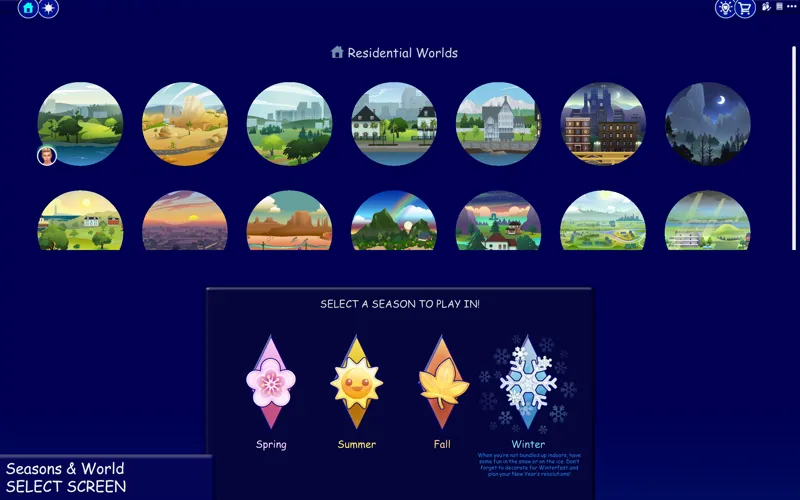
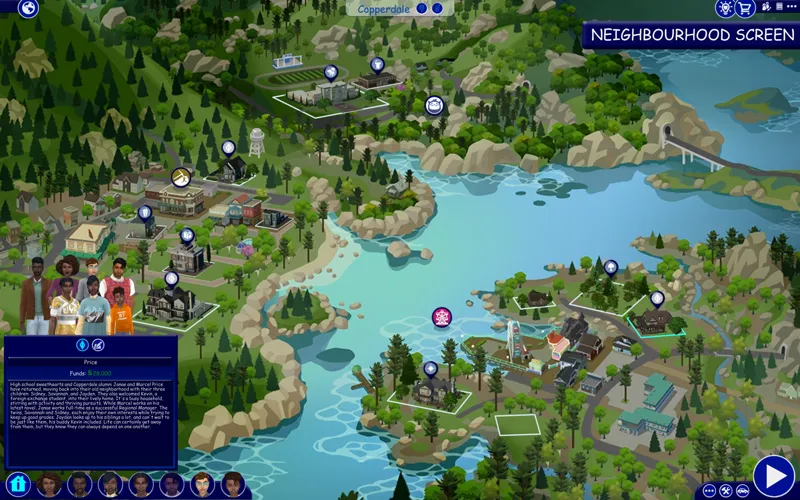
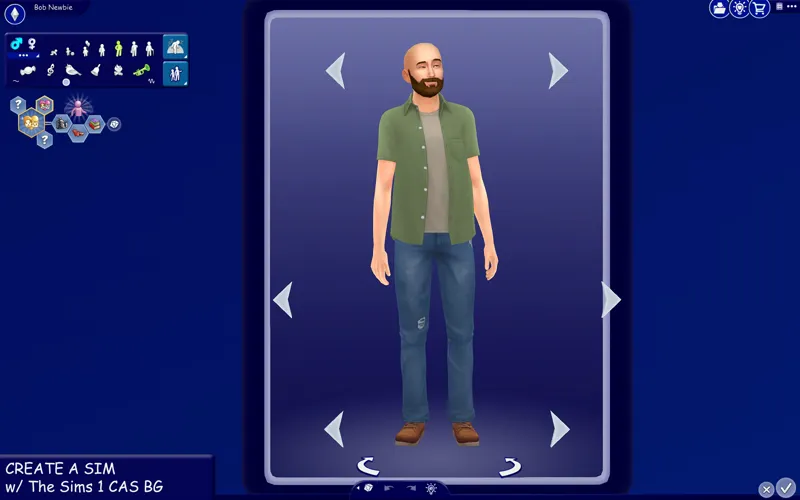
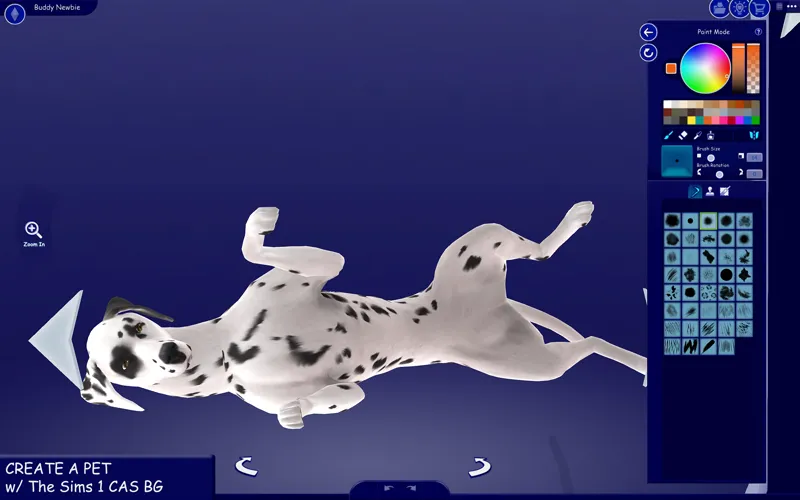
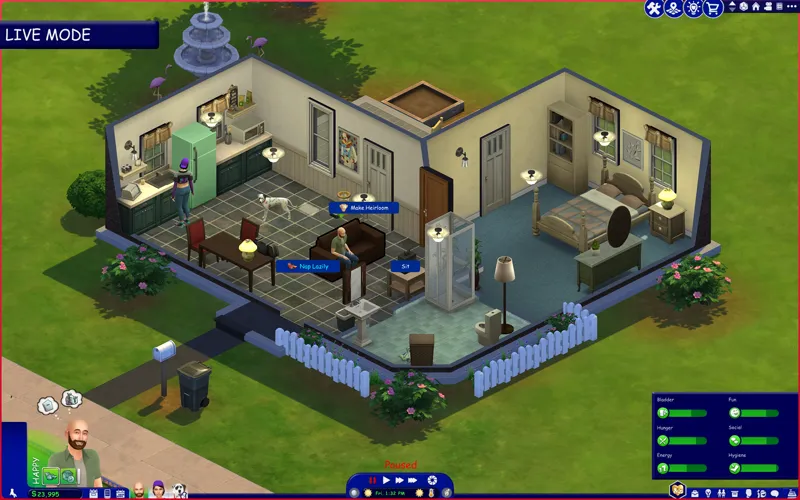
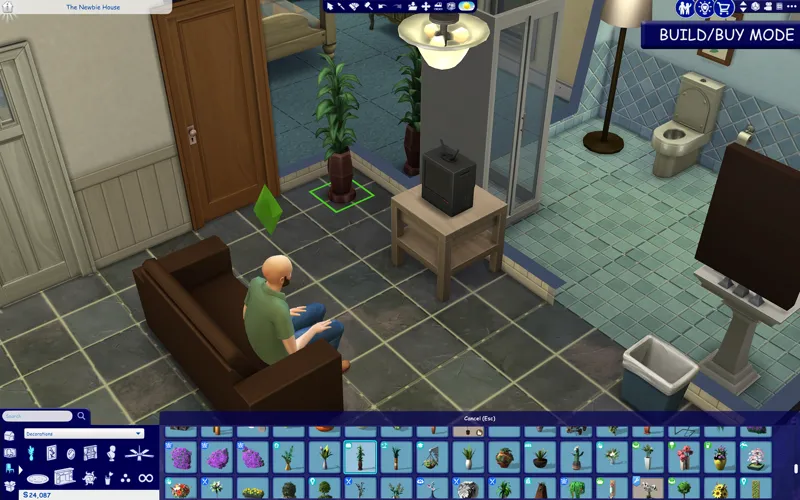

The Sims 1 inspired UI for The Sims 4
what can I say, I wanted to join in on the legacy collection fun and so I created this new UI mod inspired by The Sims :9
Check the status of my UI mods all in one post + Frequently Asked Questions
🔗 Guide to UI Mod Glitches 🔗 Installing and Troubleshooting Tips
📥 Installation
// Main mod
Before installing/updating, remove any old versions of Sims 1 UI whenever there's a new mod update and clear your caches.
Alternatively, keep the CONFIG folder and read the Changelog on which files have been removed/changed, and delete & replace the "Text" and "Texture" folders to avoid redoing the config.
Download & extract the zip file into your Mods folder.
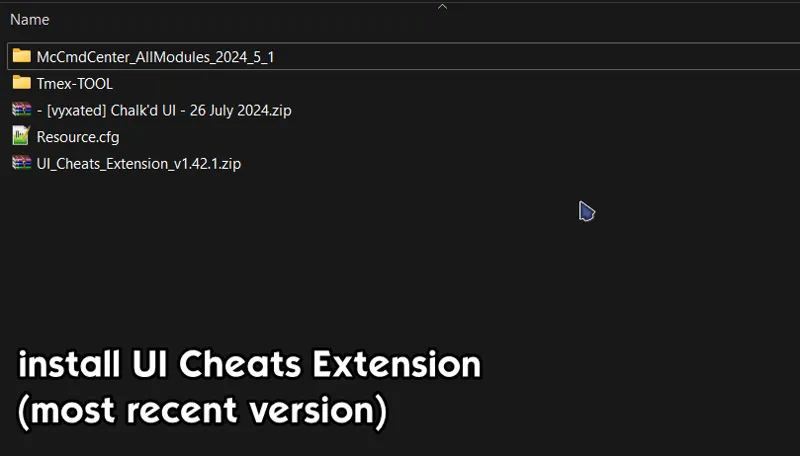
Install the latest UI Cheats Extension mod and make sure it loads after the Sims 1 UI mod.
Please read the README txt file located in "CONFIG" folder and remove files if you use any conflicting mods. You can go to the Known Conflicts section to see which mods are affected.
If a folder has the "__" prefix: choose only one file from within to avoid duplicates.
If a folder doesn't have the prefix: delete folder if you use the conflicting mod.
// Extras
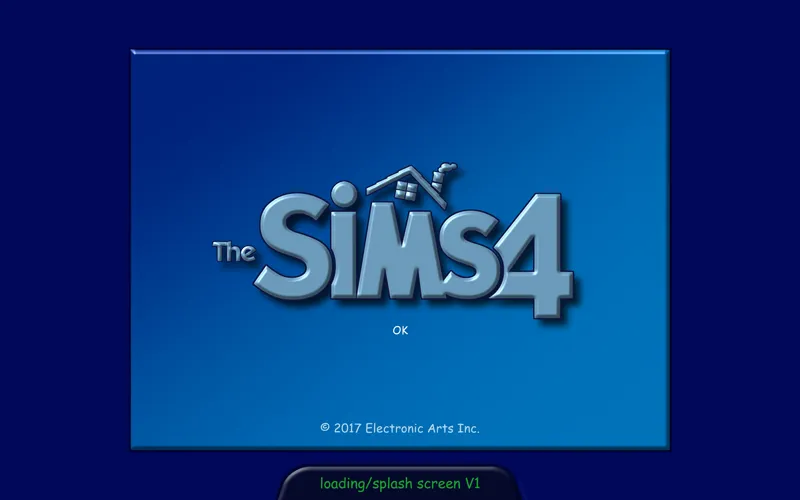
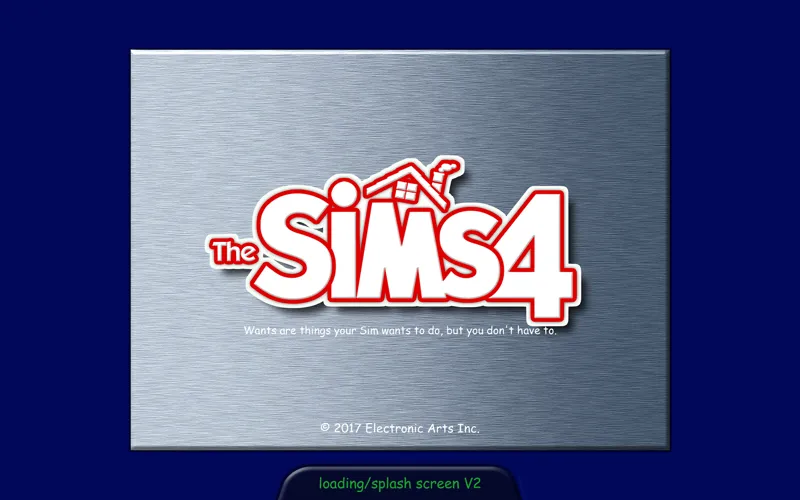
[Sims 1 UI] Loading screen: download only one loading screen file. Available in: 16:9 nd 16:10 aspect ratio. Available in 2 versions.
[Sims 1 UI] Splash screen: file to replace the intro TS4 screen. Choose the file that pertains to your game language. Available in 2 versions.
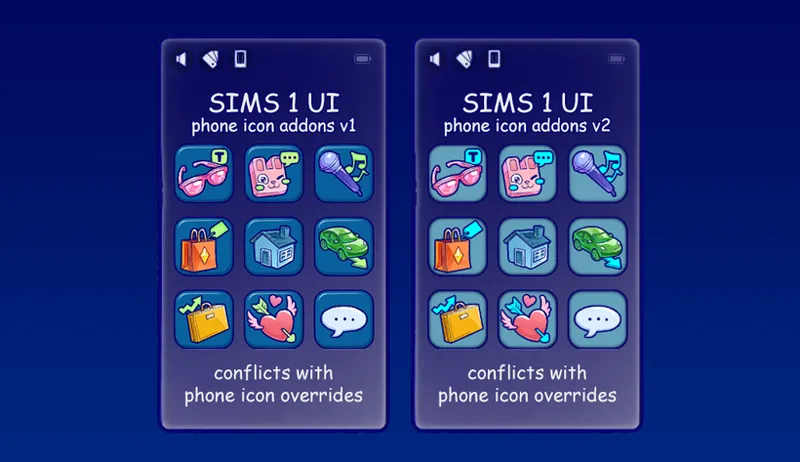
[Sims 1 UI] Phone icon Addons: pick & choose depending on which mod you use. Also includes EA icon overrides. Available in 2 versions.
🖥️ Mod-related Info
// Recommended mods for more immersion:
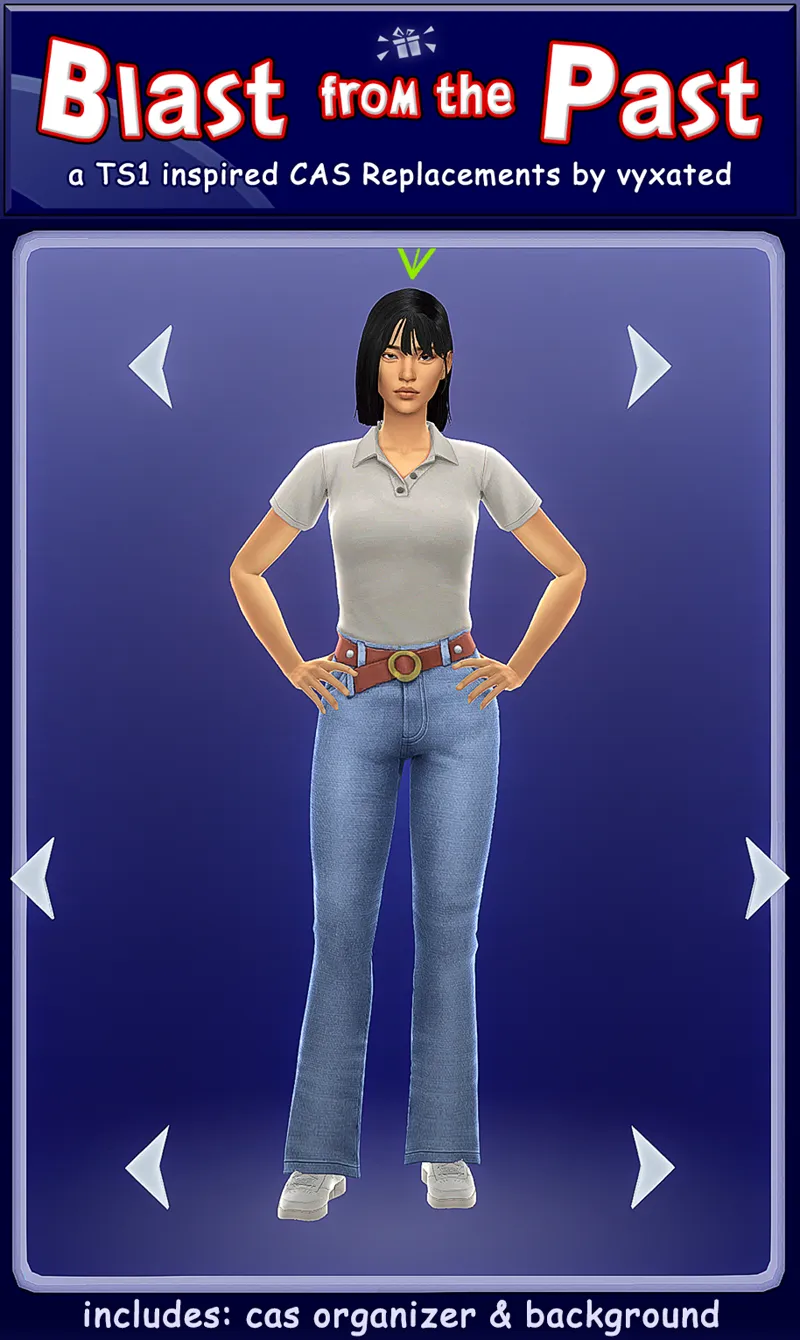
CAS overrides: The Sims 1 CAS background + CAS organizers
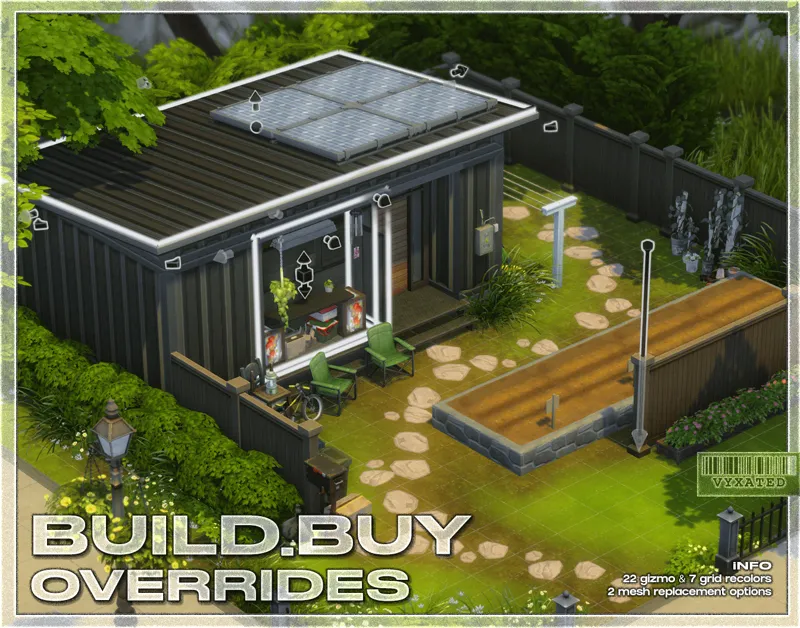
buildbuy gizmo override (outline mesh + TS1 swatch + TS1 grid)
TS1 font by thepancake1
TS1 music for TS4 by buurz
Map replacement by 20thcenturyplumbob
Classic Camera by VictorAndrade
// Compatible Mods ✅
UI Cheats Extension by weerbesu - original mod required
Fully compatible w/ UI Cheats Extension (current version required to work). To avoid any issues, keep the original mod in your mods folder (both .package and .ts4script) and have it load after the Sims 1 UI mod.
Small Business mods by LunarBritney
Fully compatible w/ More Employees & Higher Activity Limit mods.
// Known Conflicts ❌
All identified files that conflict with other mods have been placed in the "CONFIG" folder. You can remove files if you choose to use any of these conflicting mods or keep if you don't use these mods. Instructions on what to do will be found in the README text file found in the folder.
🔧 Custom wrench icons: can be edited to add your own custom wrench icon.
UI overhaul mods (Dskecht's UI mods, my other UI mods)
Family tree mods (SimMattically's Bigger Family Tree and TMEX's Better Family Tree)
Phone UI mods (SimMattically's Customizable Phone and TMEX's Phone Search)
Better Simology Panel & Better World Select by SimMattically
Various mods by TMEX (TOOL, Smarter Pie Menu, More Rentals, Searchable menu mods)
Phone icon override
📜 Credits/Resources
S4Studio, UI Texture Squasher (CmarNYC), Image Viewer (luniversims), JPEXS Flash Decompiler
Loading screen tut, splash/opening screen, UI/world map override tut, UI setup, phone icon resources by xosdr
Base files from the UI Cheats Extension mod (weerbesu)
The Newbie House by Jenn2606 on gallery
📋 Changelog
// Small updates
// 24 September '26
Added Simplified Screen Slams and Better Headline Bubbles update
// 13 August '26
Added new phone icon recolor for one of adeepindigo's mods
[CONFIG] TMEX - Searchable Recipes compatible files added
[CONFIG] contents of TMEX - BetterBuildBuy has been moved back to the main texture directory since it's been compatible for several game patches now
// 25 July '26
Updated for July 21th patch (Auto-save setting) and UI Cheats v1.57
// 6 July '26
Updated for June 30th patch (Festival Notif settings) and UI Cheats v1.56
// 23 May '26
Recolored Flyaway icons (relationship changes, character values, etc.)
// 15 May '26
Updated for May 12th patch (Calendar & Live Event UIs) + Compatible w/ UI Cheats v1.55 (includes Dynasty Unity & Formative Moments cheats)
Updated Gallery UI so it now sorts by the newest instead of popular
Fixed Getaway - custom role activity and household bills UI
[CONFIG] Updated Save Menu file in TMEX - Smarter Save Menu folder
📂 Alternate Link: SFS
Comments (53)
MUCHAS GRACIAS POR ESTE EXCELENTE MOD
LOVE THIS THEME, MANY THANKS BRO AND REGARDS FROM MEXICO!!
Changelogs have now been moved to the bottom of the post (up to two updates), along with links to useful information. I've also now specified which files have been edited in the CONFIG folder, so that you can update each files accordingly without having to redo the entire configuration. You'll still need to remove the "Text" and "Textures" folders entirely, since I may occasionally remove or add files to those folders.
Your UI overrides are incredible, any chance you're going to make an entire sims 3 override?
MANY THANKS FOR THIS INCREDIBLE UI MOD, LOVE IT!!
Quick update: Anyone experiencing UI Exceptions w/ "Career selector - Text" file can download the updated file separately above (main mod has been updated as well. ==
// 1 March '26 - Updated for Royalty & Legacy patch (new kingdom overview, dynasty panel, sword competition UIs) - Fixed missing UIs like notification wall, moodlet panel, and other glitches caused by the patch ====
The last time I tried Classic Camera, it was broken, and my game wouldn’t even open with it. Has it been fixed? I know the creator unfortunately passed away
📢 As usual, the Feb 3 patch broke UI recolor mods. All UI mods will have a 2-3 week delay in updates as I'm away and do not have access to my game/files. Please remove them if you have updated the game. https://www.patreon.com/posts/149762879
Guys, the blue text on a blue background in the pie menu is caused by having the Smarter Pie Menu mod by TMEX. I think the compatibility file is potentially broken. Removing the Smarter Pie Menu mod and replacing the compat version for Smarter Pie Menu with the standalone makes the text white and the pie menu choices boxy.
It's a small update so you can download the 2 updated files separately from the zip // 25 January '26 - Updated Gallery - Text file - Fixed Getaway UI and restored the extend & end getaway buttons
thank you for the update! quick question. in live mode, the ui texts are still EA blue and are hard to read with the darker background in the pie menu (specifically interactions between sims or objects). is it intentionally that way or is there another file that I'm missing?
// 13 December '25 - Updated for Dreamy Kits patch - Recolored Life & Death's tarot UIs ====
Hi vyx, I also can't get the main menu to work, but I do have Matti's refreshed main menu installed. Can you help?
Will there be a recolor in black of the sims 1 ui?
hey vyxated, the sims 1 main menu doesnt seem to be working, its in my mods folder just fine but for some reason it just doesn't apply.
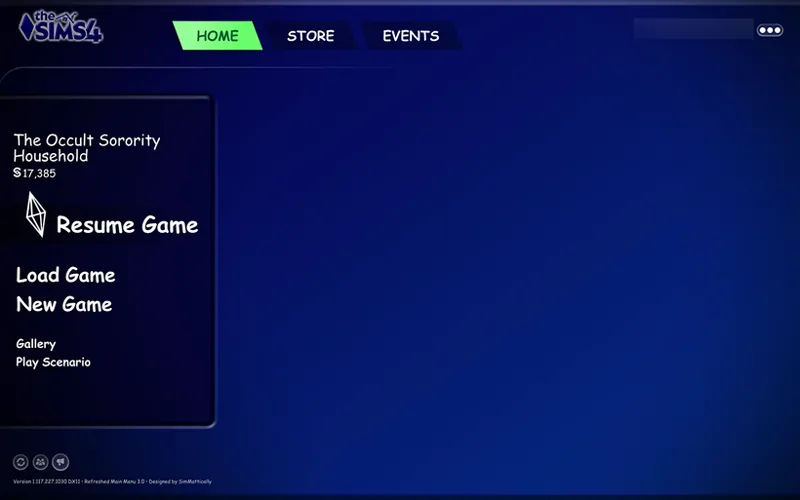
My main menu mods require SimMattically's Refreshed Main Menu mod to work. Links are available in the post
Hey! Do you have earlier versions for your sims 1 and sims 2 UI replacements archived somewhere? I have been able to avoid updating somehow, and have the version of the game from late this summer, *but* I really want to switch from your Chalk UI to your Sims 1 UI or Sims 2 UI? Please let us know if this is possible and you have earlier versions kept archived publicly anywhere :). Thank you 😊
// 26 September '25 - Updated for Adventure Awaits patch (recolored custom schedule related UIs & restored the Memory Boost setting) - Fixed broken UIs caused by the patch (buildbuy - gallery - dialog popups - calendar - aspiration & simology panels - world select - GUI/traits) - Recolored Pack Selection, Pack Details, and Situation/Events Display UI ====
// 22 August '25 - Added GUI recolors (buttons, dropdowns, traits, etc.) Will conflict with custom wrench icons. - Updated Headline Effects file (BBB folder) - Updated Dialog UIs - Fixed misplaced CAS thumbnail - Fixed Navigation icons on the upper right corner (if they are still glitching, update BBB or remove cart icon mods) - Separated the gameentryworldselection gfx file into the CONFIG folder to delete if you use SimMattically's Better World Select mod - Added Phone Icon recolors for various mods. Now available in 2 versions ====
// 1 August 2025 - Fixed Pickers - General standalone file that causes the game to freeze when ordering items on the computer - Restored the Enchanted by Nature settings in the Game Options menu - Separated the Sim Picker file into the CONFIG folder for you to delete if you use TMEX's Searchable Sim Picker - Added fairy related CAS thumbnails ====
Wish there was a version of this with your three mirrors.
do you think youll ever make one based on the sims 3's ui?
5 July 2025 Changelog (I've now included a text file in the zip too) - Updated for Enchanted for Nature patch (notebook, household collections, inventory UIs updated) - Fixed the gallery's tattoo filter UI - Fixed family recipe related files - Made fully compatible with LunarBritney's More Small Business Employees & Higher Business Activity Limit mods. You can find the files in the Config folder if you wish to keep/remove the mods' features. (the More Employees mod would require the original mod to work properly) - Separated "Sim Info_6 - Simology" text & texture files into the Config folder for you to delete if you use SimMatically's Better Simology Panel mod. Everything in the simology UI will revert back to the original state if you delete these files. ====
my thought bubbles are glitching for some reason.
Hi, great mod! I was wondering how you got the UI text to be white for live mode interactions? Mine is still EA blue which makes it difficult to read against the darker UI for interactions/pie menu. Is the recolored text part of this mod and I'm just having an error? Or is it part of one of the other suggested mods? Thanks!
29 May 2025 Changelog - fixed upper right navigation UI (if you use BetterBuildBuy / Remove Cart Icon mod, make sure you have those updated too) - added recolors for the dialog menu. ⚠️ Now conflicts with TOOL unless you delete the Standalone file. - added recolors for the event flyers and fixed a few readability issues. ====
hi, just wondering if its normal that some pop-up menus such as the exit one and career chance card are still the ea look
yes, those menus have not been recolored yet for this ui mod
thank you for the update :)
1 May 2025 Changelog - fixed main UI panel glitch (exit UI, notifications, etc.) - added new BB & CAS icon thumbnails - fixed a bug preventing you to perform the "Teach Family Recipe" action
Do you think you could make a mod that reverts back to the original zoom ona Sims face in CAS? After the latest update when you zoom in on a sim its too close to the face and cuts off hats and other accesories you can barely see now.
hi, someone else has already made this mod! you can find it here: https://www.tumblr.com/tricoufamily/778051522320793600/back-the-fuck-up-please-and-thank-you?source=share
this is so incredibly cool!! I use the sims 2 ui, but I'm mixing and matching the loading/opening screens with this, and I think its so cool to have that combo. Thank you so much for all the work you do on your mods, I really appreciate everything you put out for this community!! :')
I don't think I'll use it but damn, I love the idea! <3
13 March notes: - accidentally used the wrong image for the menu background, so I've uploaded a small fix of it separately (download and replace the "Base UI 1" file in the Textures folder) 12 March 2025 changelog: - fixed a couple issues related to creating custom tattoos, manage employee uniform option (small business panel), missing club hangout button, and family recipe - added recolors for: gallery, bb lot info, age up panel, entering lot icon, neighbourhood plans, family recipe, and all business-related UIs. basically almost everything except the perks UIs have been recolored :-) - new files have been added and separated as those conflict with More Rentals & Searchable Restaurant Menu by TMEX - renamed phone icons file so it's more identifiable
would it be possible for a sims 3 styled UI
hi! i was wondering for most of your mods but especially this and the chalk ui, is there a versions list/download? I'm not looking to update to 1.113 for a bit, and was wondering if there was a page for older downloads for 112.xxx, but these are such pretty and imo necessary mods :) Thank you once again!
for the sims 1 ui, I don't have previous versions since it's released after the recent patch. with chalk'd UI, I can put up older download versions, just haven't got the time to set one up yet
this is adorable!! amazing work
Ive been waitingggg for this and you delivered!
Could you please consider making a Ui Mod that only affects the boardings in game? With some pastel or girlypop colors or patterns? 🥺
I'm not sure with what you mean by boardings? is it like the festival flyers and stuff? 🤔
I was unaware that the classic camera mod still worked :D thanks for another great creation!! 💕
THIS IS SO COOL THANK YOU
OMG if I didn't already use your Pastel Pink UI, this would be my new UI lol. It's so good!! And I ******* love Bob Newbie so much lol. Great job!! (edited to replace swearing with asterisks)
now that is trippy...talk about coming full circle 🥹 It looks amazing! 💞
beautiful
When are you updating the font override mod pls i need it
I was just thinking about you doing this a couple days ago because of how much I love your sims 2 ui! This is too good omgmggn
I love this!! It brings back so much nostalgia! Thank you 💕
oh????????
Thanks for all your hard work! I'm downloading right now 💕