

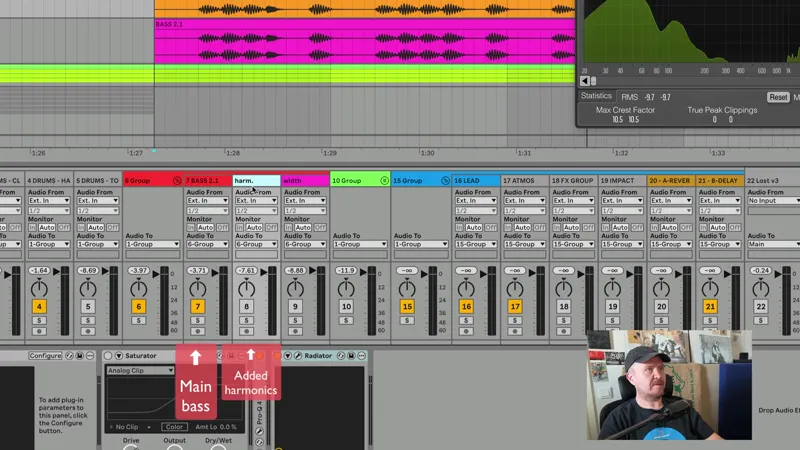
Mixing bass: improving presence & width
I'm improving the presence of a bass and also giving it a lot of width and wanted to help you do this too (see the very end of post for more links for bass content and a great free bass enhancer VST).
🎧 Use headphones for proper stereo listening for this one! Phone won't do this justice 🔉
(BTW did you see that my plugin giveaways are starting for paying members? Got God Particle etc coming up ;) Almost all tiers sold out so get in while you can!)
A little goes a long way in pimping a bass and making it spicier, and you don't need any third party tools for this.
I'm often asked about splitting the bass, so I'm covering that too.
I'm actually using some simple yet "questionable" widening methods but explain why it's useful – and you can apply this to any element in the mix, not just bass, and the widening takes no third party tools.
I love audio: you can take something that's kind of wrong but when you understand it, you make it work for you. Just like we did in the master clipping video, here too we're learning some important basics of signal processing - know your facts.
No third party tools needed, but there's also a great free VST for this: see bottom of post.
📺 MORE ABOUT BASS 👇🏻🤓
See my whole Bass video collection on Patreon.
E.g., get your sub bass right in mixing will make sure your bass is hitting (tech house, DNB etc).
A recent video on creating healthy basses from scratch has helped many so far.
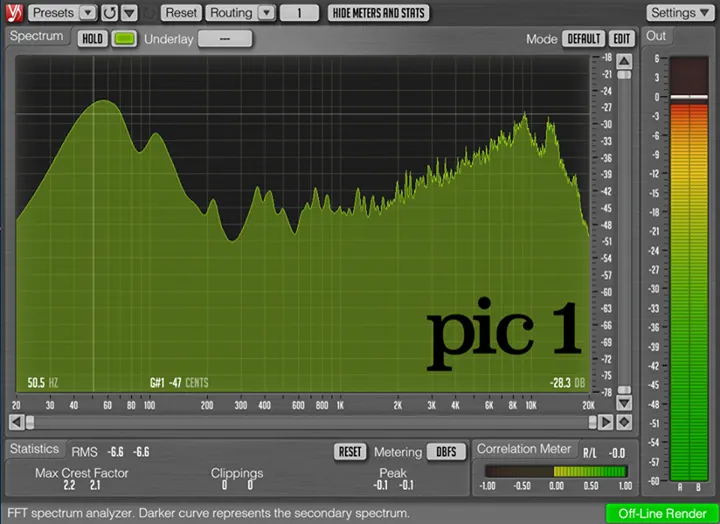
If you prefer reading, I've also written about getting sub bass right and covered how loud it should be visually in your analyzer.
I've also talked about treating several layers of bass and discussed relative levels of kick and bass.
I've shown why and when clipping your bass can help.
Tech house bass? Got you: HERE!
PS: The free bass widener tool that I use and can recommend:






Comments (14)
Whats the track in this video?
Loofy - “Leanin”. I peeped his profiles, and it seems it’s probably not out.
Hi Fanu! I noticed that you have 3 separate channels with the same source material on them (the bass track). Ableton-wise, is this any different to having just one bass track with an Audio Effect Rack split into multiple chains: sub, harmonics, width? Thanks in advance! Cheers!
That could definitely be done. Sometimes having/seeing all tracks can feel nicer - it’s all up to personal preferences :) Also every now and then I may export the tracks to the artist/client for their own refinement, and that’s where separate tracks can help.
Do you have an opinion on using EQ8 or Multiband Dynamics for that same job instead of pro q4?
I use ProQ for the GUI and workflow. Any digital EQ sounds the same really.
Flipping the polarity of one channel converts the signal to Side only.
I wanted to create just that, a track that has the width info in it.
Great way of doing basslines! I'm curious why when you flip the widechannel, your getting that topend noise around 10k+, when you flip it back to phase its gone. I actaually like it with the noise, is that from radiator?
yeah that Radiator noise is great, I dont mind a bit of noise!
Why not simply put some polyverse widener affect on the stereo track, or on harmonic track since it create next to zero mono compatibility problem?
What I am doing would allow for all kinds of little special FX and whatnot on the side signal - if you want - while a 3rd party plugin does not offer that: a separately processed chain for the width element. I am sure there's 101 great third party wideners out there, such as the one I am recommending at the bottom of my post - did you see that? So many ways to do this thing, as always in audio. And as I am showing on the video, the overall bass does have decent power in mono. It's one thing to get a 3rd party plugin, but also understanding signal processing with minimal tools can feel great too and can open a whole new dimension. I've been doing this for a long time and genuinely enjoy "rolling my own" at times 👌🏻😎
Is the eq after the saturator on the mid bass doing an additional low cut?
Good call: no, but I had raised the 400 Hz range by 1.3 dB!