
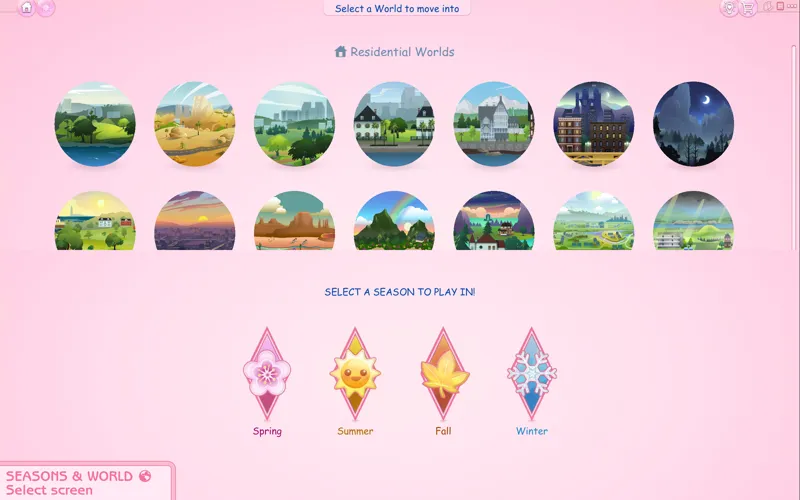
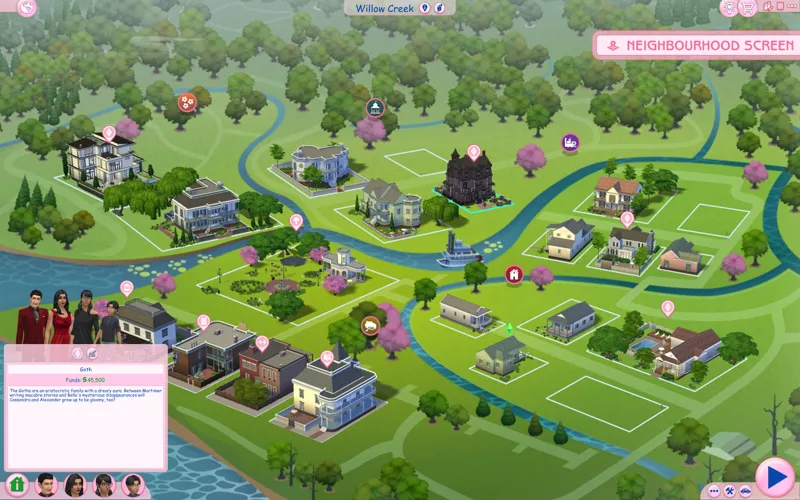
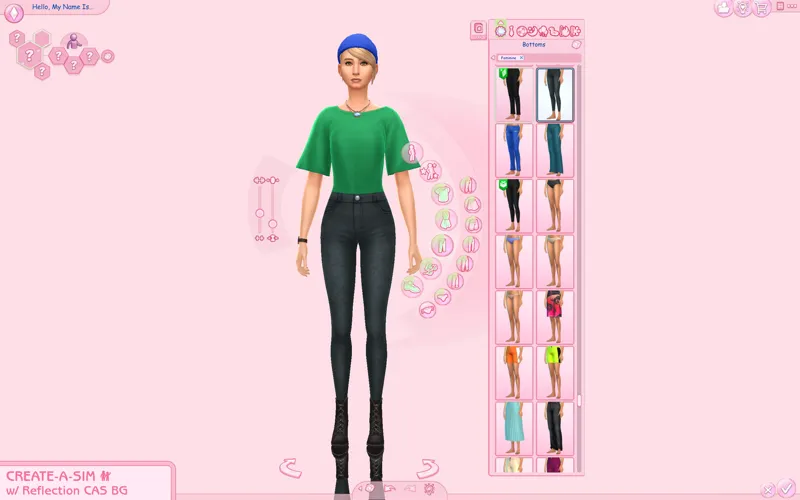
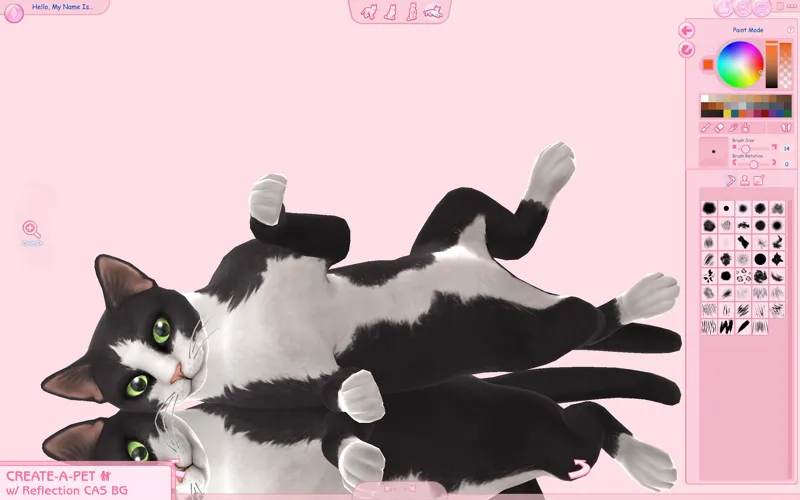

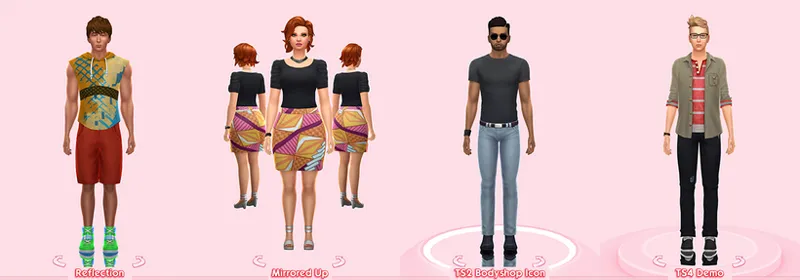
Pastel Pink UI Mod for The Sims 4
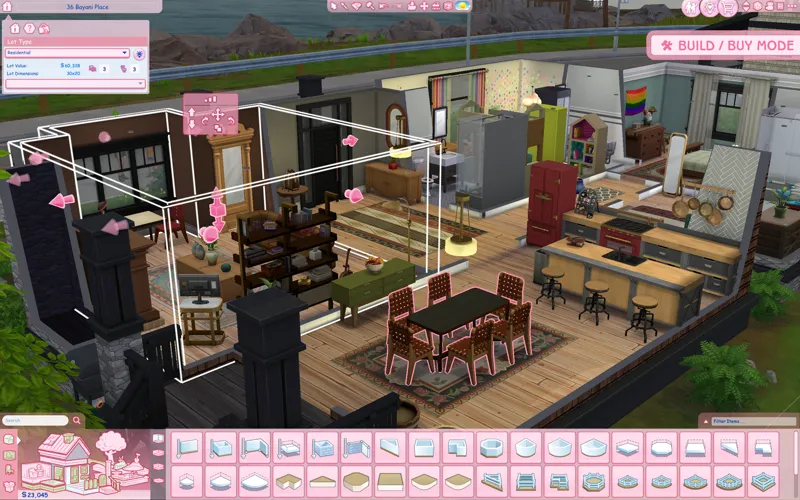
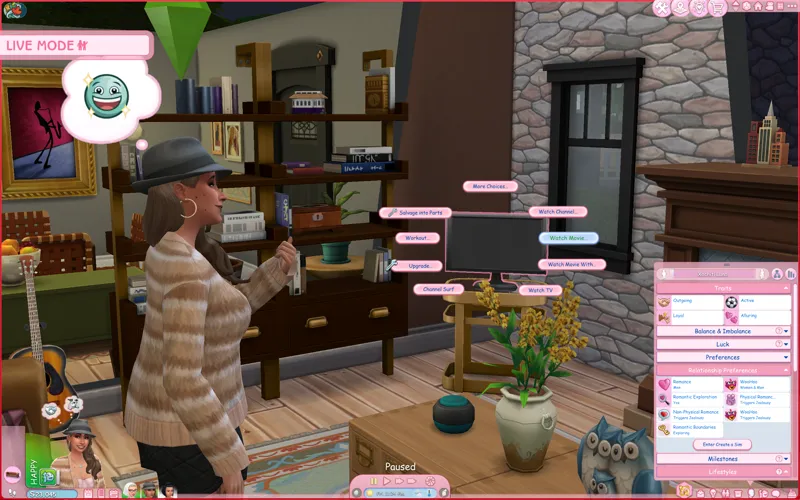
This was suggested to me over on tumblr and because of it, I feel quite inspired to create my own version of a pink UI! Semi-inspired by the pink UI mod for Sims 2 & Sims 3, with a TS2/TS3 flair on it as this is technically a recolor my TS2 UI mod :]
Now available for everyone with/without an account! Thanks everyone for using my UI mods 🖤 I still recommend keeping your membership to get notified whenever there's a new post or a mod is updated :-) any support is greatly appreciated!
Check the status of my UI mods all in one post + Frequently Asked Questions
🔗 Guide to UI Mod Glitches 🔗 Installing and Troubleshooting Tips
📥 Installation
// Main mod
Before installing/updating, remove any old versions of the Pastel UI whenever there's a new mod update and clear your caches.
Alternatively, keep the CONFIG folder and read the Changelog on which files have been removed/changed, and delete & replace the "Text" and "Texture" folders to avoid redoing the config.
Download & extract the zip file into your Mods folder.
Important ⚠️ >> In the "CONFIG" folder, and go to each folder(s) and delete files that may conflict with other mods (or else you'll encounter texture issues). Check the Compatibility info below to see which mods are affected.
// Extras
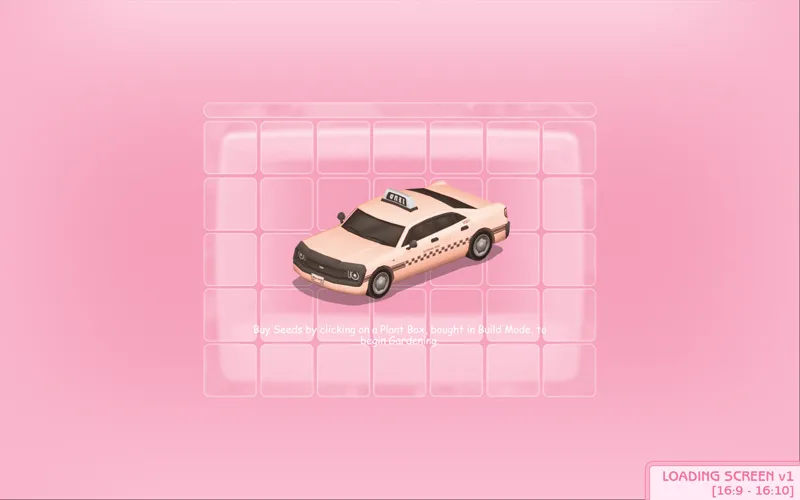
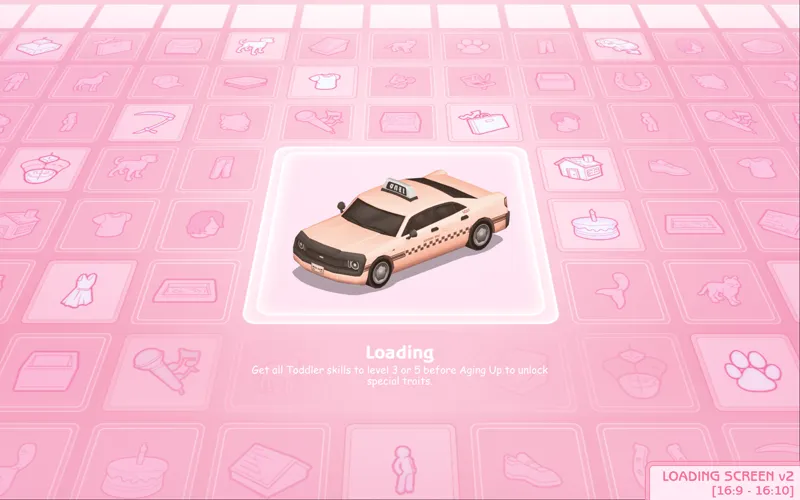
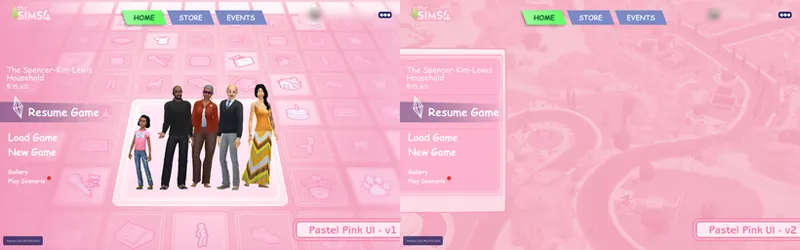
[Pastel Pink UI] Loading screen: download only one loading screen file. Available in: 16:9 and 16:10 aspect ratio. Available in 2 versions.
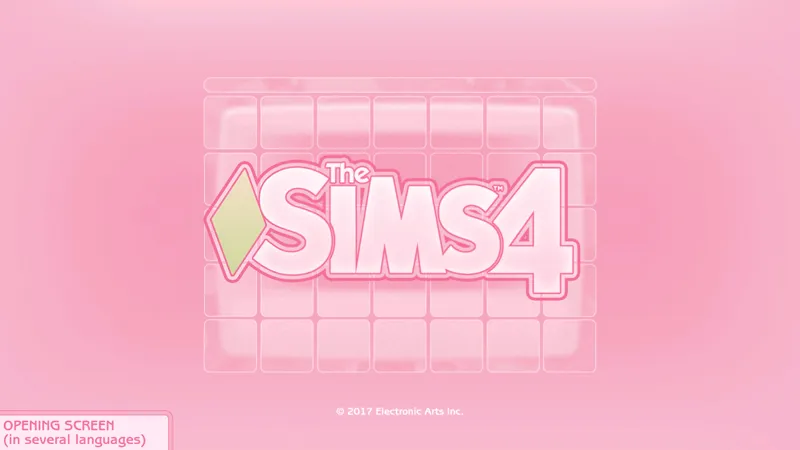
[Pastel Pink UI] Splash screen: file to replace the intro TS4 screen. Choose the file that pertains to your game language.
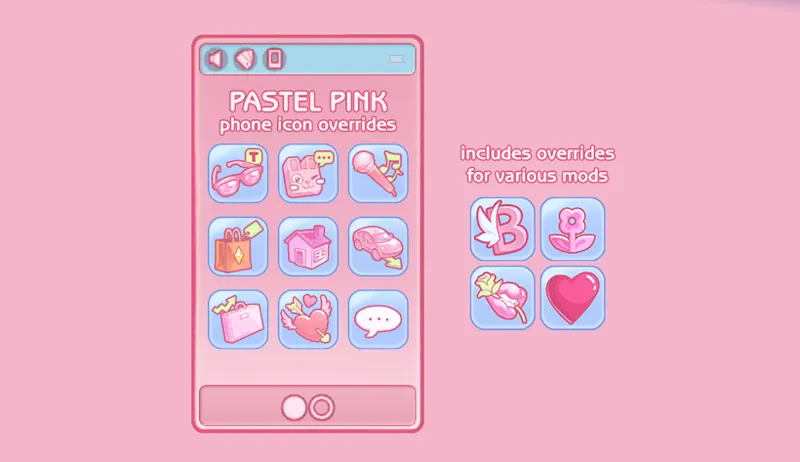
[Pastel Pink UI] Phone icon Addons: pick & choose depending on which mod you use. Also includes EA icon overrides.
🖥️ Mod-related Info
// Recommended mods to complete the Pink UI look:
any of my CAS Background overrides in pastel pink recolor
CAS organizers in pastel pink
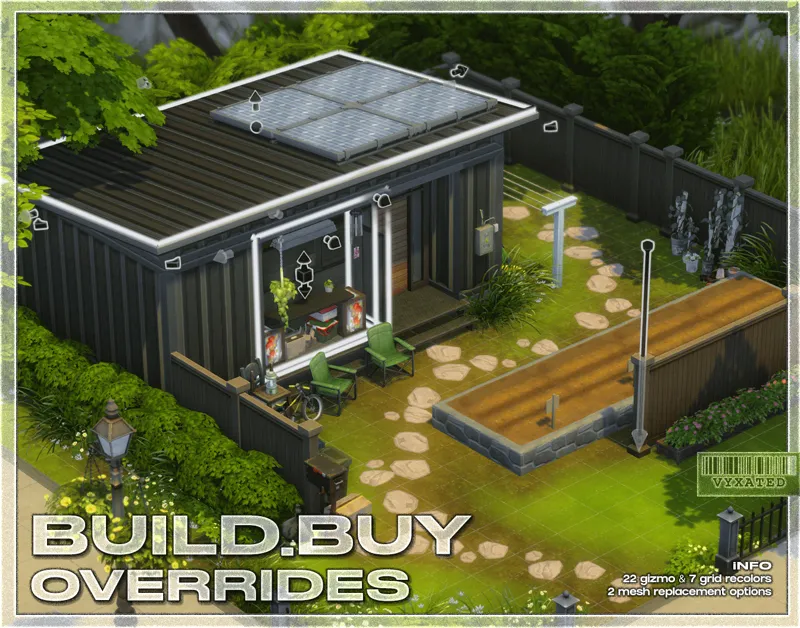
buildbuy gizmo override in soft pink
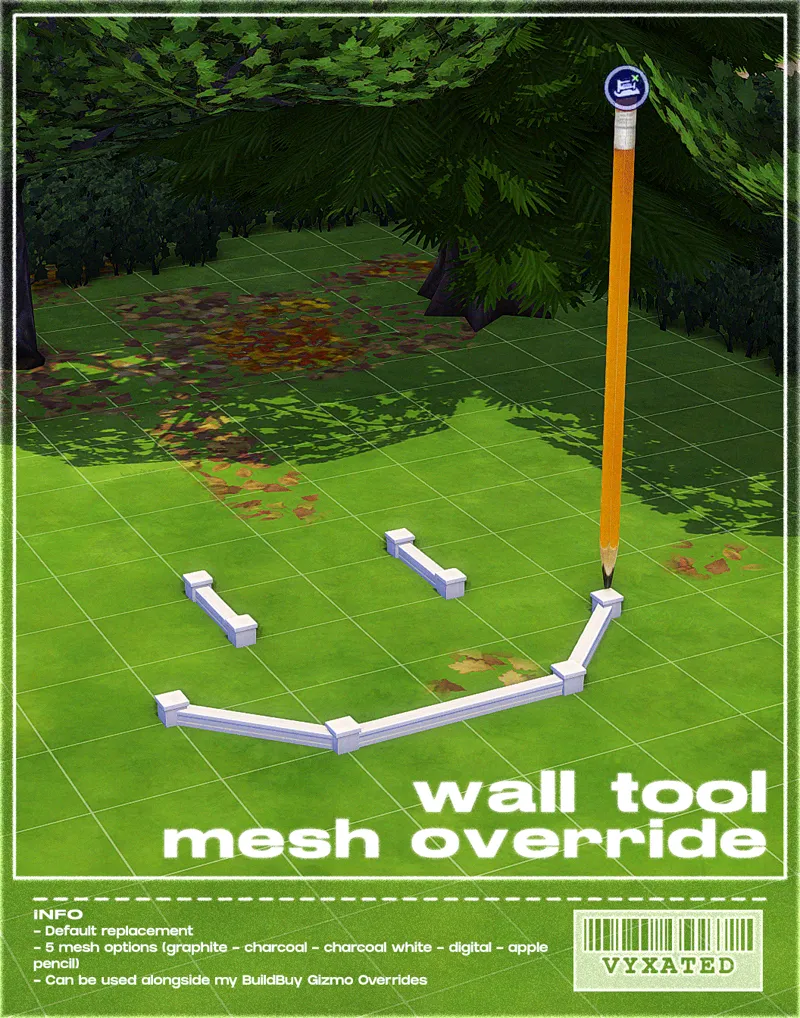
wall tool override in soft pink
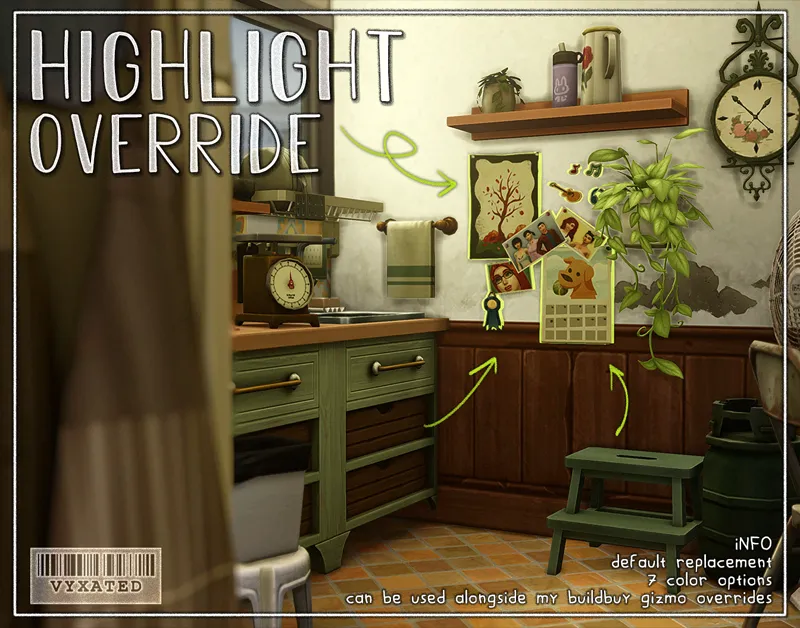
highlight/outline override in pink
// Compatibility with other mods ⚠️ (please read)
Conflicts with other UI Recolor mods by Dskecht and mine
You can however mix & match my UI mods if you want to have different colors for different menus. For example: if you want to have a pink CAS but a blue Build/Buy, delete the "BB" texture files from this mod and replace it w/ the "BB" texture files from my Pastel Blue UI mod.
Wrench Icon mods
Delete "Wrench Icons" folder if you want to use other wrench icons.
Phone icon override
Delete file if you want to use other phone icons.
UI Mods not listed above are compatible with this UI mod. Make sure they are updated too so you don't encounter any texture bugs.
📜 Credits/Resources
S4Studio, UI Texture Squasher (CmarNYC), Image Viewer (luniversims), JPEXS Flash Decompiler
Loading screen tut, splash/opening screen, UI/world map override tut, UI setup, phone icon resources by xosdr
📋 Changelog
Small updates
// 24 September '26
Added Simplified Screen Slams and Better Headline Bubbles update
// 13 August '26
Added new phone icon recolor for one of adeepindigo's mods
[CONFIG] contents of TMEX - BetterBuildBuy has been moved back to the main texture directory since it's been compatible for several game patches now
// 15 May '26
Updated for May 12th patch (new CAS thumbnail, Calendar & Live Event UIs)
Readjusted arrow color in career panel & dynasty related UIs
// 17 April '26
Fixed Gallery & Wrench icon UI
// 25 March '26
Updated for Marketplace patch
[CONFIG] Updated GUI file in Wrench Icon folder
[CONFIG] The Compatible version of Headline Effect file is temporarily removed since Better Build Buy is currently using the EA texture instead of its custom one.
[Phone Icon Addons] added new overrides for adeepindigo's Custom Nuptials, Lot51's Hotel Suite, NisaK's TamTam Tab, and thatssojordy's mods (Business Casual, Digital Romance, Growing Pains, and World Tour- some phone icons are still untouched). Several files have also been merged so please remove all old phone overrides and reinstall the new files
📂 SFS (alt)
Comments (699)
its not showing up in my game is there an exact tutorial on how to add this
does this conflict with better headine bubbles and weather icos mod?
weather icons - no headline bubbles - yea, though the pink ui has already included an HD ver of the bubbles. you can delete the headline bubbles file to switch out the bubble style.
I just wanted to thank you. My game looks beautiful! Thank you from the bottom of my heart!
Can you please add a Pastel Pink grid at some point for moving objects in game so it completes the whole look🥹
Just a little comment to say a HUGE thank you! My game looks so pretty, thanks to you. :)
i was wondering how to fix my text, its all blue and the buttons on the save and exit menu are all white still?
hi, this ui breaks the gallery for me :(
What would be the problem? The mod currently works fine on game ver 1.127.41 since the Gallery UI has not been broken for a while now, you may want to check if you have a leftover older mod. This mod only alters the textures, so if something stops working then it isn't related to this mod.
Hello, how can I use this mod alongside Arnies phone mod?, the one that changes the interface of the phone, calendar, and notebook?
will this mod conflicts with simmatically new immersive map mod?
No. It'll be compatible.
any reason why I downloaded the symmatically mod and my ea app won't even connect to the server now? not even uninstalling and reinstalling the app works. why is this happening.
please update, ty for all the hard work!
Just tested the mod and all the Pastel UIs are clear ^^ if anything's broken, it's likely caused by other mods (UI cheats was the culprit for me).
Hey! I hope you are having a great day! I was wondering how do I know if I selected or deselected something is configure neighborhood stories?
Deselected option usually has its default pink background, while selected options are in blue with a border around. Rather subtle though, due to the pastel nature of the recolor.
update plissss
is this mod broken since new update
it's working
is this mod currently broken? it doesnt seem to work properly for me :(
It has been tested to be compatible.
has anyone used this mod after the update??
I havent but scarlet's realm says it's broken!
is it still compatible after july 21 update?
Did you find out?
Is this mod updated? It is popping up on my better exceptions list.
Yes, it didn't require any updates. Check & update your other UI mods instead, main menu overrides to be more specifically.
Just started to play Sims 4 again. I love this mod. So, thank you so much for taking the time to make this mod and keeping it updated for us. I look forward to trying the blue one when my game aesthetic changes in the winter.
is this ui compatible with weerbusu's more columns mod?
Yes
needs updating :)
Hey! I think these needs updating since yesterdays update :)
Any of the Pastel UIs have been tested to be compatible with the patch since no UI textures were broken. The only issue you may encounter is the black screen after loading the game, which is caused by an outdated main menu override mod. If you use my main menu override and have the Refreshed Main Menu mod installed, update that mod instead.
hii just wanna know are you working on 01.07.2026/30.06.2026 patch? u make amaizing work :33 thx for this mod but im scared that its broken (i didn't update sims yet) :/
Any of the Pastel UIs have been tested to be compatible with the patch since no UI textures were broken. The only issue you may encounter is the black screen after loading the game, which is caused by an outdated main menu override mod. If you use my main menu override and have the Refreshed Main Menu mod installed, update that mod instead.
i love this mod so much. i change the loading screen and the main menü screen but i love th rest so much. would you like a world override mod add in the futrue to made as complete pack? it is the last what miss xD i have found one but is is not aviable anymore (i was so sad about it) ♥
Thank you!
Oh my god this is amazing. Thank you from the bottom of my heart, amazing!!!! <3
please help me i dont know which tmex bbb is the standalone or compatible..
ilysm ty for updating
thank you so so so much
thank you for your hard work, it's truly appreciated :)
this is a staple in my game. bless ur heart!!
Hi just letting everyone know this worked with the new patch update may 12 2026, thank you for everything vyxated!
There are a few things broken (calendar & events UI), but other than that, nothing else much breaks ^^
this mod brokes your game, don't download it after marketplace update
It would be great if, when making reports like this, to have something to corroborate your report as to what's broken. The main Pink UI mod strictly overrides the textures and at most it will look like this www.patreon.com/posts/121035058 when broken.
hi! thanks for the update, however the file won't let me start my game. it gives this error: Unable to start: game data missing or damaged [de4ee14f:29f00e76:00000000:4b0d852b].
also the game won't save with it in my game :c
Hi! I'd like to know where I can download this mod for version 1.122.218.1030. I really want the pink interface, but the updated patch from April 17 doesn't work for me. I'd appreciate a reply!!
thank you for updating !!
Hi just wondering if anyone still has the 1.1.21 version of this? my game isnt updated and i dont wanna update it but i miss my pink UI
YESSSSS
I JUST DOWNLOADED THIS 04/15 AND THE UPDATE BROKE IT THE NEXT DAAAAAY!!! F**K EA!!!!
How did it break it works for me ???
Please tell me the update didnt broke thos again
it did
does work this work with the new update
nope game won't load
can we get a red???
hello, love ur mods! will this work with S4MRT and with time-limited events turned off? thx!
Should be, yes. This only overrides the textures
Completely new to mods can someone help? I downloaded and made a Mods folder in the SIMS4 folder. When I open the game though nothing has changed
Hi! If you open Documents in file explorer and click Electronic Arts a the Sims 4 the mod folder should be there. You also have to enable them in game in the settings panel. You can select game options and I believe it’s in the other category to turn them on and then restart the game. There are lots of videos on YouTube if you need a visual explanation 🤍
guys..where do u download it im slow
where it says 'attatchments' at the bottom of the post
Could you make pastel pink icons for my computer, recicle bin, etc? 🥺 also for S4TI Tray. Pleaseee 🥺🥺🥺
Hello does anyone know if this is compatible with the new royalty mod? Cause my dynasty window in the social groups is the only thing glitching or if its a different mod that's making it glitch
hey! i downloaded everything as instructed and most of it is working fine, but when i try to open any worlds from nordhaven (including it), everything turns pink and no houses or anything show up 😭 any idea what might be causing this or how to fix it?
Maybe the More Rentals mod? I don't remember which mod exactly that can cause this. The pastel UI won't cause such issues since it modifies the textures only. Anything that glitches like that is caused by other UI mods
omg cant believe im just finding this mod this is too gorgeous and detailed
thank you so much for your work! I just updated this mod and everything works except my home screen (where resume/new game/load game is), it's still the Sims 4 default, am I missing something?
im pretty sure that this mod shouldnt change that but if you want you can look up sims 4 home screens on Pinterest and they usually have some cute ones you just add right to mods folder
Periodddddddd
Hi, you replied to another comment saying you still had the old version saved in your trashbin, do you by chance still have it? Specifically compatible with version 1.121.xxx (before 17th of march, so either 12th or 19th of february)?
спасибо вам!!! ♥
TYSM for your updates❤️
Could I get a link to a previous version of Pastel Pink UI before today's update? I can't update my game because of EA :(
I still have the folder in my trash bin, I can email it
Changelogs have now been moved to the bottom of the post (up to two updates), along with links to useful information. Read those please, before commenting, because almost every answer to your questions can be answered by simply reading those. And always check the first paragraph of this post, that'll answer your question whether this mod is outdated or not. I've also now specified which files have been edited in the CONFIG folder, so that you can update each files accordingly without having to redo the entire configuration. You'll still need to remove the "Text" and "Textures" folders entirely, since I may occasionally remove or add files to those folders.
you are literally amazing! Thank you :)
Keeping an eye out here for the update ♥
just a fyi the wrench part of this mod is broken i am not sure if that is just beaucse of todays patch or not but just thought i would give you a heads up the rest of the mod looks good still
Are the buttons split?
idk what i'm doing wrong but all the buttons are weird :( i only left this mod in my game, i uninstall and install again but it seems to be weird all the time
I’m pretty sure you’re not doing anything wrong, downloading this is no different from installing regular CC. The recent patch seems to have broken most UI mods, which honestly happens with almost every update. You’ll likely need to wait for the mod creator to update it, and for The Sims team to release another patch to fix the issues, hopefully sometime this week.
He's working on updating again just after the dark mod ui. Maybe in 4 days the pink mod ui will be updated.
yes
some parts of the mod are broken :( it doesnt look all bad, but its gliched (03/20/26)
same it crashed on me everything else looks fine for me but the notification all glitchy ToT
Hey everyone, so I used Better Exceptions, and it's telling me the only thing that is not working is just the loading screen; everything else seems to be fine, but yes, an update is still required. I just wanted to share.
I had this mod before buy deleted it when it started breaking my game, is it still broken to the point its unplayable or is it still usable until it gets updated again cause my game looks so boring
please update, this mod makes my game so much better ♥
This crazy that we have to keep going through this T-T
Waiting for another awesome update<3
Unfortunately, after the Sims update, which was supposed to fix the issues, it is still not working. :(
Me too Ughhh my game is so bland without this girly moddd :(((
is it not working for you at all, or is your menu bars patchy/split?
Hoping you will update it soon</3
Welp the update really mess this up omgg 😭😭😭
Ty for updating ♥
yayyy im so excited, thank u for updating! <3
thank you!!!
Thank you for updating!!!
thank you for updating !!
I am so excited to have this in my game again! I'm sorry for all of the people who were rude about it. I have so much of your stuff in my game, and I cannot wait to see what you make next! Thank you!!
For anyone experiencing a glitch with headline effects/skills etc.: keep the Standalone file and delete the Compatible file instead! BetterBuildBuy v4.4.2 currently uses the original EA headline effects texture, which is overriden by the Standalone file, and is now the file you're required to keep. Depending on how BBB is updated in the future, the Compatible file & extra installation step might no longer be needed :-)
thank you!!!!!!
THANK YOU
thank u sm!
Thank you for the update!
thank you!!!!
I choose one of the phone overrides even if I use more than one of the listed mods?
You can install all the phone overrides regardless if you have the associated mod or not, they simply won't show up. Deleting them isn't required since they are very small in size
ur so goated for this omg thank you 🥹✌️
I’m so happy to have my pink UI back😍😍😍 tysm🩷🙏🏽
i just wanted to sincerely thank you for this update. i know a lot of people were impatient and kinda rude, and i sincerely thank you for ignoring those and updating it on your time. thank you so much .ᐟ.ᐟ you do amazing work <3. i only found you recently, due to cleaning my mods after the recent february update, and honestly, i don’t think i can play the game without your ui, it just makes everything so much prettier TT. i have your cursor and a similar pie menu override to this theme and i can’t wait to play with it later. thank you so much again .ᐟ.ᐟ
BLESSS YOU OMGGG VYXATEDD!!!!
yes !! the Queen(Or King) has returned!
yippeee!! thank you! now i can finally update my game lmao
thank you!!
// 1 March '26 - Updated for Royalty & Legacy patch (new kingdom overview, dynasty panel, sword competition UIs) - Fixed glitches caused by the patch ====
ty goat
Yay! Great to have you back! Missed your UI so much!
IS THIS A DREAMM🥹
yay!! it’s updated thank you so much
Hi! This one is very bugged for me, the icons are all in the wrong place and when i try to play with a household it just jumps back to chose a world menu :(
its not updated yet for the last sims update
vyxated i hope you're having a great time wherever you are !! someone please update me / reply when this override is updated :))
hey excuse me , it's updated
i cant wait untill this gets updattedd
I don't get which one changes the UI such as ''needs'' and what you see when you press play
That would be the last file listed (the one with the date). The other files change phone icons and backgrounds etc. But if your game was updated after February 3rd, you need to wait for this mod to get updated to work correctly.
谢谢你的模组,非常喜欢
PLEASE update when ur back!!
PLEASEEEE UPDATEE I LITERALLY CAN'T LIVE WITHOUT THIS MODDDD <333
so excited for the updated version of this mod
helppp this broke my game and I can't seem to find all the files to remove them out lol. somebody in the comments, SOS
youll either have to find the other mods/cc causing the issue or remove the ui color mod... thats unfortunately what i did
just wanted to pop in and say how much i love ur mods <3 ive been holding off on updating my game bc i literally cannot live without ur cc. pls enjoy your break and take your time !! (:
hope you're enjoying your time off!! ignore the annoying comments youre allowed to have a life
u are gonna update this? :D
não ta pegando mas por causa da atualização ta dando bug atualizem isso eu gosto muito melhor mod
ya'll who r showing ur asses gonna piss off vyxated and they not finna make sh* for us lmfao PLEASE , have some gratitude tf. ty vyxated we love u we appreciate u , i hope u enjoyed ur time away 🤍
This is one of my favorite Sims Mods now. Like I'm at the point where I'm using less mods every month. But this is one I'll always come back to/keep. Plus it's entirely free. With everyone being so uppity on the extra week or so to update, I just wanted to say I appreciate you.
Ya’ll can we give him another week😭
this community is always so rude to modders
update it brro
they said they dont have access to their computer rn to update. be patient bruh
it doesent work
um yeah read the comments
can someone notify me when this has been updated .ᐣ
is the patching done
he doesn't have access to his mod folder he's out of town I think
Bonjour pour le mod tout sembe fonctionner. Le seule point qui différent est quand je quitte le jeu. En effet le dernier rectangle qui s'affiche avant que le jeu ne se ferme. Ne s'affiche pas correctement; texte bleu, pas de fond mais les boutons d'options eux ne présente pas de soucis.
I have this problem too.
putting this comment here since this has the most activity: 📢 As usual, the Feb 3 patch broke UI recolor mods. All UI mods will have a 2-3 week delay in updates as I'm away and do not have access to my game/files. Please remove them if you have updated the game. https://www.patreon.com/posts/149762879
Thanks & Safe travels
hi, I really love this ui. its as I'm sure you've heard, broken after Feb, 3rd update. do you plan on fixing it? thank you too much
doesnt work well with the new update :(
please update !!
he will but he's away rn
THIS DOESNT WORK AFTER NEW UPDATE!!!!
Doesn't work after Feb 3 update! Fyi
I think the feb 3 update might have broke this cc
i dont have anything in my mods folder and i downloaded this mod and put it in my folder but nothing is working, please look into your mod.
It worked fine yesterday (before today's update), you probably did it wrong. But try it again when the mod gets updated bc it broke bc of the new sims update.
Hi,I downloaded some mods and it worked,except for the case background that has buggy boots,the background didn't turn pink and everything was messed up,and I don't know how you think the version is more up to date,could you tell me which one?
I downloaded this & everything is pink accept for my cas & curser (edit: nvm i feel dumb i figured it out ily tysm ur talented <3)
the mod is broken?
I was wondering what was going on, glad I came here. It is still broken
What exactly is still broken?
is it still broken
Does anyone know if it’s compatible with the better simolgy panel?
it´s broken
what can i do if the mod isnt letting me play, i keep trying to delete the mod off everything it just keeps making my game crash or wont let me play just keeps me on the worlds page.
That's a script mod issue, not this UI mod's issue, since you mentioned your game still crashing after removing the mod. All this UI mod does is replace the textures and it shouldn't cause the game to crash
First of all, this is so pretty and thank you so much for your hard work! However, I‘m having an issue - the social event task pop up in the top left corner is bugged (it does work though, just looks glitched and „off“ like when the UI is messed up from outdated mods). It‘s the only thing that‘s bugged for me. I did everything accordingly and tested if it‘s because of other mods/CC, but it has to be from this one (I did also download the complementary mods mentioned here, but took them out as well to check). I was wondering if this could be fixed - or if it‘s something only I experience, is there a way for me to disable this feature by itself?
If you have the UI Cheats mod installed, make sure that is updated to version 1.51. The texture itself is already compatible with the latest patch, so it shouldn't be glitching unless UI Cheats is outdated or an outdated duplicate file is around. The file name is "Live_1 - Situation display - Texture" if you want to check
if i want to use someone elses pie menu bubbles,do i just delete your piemenu file in the configs ?
yes!
hii sorry for asking but could u recolor the lining when the game is paused as well? thx!
While it is possible, I want to avoid making this mod conflict with BetterBuildBuy / no cart icon mods since they all modify the same source file
Hey i have an old version of the game as i play on offline mode (one version before the pack selection update). I assume there's no way this mod will work on it at this point, but i still wanted to ask. Is there any way to download the old version of this mod?
Archive's here: https://www.patreon.com/posts/ui-mod-archive-124193490
Hi, i dont know if i did something wrong, but the holidays and social events menu are broken, they look glitchy
there's a recent patch out, so likely some UIs are broken
i really love this UI mod. however, when its installed. though bubbles and sim name labels(on mouse hover) become large and distorted :(( just wanted to let you know - thank you for your work!!
Do your traits made weird to?
how do i download this
so basically you'll want to download the files you want to use, and they will go into your downloads folder. then, you take copy those files and head to the documents area then go to electronic arts, then to the sims 4, then the mods folder. paste the files in your mods folder and then they will hopefully go into your game
i was wondering if there is a file i can delete that will make the ui look less "foggy"? nothing is actually wrong with this and my gshade might make it worse but i love the mod but can't really see when messages pop up and things just look foggy.
How do i get the like the pink outlining on the in where you like chose the age and stuff in cas?
download the zip
hi the mod looks broken in-game for me i placed the mod in my mods folder and im pretty sure I installed it correctly can you help me if you dont mind please thank you for your work
can you specify what exactly looks broken?
helloo dolly, does having this pastel pink UI affects the clean UI? been trying to figure out how to make clean UI work on my gshade.
as far as i know, those will conflict as they are both overriding the UI
hi love this mod is broken again its messy up the sims overhead effects
That would be an installation error. Check the post info regarding compatibility with Better Build Buy
wahey thanks luv u
Hello, the main menu background didn't change after updating the mod. Everything else is pink and working fine, I even tried installing the refresh menu 3 but that just gives me a black background.
Yaaay!!!! Thankyou
tysm!!
thank u smmm for updating and all of ur hard work!!
ahh tysm
thanks for blessing us My love.
Olá! O mod atualizado funciona para atualizações antigas?
thank uuuu <3
// 9 December '25 - Updated for Dreamy Kits patch (fixed a lotta things broken like CAS, gallery, and various live mode UIs) - [Green UI] Recolored remaining live mode UIs & CAS thumbnails ====
hi has the pink ui mod been updated as well :)
Nope, currently updating my other UI mod first before tackling this one
I like this mod so much! But if I want to change the cas background,which file I should take out?
None, cas backgrounds aren't included in this mod
just saw holiday UI in game is being silly, hopefully this gets updated soon ! i <333 this mod my game is sad without it :(
I am seeing white and glitches in cas and with popups anyone else? Must be the new Dec 1 batch fix?
Yup, patch broke the mod
only the name panel got white no other issiues with update
Unfortunately, my game is in Simplified Chinese, and the Splash screen will not work.
Hello, I was wondering if I was supposed to delete any files that are game files, like if I didn't have Seasons EP would I need to delete any/ all the files that associates with that since I don't have it? Sorry still new to downloading mods for Sims.
for most mods (aside form what ik, wicked wicked whims) u simply drag and drop them into ur mods folder!! since the file ends w .zip, double click it until it becomes a folder. to which u'll then drop that folder/mod file into ur mods folder and delete the .zip one
I'm having a glitch with the UI that displays the information when you hover the mouse over a sim. however everything else is working fine, would this be happening because of this mod?
Yup. Because the current game version is 1.119 but the mod is still in version 1.118. The mod is still playable, but it will still glitch in some parts.
for neighborhood stories are the selected ones blue or pink?
Hey! I took the mod out, but it's still pink. I went through all my mods a few times, and I did remove it, but it's still showing up in my game, and it's broken. Any recommendations?
im having the same issue but with the beige one
The ui is broken i tested it out cant wait for it to be updated! <3
I have updated yesterday and I can confirm that its not broken take out your mods and add them back 1 by 1 im sure its another mod of yours
I feel like the instructions of installation are wrong. I just drop everything into my mods folder? I did that but it's not working.
unzip the folder then click on it and take the second folder out then add that to ur mods folder
I love this mod! Though, its causing problems with the skills bar and Sims speech bubble thingy making it extremely glitched out, I took the mod out my folder to make sure and they were fixed! But I still want the mod, do you know which file is for the skill bar and speech bubble so I can take them out and put the rest in?
Me either
Not all of them work for me and I don't know how to fix it. The cursor is pink, the loading screens are too but the Main Page and e.g. the BuildBuy hub isnt pink either.
i'm having the exact same problem :(
when i hover over another sim the relationship bar is glitched how do i sort this or is it just a general glitch?
having the same issue idk what to do about it
I love this mod, but is there a way to make this in a softer pink?
i have an older version of this in my mods folder and cant for the life of me find it to take it out and update because all my ui is messed up, do you have any tips on finding it?
You can always find it by searching for "vyxated" or "pastel pink"
can you upload the previous version please this version is glitching. phone icons, interface icons kind of goes crazy. others said so too
I can't use the phone
hi, im wondering if you can make the pink outline for the selected outline in CAS too? it's green or light blue if im not mistaken, so it's not pink and also a bit hard to see...
I love this mod, but i think i might have found a conflic with a dif mod you should look into. The mod "The 100 base game traits pack v1" is having issue displaying the names of traits with the pink ui mod!
I downloaded it but it won’t show up on the sims
same :(
Hi! I can’t live without this mod. Just wanted to let you know I had to remove the wrench override bc it was causing glitchy looking selection boxes. Ty for all of your hard work 💗
OMG Thank you i was trying to figure it out
has an updated version been uploaded recently, mine is currently bugging out </3
never mind! i've found out its not a problem with the mod, it's a problem with my game in general... i'm not sure how i'll fix it but i'll try
is this compatible with the more traits in cas mod?
Yes
ocurrio de nuevo sdjfjk
is this freshly updated ? all my buttons are glitchy green and it seems to be this mod as i checked and removed my other mods and they are fine but soon as i add this one it's weird. happens at the world map as well when i hover over a sims household it's stretched shapes and green.
i only use the pink ui btw not the other add-ons in the download list. hope this helps!
pastel pink UI is giving me issues with the updated files now - the yes / no ticks are glitched as are all submenu type things (save and quit etc) and all the swatches are glitchy and weird shapes?
update TOOL / more traits in cas / any custom custom wrench icons if you use those
hey, my aspirations in cas are all glitched and ive been trying to fix it but it hasnt been working, Aswell as the tick and crosses for yes and no. Do you know how i can fix it?
update TOOL / more traits in cas / any custom custom wrench icons if you use those
For some reason when I use this mod, some parts of the menu and interface clip in and out and looks weird. Is anyone else having this issue, or am I having a mod conflict?
I am as well; I found that it looks fine when it's in by itself, but when I add another mod (any one of them), parts of the UI freaks out.
มีสอนลงมอดไหม
i love you
updated the mod for a quick fix on for the Plan Event UIs. download "Live_2 - Calendar - Plan event" and replace the existing file :-)
tyy ! <3
THANK YOU SMMM
ty <3
Do you know if this is compatible with SimMattically's Better Simology Panel?
ya
aaa im so happy you updated it! i love this mod more than any other and i kid you not was checking like every other hour lol
literally me lolll im so happy
Appreciate everything you do ♡
yayyy I just got ready to play too :)
You're the best, I love your work 🙏
omg i just turned my pc off 😭, thank you so much for the update. this pastel pink is one of the best ui mods ever
// 21 September '25 - Updated for Adventure Awaits patch (recolored custom schedule related UIs) - Fixed broken UIs caused by the patch (buildbuy - gallery - dialog popups - calendar - aspiration & simology panels - world select) - Recolored events/situation display UIs ====
hello, does anyone know if the pink borders at the bottom center and top right are part of the mod? I would like to remove them until it is updated but I can't find the file to delete https://postimg.cc/gr2rcs4R
"notification wall" & "seasons n time controls" files (anything with Live_1 are UIs that you see in live mode without having to click on anything)
OHHH thats why its broken ill come back in a couple days to re-download- take your time!!
yall.. they have more than 1 ui mod and pretty sure just update them all at once. we all knew a update was coming today, and we knew that it would break some things. pretty sure they’re working behind the scenes and will release when it’s ready ! after the first 2 comments they can see that their mod is broken plsss just give them grace LOL
v we're literally just asking lmao
and they literally need time to update. ur one of five people telling them when to update when its 100% a possibility they know already.
yall need to be patient
yall it takes a minute for mod creators to update their mods, be patient.
pls update <3
Hii, can you please update?
update plsss
pleaaseeee update please
can you please update your mod i love it so much but it glitches bc of the new update and i really want to use it :(
hi just letting u know its glitched out after todays update!! love ur work :3
Hello. Im having an issue with the thought bubbles, even though i already deleted the standalone file. i was wondering if i just need to re download or delete the better build buy. note: ill try to just restart my game.
sorry, nvm. I fixed it.
how'd u fix it
Hi. I was wondering if your mod may affect the skill module? When my sims are learning new skills it sits above their head all broken like. I was wondering if your mod caused this. I was going to uninstall the mod and check, but it doesn't seem to go away, even though I've deleted the file from my mods folder. Advice told me to delete the local thumb file? But I haven't seen that in my mods folder or in my game folder. How would I uninstall it? I'm sorry to bother you, thanks, though.
Ik it's not specifically listed, but just to make sure, is it compatible with more cas columns?
it is been using this UI forever and it works w/ more columns and more traits
first love this mod, pastel pink is my favorite color to use. Though one thing i've noticed is that the move to other households and the delete household buttons are blue while the other buttons are pink. I wasn't sure if these were missed or intended. I've already tested it without any other mods at all. And i believe i installed correctly. (:
They're blue because editing the file responsible for it will cause my mod to conflict with thepancake1's more traits mod, which I want to avoid. I'll likely remove the pink icons themselves to make it consistent with other buttons :-)
hi! i just downloaded the the august version, and i can't visualize the icons for choose my sims traits. how can i fix that? or it's a bug from the last update? i don't have any other mods to conflict
when i go to interact with another sim their box with their name and relationship is broken. How can i fix that?
nvm i fixed it it was litteraly in the post so sorry
Hi! Can you make the recolor for "Home" , "Store" and "Events" in main menu in colors matching to your pastel UI's? :)
Doing so will cause it to conflict the refreshed main menu base file unfortunately, so no
Hi, thank you for this mod I've been using it ever since I came back to playing sims 4 ! :) But this update i noticed a bug, both manage households & options have the "manage households" logo, and when you hover over them they also both have the "options" logo, just thought of letting you know (+ by the way it's not that bad, but I noticed half of my logos in CAS have been looking "pixelated" is there a way to fix this or not ?)
I've updated mine to fix the navigation icons, but a BetterBuildBuy or Remove Cart Icon mod may also need to be updated if you use one of them. As for CAS, can you specify which logos are pixelated? I'm not getting any pixelation on my end
Does it conflict with any other mod because it’s breaking my headline effects
Read the Compatibility section in the post
Thanks a bunch for the Update!
YAAAAAAAAAAY IT'S FIXED! <3 THANK YOUUUUUUUUUUUU
Thank you so so much for the update!!
Thank u so much for this update <3 we LOVE u !
// 22 August '25 - Updated headline effects file (BBB folder) - Fixed Navigation icons on the upper right corner (if they are still glitching, update BBB or remove cart icon mods) - Updated CAS thumbnails for Pink UI - Added phone icon overrides for various mods ====
Thank you so much!! Love u :3
Hi! I believe the mod will need to be updated, because after the update with the "select packages" option, the "..." has another button.
Hi, sorry is it possible for you to repost the older version of this mod for the 1st july update or version 1.116.202.1030, because I really don't want to update my game please if possible thanks.
Hi. After the newest update everithing is broken.. And I see not only me. Can you take a look on this?
only main menu overrides are broken, so remove them for now. anything else from this UI mod is working, though there are very few minor glitches that I'll need to update anyway. you can use the mod as usual while I fix those smaller glitches ^^
The main menu UI isn't pink; it's the EA standard main menu. Am I doing something wrong? The UI mod is up to date
i think its because the new bas game update. everything is broken
im distraughttttt this new upate is seriously gonna kill me how is everything now broken 😭😭😭
Me too :(
broken
thank you, i was just coming to look
hey, the traits area with aspirations, and preferences isn't in pink, its normal EA version. nothing is conflicting. just saying if no one else did. i love this mod anyway :)
It happens if you use other custom wrench icons instead, since it overrides the same texture/resource
does it work with more columns
Yes :)
Is the main menu conflicting with font overrides? I have one and im not sure to download main menu. Anyone knows?
not for me
Hiii i have a glitch with the needs bar , someone have it too ?
For me this was caused by incompatibility with BetterBB - Go into the Pastel Pink UI folder > CONFIG > TMEX Better BuildBuy > delete the standalone file
Hi! I am having issues with BBB and the headline effects glitching. I deleted the standalone file, and kept the TMex file as instructed but still my headline effects are glitchy and distorted. This is probably an issue on my end but I figured it didn't hurt to ask if anyone had any solutions?
bbb updated and fixed the ui issue!
wait which files do i move to mods? im so confused im new to mods and ive been trying this for an hour now idk what to move where for all UIs
is this mod comp with ui cheats by weerbesu
hi! i use a mod that removes the headline effects like the baloons etc and the pink ui mod is conflictng. which file i should delete?
I am not sure if I am placing the splash screen in the correct place. The original Opening Screen is still showing up instead of the splash screen I don't see a bk2 file in order to replace in. I put it in the Game Bin. Help please!
It should be placed in the mods folder as any other overrides do ^^
You aren't able to change the wrench icon to different alternatives, or the mouse cursor without other things changing back to the normal EA color. I changed the wrench Icon and the CAS traits bar changed back to the normal color. Changing the cursor, changed the check mark button (in the main menu where it shows you all the mods you have, and other clickable things change too) to EA's original color. Please fix.
all wrench icon mods and the CAS traits icon etc overrides the same texture, so if you remove my file to use other wrench icons, the affected icons will revert back to EA's original color. Nothing much I could do about it unless the wrench icon creators made a pink UI compatible version of their mods themselves, or if you personally edit/combine the texture of my pink trait icons + their wrench icon together
i have the pink glitter plumbob recolor how do i make it show up instead of the car?
take out the loading screen mod
tysm for updating this. i love the particular mood, it really makes my game so much more fun and girly <33
I don’t know why, but I added the mod into my game and the bar above my sim looks weird along with their thoughts bubble. I took the mod out, and it works fine again?
if u use betterbuildbuy mod you need to only keep one compatible file within this mod under config
Hey! Love this mod, but when I exit build/buy mode my UI disappears entirely and Im unable to navigate out of live mode or access the game options menu.
this mod only replaces the texture/image files, so if you encounter that specific bug you may want to check your other UI mods (usually that happens if I keep the UI cheats .package file but not the .ts4script file)
If I already have my own opening screen and loading screen, what should I remove?
nothing, you just dont have to download the loading screen & opening screen zip files
are you going to make a matching cursor and main menu? I'd like to switch to this from your sims 2 one but if this isnt finished, I need to wait
for the cursor, Xureila has created one here https://www.patreon.com/posts/pink-heart-sims-120566411 , though I might have a go at it as well as for the main menu, I was planning to use simmatically's background generator (just found out that I could use it :D) so I'll try uploading them sometime this week in a separate post
Do you have any plans on making a matching main menu? i love this mod so so much, i just wish the main menu matched ahhh
yup! it'll be uploaded in a separate post sometime this week
if I have my own cas background, which file should I delete?
the cas background is not included in this download so you don't have to delete anything
// 1 August 2025 Mod is now public for everyone with/without membership! - Fixed the swapped CAS thumbnail - Recolored all CAS thumbnails - New opening/splash screen and loading screen overrides ====
I've been monitoring the comments regarding a question of whether the mod is broken or not: If your game has broken thought bubbles, that is not a broken mod issue, that is an installation error. I've mentioned in the post (installation section) that you'll need to go to the CONFIG folder to delete files that may conflict with other mods, one of which is the BetterBuildBuy mod that will cause broken thought bubbles if a file of mine is not deleted and you're using said mod. If it's an error unrelated to the issue above, then do let me know and specify which UI is broken as that would help me narrow down the issue. (Currently the mod only has a minor bug in CAS of the wrong thumbnail color, other than that no issue. Will put out an update soon along with new additions) That said, I'll try rewriting the post better to clarify that issue since it's a question/report that is mentioned a lot ^^
is there a cursor override?
xureila has made one
is it possible to make the words darker blue like the other in the NEEDS panel? (bladder, hygiene, hunger, etc) - its so white cannot even see it - love your mods!
the words are already blue though, I have not edited anything to make the words white
i love this mod so much! i was so excited to use it, it looks really adorable in game. i appreciate your hard work going into the new update and can't wait to have it back after that <3
It’s broken as of today !
Can someone let me know when it updated, thank you
Question, so if i download this mod will it be glitchy? What will happen if I put this is my mod folder since its updated? I'm a new simer.
Is this mod updated?
no
is this mod broken as of today?
yes it is. it needs to update for the july 10th patch
hello, do you still have the mod for version 1.115? some of the bugs of the newer patches really bothered me, so I didn't update my game...
Can you make a warm green one? Please :((
I've noticed that the mod breaks in CAS, I can't select any hats for my sims and some of the icons are pink blobs, do you know how I could fix this?
having the same problem :/
is this compatible with better simology?
yes
Hi, I apologize in advance for the poor English through the translator, but I want to share that at the moment it is broken ( Many icons are mixed up, and the needs of the characters are not displayed as needed. I really really like this redesign of the interface and I hope that I will be able to play with it again.
this happened with me too :(
I love it! but the contour lines are too bold for me, I'd love to see a version with thinner contour lines or a less contrasting color ;; still, great job, it's not something you see a lot around here. <3
I think this one is still broken. UI extension is up to date. But when i download this it messed up everything
yess its broke again
Hello, I downloaded the mod but I don't understand what I did wrong. The background on the CAS screen is default, some icons are broken, how can I fix it? I couldn't do it and I don't want to corrupt the files, please help.
Hi! Thanks so much for the update, I love this mod. I wanted to ask if it's possible to compress the mod files, or if that would cause it to stop working? I'd try it myself, but I'm afraid of breaking something in the process, haha. Thanks again for the work you do :) P.S. Is it possible I saw a post of yours saying you speak other languages? I have a feeling you do, but I can never remember if it was you or someone else who created it. And this leads me to say that I don't speak English, so my apologies if this is poorly worded.
you can merge the files yes, just make sure that you know where the file is whenever there's an update so that you can delete it ^^
Hi Vyxated, I got the custom pie menu that I'm using working with your mod. However, I am unable to get the custom wrench icon that I use to work with your mod - when I remove the "wrench icons" folder, a lot of the pink attributes are missing in cas, (I haven't seen in live mode) when I restore the folder to it's original location, the ui returns to pink. https://imgur.com/a/B7V15Rq
yeah the wrench icon shares the same texture file as many other icons/UI that you shared in your screenshots, so it's unavoidable unfortunately if you want to, you can try editing the texture files to combine the wrench icon and GUI together using this tutorial https://sims4studio.com/thread/12602/tutorial-create-world-map-overrides (step 4 - 7)
I made pastel pink heart wrench override to go with your UI https://www.patreon.com/posts/update-07-5-25-121215557?utm_medium=clipboard_copy&utm_source=copyLink&utm_campaign=postshare_creator&utm_content=join_link
hi is anyone still having distorted icons? like the phone/calendar/etc. i tried redownloading but it hasn't helped
me too :(
obrigada !!!! esse é o meu mod favorito!!
voltou a funcionar?
YAY TYSM
Anyone else having distorted thought bubbles?
yup the update crashed it but the person fixed it tho
tysm!!!
THANK YOUUU🫶🏾🫶🏾🫶🏾
TE AMO, MUCHAS GRACIAS POR LA ACTUALIZACIÓN
thank you for updating 💗💗💗💗💗
I LOVE YOU
This is literally my favorite mod, thank you for quickly updating 💕💕
thank you for updating 💕💕💕
5 July 2025 Changelog - Updated for Enchanted for Nature patch (notebook, household collections, inventory UIs updated) ====
we love u vyxated ❤️
The sims updates are such garbage if it means it breaks my mods every other month. MODS ARE THE ONLY REASON I STILL PLAY THIS CASHGRAB so its very frustrating. Plan 2 updates a year 6 months apart at most. Never even actually add anything of substance
every game that supports mods will result in mods breaking after patches.. its not just sims? lol wtf.
This new patch broke everything! since this creator has a lot of different mods it may take some time to get everything updated, so be patient.
Pleaseeee update this for the newest patch!!💔💔💔
their working on it give them time alot of things changed and they have a life too so give it time
Patiently waiting for you to update pookie 😓💔 I'm a pink fanatic, I need my pretty pink UI for my pretty pink sims
fr lol
your mod is broken
lo necesito de vuelta, por favor actualiza
do we know when it is going to be working again ?
As of right now no but I hope we do because it is taking a bit longer but I mean the new patch broke a lot .
hi I'm not sure if this problem I have is related to this but if anybody can help please do lol I need it but when clicking on anything like assign bed or something like plan stay over the screen will move down to the lower right of my pc and then have weird words on it with blue color in the background . I do not know what's causing the issue so please help if u can !
they need to update it for the new patch
unfortunately it's broken for now :(
Sadly Broken. My favorite mod/cc
it just needs to be updated. most UI mods will corrupt when the sims has an update. just give it time
Hey because of the new update today some parts look weird and the mod is broken , just wanted to give you a heads up .
Sims Updated, I don't know if this means this also has to be updated or not.
lots of new stuff added/changed so yes, it'll need an update
its glitching making my game look weird
pls update :((
hi vyxated, this mod works so well and i love it! however, i use a custom pie menu and when i take the pie menu out from your folder some of the pink attributes are missing. is there a way to use a custom pie menu without messing up your mod?
delete the "0_Pie menu - Texture" file and nothing else
please update <3
Hello, I am not sure if you are aware already...but this mod is creating a lastUIexception for me. It says its specifically the gallery piece of it. Just thought I would share. Thank you, love this override!
hello i really like the mod and its working fine except for the processing bar yk when a sim is doing a certain thing and a processing bar pops above their heads in mine it looks glitchy and i cant see the process bar and the bubble thought properly could help in how to fix this problem? thank u
Thanks i am so happyyyyyyyyyyyyyyyyy😍🌸
my whole sims won't work everything is mushed together i tried deleting it but it wont work pls help bro
thank youuuu <3
ilysm tyy
I installed the mod, but what file do i need to delete to keep my own CAS background?
no need to delete anything
Hey idk if my issue is related to this but does anyone know why when I click on a Sim its very weird and glitchy above their relationship and love status thing .
read the post regarding compatibility info & go to the betterbuildbuy section
thanks a bunch!!
Is there any way to remove the little panel on the left side of the screen? which has like the mouse buttons and the numbers to control time?
press the help button in the top right corner and then unselect "show controls legend" its not due to a mod it just happened with the update :)
ILYYYY TYSMMMM
Tysm for the quick update 🩷
thank uuu
Yayyy 💖
29 May 2025 Changelog - fixed upper right navigation UI (if you use BetterBuildBuy / Remove Cart Icon mod, make sure you have those updated too) - fixed dialog menus - added recolors for the GUI, which adds a custom wrench icon. You can go into the CONFIG folder to delete the file in order to use other wrench icons. ====
thank you king/queen <333
Thank you for the update
Hey, I love this mod so much but after yesterday's update I've been experiencing some problems, my icons are like showing up in random places on the screen, and others are like covering each other, like the notification icon is covering the build icon and if I want to go to worlds it builds instead, i've tried to find updates for my other UI mods but just thought id let you know!
can’t wait for the updateeee!🫶🏻 much love
im looking forward to the update thank u!
ugh i miss this mod already 🥲, checking back every few hours like a feen LMFAO base game ui looks horrendous compared to being pink
RIGHT LMAO, I BE CHECKING EVERY HOUR
yet another update causing issues what is going on with the sims T_T
same issue im having
Hello the sims updated just now and its messed with the pink UI
There is a bug in the thought bubbles. What can I do?
I'm experiencing this same issue and it's driving me crazy 😭
Haii, i cant download the pink loading screen.. is it no longer available?
is the file that's compatible with better build buy being updated right now? :O or am i just blind and can't find it LOL
The BBB compatible file is in the subfolder within the Config folder
my cas background is not pink. i will do the 50/50 method to see if any of my mods are causing it to not show up
that is a separate download, it is not included with his mod
Thank you so much for the update
such a cute mod, I've been looking for smth like this for a very long time! but for some reason the download icon in my gallery is lagging...does anyone know why? :(
i think a update will be needed however it work for me now, i changed it i had the March one an dnot the May
you updated so fast! thanks so much vyxated🙏🏼❤️
thank you so much for the update :) I've got a question, the link for the menu override by ponkerz doesnt show anything on their patreon, is there another creator with the same mod you recommend?
i'm not the creator but i'd recommend checking out serena's pink aura opening screen override! it's not exactly the same but it's very pretty and pink. matches the ui pretty well!
1 May 2025 Changelog - fixed main UI panel glitch (exit UI, notifications, etc.) - added new BB icon thumbnails
eu queria saber como atuliza isso
it glitching after the new update last night eventho i dont have the additional file. will there be a fix?
She posted a temporary fix for now
In certain parts it’s glitching due to the new sims update so will there be a fix for it ?
wondering the same!!!!
I think the update today broke something cause certain parts look all messed up
same thing with mine lol
Hi my skills and thoughts live looks like a mess, is there a bug or an optional update?
go to additional files > BBB > choose either standalone/compatible ver
it works on my cas but when i get in game its not pink anymore, like the action bubble are not pink
is it still like that?
Hi, can you help me with something? My UI in the menu and gallery is glitching. I deleted the stand alone bbb file.
The background on my CAS is still blue? But other than that, it works. Am I doing something wrong?
this is where i found the pink cas background! https://www.patreon.com/posts/blushd-mirror-116460932
When I try to open up my sims 4 with the ui recolor installed, it doesn't recognize my packs. Is there something I'm doing wrong?
in neighborhood stories its a bit hard to tell if im selecting/deselecting an option. also in other similar menus. other than that i love this mod sm
Im having the same problem..
Hey Hey! Love all that you do! By any chance would you know if the UI is still compatible after March 20th update?
I'm not the creator (obviously), but just in case you're still wondering, it still works!
Does this mod change the loading screen?
for the moment, no
Hi! Sorry for the bad English, I just wanted to let you know that this mod is causing distortions in the "things that appear over Sims" (sorry, I don't know what it's called, but I mean the skill progress bars and the images that appear when they talk to each other). My explanation is terrible. If you need me to send you images where the error is clearly visible, let me know :)
i'm having this issue as well! your english explains it great, i believe you can call them 'thought bubbles'!
Hi thank you soooo much for the mod!! But I couldn't open my game with it, could you please check if its the mod crashed or just my own issue :(
the mod is working fine, i recommend using Better exceptions and Sims 4 Mod Manager. better exceptions will tell you what crashed your game/any conflicts and Mod Manager will auto update the mods/cc for you if it can fins updated versions.
my ui glitches out when i use this, is it a problem with my other mods or is it just the file??
Which part of the UI?
help, my cas catalog is glitched as well as my bottom panel when I try to travel or pick a lot
My favorite UI. Thank you so much for sharing...
just wanted to say thank u for always updating this mod so frequently! u are an angel <3
I can't enter the new map with this ui mod installed. Anyone got the same problem?
omg yes i was so confused
this is perfect for the esthetic im going for in my game. thank you!
sorry, but do you mind also posting the older version because the new update is buggy and I'm scared to update my game, thankyou for still updating also!
eu tenho a pasta com a versão antiga, se vc souber como posso mandar
can i have green please
Thank youuu so much for updating this is one of my most favorite mods for this sims! <333
BRO U MODDERS ARE SO FAST YALL ARE AMAZING
thank you so much hope u have a great day yayyyy
thank you for the update
thank you so much for the update!!!! So miss pink ui menu, it's soooooooo pretty!!!!
I'm not sure if its something I did when downloading it but my sim's thought bubbles are a little buggy. Does anyone know how I can fix this?
additional files > betterbuildbuy folder > delete either standalone or compatible file depending if you use the BBB mod
thank you for the update!
thank you so much for the update 💗
i've been alternating between all of your ui mods bc i like them all 💗 thank you for the updates
thank u for ur work :) this is so cute
you are so wonderful! thank you for the update <3
Thank you for updating this!! I missed it so much!
appreciate all your hard work! thank you!💗
2 March 2025 Changelog (putting it here for now): - Fixed various UI glitches caused by the Businesses & Hobbies patch - Added UI recolors for the upcoming pack (family recipe, small business UIs) - Added recolors for all club-related and business-related UIs Safe to say that the mod is 90% done and most if not all live mode UIs have been recolored :-) only things left are the active event UI (top left corner), GUI (buttons etc.), extra thumbnails for CAS & Build/Buy, and other misc UIs (main menu, loading screen, etc.) ====
is it not updated y’all?
patience guys patience
yall are impatient asf damn
its actually SO annoying.
this is broken
build mode still broken for me :(
and cas
im on my knees please update this amazing mod >,<
someone please lemme know when the next update is outtt
pleaseeee update the mod
It broke, now my game is so ugly
omgg same i just want my pink menu back 😭😭
hii, can we get an update for it? thank you!
Can you make a black version please??
https://www.patreon.com/posts/chalkd-ui-sims-4-94573845
Mods broken, had to remove it unfortunately ;( hopefully u fix it soon! <3
samee broke my gui
some icons are bugged in my game, is there anything that i can do to fix it?
nope, with game updates breaking ui mods, icon/ui glitches are to be expected and you'll just have to wait for me to work on the update myself. best thing to do is to just remove the mod for now
is this mod still working after the new patch?
not working for me :(
Hi! Sorry I'm new to all this and don't fully understand everything. Am I able to have a cas background whilst having this on aswell?
yes you can
No es compatible con mc comander center :(
hii! i wanted to delete this from my mod folder because i wanted to change my pink theme and instead do other colors but when i went to remove it from my folder, i couldnt find it. do you happen to know the name of the file(s)?
if you extracted the ui mod folder just search for my username / pastel pink ui and delete the folder
Love this mod. Thank you so much for sharing!!
Hey! does the pink cas screen come with the UI? If not, do you know where I can find this background?
the cas screen is for preview only and not available for public, but you can find other recolors in my tumblr https://vyx-finds.tumblr.com/tagged/v.recolors
will this mess with my cc cas background like is it gonna change it to the pink ??
cas backgrounds are a different type of file, so no conflicts with this ui mod
luv this sm <3
hello with this installed properly including the bb compatible file, bb is saying that there is a duplicate file even though there isnt and is causing LE to pop up. i also downloaded the 2 additional l files that you recommended could it be one of those files causing the issue?
if you use the BB compatible file, then the duplicate file error showing up is intentional, since I'm editing the same texture as the BBB mod. The 2 recommended mods shouldn't cause any issues either as those are optional and only conflict if you have other similar mods to those 2.
29 January 2025 Changelog (putting it here for now): - Dialog popups have been fixed - Added recolors for screenshot manager UI, aspiration, career, skills, and relationship panels ====
hey where can i find the cas background?
Hi is this compatible for the latest update?
hii, will this mod conflict with any world replacement mods (like the ones that redo the ea map visuals ex: oasis springs or newcrest)?
& am i able to use my own custom loading screen
I think the new sims update is not compatible with this UI as of now. I love this theme and would like to use it when you get a chance at updating it (:
Mines is working
hello! this is the prettiest ui i have ever seen!!! will this be updated? i'm so desperate ahhh!
does anyone know which pieces are broken
what was the file called when it first came out please? I need to find it to delete it its messing with my game
download better exceptions mod and mod manager, it will tell u the name of broken files and which ones need updates.
hello my build buy mode icons are missing now the new update has broken the mod-i cant see traits in cas anymore either
Because it needs to be updated. Be patient.
please allow them time to update this all. I'm pretty sure they are aware this is broken because the update was a few days ago. Just be patient.
Hi! I updated to the most recent update for sims, and the top left corner where events and work day stuff are put is glitched out. It makes it so that my sim can’t complete work tasks because I can’t see them, and when there’s a holiday everything is misplaced and has a weird shadow.
the mod is broken could you fix it? I'm not sure if it's because of the new update but please!!! fix this
Just wait!! the update just came out. Modders have a life outside of their computers. This mod will take a while as there is quite a few files to updates.
Please update this they have a new update and my name and traits menu have vanished
same!im pretty mad because ive deleted the mod but it still says its there but its ths mod thats doing it! i cant do anything
Hi!! It appeared a pop up saying TOOL isn't compatible with some features of this ui, aI just removed TOOL but wanted to let you know about this, thank you so much I love this ui!! <3
PLS update they changed so much with the new sims update no more cute overrides
i found the loading screens still work
thank you love<3 appreciate you!!!
hi! i love your work and i installed the file to my mods folder however everytime i try to open the sims app it crashes right after the opening screen :(( any idea why?
theres probably a confliction, try taking out all ur mods and testing this one on its own to see if its the problem
my BBB and all my other UI mods are properly updated, i used the BBB standalone file, and yet i keep getting UI glitches.. how do i fix this?
it's probably UI cheats, it hasn't been updated i think
I noticed after I downloaded this that there is a cut off animation that appears over my sims head. Did I download it wrong by chance?
yh i saw it too and realized that its this mod, you didn't download it wrong, it needs to updated most likely. **update** its not this mod, its the better build buy(bbb) that's corrupted, therefore making this mod have errors. hope this helps.
Hi I’m a bit confused on how to tell if an option is selected or not for neighborhood stories. If the box has an outline is it selected or disabled?
Outline = selected, no outline = not selected
I'm installing this correctly but the UI glitch from hovering over my sims still happening even with the compatible file for BBB if there anything I'm missing?
you'll have to make sure the BBB mod is updated to the latest version (V3.3.2)
hi, do you know where i can find the cas background you used in the preview?
looks like plumbaleenas blush'd mirror cas background ^^ https://www.patreon.com/posts/blushd-mirror-116460932?utm_medium=clipboard_copy&utm_source=copyLink&utm_campaign=postshare_fan&utm_content=web_share
am i able to delete certain files or i have to keep every file?..ex..deleting the cas files so they remain the original color
You can delete yeah
Does this still work? I keep getting a Last UI exception?
Still works. This mod doesn't edit any files that can cause ui exceptions, only visual glitches if it's outdated
Does this UI mod conflict with UI cheats?
Nope, it's compatible. Though you have to make sure my mod and ui cheats are both updated so there aren't any visual glitches
omg thank you for fixing the text and making it more readable!!
this is brilliance pls don't die
idk if it's just me but when I click on an item in cas it's the same color as an unclicked item, making it difficult to know what my sim has equipped. Is there a way to fix this?
the difference is very subtle yeah. I'll have it adjusted for the next update
will this change my cas background and loading screen?
ik this not my place but it shouldn't
Thank you so much for the update! 😘
grancias por tanto, se ve super hermoso
How do i put it in my mods
hii , i love this override ty sm for your hard work , is the cas bg for patrons only because it doesn't appear in my game so i was just wondering :p
Hey, no cas bg is included w/ this mod so u'll have to dl it separately. I linked a couple if you scroll thru this comment section :)
HI I am not sure what could be conflicting I took out the standalone and left the tmex compatible file in my folder and my overhead headlines is still glitched out
Hi, you'll need to have the latest better build buy installed (v3.3.2). Make sure there's no older versions of that mod laying around
What file do I delete to use Refreshed Main Menu mod?
None, i didnt edit any main menu files for this
YAYAYAYAYYAYAAYYA ITS UPDATEDDDDD
YAYY ITS UPDATED
hi im having issues when with the skill bar in my ui
do you mean the skill bar that hovers over the sim when they're doing said skill? if so, and you use tmex's BBB, go to the additional files > better build buy folder, delete the standalone file and keep the compatible version.
I don't think this is compatible with the more cas traits mod because the option for traits is completely erased when i put this ui mod in my game:(
works fine for me here w/ both mods on. You might want to check if it's other mods that's causing it also, this mod doesn't edit/affect any of the files related to more traits in cas yet, so it shouldn't be causing any problems atm
YAY!!
its beautiful 🥹
RAHHHH TY VYXATED🔥🔥🔥🔥
thank you!!loveyou!!
love u!!!!thx soooo much!!!
yayyy
youre so loved x
YESSSS IVE BEENM CHECKING EVERYDAY YESSSS <3333333
Yessss !!
thank you so much!!
YAYYYYY TYSMMMM. IVE BEEN WAITING FOR WEEKS!!!
omg yess I've been consistently opening this to see if it's been updated, thank you !!!
WE LOVE U VYYXATEDDDDDDDD AH
THANK YOU SO MUCH AAAA!!! <3
THANK YOU SO MUCH FOR UPDATING THIS 🙏💖💖💖
not trying to rush you bestie but your mod has gotten so much attention, is there at least an estimate for when this mod will be out? :3
YAAY THANK YOOU
is this mod gonna be updated ? it’s been a few weeks so i’m not sure if it’s being updated for this patch 😭
Please update the mod I can't play without it anymore!!!
Hi, if it is convenient, could you please tell me how to fix the faint transparent grey boxes around some UIs?
wanna try this mod but haven't cuz ea is so annoying w the updates i stg D:
Is this compatible with Tmex's Better BuildBuy?
It will be, yes
i love this mod so much but its making my game glitch, i just wanted to let you know. please keep making mods bc i have LOTS from u
It's getting updated right now. Its okay im waiting for it to be fixed too 🥲
pls update its broken for the new update
The CAS background is included or it is another mod?
this should work for you! https://www.patreon.com/posts/mirrored-up-86972676 <3
hi! not sure if you're aware but i just installed this mod and have some issues. when there's a popup with a choice (saving the game for example), the choice buttons have question marks on them. hovering over them shows the pink buttons though. also, when working on a skill, the progress bar above my sim's head is totally glitched with multicolored stripes. if there's any way to send you screenshots i'd be happy to! thanks for all you do!
also speech bubbles
for me, the build buy screen is all over the place and glitched😔anyone know how to fix this?
the mod has not been updated yet
After only experiencing this UI for one day, the game was updated, but I really really like this UI and look forward to the update!
just wanna say to everyone that mod has said they are dealing with some irl priorities. please do not hound them, we will be okay as they deal with LIFE. the least we can do is be patient and understanding. <3
i know why you havent updated but plz dont wait to long
Don't rush any creators. The have lives outside of their computers. They can take as long as they want to update their mod(s).
hey, a sugestion if you haven't already thought, could you do the cursor be in pink too? would be so cute and perfect
Update it I beg 🙏🏼
im madly in love with this UI, can't wait for the update, so I can try this out!!
Hello, I'm not sure if this is a conflict with another mod but while everything (almost) looks fine in CAS, some of the actual gameplay icons and such are a little bugged. If there is any way for me to send a photo of what my screen looks like, please let me know so I can give you a better look at the issue.
I just read a comment about the mod breaking with the current patch. You can disregard this one, haha.
can you do a pastel purple ui next pls? 🫶🏽 love you from the bottom of my heart!
Hello, I saw this and fell completely in love. I know you’re busy with other things right now, but maybe in the distant future, you might consider making another UI? I really love all your work and can't stop thinking about whether you would make a red UI, since it’s my favorite color. It could be a pastel red or a wine red so it’s not harsh on the eyes. This is just a suggestion in case you have any intentions of it. I'm still very happy with all your UIs, and this one is one of my favorites and the one I'm currently playing with. Thank you so much for making us so happy.
this is soo cute! will there be other colors made aside from pink??¿
dskecht whooo omg I wish I knew about this one sooner I can't wait for update
waaah please update!
This is gonna be famous
is it updated yet?? I really want to try this mod
Update's a bit delayed for this patch as I have other things to prioritize atm ^^;
>< is it still compatible with the oct 22 update
no. it messed up with the ui
how beautiful! someday you could make a green interface.. I would love it!! haha thanks for making this free <333
Would you make recolor for chalk UI in this adorable Color?
Thank you, this conflict-free set is a great idea, this pink is so pretty, the winning combo, thank you from the bottom of my heart.
is there a video on how to download this? last time I downloaded a pink ui mod I could not get it out of my game I don't want to mess this up because it's so freaking cute
No video, but you can install it just like any other mods. Extract the "Pastel UI" from the zip into your Mods folder, and delete the pastel ui folder whenever you want to remove it
Light pink, I love it!! Thanks for making it.
0.o Love you long time!!
Just wanna add Is working great with my other menu Mods I use from SimMatically ^.^
Hi i just want to confirm that using this will not conflict with menu overrides and screen loading right? ot if it does can i just remove those? also with fonts aswell. Thank you.
Do it grey pls <3
if you do pastel purple i would kiss u
do u plan on doing other colors
pastel blue does sound enticing 😋 it might even end up become something that resembles TS3's UI (minus the medium-darker blues)
In this cas, the lines do not appear, what could be causing conflict with it?
which lines do you mean?
I have the ts2 font mod installed, i know u said this wouldnt conflict with other mods except for ui overrides but is it fine to use with font mods?
yes you can use other font mods as usual
hihi! i understand that this is a wip and i absolutely adore it so far<3 however, it seems like i cannot use the rotate arrows in cas after downloading this, do you think this might be a bug or associated with this mod in some way? no rush or anything to respond but just wanted to comment just in case its accidental or a bug!
found my issue, cant wait to see this mod progress! <3
hi ! i have a phone wallpaper override that i use and i deleted the proper file from the pastel ui folder, but all that shows up now is the base game phone wallpaper. is there anything i can do or is it unrelated to the mod?
You don't have to delete any of my files if you want to use other phone wallpaper overrides, since those have separate textures. You can use both at the same time
Excuse me, I don't see any pink cas background replacement. Is this included in the file?
Ah no, it's only for the previews. You can find other similar cas bgs of this color here :) https://www.tumblr.com/vyx-finds/tagged/v.recolors
you are excellent thank you!
This is stunning! So excited for this. If you take any recommendations, the pie menu might look better without the red/dark pink outlines. Or then instead of the red, using a slightly lighter shade of pink. I feel like that would look more cohesive.
I agree! i love this UI so much but would def prefer the red outline to be more a light pink/rose gold color, but other than that Vyxated did their thing!
I currently use your chalk'd version. I love this too! Can't wait until it's complete so I can use it.
So, this is my first time using a UI mod how do I install it? Sorry for asking ..
just like any other mods ^^ download the zip file, copy the Pastel UI folder from the zip, and place it in your Mods folder.
I appreciate this sm, thank you <3333
Adorableee
OMGOSHHHHHHHHH yay thank u
I am going to try this👀 please let us know if you make more colors like pastel purple 😉