
The wrinkle slider
[Actually, maybe I should say the wrinkle sliders, because there's more than one. But they all kind of seem to behave the same: pull to the right for more wrinkles, to the left for the original plasticky faces.]
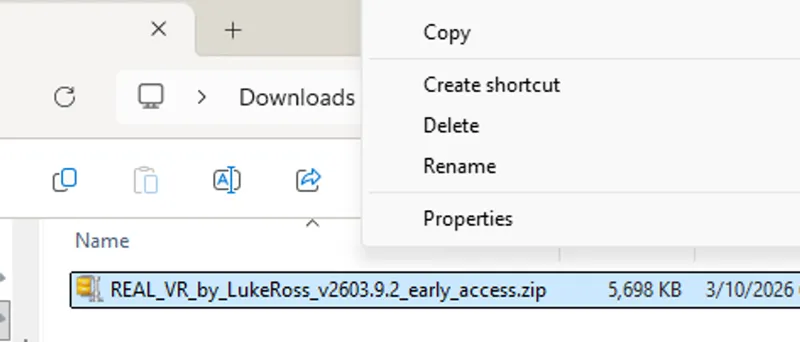
Release v2609.8.2_early_access of R.E.A.L. makes the necessary adjustments (quite a few of them this time) so that https://store.steampowered.com/app/3321460/Crimson_Desert/ can run perfectly in VR again.
You can safely update the game to version 2.01.00, which should carry you through the week until Friday at least, and then install my v2609.8.2 which you can find in the usual place. Remember that you need to rerun RealConfig after unpacking the archive and overwriting the old files.
[Well, no, I'm not being fully honest: some of them actually give you more wrinkles when dragged towards the left, whilst others do that on the right. And there are even some that seem to be doing nothing at all.]
I also fixed an oldie but goldie, https://store.steampowered.com/app/990080/Hogwarts_Legacy/ which had been broken for... well, I'm not actually sure how long. There were crashes at launch and when changing resolution, and due to some changes the developers made which somehow went unnoticed by us, the DL(S)SS-RR fix for Ray Reconstruction was completely busted. It's 100% repaired now, and it works even better than the original release.
[Yet, those wrinkles have been plastered all over the net for about one week now, so there must be something big going on... Maybe it's because of the additional flickering? Or the bleached colors?]
For reasons that will become clearer (or darker) as you read on, I also think that you might want to revisit a few somewhat forgotten gems, namely the three Spidey games that we support:
https://store.steampowered.com/app/1817070/Marvels_SpiderMan_Remastered/
https://store.steampowered.com/app/1817190/Marvels_SpiderMan_Miles_Morales/
https://store.steampowered.com/app/2651280/Marvels_SpiderMan_2/
I backported to them the adaptive camera pitch control which I first implemented for https://store.steampowered.com/app/1086940/Baldurs_Gate_3/ . What that means is, by default the camera will remain level (locked to the horizon) only up to a certain absolute pitch. If the pitch gets out of that comfort zone, or in other words if the camera is pointed way up or way down, then the world will tilt in the opposite direction so that you can hold your head more or less still and not be forced to strain your neck to look beneath your feet or high above your head. This is sorely (neck pun intended) needed for Spidey games, due to the artistic direction of cutscenes that will often have the camera point up/down/up/down repeatedly every fraction of a second, particularly during QuickTime-style events, and due to things you need to do during gameplay like running up walls.
[Okay, okay, I've been a little snarky in my comments about the new DLSS 5 implementation from NVIDIA that has been spreading like wildfire. Like wildfire during a dry bout in a region with strong winds and dense vegetation. But I'm just joking. Truth is, DLSS 5 is shaping up to be the most significant (r)evolution we've seen in gaming since the introduction of consumer VR.]
For reasons that I will explain in a short while (sorry for all the interferences from the paragraphs in italics, it almost looks like there's two posts here that are competing for your attention), I finally got around to implementing a much needed quality of life improvement that should make your experience a little less jarring. As you know, when VR is activated games need to run at super high resolutions, and yours truly was only able to decouple the window size on the monitor from the rendering area in the headset for a few select games. The majority of titles implicitly assume that the presented image is the same size as the game window, because of course they expect that the window is what the user is actually looking at. So when coaxing those titles to run in VR we need to deal with huge windows that overflow the monitor/desktop area and cause all sorts of annoying behaviors, for example when you're trying to interact with the game or the overlays using the mouse.
Starting from this version, all games will support keyboard shortcuts to freely reposition the window on the desktop. The shortcuts are Alt+NUMPAD1 to Alt+NUMPAD9, and do what you would intuitively expect. For example, Alt+NUMPAD5 centers the window on the monitor it's being displayed on; Alt+NUMPAD7 aligns the top-left corner of the window to the top-left corner of the monitor; Alt+NUMPAD6 nudges the window to the right; and so on, you get the pattern. Using those shortcuts, it will be easy to do stuff that used to be frustratingly hard, like reading the optional DLSS indicator in the bottom left area of the window, finding lost overlays and use the mouse to undock them and/or pull them back to a more comfortable position, dragging the window title bar, things like that.
[How cool would it be if we could turn on the wrinkles even in VR? They look so amazing in YouTube videos, surely they will be even more impressive when you're inside the virtual world, won't they?]
Okay, dear interferences. I give up. Yes. Let's talk about DLSS 5. Nobody wants to hear about anything else anyway []-D
As you probably know, the R.E.A.L. VR framework is based on a quite "old" fork (old in computer years) of ReShade, precisely on a heavily modified and customized version of ReShade 4.9.1.
Back then, that is, about 5 years ago, ReShade had no concept of addons, while today they have become the most common way for modders to distribute and inject their libraries. Addons were introduced in version 5.0, and these days ReShade has reached version 6.8.0.
I've been thinking for quite a while of porting my framework to the new version of ReShade, but it's a huge undertaking that doesn't appear to be justified in terms of costs/benefits. Sure, I could have AI do it, so it would be ready in one day... and working correctly nevermore. And after that, no one in the world would any longer understand anything about its inner workings. The road to AI in the software business is paved with lemmings.
But I digress. Addons. They're important, there's no denying that. For example, the community-fueled wildfire spreading of DLSS 5 to almost all games ever created by mankind has been mostly driven by a ReShade addon.
So, starting from this R.E.A.L. VR release, it will be possible to chainload a second, newer copy of ReShade together with my framework. My .dll will take care of the interactions with the engine and the rendering on the headset, while the other copy will have access to the same DirectX device and will let you apply all kinds of new shaders (and most importantly, addons) to the game. The results will be visible in VR, not just on the monitor, and all the tests we carried out during these past few days show that there's negligible performance impact from running two simultaneous instances of ReShade (the one R.E.A.L. is based on, and the second one you chainload to run additional stuff).
No measurable increase in the frame time. Of course there WILL be a performance hit if the second ReShade is doing some heavy work, like for instance running the Neural Rendering addon, but that's a hit which would be there anyway. So the solution of having two copies, while slightly clunky, is perfectly feasible and actually gives us more freedom because you will also be able to run other customized copies of ReShade or complex third-party mods.
Instructions and caveats
You knew I would get to this section sooner or later, didn't you?
As you know from the Harry Potter movies, in order to have the magic work properly, it's extremely important that you spell the incantations correctly. I'll go through the incantations needed to run a basic version of DLSS 5 using an extremely popular and simple tool.
Then, Brandon will write a follow-up post with additional magic so that you can use a somewhat more advanced version, which offers a way better tradeoff between image quality and frame rate.
Just keep one thing in mind: this is very experimental, cutting-edge stuff. Unless you're kind of an expert at tweaking stuff, you might want to wait for an official release of DLSS 5 from NVIDIA. It can't be too far in the future anyway, given the explosive success the leaked implementation had.
Also, please realize that most of the code which has been popping up wildly over the net, about this DLSS 5 thing but also more in general, is AI-generated and might do all kinds of weird stuff to your system that no one even knows about. Case in point: during testing, Brandon and I had games that would no longer close properly, multiple processes spawning and never terminating, game options randomly reset, and I even had my game saves for DS2023 completely wiped out.
Luckily I had a backup. But our feeling is that the Wild West era of computing is upon us. I don't want to sound melodramatic, yet I believe that downloading AI-generated code from the net is a bit like going for street food in the back alleys. You might be lucky and find a real gem of a place, or you might get some exotic parasite. Not saying any of the DLSS 5-related code is infected or anything like that. Just saying that AI has been reported to do unexplainable stuff and has absolutely zero accountability. Most of the time it doesn't even have any recollection of what it did :-D
So, for the basic version:
install or update R.E.A.L. VR in the game folder following the usual directions, then check that the game is displaying correctly in VR and DL(S)SS is working properly;
download DLSS 5 Swapper and either install it on your system if you got the Setup version or put it in some folder of your choosing if you prefer the portable version. For reference, when I was testing, I used the Setup version 2.2.1. NOTE: this is the "DLSS 5 Swapper": despite the similarity in names, it's got nothing to do with the well-known "DLSS Swapper" that you might have used in the past to force updates to the DLSS libraries before the NVIDIA App was extended to support that operation directly;
BEFORE running the DLSS 5 Swapper, rename my dxgi.dll inside the game folder (the same folder where you ran RealConfig) to something else, say dxgi_rvr.dll. This step is crucial: if you don't do it DLSS 5 Swapper will fail because it will believe there's a competing installation;
now you can run DLSS 5 Swapper. You will need to point it to the very same folder where you renamed the dll; make sure it picks the correct executable for the game in case there's more than one. You'll also want to double check the other fields. Rendering API must match the one used by the game, typically DirectX 12; Automatic sometimes fails to recognize it. The rendering backend must be ReShade (default), and the installation route must be Native DLSS (RenoDX). Brandon will likely cover other paths in his post, but this is the one I tested personally;
after DLSS 5 Swapper has done its thing (check the results for any errors in the bottom panel), close it and go back to the game folder. This step is essential too, and you must use the exact names I'll mention, otherwise things won't work correctly or at all. Rename the new dxgi.dll that the swapper put in the folder to ReShade64.dll (it should be slightly more than 5 MB in size and the version should be 6.8.0.2155 or later), and rename back my library from dxgi_rvr.dll to dxgi.dll (the size should be more than 10 MB);
do NOT follow any random guides that suggest to use different names for the .dll, or to use third-party ASI loaders or chainloaders or whatever. To allow the delicate clockwork of two simultaneous injectors to work as intended, it's fundamental that my framework gets loaded early, before any graphics-related system library (so it must be named dxgi.dll), and that I chainload ReShade myself in order to perform the before-and-after housekeeping needed to make it believe it has full, undivided control over the application;
at this point, when you run the game the next time, you will have two different overlays accessible. Mine, which you typically bring up with the Pause key or the gamepad gesture, and has an orange theme; and the one from the second ReShade, which by default will be blue-themed and can be brought up with the Home key. The overlays will coexist rather peacefully; when mine is open it will get priority, when it's closed mouse and keyboard will be directed to the other. Unfortunately ReShade's native overlay can only be navigated with mouse/keyboard, as implementing gamepad navigation was my own extension. That's where you will find the new Alt+NUMPAD shortcuts useful, as the ReShade overlay often tends to hide offscreen ^_^
At this point, if everything worked correctly, you will have DLSS 5 in VR! You will notice it when it happens, because of the wrinkles, and because your frame rate will be basically cut in half. But Brandon still has a few cards up his sleeves to help you with that, stay tuned!

Comments (37)
i know why it wont work, because the new version of real vr crahses with out dlss5 injected on startup of afop. Any ideas? This is just by updating to latest real vr and re running the real config nothing else.
Just installing the latest version shouldn't change much. Did you choose to keep or delete settings when it asked? You may want to double check game settings. Feel free to put a copy of your RealVR64.log file on pastebin or google drive and post a link here. A couple people lately have had issues with adds and stuff on pastebin, so maybe go with drive if you are able. Or anything that allows you to drop a link to the file really.
Hey Luke, v2609.8.2 is still crashing Hogwarts for me. The crash is a D3D12 GPU crash: CommandList->Close() failed / E_INVALIDARG. Immediately before it I get: Motion/output size mismatch for DLSS: Color 0x0, MV 1680x1050, depth 840x528, output 1680x1052, then Could not init the DL(S)SS state, followed by the swapchain changing to 2336x1872, Oculus shutting down, OpenXR becoming N/A, and then the swapchain going back to 1920x1080 before the crash. Quest 3 / RTX 3070 / i7-12700F / NVIDIA 616.64 / Steam build 20773316. Seems like something is going wrong with the DLSS/render-resolution initialization or resize. It also sometimes flicker back and forth on my screen. I have the full crash dump/log if you want it.
Try disabling DLSS. This game has had an odd DLSS issue, but it didn't usually cause crashes. You would just need to disable it and move around a bit before it would work as intended. Not sure why. But give that a shot.
Personally, I haven't done any Nvidia updates or DLSS 5 since last year, and I've kept all Steam updates blocked. I still have the original games, nothing broken. I might not have the latest features, but I have the older programs by Luke Ross, and that's fine with me. Your work has always been excellent, and my setup is thanks to you, my friend.
Well Hogwarts realVR setup properly now in the proper file directory, however after futzing around for an hour, it would seem the problems allegedly fixed are not fixed. Game crashes anytime I try to change resolution from my desktop monitor's default, and ray reconstruction grayed out. No way to turn it on.
Ray Reconstruction needs RT reflections on I believe. It needs something to reconstruct :) Do you have frame gen on? You could try disabling Steam Input if you haven't. I don't remember this game having an issue with Steam Input but that varies from system to system/person to person. You could also put a copy of your RealVR64.log file on pastebin.com and post a link here.
Hi all Is there a way to enable dlss5 for vulkan games (Indy) Dlss 5 swapper can add the functionality but does it work with Real framework? And names for libraries are very different too.
No, I couldn't get it working with Vulkan games. I did make a seperate Opti fork that now has foveated NR that works with Vulkan. But I have to do the cheeky video and updated release before I work on getting that pushed out. I also got the Opti version working with foveated NR in FC6 as a fun experiment 😋
When running Doom: the Dark Ages with v2609.8.2 (and older versions), the difference between Pimax Play/Pimax OpenXR and EVO/Sboys3 v1.3 (non-beta) REAL rendering is readily apparent, at least with my Super micro-OLED. The Dark Ages renders perfectly with the Pimax Play version (I had to adjust some of Luke's recommended settings to avoid some cutscene clipping), while rendering issues include incorrect depth of title and menu screens when using the Sboys3 driver. Does Luke see this issue with his Dream Air, or is this just a micro-OLED engine issue, with its broader HFOV? Update: Using Stephen Gallagher's excellent suggestion (below), EVO/Sboys3 driver looks as good as the Pimax Play baseline and has a little better performance!
Under the Sboys3 driver options, is "parallel projection" turned on?
Also still an issue with Hogwarts where it says "This folder does not seem to belong to any of the supported games." when running the bat file. The folder location it puts the exe in for me in Steam is C:\Program Files (x86)\Steam\steamapps\common\Hogwarts Legacy
You are double clicking the config.bat file? Don't right click and run as admin.
Well I just gave CD a try with the new patch today. It isn't doing the 2D lock thing like before since the new RealVR update, but it is pretty quickly freezing up on me even with pretty modest settings. I had never tried the game when everything was allegedly working well so I'm not the best to say if something is broken by the patch or issues unique to my setup.
Worked fine for me yesterday after the update. I didn't have any freezing. Maybe double check game settings to make sure you don't have any no-no settings on. Frame Gen is number 1 for people in this game.
Now all the characters in your games can look 15-20 years too old… in VR!
Or we can now use RenoDX along with Reno weather in CD for better looking visuals etc. It actually opens the door to a lot of possibilities with addon support. Just depends on what works.
Why keys combination like alt + numpad? Being in a headset looking for to press two keys? I have a short keyboard that doesn’t have a numpad so things being even more complicated. My keyboard even doesn’t have an Insert key. Couldn’t be just one key like Home , F11, F12 ?
Oh nice Hogwarts working again. And I thought I was going crazy because it worked for others.
Nah, it was broken :( Now it's not :)
Hello Luke, thanks for allowing camera pitch in Spider-Man games. Hoping you bring that feature to Ghost Of Tsushima and Last Of Us Part 1 too. That'd be really helpful during gameplay. Thank you!
Nice! Question, is First Light working? The REAL framework loads up, but can't seem to launch the game into VR
Yup, still working fine for me. Make sure to double check settings. What headset and how is it connected if not DisplayPort and default software?
I agree with your point re: AI vs human skillset Luke. AI is a great 'learning' tool, but to become dependent on it and wholly rely on it at the expense of human experience is a fools errand. Take my industry for example, the Jewellery world where once upon a time you had to be indentured, learn all the basics, hand make everything, even master models, whether made from silver of wax, still they were hand carved/ manufactured. Nowadays with cad, resin printing and advances in casting and casting alloys it is much easier and far faster to just design in cad, cast, clean up and set the gems. This has a lot of benefits but largely depends on the technology and the users skills. Also, laws on indenturship have relaxed and we are seeing more unindentured people enter the fray, however given their lack of bench time, fundamentals and knowledge of tolerances vs time etc the quality has greatly suffered. Now the industry has been cheapened by massive influx of cheap mounts, fake gems, poor manufa Turing and finish quality etc, and the economical strain most feel these days has all but destroyed what was once a refined industry, choked into a fake representation of its former glory.... then again you could say the Jewellery industry is a microcosm reflection of the world and those who prescribe to the madness today. Soz to get all philosophical but you brought up a real good point. 👍
FYI your DLSS-supporting games also work very well with OmniScaler, with its DLL same set to to winmm.dll in the installer.
Thats cool beans ,cant wait to see things diffrently
Lovely stuff
Hi Brandon, I already got DLSS5 working with Luke's VR Framework and Optiscaler. The bonus there is that I can set the DLSSNR Model Resolution to for example 50% and get a much better performance out of my 4080 Super (I always play in mono). Can I set the model resolution with DLSS5 Swapper too? Or can Luke implement it? Otherwise I will keep using Optiscaler due to the resolution/performance options I have with it.
Wouldnt have read anything else with my morning coffee ☕️👏 dream air + dlss 5 for the win
Hi, I’ve installed everything and it opens correctly. However, the DLSS 5 menu on the left side is so large in VR that I can’t see anything properly or interact with it using the mouse. Is there already a solution for this issue? Thank you very much!
Change VR resolution so it is very small. PPD slider or game settings depending on the game, then it will be easier to look on your monitor and move and/or resize the Reshade UI. You can also use the new numpad shorcuts Luke mentions in the post to lock the window to the left upper corner. It is going to be a bit of a pain setting things up initially, but shrinking the actual window via resolution makes it easier.
If you have a Pimax Dream Air, could you implement foveated DLSS 5 to save performance ? And also apply the Neural Rendering before upscalling. And also use a second GPU for DLSS 5 (both NR and upscalling). Basically anything than can optimize the fps.
Uhhhhhhhh, maybe some of that :)
If it tanks performance that much then I don't know if I'll bother with it at the moment.
Come on, yeah, you will 😋
Oh this is huge!!! Dlss 5 in VR. Now I am really gonna need a new GPU. Was talking to Brandon about VR headsets too so gonna also be looking into that as I still have no clue when a Meta Quest 4 will be released. Interesting you mentioned not using AI for coding when seems others did just that to make a Cyberpunk 2077 vr mod with motion controls. Still hoping at some point you work on motion controls for your VR software.
Hi Luke and Brandon! You did it thank you very much! I am playing with dlss 5 for a few days now and this is amazing, but in vr… what a performance! Congrats and thank you very much ❤️ I will test it tonight!!!