
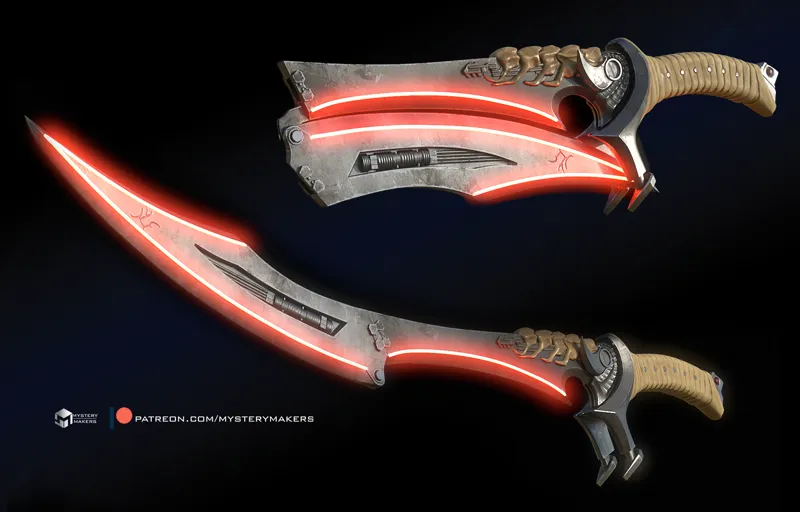
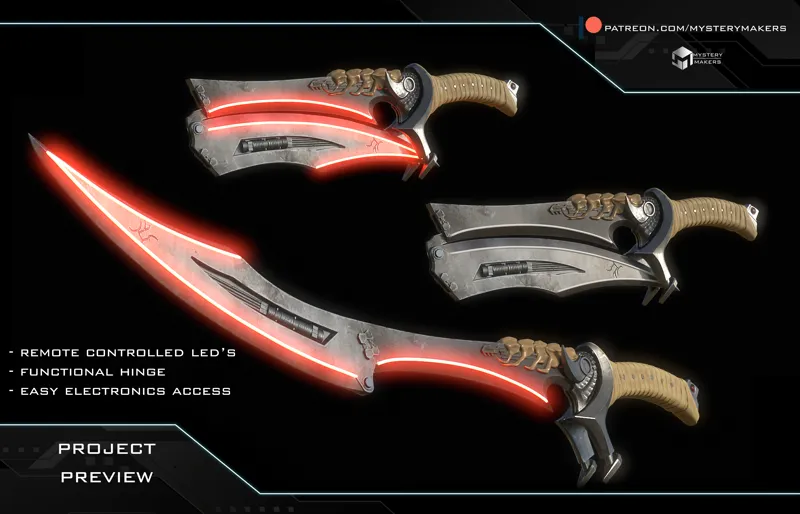
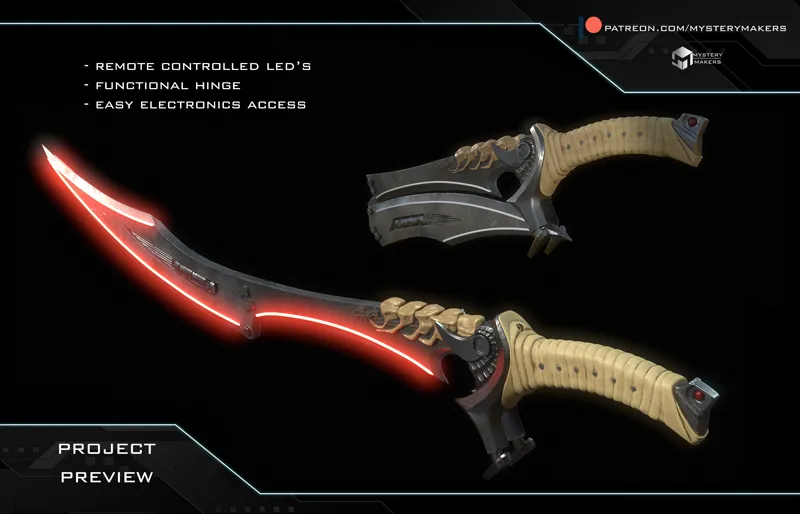
(NEW DOWNLOAD) Predator badlands heatsword
This was a CRAZYYYY RIDE :D
Just wrapped up the Predator Badlands Sword and I’ve been at it for 10 days straight, day and night. As always, my three goals were the same: easy to print, easy to assemble, and easy electronics for everyone no matter the skill level.
There is a bit of soldering involved, but nothing dramatic. I did my best to explain everything in the folders, and I’ll also make a full breakdown video soon to walk you through the design and how it all works.
The hinge open/close action is manual, and the LEDs are controlled with a remote, just like on my Rumi sword. STL and 3MF files are included, with pre-sliced blades ready to go.
This is the functional version, but after a short break I can also add a non-functional one if you guys want. The fun part is that this version can actually work as both.
Alright, I need a bit of rest now, but I can’t wait to see your prints guys :D you are awesome and thank you for allowing a geeky maker to do this kind of work :) Let me know if you will have any questions :)
Comments (22)
I'm still fairly new but I think we get the download links in the messages via google drive where he breaks it down by month...?
This is amazing.... printed the main components for the blade last night, and it printed beautifully, Just a couple of question. 1. I don't see any groves for the LED lights, so I'm guessing they are just glued/stuck to the outside? 2. the hinge doesn't seem to be working correctly. I't opens perfectly so that you have the entire sword but when I try to close it it doesn't close all the way so that it's flush with the handle/stock... I would send pics but don't thing I can do that here. Hinge doesnt allow it to close all the way, (it looks like I need to remove some material??) Addendum: I increased the size of the grove (made it about 1/4 inch loger, and the joint works perfectly now, and folds flush with the handle.
yes, there is a detailed explanation on all of it in discord if you wich to check it out :) 1- yes, on the outside either on the sides or bottom depending on the option you wish to use and size of the led's you wish to use, with the design you can go from 2,7-4 - 2 - true - it was fixed :D
where is the link? I always get so confused here LOL
Not wrong. I know Patreon is the present and future of modelers but darn if it isn't the LEAST intuitive and LEAST user friendly platform I've every used in 30 years.
This is beyond amazing
thank you so much :)
I joined right after I saw this. can wait to get access to it so I can start
it is available the moment you join at the "we are makers tier :) , its in the post section at the pinned post, but here is the direct link as well :) - if you will need hlep with anythign just let me know :) https://www.patreon.com/posts/november-2025-in-117444806
You are the man marko this is a masterpiece 👏 🙌
awww, too kind :) i love doing all of this :)
This looks great! Are there going to be more instructions on assembling with the LEDs? I don't see any channels for LEDs or wires. Are the LEDs just supposed to be stuck (glue/tape) to the outside of the blades?
yes, i will make a few follow up videos and a build video :) , the led's that you order some with a glue tape ont he back, so you can just glue them on the outside, yes - the chanels are designed into the models - if you check the build guide folders and stl you will see them, but no worries, as mentioned i will do more videos to help with the build, its a bit tricky to explain everythign just through photos alone :)
LOVE IT !
thank you so much :)
He does not let down
ME TO
boooommm , you are the best worth every single penny on the patreon :)
that is very kind of you :) makes me happy when you guys are happy :)
Yes!!!
Time to turn on the printer!
absolutelly :D