


Vines Tech Talk
This is a little experiment - a new format where I’ll give brief overviews of some technical bits behind the scenes.
🌿 So, Vines.
Vines are actually a multi-layer effect, made up of several parts working together:
A flat tile texture underneath
An invisible polygon layer that defines where 3D vines can spawn
3D short vines that form the lush “green carpet”
3D long vines that grow out to add life and variation
(Planned) a Vertex Animation Texture shader so the carpet and long vines are also animated (in a performant way).
🧩 Flat Texture
At the base, there’s a simple tile texture. Its job is to add low-level visual detail without hurting performance.
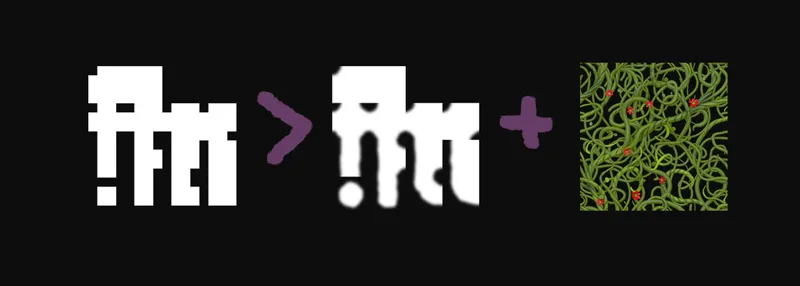
A generator script creates a tile mask texture containing all possible connection variations. For example:
no vines around (small square)
vine on the right (small square leaning to the right)
vines on top and bottom (small line from top to bottom)
surrounded on all sides (big square)
These masks ensure the vines connect properly between tiles. After that, the mask is manually blurred and used alongside the vine texture in a custom shader.
Right now, this layer just pops in instantly, which isn't ideal. I plan to add a dissolve effect later so it grows in more naturally.
🍀 Green Carpet
The same tile mask is used again to determine where the 3D short vines can spawn. This keeps them from growing too close to walls and helps maintain a clean and more natural edge.
🌱 Long Vines
Finally, we add these fellas here and there.
And when succugirls get involved... well, the vines tend to get very lively.
Thanks for reading! Let me know what you think about this Tech Talk format!
And if you would like to see a Vines Showcase with this animation from different angles :)