Creating a Cold War Germany Theater for CombatFlite
All the files necessary to add Ugra Media's CW Germany theater for CombatFlite are now available in the shop. Combat Pilot members can access them already, other members will have to wait a little until all these files are released (one .mbtiles map every Sunday, as usual now).
Without going back in details on the whole creation process (I let you read these past posts about the Afghanistan theater), here are the main steps to create your CW Germany theater in CombatFlite:
Choose one of the original theaters in order to use it in parallel with the new CW Germany map (both theaters remain fully usable). If you don't want to import .miz files in the future, you can also use the "Real World" folders. I'm personally doubling the "Normandy" theatre in CombatFlite;
Replace the original normandy.xml file (make a backup...) with the attached normandy.xml file: you will have the overlay of current CW Germany map airfields (plus the original airfields in Normandy of course);
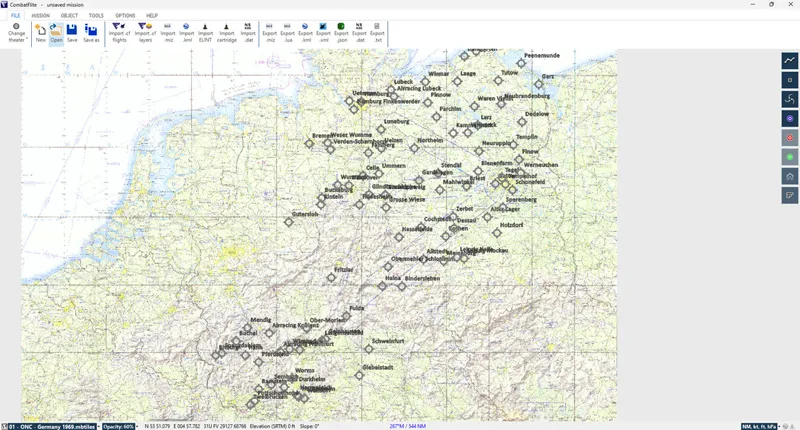
DCS airfields and beacons are visible in CombatFlite.
(optional) Rename the attached theaters_Afghanistan_Kola_Iraq_Sinai_South-Atlantic_Germany.xml file and replace the original theaters.xml file : when loading DCS .miz files, object's location will be correct - if you don't import/export .miz files, it's not necessary to do this step; if you want to load .miz files in the original theaters, simply use the attached theaters_original.xml file (I am swapping between the two depending on the theater I'm working on);
Copy the .mbtiles maps in your CombatFlite\Data\DCS Normandy folder;
Rename the map files in your preferred order, knowing that they will appear in alphabetical order in CombatFlite and that on start-up CombatFlite will be centered on the first map in alphabetical order;
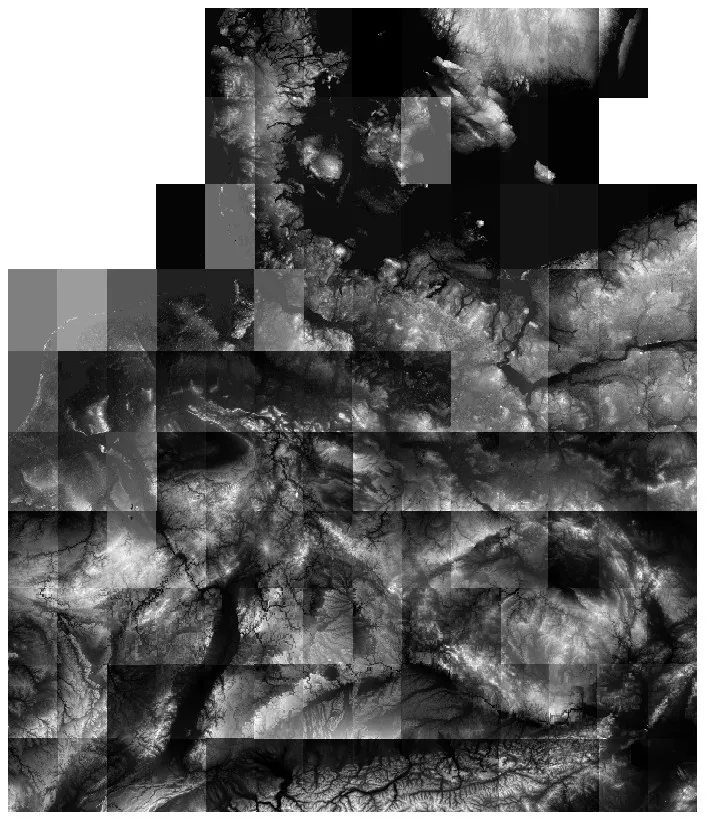
Download the SRTM files for the area, and place the *.hgt files in the CombatFlite\SrtmDataFiles folder.
Your theater is ready, enjoy!
Example of .miz file loaded in the new CW Germany theater.
Hi, don't hesitate to come on Discord to discuss it. It's something you'll be able to fix.
F
Furia · May 3, 2025
Hi Thanks for the fast answer. Where can I find the discord channel? I do not see any link about it here in paetron. Thanks
G
Graveyard of Empires · May 3, 2025
Ok sorry, let me share it later today.
F
Furia · May 3, 2025
Hi I have purchased the Germany and Kola theatres for CombatFlite but I cannot make them work. When I open CombatFlite I see the chart of Germany but when I load a miz done in germany it shows an empty map of France and stops there. I have followed the instructions provided twice but I must be missing or doing soemthing wrong. Any idea how to fix it? Thanks
G
Graveyard of Empires · May 3, 2025
Hi. Please don't hesitate to come in Discord to discuss it more in details. The fact that it opens in France (real world theater in fact) means that you did not do the theater change in the miz file correctly.