
Designing your Patreon experience
When someone lands on your Patreon for the first time, they’re likely doing a quick vibe check and wondering:
Is this for me?
What’s happening here?
Where should I start?
You can design your Patreon to make the answers clear.
Your Patreon is an experience
Think of it this way: You’re not just posting. You’re hosting.
Imagine someone walking into your home for the first time. You wouldn’t just leave them standing in the doorway wondering what’s going on. You’d probably:
Welcome them
Show them around
Point out the good spots
Invite them to join a conversation
You can do the same thing with your Patreon.
Before you build anything, take time to think about what you want someone to understand the moment they arrive:
What should your banner and About section communicate right away?
How should your work feel when someone starts scrolling?
What should your memberships make clear at a glance?
Where should someone begin?
When someone joins your Patreon, make it feel like the party is popping and you’re genuinely glad they’re here.
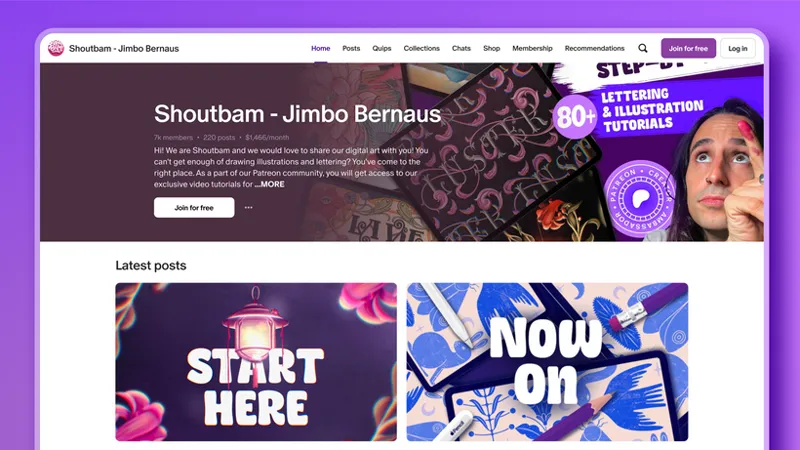
Creators like visual artist Shoutbam do this really well. When you land on their Patreon, it’s easy to understand the vibe, the value, and where to start.
That kind of clarity makes people feel comfortable sticking around.
Try this: explore before you build
One of the best ways to get ideas is to go exploring — using the Explore tab on Patreon. Search for creators by name or by topic to find a creator similar to you and take a peek at their Patreon. Think of it as a little field research.
As you scroll, ask yourself:
Who’s this for? Does the banner and About section make it clear?
What’s offered? Are things organized in a way that’s easy to follow?
Are there public posts that help a potential new member understand the Patreon?
What do I do next? Is there a welcome note that feels inviting or guides the next steps?
Think about what you like about their Patreon and maybe what you’d do differently.
⚡Pro Tip: As you begin designing your own Patreon, check out the Patreon Setup Checklist as a guide.
Bring it back to your Patreon
Now that you’ve taken a little tour of other creators’ Patreons, let’s bring it back to yours.
Do you have a vision for ways to start shaping your own Patreon?
You don’t need to build anything just yet — just start getting clear on your design.
What should someone quickly pick up on?
What kind of media will they find?
What do you want them to feel when they land on your page?
This is also a great time to start gathering what you’ll need when you do build your page.
Things like:
Images for your banner and profile
Any visuals that represent your work
File sizes and formats that will display well
Getting these pieces ready now will make the next step much easier.
Keep the design flow going
The goal: a Patreon that feels welcoming, active, and easy to explore.
Not the goal: perfection.
Set the vibes of your Patreon by making it easy for members to see:
What this space is about
What they can explore
Where they should start
And once people are there, little moments of interaction keep the space feeling alive. Things like posting updates in the feed, sharing quick thoughts with Quips*, or replying to comments. We’ll dig deeper into those engagement tools later. For now, stay focused on creating a space that feels ready for people to explore.
You’ve got the idea. You’ve got the plan.
📝 *Learn more about our discovery network tools and access eligibility, including Quips.
🧭 Your next steps
Use the Patreon Setup Checklist to shape your page
Use the 30-Day Editorial Planner & Calendar Templates to map out your first few posts
Note: The worksheet links will prompt you to make your own copy so you can fill it in (this requires a Google account). You can also download PDF versions at the bottom of this post.
Next up: Building your page.
📌 How helpful was this material? Click to let us know: 👍 | 👎
Comments (7)
Good morning
How can i start
😎
I want to get my products out for sale
Does Laura have a page I can follow?
Hey Estrella, yes, Laura Kampf has a page on Patreon! You can find her at patreon.com/laurakampf
I want to get my products out for sale