
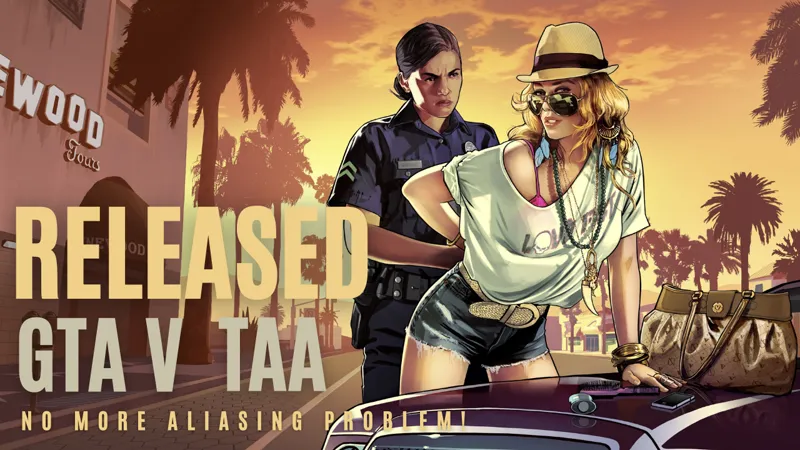
GTA 5 TAA/DLAA v1.0 Test Version
This is a test version, if you see any problem please leave feedback.
Currently only TAA - TAA Clarity - DLAA included, I might add DLSS in the future.
Download v1.1.6 : https://cdn.snowymoondl.net/gta5_v1/taa_gta5_v1_1_6_snowymoon.io.zip
DLSS/DLAA 3.7 : https://cdn.snowymoondl.net/dlss_3.7.zip
Tutorial : https://youtu.be/ynvhdcAsOC4
Installation :
Go to GTA V game folder
Copy & paste dxgi.dll + msdmo.dll files (same folder as "GTA5.exe")
Copy & paste nvngx_dlss.dll (for DLSS/DLAA only)
Start the game with DirectX 11
Press "END" or "CTRL+P" key to open menu ingame
Settings You Need To Change :
Settings > Graphics > DirectX Version > DirectX 11 (restart game)
Settings > Graphics > FXAA > Off (possible to use with FXAA On)
Settings > Graphics > MSAA > Off
Using with ReShade :
You can also use this method with any other mod/plugin uses dxgi.dll.
Create a folder named "reshade" in "[GAME FOLDER]".
Put all ReShade (or any other mod/plugin) files to "[GAME FOLDER]\reshade\" folder or select ""[GAME FOLDER]\reshade\" folder from ReShade installer.
Updates :
02/09/2024 - v1.1.6 - Debug information added to find reason of possible problems
24/07/2024 - v1.1.5 - Fixed a major problem (if TAA wasn't working correctly for you (blurry or a lot of ghosting) please try with new version, if it was working fine you don't need to update)
16/07/2024 - v1.1.4 - Removed Patreon on startup
09/07/2024 - v1.1.3 - Added FXAA to solve leftover aliasing after TAA
06/07/2024 - v1.1.0 - Fixed the issue where TAA did not work when Post FX setting was not Ultra
02/07/2024 - v1.0.5 - Fixed a problem with DLAA
01/07/2024 - v1.0.4 - Performance improvements for CPU
01/07/2024 - v1.0.3 - Fixed loading problem (be sure you change dinput8.dll with new one)
01/07/2024 - v1.0.1 - Fixed the problem with Post FX Normal setting
01/07/2024 - v1.0.0 - Released
Comments (145)
Best mod ever. You fixed my only issue with how this game looks. Absolute perfection.
Hi, how come I get an error trying to launch gta 5 legacy with TAA, it says no direct x 10 or 11 adapter or runtime found, I have 6700xt, latest driver, directx installed. I remember using it before without issues
hello, i try to make this run on fivem but its got infinite loading screen - first try put "dxgi" and "msmdmo" to gta v folder ( its can't run, its said "video card not detected" - second try put "dxgi" and "msmdmo" to fivem plugin ( its got infinite loading while opening fivem ) if you can make this work in fiveM, i'll pay, if you make subscribsion member i'll do it so can you make it work for fiveM? thank you
It just doesn't work on a original and clean installation of GTA V Legacy from Epic Games. Zero mods installed and Battle Eye disabled through Rockstar Launcher and -nobattleeye on Epic Games launch options. The .cfg and logs.txt files are created, but pressing END or CTRL+P do nothing, it just open the game settings.
Bro, this one is working fine. Does this have any latest version or paid version?
The mod is not working with foggy weather
im late for seeing this just now and this is awesome, as someone who do graphics/shaders modification for GTAV that is something i always struggle to know how to do this. big respect for the work !
this mod alone made the games graphics much better and cleaner... I think its the only working AA mod for GTAV ever made...truly appreciate
Me da error: 01:30:24: Iniciando el servicio BattlEye ... 01:30:30: Actualizando ... 01:30:31: Iniciando el juego ... 01:30:37: Nota: Los bloques de archivos pueden ser ignorados si no causan problemas con el juego. 01:30:37: [INFO] Bloqueo de la carga del archivo: "C:\Program steamapps\common\Grand Theft Auto V\dxgi.dll". BattlEye Launcher
You're independent as a woman. Don't need to feel emotionally unstable for Jude to blow you. That's the thing about women oppression. Depending on you guy can cost a dime 💕 veling to be you creates dreams for ambition and care. 🤘🏼🍃
guys, for anyone trying to use this with reshade, your going to have to use an older version of reshade since the newest version isnt compatible, basically create a folder on gta 5 called reshade, then install reshade, put the reshade.log file and the reshadepreset.ini file and the reshade.ini file into the reshade folder you just created, also put the reshade shaders folder into the reshade folder along with the dxgi.dll file that came along with reshade, then put the snowymoon msdemo.dll and dxgi.dll files into the main game folder, and now it should work
Which version should I use? Could you send me a copy?
can anyone help me, im trying to use with reshade but i get an error and cant launch the game
error 44:298 how to fix
may i know the exact process to install with quantV, little bit confused over installing with quantV.
Can you please make it offline?
You are the greatest snowy moon any game that doesn't have TAA built in is unplayable for me so thanks for this mod..
Hello, could you try to optimize this mod because the GTA V msaa itself is heavy and this one ran better but it is still heavy and that is what I ask if you don't have it that is ok too
man its not working for me plz help
does this work for legacy
This mod is very nice. I would like to use it with ENB and RESHEDE if possible. Thank you in advance.
I have problem battle eye software stop or block your dxgi.dll file
Nice mod bro but one thing is that i got it working but if i use quantv effects it makes my game to bright and it turns every car red in the game
Dude. You are a godsend, literally spent soooo long trying to fix the AA in GTA. Thank you so much.
<3
I am trying to install this on a DX11 game, Metro Exodus Gold Edition (not enhanced, I don't have a ray tracing capable GPU (I use Optiscaler to hook the nvngx to fsr3.1 upscaler/AA)), the game already has TAA, but has DLSS 1.0. If I put the mod files on the folder, it says the game doesn't recognised the dx11 api, if I rename the 'dxgi.dll' to 'd3d11.dll' the game opens but crashes. Since your mod is the only one that adds this functionality to a game that doesn't even have dlss, I came here to ask your help
Hi! I'm planning to make a freely available launcher for GTA V. I would like to include your TAA/DLAA mod files too. I would highlight your patreon page in the "Credits" menu! Can I have your permission to do this?
hey the mod was working well but after installing car mods it doesn't work, any solution?
Will this work with DXVK? I put DXVK’s DLL files in the “reshade” folder, but the game won’t launch.
DOES IT SUPPORT NVE COZ IT IS NOT WORKING FOR ME
“Connection error!” 1.1.6 Why is it like this? How should I use it? Is it paid or free? How should I pay for it?
it only shows err: '44:298' blog log and unusable in game .Game version 2189/1.52
Ok so this is interesting : on Linux it doesn't work out of the box. In addition to what is shown on the tutorial you should also download this dll : https://cdn.snowymoon.io/gta5_v1/dinput8_1.zip And then configure a DLL override in the Steam launch option : WINEDLLOVERRIDES="dinput8=n,b" %command% Now the 'End' key will bring up the menu properly Great mod by the way. Finally a great AA for GTA V I can only dream what it would be like on games like AC Unity... Mind to open source it :D ? (So that I can have a look) Cheers
Hi Snowy, thank you very much for this awesome mod! I tried to get it working, but when I launch my game with your .dll files (all 3 or without the DLSS), the game crashes upon loading into singleplayer. I'm running the game with other mods installed, but nothing that should conflict with your files (no ReShade, ENB, or .OIV graphic mods). Your log file just says this: 47:155 47:161 47:165 47:74 47:78 47:102 47:106 47:34 47:37 40:3103 40:3131 47:74 47:78 47:102 47:106 Is there any way you could help me?
Okay, weirdly enough I just tried again and now it works...
how to install for RAGEMP
Battle eye is disabling the launch of dxgi.dll. please help
:/ Otherwise you might get banned in online
just remind you. it's been almost a month since i report bug antialiasing stop working when foggy weather. please fix it soon
I'm going to check it tomorrow, sorry for the delay :( I'm working on my game nonstop so I'm focused on that most of the time
Hi! Is it possible to get this working with the lukeross VR mod?
Making it compatible with different pipelines takes a lot of time :( I might do it in the future but currently I'm working on my game so I don't have a lot of free time
Hi Snowy. ... What IS the difference between TAA and DLAA ? I know what DLSS 2 + 3 is, but DLAA has always confused me.
DLAA is deep learning anti aliasing. it's dlss but render full resolution
anyway to add this to fivem??
First time everything loaded. After I changed the graphics settings, on game's startup there's an error now: ERR_GFX_D3D_INIT Failed Initialization. Please reboot and restart the game. Try reinstalling the game if this persists. Nevermind. Fixed it by disabling AutoHDR.
I packed the files into game folder and i had an error that i donr have directx 11 which is nonsense because i have it and gta v instantly closes. I have to reinstall: EDIT. Works great when i disable battleye launcher, but cant play online
Sorry, because it needs to hook some functions and probably battleye blocking hooks its crashing:(
mod stop working when foggy weather please fix
I think because of post process changes, I will check it <3 But I'm a little bit busy working on my game so if I forget can you remind me please :(
Rockstar added BattlEye (anti-cheat) to the game today. I usually play online with your plugin and I haven't had any problems so far. However, from now on I think it is no longer safe to use the plugin in online mode, correct? I believe BattlEye can easily identify and cause account ban.
Cannot guarantee anything :/
Hello, first of all I would like to tell you that I am fascinated with this mod, I had been looking for solutions to antialiasing for months and none of them worked for me, strangely your mod never appeared before me until now, thank you very much for your work. The mod works perfectly for me, I only have one question, why does the mod require being connected to the internet? When I start the game offline on my PC the mod gives an error, is there some limitation and do I have to pay for some kind of plan for it to work offline? because if so I would be willing to do it. Sorry, I speak Spanish and I just created my account to ask this, so I don't know how Patreon works or if I'm not aware of any obvious details. (google trnslator)
I just realized this cnt play offline lol, maybe some kind of drm or whatever? but it ridiculous if mod use something like that
Will ENB support be added?
want to report a bug where fps drops drastically and GPU usage is low . also anti aliasing stop working when aiming at car and foggy weather
Same issue, RTX 4090/5900x
Hello, I also encountered an error pop-up when opening the game. My online version of the game is 1.33. What should we do?
Its working fine for latest steam versions but I'm not sure about older versions :(
Great job Snowy, but can this work in GTA Online ?
Thank you <3 Its working in GTA Online but I'm not sure about third party apps because mostly they are using older versions of game client
Hi,I start the gta5 appears "Error(44:297)"and I press "END" to open menu in game is a blank menu,only a "Website" and "Patreon/Blog“ in the menu,I dont understand why
It doesn't work in the Epic Games version or at least it doesn't work for me, I can't enter the online mode and apart from if I remove the mod the game doesn't open "A directx launcher was not found"
I'm not sure what is the difference between them, can you send screenshot from game folder maybe? Also you must first select DirectX 11 from game settings, restart game then put TAA mod
It´s a shame it doesn´t run with the VR mod which was created by LukeRoss. I tried with ReShade but it didn´t really help that much. Maybe i did something wrong. Beside of that this mod works very well for me, thank you! :)
Snowy Moon, thank you very much for your work, I wanted to ask you if a mod like this can be made for Red Dead Redemption, because the TAA and DLLS of that game is very bad
Thank you < 3 Yes but RDR2 is using DirectX 12 and there a lot of work I need to do if I want to make TAA for DX12 games, so for now I'm focusing on DX11 games because I already made the systems needed for DX11 < 3
Hi, how do I install RACE MP
I don't even know what is RACE MP :D
hi, when I log into the game, I got an error 44:297 please tell me how to fix it
Looks like your game version is different, can you send me GTA5.exe from game folder
Hello, would it be possible to get this working with FiveM? I tried putting it in GTA5 Directory and it crashes my FiveM on startup, plugins in FiveM also won't start my FiveM.
I need to check and find the problem but I'm not sure about the result
Is there a possibility of implementing this in directx 9 games like gta 4 and also for directx 12 games?
I need to make a realtime shader editing system for DX9 and DX12 to make TAA and it takes a few weeks to make one. For now I'm working on DX11 games but later I might make one for DX12, not sure about DX9 because most of the games are DX11 and DX12
My friend, you are incredible, there are so many mods for GTA 5 and no one has ever cared about antialiasing. The default game looks horrible with the native anti-aliasing techniques. Plus, MSAA consumes too much performance and doesn't look good at all. Always look for mods. TAA or DLAA but there weren't until I found your mod it looks incredible it doesn't even blur it it's the best implementation of TAA I've seen in a game thank you very much
Thank you a lot < 3 I spent a few months to make TAA implementation best as possible and I love you like it because most of the people don't notice the difference between my TAA and any other TAA implementation in games probably because they don't pay attention but its actually huge. Have fun < 3
Why sometimes when opening the game with the plugin activated, a Chrome tab opens, going directly to your website? Is it possible to disable this?
To grow the community but I guess I should extend the time, currently its every 12 hours maybe I should change to 48 hours
You are the best! I never thought I could enjoy GTA 5 with such a clear picture
Thank you < 3 Have fun < 3
Any change this will also work for Red Dead Redemption 2?
Well RDR2 is using DX12 so I have to remake everything with DX12 :/
Hello, when improve for ETS2 / ATS ? example : sky, light etc... ?
I'm not sure because SCS is changing rendering engine so if I make something now I have to remake everything again after they change it :/
Hello is the DLAA/DLSS applied before tonemapping and before post process effects like film grain, vignette, bloom etc, just like the official documentation? Also can I donate with paypal instead of patreon?
I forgot about that because I am using same base code for all of the games and GTA 5 applies tonemap with HDR->LDR conversion so its a problem, I should change that soon. So its before post process effects but not before tonemap
Why??? https://drive.google.com/file/d/1r8tQOf6S4AHzNJgILkYesmDK6kyy9PQI/view?usp=drive_link https://drive.google.com/file/d/1y4jqvfCvqn0xN8sNvwOHxXId_3g3koF-/view?usp=drive_link
I will make some changes today or tomorrow to improve the performance
Hey there, First of all, I wanted to thank you for this amazing work you've done. I've been looking for a fix for three years now. The pixelation problem ruined my enjoyment, but now it's gone thanks to you. However, I've found an issue: when I installed the Redux graphic mod, the pixelation, aliasing, and flickering problem came back, and the fix no longer worked. Additionally, without any mods installed, the pixelation error occurs when I aim, but it seems normal without aiming. All I need is a fix for the aiming issue that works with Redux. Thank you again for your incredible and precious work. Keep it up!
Thank you a lot < 3 I will check and fix it later probably in 2-3 days? Not sure yet
GTA V online mode, it says that I am using a modified version of the game and it does not allow me to access the servers
Ok, I guess I need to make undetected one but I'm not sure what data its checking. I will check and fix it in a few days probably
Amigo no funciona en GTA online
It does, what do you mean by GTA Online? GTA Online or third party apps?
pes2021 please!!
Stop spamming please :( I don't have enough request for pes 2021 :(
Will this result in a ban if used in GTA Online?
Probably no but I'm not sure. I tried a few days ago, I didn't get banned yet I can still play online. But like I said I'm not sure 100%
You are amazing. Thank you very much for your work, my friend. It looks so much better than before. The only thing I notice negatively is the bloom, but you can compensate for that with the Nvidia filter.
Thank you a lot < 3 Is there a problem with bloom when TAA enabled?
It feels like there is no anti-aliasing on some objects and only the temporal filter is working. It seems to be like this on grass, bushes, trees. Upd: chromatic aberrations seem to spoil everything
When you change Post FX to low, do you still see chromatic aberration?
Ok, looks like the new version 1.0.6 is stable online, can you add an option to disable chromatic aberration/lens distort? This post-effect gives flickers and blur on the sides of the screen
entry point MoCopyMediaType not found in library DLL c:\Windows\SYSTEM32\ResampleDmo.DLL
Can you try with v1.1.0, I just updated msdmo.dll
With version 1.0.6 has a file changed its name? so now I use DXGI.DLL and MSDMO.DLL. Just these two?
Yes, you can remove old dinput8.dll. Some other mods are using dinput8.dll, I switched to msdmo.dll so it should work perfectly fine with other mods
Work on fivem?
I think it should work fine, if its possible to use ReShade on FiveM, TAA is also going to work fine
Would be really nice to have this great mod for red dead redemption 2
I know RDR2 looks pretty blurry with their TAA implementation, is this why you want for RDR2
Unable to enter gta online mode TAT and there here is still a connection error with the Euro Truck Simulator 2 plugin (China)
:( Its because Chinese ISPs blocking cloudflare ip address
Has anyone found a way to install on Online? I tried to do the same as with the PureDark mod, nothing worked
I just tried and its working fine for me
Hi when using dlaa mode in game there is some text bottom left of screen saying something about rendering how do I get rid of this ?
Can you send me screenshot of it
Hi mate, it works great but i like to use a mod menu in singleplayer (scripthookv) How can i use that as it also has a dinput8.dll file
How do you use it with reshade? I saw a video changing dxgi.dll to dxgi.asi, so you can try this: Remove TAA dinput8.dll Put scripthookv dinput8.dll Rename TAA dxgi.dll to dxgi.asi Try like this
Tutorial : https://youtu.be/ynvhdcAsOC4
Boy, I waited almost 10 years to play this game on PC to its fullest. You just put the icing on the cake. I will continue with the subscription, regardless of free content. Congratulations!! Excellent work!
Thank you a lot, have fun < 3
Esta funcionando no FiveM?
I didn't try but it should I think
02/07/2024 - v1.0.5 - Fixed a problem with DLAA Download v1.0.5 : https://cdn.snowymoon.io/gta5_v1/taa_gta5_v1_0_5_snowymoon.io.zip
01/07/2024 - v1.0.4 - Performance improvements for CPU Download v1.0.4 : https://cdn.snowymoon.io/gta5_v1/taa_gta5_v1_0_4_snowymoon.io.zip
Now it's working. But the impact on performance is very big and AA didn't improve as much as I imagined. I will remain with FXAA for now. My setup is a 5800X3D + 4090.
How big is the performance impact? Also it should improve the quality a lot, you shouldn't see any flickering/shimmerring, maybe you have some settings causing problems?
It worked perfectly here now, but I needed to change the GTA5.EXE file to Windows 7 compatibility mode. I'm unsure between TAA and DLAA. Which offers better results?
It depends, I like TAA or TAA Clarity but you can use DLAA if you like it, just try both and select one you like
Snowy, as i mentioned in the future games thread. I’d like to help you get the word out on your mod for GTA 5 I am the administrator of a large GTA 5 modding site. My profile pic might be a giveaway 😂😂 mind if i pm ya, id like to invite you to join us over there as well.
Ofc, thank you < 3 Sorry, I have no idea who you are because I don't play GTA, GTA is boring for me so I have no idea what is going on :D
I have two copies of the game (Steam and Rockstar Launcher) and the mod didn't work on either of them. His menu simply does not open, whether with CTRL+P or END. I tried changing the compatibility mode as you suggested and it didn't help.
Can you try with https://cdn.snowymoon.io/gta5_v1/dinput8_1.zip this dinput8.dll
I'm pasting the files into the GTA5 folder and starting in directx 11, but it doesn't open the plugin menu in the game.
same
no work epic gta 5 menu no open
Is DirectX 11 selected?
I forgot to mention: Settings > Graphics > Post FX > High or Higher Setting ("Normal" option is not supported currently)
Nevermind, fixed with v1.0.1, its working fine with any setting now
hello, I canceled my membership, but it's still withdrawing money from my bank account.
You should message to Patreon, they are handling all the payments. When I check my membership list from patreon I cannot see any payment related to your account, so if there is a payment made, its the Patreon can see and refund it
Will this mod work on online? And if it does, is there a risk of being banned? Either way, I’m happy that you’re making an effort to branch out into other games! I wish you good luck with your work!
Actually I'm not sure but if reshade is allowed, it should be fine with TAA. Thank you < 3