
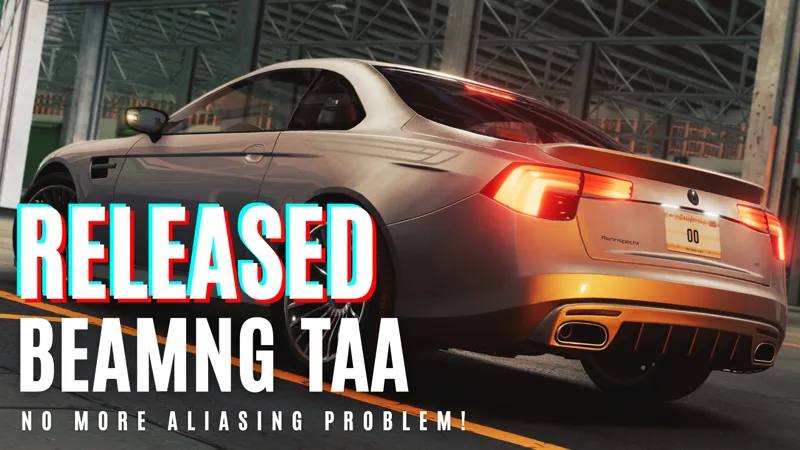
BeamNG TAA/DLAA v1.0 Test Version
IMPORTANT: This project is canceled, new project is https://www.patreon.com/posts/beamng-v1-vulkan-144242372
This is a test version, if you see any problem please leave feedback.
VR , Multimonitor are not tested.
Currently only TAA - TAA Clarity - DLAA included, I might add DLSS in the future.
Download v1.0.11 : https://cdn.snowymoondl.net/beamng_v1/taa_beamng_v1_0_11_snowymoon.io.zip
Download v1.0.10 for 0.34 - 0.35 : https://cdn.snowymoondl.net/beamng_v1/taa_beamng_v1_0_10_snowymoon.io.zip
Download v1.0.9 for 0.33 : https://cdn.snowymoondl.net/beamng_v1/taa_beamng_v1_0_9_snowymoon.io.zip
DLSS/DLAA 3.7 : https://cdn.snowymoondl.net/dlss_3.7.zip
Tutorial : https://youtu.be/StgouKuIPF8
Installation :
Go to BeamNG game folder
Go to "Bin64" folder inside game folder
Copy & paste dxgi.dll + dinput8.dll files (same folder as "BeamNG.drive.exe")
Copy & paste nvngx_dlss.dll (for DLSS/DLAA only)
Start the game with DirectX 11
Press "END" or "CTRL+P" key to open menu ingame
Settings You Need To Change :
Options > Graphics > Anti-Aliasing > Off
Options > Graphics > Depth of Field > Off (for now)
Using with ReShade :
You can also use this method with any other mod/plugin uses dxgi.dll.
Create a folder named "reshade" in "[GAME FOLDER]".
Put all ReShade (or any other mod/plugin) files to "[GAME FOLDER]\reshade\" folder or select ""[GAME FOLDER]\reshade\" folder from ReShade installer.
Updates :
18/06/2025 - v1.0.11 - Updated for game version 0.36
11/12/2024 - v1.0.10 - Updated for game version 0.34
19/09/2024 - v1.0.9 - Updated for game version 0.33
16/07/2024 - v1.0.8 - Removed Patreon on startup every 12 hours
09/07/2024 - v1.0.7 - Added FXAA to solve leftover aliasing after TAA
02/07/2024 - v1.0.5 - Fixed some problems + improved performance
29/06/2024 - v1.0.4 - Fixed a small bug
28/06/2024 - v1.0.3 - Important improvements to reduce blur and smearing problem
27/06/2024 - v1.0.2 - Fixed the problem when used with motion blur, now you can use motion blur
27/06/2024 - v1.0.1 - Fixed important problems
27/06/2024 - v1.0.0 - Released
Comments (160)
what about 0.39 ?
For 0.39 check: https://youtu.be/p3iHKkmXuVQ
broooo pls 0.38
whenever I try to launch the game using this your homebrew DRM says connection error even though this is supposedly a free mod
v37.6 Game launches, open map, sticks on loading screen. Map starts, I can hear vehicle running, but only see frozen loading screen. No other mods. Vanilla install. Game works again after removing copied files.
Turned off Auto HDR. Works now
how do i unistall it tho because when i want to open any else graphic set then it shows it black and after 3 seconds my beam crashes
Just delete the 3 files you added when installing it. "Dinput" "dxgi" and "nvgx_dlss.DLL"
This has fixed all my shading and aliasing issues. Amazing work. With the options available I only see DLAA not DLSS. Is there a way to implement DLSS? Regardless, my game looks and runs better already. However my mid tier gaming laptop is running pretty hot with fans on full. DLSS would help quite a bit. Is there a way to utilize or just DLAA?
my game just crashes when i have the file at the right place, its weird it doesnt even give me the menu to put vulkan or normal, just crashes when opening
Would love to see Vulkan support, and maybe DLSS later :D
tutorial on the reshade addon please i cant get it to work
Create a reshade folder in the game's root folder. Install ReShade BeamNG.drive\Bin64 - BeamNG.drive.x64. Then, move the ReShade files to the reshade folder you created earlier in the game's root folder. Next, launch the game, go to the ReShade settings, and specify the path to the folders with shaders and textures. The path is as follows: BeamNG.drive\reshade\reshade-shaders\Shaders\ and BeamNG.drive\reshade\reshade-shaders\Textures\ Everything works fine for me.
Pls add dlss to this mod!
i keep crashing using this on career mode status heap error without it it dont crash
FYI for everyone, you can now download a mod called "optiscaler" and add FSR2,3,4 and Xess to BeamNG thanks to Snowymoons DLAA mod. :) also with RDNA2 and 3 GPU's you can now use the NIT8 version of FSR4 for the best image quality, by downloading the compiled FSR4 DLL file and replacing that file in BIN64 folder with the old FSR DLL. FOR RDNA2 GPUs you need to downgrade your drivers to "23.9.1" to get FSR4 working.
how did u get it to work when installing .bat file did u choose dxgi.dll ?
This is great! works perfect in 0.37 just had to turn of auto-hdr. this was my biggest gripe after getting the game but this solves it! ty!
menu not showing up in game
Are you planning 0.37 update?
It should work fine on 0.37, it doesn't work?
Hi, why not do it on Vulcan? I just think many people have more fps on Vulcan than on dx 11.
Vulkan API is still experimental for the devs on this game. snowymoons is apparently working on getting the vulkan version working for us. im surprised he can get it working at all tbh.
any plans on fixing world editor > material editor? the entire game crashes when you opening up material editor, even on v1.0.11 taa
I'm working on a new plugin for BeamNG, including both DX11 and Vulkan support with some extra features. Probably its going to be fixed with new plugin
Black screen / no menu when using beamng 0.36
was able to take great pics from the photo mode now when I do it like almost takes off the AA for split second to save the pic. Makes no sense to me idk if it's something on my end or not
it's Beamng. When taking a photo from photomode, the game renders the shot separately from the game engine. That's why reshade effects also do not save when in photomode.
hi, great job dlaa really improve my game, but now whit 0.36 and v1.0.11 my game crash when run in direct x, u know why?
Hey, for some reason menu doesn't show up when I press ctrl+p or end key. Game freezes for a few seconds but nothing shows up. is there any other way to open it?
Did you start the game with DirectX 11 and not Vulkan? If you started with DX11 and installed it correctly, probably antivirus or some NVIDIA/AMD app blocking dxgi.dll to load
Hello! And thanks for such a great mod. But there is some error, if I install it and in the world editor try to grab and drag the window for example material editor, the game crashes with an error (appears randomly, can work instantly, or maybe after a few seconds, but you need to drag the window and at some point the error will appear, also as if by feeling, it crashes if you drag the window up and down, and left and right everything seems ok). If i delete mod, always ok video: https://youtu.be/GxBwh2F81SM
I didn't try at all in the world editor :/ I'm currently working on some other projects, I might check that later
YESSSSSSSSSSSSSSSSSSSSSSSSSSSSSS
I know this is off topic but can you please make a taa addon like this for xplane 12 the antialiasing is terrible and its a known issue but they wont fix it, im sure so many people would be appreciative if you made an addon like that.
Maybe in the future after current projects
Any possibility of support for Vulcan?
"Game doesn't provide shader source codes. To implement TAA 80% of the shaders must be edited and to do that I need to make the system I made for DX11 but for Vulkan. It took months to make it properly for DX11 and it will be similar for Vulkan. Thats why I don't make it for Vulkan because its not worth the time"
if you want to implement the VR compatibility you will need to make it for the Vulkan renderer (Provide also better performance in overall)
Game doesn't provide shader source codes. To implement TAA 80% of the shaders must be edited and to do that I need to make the system I made for DX11 but for Vulkan. It took months to make it properly for DX11 and it will be similar for Vulkan. Thats why I don't make it for Vulkan because its not worth the time
Pls can you repair this mod today?
Crashing on 0.36
This crashes on the new beam update, can we please get fix for new update pls
This now crashes the 0.36 update and it has to be removed for the player to get into free roam. Would be cool if it was updated as it was very useful. (Update 0.36 came out today i know)
I really love this mod but idk why it stopped working for me. everytime i press ctrl+p the game freezes for half a second but no menu shows up. The game runs normally otherwise. No black screens, no permanent freezing or anything. FYI Im not using vulkan.
are you planning to update to 0.35
FYI turning off HDR fixed my black screen on load. (Auto HDR off may also help)
we need a new update my game is crashing while using it in 0.35Version
Hello, could you make an update, to be able to use snowy moon with reshade? That would be great, thank you
Go to the beamng folder, go to bin64 then rename the reshade file from dxgi.dll to d3d11.dll and then copy paste the snowy moon TAA works for me this way
I've tried installing this mod for beamng 3 times now and everytime i do I just get a black screen, the game still loads cause I can hear the sfx when I hover over where buttons should be, but its just black. it worked on assetto corsa, anyone know what im doing wrong? EDIT: turn off autohdr for beamng and it will fix it
will there ever be a newer version? idk if i did something wrong but DLSS does not show up in the menu
when do you think you can add vulcan or is it not possible?
Is it just me or has DLAA more edges than TAA? Feels like DLAA looks pretty vanilla
Thanks for the mod, it works well but would it be possible to change the DLAA preset to the new transformer model?
you can just download the NEW DLL and drop it into the bin64 folder then replace the old DLAA.
Hello, does this not work on version 0.34.2.0? Upon launching all I get is a black screen, I can hear the menu options if I move the mouse around, am I missing something?
had to disable HDR in windows settings then it started for me
helo I am using version 0.32 any idea how I can use it
Hello, use this version https://cdn.snowymoon.io/beamng_v1/taa_beamng_v1_0_8_snowymoon.io.zip
its crashing when its done loading the map, made sure that its running with dx11 and v1.0.10 on 0.34
my game is always crashing
Love the work. Keep going with this!
Used directx11
Hello. Game crashed if put files to GAME FOLDER. If copy files to reshade folder - nothing happens when press ctrl+p or END.. Please help! What am I doing wrong?
Do you start the game with DirectX 11 and not Vulkan?
Reshade and your mod doenst work... with your installation tutorial have a discord server ?
Be sure you put reshade dxgi.dll to reshade folder with other files, do not miss any file also it should game folder, not "Bin64" folder for reshade files. If I start a discord server I'm going to waste a lot of time talking to people so I don't use discord at all :( Using with ReShade : You can also use this method with any other mod/plugin uses dxgi.dll. Create a folder named "reshade" in "[GAME FOLDER]". Put all ReShade (or any other mod/plugin) files to "[GAME FOLDER]\reshade\" folder or select ""[GAME FOLDER]\reshade\" folder from ReShade installer.
Will you ever add vulkan support?
Probably not, maybe in the future but not sure :/
When I open any in-game window (the console or some of the world editor windows) and the windows appear or are moved outside the game window, the in-game window becomes black and shortly after the game crashes. I know it's from this mod because I tried launching the game without it and the issue disappears. It must have to do with the core dlls dinput8 and/or dxgi not dlss cause I tried with dinput8 and dxgi only and the problem persist. I always started the game in D3D btw
works now for .34 thank you very much :D
Game crashes on version 0.34
how about newer dlss v3.8.10 from dlss swapper?
Hi, unfortunately, 1.0.9 doesn't work with BeamNG.drive 0.34 which was released earlier this day. Error: 0x00000001. If you disable the anti aliasing in the settings GUI from the main menu, everything works. As soon as you're ingame (= on a map) and you switch to either DLAA or TAA, it crashes right away. This is different from your mod in version 1.0.8 with BeamNG.drive 0.33, where it crashed right after the API selector window (= before the actual game started).
Ye it seems its outdated
mod crashing in dx11, any ideas or fixes? thanks!!
Updated for 0.34
black screen and game crashes newest version
My game closes when I run with d11 on the startup, any solution to fix? thanks
Hello thanks for this amazing feature ! You'll maybe help dev with that. I came here because I found an issue and dont know if its listed, I hope helping someone with that. Pay attention, the game wont start with HDR the screen look frozen, and nvngx dont work if you modified nvidia signature check and have to restore it. So if you used Puredark's DLSS and had to modify the registry, look for that to solve issue.
Thank you <3
wow game look so much better now
Have fun <3
Bro, when I press F11 in the game, it kicks me out. Can you fix this? I'm starting it with DirectX 11, and this is the only problem with the mod.
F11?
dxgi.dll file makes the game cash. You can add the other two with no issue
Be sure you start the game with DirectX 11 not Vulkan
absolutely awesome! like the ETS/ATS one. thanks for your work.
Thank you, have fun <3
i do all what you do but still dont work. I cant open it with end or ctrl+p
Start the game with DirectX 11, not Vulkan Be sure you installed correctly If you have antivirus, try to whitelist .dll files
I record videos of this game, but I cannot use this plugin because of TAA blur. What I need to do?
It happens only when you record videos or?
mod started to crash after 0.33 update.
Fixed, try with 1.0.9
mod isn't working after the update to BeamNG 0.33
Fixed, try with 1.0.9
will this work with 0.33 update? mine game crashes
Fixed, try with 1.0.9
Looks like the last beam update broke this. Any chance we could get a patch?
hopefully also get the dlss
just so im right, this doesnt work with vulkan?
I'm sorry, it doesn't work with vulkan :(
hello ! Nothing too urgent but when opening the in game console with your graphic mod it crash, same with some Imgui app when it show up on the screen, (for example BeamZero server on BeamMP cant be joined with your mod)
Sadly this doesn't work with VR as you need to launch it with Vulkan to use VR afaik. I did try launch with the TAA mod with vulkan and just got launch crashes.
I copied and pasted three dlls into the bin64 folder and turned off depth of field and antialiasing. The BNG opened with Direct 11, but it still crashes. Please tell me how to solve it
how to play with direct11
Hello! I wanted to ask what I can do if my beam NG always crashes at the start
Are you using vulkan or directx 11?
Any way to stop TAA Blur when driving?
Did you disable motion blur from game settings?
Can the mod improve the performance of BeamNG, like the version for Assetto Corsa?
Sure, I will do it tomorrow < 3
I do everything right and its crashing at the startup . Before adding your mod i unenabled Aliasing and depth of field and i lunched the game in Direct 11 and its crashing on the startup . Please tell whats wrong
Looks like I should add log system to check where its crashing, I will add it today
pes2021 please!!
can you please make the patreon NOT open every time i open beamng please and thank you. i already spread the word of your mod everywhere dont need it in my face when i launch the game
It should be every 12 hours, not everytime you start the game
Can confirm black flickering still persist in 1.0.5
Just saw need to turn DoF off will try when I get home
Not sure what I did wrong, I tried installing it, but once the game starts loading {Like right after opening the game} it crashes, I do have reshade, AND DX11, and a RTX card, but it seems to be the dxgi.dll file that just causes my game to crash
You start the game with DirectX 11 right? Not Vulkan
02/07/2024 - v1.0.5 - Fixed some problems + improved performance Download v1.0.5 : https://cdn.snowymoon.io/beamng_v1/taa_beamng_v1_0_5_snowymoon.io.zip
I have a problem when saving a vehicle config in the save and config menu, but only in multiplayer. The config is saved but the game crashes, tested 5 times and crashed everytime. Appart from this the performance boost is insane thank you for this mod!
Thank you < 3 Can you try with v1.0.5?
im getting a flashing blackness in the distance on utah, but the quality improvement is INSANE!! really liking this mod. i can pm a clip if you would like.
Thank you < 3 Of course, it would be great if you can send a clip so I can check it myself to solve the problem
Does it work with Vulkan too?
Unfortunately not. This game is very poorly optimized in DX11, especially when you add traffic. In Vulkan the frame rate is much more stable and the 1% low is much closer to the average fps.
Thanks for the mod Snowy, hope you add DLSS in the future so i can try get 120fps
In DX11 it's practically impossible to achieve a stable 120fps, even with DLSS. That's why I only play on Vulkan, although it's still in the testing phase.
Will DLSS 3.7 work with 3060ti?
Yes, it works with any RTX gpu
Awesome news SnowyMoon! Your Assetto Corsa TAA works also very nice btw! ;) Is VR supported in BeamNG TAA? I'm asking, because until now BeamNG were officially stating that VR is only supported in the Vulcan beta mode. That one was also working well for me, but I had to disable AA in order to run with 90 fps. Now I hope to add your TAA and still enjoy 90 fps. You're a real magician, mate!
< 3 TAA works with DirectX 11, doesn't work with Vulkan, if BeamNG VR doesn't work with DirectX 11 then its not going to work :(
27/06/2024 - v1.0.2 - Fixed the problem when used with motion blur, now you can use motion blur Download v1.0.2 : https://cdn.snowymoon.io/beamng_v1/taa_beamng_v1_0_2_snowymoon.io.zip
tested, result is awesome ! :O could be nice if in future it could be compatible with motion blur :D
< 3 I will check motion blur problem tomorrow
Walting Gta 5 =)
After I fix the problems with BeamNG, I will check GTA 5 < 3 Biggest problem with GTA 5 is there are a lot of mods, so it will be hard to make compatible with all of those mods
27/06/2024 - v1.0.1 - Fixed important problems Download v1.0.1 : https://cdn.snowymoon.io/beamng_v1/taa_beamng_v1_0_1_snowymoon.io.zip (I tried to fix the problems fast as possible but I'm not sure if I broke something else :D)
Waiting for this! Thank you! 🤝♥️
< 3
When driving with the internal camera with Motion Blur enabled, the dashboard becomes "blurry", after disabling Motion Blur, the internal camera becomes normal when driving
Can you try with v1.0.1?
I forgot to test with lower settings so it doesn't work with other settings :D Only working with highest settings, I will fix that issue
guess thats why it worked for me haha I run max settings
Google translate: When deactivating the game's SMAA and activating TAA or DLAA, the game bugs the "shadows", it keeps "flashing" black things on the screen as if the shadows were buggy. Map: Johnson Valley Graphics: Ultra SMAA: Off Resolution: 1080P/165HZs Card: RTX 4060 CPU: I5 12400F RAM: 2x16GB 3600MHz
Can you try with v1.0.1?
great work! working good so far :D cant wait for DLSS
< 3
It cannot be used in China, and it shows "Connection Error". LAN, mobile network, and dedicated network! They all show the same thing! We have received hundreds of replies on our forum that it cannot be used! Sir, please fix it! Most of them come from ETS2
Because Chinese ISP(s) blocked cloudflare ip address it cannot connect to API server
Nice 👌👌👍👍
< 3
Heck yea !! snowy strikes again !!!
< 3
Owww yeah 🤩
< 3