


Genmo Mochi 1 — SOTA Video Generation Model — Full Tutorial With SwarmUI — Locally Generate Amazing AI Videos for Free
Tutorial Link : https://youtu.be/iqBV7bCbDJY
Mochi 1 from Genmo is the newest state-of-the-art Open Source video generation model that you can use for free on your computer. This model is a breakthrough like the very first Stable Diffusion model but this time it is starting for the video generation models. In this tutorial, I am going to show you how to use Genmo Mochi 1 video generation model on your computer, on windows, locally with the most advanced and very easy to use SwarmUI. SwarmUI as fast as ComfyUI but also as easy as using Automatic1111 Stable Diffusion web UI. Moreover, if you don’t have a powerful GPU to run this model locally, I am going to show you how to use this model on the best cloud providers RunPod and Massed Compute.
🔗 Public Open Access Article Used in Video ⤵️
▶️ https://www.patreon.com/posts/106135985
Amazing Ultra Important Tutorials with Chapters and Manually Written Subtitles / Captions
Stable Diffusion 3.5 Large How To Use Tutorial With Best Configuration and Comparison With FLUX DEV : https://youtu.be/-zOKhoO9a5s
FLUX Full Fine-Tuning / DreamBooth Tutorial That Shows A Lot Info Regarding SwarmUI Latest : https://youtu.be/FvpWy1x5etM
Full FLUX Tutorial — FLUX Beats Midjourney for Real : https://youtu.be/bupRePUOA18
Main Windows SwarmUI Tutorial (Watch To Learn How to Use)
How to install and use. You have to watch this to learn how to use SwarmUI
Has 70 chapters and manually fixed captions : https://youtu.be/HKX8_F1Er_w
Cloud Tutorial (Massed Compute — RunPod — Kaggle)
If you don’t have a powerful GPU or you want to use powerful GPU this is the tutorial you need
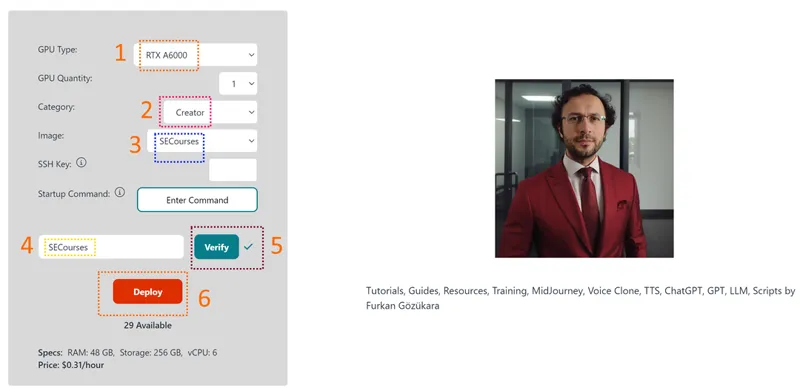
48 GB A6000 GPU is only 31 cents per hour on Massed Compute with our special coupon : https://youtu.be/XFUZof6Skkw
Free Kaggle Account Notebook for GPU-Poor
Installs latest version of SwarmUI on a free Kaggle account
Works with Dual T4 GPU at the same time
Supports SD 1.5, SDXL, SD3, FLUX and Stable Cascade and more :
Download from here : https://www.patreon.com/posts/106650931
0:00 Introduction to the tutorial
1:44 How to download, install and use Mochi 1 on Windows
3:59 How to update SwarmUI to the latest version to be able to use Mochi 1
4:17 How to start SwarmUI on Windows
4:27 How to set SwarmUI to use which GPU for generation
4:55 How to generate a video with Mochi 1, what are the best configurations
6:45 Where I have shared all the prompts I used to generate intro demo AI videos
7:30 Where to see step speed of your video generation and what are the speeds of RTX 3060 and RTX 3090
8:04 How do I activate my first primary GPU while also generating on my secondary GPU
8:25 Why queue system may not immediately start using your multiple GPUs and how to fix
9:45 How to solve out of memory error by enabling VAE tiling
10:02 Which parameters are best for VAE tile size and VAE tile overlap
10:53 How to use Mochi 1 and SwarmUI on Massed Compute cloud service — you don’t need a GPU for this
11:13 How to apply our SECourses coupon to get 50% discount for real for RTX A6000 GPU
11:37 How to connect initialized Massed Compute and start using Mochi 1
12:23 How to update SwarmUI to latest version on Massed Compute
12:51 How to start SwarmUI with public share to access from computer directly and use in computer browser
14:10 How to install and use Mochi 1 on RunPod with SwarmUI
16:45 How to monitor back-ends loading of SwarmUI on RunPod
17:35 How to properly terminate your RunPod pod and Massed Compute instance to not lose any money
Repo : https://huggingface.co/genmo/mochi-1-preview
Model Architecture
Mochi 1 represents a significant advancement in open-source video generation, featuring a 10 billion parameter diffusion model built on our novel Asymmetric Diffusion Transformer (AsymmDiT) architecture. Trained entirely from scratch, it is the largest video generative model ever openly released. And best of all, it’s a simple, hackable architecture.
Alongside Mochi, we are open-sourcing our video VAE. Our VAE causally compresses videos to a 128x smaller size, with an 8x8 spatial and a 6x temporal compression to a 12-channel latent space.
An AsymmDiT efficiently processes user prompts alongside compressed video tokens by streamlining text processing and focusing neural network capacity on visual reasoning. AsymmDiT jointly attends to text and visual tokens with multi-modal self-attention and learns separate MLP layers for each modality, similar to Stable Diffusion 3. However, our visual stream has nearly 4 times as many parameters as the text stream via a larger hidden dimension. To unify the modalities in self-attention, we use non-square QKV and output projection layers. This asymmetric design reduces inference memory requirements. Many modern diffusion models use multiple pretrained language models to represent user prompts. In contrast, Mochi 1 simply encodes prompts with a single T5-XXL language model.

Comments (10)
Can you use this with Lora?
give me example lora i will test
What files do I need to download and where to put them on Kaggle? Maybe you could update your Jupyter Kaggle Notebook to include all the files for Mochi. Would be really appreciated. Thanks.
sure i will update it for mochi now
Thanks for your response I have take a subscription for massed compute And one question please -when I instal the vm Machine ask update If I do it all python stop working Is it need to do it ?
just cancel those updates
Please can you help me when I run the installer you provide and I choice 12 its write “python are not installed” I am on windows and I have instal python !!
swarmui comes with pre installed comfyui backend. you can watch this tutorial to install : https://youtu.be/HKX8_F1Er_w
Is there a way to using a starting frame like Kling? or is this not possible?
not possible yet but we are expecting