
How to install mods to your Anime Gacha using XXMI
XXMI Github | Big Thanks to SpectrumQT and everyone from AGMG Discord!
-------------------------------
First off, YOU WON'T BE BANNED
This is a launcher that handles all versions of 3DMigoto (The Mod Importer) for every game that currently supports modding, this does Not replace/modify files to your game(s) and the games' anti-cheats will not trigger*!
Simply make sure not to show your UID when showcasing the mods to others.
*Genshin's 3DMigoto in XXMI has anti cheat detection issues.
I recommend using it's standalone version and follow my tutorial here
-------
Let's get started!
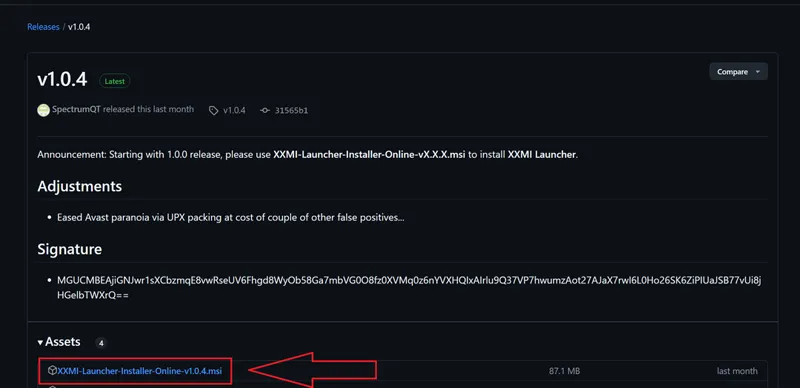
1) Download XXMI here! by clicking on the Launcher file
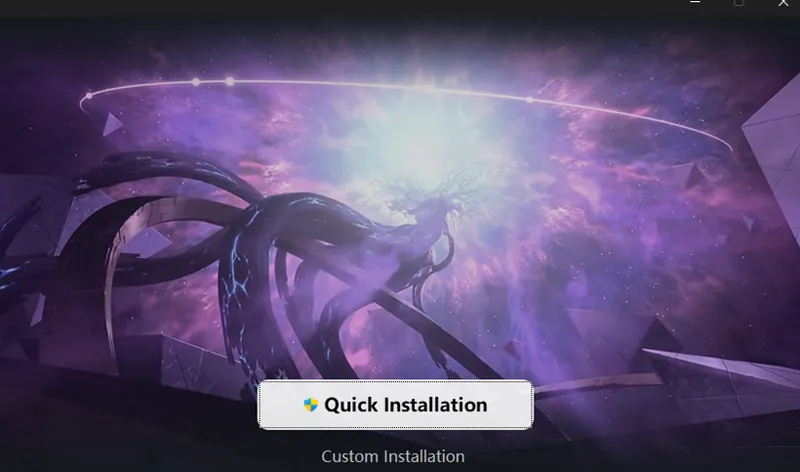
2) Open the installer and proceed with the installation, I recommend Custom Install since it allows you to choose the program's folder path, you'll get a few admin popups, hit Yes to continue with the install.
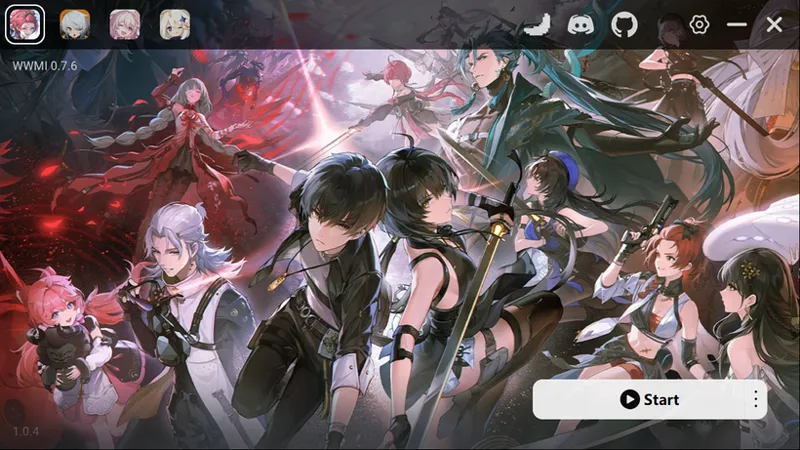
3) After installing, launch XXMI
By default it will install WWMI (Wuthering Waves 3DMigoto), you can ignore this.
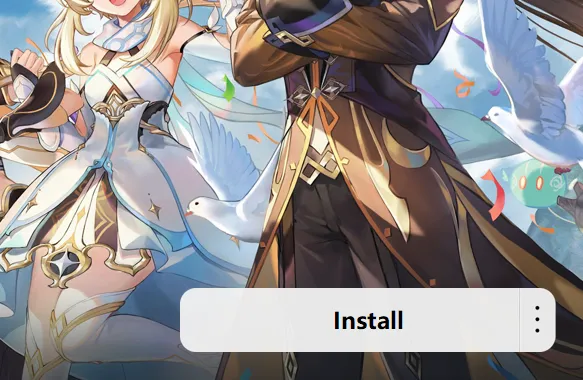
4) IF you already have a folder of 3DMigoto with mods installed, skip this step and follow the next one. Install 3DMigoto for the respective game by selecting one of the game icons at the top and hitting Install.
XXMI will automatically setup 3DMigoto for the game you chose. Every install is located inside XXMI's main folder!
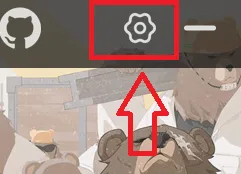
5) Check the settings by clicking this icon
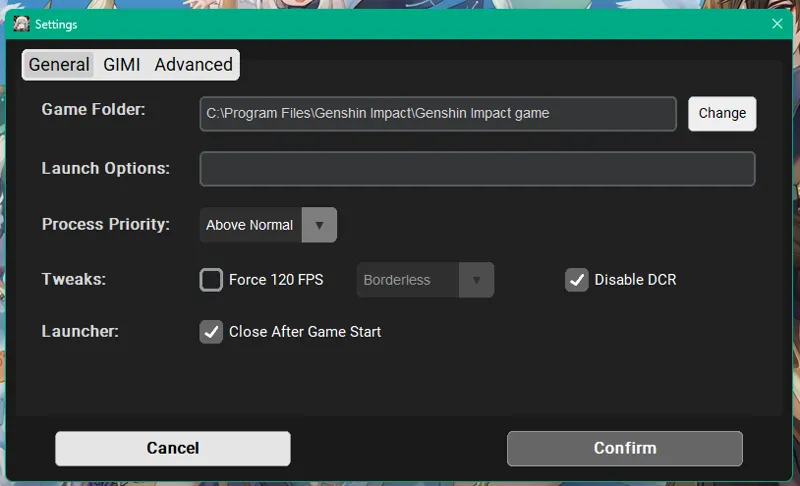
Here you can check that XXMI automatically detects your game's path, change it in case it's incorrect.
You also have a few options that you can mess with, some of them may change depending on the game selected (Use these at your own risk!).
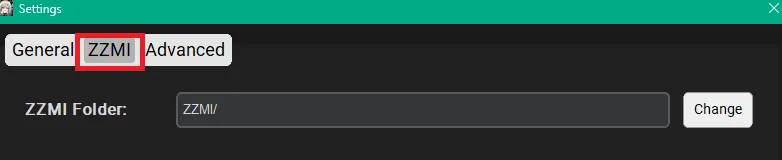
Hit the 2nd tab and you'll find the game's 3DMigoto folder path,
if you already hit "Install" back in step 4 no need to do anything here.
Otherwise, change the path and find your 3Dmigoto MAIN folder.
You have to do this for every game you have mods installed!
Every game's 3DMigoto has their own name
GIMI - Genshin
SRMI - Star Rail
ZZMI - ZZZ
WWMI - WuWa
After setting up all the path and settings stuff, make sure to hit Confirm!
6) Check if XXMI launches your games properly by clicking on Start.
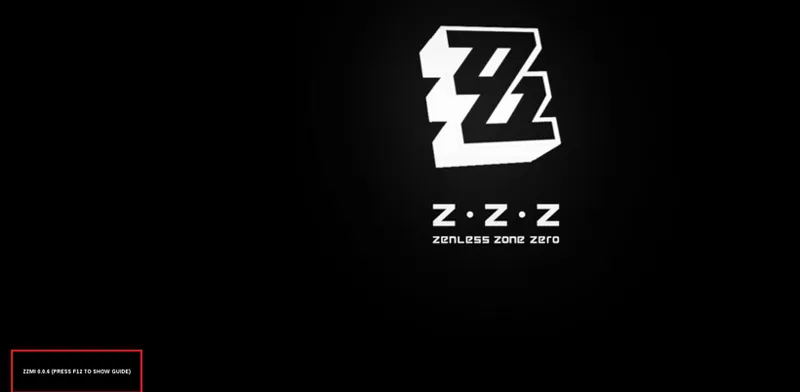
If your game launches with white text in the corner, that means it's all good!
When launching for the first time with XXMI, You may also get a pop up in the middle of the screen to show you some instructions, close it with F10.
7) Install/Check your mods!
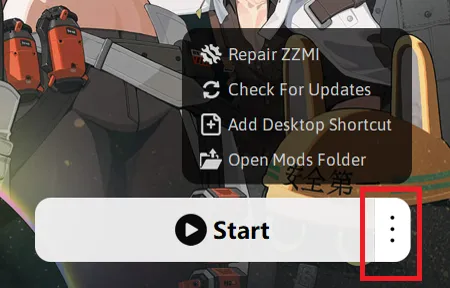
Next to the Start button, hit the 3 dots and on the pop up menu click on "Open Mods Folder"
A window will open automatically sending you to your selected game's Mods folder where you can extract all their Zip/Rar files there. You can install them before launching the game OR while you have it open, press F10 to reload the mod(s) if that's the case.
Make sure to have only 1 mod per character! 2 or more will break them!
8) Enjoy!
-------------------------------
Please keep the comments related to XXMI issues/troubleshooting, any problem you have with a specific mod, please report them in their specific post(s) or DM me. Unrelevant comments will be deleted!
Check the modding discord if you need more help~ (Make sure to verify before making questions!)
Huge thanks to Spectrum_QT , leotorrez, SilentNightSound, SinsOfSeven and everyone who helped on the development of this tool and all the versions of 3DMigoto!!!
Comments (28)
Is the H Redux full version for Sigrid still going to come out? Or did I happen to miss it
Hi, I don't know if you'll read this, but thanks to your mods I started playing Genshin. However, after a while, due to studies and work, I had to stop. Now, with more free time, I've started playing again, but your mods are causing errors even when using XXMI. Do you know how to fix this, or do you keep the mods for these older characters updated?
So not sure where else to put this, so I'll put it here: I usually mod Genshin with 3dmigoto and the normal launcher. That has worked, and still basically works (though plenty of Genshin mods are still broken). I recently tried XXMI to mod and launch the game, hoping this would be the fix for a lot of the broken mods, and got a rather scary message once the game started: "Illegal tool detected, please close your game." So, uh...does Genshin detect XXMI now? It works fine for ZZZ. Does anyone know what this means, or what to do about it?
>>For XXMI users: Reverting to an older dll version using GIMI 7.0 is what they recommend here: https://gamebanana.com/tuts/19132 The launcher will now detect the dll file as outdated and it wants to update it, the workaround (unless you don't mind launching 3DMigoto manually) is here, please read carefully the description: https://gamebanana.com/tools/21274 >>For NON-XXMI (GIMI 7.0) users: The message shouldn't be an issue already, However, some mods like Lauma, Nefer and some that are getting fixed will show up with broken textures in a fresh GIMI 7.0 install, Installing TexFX will fix it. If you don't have TexFX installed, you can get it here: https://gamebanana.com/mods/485763 Extract the "texfx-main.." zip file into your mods' folder and you're good to go.
a god in the modding community, ty
Is there any way to combat the horrendous input lag from using xxmi mods?
for me capping my fps to 60 makes it go back to normal inputs
quick question, are you going to do an update for the Wuwa bottom heavy mods to compensate for the "damaged" state they added?
Soon
When I try to install or launch XXMI it triggers my antivirus thing and quarantines the stuff
it's a false alarm, try your best to keep the installer/launcher in a whitelist or exception list
me salio un problemita Todos los mods estan bien, ninguno con fallos de texturas o glitcheados, pero por alguna razon, Lucy me reduce los FPS a -1 xd probaria con mas mods pero no quiero perder su traje de conejita que le tengo :c
Tendrias que averiguarlo en el discord AGMG
Thanks Hazeker, is unlocking FPS to 120 safe in Genshin?
Haven't tried it out nor I can tell if it's safe or not, sorry Use it with caution
Fixed all the mods for me 👌🏾
im gonna wait for a fix for zzmi smhsmh been hearing looott of bad things about xxmi
Would like to hear those things
Just fyi,. this fixed all of your mods for me except cesar. Just wanted to let u know. Also thanks for creating the guide. Really appreciate it
Yeah Caesar is broken for me too
Is this the fix for the broken mods or is this just updating the old post?
This fixes the ZZZ 1.3 issue with the normal map stuff
not sure what the hell happened but I installed the genshin one and it broke all of my mods
Check if the Dynamic character resolution option is disabled, if that doesn't work, go to XXMI Options, under GIMI Uncheck "Disable DCR" and disable the ingame option again.
Is there a way to transfer my saved settings?
If selecting the path of your already existing Migoto folder doesn't do that, then you have to choose your prefered variants and save with F10 again if that's what you mean
Tried this when it first released with wuwa and it kept reinstalling the wuwa 3dmigoto on every startup of it, maybe this time it'll turn out better.
thanks mate