
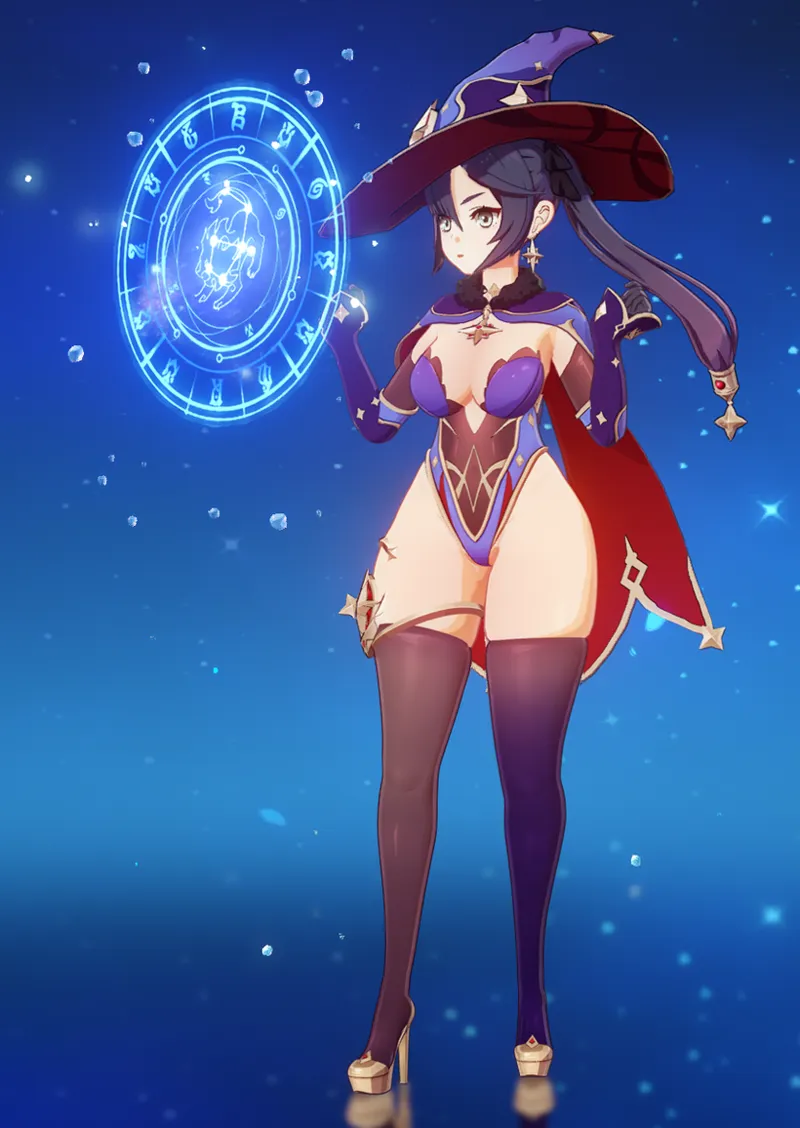
How to install Mods for the Anime Game
First off, YOU WON'T BE BANNED
This does Not replace/modify files to your game and the game's anti-cheat will not trigger!
-----------------------
Here are the Requirements:
You must have the game fully updated with file integrity already verified! (For safety)
Any program to extract ZIP/RAR Files, like 7Zip or Winrar.
3DMigoto: https://github.com/SilentNightSound/GI-Model-Importer (Click on "Code" then Download ZIP)
Get your mods ready! Find them here or on Gamebanana (Beware of lots of NSFW!)
-----------------------
How to play with mods?
1. Install 3DMigoto, download the file from the github link above and extract it!
Find the ZIP file named "3dmigoto GIMI (for playing mods).zip", take it to an easy-to-access folder and extract it.
2. Edit 3DMigoto's .EXE target, this is where the importer has to find your game's executable for it to work!:
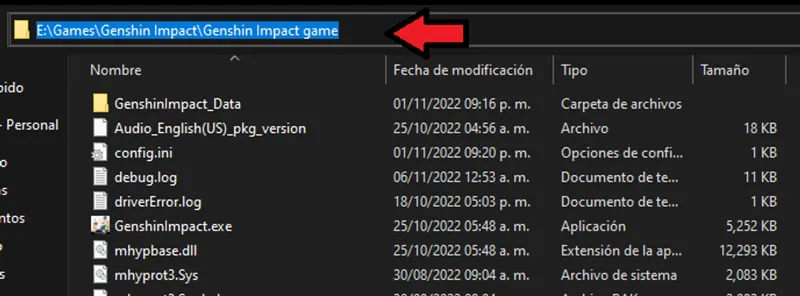
First, go to where your game is installed and find the EXE file from the game, NOT THE LAUNCHER (The game will drastically lag if you do it wrong!), the path should look like this:
(By default it should be at your C: drive in 'Program Files')
Hold shift & Right click over GenshinImpact.exe, then click on "Copy as Path"
Now go to your folder where 3DMigoto is located and open d3dx.ini with notepad.
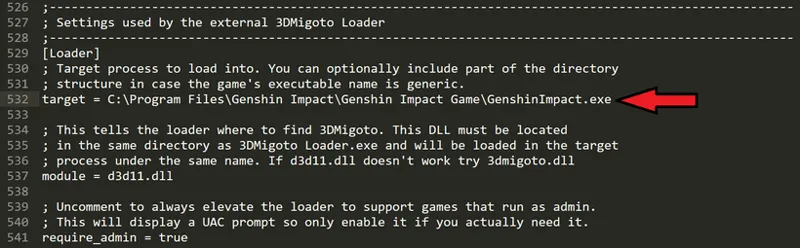
Then, in notepad, press Ctrl+B to open search mode, type "Loader" and press Enter. You should see something like this:
Next to "target =", replace the existing path with yours by simply pasting (Ctrl+V) over it.
Finally, Save changes and close notepad.
3. Install your mods!
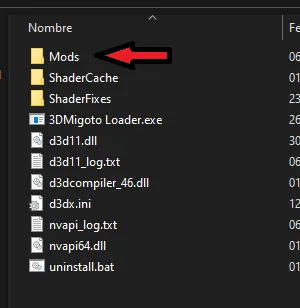
After downloading them, extract the RAR/ZIP files and put the extracted FOLDERS into 3DMigoto's "Mods" folder.
Only one mod per character works, do NOT install multiple mods for a single character.
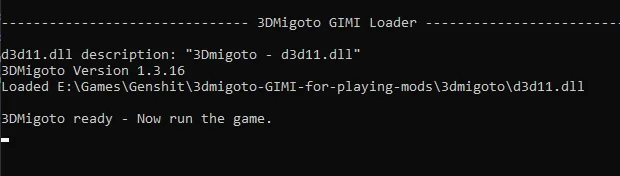
4. Launch 3DMigoto Loader.exe, a cmd window should appear stating
"3DMigoto Ready - Now run the game"
5. Start up the game through the launcher.
And You're done! the mods should work at this point.
If you're seeing no changes, try pressing F10 (This RELOADS the mods)
If that still doesn't work, repeat the d3dx.ini process just to make sure.
Keep in mind, the Mods will NOT stay in the game, you have to open 3DMigoto everytime you wanna keep playing with mods!
-------------------------
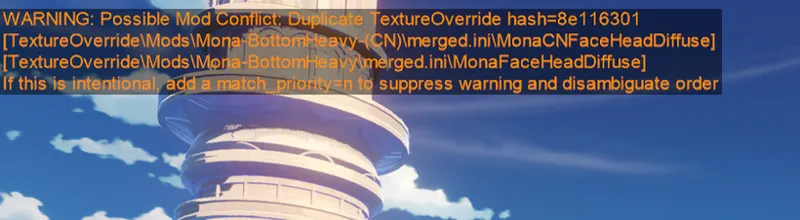
Note: Don't worry about this orange Text, it's a usual thing that can be ignored... unless any character looks completely broken.
-----------------------
Check the modding discord if you need more help~ (Make sure to verify before making questions!)
----------------------------------
>> Credit to SilentNightSound and everybody who worked on 3DMigoto!! <<