
ZZZ 1.3 Fix
So the new update broke the mods...
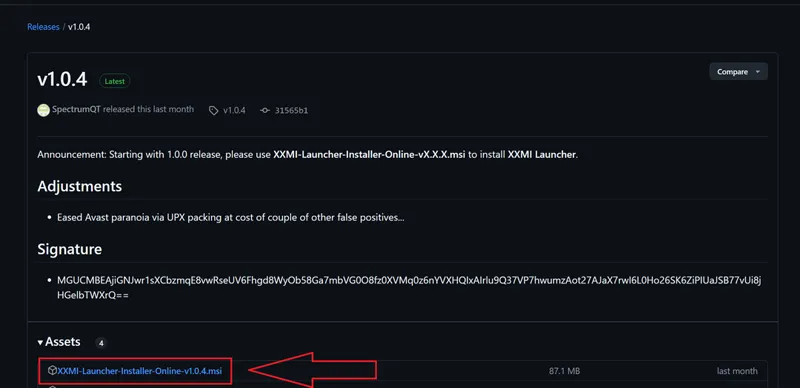
First, setup ZZZ using XXMI here https://github.com/SpectrumQT/XXMI-Launcher
(Here's a tutorial I made if you need it).
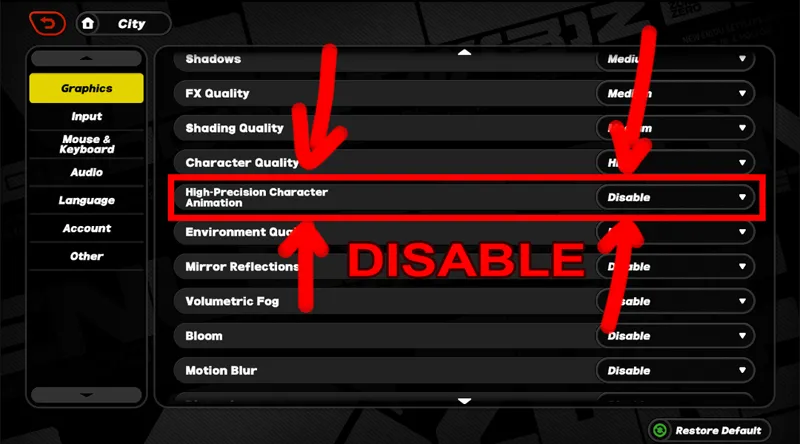
Once you set everything up, launch ZZZ and go to Options and under Graphics, disable "High-Precision Character Animation"
Now go to this post https://gamebanana.com/tools/18386 , Here you'll be able to find a script/updater that fixes some mod's textures.
PLEASE READ THE DESCRIPTION CAREFULLY and follow the instructions properly~
Once you updated your mods with the script, all your mods should have their textures fixed properly!
-----
Big thanks to _scyll and everyone who helped on creating the script
Comments (4)
So i ran the new script, got the xxmi launcher, redownloaded the Jane Doe bottom heavy mod and its still fucked. I also put the script in the jane doe one specifically. did i miss a step or does something not cover jane doe yet? Edit: I have disabled that setting in game.
The link is borken?
Gamebanana site is down. When it is up and running you will be able to download it. The fix worked for me.
Thank you for your help! :D