
ANIMA 1.0 FINAL BASE RELEASE UPDATE!
Hey everyone! I’ve just released a brand new update video on ANIMA 1.0 FINAL RELEASE, and BOY OH BOY… that was fast!!!
You can check out the video right here: https://youtu.be/W2G8mbbxAg0
The previous ANIMA model was already insane for a tiny 2B ANIME TEXT TO IMAGE MODEL, but now the FINAL 1.0 BASE MODEL is officially here. SO NO MORE PREVIEW! NO MORE WAITING!
And of course, it obviously has all the crazy stuff that made ANIMA so interesting in the first place like amazing anime quality, strong prompt following, the ability to use either Danbooru tags and/or natural language, fast generation and the ability to run or even be trained with LESS THAN 6GB OF VRAM… which is just INSANE....
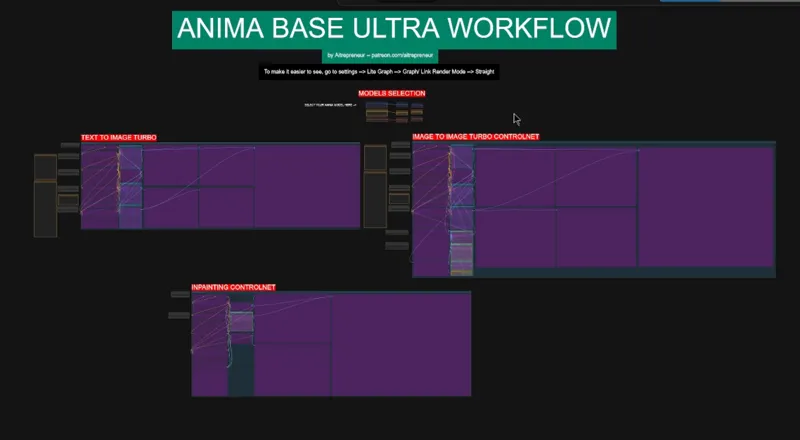
I have also added a new super cool inpainting controlnet workflow so now you can use anima as an anime inpainting model!
Here are all the updated post for my patreon supporters:
ANIMA BASE 1 CLICK INSTALLERS: https://www.patreon.com/posts/157355820
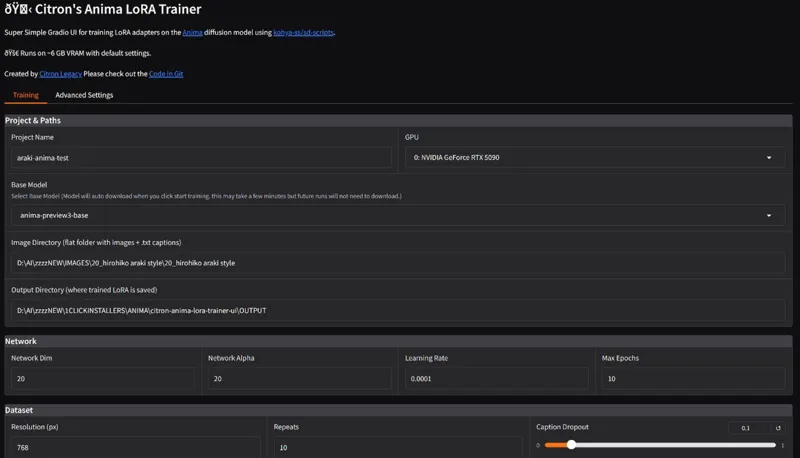
ANIMA LORA TRAINER 1 CLICK INSTALLER: https://www.patreon.com/posts/157355769
ANIMA BASE WORKFLOW: https://www.patreon.com/posts/157355749
As always, supporting me on Patreon allows me to keep creating helpful resources like this for the community. Thank you for your support - now go have some fun😉!

Comments (15)
Hello Aitrepreneur! Im having an issue with the workflow where if there are like 3 characters it takes a very loooooong time to process the hand detailer, is there a way to bypass these actions lets say I just want to run the face detailer? and not the hands, body and other bits detailers? I tried selecting and bypassing but now I only get black outputs. Thanks!
What have you selected? You should be able to bypass the nodes you don't need inside the subgraph node
runpod install. your instructions say, open port 3000 but that's not one of the choices. It's either 8080 - file browser, 8180 - comfyUI or 8888 Jupyterlab.
dm me I'll walk you through
Hello, big problem with this workflow. The img to img controlnet is not working. I have no error message, and every files are at the right place. I figured that the default model selected in the node "Apply Anima ControlNet-LLLite" was the wrong one. I fixed that but Openpose is not working at all. A lot of colored lines and no pose detected (for any image I tested). Please look into that I don't think it's normal at all. Without that the workflow is pretty musch useless...
The problem is not the workflow the problem is the pre processor. Openpose and dwpose estimator weren't trained on enough anime images so they have trouble understanding your image and where to place the face, the limbs, etc..sometimes it works, sometimes it doesn't. I found that for some reason lower resolution anime images work better to create the pose skeleton. However, that issue is ONLY for pre processing anime images with openpose, if you use a realistic image of the person doing a specific pose, then it will work fine because it can easily recognize the pose of a realistic looking person. So basically if you need to use pose, just use the image of a realistic person in a similar pose and use that to generate your anime image. You can even use something like a pose editor to create a pose skeleton from scratch and just use that image without using the dwpose estimator node: https://huggingface.co/spaces/AIARTCHAN/openpose_editor
dose comfyui need to be install on my main drive? cause i have it installed on a 2ndary drive
No my installers use the portable version so you can not only easily have multiple installs but you can install it anywhere you want
I keep getting this error "NotImplementedError: Could not run 'torchvision::nms' with arguments from the 'CUDA' backend." What do I do to correct this?
DM me the full error log
Nice boob moon. Makes total sense
nice ! you also must absolulty try the custom nodes of pixaroma ! (there is nice node like image composition node, resolution node or switch (up to 32 connections)
Thanks! You are too awesome! Out of curiosity, how did you animate the anime opening?
Ltx 2.3 :)
Thanks a lot!