
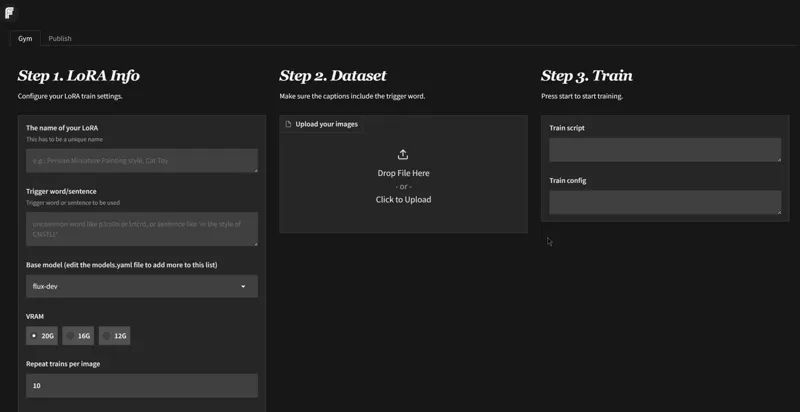
1-Click INSTALL FLUXGYM - EASY FLUX LORA TRAINING!
Hey everyone! I've created a 1-click installer for FLUXGYM! The BEST and EASIEST webui for Training a LORA I have EVER SEEN!!!! It's just amazing!
You can check out the video right here: https://youtu.be/LILai5jIW1w
The installer of course automates the entire install process for fluxgym and its launcher!
DON'T FORGET TO USE THE NEW SPECIAL WORKFLOWS RIGHT HERE:
FLUX LORA TRAINING + LORA TESTING WORKFLOW | Patreon
LOCAL INSTALL!
1. Download the FLUX-LORA-FLUXGYM-INSTALL.bat
2. Run the bat file
3. ????
4. Profit 😎
IF YOU ARE USING RUNPOD:
1. Create an account if you haven't already: Runpod
2. Click on Pod (on the left side) then click deploy
3. Choose a GPU with at least 24gb of VRAM (a cheap 3090, 4090 or an A30 are great), and choose a pytorch template, then edit the template 100gb for both the container and volume disk, then deploy on demand
4. Go to my pods, wait for everything to finish and then click "connect", then "Connect to Jupyter lab"
5. Then drag and drop the FLUX-LORA-FLUXGYM-INSTALL-RUNPOD.sh file on the left side of the UI then click on the "Terminal" icon on the right side on the UI
6. Copy and paste these two lines then press enter:
chmod +x FLUX-LORA-FLUXGYM-INSTALL-RUNPOD.sh
./FLUX-LORA-FLUXGYM-INSTALL-RUNPOD.sh
7. Wait for everything to be installed
8. Then click on the public url
9. ???
10. Profit 😎
As always, supporting me on Patreon allows me to keep creating helpful resources like this for the community. Thank you for your support - now go have some fun😉!