
July 16, 2026
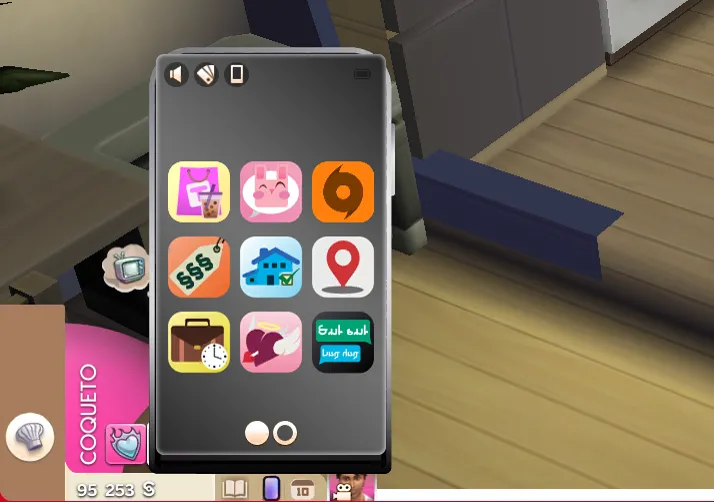
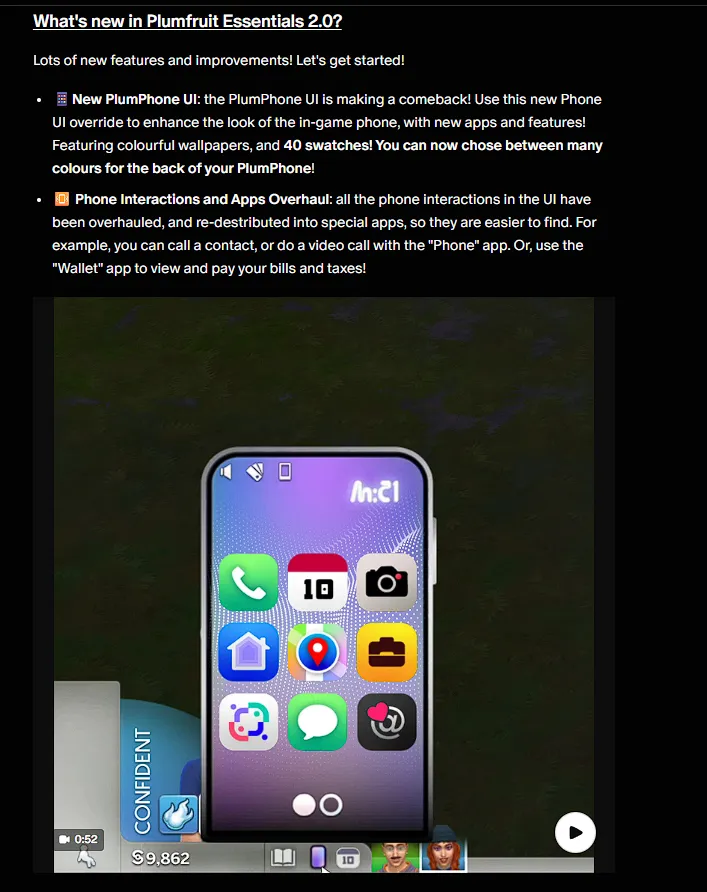
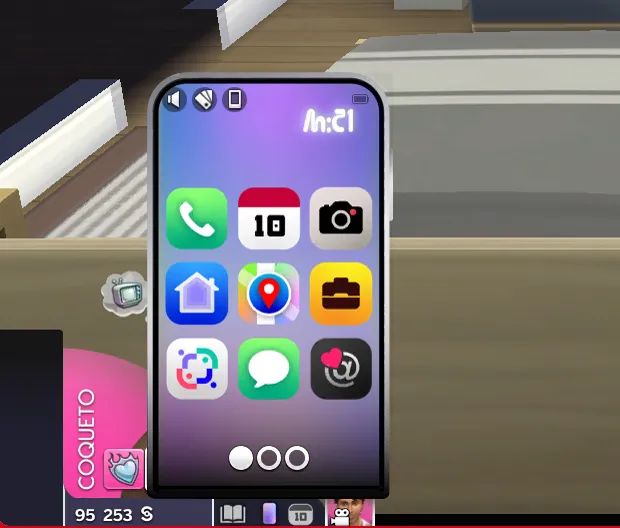
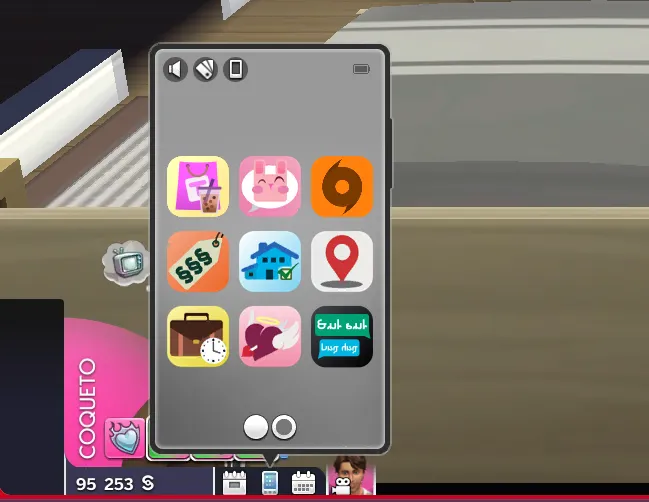
The phone and icons don't match the current interface.
A basic but useful tutorial on how to use the patch for Plumfruit Essentials
The problem is very simple, the patch is just a modified version of the texture from Milo's (formerly known as Arnie) original mod, Plumfruit Essentials.
In other words, this only makes sense if you're using Milo's mod, as it provides an alternative texture pack for using my interface mods in conjunction with it. The original mod is required because it relies on several resources that my mod doesn't include natively.
How can this be solved?
Well, it depends on your problem, so I'll give two solutions: installation and deletion of the file.
How do I install the mod correctly?
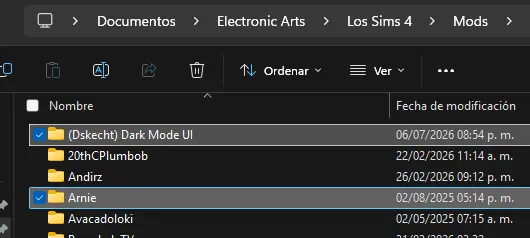
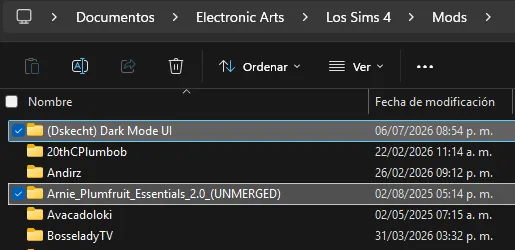
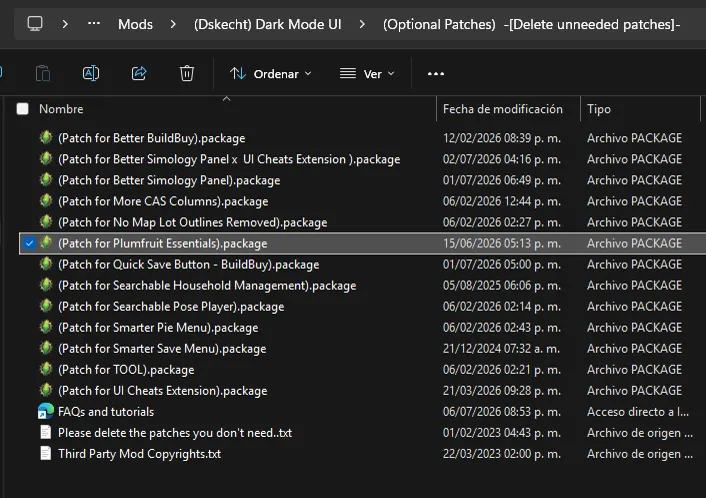
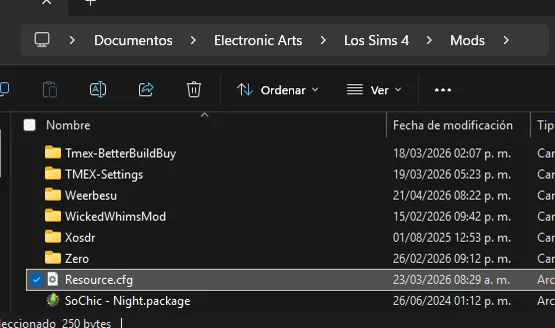
The truth is very simple, as long as you have everything organized and separated into folders as in the screenshots, the mod will work correctly.
How do I revert to the default version of the game?
It's very simple, just delete the file shown in the screenshot. This will restore the game to its default interface.
They're still not working, what can I do?
Once the problem persists even without further mods, then you can proceed to look for a solution.
You must go one by one until the problem is solved.
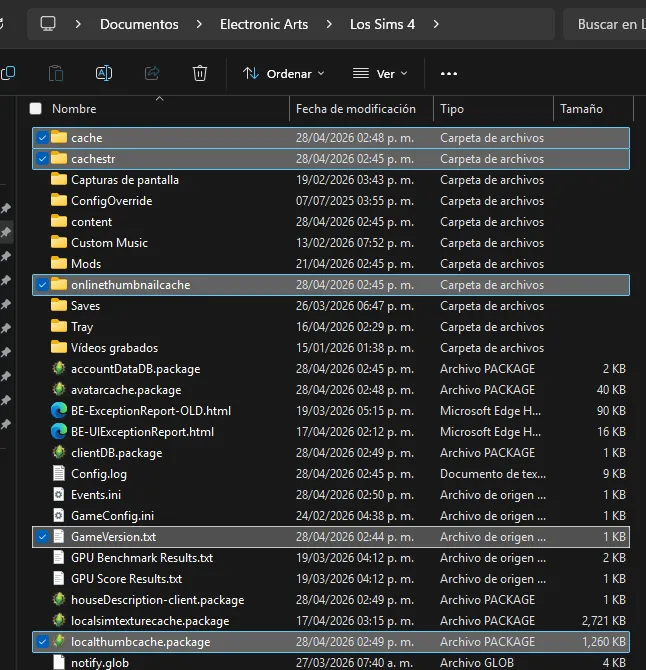
Clear cache
The first thing you should always do when the game crashes.
You must delete the following files and folders that you will see below.
Delete the "Resource.cfg" file
I don't know why, but this file gets corrupted after a while. In short, it tells the game where to look for mod files within the Mods folder.
If this file fails or becomes corrupted, stop searching for other files; it's best to delete it and let the game create a new one to fix the problem.