
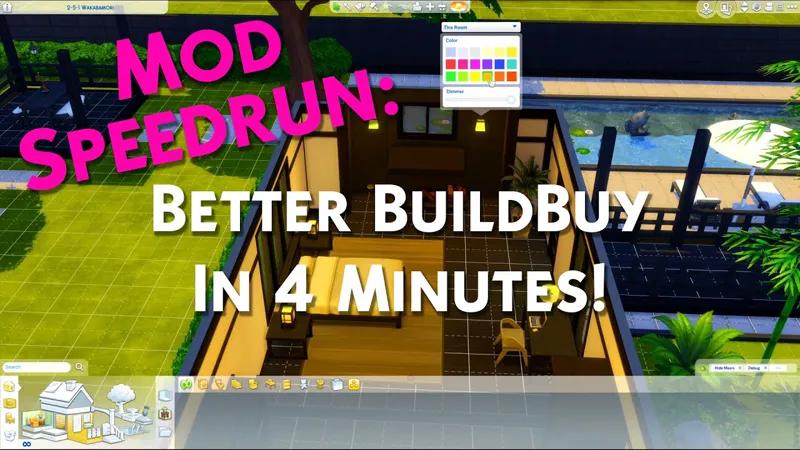
Better BuildBuy: Organized Debug v2.5.3 - My Wedding Stories Update
THIS IS AN OLD VERSION. USE TWISTEDMEXI.COM TO FIND THE LATEST.
v2.5.3 UPDATES:
Updated Organized Debug catalog for My Wedding Stories debug and live edit content.
There were a few new debug objects from the Spa Day refresh that didn't get imported. Those have been added to organized debug as well.
Warning: There's 2 new objects starting with "stub_lots". These are those "oops I placed stuff up in the sky" type objects, so be careful with them.
Remember to turn organized debug off, restart, and turn it on. This will ensure the catalog is up to date.
v2.5.2 UPDATES:
Updated UI files for compatibility with the 11-2-21 Scenarios patch.
==============
Welcome to BBB v2.5!
Two main changes - firstly, I've added MOO and Ignore Unlocks to the BBB options.
They can be found under the Organized Debug checkbox.
Secondly, my discontinued BuildBuy Deletion Fix mod has been renewed as part of BBB's features. For those unaware, this was a cheat that stopped BuildBuy from deleting anything, allowing you to make changes like wallpaper or modifying architecture without losing your objects. This is now an option in BBB's filter panel. Unlike the other options, it does not persist between sessions. This is intentional, as you should only turn it on while necessary and turn it back off immediately after. Undo may not work for anything you do with it on. You will also receive a pop-up when turning it on, reminding you of this. No, the pop-up is not negotiable, it's one extra click and is still much faster than typing the old cheat. Without it, our support team would be inundated with players asking why they can't delete objects.

Updates:
Added new "permission denied" error message for the few users who kept getting the desync message over and over, making the actual issue more clear to the user.
The two warning files inside the tmex-betterbuildbuy folder now delete automatically after first successful run, to reduce chances of player confusion.
Added a MoveObjects toggle to the BBB filter options. Do NOT use the cheat anymore. Setting will persist.
Added an Ignore Unlocks toggle to the BBB filter options. Do NOT use the cheat anymore. Setting will persist.
Added BuildBuy Deletion Protection to BBB filter options. Setting will NOT persist, by design.
Updated light editor logic to allow cloning of rooms using shift.
=================
ORIGINAL BETTER BUILDBUY INFO
(This video will help you get started quickly.)
New Features:
Having Organized Debug on no longer causes your lot to be marked as CC. That means you no longer have to restart the game constantly.
A Light Editor has been added to build mode, with a dropdown for light selection. You can access it by shift+clicking any light.
Debug/LiveEdit Objects for packs you don't own will no longer appear in the catalog.
"Kit" pack filters have been split into their individual kits, so you can pick exactly which kit you want to see.
Added a "Desync" dialog message. There's a few occasions where Organized Debug can be left in a bad state, for example after deleting your resource.cfg. This new dialog will show when organized debug needs reset. If you get it, all you should need to do is restart your game once and then you can continue using it as you normally would.
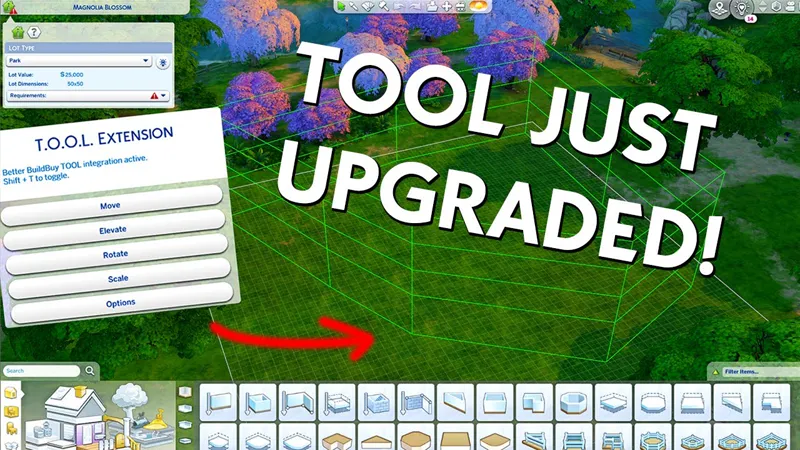
Did you know you can use TOOL in build mode if you're using Better BuildBuy? Grab TOOL here!
Better BuildBuy Quick-Start
You don't have to use Organized Debug for TOOL. Just don't check the filter.
Do NOT use debug or liveedit cheats. Use their respective filters instead.
Do NOT install buildcam or expandable catalog separately. They're included in BBB.
Filtersare different! Please don't ask where your CC went.
Filters work as follows: Hide Maxis - Hides all regular objects that aren't debug, liveedit, or cc. Debug - Shows debug objects, replaces the need for the debug cheat. LiveEdit - Shows LiveEdit objects, replaces the need for the liveedit cheat. Custom Content - Shows Custom Content objects. Off by default, be sure to check this if you want your CC visible. Filters stay set even when you close your game, so you'll only need to turn CC on once if desired.
Press 1 (number row) to toggle catalog size.
Press Tab to activate Freecam mode in build.
If you'd like to use Organized Debug, open the game and open your buildbuy filters. Scroll to Better BuildBuy and select Organized Debug. You'll receive a pop-up and will be told to restart. After doing so, Organized Debug is active.
If you're completely new to BBB, I recommend watching my original tutorial.
Install Instructions
⚠ FOLLOW IT WORD FOR WORD. ⚠
1. Delete any existing copies you have for BBB.
2. Open the "TwistedMexi's Better BuildBuy v2.5.3 Official" zip and drag the "Tmex-BetterBuildBuy" folder inside to your mods root. (No subfolders!)
3. That's it! Don't restructure or move the files in any way NOTE: On Mac, .zip files may automatically be unzipped when downloaded. In that case, drag the newly downloaded folder to your mods.
Uninstall Instructions
Hate to see you go, but if you are, it's best if you do the following first:
1. Open your game with the mod installed.
2. Turn off Organized Debug in your filter panel.
3. Close your game.
4. You may now delete the mod.
Comments (34)
i am trying to remove the mod cause its causing my game to crash and i cant
Shouldn't be crashing your game, but make sure you have the correct version from TwistedMexi.com as you're commenting on an old post.
Anyone know how to get out of free cam in build mode? I'm stuck! Escape key didn't work :( Also not sure how to open/close expandable catalog.
Tab key, same as when you're in live mode
Hi can anyone help with my probem above?>
I recently had to reinstall the Sims due to a hard drive crash. Now - every time I install this mod, I can only see some items from some packs in Build mode. For instance, all the base-game items are gone, with the exception of the unlocked objects. Seasons also missing, as well as a couple of other packs. When I remove the mod, everything is back, but then Tool won't work in Build or in Live.
Just as an information/feedback: everything works perfectly for me. But each time I install this mod (after each update) I get those files in my folder that say "you installed it wrong" - I just don't mind them as I know it's a lie ;D Just wanted to let you know that I get those files always.
That's expected. When instructions are followed exactly there's no reason to look in thar folder so it's okay that they're there.
Do I need to uninstall this mod when a new version is released or can I just delete it and download the new one?
Usually best to delete and reinstall
When I install the mod it says I’ve installed it incorrectly. I followed the instructions (unzipped and put the whole folder in my mods folder) but I can’t seem to get it to work. I have the TOOL mod installed the same way and it works perfectly. I don’t know what I’m doing wrong! 😭
Hi, when I go to activate the mod it keeps saying that I've installed it incorrectly. But I swear I am!
Come to discord.twistedmexi.com and we can troubleshoot
Hello, I love your creations. Unfortunately, this mod is giving me an error. It seems that it is not working with the game update. This is the error I get: The listed script mod failed to load and should be removed or updated. Failure: 'Tmex_BetterBuildBuy' (Tmex_BetterBuildBuy) [Errno 2] No such file or directory: 'C:\\Users\\besot\\OneDrive\\Documents\\Electronic Arts\\Los Sims 4\\Resource.cfg' (FileNotFoundError: [Errno 2] No such file or directory: 'C:\\Users\\besot\\OneDrive\\Documents\\Electronic Arts\\Los Sims 4\\Resource.cfg')
It's installed incorrectly, sounds like you took the mods out of their tmex folder. Follow the instructions exactly as they're listed at the bottom of this post and don't do anything extra.
Is this updated?
Didn't require an update.
❤️❤️❤️❤️
Hi TMexi, I'm unable to run my game using both CAW and Better Build Buy simultaneously. Can you help me?
Better buildbuy is included in create a world. Delete BBB and reinstall CAW
Hello. I'm trying to install BetterBuildBuy and I can't seem to figure it out. I watched the video and tried my best several times but when I open the zip file and drag over to the mods folder (directly to mods) it still doesn't work. When I open the file once in the mods folder it has extra files that say I'm doing it wrong. I have never used mods before but have been using cc for years. I'm using a pc with the newest windows version. Sorry if this doesn't belong here.
Please come to discord.twistedmexi.com using your ts4 pc, and we'll be happy to help
Thank you TMexi, I don't know how she installed it, she claims it doesn't work, complicated, I'll tell her to join you there, thank you for your answer, it's nice
Hello TMexi, a friend cannot install it, bad installation, is it compatible with a Mac? Otherwise, what to do? Thank you for her.
Heidi she'll need to come to the discord on her mac so we can troubleshoot. Https://discord.twistedmexi.com you can join her there if you need to translate for her. The mod is compatible with Mac
I was having problems with some cc and took out a bunch of things. I have been slowly putting them back in, and this mod is working beautifully!
Hi! Do you think No Weather in BuildBuy is something you might be able to integrate into Better BuildBuy the same way Always Move Objects is with the check box? I usually like no weather in BuildBuy but sometimes I gotta have it! TY xx
Yes its been on the todo list, just need to allocate some time for it
Hi with the new kit as always they don't show new kit, we can see objects but can't select the pack or see the logo on the item ^^ hope it will be fixed soon !
hello, having trouble. when clicking Custom Content, it does not show my Custom Content only, please help
Watch the filters section of the video above
Thank you for updating.
Thank you as well, for the fast update
THANK YOU!!!!!!!!!