





















Action Taimanin - Utility Mod
DEMO PAGE
https://www.deviantart.com/jackpit/gallery
VIDEO TUTORIAL
https://www.patreon.com/posts/154188821?pr=true
If you are a paying member (LEVEL 3-10), download all the mods together at the following link:
https://www.patreon.com/posts/action-taimanin-90622198
There are basically two ways to modify the game. One is with the executable files, and if they're installed in the folder I mentioned in each one, they should already work.
The other way, on the other hand, works by placing the folders where indicated, the main game folder. You should then see a box with letters when you open the game, indicating that "UtilityMod" is running. Then, you press the keyboard keys indicated as "Key Combinations" to modify textures, hairstyles, and other things.
The compressed file: "UtilityMod + 3DFix" are the necessary modifiers to be able to use all the mods. They are creations of ModderChan and helixmod.
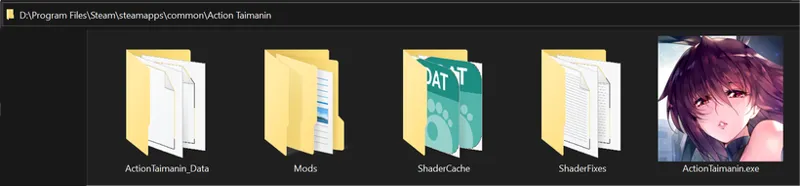
The files must be located in the Main folder of the game (where the executable is located) "Steam\steamapps\common\Action Taimanin"
A folder called "Mods" will be created and the zip file that I share in the link: is located inside the mentioned folder: "Mods".
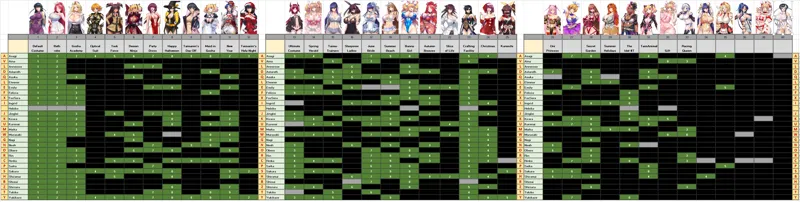
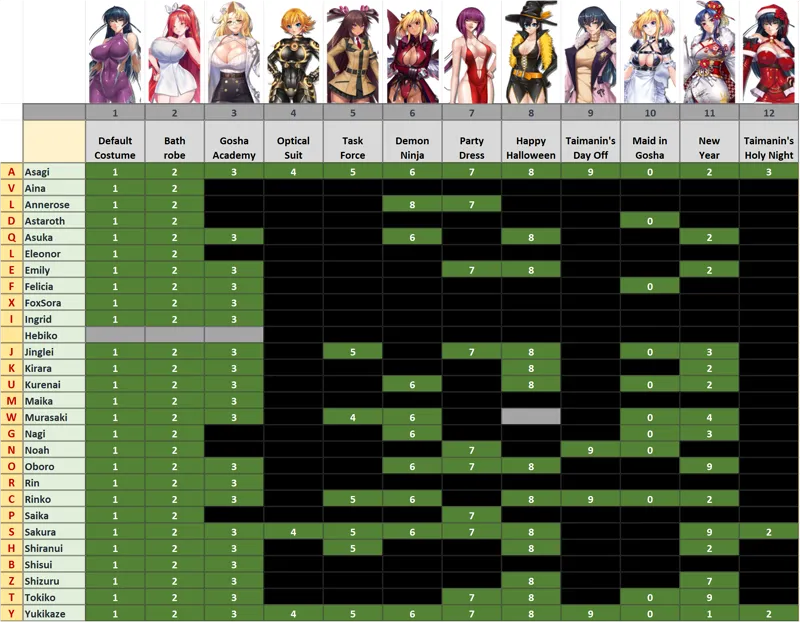
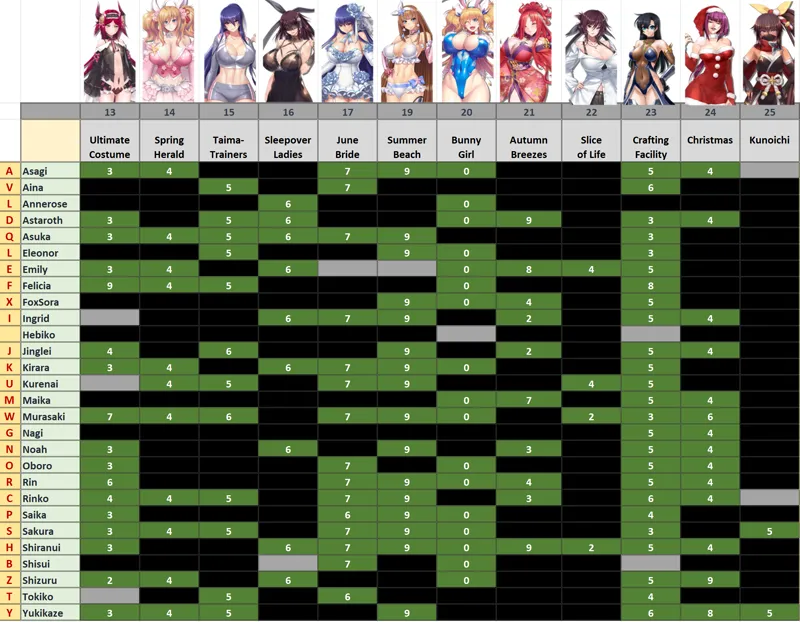
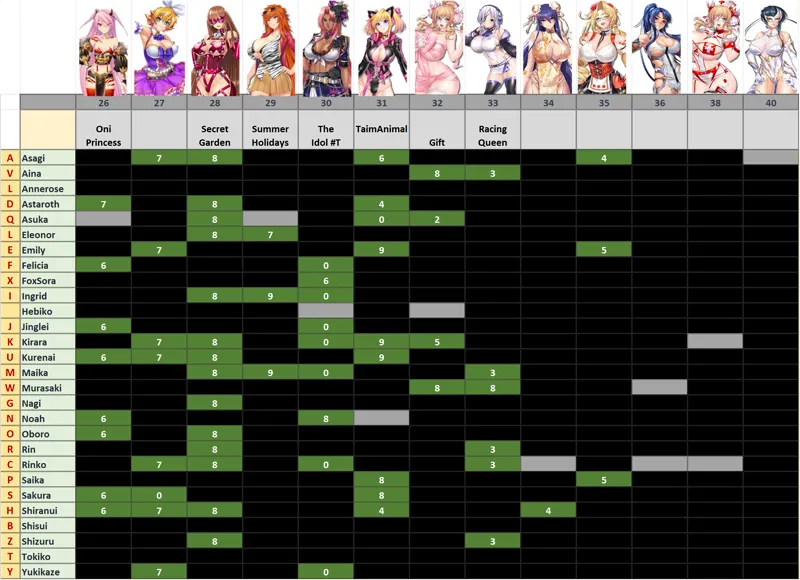
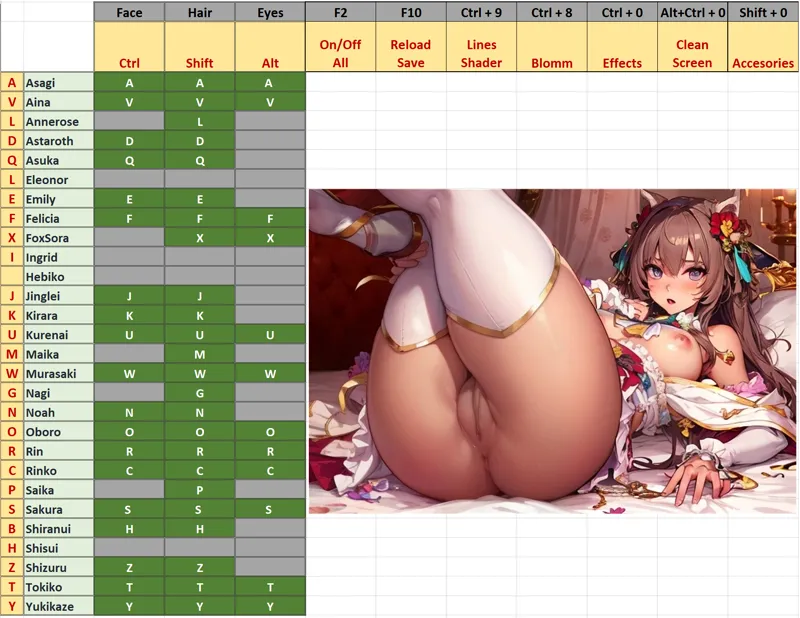
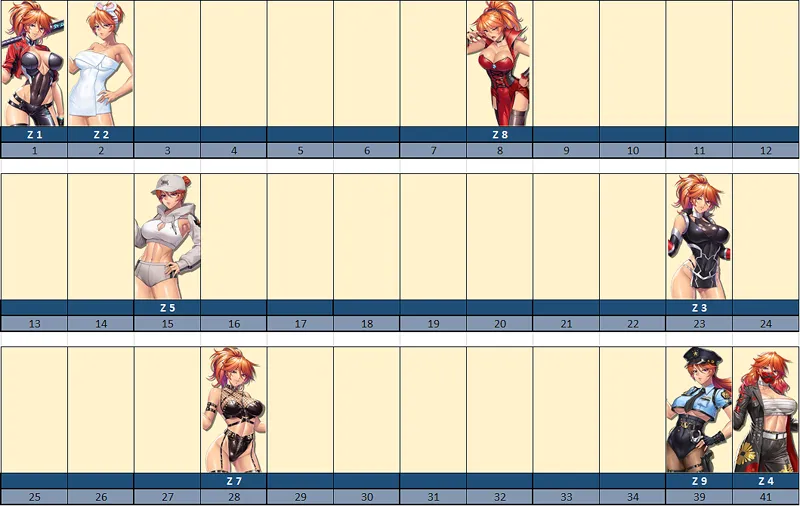
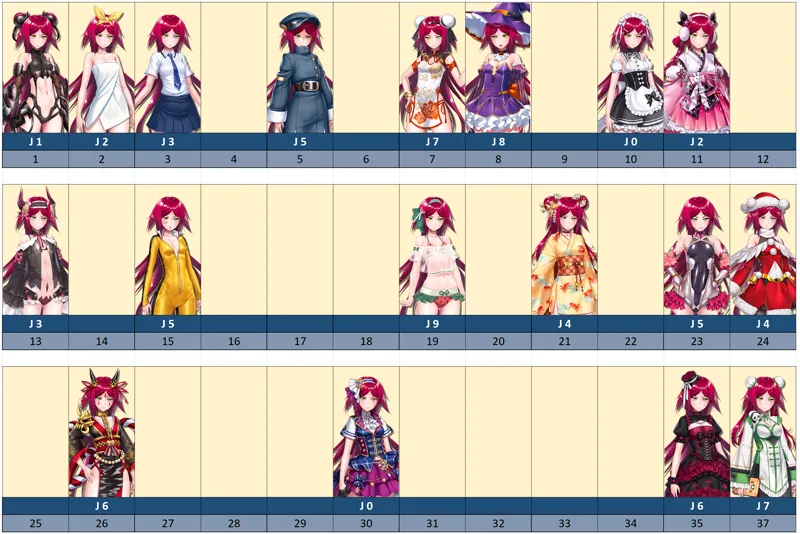
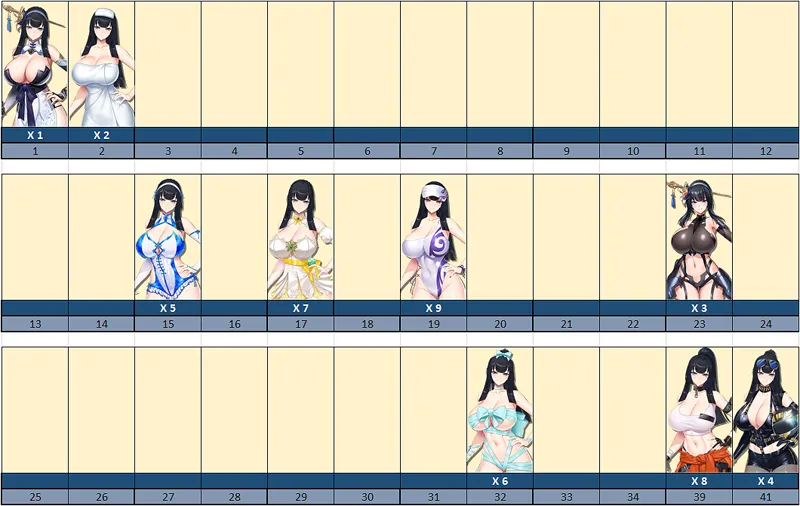
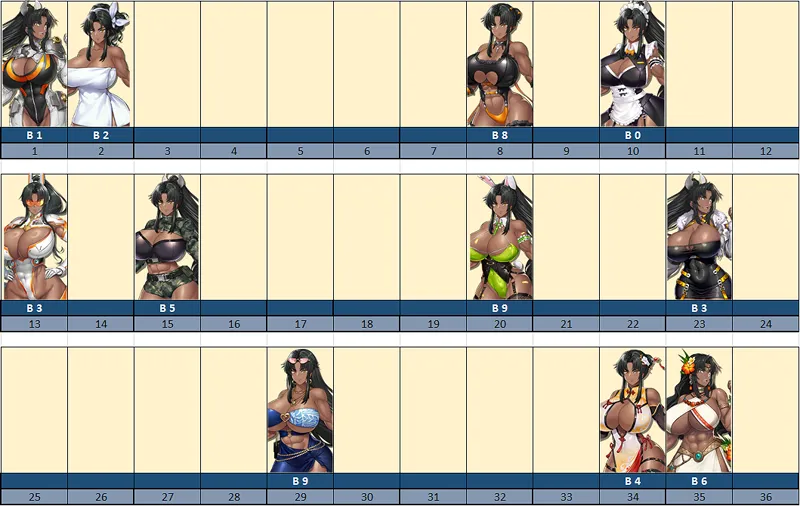
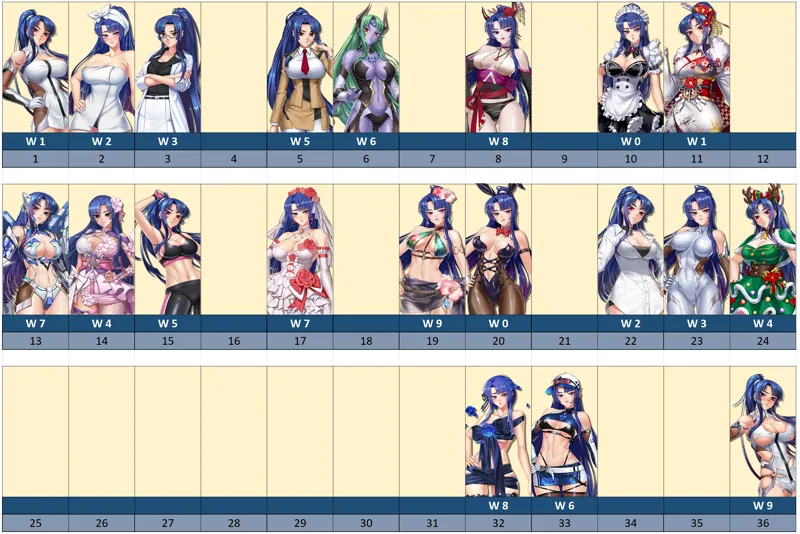
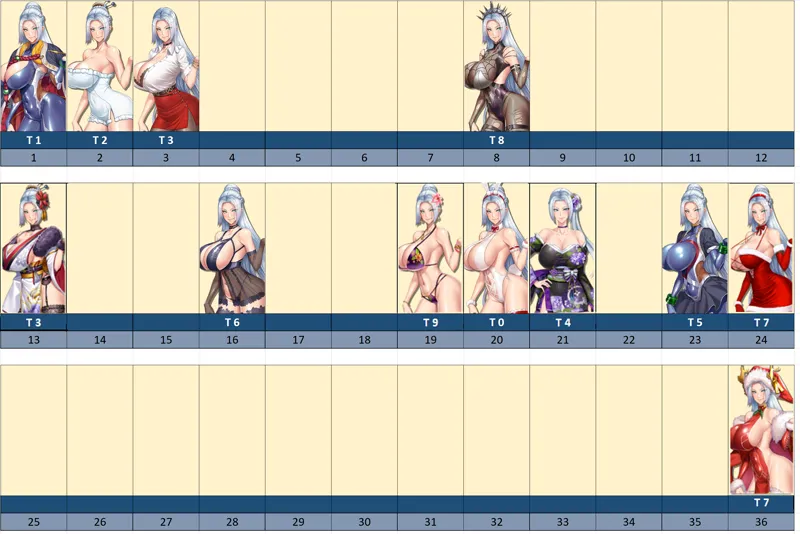
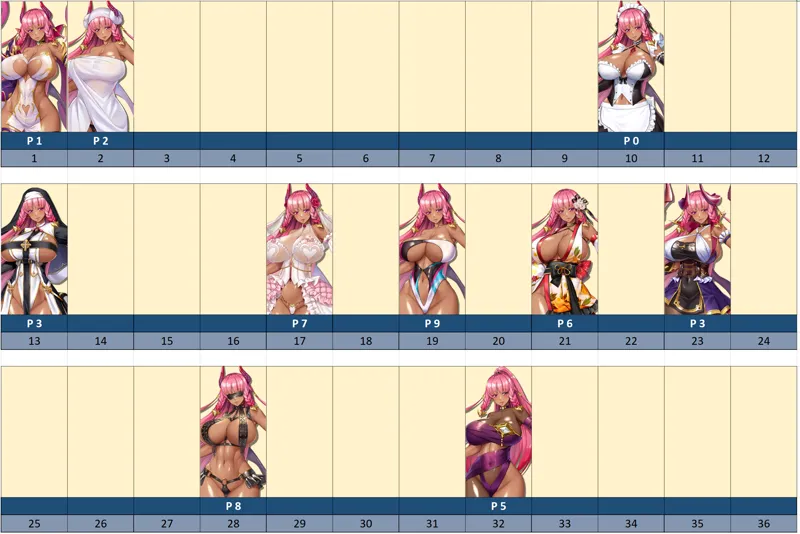
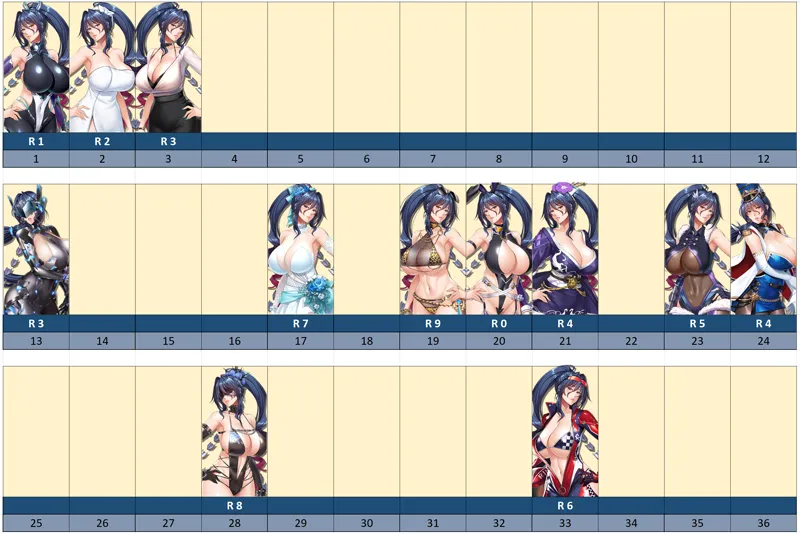
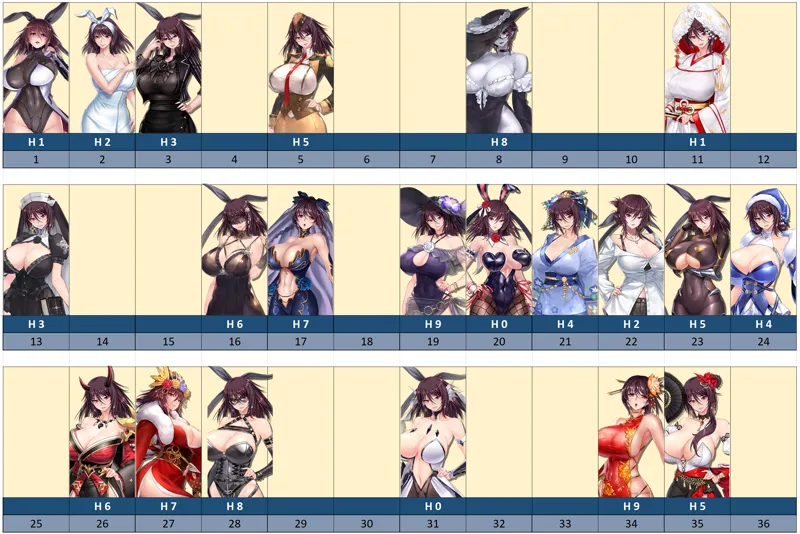
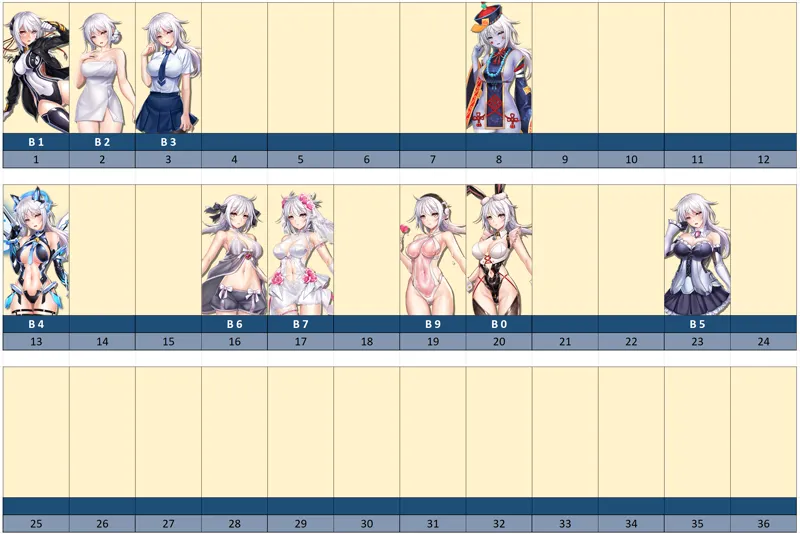
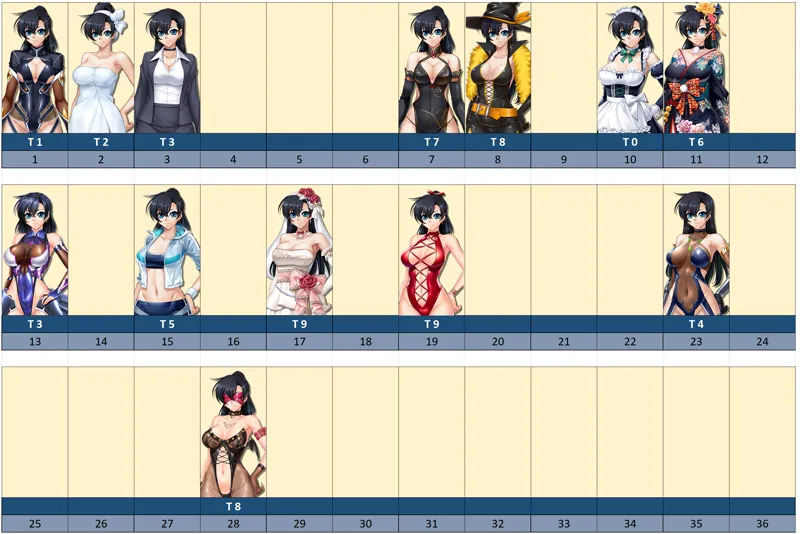
In the lists the mods made are shown in green, and you will see the project progressing!!!
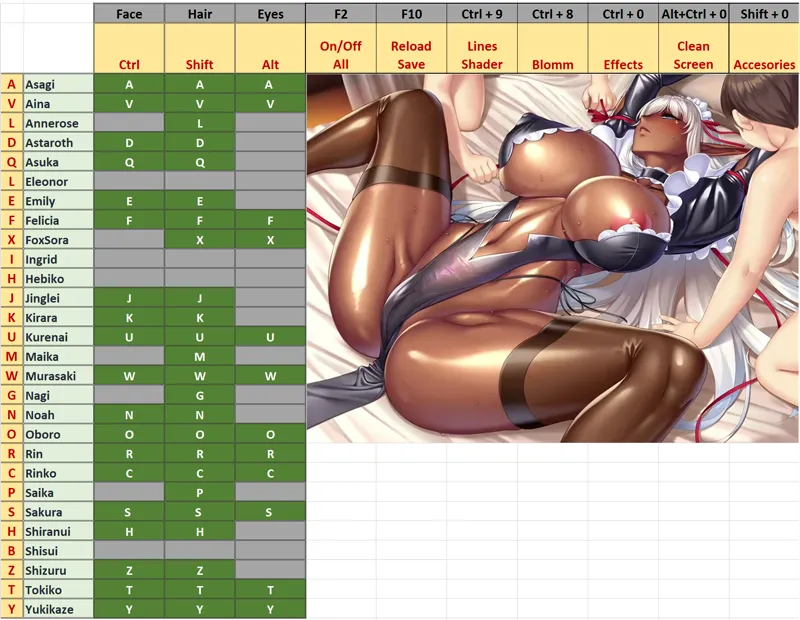
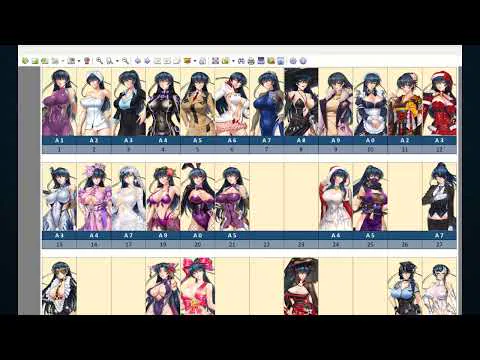
In the EXCEL file, the active combinations of all the suits are shown in green.
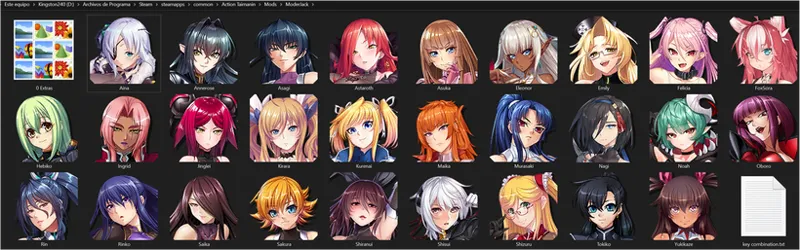
Inside the "ModerJack" folder are all the taimanins (I hope you also see the icons of each one) and inside each taimanin, all the folders for each suit, with their configuration file so you can modify them to your liking . In the image I show you the inside of Asagi's folder.
Some important combination:
"F2" - ON/OFF ALL
""F10" - Save the Last Options
"CTRL + 9" - Outlines & Shadows ON/OFF
"CTRL + 0" - Effects ON/OFF
"CTRL + ALT + 0" - CLEAN SCREEN ON/OFF (WARNING with that)
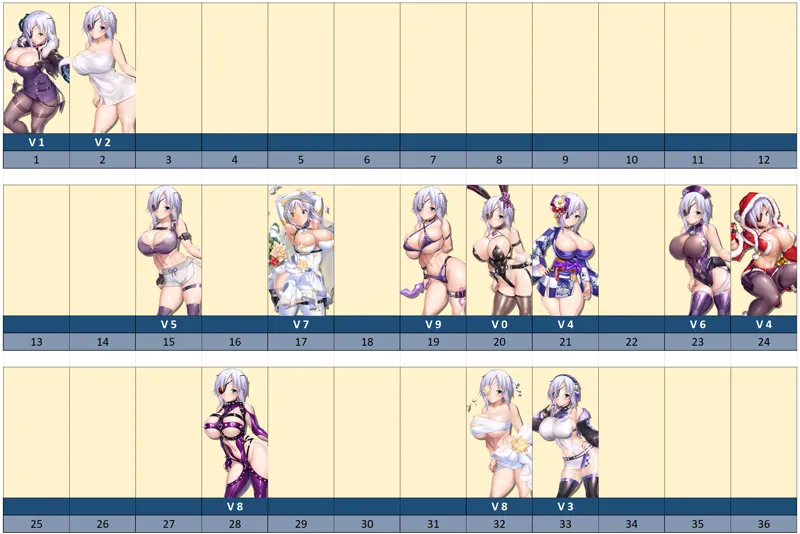
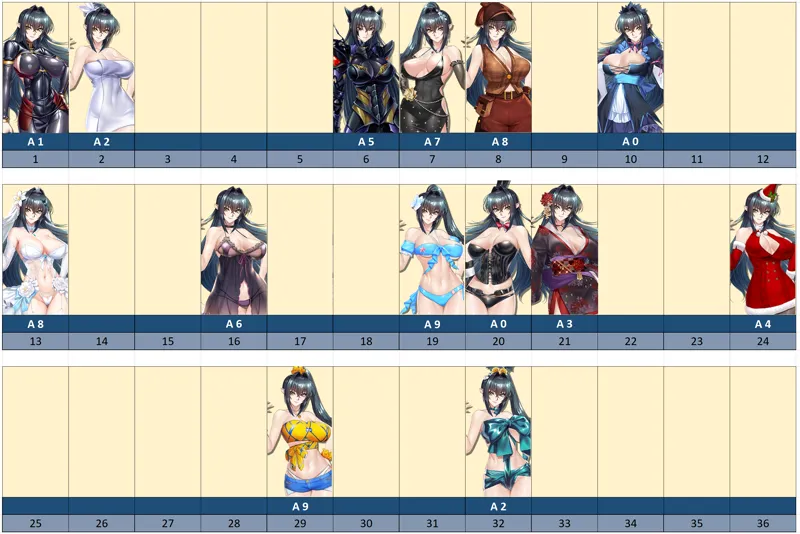
All the combinations are found in the EXCELL file under "ModerJack"/Key Combination, and also as PNG file in each taimanin's folder.
For example, if you want to add more costumes in Asagi_2 "Bathrobe", you modify the text file, and add numbers to the cycle "A + 2"... You can also change the key combination you want for each costume, hair or face. Only the line "KEY = A + 2" should be modified in the same text file.
They can also change the key combination they want for each suit, hair or face. They only have to modify the "KEY = A + 2" line in the same text file.
Some taimanins have some combinations for removing accessories "SHIFT+0" and for "Masked Oboro: "Shift+4".
Finally, you need to download the "model_char" file so that the mods look better, since if they don't have it, some skin colors or some hairstyles don't work completely correctly. In the next post I will renew it with each update of the game.
LEVEL 1
https://www.patreon.com/posts/74457175
MODEL_CHAR
https://www.patreon.com/posts/model-char-file-92724542
And in the following posts you will find other edited files:
MODEL_MONSTER
https://www.patreon.com/posts/94646196
BACKGROUND
https://www.patreon.com/posts/background-file-98119811
CARD
https://www.patreon.com/posts/80466015
ICON
https://www.patreon.com/posts/icon-file-nsfw-98232012
FAVOR
https://www.patreon.com/posts/favor-file-2024-98187372
STORY
https://www.patreon.com/posts/98236079
ROOM
https://www.patreon.com/posts/room-file-nsfw-98235167
ANIMATION_CHAR
https://www.patreon.com/posts/animation-char-98067547
Si eres un miembro de pago (NIVEL 3-10), descarga todos los mods juntos en el siguiente enlace:
https://www.patreon.com/posts/action-taimanin-90622198
Basicamente hay dos tipos de formas de modificar el juego, una es con los archivos ejecutables, y si son instalados en la carpeta que menciono en cada uno, ya deberían funcionar.
En cambio, la otra forma, funciona colocando las carpetas donde se indica, la carpeta principal del juego, y luego debes ver un cuadrito con letras al abrir el juego que indicarán que "UtilityMod" está funcionando, y entonces presionas las teclas del teclado indicadas como "Key Combinations" y así, se modifican las texturas, peinados y otras cosas.
El archivo comprimido: "UtilityMod + 3DFix" son los modificadores necesarios para poder utilizar todos los mods. Son creaciones de ModderChan y helixmod.
Los archivos se deben ubicar en la carpeta Principal del juego (Dónde se encuentra el ejecutable) "Steam\steamapps\common\Action Taimanin"
Se creará una carpeta llamada "Mods" y el archivo comprimido que comparto en el enlace: se ubica dentro de la carpeta mencionada: "Mods".
En el archivo EXCELL se muestran en color verde las combinaciones activas de todos los trajes.
Dentro de la carpeta "ModerJack" se encuentran todas las taimanins (espero que ustedes también vean los íconos de cada una) y dentro de cada taimanin, todas las carpetas de cada traje, con su archivo de configuración para que ustedes puedan modificar a su gusto. En la imagen les muestro el interior de la carpeta de Asagi.
Algunas combinaciones importantes:
"F2" - ON/FF ALL
"F10" - Salva las últimas opciones elegidas
"CTRL + 9" - Outlines & Sombras ON/OFF
"CTRL + 0" - Efectos ON/OFF
"CTRL + ALT + 0" - CLEAN SCREEN ON/OFF (Cuidado con esta función)
Todas las combinaciones las encuentran en el archivo EXCELL dentro de "ModerJack"/Key Combination, y también como archivo PNG dentro de cada carpeta.
Por ejemplo, si quisieran agregar más trajes en Asagi_2 "Bathrobe", modifican el archivo de texto, y agregan números al ciclo "A + 2"...
También pueden cambiar la combinación de teclas que deseen para cada traje, pelo o cara. Sólo deben modificar en el mismo archivo de texto el renglón "KEY = A + 2".
Algunas taimanins tienen algunas combinaciones para quitar accesorios "SHIFT+0" y para "Masked Oboro: "Shift+4".
Finalmente, necesitan descargar el archivo "model_char" para que los mods luzcan mejor, ya que sino lo tienen, algunos colores en la piel o algunos peinados no funcionan del todo correcto. En el siguiente posteo lo voy renovando con cada actualización del juego.
LEVEL 1
https://www.patreon.com/posts/74457175
MODEL_CHAR - FIX COLOR
https://www.patreon.com/posts/model-char-file-92724542
Y En los siguientes post encontrarán otros archivos editados:
MODEL_MONSTER
https://www.patreon.com/posts/94646196
CARD
https://www.patreon.com/posts/80466015
BACKGROUND
https://www.patreon.com/posts/background-file-98119811
ICON
https://www.patreon.com/posts/icon-file-nsfw-98232012
FAVOR
https://www.patreon.com/posts/favor-file-2024-98187372
ROOM
https://www.patreon.com/posts/room-file-nsfw-98235167
STORY
https://www.patreon.com/posts/98236079
ANIMATION_CHAR






Comments (49)
Hello, it's nice to see that someone is still working on AT mods. Btw, have you considered updating WombatTrap's nude mods to work with the current version? He actually has nude models of some characters that haven't got one here yet like Spinel for example.
Hey friend! Sorry, what do you mean by WombatTrap?
I'm trying to send you a message but can't, so I'll ask here. Does your $100 package include all the skins for download?
It's a package with all the mods that worked at the time, but after some updates they no longer work, so I'll be removing it from the store since it won't let me edit it.
Do you have a method for editing the actual models? If so, do you have a tutorial available somewhere, even if the tutorial is locked under a paid membership? Every time I tried replacing the models, they'd either go invisible or become a couple of extremely stretched polygons. I've never made mods for Unity games before, so I have no idea what I'm doing wrong. Appreciate you taking your time to read this.
Today is July 17, 2026. I am a Tier 3 member, and I downloaded the latest version of the mod today. The mod seems to load correctly because F1, F2, and F10 all respond when I press them. However, I’m playing Asagi, and when I hold the A key and press the number keys, nothing happens. I can’t change outfits or enable the nude mod. I also tested with other characters, but the result is the same. It seems like the latest game update may have broken the mod, but I’m not sure if I’m doing something wrong. Could you please let me know if this is a known issue?
Hello dear friend! Thank you so much for your support! It seems the updates have left some things broken, and I also heard that Rin needs some updates. I promise to check it soon!
hola que tal quería saber si a la hora de entrar a la carpeta de mods los folders de cada personaje no me aparecen como un icono del personaje si no que me aparece como una carpeta normal eso significa que instale mal los archivos?
Hola amigo! En realidad, que aparezcan las carpetas con iconos o no, no es nada importante, tu puedes configurar en las propiedades de las carpetas el icono. Al parecer no se guarda eso.
Is there a way to move one of your mods into Asagi's optical suit outfit? It sounded like it was possible with that bathrobe example you mentioned above, but I can't get it to work, or even use the A+4 keys to swap between the styles that outfit already has.
Hey bro! Sorry, I didn't quite understand what you meant. Could you explain it another way?
No cargan algunas skin, y presione cero, pero solo desactiva el stereo.
Hola! Entiendo que varias skin no funcionen, el juego permanentemente está actualizando cosas, ya iré corrigiendo lo que encuentre, lo prometo! En cuanto a lo que mencionas de presionar cero y cambiar el audio, no entiendo qué puede suceder!? pero me imagino alguna confuguracion de la pc y esa combinacion de teclas?
what u update?
Hi! I'm actually just relocating it for new users and to mark that the game has been updated.
hello! isnt this is a mod that changes the character outfits into sexual and exposed one? like show some nudity? or am I in a wrong place? since I also downloaded the mod and nothing changed or anything, I also dont have money to buy membership so I kinda feel like theres no way to get nudity unless I pay I guess, I searched some mods for ingrid and every mod for ingrid is paid and locked behind paywall so is there any other way to get revealing nudity mod for ingrid?
Hi bro! this is a page of great moder, https://www.loverslab.com/topic/154432-action-taimanin/page/23/#comments
I installed an outdated folder and the supposed Link to get the updated one isn't work
Oh! I promise to look into that and fix it!
Hii! i love your mod. But i need help in how to fix Maika and other girls costume mod. For some reason they won't work
Hey bro! Thanks for your comment! I'm working on updating the core files. Hope to have it ready next week!
Just signed up. Do i have to have the costumes already for the mods to work? Do you have a client side costume selector mod?
Brother! Thanks for supporting me! The way to see how many variants there are per outfit would be to check each folder... and the combinations for each outfit are in the individual descriptions and in a PNG file inside each Taimanin's folder.
Thank you:)
Beautiful mods! Thank you! Is there a trick with annerose mods, dont get them running?
Thank you very much, my friend! Regarding Annerose, do you want her to walk?
For some reason multiple characters (like Maika) are not working at all and some others are corrupted . Knowing 3dMigoto engine, I would assume that the problem is in outdated hashes of these characters. Is there maybe a list of hashes for the characters somewhere?
Bro! Thanks for letting me know! Yes, as you say, it's due to the hash number. By pressing the zero on the right keyboard, you can navigate through the files and fix it if you're up for it. I'll recreate the folders soon to fix it!
I can't open the game. It shows the following text: Failed to load PlayerSettings (internal index #0). Most likely data file is corrupted, or built with mismatching editor and platform support versions.
Oh No!!! Oh, that's strange, this is the first time I've heard of something like that! Do you play through Steam? I hope someone knows how to help you! I don't understand what could be happening... I'm sorry!
shizuru's skins not working
Oh! Thank you for advise me Bro!!! Tomorrow I will fix that!
i think fox sora corrupted
You're right, I will fix soon!!!
Los skin default de Asuka se ven raros. A alguien mas le sucede?
Estaré chequeando eso! gracias por avisar Bro!!!
can someone show a video on how to download these mods? this is super confusing
just joined your patreon, and put the files in the main folder. but nothing is working F2 etc.
How do the changes to the numbers you explain from A+2 work, to have more variety in the same suit? Because I don't understand how to put it, it only changes to the predefined ones
como se si ya funciono el utility mods? es que no veo cambios
ya logre hacer que funcionara el utility, pero no veo cambio en los personajes
how can i put new taimanims
Just put a new folder there, with the respective ".ini" files, you can see others in the existing folders
Con la nueva actualización toda la carpeta de Shizuru quedo inservible, ninguna skin se puede combiar, incluso el archivo Shizuru (Topless).exe dejo de funcionar.
Si hermano, es así cada vez que actualizan un personaje... todavía tengo varios trajes pendientes de Kirara y Kurenai... Oboro... Azusa... :P Prometo avanzar en ello!
Hi, I have installed the mods into their respective folders, the game will not start or boot up, I'm using your latest mods folder.....please help :(
https://www.patreon.com/ModerJack?filters[search_query]=all%20mods
That's right brother, this post contains only the main costumes, since it is free. You can find the other suits in this post that I share with you now:
Hi. I have dowloaded all the files above and put them in corect destination, unfortunately most of them don't work. Only the first mod of each character work. For example i use sakura as a main, but i can use only key S 1. S 2, S 3,... do not work. Can you please help me?