
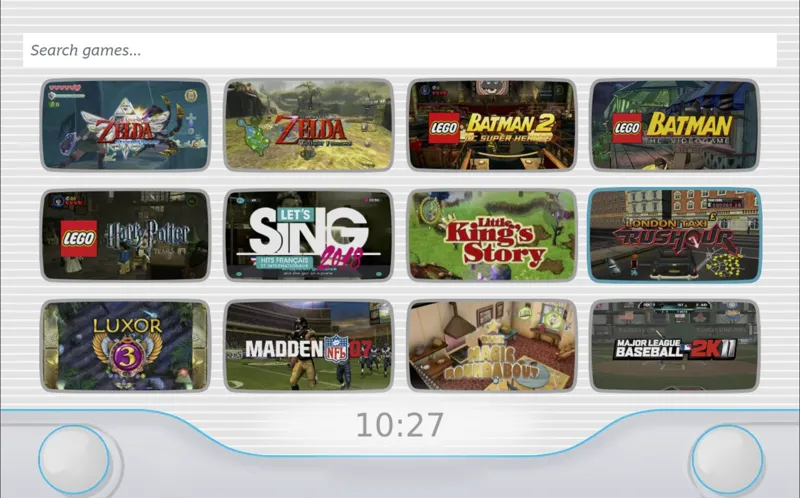
EmuDeck 2.3.11 + RetroLibrary update
Hi!
New EmuDeck update in the stable branch with these new features:
- Integration selector
You can select if you want to use ESDE, RetroLibrary (linux only) or SteamRomManager to play your games.
Automatic ESDE ➡️ Steam
Selecting ESDE on installation or installing it from manage emulators will automatically insert it into Steam, no need to use SteamRomManager!
Improved Bios Checker
It properly checks for all the Switch emulators firmware
BYO Citron Support
Just like Y*z*, we won't install it but now we'll set it up if we found it installed
New Help Manual
New step by step guide available on https://manual.emudeck.com
Steam Rom Manager Dynamic parsers
Say goodbye to duplicates, now we'll only add parsers for standalone emulators if they are installed.
New Emulators for Windows
Model 2, Supermodel and BigPEmu are now part of the Windows Edition.
- RetroLibrary beta update
Updated the Retro theme, now if you select the "Show Logos" option in settings you'll get customised designs for some of the systems.
Fixed WiiU naming for wua/wux formats
Known bug: Parsing Switch games is not yet enabled.
Comments (18)
Just want to add that EmuDeck Citron on Windows creates the User folder outside the main citron folder making it not work at all. EmuDeck > Emulators > Citron > Citron-Windows-Canary-Refresh_0.4 EmuDeck > Emulators > Citron > User // wrong location EmuDeck > Emulators > Citron > SDL2.dll EmuDeck > Emulators > Citron > Citron-Windows-Canary-Refresh_0.4 > User //correct location
Citron.sh doesn't seem to start the game added through SRM. It just opens the Citron app.
I copied the launch commands for Yuzu into Citron and that seems to fix it #run the executable with the params. launch_args=() for rom in "${@}"; do # Parsers previously had single quotes ("'/path/to/rom'" ), this allows those shortcuts to continue working. removedLegacySingleQuotes=$(echo "$rom" | sed "s/^'//; s/'$//") launch_args+=("$removedLegacySingleQuotes") done echo "Launching: ${exe[*]} ${launch_args[*]}" if [[ -z "${*}" ]]; then echo "ROM not found. Launching $emuName directly" "${exe[@]}" else echo "ROM found, launching game" "${exe[@]}" "${launch_args[@]}" fi rm -rf "$savesPath/.gaming"
You've don't so much! This is really impressive! Good work! 👏🏻 Well done 👍🏻 and thank you! 😊
I’m not able to update or reinstall Emulationstation since this version. Just the loading screen appears but even after an hour waiting the process is still not finished. And now I can’t start Emulationstation anymore.
I am currently unable to let's SRM add games to gaming mode using citron , the emulator itself does get added just no games
I am on the unstable branch and both my desktop linux PC and my steam deck is stalling in the update phase. I've been waiting about 5 minutes now. "EmuDeck will restart as soon as it finishes the update. Hold on tight."
Nothing I can do, GitHub could be having issues. I’d suggest changing DNS to 1.1.1.1 just to be sure
I see this is a stable release. But is this stable for EA subscribers only?
EA only for now
Is there any guides somewhere on how to match MAME versions with the ROM set files that work with them? I thought I had the correct versions of Roms that work with the default version of MAME in ESDE but I still get a lot of crashes and its confusing and frustrating. I wasn't sure where to search for this info.
MAME can be pretty frustrating, I'd focus on using MAME 2003 Plus and its associated rom version
Why did we remove citron? Not seeing any news about it being shut down.
Citron was never part of EmuDeck. We've just added support for it. We won't install it but we will set it up for you if you have it
Is there any update to start model2 from ES-DE?
fixed, try reinstalling model2 and resetting its config please!
Hello! Sorry if this is a silly question how do we update emudeck? I can't see any options besides from updating the emulators themselves
just open the app, it will autoupdate itself