
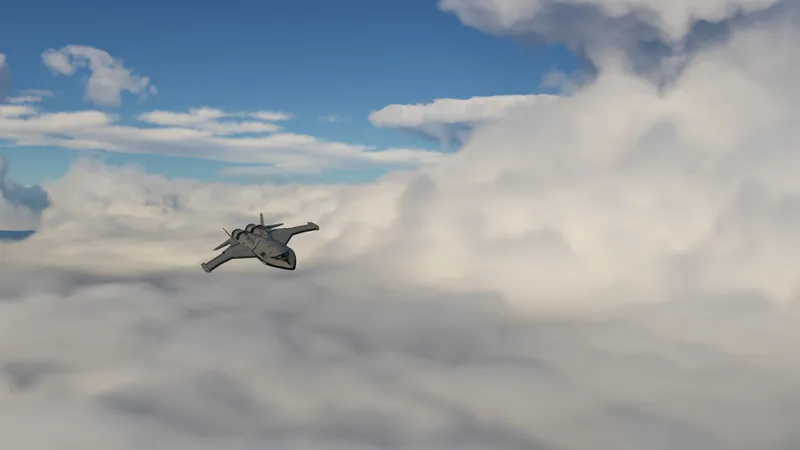
True volumetric clouds release 4
This new version focuses on lighting and shading improvements. I originally planned it to be a performance update but most of the optimizations I tested didn't pan out. For the next update I plan to work on better cloud shapes and variety to take full advantage of the new lighting implemented in this update.
New lighting model

I've been working on a new lighting model. Clouds now look fluffier and the interplay between ambient and direct lighting is highly improved.
Long-distance cloud shadows are now handled via a custom shadow solution which runs in the background and can resolve shadows over multiple frames, with minimal performance impact.

This solution is also used to generate better ambient lighting, by actually raymarching in multiple directions towards they sky. This brings out the shapes of the clouds more and makes shadowed regions look more interesting, unlike in previous versions where the ambient was totally flat.
This image shows the exact effects, on the left everything is disabled (the shading is as it appeared in previous versions), middle is with long-distance shadows only, notice the flat ambient, right is with long-distance shadows+ambient

Now clouds at sunset/sunrise and various other situations will look more realistic and have a very nice look to them.

Eve looks especially nice with the new lighting, I've added some gaps to let the occasional light ray filter down to the surface and through the thinner areas.

Physically accurate godrays

The new long-distance shadows are also raymarched separately to create godrays. Previous versions had some godrays on fog and rain, but those were generated from the 2d cloud shadows and couldn't capture the 3d shape of clouds in the same way. Additionally they couldn't cast shadows on the atmosphere itself.

This method also differs from the previous godrays implementation in scatterer because it accurately simulates the amount of single scattering in the exact shadowed areas, while the previous method just approximated it as a continuous shadowed segment at the camera or at terrain intersections.
In practice this means this method now always looks and feels "right".
By default this method is only used for clouds for performance, but it can also be enabled for terrain and objects, in which case it fixes the issues of the previous method, such as super dark godrays casting from craft, because of said physical accuracy.
Due to the new godrays and lighting model, this version has by far the prettiest sunsets and sunrises, which brings me to the next section.

Screenshot mode
Temporal upscaling and temporal anti-aliasing produce some artifacts in motion that can appear in screenshots and lower their quality, especially at lower framerates. This version disables temporal effects and renders high-quality clouds and godrays when in-game screenshots are taken (F1 button).
This comparison shows a screenshot taken through steam in flight and the same screenshot taken through in-game functionality, note the lack of motion blur and the crisp-ness of the 2nd screenshot.

Additionally, screenshots are now compatible with supersampling and will resize all the internal buffers for both Scatterer and EVE when a supersampled screenshot is taken.
Here are some massive screenshots I took while testing (right-click -> open in new tab and zoom in to check the detail)

To supersize screenshots go to the game's folder and edit the settings.cfg file, set the value you want in SCREENSHOT_SUPERSIZE, this value will multiply your screen width and height
Note that screenshots with F2 key are now longer/heavier to take because they render high-quality clouds. 2x supersize is generally safe and should still be fast to take in gameplay, 3x and 4x can be slow enough sometimes that KSP will hang, that also might depend on your machine and what's on screen, I recommend sticking to 2x overall.

To use this you still have to disable TUFX's TAA as it will suffer from the same issue, if you use scatterer's TAA it will work. To disable TAA in TUFX go to the TUFX profile you use and delete the AntiAliasing mode line, then check in-game, change to edit mode and it should say AntiAliasingMode None

To be able to use the Scatterer TAA also need to go inside the TUFX config in GameData\TUFX\TexturesUnlimitedFX.cfg and delete this part disabling it

Native cubemap support
Previously EVE would always load and treat cubemaps as 6 separate textures, including in the shader when they are sampled. This lead to lower performance due to sampling 6 textures at once or branching to sample a different texture (which GPUs don't like).
This new version loads cubemaps as a native hardware cubemap, as long as all textures have the same dimensions and format, increasing performance in mods/configs that use cubemaps, notably RSS
This also means in-game painting is now supported for cubemaps.
Temporal upscaling improvements
There are now more temporal upscaling settings to better tweak your quality/performance, new settings include 3x, 6x, 9x and 12x. 9x is now the default setting because it produces patterns in 3x3 blocks which are less noticeable than the 4x2 blocks produced by 8x (old default setting).
Bug fixes
These distracting artifacts on the clouds that would appear around the horizon or in movement are now fixed

As well as these scattering artifacts (the exaggerated blue edges) which appear when a cloud layer is seen through an other, typically when looking at clouds through fog or rain

This visible "barrier" between fog/rain and the background is also fixed and is now a smooth fade

Download and installation
[Download link]
To install remove any existing config packs for EVE (BoulderCo, AVP, SVE, Spectra, 64k clouds, KSRSSVE, etc), remove any existing versions of Scatterer and EnvironmentalVisualEnhancements, then merge your GameData folder with the one included in the zip (drag and drop the included GameData in your KSP directory and they will get merged, do not put GameData inside GameData). Do not reinstall Scatterer or EVE via CKAN.
When done you should see the following folder structure:

Performance-heavy config for 3090/4080 class GPUs (requires ModuleManager, drop in your GameData: [Performance heavy config link]
Go to the bottom of the post for other downloads like RSS configs and recommended mods
Updates since initial release
Update 16/07/2024: Fixed issue with Kcalbeloh/singularity not showing up due to the TAA fixes
Update 14/07/2024: Fixed TAA smearing and dimming the skybox (galaxy background) on camera movement, fixed white scaled planets with deferred.
Update 21/06/2024: Fixes for compatibility with deferred rendering, and other small fixes.
Update 09/03/2024: Restored DetailTex functionality on volumetric clouds to be used by modders.
Update 28/02/2024(2): Fixed black cockpit glass becoming black instead of showing droplets when rain is active. Redownload the newest version if you have the issue.
Update 28/02/2024: Fixed issues with disappearing ocean when changing in-game settings, black sky on some machines and some other issues, see the included changelog or the wiki changelog for a full list of changes.
Update 30/01/2024: Fixed Mac issues, added some AA improvements and various bugfixes, see the included changelog or the wiki changelog for a full list of changes.
Other
Enabling terrain godrays

Terrain godrays are disabled by default because of the performance hit and the general lack of interesting terrain where they would be visible. If you want to enable them just go to the Scatterer menu in the KSC screen (blue orb button) and pick and apply the "high" or "very high" quality preset as seen here, they also use the new godray method outlined above.

TUFX profile
My (very subtle) TUFX profile is included in the StockVolumetricClouds folder, just enable it from the TUFX menu in-game.

Recommended mods
Deferred gives better lighting and materials

Parallax (Better terrain, trees, foliage and rocks/scatter) is highly recommended with volumetric clouds for views like this (this screenshot was taken with just clouds, parallax and my tufx profile)

RSS and KSRSS configs
BallisticFox's RSS config


Go to BallisticFox's Patreon and open the latest post, you'll find instructions inside on how to install it.
I'll update this post when other RSS and KSRSS configs are updated for this version.
AtmosphericBeats' KSRSS config


(above pics are of Titan)
Go to AtmosphericBeats' Github releases page and follow instructions on the latest post
Outer Planets Mod configs by onesaltypringle

You can get it from github
JNSQ configs by rbeap

You can get it from github
Comments (875)
my volumetric clouds are not working properly it shows a blank kerbin with zero clouds and jool has no clouds how can i fix this
goooood job
Terrible sorry if this is a dumb question, but is V4 backwards compatible with previous versions of Volumetric Clouds? Since V5 explicitely says it's not compatible, but this one does not, I am curious.
It is yes
I don't know but my blackrackTUFX does not work as the posts says. I think I made a mistake somewhere..
Can you do a enhancement for the ground as well
Get Parallax-Continued
I love this mod so much, but I recently got the Promised Worlds planet pack and saw people using Volumetric clouds with it but I can't find the config anywhere? Is there anyway I can use it?
I haven't downloaded it myself but as far as I know Promised Worlds includes volumetric configs in their downloads. You could try asking on their discord maybe?
Hey so I'm new to modding and having wanted this one in particular, I downloaded following instructions to the letter with my mods, then with a clean ksp file and I'm still not getting anything, maybe a slight change to clouds on kerbin, but no environmental changes, no texture changes, and it's not just kerbin, it's every planet and I checked the EVE menu and I'm getting a missing atmosphere, texture, terrain, and city lights config code. I checked my console and it's showing a lot of 'missing' or 'no ___ found' messages. It's entirely possible I'm installing something wrong but I did follow instructions as closely and clearly as possible.
I too am having this problem, let me know if you figure it out!
Hi! I'm having fps drops while on heavy rain wheater, is there any way we can modify settings to make it a litle bit less heavier on my gpu?
Normally rainy weather isn't more intensive, in fact quite the opposite because the lowered visibility means far away clouds don't have to be rendered. Did you by any chance install the HQ config? What are your specs and what kind of fps are you getting? In any case the first go to for additional performance is to increase upscaling, see here how to do it https://github.com/LGhassen/EnvironmentalVisualEnhancements/wiki/Temporal-upscaling-and-noise-detiling#temporal-upscaling
Hello, just started visually modding ksp. What is your best recommendation for mods when playing with OPM and MPE? I also use plenty of parts mods from Nartea and restock (and +). I know of mods such as firefly, scatterer, parallax, and so on. Using CKAN, there are plenty of mods that I am not sure if they are redundant, such as adding "stock configs" when Im adding OPM and MPE configs. Do the configs for OPM and MPE already have configs for the stock system? Please advise on what you think is the best combo. Thank in advance :)
I don't really play with those, I know OPM has volumetric configs (see bottom of above post) but I don't know about MPE.
none of the clouds are rendering, only the shadows
Hi, dif you buy any chance follow old instructions to manually replace the .dll? In any case this usually means you have mismatched files from multiple versions, reinstall volumetric clouds and it should work. If it doesn't send your KSP.log file via filebin.
Hi! I use OPM and have downloaded the specific mod for that, but Sarnus doesn't have any clouds. Anytihng I might have done wrong?
Not sure, if you send your KSP.log file I can take a look. You can send it via filebin.
Hello. I installed everything, but i have this thing that there are no clouds visible from the surface, only their shadows. I can see clouds when in the tracking station or main menu or from high enough altitude in space, but not from the surface, later on i was going through eve config editor and noticed it said in the atmosphere manager section:,, No config! Please add a config with the content of "EVE_ATMOSPHERE{}" to populate.'' I assume it's talking about boulder_co right? Probably not, but i still tried putting that in gamedata too anyways, even though instructions said to not do that. And the boulder_co didn't help. Pls help, that would be appreciated.
Hi, dif you buy any chance follow old instructions to manually replace the .dll? In any case this usually means you have mismatched files from multiple versions, reinstall volumetric clouds and it should work. If it doesn't send your KSP.log file via filebin.
Hi so i resubscribed to get just check to see if my install is bad because laythes clouds aren’t working at all? only the weather works and its showing that the coverage map is failing is there a way to fix this?
What's failing or not working? Can you send screenshots of what you're seeing plus your KSP.log file? You can send both using filebin
to be honest i only bought this for Volumetric clouds but i still love supporting you and your work keep up the great work! (the real ksp2 is the mods we made along the way)
Hi there, similar issue to Matthias. light rendering and even highlighting (potentially AA overall?) seems to be disabled (or shadows are overwhelming everything) while landed on the Mun and Kerbin passes in front of Sol. Extreme pitch black, no part highlighting and increasing ambient light does nothing. I can upload a log file if you want
Hi, that's an issue with current EVE eclipses that I'm fixing in the next version, in the meantime I think you can fix it if you delete StockVolumetricClouds\Shadows.cfg
hey. for me the night side of planets and moons is pitch black. cant see anything there. kerbin has no city lights and all that. landing on the night side of moons and planets is impossible and looks very strange. its like a black hole... any fix?
Hi, that's an issue with current EVE eclipses that I'm fixing in the next version, in the meantime I think you can fix it if you delete StockVolumetricClouds\Shadows.cfg
I think I might be stupid. I'm trying to get this to work with Real Solar System, and followed the instructions up to and including installing KRSS and its dependencies and whatnot trying to get the volumetric clouds to show up when I load in. They're not loading though and when I open EVE to see what cloud textures are being looked at, it says "Invalid Name" with a blank text box. I also can't select any other planets, only Earth. I can post my ksp.log if needed but I think I must have missed something simple. Like, do I need KRSS or just the configs for EVE from it for it to work with Real Solar System?
You need specific volumetric configs for KSRSS, note that KSRSS is kerbal-scale real solar system and is different from actual Real Solar System (it's scaled down).
Hello, my config is 4090+ryzen 9800x3d, I run a 4k monitor and your high profile setting absolutely tank my fps, however I really like that the effect of blurryness is gone when mooving, you can really appreciate the cloud like this, any tips to save some fps and keep this clear effect ?
Don't use that config and manually reduce the upscaling until you find a good balance, see here how to do it https://github.com/LGhassen/EnvironmentalVisualEnhancements/wiki/Temporal-upscaling-and-noise-detiling
Edit: Disregard. I re-downloaded and it seems I have the correct release now, though I have no clue how I ended up with a different version previously.
I finally turned 18 and got a credit card, I got THE Mod after 3 years of dreaming and seeing other players with it, gonna be playing ksp all night XD
Is there any way I can make the clouds look less "grid-like" from Orbit? I'm using JNSQ with the volumetric clouds config for it listed above. I haven't changed any of the settings in the config or in-game. Here's a picture showing what I mean: https://imgur.com/a/vOFsVz5
I've read through the EVE documentation and found that noise detiling helps with this. The thing is, noise detiling is already on in that pic. When I turn it off, it's even worse (then I actually have a grid of clouds)
Hello i did subscribe to this and can you explain me this ,when i cancel subscription and new version appears, i read that i need to simply email you. Is this correct??
I have a problem where the scatterer makes crashing into water do no damage to a craft. Any suggestions on how to fix that?
Go to the KSC menu, press the blue orb button to bring up scatterer settings, press customize, then ocean and there will be options to disable it "ocean crash tolerance" or something like that. You may have to restart the game for changes to take effect.
Even though we don't install eve or scatterer through CKAN since your mod does it, is it still okay to accept the update request for scatterer on CKAN?
No, that would be installing through ckan
is the 4070 ti super suffficent for the performance heavy config?
What is the current status for the release of V5?
It's about 95% done. I have a few things to finish and plan to make a release within 2 weeks. As always please take these estimates with a grain of salt, in case I find a problem at the last second or something doesn't go as planned it can take longer.
Had issues installing, followed the install order under Deferred and ckan would bug out, and complain of a fail with parallax i think? Had to install everything from ckan, and then copied your files over top. Your TUFX profile wouldn't stick either, despite setting every scene and quitting out of ksp properly. I had to set everything in the TUFX.cfg and now it's lovely. i7-6950x and 1080gtx default settings and runs very well. Couldn't bring the frame counter up but it's definitely way better than the 35fps someone with a better card was reporting. 60+ fps ez. Thankyou for your work and your time, this will definitely refresh my love of this game <3
*lesser card. Brain mush.
Beauttiful mod, not lagging
https://imgur.com/a/QIgv0SS Any idea what is going on here? There seems to be some AO rendering on top of the EVE fog, but I have no idea where this is coming from. Is it stock? This is not TUFX's fault because it does not go away when I turn TUFX AO off (while actual TUFX-generated AO does).
Yeah that's fake AO that the game adds to the VAB, always been there. I'll look into tweaking it's rendering order or disabling it one day but for now there is nothing you can do, it's stock and not caused by mods.
I knew it is Great mod, but god dam its so beutiful ! thank you .
Hey, love the mod! I was wondering if there will be a future fix for the clouds being cut off over mountains when in low orbit around the planet. Basically clouds look great but the ones over the mountain looking down are clipped gone as the mountain is higher. or is there a setting that I can change to have the clouds look like they do in High Orbit (no clipping)?
Hi, can you post some screenshots? This is not an issue I ever ran into or I'm not understanding your description. You can use imgur.com
Saw this mod being used in the videos of Matt Lowne and I had to have it myself. It looks fabulous! You have done some exceptional work!
Hi, does this work with parallax legacy or parallax continued?
Hi it works with both
Hi blackrack, this mod lowers my FPS to around 35 on my 1650, I kow, not the best GPU in the world, so I wanna know are there any ways of lowering the graphics settings of it? Maybe the resolution in which the clouds are rendered or the amount of raymarching steps? I've looked in the configs and tried setting temporalUpscaling to x12, lowering the horizontalResolution ridiculously low numbers, like 25 in raymarchedClouds.cfg, btw, is EVE_RAYMARCHED_CLOUDS_QUALITY only apply to eve or is it just an old name that you didnt change? Then i've tried lowering the raymarchingSettings in the main clouds.cfg, like increasing the step sizes and decreasing their amount and distance but all of it didnt actually have that much if any effect on performance, and also, the GPU utalization jumps to 100% if i look at the clouds from a top down view, from the bottom up the performance is quite good actually, so yeah, i just wanna know what's the issue here and what can i lower to squeeze a little bit more FPS out of it, and... just thanks for this great mod :)
Hi, I feel like that fps sounds about right for your GPU, but let's cover the settings. First I think you should check the game's reflection probe settings, go to the game's settings in the main menu, find "reflection probe refresh rate" and set it to the lowest value above OFF, find the probe resolution and set it to 256 (or lower but not higher). These settings usually eat a lot of fps. For EVE's quality, I think you should do them from the in-game UI instead of from the .cfg so you can see the fps in real-time. See here how to open the UI https://github.com/LGhassen/EnvironmentalVisualEnhancements/wiki/Temporal-upscaling-and-noise-detiling You've already found temporal upscaling, that setting is important, also try noise detiling. Light volume resolutions are not every important to lower, no need to lower these to 25, I think it's better to leave these at default settings. Go into the individual cloud settings now, in the raymarching settings the first thing you should tweak is the LightMarchSteps, try setting it to 0 on the main layer and top layer and see if it helps. Increasing the base step size also helps a lot so make sure you did it on the right layers. Lastly, if you're still not happy with the performance, you can delete the top layer on Kerbin and it should run much better. It's normal what you said about performance being better from the ground, it depends on the path the rays take and how many times they have to sample the cloud layer.
Hi, any tips to get Duna volumetrics working? not a single cloud or dust storm anywhere. other planets work fine, should the 'DunaDustStormBig' in gimp exported as DDS?
Dust storms don't happen everyday, so just timewarp. You'll see the thin ones more often and the big ones less often.
Hi, first time here. how do i download your TUFX profile?
Hi, it's included in the download for volumetrics. If you weren't able to enable it, go to the deferred post, at the bottom there are instructions to get the tufx profile working, start from step 4
Hello. I have this issue where my game looks grainy when im below clouds. I think its caused by Volumetric Clouds. Is this a common issue?
That would be because of temporal upscaling. You can reduce it to fix this but at the cost of performance, see here how to do it: https://github.com/LGhassen/EnvironmentalVisualEnhancements/wiki/Temporal-upscaling-and-noise-detiling
Hello! I just built a new PC and installed KSP today. When I placed this mod in my gamedata folder and launcher CKAN, it told me Scatterer had an update. Should I update Scatterer through CKAN when using Volumetric Clouds, or leave it as it is?
Hi, no you shouldn't do that as the install instructions say :) You have to use the patreon version
Any chance this works with city lights?
It does, but you have to use/copy city lights from another config as I don't include them
It's running fine here, btw how can i change the clouds? for eg: more clouds, less, whatever
There is not an easy way, you have to modify the textures controlling the cloud distribution. Check this for more info https://github.com/LGhassen/EnvironmentalVisualEnhancements/wiki/Raymarched-Clouds-Overview#coverage-map
This is gorgeous.
Hello! I'm attempting to download the Grannus Expansion Pack from CKAN to use in my save, but it says it conflicts with the version of Scatterer that I have, even though I updated it to the latest version available because I am using your Volumetric Clouds mod. Any idea why this is happening?
Hi, grannus expansion pack uses a very old version of scatterer (0.0772). Configs from this version don't work correctly with the newest version (have to be redone instead), and you wouldn't have volumetric clouds on that system either.
Nothing really to say other than I love this mod. Cant wait for v5! You cooked :)
every time i get into ksp it kills my motivation because i want all the pretty graphics to work on the outer planets mod, and it hurts my non-computer-savy brain to try and figure out why the hell tekto looks like wet, green snow slush, or a pure white mess of broken clouds, with similar shenanigans for every other gaseous body in opm. have you considered making an all-in-one mod with opm, parallax, deferred, etc, as a collaboration with all those creators?
No sorry, because it takes me a significant time to make tailored configs for each body and I'd rather put that time towards working on new features. There are instructions you can follow for the OPM volumetrics.
Hello Blackrack, I was going to send in a base on Duna, and I realized the Duna dust storms weren't there, I have no idea what is conflicting the mod.
Hi, they only appear now and then. If you timewarp in map view you'll see the thin ones come and go. Then after a while you'll see the thick ones
im having issues with the outer planets config, I downloaded it and all the dependencies yet clouds just dont show up. is this a common issue?
Did you download the volumetric OPM configs? If so then it's an install issue, send your KSP.log file (you can share it via filebin) and I can check to see what's wrong
Hey man, thanks for making ksp2 for us ❤️🙏
Hi im really new to ksp modding and i have a Problem when trying to set up your mod. I follow your Instructions but always have the eve clouds in my game. Also i dont know if it should be like that but there is always a "scatteratmospherecache" folder in my gamedata folder and it always Comes back when i restart the game
Hi can you send your KSP.log file (you'll find in the KSP directory) and some screenshots of what you're seeing? You can share both via https://filebin.net/ scatterAtmosphereCache is normal, it's created when scatterer generates an atmosphere so it will be loaded faster next time
The mod is amazing, but i want to boost my fps a bit, how and where can i optimise graphics for this mod
The easiest settings to change and see an fps impact are the ones explained here: https://github.com/LGhassen/EnvironmentalVisualEnhancements/wiki/Temporal-upscaling-and-noise-detiling Also the godrays from scatterer, in the KSC menu press the blue orb icon in bottom right corner, go to customize settings, then you can disable godrays there for extra fps.
I bought this mod but its not working with RSS. With RSS i just need install your mod like you mention on the top?
You need separate configs for RSS, there is a link to ballisticFox's.
Amazing work! Especially the attention to detail, e.g. when you in the IVA view, you can even see the little drops of water on the glass from the clouds. Impressive, thank you for your work! https://imgur.com/a/wl5e6Rl
Thank you!
May I ask when v5 is expected to be released?
Some time in the next month or two
Hello sorry if this question was already asked, but is it possible to adjust cloud noise scale for Sigma Dimensions? When I upscale planets (like 2.5x), the clouds look super noisy and thin.
You actually need different cloud maps painted for that scale to make them look good. You can increase noise scale but it will not make them look good
Hi Friend, I am a great fan of your work! I am hoping to assemble the Highest Quality visual effects version of the install as possible and currently have an RTX 4090. Am I therefore to use the: "Performance-heavy config for 3090/4080 class GPUs"? You might ammend that to: "Performance-heavy config for 3090/4080 class+ GPUs" Or something similar to future-proof / aid those of us beyond. :) Edit: Removed a second question about which additional configs play nicely together after improved understanding.
I think it makes sense if it's suitable to a 3090, it's suitable to GPUs faster than that but I'll amend it. You can use it and decide if the performance hit is worth it. You can also tweak it to reduce the performance hit. Most of all this config just exists to completely get rid of noise and motion artifacts which lower end GPUs have to put up with to keep good performance, it doesn't drastically change the look outside of that.
Just installed this mod and ksp keeping crash. I run with Ckan.
Usually crashes are due to insufficient memory or pagefile, check how to increase your pagefile from here: https://mcci.com/support/guides/how-to-change-the-windows-pagefile-size/ If it doesn't help, send your KSP.log file, you can share it via filebin
Does this release have mac support or does only release 1 have that support?
All versions support mac, versions after 1 don't need a separate download for mac support, it's included
Any idea when you'll release the fix for multiple layered clouds?
It will be part of v5, can't say exactly when but less than 2 months
Amazing mod! Thanks for it! I really wonder why KSP Developers decided to not add clouds in the game... I mean, it's essential for a good atmosphere.
They didn't have any graphics programmers afaik and at point development only continued with a minimal crew that wasn't even the original devs.
Looks great with stock scale, but not so great when using the 10x rescale config with sigma dimensions. I can't figure out how to get the clouds to scale nicely with the EVE UI, they're very sparse and grainy looking. The textures show up too close to the surface so everything looks pixelated. For now I'll play on regular scale because it looks really nice, but I really want to try 10x scale with volumetrics.
You can't get it to look good just by tweaking the UI settings, you need a cloud map with cloud formations scaled for 10x. You can try using the clouds from RSS-reborn/Sol but you'll need to extract the configs and textures and use them with Kerbin instead of Earth
Thankyou for this excellent mod, Blackrack. I love all the work you've put into it, and I haven't experienced many issues with it. There is one thing though, which is unrelated to volumetric clouds: when I have sunlight extinction on, midday becomes as dark as evening. It's only at mid-day, only at kerbin as far as I know, and possibly only near the equator. Here is a screenshot: https://ctrlv.link/IjmK I still have AVP installed (naughty I know) but I've removed every feature from it apart from city lights, and deleting AVP entirely doesn't make this problem go away. Aside from the listed dependency mods I also have Parallax, but that's about it for graphical mods.
Hi, can you post a video where you show when it happens and look up at the sky and the map view?
did fresh game install fresh saves all fresh in Ckan and my clouds look nothing like this
Don't install scatterer and eve through ckan as it says in the install instructions
The supersized screenshots don't actually appear to be supersized. They are the right resolution, but when I zoom in I see fake chunks of color that are 6x6. There is a mixing color between them but its certainly not what I think is supposed to happen? This imgur links a 8k 4kimage, but zooming in shows the weird pixel - chunks I was talking about. And I'm 90% sure TAA is disabled. https://imgur.com/gallery/jool-supersample-fail-1TG8GyH
I can't see anything, the image is compressed in jpeg so I can't tell if it's because of that or not. maybe upload a png? If supersized screenshots don't work it's typically because of some TUFX effects so try disabling that if you have it?
Hello! I'm new to this mod. How do I change the weather so that there are more clouds?
In addition, the clouds only appear in the map view and not once I have spawned.
Hi Blackrack, I love your clouds mod. I can't seem to get into the Scatterer config menu while in-flight, only from the KSC menu. Is that normal? I have Volumetric Clouds Eve, Scatterer, Planet Shine, TUFX and Deferred mods installed and enabled, do you think that any mods mentioned here conflict with each other if I can't access Scatterer config menu during flight?
Hi, it's normal, in flight there is no button but you can access it with the hotkey alt+ctrl+f11
Hello there! I was just wondering what this problem might be. So ballisticfox made a new release for RSS called Sol, and I've been trying to run it, but there's something wrong with the scaled mars files, and it won't let me run a game save. I can send you my ksp.log file.
You can send me your KSP.log file but it might be better if you report the issue to Fox as he'd probably know more about his own mod
Hey man. Wanted to know if the newer update would be more optimized for low/mid-end PCs.
Hi, that unfortunately will not be the case as my visual target for next version is much higher than what I have currently. I'm still optimizing everything to the best of my ability and aiming for the same class of hardware that can run the current version but it will be a little bit heavier. You can see a preview here, I have essentially made a full overhaul of the cloud rendering itself then there's several new features affecting lighting and reflections: https://imgur.com/a/QI8BFmL
Hey, i installed the mod and it look's gorgeous but there is one problem, it has huge performance impact on my laptop, i have a RTX4050 6gb Vram, 16gb DDR4 ram, and an I5 12450K but when im in orbit around Kerbin i got 20fps :/ is there like a performance lighter pre-set for it? Or is it just that i have not enough Vram?
Hey, that does seem a bit low, are you sure you're not using the optional HQ config? Also make sure to set ingame reflections to low quality (like 256) and lowest refresh rate value that isn't off (from the game's own settings in the main menu). If you still see the same low fps can you send your KSP.log file? You can upload it to filebin.net
Hello Sir, having some issues with Outer Planets Mod. I've noticed that Tekto has no atmospheric effects or volumetric clouds as I've seen in videos. I'm running 1.12.3 if that's an issue, or if I'm missing some mods. Thank you for your time, and hope to hear back.
Can you post some screenshots of what you're seeing and your KSP.log file? You can share them via filebin.net
Hey im having an issue with making the clouds look "fluffy", all my clouds are small and thin unlike the ones in your screenshots but i can figure out how to get thicker, bigger cloud in the menu in game
Can you post screenshots of what you are seeing? You can post them on imgur.com, you just have to fly around a bit to find the large clouds (if everything is working correctly).
Hey, idk if im doing it wrong but i dont have such dense dust storms on duna as others have on videos, can you provide settings which increase the density ( or idk something else ), that these dust storms would be so cinematic? thanks!
Sorry just saw this comment. There are two types of dust storms on duna, the small diffuse ones and the really large ones. Both happen intermittently, you just have to time warp until you see the big ones (you can see them in map view sweep over the planet). Otherwise you can edit the time settings for them just make sure they don't activate at the same time https://github.com/LGhassen/EnvironmentalVisualEnhancements/wiki/Time-settings
My main comment here is just mainly a small idea for next update, add a config for when making a save to control how often a storm can spawn as in all my testing with my worlds the thunder storms are just way to frequent
Also, I love the progress on the mod, I am enjoying it.
Hi Blackrack. Im having the same issue as Ida Ritcher. However, it only happens when using Parallax Continued. I tried contacting Linx and he said I should try setting the reflections to minimum, but it didn't work. Do you know what is the cause. Thanks
If you have both parallax and deferred installed does it still happen?
Hey Blackrack, I absolutely love scatterer and volumetric clouds, but I've noticed an issue that is only appearing with a specific setup. I am using the JNSQ config, with the 10X stock JNSQ rescale mod that is available on CKAN. When launching a rocket I notice that the atmosphere on the distant horizon seems to be cut off, instead of fading gradually into space. This ONLY occurs with the 10X rescale, normal JNSQ is 2.5X and works without issue. Is this a problem with scatterer? https://imgur.com/a/FTDpKKv
That's weird, can you see it from other angles and does it move or change in any way?
Hi! Love your work, but have an issue. When using the Scatterer and EVE versions from this post the night side of Kerbin and other planets is too dark to be able to plan landings. Is there a setting that would allow me to brighten up the map view of planets? I have tried disabling "scaled space ambient light" in Scatterer, increasing the ambient light via stock settings, and disabled "Scaled Planet Self Shadows" in Parallax. (I can see mountains after this but not much else.) I also have Singularity and Deferred. If you have any advice it would make my day!
These are the only options I have affecting the lighting. I'm not entirely sure why it would be any darker than with stock if you disable those options
Hello I have an issue, there seem to be two layers of clouds that go in two different directions and it makes visual glitches, I can see on layer through the other one. I have Sol installed, maybe it's the issue?
What's Sol?
ckan is autodetecting scatterer. should i let it update it?
Nope, like it says in the instructions only use the version included here, not through ckan
To install the outer planets mod config, do I just place it within the Game Data folder?
These are the instructions from the github page: 1) Download and Install EVE Volumetric Clouds (Early Access - release 4) 2) Download and Install OPM (OuterPlanetsMod) 3) Download and Install Pood's OPM-VO 4) Download and Install ZeroMiniAVC 5) Drop GameData folder (from ZIP from https://github.com/OneSaltyPringle/OPM-VolumetricClouds/releases/tag/0.9.5) in KSP main Directory 6) Launch!
Can you have EVE's city lights with the volumetric clouds 4?
Yeah if you copy city lights configs (and their textures) from another pack like boulderCo it will work.
How do I use flowmaps? I cant find any tutorials
See here https://github.com/LGhassen/EnvironmentalVisualEnhancements/wiki/Flowmaps-(added-in-Release-2)
Are there any Kcalbeloh configs?
There are two: https://github.com/jcyuan06/Kcalbeloh-Volumetric-Clouds/releases and https://github.com/ProximaCentauri-star/KcalebelohVolumetrics I haven't tried them so can't say how good they are
I saw in the comments you mentioned the clouds don't work well at 10x, is this also the case at 2.5x?
Yeah they don't rescale well, ideally you need dedicated configs (and texture maps) for the rescale
i cant figure out how to change the resolution of the clouds
See here https://github.com/LGhassen/EnvironmentalVisualEnhancements/wiki/Temporal-upscaling-and-noise-detiling
after a longer hiatus from KSP i reinstalled it and also all the visuals. But you clouds and visual make it just so good. just came back from a test flight for a contract and for the first time i launched in a thunderstorm. and i have to say. DAMN THATS SO COOL. Thank you a lot for your work
Blackrack, how do I install the configs for OPM? I downloaded it, checked the gas giants and tekto, but it's still the flat 2d texture?
Download the latest version https://github.com/OneSaltyPringle/OPM-VolumetricClouds/releases, install in the game directory and it should just work. If it doesn't send your KSP.log file, you can share it via filebin
I'm unsure if this is even possible (I know next to nothing about coding), but are you planning to add a way for vehicles to interact with the clouds? It'd be awesome to fly a jet through some clouds and watch them move and bend around the vehicle.
The short answer is that It's not a priority for me but I will add integration with the "Configurable Planetary Wind Effects" mod at some point
Hey blackrack, do you have a place for reporting and or inquiring about bugs? ive encountered a strange one where upon loading into a craft in flight, if a planet is in view with the volumetric clouds rendered. IE Low Kerbin Orbit. All the outlines of the clouds are covered in black and a sort of stenciled imprint of where the clouds were is now permanently on the screen in the ship view no matter which way you turn the camera. Gonna try a fresh install and see if that fixes it.
As per usual I immediately solve my own issue after asking for help. Changing TUFX profiles to empty and then back to yours immediately fixed it.
Oh, OK. Makes sense that are you also working on the version six as well. I'm just wondering how far the version is until like you say it's not been come up yet
I mean, this is very nice. I wonder if you could like. Send me a preview before it's released. Don't worry I won't leak it I just like to have the best possible version.
If a preview was good enough to be shared with people it would already be here
Question, do you have version five of the clouds going to be released because I'm wondering so what are the improvements?
Yes, it's going to have improved clouds, improved rain effects and screen-space reflections. See these links for a preview: https://imgur.com/a/AcD1tQf https://imgur.com/a/ABcviJl https://www.youtube.com/watch?v=JO4TR3jFz2I
HEY
How do I know if the HQ clouds config is working properly? I have a 4090, and the config is in GameData/HQ_volumetricClouds.cfg
Press ctrl+alt+0 and navigate to RaymarchedCloudsQualityManager if temporalUpscaling is set to a low value like 2x 3x or 4x, instead of the default value of 9x then it's working
Could you add whisky clouds like in irl? Like: https://as1.ftcdn.net/jpg/01/78/88/96/1000_F_178889650_NnLGovqBKil4Ge8ckAwyQDfEWPMmxI1B.jpg
I'm working on something like that but it's not totally on point yet https://imgur.com/a/U3g6noq
Is there a version that isnt "early access"? or is that the most up to date version?
This is the most up to date
Hi, I was wondering if there's a way to set your TUFX profile by default. Everytime i launch the game, I have to select your profile, and then it changes if I quit the game. Very good work on the mods :)
If you quit the game normally TUFX does remember the profile you are using., so not sure why that doesn't work for you. Try to go into GameData\TUFX\TUFX.cfg and change FlightSceneProfile and SpaceCenterSceneProfile to mine
Hey ive got 2 questions :D 1. Is there a config for kcalbeloh? i wanna try it but only if it works with this awesome mod :) 2. Can i turn on Antialiasing with TUFX? i tried turning TAA on but its all glitchy looking and the other options didnt antialias well :( thanks, love your work!!
There are two configs for Kcalbeloh, I haven't tried them personally so I can't speak for the quality https://github.com/jcyuan06/Kcalbeloh-Volumetric-Clouds/releases https://github.com/ProximaCentauri-star/KcalebelohVolumetrics For the AA, by default scatterer is TAA is enabled so you don't need to enable it in tufx (and shouldn't have both together). If you want to disable scatterer TAA go in the KSC screen, press the blue orb icon, customize settings and disable temporalAntiAliasing, then you can enable TUFX TAA if you want.
Hello, I wanted to know how I could improve the clouds performance a little bit. I currently have ~50fps but I want 60
The simplest way is to increase temporal upscaling, see here how to do it https://github.com/LGhassen/EnvironmentalVisualEnhancements/wiki/Temporal-upscaling-and-noise-detiling
How can i make the skys have more clouds? i love the mod but i feel like im missing half of the clouds
i also run a 2050 laptop, 4gb of vram and 16gb of ram
Is there any sneak peaks of the v5 clouds?
Yes, you can see a preview here https://imgur.com/a/AcD1tQf
ABSOLUTLEY WORTH THE MONEY!
Thank you for this wonderful mod, 500% worth it!
I'm sorry, but i got a little bit too impatient, so i want to ask you the question, which been asked a million and one time already. To the point - will the volumetrics v5 come out very soon? Because i saw about one month ago, that you had replied to someone, saying that v5 clouds will release in about 1-2 months, and its been a little bit more than one month. So, i think that the mod is about 99% done, and there is only some polishing left. And so, i think, that v5 clouds will release in about 2 weeks from now, also considering that you are giving some of free time dedicating in making of KSA. Sorry again for bothering, thanks. Best regards, 僕アホガ
Thanks for your message and no worries at all about asking, I appreciate the enthusiasm. That said, I kindly ask not to make assumptions about how much time is left or how close things might seem. Software development is not a linear process, and while things may look nearly done from the outside, there are often unexpected challenges that come up, especially when quality matters, and it's not possible to know in advance how long solving a problem will take if you've not solved it before. I can’t always foresee those difficulties in advance, so putting exact timelines on things is often misleading. I’m working on it whenever I can, and I promise it’ll be released when it’s truly ready. Thanks again for your patience and support
I have a suggestion of sorts: Could a future release maybe include a quick toggle button / keybind for turning all volumetric effects on and off? Sometimes, with especially big launches the clouds do cause a bit of an fps drop and it would be nice to disable them temporarily and easily, when the circumstances require it. (not to hate on the mod at all, its fucking gorgeous lol)
I'm not sure that's why you're seeing low fps with big launches, lots of parts usually hit the CPU hard, while this mod is GPU-limited. In other words if you only get low fps at big launches, disabling volumetrics will not improve your performance because you'd still be CPU-limited.
i installed the mod pack from here, did as instructions said but it still wont work? i deleted all my ckan mods and am on a clean install no idea what im doing wrong. playing on steam.
Hi, please send your KSP.log file and I'll check what's wrong. You can share it via filebin or google drive
I am having issues installing Volumetric Clouds on RSS. Do I need to install RSS Reborn to add your mod? My PC can't run RSS Reborn but I might be able to run just the clouds. is there any way to install your mod to RSS without the massive texture packs that come with RSS Reborn?
You can just install the cloud configs from RSS-reborn, they are somewhere at the bottom of the RSS-reborn install guide.
hello, i dont know what i did wrong, followed every step to install this with RSS. Basically, half of the sky turns black and there isnt even any clouds visible. What did i do wrong??
Can you send screenshots and your KSP.log file? You can upload both to google drive, make sure to make the link accessible publicly
Hi, I have another observation / question: The latest release of EVE / volumetric clouds seems to disable all other clouds layers / aurorae / effects from other non-volumetric config packs (AVP etc) on the planets its active on. I know you said "remove all other config packs", buuut what if I wanna mix and match different volumetric and non volumetric effects together? For example; Volumetric Clouds doesn't have aurorae atm, so I would want to retain the AVP 2d aurorae on Kerbin, Eve or Jool. That doesnt work with the curren release. Or another example; theres a 3rd party config pack for EVE-voulemtric that adds 3d aurorae to all necessary Stock and OPM planets. The issue is now that non volumetric overhauls of OPM planets like Sarnus don't work anymore, because Volumetric Aurorae applies a volumetric effect to the planet, and EVE-volumetric disables all non volumetric effects for said planet. I can see why its nice to have all other config packs auto disabled on volumetric planets, especially for newer users who would otherwise complain about a mix of 2d and 3d clouds, but for people who know a bit more what they are doing, its kind of a hindrance. I have tested this with a fairly minimal modded install (only Volumetric Clouds Bundle, AVP, OPM, plus dependencies and stuff like toolbar control etc)
2d only layers are are disabled on purpose in the presence of volumetrics because they don't work correctly and look glitched. If you want to enable them anyway, add a dummy layerRaymarchedVolume to them and it will work, you can copy an existing layerRaymarchedVolume just make sure to set it underground or something
Hi, I'm new to patreon and I have a question regarding your volumetric clouds mod. From what I've gathered, the update that gives Jool its volumetric clouds and storms is not out yet, am I correct on that assumption? Thank you for your work :)
Hi, it's out and included in the post you're commenting on
does this include clouds for jool, if so I don't think they're loading in for me. Other planets work just fine. Thank you.
Hi, can you send your KSP.log file and some screenshots of what you see on Jool? You can share both via google drive (make sure the link is accessible publicly)
then how come when i add thunder or rain or other types of weather either nothing happens or a foggy cloud appears and I select the correct option so what do i do? and how do i activate your tufx
You have to read the wiki, weather layer are set with time settings so you can either make sure they're enabled or disable timesettings first before painting them (at the same time you have to make sure no two different weather layers are enabled at the same time or you'll get rendering issues) https://github.com/LGhassen/EnvironmentalVisualEnhancements/wiki/Time-settings Go into tufx menu and select my profile that's it
Hi for some reason in the config UI for rain droplets rain clouds lightning it always says invalid even though when i check the mod file in game data it says its correct what should i do?
Nothing to do, that's the default message in the field for adding a new layer
Hello, I'm trying to use this mod with Sigma dimensions which allows you to resize the solar system. I've changed everything to a 10x size system and planets and kept the same atmospheres, but it breaks the clouds and now I only have a single thin layer of clouds instead of multiple layers with storm columns etc. I've also tried installing BallisticFox's RSS configs to no avail (I'm assuming because it's made for different planets technically). How do I configure my your mod so that my roughly earth-sized kerbin will have earth-like clouds? Thanks in advance for all you do by the way, your mod is essential to the gameplay experience now. That's why I need my multiple layers of clouds back, one layer just isn't enough for visual reference in atmospheric flight, lol.
My particular cloud configs won't look good with earth-scale (imagine if all the cloud formations were stretched 10x horizontally) and making entire configs and textures from scratch is very difficult and time consuming so be aware of that if you want to go down that route. Easiest is to use ballisticFox's settings, but you need to go to all the earth cloud configss and make sure they use the "body" kerbin.
Hello, I've had some issues getting this to run on my KSP install (linux x86_64). The clouds always seem to render in the foreground, occluding any vessels and structures on the screen. https://i.imgur.com/QZUMdCT.png I've tried running Volumetrics on a clean install and running it through proton so that it's using Directx11 instead of openGL. Any advice?
Hi, this happens on some linux systems for some reasons but not others. The best solution is to run the game via proton (which will also give you better performance).
can i use astronomers visual pack with this mod? and if not, is there any other mods that add auroras that you recommend?
You can't really use them, all the "aurora" mods are just using 2d clouds which don't render correctly with this
Hi Blackrack! I'm curious about the 'Performance-heavy config' part. I have a 4090, so does incorporating this file make this mod put less strain on the GPU while giving the same quality? I guess what I'm really asking is what this option does. Cheers!
Hi, it gives higher quality for a much much higher GPU strain, hency why it's only for higher end GPUs.
Hi, do I need to do anything to the EVE config in KSP after following the instructions to install volumetric clouds v4?
Hi, I'm not sure what you mean, did you follow the instructions and it's not working? If so send your KSP.log file
Hi Blackrack, I installed the volumetric clouds for RSS Reborn, following all the instructions provided by ballisticfox. The result turned out great, but I also wanted to add additional mods through CKAN. Many of the mods I want to get ask me to overwrite some of the files installed from merging the GameData folder, I think Harmony was the main one causing issues. I was wondering if I would have to manually install all of the mods to find compatible versions, or if I could save the trouble and install them through CKAN without overwriting files and breaking the game.
You can just install them via CKAN then overwrite the files back
Hi just wanted to ask, so should I have AVP installed along with this or no. I had it installed afterwards and was just curious.
Hi, you shouldn't have AVP installed, it will make the configs look worse
here ya go. https://filebin.net/78vumsj6kxqonyu6
You didn't install correctly, you have a GameData folder inside GameData which is a big no no. Take any folders inside "Kerbal Space Program/GameData/GameData" and move them to "Kerbal Space Program/GameData" then delete "Kerbal Space Program/GameData/GameData"
hey Blackrack. First, thanks for an awesome mod. However, I have run into an issue on Titan on KSRSS. I have scanned it for resources, but it looks like the resource overlay is hidden behind the atmosphere. Is there a workaround for that one?
You could thin the atmsphere out, pull up the scatterer menu with alt-f11, find the box that says thicken, put a value of 0.0001 and press GO. Then when done press load and it will go back to default. I'll make a note to investigate this. This is just with the stock resource overlay?
hate to bother you again, but my opm volumetric clouds work for the moons, but for the gas giants its just the scatterer that works, and there are no volumetric clouds.
Can you upload your KSP.log file after running the game and teleporting to one of the gas giants (so that if there's an error there it will show up in the log). You can share it via filebin
yooo is there anything in the cloud settings where i can make the clouds fade to their flat textures while im on low orbit to improve my performance
Yeah, scaledFadeStartAltitudr and ScaledFadeEndAltitude, you'll need to set the same value for all layers of the same planet. Refer to the wiki linked in the reqdme for more info
Hey there! i was just wondering how to setup the outer planets mod volumetric clouds, since i can't find the instructions on youtube or in the read me text.
Hi, install OPM normally, install volumetric clouds, then install OPM volumetric configs from https://spacedock.info/mod/3498/Outer%20Planets%20Mod%20-%20Volumetric%20Clouds
Hey, awesome work but I might be dumb and don't seem to have any rain, lightning or droplet effects. any help would be appreciated, thanks!
Hey, they don't appear all the time. Just timewarp and fly around and you should see some.
What is the Blackrack TUFX cuz i cant find it in the folder
It's a custom TUFX profile, you can select it if you have TUFX installed.
Hi! I'm here to post that on Linux, the clouds.cfg has case-sensitivity issues. I've made some fixes in this pastebin: https://pastebin.com/TmSpvy5e The OPM config has similar issues since it copies the coverageMap lines. I'll submit a PR there soon-ish to fix it as well.
Just noticed the Pastebin includes ^M at the end, ignore those (git diff has that for the Windows-style newlines)
I've played over 100 hours with volumetric clouds on stock and modded ksp it's great but I recently started RP1/RSS/RO and loved it but I missed the old volumetric clouds so I tried installing RSS Reborn but for some reason the installer for RSS reborn won't work because EVE and scatterer and missing so I checked and tried again but it turns out the installer uninstalls EVE and scatterer I have tried every method to prevent it can you help me or should I ask someone else?
I'm not really sure what the installer does, previously I've had success just using the manual instructions. Have you tried just installing eve and scatterer from here manually after running the installer?
When would this be out of early access, or is it just gonna be a premium mod?
Howdy! new into the modding scene so bare with. <3 Unsure if I have an issue or just not using the settings correctly, Issue: Weather and rain rarely show up + the water droplets on the cabin screen don't at all. (the sliding on cockpit rain ripple effect) When flying through the rain (when it is there), thunder sound works, rain outside the craft is visable, the only thing that doesn't is the droplets on the screen fx. :c I suspect an alt mod is screwing with it - But is there a setting to toggle this effect on or off? - Ps, thank you for working up this mod. It's amazing. Genuinely.
Hi, can you send your KSP.log file? Usually if you used older versions of volumetrics with deferred the droplets wouldn't appear
Hello, firstly thank you so much for your work! This is making KSP truly amazing. Im having trouble causing rain to spawn. If i timewarp long enough rain will eventually appear, but is there any way to spawn it? I can use the painter to create clouds but im unsure how to make rain/lightning etc. Thank you!
Rain can be painted via the painter also but you'll have to export the new textures and use them before you can see rain drops and lightning appear on the newly painted rain areas
hello, i'm having a minor issue and Idk if its this mod that causes it or like tufx, or if its an intedended feature, but is there any settings I can tweak to make the blurriness of things revert to vanilla-ish levels? everything else in the game looks great but the craft and the ksc in particular look pretty blurry, espeically when moving the camrea around and/or not being zoomed all the way in. at the moment i'm guessing its the temporal upscaling but i dont really see an option to turn if off. thanks for the mod though, it looks amazing. i'll list the other visual mods im using below- -this mod + the high perfomance profile -deferred -parallax -tufx + your profile -firefly -waterfall +whatever dependencies they need
If you have temporal antialiasing enabled in both tufx and scatterer things eill get blurry. Start by disabling it in your tufx profile and if that's not enough, go to the KSC screen, open scatterer settings using the blue orb icon, press customize settings and disable it there
Hello, sorry if this question has been asked repeatedly. I'm trying to figure out how to get Spectra or AVP to work with Volumetric Clouds. What I have found from the internet is that there is an option somewhere that disables all 2D layers, probably to prevent collision of the two features (2D / 3D). Is there a way to re-enable this in the settings somewhere? Basically I want the volumetrics to work with the Aurora / Laythe glow included with those packs, and have already removed the conflicting cloud layers. Thanks for the awesome mod!
Even if you enable them they won't work correctly because 2D layers will always render as if they are "behind" or farther away from volumetric clouds even if they are in front. If you want to re-enable them anyway, give a dummy volumetric cloud to the 2D layer (place the dummy one underground, you'll find information in the wiki on how to do it).
hey blackrack. i was just wondering (roughly) when release 5 of volumetric clouds is slated to drop (or if there is even gonna be one with how good things look already) and what that will look like cause it's been a VERY HOT minute since this patreon has been updated and i just wanted to know what we could be looking forward to and roughly when we could see it, i look forward to whatever upgrades you have in store for EVE
I'm trying to wrap up an overhaul to how the volumetrics look/work then will release all the new features together when that's ready, could be somewhere between 1-2 months. If you missed my last comment, here's what you can expect: In the short term, for the next version I'm working on what is essentially an overhaul of how the clouds work and look https://imgur.com/a/W311uSq And several features relating to the lighting and reflections https://www.youtube.com/watch?v=JO4TR3jFz2I https://www.youtube.com/watch?v=5yFH_sNtKBc Longer-term I think I will work on volumetric plumes next as I previewed those recently (just using resized clouds) https://imgur.com/a/hNquBJT
I play ksrss and Earth has volumetric clouds but Venus, Mars and Titan still have the 2d images of clouds. Any possible way to have those planets get volumetric clouds too?
Replied via DMs
The link to the JNSQ config was broken, currently looking for other JNSQ configs. Do you know of someone that works well?
You'll find a backup of it here https://github.com/jthero3/JNSQVolumetrics
Do you think you could add support for Engine Lighting Relit lighting to illuminate clouds? https://forum.kerbalspaceprogram.com/index.php?/topic/182906-engine-lighting-relit/
I'm having trouble with OPM. I can't seem to make Sarnus look as nice as Jool does... do you have any pointers? I made a post on Discord about it as well, happy to send pics or logs or whatever. Thanks!
Not sure what you mean exactly but in general "third party" configs don't have as much effort put in and don't look as good.
Hi Blackrack, was watching Matt Lowne's Jool flythrough from Jan 2025, and he said that you had a Volumetric Clouds drop in Dec 2024. I am new to patreon, and specifically paying patreon. The "latest" release I see is from Jul 2024. Am I missing the link to the new release?
Hi, you're not, this is the latest version, I'm still working on the next one.
Hey @blackrack im having some problem dowloading i have lost alot of parts now what should i do?
What do you mean you lost parts?
I'm having a couple of graphical glitches that I'm trying to work out. I ran into these problems on an old save, but I tried using a clean install without other mods just to make sure it wasn't a weird interaction and I'm still getting the same problems. I took a picture of my monitor to show what I'm seeing that I've linked below. I captured this at the space center because it was convenient, but I've also encountered this in flight. https://drive.google.com/file/d/18Hs9aZuKNRmIQHpjtXstsuWT_WHO-pfz/view I took a picture because when I take a screenshot, I get this which was taken at the same time: https://drive.google.com/file/d/1ibM0wN61-84OaLfkpCExYLZlHNfgo6jL/view?usp=sharing What's weird is that when I capture the screenshot it seems to clear up the problem, at least temporarily. The second issue I'm having is flickering clouds. Link to some video examples is shown below. Sorry for the crappy monitor filming but it was the easiest way to capture what was happening. https://drive.google.com/file/d/1GQ-9tMsFzyCz-bxCPmsaWskGU5Kn9KNt/view?usp=sharing https://drive.google.com/file/d/1QBId-ccyvRjKtF_YgYLcq7l6tJ-1Gcev/view?usp=sharing I've attached the log from my latest run below. Would love any helping trying to diagnose the issue. https://drive.google.com/file/d/1cIR0L5Dozh8h74hYgVDI0dT7-QG8cajL/view?usp=sharing
I believe all those issues are related to OpenGL on linux. Can you try running the game on Proton? That usually clears it up for folks with the same issues
Blackrack what are your future plans for this mod
In the short term, for the next version I'm working on what is essentially an overhaul of how the clouds work and look https://imgur.com/a/W311uSq And several features relating to the lighting and reflections https://www.youtube.com/watch?v=JO4TR3jFz2I https://www.youtube.com/watch?v=5yFH_sNtKBc Longer-term I think I will work on volumetric plumes next as I previewed those recently (just using resized clouds) https://imgur.com/a/hNquBJT And after that the remaining goals listed in the patreon description
the clouds pixellathe when you navigate the camara
If you play at low resolution or you get low framerate you can get that. You can reduce upscaling to fix it but the performance hit will be higher, see here how to do it https://github.com/LGhassen/EnvironmentalVisualEnhancements/wiki/Temporal-upscaling-and-noise-detiling
Is this the latest version of the mod?
For the performance heavy config, does it work for the RTX 5080/5090?
yes
At different altitudes, clouds become visible through each other, or clouds that are higher than others overlap with those lower. How can we solve this problem?
That's a problem with the RSS reborn configs as the wiki explicitely says NOT to overlap layers.
Hi Blackrack, was looking at the EVE config, saw in the TextureConfig pane the following message: No config! Please add a config with the content of "EVE_TEXTURE_CONFIG{}" to populate I wasn't sure where to post this, or if it's even a problem
Hi, that's not a problem, it's just the default message for when the name field for creating a new layer is empty (which it is by default), I changed it to a less confusing message but haven't released it yet.
Hi Blackrack! I saw in another reply that you mentioned that the HQ config was not really meant for non-cinematic gameplay, and I was wondering what settings you might have in mind for a 3090TI? I saw you mentioned lowering temporal upscaling and increasing lightVolume resolution (and maybe step count?), but what values would you consider reasonable? I was also curious what skybox mod you were using in your screenshots, it's very pretty! Thank you!!
Hi, I think values of 3-4x for the temporal upscaling should be good and lightVolume resolution at 448x64. These should be reasonable but adjust between these and the default ones if you don't get the kind of performance you want. For the skybox I think I used Pood's Milky Way Skybox
is there a way to get city lights. i like having them
Yeah, you can just keep the cityLights.cfg and cityLights texture from BoulderCo and it will still work
Thank you for all your work and creativity! You're one of the reasons I've been playing this game for 12 years.
Thank you! It means a lot to hear that
on mac the clouds are bugged
Hi, please explain exactly the issue you are facing and if possible include screenshots and log. The clouds are fully compatible with mac
Hello, I have been trying to get the Volumetric Cloud work with OPM, but I am having a lot of difficulty. I heard that it is incompatible with V4. Is there a way I can circumvent having to downgrade to V3?
Configs for V3 generally work for V4, in case it doesn't work you might want to look at the log/errors, it might be referencing a file that was renamed.
Hello! I have some problems with the dark side of planets being completely black in map view and from orbit. If I am close enough to the ground, the "darkness" and shadows seem to behave normally, and same on the KSC runway. But on the launchpad aswell, everything is black through my rocket launch, except the lights at the KSC. I tried to delete "scatterer" files after searching for them, that were modified on a much earlier date than today as I tried to reinstall, but that broke it in other ways, so I restored the files. So I hereby share to you my KSP.log and some screenshots of the problem I am experiencing. I have sent them in a separate DM as a google drive folder. Are you able to see what I have done wrong from the logs?
Replied via DMs
Hello! The mod looks great, but I don't think I can get it to work. I see no clouds. I tried installing it on a fresh install just to make sure there isn't anything else going on. Tried messing with the graphics settings in the game as well, but no success. Downloaded the "RaymarchedVolumetricsEarlyAccess16_07_24.zip" file and extracted the contents. I then copied the "GameData" folder into the KSP root folder to merge them. My GameData folder now contains: EnvironmentalVisualEnhancements Scatterer Squad SqaudExpansion StockScattererConfigs StockVolumetricClouds No Blackrack_TUFX folder as per the image in the post. Although, I guess that only appears if I install TUFX as well. Here is the KSP.log file as well. All I did in game was to start a new game and I could see there were no clouds. There were also no clouds on the background Kerbin in the main menu. https://drive.google.com/file/d/16DWOyulTJRaPSM1ZySRvu8lpwZYGLPR5/view?usp=drive_link Thank you!
Hi, it appears that you didn't install this correctly, there are folders but no mod files inside them, as seen by the log. I suggest you check how you extracted the files and if any files are getting extracted. If in doubt try using 7-zip to extract it.
Quick question, how does this behave when using Sigma Dimensions? Does it work with upscaling without the clouds becoming 'flattened' out? Thanks in advance.
Sadly no, scale changes require new configs (including new textures)
The clouds are pixelated for me, I don't know how to fix it!
You can reduce temporal upscaling to fix it but performance will get worse https://github.com/LGhassen/EnvironmentalVisualEnhancements/wiki/Temporal-upscaling-and-noise-detiling
what are your future plans for this mod?
Wsg, For the OPM config, what TUFX profile was used for that screenshot? I really like the way it looks.
No idea, try to ask onesaltypringle
im having trouble getting it to work when i put the file into my ksp folder the clouds dont show up i the only mods i have instald is +flags, moduel,free iva and hyper edit is that a problem?
Send me your KSP.log file, you can upload it to google drive or other file sharing service
Hello Can anyone help me with how to use this mod and I am new to modding in KSP and I also don't know how to use Patreon very well
Hey, If the mod doesn't work correctly describe the issue and please send your KSP.log file (you can share it via google drive or any other file sharing service)
Hey do you know how I can get the aurora borealis for the atmospheric planets in the stock system
They aren't supported yet for volumetrics. For the old 2d clouds, AVP has them.
Hello, I love the mod, but my Jool clouds look too dark. I tried to mess with the setting but I couldn't figure it out. I'm not sure if its my computer, wrong settings or missing a mod. please lmk
You are probably using scatterer configs from another mod like Spectra or AVP, delete those. if that doesn't fix it, send screenshots of what you're seeing and your KSP.log file
mod is great but i cant seem to get the rain and lightning to work, can i get some help
Hi, please explain your issue in detail
I was wondering how I remove the standard eve clouds from rendering, (image attached) https://drive.google.com/file/d/1ltsJ7dwP9hlLKPTkz4a2O-T6bH7tsZ8h/view?usp=sharing
I don't see them in this image?
Hi. Wow, this looks so great! Excellent job. 👍 I can't wait to see what you will create in KSA in the future.
hi great job, i was wandering if there was a way to have the city lights or isnt possible, if thats the case are there any mods that could do it?
Hi, you can just copy-paste a city lights config (and its textures) from another mod/config like boulderCo and it will work
Heya Blackrack! first great mod i love it! its a massive update over AVP, but are there eclipses in this mod? ive noticed that anytime the Mun goes behind Kerbin there's not shadow that goes over it.
Hi, there are indeed eclipses, make sure you didn't disable them in the scatterer settings, and if you're using third party configs that could also be a reason
Hello, They were working previously but for some reason when I'm close to kerbin or on the ground there are no clouds, They work when I'm high above kerbin or in the tracking station but it isn't until I get close the planet is when the clouds disappear and sometimes they don't show up at all
Hi, can you send your KSP.log file after you get the issue? You can send it via google drive or other file sharing service.
i installed and i see no clouds what im i doing wrong edit its says there is no config of the clouds
Hi, can you upload your KSP.log file?
I will try to make this short but i thought this just added better clouds but when i first downloaded it (like 2 days ago) its much more. Great work Edited to say that this mod is worth every single penny
Hi, I just joined and have a question on the download. When I click the link for the "True volumetric clouds release 4" I get taken to a file "RaymarchedVolumetricsEarlyAccess16_07_24". I'm not sure if I'm getting the early access version or the proper version 4 release. Can you help? Thanks
That's the latest version
do patreon let you see member only posts like this even after ending a membership??
No but you can still DM me if you need anything
https://imgur.com/a/IO1UEoT The mod is partially not working, there is supposed to be a thunderstorm based on the thunder sounds and dark terrain however there is no clouds and no rain. Now what?
Looks like it's not loading, probably not installed correctly, can you send your KSP.log file? You can upload it on google drive or other file sharing service
I downloaded and installed in a new KSP install but for some reason, the clouds do show up but not as full as other people's screenshots...but the rain, and sounds don't seem to work for some reason. They look very light at KSC and don't get the huge plumes of clouds, rain effects etc.. am I missing something in settings somewhere? Also, I've done this before and it worked perfectly fine - I freaking love this mod!
Hi, please send some screenshots of what you're seeing (via imgur.com or google drive), and send your KSP.log file (via google drive or other file sharing service).
Can you support your work with jonnyotans vr mod? It currently can be haxed to work with v3 but v4 isnt supported, i hope you get straight supportion method so we don't need to turn off any shaders or swap files.
VR is not something I'm doing right now, jonny will provide fixed versions and where possible I merge them and credit jonny
Wow! I can't say enough how amazed I am with this mod. KSP deserved this, thank you. Can I give you a little idea? I'd love to see something done with the comets, like better outgassing effects, that would be awesome.
Hi, here's my 2 cent. I've just downloaded and installed your masterwork and am amazed by its beauty. The dusk and dawn moments, the weather phenomena (especially a terrific thunder storm just south of the KSC that I experienced) all leave me stunned. I can't say, but: Very well done!! I am amazed and it wakes an urge in me to play KSP anew. Thank you. P.S.: https://imgur.com/a/XxHgSau Wow, you're still developing more. Amazing. Can't wait to see. (-:
Hello i just bought KSP and installed this amazing mod, everything works as it should. Anyway I wanted to try out godrays but theres no presets in the scatterer menu. Any ideas? https://imgur.com/a/X541nua
Hi, godrays are enabled by default, you'll find quality settings when you open the scatterer menu from the ksc screen.
Holy cow. This is the best £4 I've ever spent. The weather really brings the game to life and the clouds are pure bliss. You've really outdone yourself sir!
Thank you! Wait until I finish the next version https://imgur.com/a/XxHgSau
Hey BlackRack! Man, I am not being able to make it work, hope you can give a hand. I am playin using RO/RP1. I literally only installe the express RO/RP1 through CKAN. I then deleted the files: EVE, Scatterer, ScaterrerAtmosphericCache. I don't think there is any other that should be deleted, but please ler me know if there is. I also deselected auto updates on CKAN to be sure it wouldnt override anything I did, but doest seem to work. If you need any more info to be able to help me out, let me know! Thanks!
Did you install the configs from rss-reborn? You need volumetric configs for rss
Hey Man, what GPU would u advise ? cause my RTX 2070 seem to overheat a bit i tried to tweak a bit Temporal upscaling and noise detiling but still overheat. I was planing a GPU swap anyway so ^^ The mod is crazy good by the way, money well spent <3
Overheating just means your GPU cooling isn't working well. I'd say the 2070 is perfect at 1080p and probably still enough at 1440p.
Salut, j'ai un problème avec le mod et des questions, j'ai installé le mod, les nuages sont super, MAIS il y a un espèce de flou de mouvement assez dérangeant et je voulais savoir comment l'enlever. Autre question, quand je quitte l'atmosphère et que je m'éloigne, les nuages ne reste pas volumétrique et je voulais savoir comment changer la valeur. Merci encore pour ce mod incroyable
Hello, pour le flou c'est dû à l'upscaling, tu peux le réduire mais il faut avoir une bonne machine car ça impacte les perfs, regarde ici comment faire https://github.com/LGhassen/EnvironmentalVisualEnhancements/wiki/Temporal-upscaling-and-noise-detiling Pour la transition vers les nuages 2d, tu trouvera comment configurer l'altitude ici (les valeurs ScaledFadeStartAltitude and ScaledFadeEndAltitude) https://github.com/LGhassen/EnvironmentalVisualEnhancements/wiki/Raymarched-cloud-configuration#layerraymarchedvolume-settings il faut mettre les mêmes valuers pour tous les nuages d'une même planète sinon tu auras des problèmes de rendu
Hi, can I install volumetric clounds on regular RSS (not RSS Reborn)?
You need a volumetric config for it, rss-reborn is the best one, outside of it the ither configs are outdated and frankly not of a good quality. You'll find them linked somewhere in the older releases like v3 or v2.
Bonjour Blackrack. J'ai installé la dernière version de volumetrics clouds ce matin, j'ai désinstallé scatterer et EVE comme indiqué. Mais depuis mon installation, je ne peux pas lancer une partie sans faire face à une erreur fatale et un crash dès que j'essaie de lancer un vol ou de revenir en vue KSC, donc dès les premières actions. Je n'ai peut être pas fait les choses correctement, jusque là je ne moddais KSP que via CKAN. Pour information, je n'ai que 16go de RAM pour l'instant (j'en aurais 32go dans quelques jours), c'est peut être un manque de puissance. Dans l'attente d'un retour car pour le moment le jeu ne fonctionne plus. Merci d'avance.
Hello, envoie moi to fichier KSP.log et les logs du crash (tu trouvera ici comment faire https://gist.github.com/JonnyOThan/04c2074b56f78e56d115621effee30f9 ). Essaie d'augmenter la taille du pagefile pour voir si ça corrige ton problème https://mcci.com/support/guides/how-to-change-the-windows-pagefile-size/ Si ça aide pas, surveille un peu ton utilisation mémoire en jouant et regarde si tu t'approche des 16 GO lors d'un crash, ça permettra d'écarter une piste.
Bonjour Blackrack, j'ai un léger doute sur les mods à désinstaller en plus de Scaterrer et EVE : Peut on garder Spectra ? Faut-il désintaller TUFX également ? (je vois qu'il y'a un dossier blackrack TUFX) Merci félicitation pour le ce superbe boulot !
Hello, TUFX tu peux le garder, j'inclus juste ma config pour tufx que tu peux sélectionner (optionellement). Spectra il vaut mieux l'enlever, techniquement tu "peux" le garder mais ça marchera pas bien et tu aura des atmosphères bizarres qui ne rendent pas bien avec les nuages car ils sont pas configurés pour.
i installed volumetric clouds for rss reborn and i have a bug where some clouds are black do you know how to fix this https://imgur.com/a/m79zpTk
Try disabling hdr in tufx
C'est splendide, immersif, merci vraiment pour ça. Tout fonctionne parfaitement bien. Vous êtes des génies/artistes les moddeurs.
Hi Blackrack, having an issue where night time is a void of darkness. Is this intentional? https://imgur.com/a/yiKhLMG
No, can you send your KSP.log file?
❤️
this is art pure art i love it
My ocean is gone and the atmosphere doesnt work, im not sure what ive done wrong as this is the first time I've incorrectly installed this mod, any ideas? Ive tried it four times now. edit: it apears the scatterer packaged with it is the problem, even on its own it fails to work right, not sure what to do. but ill keep trying Neidon expansion for OPM was the issue
https://snipboard.io/4h8aPe.jpg heres an image, no errors or warnings were seen. Followed instructions exactly
It seems to make my game launch in fullscreen even when i set it to borderless, is there a way to make it always launch borderless?
I have not run into this issue before so I can't comment on it unfortunately
the clouds were working great until I started using ckan and I have no clue what to do
Hey, you can use CKAN, but like the install instructions say, don't use versions of scatterer and EVE from CKAN, use the one included above in the download
Hey! This mod is absolutely amazing but I'm having a minor issue, my clouds are really bright is there a way to make them less bright?
Can you send a screenshot of what you're seeing? You can upload it to imgur.com
wesh grand vizir, c'est normal que les nuages ressemblent à ça depuis l'espace ? https://imgur.com/df9p2SP (si oui dommage, mais pas grave c'est déjà tellement beau de près) et sinon, je suppose qu'on te l'a déjà demandé quelque part, mais du coup vu qu'il faut désinstaller tous les packs style AVP, comment faire pour avoir des belles textures de planète ? perso ce que j'ai en ce moment est bien dégueulasse, et à certaines altitude y'a du tiling des textures et des LOD du terrain absolument affreux OMG ALED
J'ai exactement le même problème aled
That looks absolutely amazing! I only have a problem in VR mode. Half sky is black and water disappears. Looks like scatterer v0.0880 performs incorrect culling. My old scatterer v0.0838 works normally in VR but clouds are not visible. I will try other scatterer's versions tomorrow and will combine old scatterer with settings from the new one.
JonnyOThan distributes a fixed dll for scatterer in vr, I think if you look at the dowmloads for kerbalvr it should be listed there, otherwise reach out to him directly.
Do you know any exoplanet mods that have configs for this? Also, incredible job with the clouds! They look awesome and run really well on my system, especially with deferred rendering.
Thank you, I think kcalbeloh is one of the most popular ones and it has volumetric configs, second is OPM
i gtg now ill send the jool one tomorow
nvm this is 1 screenshot showing no lightning or raindrops https://drive.google.com/file/d/1A37zGOa8hPLKmBYbJ-kGDnxCP69czhae/view?usp=sharing
Hey you have to make this publicly accessible
what is your google drive name i cant share it to you without it
I paid for it and installed everything and it doesn't look anything like the screenshots. :(
did you try a fresh install of ksp and follow the instructions from the latest release of true volumetric clouds?
Amazing work! I love to launch during a thunderstorm :) Is there a way to monitor/predict the weather?
Thank you, no such function sadly
salut , dossier télécharger mais toujours rien dans le ciel , j'ai du faire une fausse manipulation :(
Hello, envoie ton fichier KSP.log (tu peux le partager via google drive) et je regarderai ce qui se passe.
Thx, I just got it and it is awesome! Dust storms on Duna are sick!
Hey man! Just wanted to compliment you on the mod! It looks beautiful flying through clouds! Keep up the good work!
You mentioned that you shouldn't reinstall Scatterer or Eve via CKAN, does that mean I shouldn't install them at all? Or if it's only via CKAN.
Special versions come included with the download above, so just use those and don't reinstall them externally (CKAN or github or otherwise).
what popular graphics mods does this replace? you did an amazing job with this btw
Thank you. I'm not sure what you mean by replace however, this is mostly an evolution of my mods scatterer and eve-redux and would replace any stock packs using them like AVP.
Hello, I tried to install this mod but when I open the game I don't have the volumetric clouds and I don't know why, could you please help me?
Can you send your KSP.log file? It will in your KSP directory (typically C:\Steam\steamapps\common\Kerbal Space Program), you can share it via google drive or other file sharing service
hey blackrack, for some reason i installed the mod and i have the clouds and weather but i dont have lightning or the rain particals and i dont have clouds on jool, can you please help?
Hi, can you send your KSP.log file and some screenshots of what you're seeing? You can send both via google drive
Hey, first of all thank you for all the hard work you're putting into this mod. I love how beatiful the game becomes with the clouds. I wanted to ask if maybe you have an idea on what could be causing this issue im running into in VR with your latest drop. The sky appears blue only when I look up directly or pause the game - otherwise its pitch black. Here's a link to a video: https://drive.google.com/file/d/1EZVAKVIj-JFL3o2a1bpUkTtzz5aMw8Nm/view?usp=sharing ps. I know this hasn't been exactly made with VR in mind, and I don't want to appear as if i'm complaining. But hey if there's a chance to make it work, I'll keep on trying to mess with the configs :)
KerbalVR provides a scatterer dll that fixes this issue. If you don't find it, try reaching out to JonnyOThan (its maintainer) directly as he told me about this issue and he has a fix for it.
Hello! I have this problem: When you look at the planet from the space flight center (even during flight), the clouds look “double”. Also, as you rise in the atmosphere, the lower clouds become visible through the upper ones, as if something is wrong with the cloud layers. Do you happen to know what it could be? I'm playing with RSS Reborn installed according to the guide.
That's an issue with RSS reborn configs. There's a technical limitation that you can't have multiple cloud layers at the same altitude right now and I've advised BallisticFox to separate the layers until I release a solution for this. If you want to fix it yourself you have to make sure different cloud layers don't share the same altitudes, either delete a layer or change their altitudes (defined by the min and max altitudes of every cloud type in that cloud layer, you'll find more info on the wiki).
worth it.
I've never had patreon but got it just for this/volumetric clouds. Thank you for creating something so many can enjoy & totally worth the payment.
If I resize Kerbin, is there a way to slow down the atmosphere fadeout? Right now I have black sky between 5-7k meters, and I'd like to about double that.
Open the scatterer UI with ctrl +alt+f11, find the rescale field, enter a value like 2, apply and save if you're happy
Hey, is this compatible with Astronomer's Visual Pack?
Nope, avp only uses the old clouds and will also mess up the atmospheres looks. You have to delete it
Hi Blackrack, i am having an issue where there are no clouds whatsoever in game or any other scenario, which i saw was similar to another Linux user in the comments, I'm running Arch Linux, and I'm also using proton to play the game, here are the log files: https://drive.google.com/file/d/1FaCCel_bJOj8yM0xLTl0j5wf3VW5sQtO/view?usp=drive_link
Hi, please make the google drive file public and I will look into it
Hi Blackrack. I think these mods have a conflict with Tatjam's engine lighting mods / Engine Lighting relit, worth flagging as it's a popular mod. I was in orbit of Kerbin and the textures were black and messed up, after uninstalling it looks fine
Can you send screenshots and your KSP.log file? This wasn't reported before.
Love to see the continued support for our favorite game. Excited for the next update (and KSA)!
I need help I installed all the mods but KSRSS and RSS, but the TUFX menu is not showing up, and Jool does not have the clouds.
You can't install both RSS and KSRSS together
Hey I got a question, should this release work on Linux? I am currently playing last KSP version on Xubuntu 23.04 and I cannot see a single cloud in the sky. The rest of the effects are applied (Well... I think, maybe some details are going unnoticed by my eye) Also, I can see a "linear shadow" below the Space Center view that looks like a bug. Thank you so much for this work btw, I am absolutely amazed by your work.
Hi, in general it work on linux but some machines don't like it. I've seen this issue before when people use mismatching DLLs to fix deferred for older versions (if you used that you don't need it anymore if you download the latest version from above). If that's not what you're doing you might have some unrelated linux issue preventing this from working, this can be fixed if you run the game via proton (and it also gives you better performance). Let me know if any of those solutions work for you, otherwise send your KSP.log file and I'll look for any issues.
Sounds like you’re getting involved with KSA. What does this mean for your KSP1 modding projects? Any updates coming soon?
I am. Nothing changes in regards to my KSP1 mods as I continue to work on them on my free time like I always have. I can't say exactly when the next update will be as its very technical due to wanting to take advantage of new features allowed by deferred, but there's a preview of some new rain, lighting and reflection effects on my youtube channel that will come with the next update.
are red sprites an effect that you added because i just saw something that looks like them?
No, could be just lighting around sunset?
can anyone give me some solid instructions on how to get this working with RSS? just plain rss not RO or RP. i just want these clouds on a real solar system.
Go to BallistcFox's linked patreon (not paywalled) and you will find instructions and an installer there for RSS clouds.
I want to use stock planets. What mods I should use for they look good?
Mine don't looks like that at all and I can't figure what is wrong.
Hi, just send your KSP.oog file and some screenshots of what you're seeing and I'll check what's wrong (you can send them via google drive or other file sharing service)
Just to make sure, I should definitely not update scatterer in CKAN after installing this, right?
Yeah, the version here is newer than in CKAN and is compatible with the volumetric clouds.
Is it okay to use it with "Astronomer's Visual Pack" mode or is there a compatibility issue?
Hi AVP has 2d configs, so if you don't use it you don't get volumetrics, and if you try to use only its scatterer configs the volumetrics look worse because they aren't made with them in mind.
The Performance heavy config is no joke, 4090 FE normal config ~100-120fps vs sub 60 and sometimes sub 30. What crazy people is this setting made for!
It's really really overkill. I really made it for streamers and cinematic videos where people would want to get rid of noise and artifacts completely, but other than that the tradeoff isn't eally worth it. A more practical solution is to go back to the default settings then just lower the upscaling slightly as seen here https://github.com/LGhassen/EnvironmentalVisualEnhancements/wiki/Temporal-upscaling-and-noise-detiling then increase the light volume resolution slightly https://github.com/LGhassen/EnvironmentalVisualEnhancements/wiki/Light-volume-(Release-4)
Is there any way to hide the clouds in the map screen/tracking station in order to navigate better?
Not currently, I did make a note to look into this however, I was thinking to either add a buton to disable them on map view or to make the clouds part on mouse hover.
✋Peak Gaming🤚 Thank you so much man for creating this! I was going to ask, do you plan on adding rain to Eve?
Thank you, I'm not entirely sure about which weather I should have on Eve at the moment. I prototyped a few variations of rain but they generally felt off or felt too similar to Kerbin's rain. I will come up with something else.
To apply the latest version of Scatter Should I overwrite the folder 'Scatterer' included in this mod with the latest version contents?
No you shouldn't, the one included here is the latest so use that
ok thanks i understand now sorry for waisting your time there for a second ._.
No worries, let me know if you run into any issues
sorry for waisting your time but with what you said there are you saying that i put the game data folder (from your mod folder) just into the main ksp folder?
Yes
i did all of that exept the dierectory thing where is the dierectory?
"C:\Steam\steamapps\common\Kerbal Space Program". if you're confused about something send screenshots of what you're looking because I can't tell what you did or didn't do.
uh i dont see a file named that
You download a zip file named "RaymarchedVolumetricsEarlyAccess16_07_24", extract it and there's a GameData folder directly inside, move that to the KSP directory, that's it.
so do i put the mod folder into game data or not?
When you extract the mod folder there will be a GameData folder inside, take that and put inside KSP directory.
wait
ohhhhhh
i did but i dont really undestand it that well
hey i just got this mod and i have no idea how to make this work i dont have any mods installed so i dont see why the clouds arent even loading in can you help me?
Hi, did you follow the install instructions? Send your KSP.log file via google drive or any other file sharing service and I'll check what the issue is.
The best 4$ of my life
It's a good mod, but when I try to create rain, black fog appears instead of rain. Is there a solution.
hey ! sorry to bother, but how can I tell what mods I need to remove to get it to run ? im not sure what is a config pack and what isnt
Usually anything with atmo/cloud configs for the stock bodies. If in doubt send your KSP.log file and I'll check for any conflicts.
Thanks for the great mod Blackrack! I've been trying to get aurora's to work again with EVE 2.3.3 but had no luck. Will there be an update in the future?
There will be, at the moment you can't use the old 2d auroras though
Is it possible to use EVE redux instead of the EVE inside this zip? Noticed a 40 fps performance drop off and Im trying to find why. When I was using redux before I bought the volumetric clouds, I was getting 70 fps. Since removing and replacing with everything in this zip, I'm getting 30 fps. Mod looks incredible though!
If you use that you don't get volumetrics
Thanks for the awesome mod Blackrack!
Awesome stuff, is there documentation somewhere for us to create our own config files? For planet mods we like that dont already have them? Gracias
Hi, you'll find a wiki linked in the included readme file
so I have have some problems with rain not showing but other than that everithing is normal, when I fly into the huricane there are the IVA water effects but there is no rain
Can you send screenshots of what you're seeing?
do you have all the planets for KSRSS and RSS
I think kssrss does but rss-reborn does not (I'm not thr one creating/maintaining those configs)
Might I ask if there's some documentation for Volumetrics, for adding it to existing planets?
The wiki explains all aspects of the configs and how the volumetrics work, but it's not a tutorial per se https://github.com/LGhassen/EnvironmentalVisualEnhancements/wiki/
This is great! Your working wonders here!
Hey, I'm completely new to modding KSP and I'm a little confused with installing this one. Does this download essentially contain TUFX, Scatterer, and EVE already with it? And they shouldn't then be downloaded after, using CKAN for example?
Hi, special versions of scatterer and eve are indeed included, not tufx however, you still need to download it if you want to use it.
Hey I'm just wondering if I could get the visuals of EVE, spectra, etc with true volumetric clouds. In the installation guide it says to remove them, Is there a work around where I could the stunning visuals of TVC and all the other visuals mods?
Hi, you really have to remove them, there's no workarounds apart from redoing their configs with volumetrics and that's not an easy task.
hey blackrack how do I use the performance heavy cofig?
Hi, make sure module manager is installed (comes with most mods), then download the heavy config file and drop it in GameData, that's it.
yo my clouds are black, any suggestions?
Can you send screenshots and your KSP.log file? You can upload them on google drive or any other file sharing service.
what visual mods do you use for ksp? I literally use every graphical mod😭, but I can't seem to get the amazing visuals you get
I use my mods bundled here, deferred, parallax and tufx (with my tufx profile bundled here), and restock for parts. Send some screenshots of what your game looks like and your KSP.log file and I can check what's wrong. You can upload them on google drive or any other file sharing service.
How about a preview of the next update? or where can I follow your work progress? maybe on twitter?
In case you haven't seen my last previews of the improved reflections, lighting, puddles and rain effects you can see them here: https://imgur.com/a/d8J2RzA I don't really like to show my in progress stuff unless it's close to ready for many reasons, when close to ready I usually upload something on youtube or here. I kind of remember discussing these effects with you though. In any case good quality reflections have been more challenging to work on than I expected (even screen space, not actually shown in the images above).
hey blackrack, this mod is amazing by the way, i was wondering if auroras would be added along with volumetric clouds in the future, if yes, could you give an estimate when that would be?
Hi, yes it's something I'm going to add but I can't really give an estimate for when it will be done.
Hi, great work on those clouds. I have installed it like you told in the post above, but it doesn't look like the pictures you are showing. Can you make a tutorial on how to configure mod?
Hi, I can't simplify it more than the instructions above. Instead send your KSP.log file and some screenshots of what you're seeing and I'll see what went wrong with your install, you can upload them via google drive or other file sharing service.
i downloaded volumetrics and atmospheric beats folder via ckan (manually installation lead to the same results as this) and it leads to no 3d clouds being shown, scatterer working, and only being able to see the 2d textures of the clouds, i have no "ksrss patch" in my gamedata, and downloaded KSRSS reborn from the gitlab. not sure why the volumetrics arent working and heres the log https://drive.google.com/open?id=1srRLTrxT50TH9HfDkeG6vMzgn14FUvQ_&usp=drive_fs
Hi, you seem to have mixed files .dll and .shader files from older and newer versions of the volumetrics. Redownload it and use the EVE and Scatterer included in the download above only. You don't need to install the modified DLLs for deferred also if you did that before (the download above comes with everything updated).
Any plans or ideas on how it could be applied to RO?
There are third party configs for RSS linked above
Thanks for your quick reply. I have it installed and working fine, I did remove AVP completely before merging the GameData folders. Can I now put AVP back in? I'm pretty sure Matt Lowne has both going at the same time but don't know how. Before removing AVP I looked at the files in there and wasn't sure about some of them, whether they were cloud related or not. Am definitely enjoying the new clouds etc.
Nope, you shouldn't put it back in at all. And Matt lowne doesn't have both together as far as I know.
Hey so I have your mod and when I'm in flight the clouds looks low quality any help would be greatly appreciated
Hi, If you're getting pixelation you can try to reduce the temporal upscaling, see here how to do it: https://github.com/LGhassen/EnvironmentalVisualEnhancements/wiki/Temporal-upscaling-and-noise-detiling If it's an other issue please explain.
Hi, can't wait to try out your mod, it looks fantastic. I'm a bit ignorant when it comes to following your installation instructions though. I'm not sure exactly what a 'config pack' is.I'm pretty sure that AVP is the only thing I have installed that applies, and if I understand correctly I should leave it in there for the most part. There is a folder AVP_Configs. Should I delete the whole folder, is the folder a 'pack', or are the folders inside (OPM, Stock and Textures) config packs that I should get rid of completely, or are the .cfg files inside those what I need to get rid of? Only OPM and Stock have .cfg files inside. Delete all of those files? Pretty sure that I should also just use CKAN to get rid of Scatterer and EVE, although the README in the download doesn't say to (but the beginning of this thread does). Thanks for reading this... I can turn the computer on by myself, honest!
Hi, you have to remove any cloud configs and textures contained in AVP, the easiest is to remove AVP entirely so you don't have to fiddle with individual files and install issues. For OPM there are volumetric configs you can use.
HOW TO GET THE CLOUDS TO LOOK LIKE THAT SO COOL IT LOOKS LIKE CONET FAIEY
are there Kcalbeloh volumetric cloud configs of there are where can i find them?
There's two that i'm aware of, don't know which one to recommend so you'll have to try them: https://github.com/ProximaCentauri-star/KcalebelohVolumetrics/releases/tag/v0.7 And https://github.com/jcyuan06/Kcalbeloh-Volumetric-Clouds/releases
genuinely love your work, keep it up
i beg of you, we NEED aurora borealis/ auroras in volumetrics, please broski
It will happen!
Awesome work! Have Downloaded RaymarchedVolumetricsEarlyAccess16_07_24 What would you recommend for city lights and auroras to compliment? Thanks.
I personally don't recommend using either of those (which is why I don't include configs for them). They are 2d and look very outdated compared to the clouds.
Hi there! First of all, as a 3D artist, I must say that those clouds look totally insane! I just had a small idea/question. Would it be possible to apply this technique used for clouds in the smoke of the rockets? I think the smoke might take a massive advantage of volumetric rendering, which mixed with the plumes mod and the light from the thrusters would loo totally stunning. Great work man :)
Thank you :) That's indeed something I want to work on, it has its own challenges due to how these are rendered and how smoke trails can take (mostly) any shape. I have some ideas I will test at some point in the future.
How can I make more clouds spawn?
is there any way for the clouds to not be pixelated?
Reduce temporal upscaling as seen here but it will become more performance intensive https://github.com/LGhassen/EnvironmentalVisualEnhancements/wiki/Temporal-upscaling-and-noise-detiling
I've recently seen peoples featuring this mod, I found this so damn good, it's well made and i'm ready to support your mod creation ! I feel like I've bought KSP 2 but way worth than the og KSP 2, I will play with your rendering config too, I wanna make my game looks really good and make a worthy use of this graphic mod ! Thanks Blackrack
The best mod ever. Thank you.
The dust storms on duna absolutely slaughter my performance (60fps goes down to 10). None of the other cloud systems seem to hurt my framerate at all, even the massive clouds on jool and eve. Any thoughts?
That's strange since they aren't as heavy as Jool's clouds. Are you using only my configs? Could be because of the particle lighting, do you have lots of ship lights on inside the dust storms? Can't really think of anything else. Send your KSP.log file, it might have clues.
scatterer wont load when I boot up and It causes the clouds to become highly contrasted and reflective.
log file https://drive.google.com/file/d/1kCMB767U_NxIQ4nfbW8DZNzTSPdxGIUz/view?usp=sharing
Do you have any plans to add volumetric aurorae?
Yep
Hey! Loving the mod, I'm sure its been addressed somewhere but cant find a solution. I'm having issues where the sky gains artifacts like a compressed jpeg when I move the camera quickly or a fast moving craft. Any ideas? screenshot: https://drive.google.com/file/d/15oEye6MMCa2IdwUt554OBDngPXgQ-WR3/view?usp=drive_link
Hi, that would be due to temporal upscaling, you can reduce it but that will affect performance, see here https://github.com/LGhassen/EnvironmentalVisualEnhancements/wiki/Temporal-upscaling-and-noise-detiling
Hate to ask, but but in the EVE menu it says there are no textures and there are no clouds in the game, The log file attached
https://drive.google.com/file/d/1AxOf2y4D_9M25w6nHieBsjkmJyY44_lu/view?usp=sharing
Hi, so for some reason my game just looks nothing like on the screenshots, i have clouds but not the clouds i expected to see. Logs: https://drive.google.com/file/d/1CNQMcJMMY7AbxmthdFc5ueCHSGWHyiE1/view?usp=sharing
Can you share screenshots?
I've that noticed that, for some reason, this mod (or perhaps scatterer) causes the rendered geometry of the main camera viewport to be displayed again in kerbal portraits when on EVA.
Yep, I've already fixed that but it will be in the next version
I'm not sure what I'm doing wrong, but when i try to open ksp whether through CKAN or steam, I'm met with a black screen that doesn't change. I'm sure theres a mod conflict somewhere but i dont know.
Does the game start normally if you remove the mod? Can you send your KSP.log file? You can upload it to google drive or any file sharing service.
blackrack, it isnt working
Upload your KSP.log file
Blackrack this is amazing and runs like a dream for me on linux (debian 12). There is one small but annoying issue, everything but the UI seems to jitter a few pixels to the left and right a few times per second. I tried turning off TAA but that doesn’t seem to make a difference. The effect is somewhat hard to see in stock but seems more noticeable in RSS, the following log is from stock with just volumetric clouds toolbar and exception detector installed: https://www.dropbox.com/scl/fi/o1ma8yu72ntgvh0aj8b14/Player.log.7z?rlkey=x3p2euay30hi83oeu0ihdr86k&st=f1u76nmi&dl=0
I tried taking screenshots but it doesn’t seem to be visible in them oddly. I could try to capture it in a video or even externally with a camera if you need me to.
Those plateau-looking clouds look nice, but they appear so much that they're unnatural. It'd be nice to potentially make them a rarer occurrence.
If you want you can copy the main cloud type map from release 1, they were rarer there but people complained.
I have downloaded "Volumetric Clouds" and followed the "readme" but it is not working. There is no button for "Volumetric Clouds" and Eve says "no config." I am running this on a Mac. Any ideas?
Send your KSP.log file (you can do it via google drive or other file sharing service).
i can only find version 2 of the atmosphereic beats for ksrss from jan 10, ive tried it on this version and it bugs out all the planets enviorments except for earth?? is there a newer version or what
It's the latest version, can you upload your KSP.log file?
Hi when i move the camera around it gets very pixelated more then in videos i'm wondering if i'm missing a setting somewhere that might help.
That can happen with temporal upscaling if you play at low resolution or are getting low fps. You can lower temporal upscaling to fix that (but at the cost of performance), see here how to do it: https://github.com/LGhassen/EnvironmentalVisualEnhancements/wiki/Temporal-upscaling-and-noise-detiling
Hey Blackrack! Absolutely loving the mod and all that you do :). I was just curious as to what features the next release could entail (and maybe a cheeky rough estimate of release hehe). Again, huge fan of your stuff.
Thank you. Deferred opened the door for new techniques and right now I'm working on integrating clouds in the ambient lighting, better integrating the cloud shadows, as well as displaying puddles, rain ripples and wet surfaces when it rains. This makes a big difference on rainy days as you can see here: https://imgur.com/a/ZVg9Y37 There's some performance considerations to it I'm working on solving so I don't really have an estimate for when it will be done. Aside from that I'm experimenting with cirrus clouds again https://imgur.com/a/QX6nfi0 , and I've added a feature to make different cloud layers "intersect" which allows for more elaborate cloud formations, my goal is to make the cloud layers less flat especially on Kerbin and to look more natural from orbit, although I'm still working on those and will post better screenshots when I have them.
I've seen ray tracing on the ground when it's raining from other players, but I don't have it in my game, is there a problem with my settings? There is also a small request, can you add the wind system in a future version?
Puddles aren't released yet, people are probably resharing my screenshots. Also it's not raytracing.
Hi, can we get settings for sounds like volume slider from 0% to 200%? Rain while on jet feels little too quite(I know it's realistic, but I want to hear this juicy sound of rain), and there's little bug when pausing, the rain audio seems to be "stacking", and becoming much louder, and fixing itself when unpausing.
There are settings in the UI for the volume iirc but they can only increase the volume so much because of engine limitations, maybe increasing the volume on the sound file itself will get you what you want. Haven't seen or heard of this stacking issue, do you mind posting a short clip?
hey blackrack, any idea where TAA-like motion blur / ghosting could be coming from? i'm using volumetric EVE+Scatterer+Deferred+Parallax. No TUFX. I've scrubbed GameData for anything that could be turning on Scatterer TAA, can't see to find any.
In ksc screen go to scatterer settings (blue orb button) then go to customize, check if TAA is disabled there. Otherwise no idea, maybe a short video would help me see the issue.
Awesome work! You are doing really well! The clouds are awesome and I am absolutely shocked at how good the game looks! The frame drop is barley noticeable, even on a 1050 Ti! Keep up the great work! If I could rate it, 10/10 from me!
I'm happy to hear that :)
I dont know if it is possible, but could you add thermals with this mod? Under specific types of clouds? Would be really really nice to be able to build and fly gliders, and with the visuals from this mod it would be fantastic.
Physics interactions get requested a lot but it may be a while before I work on them myself. In the meantime checkout cashnipleaf's wind mod, pretty sure it can do rising winds if configured for it, although there is no integration with EVE atm.
Is the yellow hue to the game due to volumetrics? Or is it due to scatterer? After installing this, my game has the Breaking Bad effect.
Send screenshots and your KSP.log file, you can upload them on google drive
are the clouds supposed to look like 8-bit?
Screenshots?
Hi, im having a glitch that i don't know how to fix do to with the sky in space i can DM you a image but it pretty much makes space white. To my knowlege this has only happens on kerbin, i don't know if this is a mod diffrent mod running doing this.
Send screenshots and your KSP.log file, you can upload them on google drive
Hey I'm running this on Linux and it keeps crashing my Desktop Environment, I'm always being sent back to the login screen. I've done a reinstall and I can confidently say that it's the volumetric clouds. Amazing work you're doing here, you deserve the money
I'd like to see your KSP.log file. Usually crashes like this are caused by insufficient memory or pagefile size (at least on windows). I don't know anything about your system though. Also have you tried running it through proton? The linux-native version isn't great and proton runs it much better.
Hi, recently installed this and i dont have any clouds whatsoever, no shadows or anything. i looked at the log file and it seems EVE cant parse the config files? i can send the log file in DMs if wanted.
Yeah send me the KSP.log file
hey im having issues with getting the clouds to render i can see the shadows on the ground however there are no clouds in the sky
alrighty so i had to reinstall the mod AFTER i reinstalled everything else and it seems to have fixxed the issue!
this mod is amazing! is there a way to change the weather?
There is unfortunately not a user-friendly way due to the way the clouds work with global maps. The easiest way is just to timewarp and watch different weather roll by.
Just wanted to thank you for this amazing mod. Here's a link to a forum post I just made with some pics. https://forum.kerbalspaceprogram.com/topic/225704-modern-mods-are-amazing/ It's amazing how much this improves the atmostphere of the game.
How screwed is my 1660ti?
It's fine, I have a few 1660 ti users
what do i need exactly to get this to work with ksrss, bc in update 2 theres the atmosphereic beats but on here is isnt, what exactly do i need
sorry to keep commenting but i redid the download for ksrss and the volumetric clouds only work on earth, not on any other planet.. do yk why
Wow I have 3070 RTX and I go up to 85 - 90 C° GPU with this mod, is it normal ?
That depends on your GPU's cooling, it's normal for clouds to use all the GPU power available as long as you're below your refresh rate or fps isn't capped or you're not cpu limited (it's kind of the point).
Hi, is there any way to make the clouds look less tessellated with bigger planets? I am not using RSS but Rescale x10.625. https://drive.google.com/file/d/1yFJybmR1VS8xeoP2bu8fOjH_jIQioWrH/view?usp=drive_link https://drive.google.com/file/d/1HdV8TQyy60_7A54a9WSvhN3II1PgG_Wj/view?usp=drive_link
You need to redo the configs with high resolution textures and noise scales that are adapted for it. This isn't an easy task at all and very time consuming so the recommendation is to use some of the configs made for that scale, for example you can adapt the RSS reborn configs to work with your rescale.
i cant find any of the mods u said to get in the 4th one pls help
Which mods do you mean?
Hey, I am trying to use this with KSRSS, but the clouds do not appear. Any tips?
Did you use the atmosphericbeats config? Can you send your KSP.log file?
When using this mod I've noticed that I have good performance when in the KSC scene, but drop to about 40-50 FPS in the flight scene. Any idea why this might be?
Depends on what your specs are and if you have other mods installed
great work on this! looking forward to auroras in future releases! wish i had spent the $50 from ksp2 on this lol
The lighting quality wasn't what I was expecting when looking at the screenshots, it's almost like I'm running an older version. I'm also not seeing any of the new cloud types, and am noticing the exaggerated blue edges around clouds that were supposed to be fixed. I checked and reinstalled the files from Release 4 many times, but the results stayed the same. Are there any settings I need to change? PS: The volumetric clouds around Jool aren't rendering, could you offer advice on fixing that too?
Can you send screenshots of what you are seeing and your KSP.log file?
Hi Blackrack, I was wondering if you had ever heard of this mod : https://forum.kerbalspaceprogram.com/topic/199347-18x-111x-kerbal-weather-project-kwp-v100/ It's basically Kerbal Wind but on steroids with full Kerbin mapping.... It wouldn't be a surprise if Volumetrics and KWP mapping couldn't be synchronized - it's still a nice addition to a modded game...
Yep you will find a discussion between me and the mod author inside that thread
Hi... Any clue why Deferred Rendering is making my IVA windows completely white from inside? Fresh install with no other mods.
Update... It appears that it appears to have to do with the position of the camera? for example, depending on the seat in the Mk1-3 cockpit, some windows are fully obscured in white, some are partially obscured with the white following cockpit geometry, and some windows are completely transparent and working functionally.
Hello! Noticed an issue with Jool and Laythe - when viewing Jool with Laythe inbetween it looks like this: https://sayburstuff.com/wp-content/uploads/2024/07/16952916600942493696_43.jpg - any ideas if I've installed something wrong...?
Yeah this is a sorting issue, you haven't done anything wrong, this happens at some altitudes at the moment
Howdy, not sure if there's any way to fix this but I get SEVERE lag for any craft orbiting Jool. It goes away when I switch to the map, but if I'm focused on the craft orbiting Jool I get serious FR lag and it's unplayable. What settings can I tweak to make this go away?
Can you post a video showing the framerate and your KSP.log file? Are you using custom settings or any kind of rescale?
Hi, I just installed the mod + TUFX + Deferred rendering but the cloud are on very low quality, it doesn't look at all like you're pictures (I have an AMD rx 6800)
Can you send screenshots of what you are seeing?
can you create disolved clouds, idk how to express it, basicly flatter clouds
I do plan to add cirrus clouds
BLACKKRAAACKK!!! CREATE HURRICANES, AND MY LIFE, IS YOURS.
merci les gars c'est fabuleux
pardon c'est quoi cette folie svp j'ai attendue ksp 2 pendants 6 ans pour avoir ce rendus pour 4€
Is there any way to get rid of the lens flare in the scatterer that comes in the zip? Having it constantly on top of my craft while in space if the sun is on the screen is annoying.
In the KSC screen press the blue orb button, go to customize settings, in one of the tabs you can disable "full lens flare replacement".
Like others it seems, I'm running into issues getting clouds to appear. I tried to validate game files but that didn't work. I'm also running into the issue of TUFX's menu not showing up in-game, so I'm not sure if it's working and/or working with the right config. Could I send my log file to find out of there's something wrong?
Ok one issue solved. I did not have TUFX dependencies installed, but clouds are still not appearing.
I verified game files and steam found a few hundred files... It is now fixed, along with so many other problems I've been having lol Thanks very much for the help and this amazing mod
Glad to hear that!
This mod really is amazing, tho I am unable to use any version past the first due to the clouds not showing up on any other version. I was wondering what some of the common solutions were since I've seen others having this problem. Otherwise I can send a log file.
Send your KSP.log file, these issues can have similar symptoms but different causes.
Out of curiosity do you have any plans for volumetric planetary rings for ring mods? Would be super cool!
No, I believe TheWhiteGuardian is working on them. Also RJVB09 prototyped them at some point.
Hey, I just installed the latest deferred rendering and volumetric cloud versions along with the tufx config but the clouds aren't showing up - I can only see their shadows. Could i send you my log file?
Yup
Downloaded the mod recently and now everything except the craft UI is constantly "wiggling". I might have installed it wrong idk
Also does this mod support MacOS? I don't know how this type of stuff works but that might be part of the problem?
anywhere i can find a rescale 2.5x config?
I don't really know of one
i dont see the clouds on other planets have i installed something wrong?
Can you send your KSP.log file?
I'm not sure if I did something wrong, but I don't see clouds, only the shadows, I found this message: No config! Please add a config with the content of "EVE_TEXTURE_CONFIG{}" to populate. How can I add config?
Send your KSP.log file and I will check what's wrong
Are there any plans to introduce weather conditions (something like Kerbal Weather Project)? It would be great to have gusts of wind while flying through a storm. Hurricanes would be neat too. Love this mod. Great work!
It's not out of the question but might be far off, might end up interfacing with cashnipleaf's weather mod
Are there ways to tune the TVC configs (in the EVE menu or in the files themselves) for better performance on low end machines? If so, do you have any recommendations on what the best ways to do that might be?
First start by checking the game's built-in reflection probe settings: Make sure these aren't set to every frame For EVE itself start by tweaking the cloud upscaling settings, try increasing the upscaling quality or disabling the untiling to get higher performance as explained here: https://github.com/LGhassen/EnvironmentalVisualEnhancements/wiki/Temporal-upscaling-and-noise-detiling If that's not enough try removing the top layer on Kerbin, go the menu with alt+0 and delete Kerbin-clouds-2, if you're happy with the performance press save. Finally you can increase the raymarching step size and lighting step count but you'll have to do it for every layer and it's a bit fiddly to balance the performance and quality, you can do it from the UI and the settings are explained here https://github.com/LGhassen/EnvironmentalVisualEnhancements/wiki/Raymarched-cloud-configuration#raymarchingsettings
Is there any way to "spawn" a storm? I want to show off this mod to my buddy, but I went through 60 "wait to sunrise" and no luck
Easiest way is to use VesselMover or similar and move around the planet until you see a storm. Second easiest way is to delete Kerbin-Weather-2 from the cloud configs and then delete TimeSettings from Kerbin-Weather-1 to keep them active all the time then just timewarp until you see one roll over, if you mess up and leave both cloud configs they will conflict. You can do it from the UI (Alt+0). Also seems weird that you went through 60 sunrises without seeing one, although they don't always happen at sunrise. Are you sure everything is installed correctly and working?
Having a weird bug where being in orbit around the Mun makes the whole moon white. Not sure what's causing the issues, do you know why this might be happening? It only happens in orbit, if I'm on the surface everything behaves normally Here is some images to show what I mean, plus all the mods I have installed: https://imgur.com/a/40CAPcX Edit: I tried removing the scatterer sunflare folder but that hasn't made a difference.
Is this using deferred? If so make sure you update Parallax and Deferred. Also, unrelated to the white mun but it looks like you're using public Scatterer instead of the one provided here.
how do i open the confic menu for the scatterer?
Alt + F10 or Alt + F11
Hmm, I think cloud shadows don't affect shadows in IVA, however it affects fine outside IVA mode
first one is with cloud, and second without, using Very High Scatterer profile and your tufx profile https://imgur.com/a/AMXMYtg Edit: it is even more obvious when flying for example under huge tower clouds
I'd like to ask , is there any compatilibity between the Volumetric cloud mod and TUFX mod? Since I install both, however TUFX icon wasn't show up in game, thanks!
There should be compatibility, since my ksp runs fine with both tufx and volumetric clouds, how did you install it?
Getting back into KSP - very excited to try out your suite of mods!
Amazing stuff, thanks!
hi i cant see the clouds like that, do u have instructions?
Download and extract the zip from the link above, take the folders inside GameData from the zip and put them in the GameData folder of KSP (typically C:\Steam\steamapps\common\Kerbal Space Program\GameData). If it doesn't work send me your KSP.log file and I'll tell you what's wrong.
I just want to say thanks for you time and effort that bring my one of favorite game into another level. Keep up the good work and hope you will not lost your passion on (Computer) graphics!
Is it possible to get this mod to work with Spectra? So that both run at the same time? I tried it, but both mods constantly overwrite each other, so only one works at a time.
You can't, install instructions specifically say to remove spectra
the mod works wonderfully on windows but whenever i try to run it on linux it seems to break scatterer and the atmosphere disappears: https://cdn.discordapp.com/attachments/1143138980955688961/1262951622955372554/image.png?ex=669876db&is=6697255b&hm=383aff9febebd514fcf0ed0ae9ae4d9f10f5f20293eed437ae4e6e16a961ec77& ...what can i do about this?
The easiest method and the one that will get you the best performance is probably to run it via Proton (I've had linux users report the best results with this). Otherwise if you can't/don't want to use proton, we can try to debug it. You'll have to remove TUFX first because it's not compatible with OpenGL, if the issue persist try disabling the raymarched godrays in scatterer, if it still doesn't work send me the KSP.log file.
Hey love the mods but my cockpit view is just white any idea how to fix that?
Can you send screenshots and KSP.log file? I heard that some cockpits may appear white when you combine multiple IVA mods with deferred and TUFX but I haven't seen it myself. Are you using deferred with any custom cockpits?
Thanks for the singularity fix! You are truly the greatest modder
Hey Blackrack, I just downloaded the mod and all of the clouds look very 2D and nothing like in the screenshots, can you help?
Nevermind it fixed it self the second I posted this.
I'd like to ask - is there any compatilibity between the Volumetric Clouds and the Kerbal Weather Project plugin? In other words - if I install the Weather plugin which adds winds, will these be somehow reflected visually on the clouds?
This isn't something that is currently done. You will find a discusskon between me and its author on the forum thread highlighting its limitations and why this isn't done. There may be an alternative in the future with cashnipleaf's mod
This new update looks nice, but gives major frame drops in some parts of Kerbin when in space. FPS drops from 60 to 14.
Can you send your KSP.log file? You can upload it on google drive
New update seems to break the singularity black hole shaders :(
How does it break them? Post screenshots
Man we are blessed thanks again for doing god's work on this game 🙏
Thank's for your Service for the KSP Community. Absolutely Breathtaking Mod!
could you elaborate on "fixed white scaled planets with deferred" ? I don't understand
It's a bug when using the deferred mod that looks like this https://i.imgur.com/Nx2frMO.png . No need to worry about it if you never saw it.
Thanks for the update!
Thanks for the update! Just downloaded and about to check it out now!
I recently installed the mod but I've noticed that kerbin's clouds at the night side of the planet are black, is that supposed to happen?
I is Really bugie and i have water All over my screen and i see no clouds and the game crashed ?
Send screenshots and your KSP.log file, probably an installation issue
I'm currently playing with a custom planet pack (made by a friend, it's mostly a mash of planets from a few other packs) and am running into the issue where on one planet, the clouds are black on the side not facing the sun it orbits, where the main system sun should be lighting up the clouds. Hilariously, Scatterer has the precise reverse issue, and has a pitch black sky on the sun the planet orbits, and a nice blue sky on the one it doesn't. Any idea what could be happening? Does volumetric EVE not support multiple stars, or are we simply having a bit of a skill issue?
Volumetric clouds don't support multiple light sources yet, there's additional performance and complexity constraints to that I've not worked on yet
I'm using Sigma dimensions/Rescale! to play at 10.675x scale and I noticed two issues: My clouds in atmosphere have a lot of tiling going on The cloud layer once I'm in orbit is really low resolution any ideas?
You need new configs with high resolution textures made for that scale. Maybe try to use the configs from rss-reborn for it.
Should I try performance-heavy config on 4070ti? (with 5800x3d cpu)
Go for it
Are there any plans to at some point add auroras to E.V.E?
Yep, didn't get to it yet
THIS MOD IS BEAUTIFUL
Is there something basic that i am not doing correctly? I read the Readme.txt and i made sure to not have any of the other visual mod configs but i can not get the clouds to show up? they show on the M map view but when i am actually flying, they do not show up at all until you are within ~5km of me and each """particle""" shows up as a ~500m x ~500 red semitransparent square?? im not quite sure what i managed to do wrong. Edit: i am using one of the default presets, Kerbin-clouds-1 with the only change being the cloud height at like 5000m EDIT2: I had old EVE files and Scatter files that were meshing with each other, Problem solved, check yo files just like staging
does the mod only work in 1.12? or it also work in 1.12.1?
Should work on all 1.12.x versions including 1.12.0
I tried installing Deferred Rendering today (thanks to Parallax compatibility) and sadly thinks look kinda weird. - IVA texts have some weird background that makes them hard to read (in some cases not readable at all) - IVA shadows look jagged - I can't specify what exactly is wrong with the lighting, but it just... doesn't seem right, compared to what it was before - despite anti-aliasing being turned on, I feel it looks exactly same as if none was enabled at all (I have both the "game" AA enabled, and the TUFX enabled - I'm using your config, the standard one) Can you please help me to find out which settings cause these issues? I recorded 2 minutes of my gameplay to showcase the bugs I encountered: https://www.youtube.com/watch?v=j0m8u1xic5o Here is the footage that I recorded after installing Volumetric Clouds, few weeks ago, (without Deferred) for comparison. Both are recorded in the same vehicle. https://www.youtube.com/watch?v=CkuBI2L-AC8
Aset IVA props aren't updated yet so you might want to hold off if you don't want to play without them. If you don't like the lighting you don't like it, the whole point is that it's different from what was there before, you can just stay on the old lighting if that's what you like. The jagged shadows are due to freeIVA iirc.
hey man how do I install the mod?
Extract the download and put it in GameData
Love the mod, but I'm running into a bug with clouds on Kerbin rendering in front of clouds. Besides TVC, i'm also running https://pastebin.com/uzryYNnR. Screenshot: https://imgur.com/a/vG1tBUz. I'm on KSP 1.12.5, Arch Linux x86_64 6.9.7, Intel i5-6600K, Nvidia GTX 1070 @ NVIDIA 555.58.02
This looks like you're using deferred while on an older version of volumetric clouds. Can you redownload volumetric clouds from the link above? Also if that doesn't work can you send KSP.log file?
Hi BlackRack! I seem to be having an issue where when I am a certain distance away from Kerbin, or when I am in map view, the entire planet turns white (like it gets covered in a layer of clouds, I think?). This is only happening w/ Kerbin. Any idea on how I can fix this? Here's the link to the screenshots - https://imgur.com/a/Tuvhefv
Send your KSP.log file, seems you might be combining the wrong configs
im trying to download better kerbol and having some issues with the verisons of scatterer, is the scatterer on this page more updated then on ckan? because i keep getting the error "BetterKerbol v1.0.1 conflicts with Scatterer 3:v0.0830 or earlier" (im assuming this falls upon the "and earlier"?) Any idea what could be going wrong here?
Yes, you don't need to use any external scatterer versions. Not sure about the specifics using CKAN but you'll need to remove those external versions.
the images look amazing, but im having a..peculiar issue when using it, jool for example, map view is correct but my performance tanks when i get into regular view near it, yet the clouds arnt actually rendered inside.. on 1.12.2, followed the instructions about EVE configs and everything, the alt-f12 console was displaying sometyhing about expecting 3 lines but there only being 2..
Screenshots and KSP.log file? Need to know the altitude when you say regular view near
Hi! I've installed the mod (KSP version 1.10.1) but can't see the clouds. Is it a compatibility issue?
Yes, only 1.12 is supported because of unity api changes between the two versions.
Hi! Loving the mod! This is a small concern but I've noticed ring objects added by Kopernicus don't seem to cast shadows on cloud layers, and tweaking the shadow caster config files doesn't seem to make it work. I think this is possible on a conceptual level, seeing as the mod can handle normal eclipses and Scatterer can handle rings just fine, but I'm not sure if it can be done with volumetric clouds in its current state. I'd love to give it a crack myself if you're willing to offer some pointers on how EVE handles extraplanetary shadows normally!
Both eclipses and ring shadows are special cases and not handled via the shadow system (shadowmaps) but handled via their own functions which have to be built into the atmosphere and cloud shaders to work, so you won't be able to fix it from your side. I remember I had some issues with running out of texture slots for doing this in the volumetric cloud shader, but I might have a solution for the next update.
The IVA camera is a bit broken with the latest Scatterer build: https://imgur.com/xl1ibfe . Can also be reproduced with any stock pod: it is as if it gets a projected scene from the main camera ignoring kerbal movement and then it draws the kerbal on top of that. Same happens with the standalone Scatterer.
I'm aware, I've not fixed yet because it hasn't been a big deal
Hi, my EVE with JNSQ 10x doesn't look right at the edge of volumetric clouds fading in/out (around 160 km), where can i send pics?
imgur.com or google drive. I'll try to help you but those aren't my configs and I don't think they were made for 10x also
What mod for sunshine?
Sunshine?
I'm having issues loading in the clouds in an RSS RP 1 playthrough, I have done it before but I can't figure it out now. Could anyone help me?
Which config are you using for RSS? Fox's? Can you send your KSP.log file? You can upload it on google drive.
Could you help me understand at a high level what Kopernicus and EVE do with textures for terrain? Sorry I realize it’s a bit of a broad question. I’m just trying to make sense of where RSS textures end and RSS “VE” set of configs begin. I’m assuming one wouldn’t want to mix and match visual enhancements with RSS textures from different mods. Really loving the new visuals.
Not sure what you mean, I'm not really a Kopernicus or Terrain settings expert. Are you following BallisticFox's install instructions or trying to do something else?
Hi, loving the mod! I was very stupid and accidentally had both this and Sci-Fi Visual Enhancement installed, so I had the weird double-clouds problem. Since then I've uninstalled it but still see a weird mix of 2D and 3D clouds :( Any advice on how to fix this? using KSRSS https://imgur.com/a/6APSjKd (mod list)
Send screenshot sof what you are seeing and also your KSP.log file (you can upload it on google drive).
Thanks Blackrack! This runs on Steam Deck (but just barely) can anyone recommend what levers to pull to help optimize for the low end?
You can increase temporal upscaling and disable noise untiling (you can see how to do both here: https://github.com/LGhassen/EnvironmentalVisualEnhancements/wiki/Temporal-upscaling-and-noise-detiling) In scatterer settings (from the blue orb icon on the KSC menu), switch to low settings, or press customize settings and disable godrays and shadows on ocean. These should help already. If the perf is still too low, delete the top layer on Kerbin (Kerbin-clouds2).
Hello, I updated Scatterer and Volumetric Clouds and now the nights are almost pitch black. Is it an intended effect or a potential issue with other mods? For example, I have PlanetShine and Distant Objetcs installed. These screenshots have been taken around 10km: https://i.ibb.co/XWfZ19D/screenshot104.png https://i.ibb.co/kKVYKqc/screenshot103.png https://i.ibb.co/QQWGtX8/screenshot102.png My mod list: https://drive.google.com/file/d/1Fdsz4E0KtjmSzHoBmp_vGScaEzqyxPhU/view?usp=sharing This issue reminded me to add lights to my constructs, but I'm more concerned about not being able to know where the skyline is or where I am.
You used the public non-patreon versions, as I mentioned here, delete those and use the patreon versions only. Everything from the public version is already included here so you don't need to update.
Hi Blackrack! I want starting creating some configs for JNSQ, but before jump into that, i made some testing on a 2,5x scale stock system just to figure out how this works. As a Terragen user, im very familiar with the volumetric dispersion, layers, and how it work, but of course im a newbie about Unity and KSP modding. Using the adopted version of sigma dimensions to scale up the system, leaves only the 2d layer. Also the textures for the volumetric clouds are missing/in red, in the in-game editor. I asked myself: are the clouds "below" the surface or sigma is really broking the EVE-TV configs? I know JNSQ dont use Sigma, so i can get rid of it, but for now i was just trying to figuring out how all works and assemble together, and nobody better than you to help me on that. We can talk in a more propper channel if you want.
If the textures are in red that just means the textures aren't found or have the wrong type setting. Check the full path, and check the full KSP.log file and you should find some more detailed errors about the texture.
Will this mod work with custom sunflares? (Like Maars)
Yes but that's a very old mod that needs a config update to work
Currently not working. EVE is working but it seems that it cannot find the actual cloud textures i think? ksp.log available here https://drive.google.com/file/d/1F5wEK2WsejLl0nzHf6j9CQ2tgBK5mAaS/view?usp=sharing Image here https://imgur.com/a/dVK2Hmp
Don't use that, that's a bug fix update for the public version, but all of those fixes are already in the version you download here. Like it says here only use the files in the download.
How can I utilize deferred rendering, is there a mod that I can download?
It's not yet released, I will make a public post about it in the next few days.
great work,thanks!
https://drive.google.com/file/d/1-7hXz84GUJwvT8D1zCX_0stgUgvol3Da/view?usp=sharing Heres the log file, again, again. (also please send the google drive for the correct EVE+other items file)
Ok look you have this in your KSP.log "Loading assembly at C:\Program Files (x86)\Steam\steamapps\common\Kerbal Space Program\Internals\GameData\EnvironmentalVisualEnhancements\Plugins\Atmosphere.dll" There appears to be a duplicated GameData inside Kerbal Space Program\Internals. The path should only be "Kerbal Space Program|GameData" not "Kerbal Space Program\Internals\GameData" Delete that and try to run the game again. If that doesn't work delete the whole thing and reinstall it via steam, there is clearly some mixed up files
ill send the log file in "C:\Program Files (x86)\Steam\steamapps\common\Kerbal Space Program" again after launching KSP directly from the files
Alright, and when you get ingame open the EVE configuration UI and look at the version number there, it shoudl say 2.3.3.0
Even after removing all other mods and dropping the GameData folder on the other folder, i still see no clouds on the menu and none in the game. Ive linked a google drive photo that contains a picture of my GameData folder, please tell me if anything is wrong with it and what i need to change to make it work https://drive.google.com/file/d/1SrtlldsTeZROd3q3-wm5UY9X8jTurj0k/view?usp=sharing
What's inside custom? Can you send your KSP.log file and a screenshot of what you see on the KSC screen?
Im not too good with modding and im having some struggles, by "overwrite your GameData folder with the one included" do you mean entirely erase and replace the GameData folder in Steam\steamapps\common\Kerbal Space Program? when i just drop the 4 things inside of the GameData folder, it seems only Scatter works (not exactly sure, just a bit of haze and im assuming its working) but i cant see clouds in-game nor in the title screen
Actually I've been meaning to change the wording on that, I mean merge them, so if you drag and drop your GameData on top of the existing one they'll get merged. That way you should have the SQUAD folder plus your other mods (just remove any existing scatterer and EVE versions) and what i include here. Let me know if that helps.
I tried this method, but it didn't seem to work.Do Copernicus have any stable versions for use
https://github.com/Kopernicus/Kopernicus/releases the issue is probably not with kopernicus itself, but probably an issue with your configs and install of ksrss
Can you consider adding snowy weather? I love snow.
You can find it right now on the poles of Kerbin and everywhere on Laythe
Hi! I have a question... It's "Scatterer Sunflare" mod needed? Or it's superseded by this? Or need to be removed?
You can remove it as it's superseded by this.
Hi, Ive been loving this mod for months and its probably the best $5 dollars Ive ever spent but do have a strange bug that's existed since Ive installed the mod. When the sun is over the space center on kerbin it for some reason causes a shadow over, like there's a eclipses even though one is not happening at all as i look up and check the map. (this also happens with barely in clouds covering the space center) My only fix for this is to go to the moon and the come back which fixes the bug somehow. I do have Outer planets volumetric clouds config installed and a mod called stock realism that changes the mun orbit to be angled and removes Minmus from the kerbin system but I don't believe these should be causing any problems however I have reinstalled both to see if that made a difference but nothing changed. heres my most recent ksp log if that helps: https://www.dropbox.com/scl/fi/bgeu7p3cjf03rf920occt/KSP.log?rlkey=r7jfjh1zyuw8w8bgehrza6ypd&st=wml7cemj&dl=0
Hi, I believe I have fixed this some time in the last few months, can you try to redownload the mod from the above link and see if it fixes it?
Holy crap. I picked KSP1 back up yesterday (after a year break) and decided to shift $5/mo from another creator I really wasn't following anymore to you. I wasn't expecting the thunderstorms and weather! I kept stopping to just admire the view & take screenshots.
Had to bite the bullet at get this as I come back to KSP this year, Does this have a config for JNSQ?
I think no one has made volumetric configs for JNSQ
Despute all the efforst with getting my cash from bank to paypal it was worth it for sure rlly epic mod makes me think ksp2 was not needed at all :D
mind blown!...seen your clouds in a few ksp videos over time, finally got around to checking it out, this is way more than i expected. very happy! you are a legend for keeping the KSP dream alive! wish i could donate more (alas i am a peasant), you deserve it, keep up the awesome work :)
Thank you!
Fantastic mod. Absolutely worth the price!
Thank you!
Fantastic cloud effects - thanks to Matt Lowe for recommending.
Thank you!
Amazing 🤩
help please: The clouds aren't rendering but the shadows for them are...
Can you send your KSP.log file and screenshots of what you are seeing? You can use google drive for both
This mod is incredible! I almost crapped my pants when I saw the first lightning strike.
The clouds from this mod look incredible! Unfortunately I'm getting a small bug where shadows from my parachute go nuts over water once I'm about 100m above. I've uploaded examples to imgur here: https://imgur.com/a/CmmTeLH The first photo shows the water w/o issue, then as I approach the water becomes black. The "black" moves around as I pan the camera. Any ideas? Besides this small glitch (which could also be from a conflicting mod...) this mod rocks! Great work! EDIT: Was indeed a conflicting mod. I have Astronomer's Visual Pack installed. Fixed this by deleting clouds.cfg from that mod. Parachute shadows now work w/o issue.
Hold on, you say this was caused by AVP? I've been trying to reproduce this issue for a long time. People who have it usually get it from TUFX
Unsure if there is a better forum to post bugs or issues. I'm running this mod on a Steamdeck and it looks awesome! However when I fly above the cloud line the clouds start pulsating solid grey. Also I can see the clouds through the ocean. You can see the issue in this (I sincerely apologize for the quality) recording. I've also included the ksp log file as well. I've tried deleting the GameData folder and only installing just the mod but the issue persists: https://drive.google.com/drive/folders/1iIy-1LDmaxqlw1XGWV0hwXeZuQtcVhCC
I have never seen this issue before, does it happen when aero effects kick in or all the time? I see this is running in OpenGL so I might try to reproduce it by running OpenGL. In the log file there is a nullref in a weird location so that might be related, I'll try to send you a .dll you can test.
I hope all is going well on Volumetric Clouds and just in general. Just wanted to send some encouragement your way! Thanks for developing the cool mods youve worked on :3
All is well thank you!
hello! i just tried the new version and it looks amazing, I cant believe im playing KSP1. Hoping to see what you add next! I read that you plan to make a planetshine version, does that mean I need to remove the Planet shine mod that I use once that is implemented? Also, would it be possible to add contrails that are visible KM away? Like a long, thin small cloud created by a passing plane, or a capsule re-entering the atmosphere. Currently the effects are local and are not "drawn" on the world, just you local scene.
Thank you! When it will be implemented it will be explained in the update post, and you will have to remove the existing planetshine mod. Contrails are something I want to do, using the same method I plan to use for volumetric plumes if that works out, it's different from how clouds are rendered and has its own challenges, so the current system can't be used as is for it. Not sure what you mean with "Currently the effects are local and are not "drawn" on the world, just you local scene."
This mod is just incredible! I installed it just the other day and I’ve already had so much fun playing around with it and flying through clouds. Also really cool to see you’re getting compensated for some of your time by having it only available on your Patreon. Amazing work man!
Thank you!
Hey Blackrack, love the work! Was just curious if there is any info about what the next update could entail?
Here are some of the things I'm working on now, these are all WIP so please keep that in mind in case some things don't work out as I don't want to overpromise. One thing that is closest to release is deferred rendering (which whill be a separate public mod due to its utility), by itself it won't seem to do much apart from improving the stock lighting and performance with multiple lights. It's however an important technique for more advanced effects going forward.
absolutely in love with this mod! totally worth the price of admission))
what mods do i need all the clouds are black and gray and only shows on map view
It sounds like you are using an old version of scatterer and not the one included in the download. Make sure you delete any old versions, and make sure you didn't put GameData inside GameData and merge them instead.
I do not usually like paying for mods. But my god, this is worth every penny and more
Hello, great job! I have a doubt, when I look into EVE configuration in-game most of the "pages" are filled with tunable parameters, but some of them have these kind of messages: No config! Please add a config with the content of "EVE_ATMOSPHERE{}" to populate. No config! Please add a config with the content of "EVE_TERRAIN{}" to populate. No config! Please add a config with the content of "EVE_TEXTURE_CONFIG{}" to populate. Is this normal? Here is my ksp.log https://drive.google.com/file/d/1teh0_u0zGV1bEUh4TD8M-__XJR9O09wj/view?usp=sharing Thanks!
It's normal, unless you see an issue ingame, those are mostly older/other features that aren't very relevant here.
Amazing clouds :) I'm not sure if this is related to the version of Scatterer bundled or something else but I am sometimes having an issue where a black blob forms in ocean and slowly spreads to the surrounding pixels. I can reset this by looking away from the ocean for a moment or selecting the empty profile in TUFX. This mainly seems to happen when close to the water and using the Blackrack TUFX Profile though it does happen occasionally with other profiles.
Someone reported this before and then reported changing TUFX profile fixed it. I however was never able to reproduce it on my side and I tried multiple computers
yes, really good job Blackrack ! A great gaming experience !
This is so beautiful, will totally change KSP for me, more than earned the 5 dollars a month
whens the next update on this? its very beautiful and would love to see it in the fiture
I'm working on it, I can't say yet when it will be ready
Hi Blackrack, I did the installation for RSS/RO, following ballisticfox instructions, and the clouds look amazing, but I have not been able to see the trees and rocks that characterize the terrain in Parallax. what do you recommend me to do?
Make sure you don't use "Parallax_StockTextures" or "Parallax_ScatterTextures" and that you don't have them in your GameData. Make sure you have the version of Kopernicus linked on fox's instructions. When you get ingame make sure to set your terrain settings (from the main menu settings) to ultra. If it still doesn't work I would recommend messaging fox or asking for help on his discord, these are the only instructions I'm aware of to get it working.
I mean lower end devices like lower end settings. I run this on a 7900 XTX, I just prefer it to not use 360 watts..
Hi, I'm sorry to hear about your GPU dying. I don't have any lower end presets, but considering that GPU is a beast, I think if you cap framerate to 60 that should do it. Otherwise increase temporal upscaling from here https://github.com/LGhassen/EnvironmentalVisualEnhancements/wiki/Temporal-upscaling-and-noise-detiling and disable untiling. You can also consider using an underclocked profile for your GPU.
Hey Blackrack, a while back I was running TVC 3. I wasn’t actively playing at the moment, but during that time my GPU did fail. It was old but, with my new GPU I would prefer a preset for lower end devices. Is this already in it?
Love this mod! Is it compatible with the outer planets mod or do I need a separate config for it? The only one I can seem to find requires volumetric clouds release 3. Will release 4 work with that or will the clouds be bright? Can I edit these bright clouds if so? Thanks!
You can try them, in general I think configs made for v3 should work in v4, let me know if you run into any issues
Love this mod thank you blackrack
Followed instructions and replaced GameData folder and now my game is completely bricked and wont open.
Upload your KSP.log file and I'll look at it (you can share it via google drive or any other file sharing service)
I love your work for a long time now. Thanks man, keep it up
I downloaded the mod but no clouds are visible. When I open the config editor it says "No config! Please add a config with the content of "EVE_RAYMARCHED_CLOUDS_QUALITY{}" to populate." How do I fix this? is there another thing I need to download?
Can you upload your KSP.log file?
Hi Blackrack. Mind if I post these screenshots on the subreddit? They are behind the patreon paywall, so I figured I should ask.
Sorry which screenshots? The ingame ones I posted in the above post? You can post them. I also have this image linked as a "summary" in the public description of the post https://imgur.com/ffFKzUq
Hi Blackrack! I understand that you might not be able to say anything, but since you're on the KSP2 Dev team, do you know what is happening regarding the layoffs? Also, will True Volmetric Clouds development be affected at all if it is true? Thanks!
For volumetric clouds, nothing would change, this is my own project which I work on in my free time and it has been like this since the beginning.
when will the next release come? how close are you to being finished?
Don't have a release date sorry, progress is not linear
Hi Blackrack, I visited Jool for the first time and I have to say the clouds are a masterpiece! I'm just wondering if there's any plans to integrate with the Outer Planets mod in the future, near or distant? You have ruined all non-volumetric cloud planets for me from now on!
Thank you! I hope you've explored all the layers under the "surface" too.
I've been having an issue where, if I hit escape (to enter a menu) or launch the game using the VR mod, a lot of the visual effects break, the sky goes black, the ocean disappears, and all engine and explosion affects also disappear. Any known fix? Also, if there is a more appropriate place to bring up issues like this please let me know, I'm tired rn and my brain ain't workin.
Have you redownloaded one of the fixed versions since v4 came out? There have been quite a few fixes to similar issues although nothing VR specific. When that happens try to open the EVE menu (alt+0 or the EVE icon in the sidebar thing) and press apply, that usually fixes similar issues. I don't have VR but I will see if I can emulate it to try and reproduce the issue.
Hey Blackrack, I really like your latest update but I was wondering if you will add aurora effects for the planets, similar to those found on Spectra because I think that it would be the cherry on the cake.
3d auroras are indeed planned soon-ish, themaster (creator of AVP) previewed them a while back (although without the right emission/lighting) and here's what they might look like: https://cdn.discordapp.com/attachments/717082994657067090/1067935998887071785/image.png?ex=66298967&is=662837e7&hm=1d5de32a27db063d9e762a98b6ebd246a55a86de6c1b74d2d61dfd7670a1640e&
Hey Blackrack, this mod is amazing and I got it all working, but I see these awesome videos of volumetric duna dust storms, and I was wondering how to get them, cause I don't seem to get them.
They appear intermittently, and there are two variations, small diffuse ones and large ones. Just go in high timewarp in map view and wait until you see a big continuous storm sweeping over the planet, might take an ingame week or two.
Hi Blackrack! I'm wondering if you still plan on revamping reentry effects?
Yes, I don't know when however, it's a complex topic and I have several complex topics already
I found a very strange bug, which is If taking off from the ground, the rocket or aircraft will abnormally darken when reaching over approximately 5000m, even if there is no obstruction above. And then it became increasingly dark, until it suddenly returned to normal brightness after about 60000 meters. Strangely, if I directly use debug to move the aircraft to these heights, the brightness of the aircraft is normal. I only used volumetric clouds and no other mods. May I ask what may have caused this? (Sorry, I am using automatic translation) (Sorry, I am using automatic translation)
Can you show some screenshots or a video? You can put screenshots on imgur.com
Hi Blackrack, new suporter here! Could you (or somebody else) explain me how the screenshot mode works? english is not my 1st lenguage, but i did everything according the instructions and the mod works fine, except my screenshots suck now lol. I deleted the AA settings from my actual TUFX profile, and tweak the settings file in my GameData folder, but i still getting hard-edges images. Any help would be much apreciated.
You're supposed to take screenshots with the ingame screenshot feature (F1), are you doing that? Did you change the config file to enable the supersize setting?
For me it looks like the lightrays underwater are broken, is it also broken on your end? It also seems like caustics are broken as well for me. :(
Likely a config issue, are you using a custom planet pack or settings?
Hi Blackrack im getting a strange effect with the skybox bluring when moving the camera? Wondering if there is a way to prevent this?
By skybox do you mean only the stars in space or do you mean the clouds and sky when in atmosphere?
where do i find the KRSS version and how far in development is it? like does it have all planets now covered by this mod
It's linked above at the end of the post, last I checked it covered all the atmospheric planets.
Hey, the download link seems to only go to VolumetricsEarlyAccess28_02_24 Is this V4 or did I do something wrong?
That's V4
is it possible to make custom jupiter volumetrics for the consumer?
You can make anything you want but it requires work. The wiki explains all the functionality
For the next update, or a later update, I'd love to see thin dust-clouds on airless moons, such as the mun/minmus. Similar to how the moon irl has a very thin atmosphere composed of dust.
Cool mod! Does it have linux support? Idk why but for me its a bit broken ;( am i doing something wrong? i reinstalled all mods and the game itself and time to time something breaks
Linux is 100% supported, although for better performance you should run it through proton (otherwise it runs in OpenGL and is slower). Which issues are you seeing?
Hey Blackrack! I tried getting this to work with AVP’s auroras, and Spectra’s. No dice. Naturally I’d much rather have the volumetric clouds over the auroras, so it was an easy choice on which to delete. With that being said, are you planning at all to add auroras in the future? Or possibly a compatibility update for people who want auroras since this mod doesn’t currently have them?
Hi, I'm indeed planning to add truly volumetric aurorae. The old 2d ones faked with 2d cloud layers aren't compatible though.
Hello, thank you for all this awesomeness! Is there a way to have Spectra and this combined (I tried but the sky just ends up black)? I just uninstalled Spectra and it works fine but, just wondering if there's a way.
Hi, combining them in which way? You can use Spectra's scatterer configs with the volumetrics but things won't look right because the configs aren't made for each other, Jool especially the inner layers wil look broken.
This is awesome, I never thought I would see the light of day when KSP 1 gets awe seeing weather and clouds. Hoping for OPM Version Soon.
Thank you. Someone already made OPM configs, I think you might find them on the forums somewhere.
This is absolutely amazing! You are a legend!
Hey! Have you considered combining volumetric clouds with BDArmory/North Kerbin Dynamics to produce realistic looking explosions and mushroom clouds? I think it's a neat idea, not sure if its feasible though.
Hi, volumetric effects could be possible for these but it's not as simple as combining them with volumetric clouds. It's definitely something that I'm interested in but very low priority compared to other features, so it may be a long time before/if I actually work on this.
Hey there! I've just attempted to install the mod and it would seem it no changes have been made and everything effectively look stock, is there a fix for this?
Hey, could you upload your KSP.log file and I'll look at it? Also make sure you didn't put GameData in GameData, there should be a single GameData folder.
Is there a way to turn on weather at my current location without flying around to find it?
Timewarp. Otherwise not really, it's kinda linked to certain cloud formations and times.
These views make my soul relax and just fly around in the game. Love your work as always!
Is it compatible with RSS default, or do I have to download RSS Reborn?
You need a config, so either RSS reborn (the best one) or some of the older configs linked in previous posts (outdated and not recommended).
hello blackrack, i was wondering if you plan to port this mod to the game Juno: New Origins? ive played it for a while now and graphics already are fairly charming but there are no cloud mods, volumetric or otherwise, and i think you being the king of ksp clouds would be the perfect person to pull it off, thanks for reading and hopefully taking your time to read this. have a good day!
Hi, I have no plans to do anything for Juno at the moment, sorry.
Hi Blackrack, I ran into a problem with the cockpit cam after updating to the newest version of the mod: Under rainy conditions where raindrops are supposed to be displayed on the cockpit, the class of the cockpit becomes all-black. Is there a way to fix this, or are there any issues that might happen during the mod updating process which can cause this? Thank you!
I'll check it out, was this working until todays bugfix update? Can you send your KSP.log file?
hi blackrack, i have a question. i'm sort of slowly working my way through the config file and settings for the mod to find what i like and what works for me, but honestly even after reading through your config guide a couple times all the settings are pretty confusing to me haha. do you have more config presets available, or is there anywhere where i can find some made by other players? nonetheless, thanks for your work!
Hi, I don't really have other presets. I explained the settings to the best of my ability but you still need to play with them for a bit (and preferably play with the painter) to get a feel for what they do. Are you interested in changing something in particular? About other presets, there are some for planet packs like OPM and Kcalbeloh, some for RSS and KSRSS but no other presets exist for the stock system.
Does Work with RSS?
Ballisticfox has made an RSS config, visit his patreon and follow the download instructions
I'm having a problem where the clouds just don't show up. Like, ever. At all. I downloaded the mod, removed previous EVE and Scatter-related mods, took suggestions from Reddit, and it still doesn't work. I use 1.12.5. Am I doing something wrong?
Send your KSP.log file and I'll look into it. You can use any file upload/sharing service. If you use google drive make sure to give public permissions.
Absolute game changer of a mod!!!! Thanks for your work!!! It might be outside of your scope to implement, but are there any plans to account for wind currents? I was browsing the forums and saw that someone is developing a wind mod with external API. It would be sweet to have your clouds/weather affected by planet atmospheric currents. Mod in question: https://forum.kerbalspaceprogram.com/topic/223284-112x-wip-cpwe-configurable-planetary-wind-effects-v085-alpha/
This is something I want to do but it's more complex than it looks as it has to stay coherent over time and when seen from orbit as well. It essentially has to become a fluid simulation to properly account for currents.
Thanks for your amazing work! I was wondering if the weather effects will change dynamically or if you have to change it manually? And are those weather effects also included in your stock configs?
Not sure if this is what you mean but they change dynamically with time. E.g it will stop raining and start raining elsewhere, fog will form and then dissipate.
I understand if you are bound by an NDA, but I was curious if you will be able to implement any of these features into KSP2 base game. This is incredible and hope you will be able to implement all this goodness!
I of course can't tell you what I'm working on for KSP2 outside of official communications :)
This mod is incredible buddy! Is there any chance you will be adding these clouds/lighting to planets/moons in the Kcabeloh mod with unique colours to each body? Ksp will be complete for me.
Thank you! If I'm not mistaken kcalbeloh made their own configs for the mod, I can't comment on the quality though because I didn't test it. Try their discord for the configs.
I can't get my install to work. Clouds only take up half the planet and they are only partially seen while in flight. https://imgur.com/a/mgGLHz0 https://imgur.com/a/NDInLzZ https://imgur.com/a/HJw53Io Tried reinstalling the mod over and over, didn't work. I have no other EVE configs installed as this is pretty much a 'fresh' install of KSP.
Can you send your KSP.log file?
This is such an impressive mod, didn't think this was even possible in KSP
I can only imagine if we managed to have KWP and the storms in this be compatable
For info I investigated this and kwp only has prebaked wind and cloud data at a few point locations. It doesn't have anywhere near the detail needed, but if you're just looking at wind affecting craft it doesn't matter. If you visit the forum thread you'll find a discussion between me and the author of KWP on the last pages of that thread.
Excellent work as always Blackrack! Love the work you and Fox do! :)
Thank you!
does this work with 2.5 times rescale?
Not very well because the included configs gets stretched out. If you use 2
I've got an issue where i can't change my scatterer settings in game. Toggling TAA and SMAA does nothing. No TUFX.
Could send your KSP.log file? Does nothing happen when you try to disable the settings or do they check off and then come back on after you change scenes and come back to the options screen?
Everything continues to look INCREDIBLE but I'm experiencing a small issue where my vehicles, when directly under the sun, such as at noontime, become almost black as if no light is reaching it though the rest of the world is lit normally. Have you ever encountered this and if so, any ideas for a fix?
Can you send some screenshots of the issue? (You can use imgur.com)
one quick question, do volumetric clouds work with the rescale mod? like the one that makes the system 2 - 10x bigger?
They become "stretched" and look weird. It's best to use a config made for that scale from the start. For example there are ksrss configs made for 2.5x scale and rss configs made for 10x scale.
Love your work Blackrack! Never know how much I'd love seeing mountains pop above the cloud layer and flying around that area. I've been away from KSP for 3 yrs and jumped back in with this glorious piece of work. Looking to fly in the clouds, I took off from KSC turned out to head to K2 and initially thought the mountains were removed from the game at some point. I was a lovely surprise to find them not only above the clouds, but also the Kerbal fun of diving through the cloud to find the ground being a LOT closer than expected.!
Thank you!
Hi, the new update from the 30th January causes all my volumetric clouds to appear black or grey. I'm not sure what the best way to get in contact with you is, let me know and I can give further information.
Here is fine, which version where you on before that didn't give you black clouds? Are you on Mac by any chance and can you upload your KSP.log file?(google drive will do)
Hey Blackrack, I have a problem with the StockVolumetricClouds and AstronomersVisualPack. The AstronomersVisualPack mod adds auroras on Eve, Duna, Kerbin, Jool and Laythe, but they don't load once I add the StockVolumetricClouds. I remember that the Auroras worked with older versions of the StockVolumetricClouds. Currently I could not even find the problem in the EVE config. Do you have any idea?
2d layers and volumetric clouds were never meant to work together. They may have "worked" on previous versions but they didn't render correctly, they apways appeared behind volumetric layers even if they were physically in front which looks broken and weird
Hey im not getting any clouds i dont know if I installed it wrong but when i open the eve setting the volumetric clouds apear as red.
Can you send screenshots of what you're seeing? You can upload them on imgur.com. Also send your KSP.log file (use a file upload service or google drive)
Hey Blackrack, is there a way to change the quality of the shaders and clouds? it looks laggy and pixelated to me.
Reduce temporal upscaling and it will take care of that, but will impact performance. See here how to do it: https://github.com/LGhassen/EnvironmentalVisualEnhancements/wiki/Temporal-upscaling-and-noise-detiling
dawg wdym small changes the whole lighting system was changed I love this release keep up the work 😭🙏
Hello! I don't know if this is a question for you or ballistic fox, but I'm playing RSS/RP-1 installed this with their RSS Reborn and i'm seeing lower elevation clouds through the upper elevation ones. It's not a world-ending bug, but if you know how I could sort this out it'd be great!
Overlapping clouds aren't supported and lead to rendering issues like this, so this is an RSS reborn issue for including configs with overlapping clouds. The way to fix it is to delete overlapping layers or change their altitudes so that they no longer overlap. You may want to ask fox to tweak the config
I can’t install it. I think it’s my fault, as I’m new to downloading mods. Is there a video or something? I saw the description saying to delete configs, but I really don’t understand this stuff very well. Thanks.
If you've never installed mods before, all you need to do is extract the provided download, take the folders inside it (Scatterer, StockScattererConfigs, EnvironmentalVisualEnhancements, StockVolumetricClouds) and move them to the GameData directory inside your KSP folder (typically the full path is C:\Steam\steamapps\common\Kerbal Space Program\GameData if you've instealled through steam). Let me know if this helps
also one thing that im not sure about is that on eve and jool there is some dark spots everywhere that i THINK are shading but they just dont look right and on the map view they dont appear
Could you show some screenshots?
when i get close to kerbin the atmosphere just disappears edit: nvm dont know what it was but it fixed itself
Next time you see it could you send some screenshots and your ksp.log file?
mammatus clouds when
Really really amazing looking mod. wow. Is there a way for better Performance after i've got your settings, i mean it works fine but sometimes my pc becomes an airplane and takes off.
What are your specs? The easiest way is to increase temporal upscaling, disable detiling or reduce lightvolume resolution and update rate. These will reduce the quality. See how to do that here https://github.com/LGhassen/EnvironmentalVisualEnhancements/wiki/Temporal-upscaling-and-noise-detiling and here https://github.com/LGhassen/EnvironmentalVisualEnhancements/wiki/Light-volume-(Release-4)
The KSRSS configs seriously suck.
Sorry to hear that but I don't make them, maybe check with AtmosphericBeats
Great job
Just went to Jool. "My god. It's full of stars!"
Don't forget to dive inside it, there's a lot of hidden layers down there and you can go really deep down inside Jool
Hey, beautiful mods. I really should know this after installing mods in KSP for years but I'm unclear on how to install this over a fresh RP1/RSS install? Am I safe to drop it in a replace the files or do I need to delete old folders first.
Disregard, I got it sorted. Back into the clouds I go.