
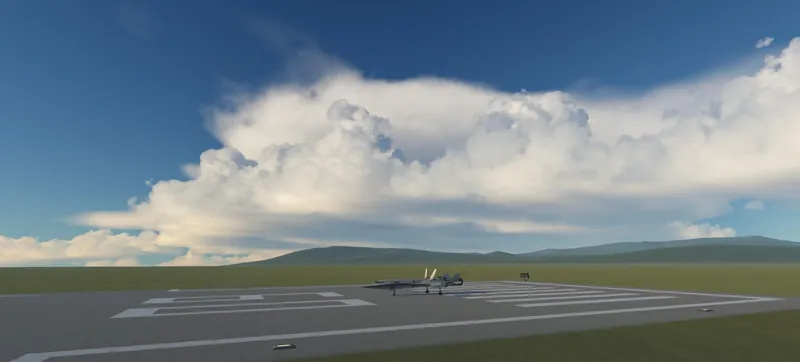

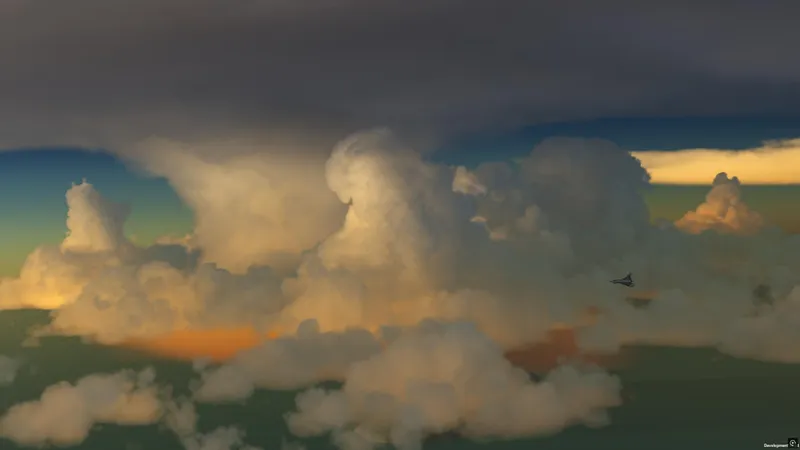

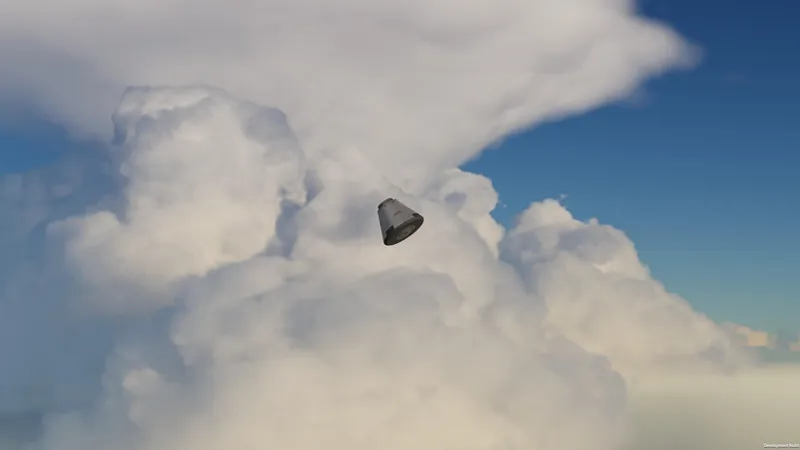
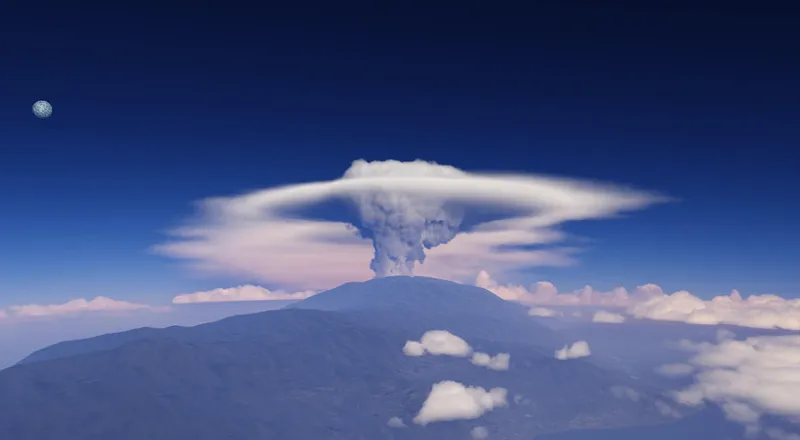








True volumetric clouds release 5
This is the contents and changelog post, go here for the download
Latest update on 23/08/2026: Compatibility of atmospheric scattering with Mirage scaled and bugfixes. The drive download link is the same but the contents have been updated, so if you received the download link via email or DM it will still work and contains the fixed version.
Highly improved clouds
A lot of work has gone into improving the clouds, previous releases have suffered from looking fairly flat, this version fixes that and provides more realistic and natural-looking cloud formations. The look of convective clouds is now better replicated and the clouds are much more interesting to fly around in.
Several improvements to the 3d noise, cloud shading, formations and layer rendering combine to produce these improvements.
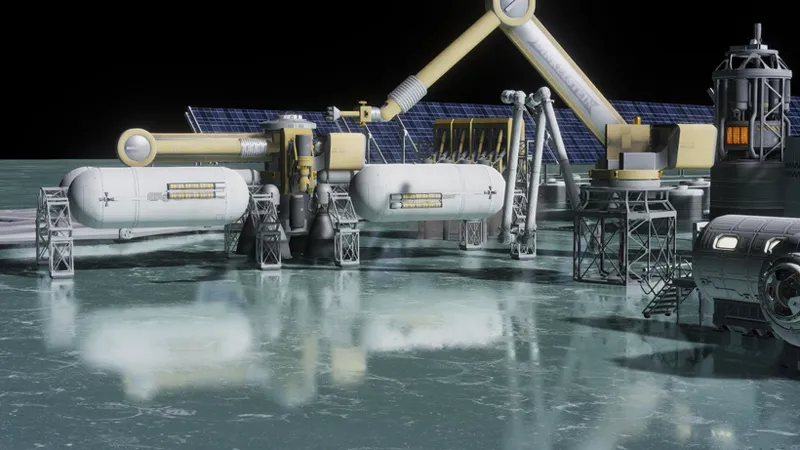
Laythe volcanoes have also been redone to take advantage of these improvements
Anti-tiling has also been improved to reduce tiling/repetition artifacts (left: v4, right: new)
Wet surface effects
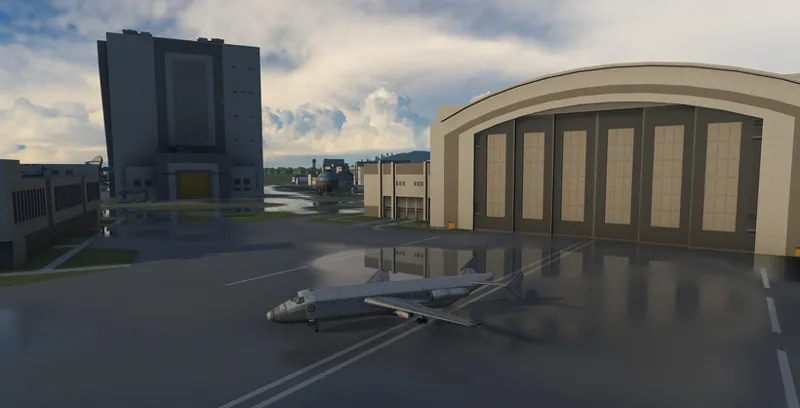
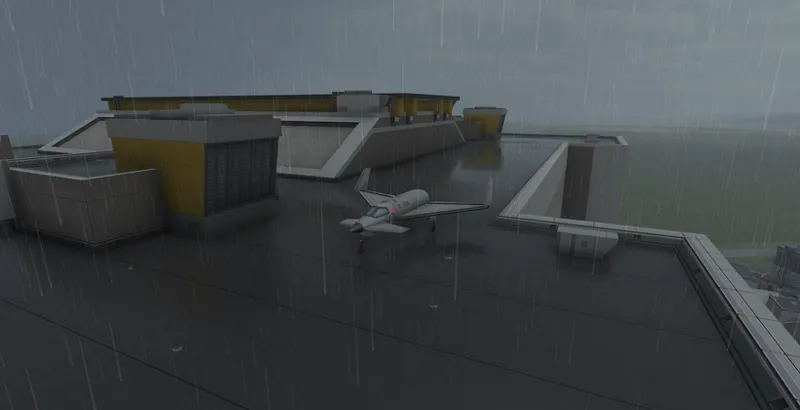
Wet surface effects have now been added, using Deferred. Whenever it rains, puddles will now slowly form, and when it is raining ripples can be seen on the puddle surfaces.
The puddles will accumulate locally and slowly dry off, this will be simulated in the background when you're away and works correctly in timewarp and when loading saved games (existing saves will work automatically).
The puddles/wet effect have settings to apply differently on terrain, buildings and parts.
Screen-space reflections
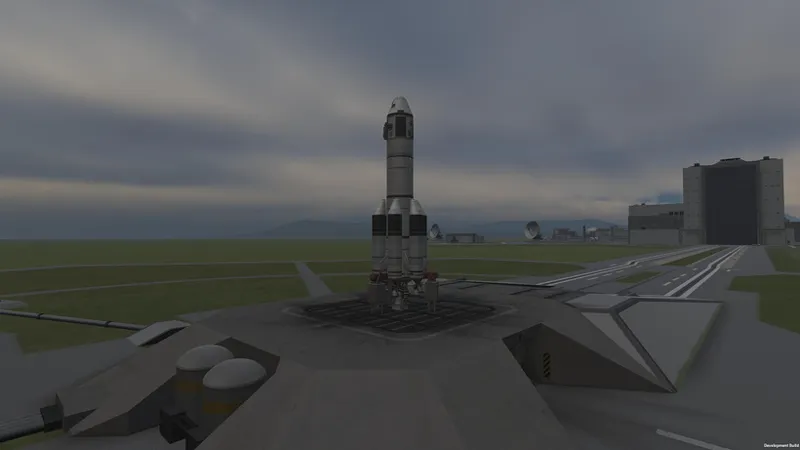
As you may have noticed with the wet surface effects, the reflections in the above screenshots are highly improved. This is thanks to screen-space reflections which are now available in Deferred. These reflections work with any parts/surfaces that are compatible with Deferred, including custom/PBR parts.
Images taken by Cornflame, you can find the full mod list here
Note that SSR won't work on OpenGL (Mac and Linux) due to limitations on the OpenGL version of KSP, Linux users can get around this by running the game with Proton.
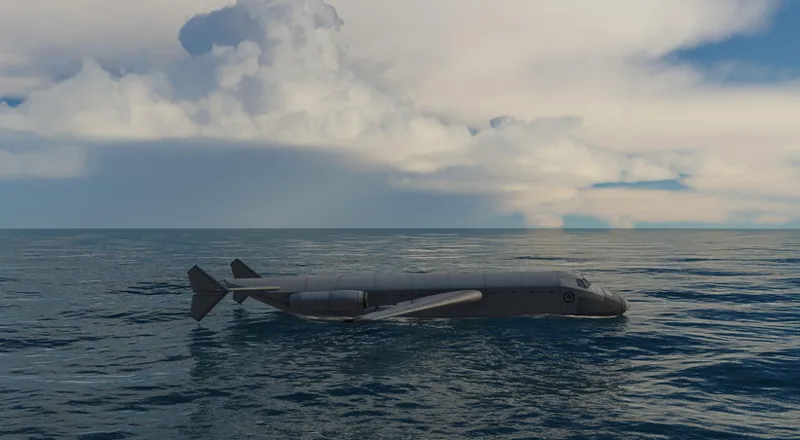
The Scatterer ocean will now also use SSR whenever Deferred is installed, highly improving its look since ocean surfaces are mainly characterized by their reflective look. Note that the roughness of the reflections depends on how wavy the surface is.
The ocean also uses deferred rendering now, lifting previous performance limitations it had with secondary light sources.
Improved lighting and shadows
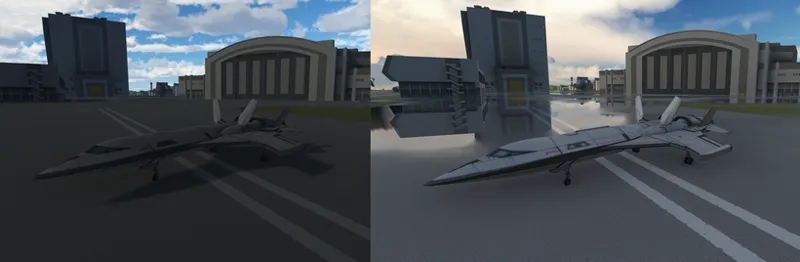
Cloud shadows are now correctly integrated with the lighting, building on the new Deferred version. Previous versions just overlaid the shadows on the image as a "darkening filter" over the whole image, which didn't integrate correctly with the lighting. This resulted in lighting looking strangely dark, while shadows were still visible.
See this comparison between release 4 and 5
Clouds also render in the built-in reflection probe now, allowing them to contribute to the ambient lighting, and helping everything look coherent. Overcast days look especially moody now.
Improved authoring tools
The cloud painter can now preview live what it's going to paint, which makes it easier to paint complex cloud formations.
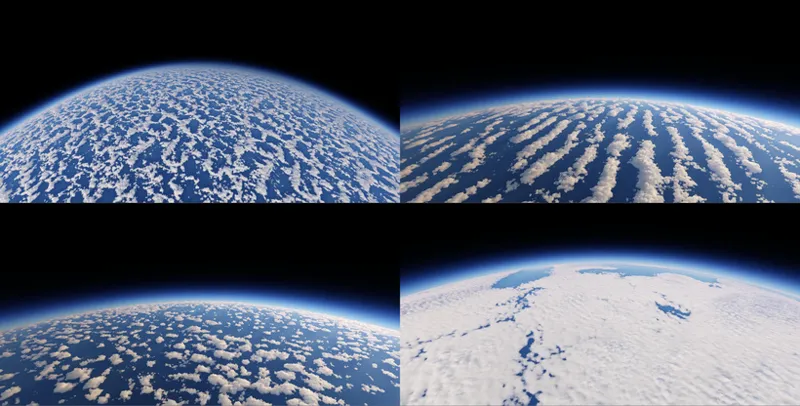
The ability to paint using "tiles" has also been added, the idea is to author maps for specific cloud formations (eg a field of cumulus clouds, stratocumulus, storms etc) and then use those brushes to mix and match and paint large areas with realistic formations relatively easily, here are some examples out of the included tiles
Improved orbital view
Normalmap support has also been added to the 2d clouds, as well as the ability to generate 2d color and normalmaps from the volumetrics, helping the transition between the two look more seamless.
Other fixes and improvements
Atmosphere and cloud layers are now sorted correctly, fixing this issue which appeared on previous versions.
Updates since initial release
23/08/2026
Fix issue with TAA flickering on vessels in orbit introduced on 15/08/2026
17/08/2026
Fix stock ocean sometimes appearing through clouds if a craft is loaded directly from a save game in a high orbit
16/08/2026
Make the map-view cloud parting effect less distracting: Change the localized cloud parting on mouse-over to a global cloud fade on camera proximity, this makes the intent behing cloud fading to provide visibility more clear and the visual effect less distracting
Add a "mapViewCloudFade" setting in the cloudsQualityManager GUI to disable the map view fading effect
15/08/2026
Make scaled space scattering shaders depth-buffer based to fix compatibility with Mirage and Parallax scaled
Fix cases of TAA smearing on Parallax trees and Parallax/Mirage scaled planets
Fix EVE puddles shifting periodically when the craft is in movement
Fix scatterer ocean and stock ocean displaying on top of each other in some cases, causing a "marbled" ocean look
Small cloud and scattering performance improvements
Add an interactive curve editor in EVE gui for editing the coverage and density float curves, curve edits apply to clouds in real time.
Make clouds part in map view on mouse over or camera proximity to reveal terrain, to help navigation/landings
Fix EVE GUI tanking performance when open
Add collapsible GUI lists and collapse cloud types, painter tiles, and masks by default.
Add global EVE ambient/lightning sound volume controls and respect KSP volume settings
Fix empty lists in EVE affecting GUI layout
Fix issue with legacy cloud particles appearing through terrain with deferred
14/03/2026
Fixed pixelated puddles after a long time in-game
03/01/2026
Improved cloud upscaling:
Fix pixelation in motion when thin clouds/fog passes in front of thicker clouds, this was especially bad when very thin fog passes in front of farther away clouds and causes them to pixelate.
Fix smearing on overlapped cloud layers at long distances
Reduce trailing artifacts on clouds on fast camera movements
Add ability to set cloud layer linear speed relative to the planet's radius, or as angular speed instead of defaulting to linear speed at layer's altitude. Makes it easier to sync layers to each other and avoids them desyncing when rescaling the planet's radius (eg planet rescales that don't modify the cloud configs). Default to existing behaviour (linear at layer altitude) for compatibility
Fix singularities in cloud flowmaps causing visible discontinuities/artifacts on Jool
Improve Jool 2d (orbit view) flowmap
Fix puddles shifting/moving around in some cases
Improve ocean generation and scene switch times by generating ocean spectrum and variance on the GPU. Thanks to @Phantomical/steamroller for the tip and initial parallelized CPU version.
Small performance improvements in ocean FFT shader
Fix square artifacts on ocean surface on NVidia 50 series GPUs
Fix some case sensitive cloud texture paths for Linux. Thanks to @pipai for the tip
12/10/2025
Scatterer
Fix scatterer causing darker ground ambient/reflection in reflection probes
VR fixes by JonnyOthan
Fix duplicate instance message when switching scenes in editors
Deferred (download separately)
Fix nested reflections in reflection probe causing overbright reflections on minmus flats
30/09/2025
Fix Scatterer causing parts in the VAB to become dark.
Deferred fixes (download/update separately)
Fix Deferred SSR getting "phantom" bright white reflections on Minmus when there is nothing to reflect
Fix some issues with SSR becoming black
Force-enable reflection probes to fix some users getting no ambient lighting because they disabled it
29/09/2025:
Fixed a serious issue causing kraken attack when switching to map view.

Comments (745)
W cloud
thought about pirating this but then i thought about not and i did not. preesh
I love clouds
Hi, I don't know if this is the right place to ask but I'm having some issues with clouds on Duna. Clouds everywhere else (Kerbin, Jool, Eve..) work amazingly well but on duna they're just nonexistent. A few months ago they worked as well and quickly made Duna my favourite location in the game, but I reinstalled KSP recently, and clouds stopped appearing. I've reinstalled VC5 multiple times and tinkered with the configs for hours, and I'm just stumped. I don't use any of the mods that are known to conflict with VC5.
Hi, it's a feature not an issue, on duna dust storms appear intermittently, you might have to tiemwarp for weeks of in-game time before seeing them, and there's multiple types.
Any way to reduce the loading time/freezes when opening closing the map/when around a planet, such as Duna, when the mod is installed? Getting 3+ second hard freezes every time I zoom into the map or open/close it while around an SOI. FPS is fine, no issues once everything is loaded again into the scene. I have isolated it to be only when this mod is installed - stock versions of Scatterer, EVE, Parallax, etc graphical mods do not have any issue. Have played with values within KSP Community Fixes for texture optimization, Tesselation, Temporal Upscaling, TAA, In-Game Reflection Refresh Mode settings, Disabling colliders, Godrays etc. Running a 4080Super, Ryzen 5 5600, 32GB Ram, GPU not running out of VRAM while playing. Just seems like a texture loading freeze every time a planet is re-drawn. Any thoughts?
This is due to load on demand, but it's weird that it takes 3+ second, if you're using an SSD it shouldn't take more than 0.5s. There's not a way to disable it currently on your end as the alternative is to have the textures be preloaded by the game, but it doesn't support the DDS formats used. In the future I'll add support for KSPTextureLoader which will fix this.
dude this genuinely has to be the best mod ive ever seen for this game ive used v3 for a bit but i was starting to get jealous watching matt lownes vids seeing those beautful clouds and i eventually just caved in and i dont regret my choice one single bit. 10/10 mod i cant wait to see the clouds in KSA
Thank you! I appreciate it
i made a planet using this, its genuinely terrifying
This is the most natural and realistic cloud effect I have seen in the game so far! Will there be a new feature that clouds change with the height of the terrain in the future?
Possibly but I can't promise it
I love launching through Storm clouds. However it wasn't the wind shear that tore my rocket apart. Just bad design. 😂
I'm having trouble with this particular version making my ship graphics stutter in and out as I scroll towards or away with the camera. It didn't happen on version 3. Has anyone else experienced this?
I can't say I have, can you post a video? You can use filebin or google drive, also include your KSP.log file
Hi, first of all i wanted to say how amazing this mod is, i feared it would crumble my fps but it runs like a dream!! I play with OPM and Cosmic Serenity and Sigma dimension 3.2x rescale, and i have a problem with Urlum and Neidon, as they appear very dark but still have the atmosphere outline (screenshot in the filebin). I’m sure the rescale causes the bug, because when i tried removing it the two planets were fine, also for some reason when i zoom into Sarnus all clouds disappear from every planet and i have to restart the game, Urlum and Neidon stop being black when this happens. Looking into the ksp log when zooming into Urlum the console keeps spamming a message about scaled space scattering shaders depth buffering and seeing that the newest update was about scaled space scattering shaders depth buffering maybe it is a new bug. I wasn’t able to find anyone with the same problem. I am not running parallax, i’m doing only deferred and tufx. Also I tried multiple configs for opm, nothing changes Thanks a lot for this amazing mod it runs perfectly with all the other bodies (Cosmic Serenity included) and i understand that scatterer has some issues with rescale, all said i’m including the ksp log of a test session, thanks! https://filebin.net/jp28bce9a7nqzkmz
Hey Blackrack, do people still need the Scatterer Sunflare addon (v0.0878) to get sexy sexy scatterer sunflare in game?
No
I have just installed the latest mod. I can see clouds in the loading screen but nothing appears but stock clouds in the game itself. It was a fresh install with no other modes other than RP-1 and Sol. Can anyone help please.
Hi I provide configs for stock but not for Sol/RSS. There are some separate configs for those you need to download. Sol has separate download instructions for cloud visuals iirc
Amazing mod, i just got it but my parallax continued has an issue(i know you might not be someone i can ask to help with fixing it) so for now i dont use parallax continued, after testing, i noticed that SSR on Minmus for example and water puddles arent forming, but the clouds are normal, do i need parallax continued or is there an issue?
The SSR requires deferred, is deferred installed? I think reflective minmus requires parallax continued but not sure. If you already have deferred please send screenshots of what you see and your KSP.log file, you can send both via filebin or google drive.
I hope it's okay to ask here even tho it's not directly related to your KSP mods. What would you say the timeline is for adding all these amazing features into KSA? like your work on this mod is so amazing, and even tho the clouds in KSA look great too, they've got a bit to go to catch up. Is it a case of you wanting to polish KSP first or is something keeping you from adding this to KSA?
This is off-topic here, you can ask in the KSA discord but you probably won't get a satisfactory answer as I generally don't have timelines and the extent/limits of the work are not known in advance until the work is done. I just work on the feature I want to work on or which makes sense at the current moment, right now I'm focused on plumes/exhausts.
this is one of my favourite games I appreciate the work you're doing and you have my support thank you for the service provided
Hey, ever since adding V5 to the game my ships have been flickering all weird. Only happens while in space. Video Link and log (The screen recording on windows oversaturated the footage terribly) : https://drive.google.com/drive/folders/12LR5KSMKV_KhV9_qegx8xJulA10YGsT3?usp=sharing
Hi, I released a fix for that yesterday, just go to the download link and get the version from 23/08/26
The reflections are odd, some even impossible (as if my computer screen is a giant mirror). The reflections look more normal and are more subtle in the previous version that I tested (the 14_03_2026 release). It's the august release that seems to be odd. Also noticed that if I remove deferred then the problem goes away, but no matter which deferred rendering version I use the issue persists with the current volumetrics release. Here are some screenshots and log: https://drive.google.com/drive/folders/1SoB3_P5WPXLjDiAgjB39c3-YkfByR7YL?usp=sharing
Deferred is what renders reflections so of course if you remove it you don't have reflections. Which parts and part shaders are the problematic ones? Does this happen on stock parts?
Where can I post a bug report without cluttering this chat? The reflections are a bit glitchy and I noticed that this issue came with the newest version of volumetric clouds
You can post it here, upload screenshots/video and KSP.log file to filebin or google drive and send link here
i love it (:
is this normal? i got the new update of true volumetric clouds, i realized that my game was flashing a bit, i thought it was smt to do with tufx so i turned it off and that made it worse my satellite just looks like a blurry mess
I would need to see a video of the flashing and what happens when you turn off tufx, if possible upload to filebin or google drive and send the link here, plus your KSP.log file
Just updated the mod, is there any option to disable the clouds parting for visibility?
16/08/2026 Make the map-view cloud parting effect less distracting: Change the localized cloud parting on mouse-over to a global cloud fade on camera proximity, this makes the intent behing cloud fading to provide visibility more clear and the visual effect less distracting Add a "mapViewCloudFade" setting in the cloudsQualityManager GUI to disable the map view fading effect
clouds on eve are broken from viewing in orbit in new patch
If you mean the cloud parting its intentional on mouseover, otherwise provide more information and screenshots
The screenshots all are erroring out: "imgbb.com. Upgrade to a pro account to embed images in emails."
I'll change host
Truly Amazing
is lightning a part of this?
Yes
He was whipping up amazing foods, like happiness. Actual happiness? Actual happiness and joy. And the smell, it was so good. He was making happiness? Yeah, happiness in a kettle!
Hey, I might be doing something wrong but the clouds are very seriously messed up at the poles. I have all the default and proper settings, is this something I have to just deal with or can I fix this apparent tiling / glitching near the poles? (it's as if they are having to rip over different angles)
Hi, which glitching? You can send images using filebin or google drive
so my clouds work normal when i load a craft from the space center n stuff, I went to the tracking station to go to my craft orbiting duna, and while in the tracking station the clouds were still loaded on kerbin, but duna had no clouds, when I opened the craft, no clouds appeared on any planet, the clouds stopped working completely, do you know whats going on
Love the mod but my fckn laptop runs at 10 fps now
God took inspiration on this mod to make his clouds
Absolutely breathtaking mod :D worth every cent. Even my friend who plays MSFS was blown away
You know its a good mod when a guy who doesnt usually buy memberships on patreon does it anyway to access this mod. I installed it, and i cannot describe it any other way other than "absolute cloud cinema"
I bought this sense like April and this is was one be most beautiful perfect mod I used, I cannot imagine what’s the 6th version is going to be. Amazing job dude!!
I sadly have to cancel the member ship now sense I have no money now but this mod is definitely a 10/10, I will definitely rejoin as a member when I get money but this mod is just beautiful. I 100% love this mod and this mod is the only reason why I still play Kerbal space program till this day, thank you and the amazing work you have done.
Are there any easy ways to lower resolution settings so your pc doesn't blow up?
The easiest way is to increase temporal upscaling, see here https://github.com/LGhassen/EnvironmentalVisualEnhancements/wiki/Temporal-upscaling-and-noise-detiling#temporal-upscaling
Hey I found a bug I think. When I opened the clouds manager my frames dropped to 12-15. The update is amazing and thank you for the work you do!
I have a fix for this which I haven't released yet
It's pleasure to see KSP with ultra-realistic clouds and graphics. But sadly, I'm experiencing some issues... Ocean render marbled with ground. It seems ocean is too low and doing some z-fighting in some aspect. I re-installed everything in order to confirm I don't missed something. I searched wiki/posts but got nothing. What should I do?
I know im late to the party. But after returning to PC everyone and their mother has this mod. I also only have like 30 hours in ksp so with the outer planets and everything i have installed i cant wait to see what version 5 has in store.
just wow
Did just click on *here* and it didnt apparently on my screen and download..
Sorry, what?
Updated computer, reinstall KSP and mods ( eve redux and stuff), saw your last work and decided to smoke less cigarette one day per month. Awesome job!
best 5 dollars spent
bro how to add city light?
umm the planet is pink btw it was working and now its not.
Have you modified anything? Could you post your KSP.log file and screenshots? You can send them both via filebin or google drive
When this mod gets updated and I don't have the subscription anymore, do I have to resubscribe so I can install the update?
If it's a minor update to v5 the link you received by email will still work and contain the new versions. For major versions I prefer if you resubscribe (if you like the work and want to support me) but if you can't afford it send me a DM.
Thank you for your work, Blackrack. I am having an issue where the edges of my buildings in the KSC have very defined black lines (see here: https://imgur.com/a/M5Uav4O ) Any idea what is causing this?
I fixed a similar issue a while back but this looks way worse, is this running on Linux or Mac by any chance? Could you post your KSP.log file? (you can send it via filebin or google drive)
Where can I find the fork that allows compatibility with TURD and Kerbal Konstructs? I'm running into shiny and transparent statics and mod parts.
Normally both are the default ones on CKAN, but check the compatible version for TU here https://github.com/LGhassen/Deferred#mod-compatibility-status
This is absolutely pure dope ! So realistic ! Thank you for your amazing work
When will Volu 6 be released?
When it's ready
i love only clouds
Hey blackrack I have been trying to install this mod but every time I run the game it only shows a pinkish screen and dont know what to do
Hi, usually that's due to mixing files from different versions, if you send your KSP.log file I can check what's wrong, you can send it via filebin or google drive.
Is there a way to make the clouds seen as volumetric at higher altitudes? I figured that v5 originally extends to 250 km. Is there a way to change that
See the ScaledFadeStartAltitude and ScaledFadeEndAltitude here https://github.com/LGhassen/EnvironmentalVisualEnhancements/wiki/Raymarched-cloud-configuration#layerraymarchedvolume-settings You'll need to do it for all layers
maybe the real ksp 2 was the mods we made along the way (:
How do you make the water look that good in game? Mine look like flat 2d waves on a piece of blue paper.
Ive tracked it down to a mod incompatibility I believe, looking into it more...
I feel kind of scammed because I paid and downloaded the mod but it rains a lot at KSC, making visibility poor and landing an aircraft there very hard. Nonetheless, awesome mod and thank you for making this masterpiece. It was expensive but worth it.
It's part of the experience, you can delete or edit the weather layers otherwise
when volumetric clouds v6
first and last thing I'm ever using patreon for
damn, do you think you could pause the updates? i cant count past 5...
Lucky for you, updates take a long time 🥲
Please do the same mod for xplane12.. I hope one day it become true..
I would love to explore other simulators eventually, but my focus is on KSP and KSA right now :)
does this have outer planets mod support?
Hi, check the download post and you'll find links to OPM configs
Iv been having trouble with this version It seems to install fine- with the clouds kinda appearing in the distance But if I get close they disappear And at night a black stationary box will appear over a third of my screen that only switching back and forth on tufx fixes Tho usually also disabling clouds entirely
Hi, please send a video or images of what you're seeing and your KSP.log file, you can send them using filebin or google drive
First mod of a game I've ever paid for, even though I was perfectly content with the free version 3 release lol. This is a huge improvement from that. I plan on subbing as much as I can this year!
Hey Blackrack, I just got volumetric clouds 5 and I was wondering if there was any easy way I could temporarily disable all clouds, just to get a better view of surfaces, or better yet, is there a way I can turn off clouds in the map view so I can plan where to land ships better?
There isn't a way right now but I added a simple way and will release it in the next bugfix update
One other thing with regards to your recommendations for OPM Configs, specifically the release OPM/MPE Volumetric V5 configs by VIJ2, there's nowhere that tells you how to install. When you download theres a 'Clouds' Folder and a 'Scatterer' folder as well as pqs.cfg file. Just wondering where we are meant to be putting these in our KSP folder? Thanks
Most mods are just a drag and drop in GameData
Brilliant stuff - looks more real than real life somehow 😭
Are there any recommended configs for Kcalbeloh system?
Just bough this and can't wait to try it out! Looks way better than the free V3 I was using before!
hello i for the volumetric clouds for the outer planet mod i am not finding the links
In the download post scroll down to "(Optional) Configs for RSS and OPM/MPE/JNSQ planet packs"
Does this mod have support with OPM?
There's third party configs, see the download post
Had some trouble with it first off, it wouldn't load correctly, lost 3 probes in Jool with no storm cells in sight, but I'm installing some other mods and things with the help of Grok, the bot the myth the legend, and hopefully I can get this to work, I've been at this for like 4 hours now XD
Hi, if you send me your KSP.log file I can check what's wrong with your install, you can send it using filebin or google drive and send the link here
Absolutely loving the mod, first time I started modding the game today, starting with this legendary one. Thank you for making the best clouds I've seen in any game.
Hello i am wondering how i can get the volumetric clouds for the outer planets mod
You'll find links for OPM configs in the download post
Is Duna meant to have dust storms using v5? Or have they been taken out?
They don't appear all the time, and some of them are thinner than others, so timewarp until you see the ones you want
Hi i have issues with eve costantly losing the settings when i load a save, using instead promise world, cosmic serenity and boulderCo. Where can i get support to figure out the issue? Thanks
Do you keep putting back those mods from CKAN? EVE doesn't just "lose" settings randomly, the only explanation is that you're reinstalling those mods
I have to say that this mod is very good, I never thought of buying a 5€ mod for ksp, but this mod convinced me, keep up the great work!
Hey Blackrack, any progress on the addition of 3D auroras?
You cna get SPVE which kind of fakes them with clouds https://forum.kerbalspaceprogram.com/topic/230036-112x-v11-spacepotatos-visual-enhancements-spve-visual-addons-for-volumetric-clouds/
Evening. I am currently working on a reimagined stock system at a native 3.5 scale. I have a quick question, how does one to about getting around the clouds getting stretched and such with rescaling?
Hi, unfortunately you need to author new maps for your target scale, which is not a simple endeavour
Hey, ive been using your free v3 for a while and and was loving it, just installed and purchased v5 and for some reason clouds or the weather fx dont load. EVE shows config not found or something like that. Ive also noticed my sunflare is the really big stock one so something prolly went wrong when i installed scatterer and the other mods from the gamedata file in the zip. Any help? cheers
Send your KSP.log file and screenshots of what you're seeing, you can send both via filebin
Should i install EnvironmentalVisualEnhancements Redux next to your EVE? Coz instruction is confusing. "To stop CKAN from overwriting Scatterer and EVE, open CKAN, locate Scatterer and EnvironmentalVisualEnhancements Redux, then right click -> labels -> held, this will stop CKAN from overwriting them." Looks like i should have installed redux version lol
No, both are eve-redux, but this version has volumetrics
are there huricanes on kerbin ?
Also how long does it take to load lmao
It only takes a couple seconds in main menu
is there a discord for this mod?
Nope, don't like discord
dont know if this is possible, but it would be cool if tornadoes or hurricanes could happen on kerbin and damage the ksc because it could already be damaged and destroyed
There is a mod that adds tornadoes and hurricane's to Kerbin, though don't think it causes damage though.
it says this when i open the config and nothing shows up No config! Please add a config with the content of "EVE_CLOUDS{}" to populate.
nvm got it
i have an issue where i have clouds on other planets eg eve and lathe but not on jool, and i don't have any idea why it wont work
Please send screenshots of what you see on Jool and your KSP.log file, you can send both via filebin
I have clouds but no rain. lightning, puddles, the works, no rain.
Have you tried timewarping?
Hi, It appears that EVE is a dependency of Sol. Should I allow these files to overwrite yours when installing Sol Config? The dependency chain is: Sol-Configs > Sol-Core > Sol Visuals > EVE Redux
You need to use this version of EVE
hey im having an issue, not sure if its related to VC, but I have lines running across the top and bottom of my screen in game, they arent there in the main menu though, any ideas?
That's usually resolution related, if you start your game at one resolution then change resolution once in-game, try starting at the resolution you play on instead and not changing it later
when i get close to the clouds a strange 2d giant square appears around the clouds, how do i fix this
Send screenshots using filebin
Hey! i got an issue, so i recently downloaded OPM and MPE, and i also downloaded the configs, however when i opened ksp there werent any clouds at all
also heres the log https://filebin.net/uh2ubo5jz1mmadhk
I got a issue, For some reason, my game is pink only at the space center but my hud is normal. https://imgur.com/a/t5OMHJN my logs: https://filebin.net/2lvyfmv02nulpyqs
You're using an old version of Scatterer, you have to use the one included in the download here
KSP community is so lucky to have you. Steam player count recently reached all time high. Surge of interest from Artemis 2 mission I think. Your mods make the game so so beautiful. To say I am happy is an understatement. I have played for years and years and it feels like a new game. But also I want to be able to see the clouds at night. Maybe I have some settings wrong but I suspect not, your default settings are just for pitch black night. But the Artemis 2 mission showed such beautiful views of Earth's night side. And even without mun-light, the milky way is bright enough to cast shadows for dark adapted human eyes. The dark side of all planets should be slightly visible, imo. Please check out this album if you have a second and I'd appreciate any suggestions. I really am happy overall with the look, just want to tweak this last issue. https://imgur.com/a/p22C2Ug
There is no planetshine or other form of light simulated on the clouds at the moment, this will be added but you don't have a way to "fix" it right now
Not only do they look incredible, somehow they don't blow up my Pc in the process
Is there anyway to change the frequency of the clouds? More clouds per square km, is this possible? thanks.
Only via painting as at the moment these are not generated procedurally, see here github.com/LGhassen/EnvironmentalVisualEnhancements/wiki/In-game-Cloud-Painter
I have a weird issue where the ground sometimes doesn't load when approaching a planet. The only way to fix it is to restart the game. If i "collide" with this non-existant ground the craft instantly explodes, no matter the speed. Here's an image of Kerbin. https://ibb.co/9mrxFJ8W Granted im not sure if this is caused by this mod, but I only have the recommended mods installed (this, Deferred, TUFX and Parallax Continued).
This doesn't sound like it's caused by my mods, in any case this got reprorted before but I was not able to reproduce it. If you have time maybe you can try removing some mods and seeing if it goes away?
Not really an issue as I was able to solve simply by switching from linux player to using proton experimental but got these graphical issues https://filebin.net/ft6y1i7gj7huye7d (log attached). Is it recommended to just use proton?
Yes, proton is in fact recommended, both to improve performance and for general stability. Unfortunately the linux version is very unpredictable on different machines.
Whats your graphics mod? So I can match my graphics to yours
My mods (that you can download here + deferred), TUFX using my profile, Parallax-Continued
I have an odd issue, despite following the instructions, my KSC is very... pink, as in, the whole screen is pink aside from the UI, EVE config also says the atmosphere manager is missing its config, I really cant describe what it looks like other than pink. and the KSP.log file is filled with a stream of constant errors. actually it says its missing a lot of configs, happened after I uninstalled AVP. :,]
Please send the KSP.log file, you can send it via filebin. Usually this is an installation issue, specifically mixing files from different versions
When painting rain clouds they do not generate rain particles, in the same way I do not find rain on my planet, before if they appeared to me will be that I deactivate some game setting that was a dependency for this?
You'll find what to do in the wiki https://github.com/LGhassen/EnvironmentalVisualEnhancements/wiki/In-game-Cloud-Painter
Great mod man! Who needs KSP2? But I have a weird problem; there is no ocean water on Kerbin. When I splash down it looks like I'm levitating above the seafloor? Deleted and reinstalled Parallax and its dependencies, no luck. Maybe also reinstall Deferred? Come to think of it I'm not seeing any water anywhere
Send your KSP.log file and screenshots of what you're seeing, you can send them using filebin
Hey, I been having a problem with graininess and just overall looks. Not sure on how to fix, was wondering if anyone knew the solution to this issue. Here is a link to a picture https://ibb.co/VpP11M3w
That's normal at the moment fro orbit and will be reduced in a future update, you can reduce it by lowering the upscaling but it will be a lot more expensive to run https://github.com/LGhassen/EnvironmentalVisualEnhancements/wiki/Temporal-upscaling-and-noise-detiling
hi, the minimums ice dosnt reflect at all
The ice is added by Parallax-Continued, the reflections by deferred, install both
I download and installed your mod but the clouds are very pixilated?
And I haven't got the scatter mod menu?
Are there any in game graphical settings that should be tweaked to obtain the quality shown in the images? There are quite a few in the default graphics settings where it's unclear whether they should be tweaked or not
It looks like that out of the box (if you're using my configs for the stock system that is and not third party configs), usually when people say it doesn't look as good it's because they are launching at noon (where lighting is flattest) or keep reverting to launch and seeing the same formations and the same lighting conditions. If you're not a modder making planet configs it's best not to touch the settings, just timewarp and see some different conditions.
I was curious to know if this requires any extra setup if I use sigma dimensions with rescale continued 3.5x config? Thank you blackrack!
They work out of the box but will "stretch" every cloud formation such that they will look a bit weird, ideally you need to make new texture maps for the new scale, but those are difficult and time-consuming to create, in the future I want to have a simpler cloud generation method
I really dont know much about design and im new to this game, but im 99% sure launching through a thunderstorm... the thunderstorms are part of your mod. these clouds are amazing, thank you.
Hello, is there a way to toggle weather effects such as rain and thunder?
There's no simple on/off switch, you have to paint the appropriate layers or change the maps or disable them. Best to timewarp if you want to see rain.
Hey blackrack, i cant find my original message for some reason, (it was about the high altitude clouds) i think it deleted itself, so ill ask again :D i wanna delete or disable the high altidude 2d layer clouds, there the ones that u can see on the map (tracking station) i cant find them in the config settings so could u help me and tell me where to locate them? (if it wasnt enough detail its the: 2d high altiude clouds that are used for coverage i believe) https://filebin.net/ftjv88l6dsdrqnfc hopefully that link works for you, sorry its not the clearest but i hope it will let you know which clouds i was talking about. Also new problem, i cant seem to scroll down in cloud painter in ur configs for eve, i cant hit apply or whatever is is that i need to so i actually start making clouds, ive tried everything to scroll down i think its a bug do u know how to fix? https://filebin.net/ftjv88l6dsdrqnfc
If you delete those it will also delete the volumetric anvil clouds and the top layer, is that what you want to do? If you just want to delete them from map view but not delete the volumetric ones, open the UI, click "Kerbin-cumulonimbus-layer" -> settings -> _Color, set the last value down from 300 to 0 and press apply then save Keep in mind when transitioning from volumetric to space the clouds will no longer match and the anvils and top layer will seem to disappear. For the scrolling the problem is not that you can't scroll down, it's that you have duplicated all the layers. I would say your install is probably messed up, you're probably paying 2x the performance hit by rendering every layer twice, redo the installation from scratch and follow the instructions.
Hey Blackrack, thanks for this mod. Everything works as expected except for some reason, occasionally the surface of the Mun looks incredibly low res and when I get close to it, it becomes invisible in a radius around me. Something similar happens when I return to Kerbin from a Mun mission, where the water (not sure about land) is also kind of invisible. Any ideas what might be causing this? The terrain looks perfectly fine when I launch from Kerbin, and I can fix the Mun terrain by quicksaving and reloading while near the Mun. But this happens often.
Send screenshots of what you see and your KSP.log file, you can send them via filebin
I have been getting crashes after re-entering Kerbin from the Mun and Minmus. It happens after re-entry. I can send over the KSP log file immediately over discord or filebin. If I had to guess, something in EVE or Scatterer is causing it. Link to my KSP Log file: https://filebin.net/mvqz9xoknsna3thf
Actually, you can disregard. I figured out the problem. It was the CinematicShaders mod I downloaded.
Hello! I was hoping for some help with an issue I've been having an issue with installing release 5 I haven't run into with previous releases. The clouds render fine, but the actual atmospheres of bodies don't render in at all and the lighting is extremely blown out. What might be causing this?
It sounds like you didn't install scatterer correctly, send your KSP.log file and I can check what's wrong, you can send it via fielbin
My clouds on Jool look really weird, theres almost nothing green except the athmosphere, all the clouds seem to be white, is that normal?
Send screenshots of what you see and your KSP.log file, you can send both via filebin
Thanks for your work. Clouds look amazing. I've got the "planet surface is pitch black at night" problem. I just did a fresh install and think I followed all the instructions. But I also see you don't have many screenshots of your nighttime, and the one you do above of eve volcanoes shows pitch black night side, so it's possible you have pitch black darkness on purpose. Sorry if I'm missing some basic FAQ. Maybe I should mess around with TUFX settings? I think my kerbals have dark vision like in D&D from their giant eyeballs. So the night side should be visible, imo.
Short answer is that it's supposed to look dark from orbit but have a bit of visible ambient inside the atmosphere for gameplay purposes. If that's not working start by checking your ambient settings and if deferred is installed correctly.
the all and mighty blackrack, is KSRSS compatible with your volumetric clouds?
As far as I know there is a v4 config for KSRSS but no one has made a v5 config yet
Mod suggestion: Volumetric explosions / collisions, pls…
the all and mighty blackrack, is KSRSS compatible with your volumetric clouds?
bro how can i get duststorm on dune
Timewarp, there's multiple types and they're only active at some times
I keep getting this error: No config! Please add a config with the content of "EVE_TEXTURE_CONFIG{}" to populate.
Not an error, you went into the manager for a function that is not in use
blackrack i love you and your mod, thanks for making volumetric clouds and EVE
Hey! I absolutely love your work. It works flawlessly for me. My computer isn't too powerful, but I can't help but use it. Combined with Parallax this is just ksp2. So, I'm just wondering if I can somehow config the settings to maybe reduce the density and/or quality?
You can increase the upscaling on the clouds to improve performance (by reducing quality), see here how to do it https://github.com/LGhassen/EnvironmentalVisualEnhancements/wiki/Temporal-upscaling-and-noise-detiling
Is anyone else getting a glitch where the wet surface get super blocky over time. It goes away after I redownload the mod, and then it goes back to being blocky.
I fixed this, download the latest version
everything is pink
watch the instructional video in the instructions its at the top if you can't find it then click this https://www.youtube.com/watch?v=zhZRtRMltNA
Hi, for some reason I dont get City lights on Kerbin at night. I have the Outer Planets Mod installed, otherwise im sure ive deleted all visual mods before installing VC5. And Im also pretty sure I didnt have any city lights mod installed before. Is there any way I can check if theres a config of some kind interfering with the VC5 city lights?
There are no V5 city lights, I don't like how they look (just a 2d texture plastered over terrain) and find it weird to have lights without actual cities. You need to install a separate city lights config (or copy one + its texture from another pack)
Can someone please help me Download Ill pay you
What exactly is the problem? Go to the download post https://www.patreon.com/posts/139881534 Locate the download link, download the file and follow the instructions posted in the post
How do I add custom sunflares? I'm trying to add Kabrams blue sunflares, which I just replaced the sunflares folder in GameData\StockScattererConfigs
Normally that's all you need to do, they should have their own instructions though
Happy to Support your development of this awesome mod, keep it up!!!
Hi I was wondering does this add dust storms to mars or is that another mod I was looking to play rp1 with the sol mod
I can't say because the configs for mars are part of Sol (but the functionality still needs my mods), you can ask BallisticFox about Sol
I completely uninstalled my KSP three times and installed it EXACTLY as instructed, but the game still launches without the clouds.
Send your KSP.log file and I'll check what the issue is, you can send it via filebin
I got a problem where everything looks super blurry when the game is unpaused but when I pause it everything turns super clear, and there is like this "artifacting" when my move my camera in front of the clouds.
That's usally an issue if you're running a very low resolution or getting a very low framerate. You can fix by reducing cloud upscaling but it will increase the performance hit, see here how to do it github.com/LGhassen/EnvironmentalVisualEnhancements/wiki/Temporal-upscaling-and-noise-detiling
hey uhh i paid 5 dollars and like it wont let me download it? so did i buy the wrong thing or smth?
Make sure you select the tier
My Volumetric clouds leave some kind of pixelated trail behind the rocket everytime i move my camera, only on the clouds though... Im using JNSQ with the mod and also tufx. Please help
That's usally an issue if you're running a very low resolution or getting a very low framerate. You can fix by reducing cloud upscaling but it will increase the performance hit, see here how to do it github.com/LGhassen/EnvironmentalVisualEnhancements/wiki/Temporal-upscaling-and-noise-detiling
Just became a member ... thank you for the great work!
Why does my rain look like white cubes and fall very slowly? I see the puddles. Should I reinstall?
Send screenshots or videos, you can send them via filebin
Thanks for this mod; it's amazing. Just a heads up, the pictures on steps 1 and 3 of the download/install instructions (on memberships tab, in email, etc) fail to load.
Will check it out, thank you
Ah, sorry m8. I know almost nothing about computers, but by KSP immediately crashing, I'm gonna guess this is a bit too much for my humble computer to handle.. Still, all the best for this amazing mod!
Hi, if you're getting crashes please send me the log files, you can see here where to find the files https://gist.github.com/JonnyOThan/04c2074b56f78e56d115621effee30f9#crashes---playerlog-and-errorlog Then you can upload them to filebin and send the filebin link here. The most common culprit for crashes is a lack of RAM or pagefile, you can try to increase the pagefile first and see if that helps, see here https://www.thewindowsclub.com/increase-page-file-size-virtual-memory-windows
I will always be grumpy when I pay the subscription, but the mod is worth it. Thanks Blackrack!
Do you have a tutorial on all this customization? how do i paint ckouds or adjust density, makei t rain, ETC? great mod tho
I found out how to paint except When I paint rain clouds I dont see the rain
Will it ever be compatible with RSS?
You can get Sol which includes volumetric configs
Is it possible to disable the clouds in the menu screen? They certainly look pretty but they take a while to load and they block the menu while loading. I'd much rather get in game faster and see the clouds while flying than having to wait for it in the menu screen.
That wouldn't help, the mod needs to load at some point, it would just make you wait at the KSC screen or when you launch the craft for the same amount of time, what is loaded in main menu is not unloaded after.
this is just insane bro thanks for keeping KSP alive <3 my question tho, i just installed and CKAN is now suggestion me to update Scatterer is it safe to do so, or will this conflict the volumetric clouds?
Hey thank you, as the install instructions say you have to use the version provided here, which means not using one from CKAN
I am completely in awe. These clouds changed everything for me. I can't even begin to imagine how somebody does somethuing like this xD (A shame because I wish I could create planets with different atmospheres in 3D and maybe shoot cinematics)
The secret ingredient is obsession
Is it possible to add lightning/thunder to Eve? i noticed in my current set up theres no lightning spawning on eve. i see in the files theres a object defined as "lightning-Eve" but i dont see any while on Eve.
The lightning-Eve config you see is just a leftover, I had started adding lightning and weather but couldn't make it look good and naturally for now. You can add lightning if you just configure it, refer to these wiki sections https://github.com/LGhassen/EnvironmentalVisualEnhancements/wiki/Lightning https://github.com/LGhassen/EnvironmentalVisualEnhancements/wiki/Raymarched-cloud-configuration#cloudtypes
anyways to add lights to the dark side of kerban with this mod if not its fine the mod is beautiful without it, was just curious. thank you for your work!
You mean like city lights?
hi black rack i really like ur stuff but i see 2 layers of clouds, i see the fluffly volumetric ones but really high theres some 2d looking image clouds? i dont know how to get rid of them but i got no other mods installed just yours, i also go on the config for clouds weather e.c.t and i see all the stuff is using stock clouds but not the ones i payed for idk if thats how its meant to be but the clouds dont seem very good.. and also they clouds look pixelated for some reason
Send screenshots and your KSP.log file via filebin
Not sure if you've already solved this or if I 'm doing something wrong but I've been getting these black bars appearing on screen. Guessing it might be Scatterer related—it appeared when I installed Clouds + Deferred, thanks. https://drive.google.com/file/d/1Od0GgS6xInnLlzmvZLF4c3wzJUL59fTH/view?usp=sharing
I've never reproduced this issue so I'm not able to investigate/fix it. It should be resolution related though, specifically the game running at a different resolution from what it reports, I don't know why, but you could try changing changing display mode to windowed or changing resolution or checking if you have any driver downscaling
First, this is absolutely incredible. Makes it feel like a whole new game! Flying around a thunderstorm was one of the most jaw-dropping experiences I've ever had in a video game. Just beautiful. I am having a minor issue with trees and other objects looking kind of "jittery" for lack of a better term. It doesn't affect the craft, or clouds, or terrain at all, but is quite apparent on trees and I also noticed it on the tower by the island runway. It's somewhat subtle, but fairly distracting. If I remove the volumetrics mod and switch back to Scatterer/EVE from CKAN the issue is no longer present. Here's a few screen captures as well as logs with examples both with and without volumetrics installed (I used your TUFX config for both): https://drive.google.com/drive/folders/1q-18wLBUv1cvd2muisYYrryb_m7bo5T6?usp=sharing
It's TAA, something is wrong with the motion vectors on the Parallax trees and I haven't investigated it yet. For now you can go in to the KSSC screen, press the blur orb button to bring up scatterer settings, press customize settings, disable "temporal antialiasing" and that should fix it.
Hello, I was wondering if I can install Scatterer Sunflare and its configurations alongside the Scatterer that comes with VC5, or will that cause conflicts?
Use only the version of Scatterer included here, you can use sunflares but be careful because most of them are outdated from 5+ years ago
hi!! is there a way to edit graphic settings for the clouds??
Which settings do you want to change? Everything is documented here https://github.com/LGhassen/EnvironmentalVisualEnhancements/wiki
I have no words. Well, actually, one. Amazing.
Hi, I'm having an issue with the mod, I followed the installation properly however I don't see any clouds. I'm on a mac mini m4 so I'm wondering if that's the issue? I'm also playing with all the mods from the RP1 Express install (I made sure to remove Scatterer and EVE before merging the files). Any and all help would be appreciated! Here are all relevant screenshots: https://filebin.net/nddqzmnatul0xlhr
If you play with RSS you need an RSS config for volumetrics, look up "Sol" by BallisticFox, it's the best one
canceled my e-girl subscription, needed these cloud.
OnlyClouds
wow i love this
I keep having an intermittent crash when transitioning scenes. JonnyOThan on the official Discord looked through my logs and said he thought it may actually be VC5 causing the crash, and to reach out. I posted an issue on the EVE Github with my logs, but juuuuust in case I wanted to reach out here too. And if it turns out its not VC5 or its just me being dumb, apologies beforehand
Hmm just took a look, it's a bit strange but first thing to do, can you make sure to increase your pagefile size and see if the crashes go away? You're running pretty low on memory. See here how to do it https://mcci.com/support/guides/how-to-change-the-windows-pagefile-size/ If that doesn't fix it, next try going into the EVE UI settings (ctrl+alt+0), press the top right arrow a few times until you get to "RaymarchedCloudsQualityManager" and set "renderCloudsInReflectionProbe" to "false", Apply and Save, then play with that for a while and see if it goes away. This will make the lighting worse but if it does fix the crash I'll know this is the cause and how to fix it.
The lighting of my rocket seems a bit off, also do I need sol?
No, but if you have deferred installed make sure to go the main menu settings, enable reflection probe, set it to refresh every frame and restart the game, if the lighting improves go ahead and set it to the lowest setting above off. If it's not improving, send screenshots of what you see that looks off and your KSP.log file, you can share both via filebin
Such a wonderful mod I had to resub :) keep up the good work and so excited to see what's next!
does it work with RSS
Yes, but you need to get a volumetrics config for RSS. "Sol" by BallisticFox is the best one
hello, i updated scatterer on ckan and now everthing is either purple or dark, with a green/purple ring in the sky, how do i fix this ? i tried deleting and redownloading the mod but it doesnt change anything
Like the install instructions say, don't get scatterer and EVE from ckan, you have to use the versions you download here
Hello, is current documentation on clouds on github works for v5 release? I'm trying to fix JNSQ config for myself since it has strange dark clouds on Kerbin but i can't figure out the issue even after checking on the github page and comparing it to stock configs provided
github.com/LGhassen/EnvironmentalVisualEnhancements/wiki
Hi, this mod is a game changing but i have some problems and i'm not sure if i have installed in the right way. Can i send some pictures in private chat ?
Please send screenshots and your KSP.log file, you can send both via filebin, it's okay to send them here in the comments
Hey Blackrack, I've followed the instructions on how to download and even wiped my mod files on CKAN and in gamedata, and whenever I download what is required, my KSC screen is pink, and each planet/moon surface is black with a little sunlight.
Send your KSP.log file via filebin and I'll check what's wrong
I have a weird bug, I'm not sure if its from this but I'll ask in case somebody's run into it before. Sometimes when approaching the Mun or Minmus the ground doesn't load in, the camera clips through it like its still rendering the further away texture. Attempting to land anyways blows up the ship.
Based on the description it sounds like it might not be related to my mods. You could try to record a video next time though
yo blackrack. i've just become a member, is it true that you give out free links to any updates of the mod to anyone who has payed before?
Hey there, love the mod and your work. Can it be that the Clouds look different when using the SoL Mod? If so, any news on getting them to the same quality as stock ksp?
Those configs and associated cloud maps are made by BallisticFox so they look different than mine. Maps can't be "rescaled" directly as that just stretches the clouds in all directions, which is why different maps have to be used. In the future I want to have a way to generate maps/clouds on the fly which would work the same for all scales but this is not done yet (and is frankly challengine) so distributions have to be made by hand. I spent a lot of time on mine to get them to a certain level of quality.
I am having my clouds appear ontop of my rocket if that makes sense
That's usually an issue only seen on some linux distros, are you using linux? If so could you try running it through proton?
anyway to make clouds less performance intensive?
The main one would be increasing upscaling to 12x or 16x, see here how to do it https://github.com/LGhassen/EnvironmentalVisualEnhancements/wiki/Temporal-upscaling-and-noise-detiling Let me know if this is enough. What is your GPU and resolution btw?
file:///C:/program%20files%20(x86)/steam/steamapps/common/Kerbal%20Space%20Program/KSP.log
That's the path on your local computer which I can't access. Upload the file to https://filebin.net/, get the link it gives you and post it here.
hej i just got volumetric clouds and i keep getting pick screen when i load a save or start a new one
Usually that's due to mixing files from older versions of my mods, send your KSP.log file and I'll check what's wrong, you can send it via filebin
Curious to know if this works with JNSQ or any Rescale?
Well worth the sub. Curious to see what's next on the roadmap.
Dumb question but is there a specific setting to adjust to get the volumetric clouds applied to planets other than Kerbin or would I have to download and add new configs?
You need new configs, they take some effort to create
How do I adjust the weather/storm volume? It's way too loud by default.
I think this is the first time someone has requested this. I actually don't have a simple convenient way of lowering volume, can you just lower the volume for KSP from windows volume mixer? For the rain sounds you can lower the volume by modifying cfg files, but I don't have this function for lightning. For the rain sounds open the file Kerbal Space Program\GameData\StockVolumetricClouds\Clouds\clouds.cfg Ctrl+f and search for "Rain", you should find two matches, add the line "ambientVolume = 0.25" under them or some other value. Do the same for "Thunder", there will be two matches with the pre-existing value 1.5, just modify it. For the lightning you could either delete them or modify the sound files themselves (would take a while as there's multiple).
umm my game crashes as soon as i load in
Could you follow the instructions here and send me your logs (normal + crash logs)? https://gist.github.com/JonnyOThan/04c2074b56f78e56d115621effee30f9 You can upload the files to filebin and send the link here, then I'll take a look to see what the issue is
Which configs for v5 would you recommend for OPM, MPE and Promised Worlds?
Would like to know as well.
Hey dude. I have the V5 volumetric clouds and i'm wondering if they will work in KSRSS? thanks!
You need a config for KSRSS, I'm not sure if there is one for v5
I paid but can not download.
Make sure you match the tier
https://filebin.net/5ir3rt3rwvtsp9wm
You don't need to add that it's obsolete.
I really love your mod, are you gonna upload in the future a explanation of what does what so we can now what improves or decreases the quality of the clouds? And if posible a comparison? That would be awesome, thanks!
Read the wiki which is linked in the readme
Amazing, props for adding support for Mac. Now, if only it were possible for parallax to do the same...
Thank you for your awesome mods and continued love of KSP! Just got v5... looks incredible!
Does this work with KSRSS?
You need a config for KSRSS, I'm not sure if there is one for v5.
I am not sure who works on scatterer now, but there is an issue with the skybox where some patches of it are shaky and blurry. Weirdly, in-game screenshots of the blurs are absent in the images, but in game they are there clear as day. When you pause, you can see clear boundaries. Also strange how opening TUFX menu erases all the blurry patches, only to get messy after I move the camera by a little. I posted the images (that I took on my phone) on this filebin link: https://filebin.net/4grvzkf2zf7irk6e . Another unrelated question, scatterer TAA seems to cause a weird "sky pulse" effect where stars blur and dim while moving the camera, or vessel, or both. (*EDIT, in the image with the navball visible I missed a part where the stars are stretched, top left side of the area I surrounded with red at the bottom, it's visible enough.)
It's me who made Scatterer and who works on it, both problems sounds like a side effect of TAA, you can just disable TAA in both Tufx and Scatterer fir now.
are my top layers of clouds supposed to more grey? they also arent as dark in shadows compared to the other clouds
Not sure what you mean so please send screenshots, you can use filebin
Thank you!
can this be used on RSS/RP-1?
Yes, but you need an RSS config for the volumetrics, the best one is Sol by BallisticFox
Hey, I have an issue and I think the root cause is to do with volumetrics and scatter, as I have fully reinstalled ksp 5 times, and the bug keeps returning whenever I put Volumetrics mod with its scatterer in. The problem is that the Duna surface seems to be higher then it should be, or at least scatter + volu thinks so. as the clouds are going into the surface, and when zooming in, the surface is what im guessing it should be when zoomed far out, and then it suddenly rises a few km's with weird ghosting on the horizon
That's just how the game renders the planet surfaces at long distances (also referred to as scaled space), it's split between two different cameras using different models, I have no good way to work around that.
Hey man just wanted to say that it is amazing work. Unfortunately, my laptop isn't up to the task of running your mod. My computer is though so hats off to you doing your thing.
Is there settings to change graphics of volumetric clouds v5?
What are you looking to change? Check the wiki github.com/LGhassen/EnvironmentalVisualEnhancements/wiki
hey i have no idea what im doing wrong but im putting all the files that were said to go in the gamedata file through the read me and it doesnt seem to be working
Send your KSP.log file (via filebin or other file sharing service) and I'll check what's wrong
Is it possible to use with Spectra?
No, it messes up the colors and the atmosphere heights
I LOVE this totally worth the 8 dollars I’d love to see how it improves in the future
That's crazy man, optimization on fire🔥🔥 You are the best!
Is there any way to download an earlier patch?
You can download previous versions like v3 and v4, is there a specific reason you want an earlier version of v5? They are buggier and not worth going back to, but if you have a good reason I can send you the version you want.
Hey Blackracks I wanna tell you that I ran volumetrics release 5 on a laptop with 4gb ram and let me tell you bro, you FREAKING NAILED THE OPTIMIZATION! Litteraly was getting 25 frames (which how i grew up and still growing is litteraly perfect for me, never had a computer looking to get one) and all I did was put the temporal upscaling or whatever it's called at x32 (the maximum). But I did have a problem where I installed deferred from Ckan but got no puddles, could it be that the accumulation speed was too low? Like that low when a rain cloud passed by it didn't even have time to make the puddles. Idk, but what I do know is that this mod is freaking awsome and I of course gotta congratulate you for making such a masterpiece.
Thank you, I appreciate it! I'm currently trying to eke out a bit more performance out of it but the game engine is very old and makes it difficult lol we'll see how it goes
yo blackrack i lag alot when i got the new version of ur mod isthere any way to reduce that lag like can u give a good config for my pc i have an rtx 4060 8 gig vram , rysen 5 5500 , 32 gigs of ddr4 ram
You shouldn't need anything special with your specs, unless you run at 4k. What resolution do your run and which framerate do you get? Make sure the in-game reflection probe setting is set to the lowest non-off setting.
i finally got a dust storm to happen but im experiencing a weird graphical glitch where theres just streaks across the dust storm that stay in place no matter where i point my camera , will disappear if its not looking at the dust storm tho??
https://postimg.cc/dhb77thr screenshot link
is there a way to increase the resolution of the clouds, mine feel choppy and have a weird data mosh effect when i look through multiple layers of clouds
open eve settings and go over to raymarched cloud config and change temporalupscaling , going up will make them worse and down will be better
hello there quick question. i was wanting to join the discord if you have one and if not could you tell me how often the duna dust storms happen,iv time warped a few weeks and cant seem to get one
Hey mate, got a quick question. I saw your responce to a comment about OPM and Kcalbeloh and i'm just wondering if there are plans for a config, and if so when? I myself will happily wait if will come in the future. The mod itself is incredible with it's quality, and most importantly not a pain in the ass to install like most high quality mods.
Hey man thanks for checking in and for the support. I haven’t worked on configs for OPM and Kcalbeloh yet. Right now I’m focusing on optimizations and other technical improvements, so I can’t say for sure when I’ll get to those configs. Appreciate the patience.
Hello, new to modding so I followed the video guide you linked to install everything. I followed the video step by step (I think) and love the mods, however, my spacecrafts are REALLY REALLY dark on surface side to the point that they're essentially black. In orbit, they look great! Would it be some of the features of your mods that would control this lighting aspect?
In the game settings check that reflection probes are enabled and that their refresh rate is set to the second lowest option. If that doesn't help send screenshots of what you're seeing and your KSP.log file (via filebin or google drive)
Im also getting heavy ghosting while in the atmosphere
That's because your framerate is low
Are there tipps for improving performance? I have a fairly decent PC but when looking at the horizon of kerbin at the launchpad im getting sub 30 FPS.
You can increase temporal upscaling, see here how to do it https://github.com/LGhassen/EnvironmentalVisualEnhancements/wiki/Temporal-upscaling-and-noise-detiling You can disable the detiling (from the same page), or disable scatterer godrays (KSC menu -> blue orb icon -> customize settings and disable godrays)
easily the best ksp mod ive ever owned thank you so much
hey im also getting weird pixelated puddles as some other people reported if you need anything or got any questions about it lemme know ill do my best to help out
Do you have any particular reproduction steps? People reported to just do a space mission and come back, or just fly around kerbin and come back but no luck for me with both methods.
you could make voulumtrick smoke like an alfha i would like to see that sorry for the speling errors
I discussed that in reply to your previous comment, two comments down from this
Hi Blackrack! You've done an astounding job with the V5 version – it’s truly amazing! I have a question, though: is there any chance you’ll be making a volumetric config for OPM? I’ve spent hours trying to merge your files with OPM (even with some AI assistance), but I just couldn't get it to work.
I definitely plan to try and make configs for both OPM and Kcalbeloh as the most popular planet mods. "Merging" configs with OPM is not going to work well and AI won't help much really. Unless you just want to make recolored copies of my configs, they have to be tailor-made for the target planets and their scales, you'll have to make custom maps, make sure the atmosphere and the clouds fit well together from all viewpoints etc, it's not as simple as changing some values in the config files
black rack im a big fan can i ask you what are you planing to add / fix on your next relese / update? tyyyy
There's multiple areas I'm exploring but I can't say with certainty what the next immediate next feature will be as they are all exploratory. One of my goals is to bo able to make clouds that simultaneously look good from the ground and from space, right now because of the scale of Kerbin and some artistic limitations, I pretty much have to choose between one or the other, eg in the current release clouds look fantastic from the ground, but look either passable or weird from space. Once I figure that out my goal is to "automate" the generation so that it can be done in-game and the large-scale formations and weather can be dynamic and evolve over time, not just have rotating layers around the planet. Something else I want to make is long-lived volumetric plumes that have dynamic shapes and hang around in the atmosphere, this is challenging in how to manage and put bounds on the rendered areas, I might also end up making volumetric vapor cones before this but I'm still looking for the right approach to shape/position the vapor cones / mach effects based on the craft's aerodynamics. Other than that there's some noise/grain reduction and performance improvements I'm exploring for the current version which I'll probably just update the current version (and links) with at some point without making a new version. There's also better configs and weather for the other bodies like Eve, Duna and Laythe, as well as custom configs for OPM and Kcalbeloh as the most popular mod packs.
I joined the patreon, why does it keep telling me to upgrade so I can download it?
because its a payment to get the mod
here is my broken folder its mostly the cloud painter doesn't work and only 2d clouds show up https://drive.google.com/drive/folders/1ZtM4Cc9T89z303AhWtKl2UATFvyJ_G3l?usp=drive_link
The link isn't public so I can't access it, and also it seems like you uploaded the whole GameData folder, all I need is the KSP.log file in the directory of the game, it's a file not a folder, see this guide https://gist.github.com/JonnyOThan/04c2074b56f78e56d115621effee30f9
mine isnt activating i followed the read me
Send your KSP.log file using filebin or google drive
How do you get this to work with OPM + OPM - Parallax with Scatters? Anything specific needed? Thanks
For OPM you need specific OPM volumetric configs, there is one here https://spacedock.info/mod/4060/OPM%20Volumetric%20V5%20configs and another one here https://github.com/ArgentGamer/OPM-Volumetrics , I can't really comment on the quality as I've not tried them myself.
Hey ! When I start the game after having applied all your recommendations, my game is full of transparent/blue/white cones and artefacts everywhere and I can barely see the space center (for exemple but I can't see nothing in fact). Do you have a clue on what is happening ?
Hi, please upload some screenshots and your KSP.log file, you can share both via filebin
pretty insane how well optimized this is, my laptop sucks and this runs perfectly
Awesome job you have done! Is this release now working with RSS?
You need to get an adapted volumetric config for RSS, look up Sol by BallisticFox
I love your mod but is there a way to make nights really dark using scatterer? So dark that you cant see anything?
I second this
one of the best mods I've ever paid for. phenomenal.
First and foremost, this is incredible. I don't think a single person ever believed 'this' is where Kerbal Space Program would end up. I do however have two questions, I'm working on First ever planets in the game, exciting times I know, is there a general breakdown of how this mod functions? Or perhaps a template? You recommend just looking into existing configs and 'backward engineering' them? Second, does this iteration of Volumetric Clouds scale with the use of Sigma Dimensions?
Hi, check out the documentation https://github.com/LGhassen/EnvironmentalVisualEnhancements/wiki then check out existing configs. Rescaling existing configs is not recommended, it will "stretch" the cloud maps and make them look weird
[Already fixed bug myself] Crazy bug I just had: the oceans, atmosphere, and clouds were all missing, so I started from scratch and relaunched the game after each new mod until I had an identical GameData that worked. Happy, I deleted the old one and renamed the new one. Then the problem came back. Turns out, the problem with EVE was the file name of the directory I had KSP saved in. There was a plus sign (+) in the directory, which made True Volumetric Clouds, Scatterer, and Deferred not do anything whatsoever. Never would have guessed.
I'm not really sure how/if this would work at all, but have you experimented with trying to make wing vapor for aircraft?
I have an approach in mind but I've not worked on it yet. The challenge is in building and rendering the correct vapor "shape" for the craft and its current speed/attack angle etc and making it work for all crafts in a general manner, not just placing them on predefined locations on wings.
black rack can you pls phocos on performance more?
There's not a lot more performance I can get out of it without impacting the visual quality. I think the current level of quality/performance is good as it generally runs well on older cards like 2080 super at 1440p and 2060 at 1080p, these are 7 years old cards at this point, and newer mid-range cards should similarly run well, so there's no need to break the bank on a GPU to run this. If you still have performance issues you can lower the temporal upscaling https://github.com/LGhassen/EnvironmentalVisualEnhancements/wiki/Temporal-upscaling-and-noise-detiling Or you can disable godrays from the scatterer menu in KSC settings, or lower other settings. Or you can delete some of the cloud layers or make smaller custom cloud layers. Or you can disable screen-space reflections in deferred.
got everything set up as instructed (including deferred and the tufx profile) but I'm having an issue with shadows. the shadowed side of my rocket is extremely dark to the point of detail loss, and shadows under clouds- if thick enough- become basically pitch black. i try to change the ambient light setting in the game's stock settings but this undoes all of the graphic improvements and i have to reset the settings config to get the mod graphics reapplied. changing exposure and such in tufx doesnt do anything either. how can a brighten up the shadows?
Make sure reflections aren't disabled in the game's settings
Truly incredible man. Great work! I remember playing with V3 and being blown away. V5 is beyond anything I could have imagined KSP is capable of.
Bro, you're doing an amazing job! I love the view every launch. I know how difficult this is, so I spare no expense on it!
I have a 5070 ti and 7800x3d, and as soon as rain shows up when flying a plane on kerbin, FPS goes from butter smooth to like 5. How can I improve performance in these scenarios?
Hi, that really shouldn't happen, unless maybe you have tons of lights on your craft, is that the case?
yo
i tried it with OPM and it bugged out, had to redownload and forgot where to get it, would you mind helping me with that, sorry.
and for some reason the grass is really bright.
This is just ridiculously cool. Profoundly flabbergasted at each progress made...
Is it compatible with FreeIVA and RPM?
Yes it is
Just curious, are there any RSS-compatible configs for Release 5? I see a few configs listed at the bottom of the Release 4 page but can't find the section here.
Sol has one but I think you can only find it on BallisticFox's discord or patreon, so try looking there
Any plans (or instructions on how) to allow diving further than the killbox on planets like Jool? I remember being able to do this, and upon searching saw that it was actually a feature of this mod, but it seems like I'm unable to do it anymore.
See here https://github.com/LGhassen/EnvironmentalVisualEnhancements/wiki/Override-kill-sphere
I had a question about EVE and Scatterer. Is Scatterer already a part of EVE? Cause CKAN tells me to install Scatterer but when I do, it makes everything look blindly pink. I don't know if its something I need to do or if I should ignore CKAN.
You get special versions of scatterer and eve here, once you install them don't reinstall them from ckan
hey blackrack when i run this mod with deferred i get a sort of grainy-ness and smearing effect as well as tracers? for lack of a better term and im not sure why or how to fix its especially bad on eve
i just cant seem to get mine looking as sharp as i see in your videos and screenshots
Awesome mod! I have a potential bug report. I flew a stock vehicle, Dove, into orbit and back just to enjoy the cool visuals, and when I got back, the puddles on the ground had become pixelated. Pic and log here: https://drive.google.com/drive/folders/1fPv0AwbInzayuFXrMPPmL3iIxSR9FquL?usp=sharing Important to note, I am on linux, but I'm running the windows version of the game through proton, since you said that was needed for SSR. Also, not sure if this matters, but before taking off, I did spend about a half hour sitting on the runway and tweaking some kerbal konstructs statics around the KSC. I also have waterfall and firefly installed, so it might be a mod conflict. I've been playing around with these mods installed for a few weeks now, many hours every day, and this is the first time I've run into this issue. Quicksaving/quickloading didn't fix it, but closing and relaunching the game did. I glanced through the log, but I didn't see anything obvious like a bunch of errors being spammed.
Thanks for the report, I'll look into it.
hey, seem to be having an issue with the skybox flickering constantly after updating to the newest version, does not seem to have anything to do with distant objects enhancements dynamic dimming, Weirdly enough turning on TAA fixes it but makes the game look like ass, any help would be appreciated, and thanks for making such a banger mod. filebin link here: https://filebin.net/wbcvus8c84x9dexw
I've not been able to reproduce this issue, I've messed around with all the AA options and also TUFX and I've not seen skybox flickering. Can you post a video of what you're seeing?
Read online you only have to pay for one month and just ask for the newest version afterwards (ex. you pay for v5 then stop the subscription and when v6 releases you just dm for a new link) is that true?
While I've been flexible with this for repeat supporters, each major update requires a lot of research and development, so I’d appreciate it if people resubscribed or supported again where possible since that’s what keeps development going.
Hey Blackrack. I was wondering, how do you change the cloud layers height? I found out how to change the 2d layer, but not the actual volumetrics. I am having issues with the clouds being too low in a 2.5x scale system.
Check the wiki for this kind of info. In the volumetrics configs each cloudType has its own height settings
I'm fairly new to installing this mod, can you tell me why they aren't working? The mod is installed and I think I have all the dependancies. Any tips?
Likely some issue with the folders, send your KSP.log file and I can check what's wrong. You can share it via filebin
Strange question, but is there any way i could reduce the haze/scatter affect a bit because its a little to strong for me? ive been searching for a way to do so, but i cant seem to be able to find it. is there not a way to change it or am i just stupid lol?
Press ctrl + alt +f11 in flight and it will bring up the scatterer menu, locate rayleigh scattering settings and edit the parameters directly or locate the field that says "thicken" and set a value lower than 1 and apply, that will thin the atmosphere out. Press save when you're happy with the settings. Just keep in mind making the atmosphere thinner will cause the clouds to stick out and look out of place.
the thunder from the cloud painter
the rain in the cloud painter does not make rain sounds, and the thunder does not make sounds too, im just saying can you fix that? its making me feel like im from silent hill.
Hi, you have to export what you painted as a texture, unload the painter then load the new texture, it's explained in the wiki
I have downloaded the latest version hoping this error would not spam my log, and it still appears, when I disable GodRays, even setting Sample Count and other parameters to 0. [ERR] "Material doesn't have a float or range property 'godraysStepCount'" It only appears when having GodRays disabled
I've seen this appear on some scene switches but it only happens a few times, it's not continuously spammed during gameplay. Is it the case?
Getting an issue with Deferred, reflective foil tanks are visible through payload fairings. If you need images/logs I can send those
Modded fairings?
dumb question but i saw vr in one of the logs is that a mod
That would be Kerbal-VR
Hey, I was just wondering, where in the config files can I find options for gas giant volumetrics like Jool, and for things like OPM, where the configs will most likely be located.
Not sure what you mean
Didn't expect KSP to become the best looking flight sim one day, congratulations on all the recent progress !
Thanks you for the great work :)
Why is it that when i spawn rain using the cloudpainter all i get is fog and it doesnt start raining
The rain is driven by the CPU while the painting is done only on the GPU. You won't be able to see rain from the painted areas until you export the texture, unload the painter, and set the new texture in the config. It's mentioned in the wiki btw
I've noticed that after restarting the game, the temporalUpscaling parameter in the settings is always set to 8x, even though I am setting it to 16x each time, and clicking Apply and Save.
You must have the configs messed up somehow, likely overridden by a moduleManager config or the file is invalid/messed up and doesn't load properly? You could also have multiple files
Hi. I installed Volumetric Clouds version 5 with the RSS mod, and when I land my rocket in the water, clouds start to emerge from beneath the water. Could you suggest what might be causing this?
Could you share some screenshots of what you're seeing? There is an issue currently where clouds can be seen through waves that are higher than sea level, it's a limitation of the current system.
Are there plans to add Auroras and/or Transient Luminous Events (such as sprites and jets)?
Auroras yes (but low priority for me personally), sprites and jets not really, I don't find them particularly interesting and they're more likely to look like fast flickers and glitches.
will there ever be a final version?
When it's indistinguishable from real life in every way
Very well done!
This is absolutely class, well done and thank you :)
Hey man, I hate to be a bother, but when using OPM, textures on some of the planets, like Wal (Urlum's outer moon) never load in full resolution, which leaves the moon looking a bit like a giant space turd. Any advice for solving this?
Hi, I'm not sure what you mean, could you share some screenshots (via filebin or google drive)?
i updated a couple of mods (scatterer, shabby, planetshine, parallax cont., firefly, a few i forget) and now volumetric clouds just stopped working. downloaded again, put the new install into gamedata and it still doesnt work. it was working before i updated but now it doesnt, what's the issue (if you know of one)?
Just make sure you haven't replaced scatterer and EnvironmentalVisualEnahncements, if they are dependencies of the mods you installed. If that doesn't help send your KSP.log file (via filebin or google drive) and I can check what's wrong.
hey blackrack, does spectra scatterer conflict with the voluemtric clouds?
Yes, it will the reppace the atmosphere configs and add 2d clouds, it's recommended you remove it.
I'm getting very blurry and very bad graphics, do you know what's the problem ?
If you have tufx installed, go in its settings and fisable temporal antialiasing.
Are the Duna dust storms broken in this version or am I doing something wrong? (They look fine in map view). I am just comparing them to Youtube videos. https://imgur.com/0PybErZ
No you're just on an area where the terrain is really high and looking at the diffuse storms, not the thick ones
blackrack dus it wurk whit kss2
and i can anser my self no past tobias
cool
Blackrack, Have you created a config for volumetrics with V5 for the Outer Planets Mod. found one from VIJ2 on space dock not sure if i just merge the configs or how to install?? Any help would be great and also This thing looks awesome. Thanks
I haven't had time yet to make my own OPM configs unfortunately (and there are some stock planets I want to redo before then). My understanding is that you just take VIJ2 configs and drop the whole OPM_volumetrics_V5 folder into GameData, without deleting my existing stock configs.
Does it overwrite itself if I just copy and paste it in?
In case you have an older version it is better to delete the old version then paste in the new one
ı am using in ksrss but eve clouds and blackrack clouds are mixing a bit how to fix that
i have a question, could Volumetric Clouds be possibly used for Contrails at all? i'm wondering since i've never been able to find a contrail mod and i play on kerbin almost exclusively with aircraft. i also don't know if anybody else has asked about that.
Not as they are right now, contrails and rocket plumes have different, unique challenges that I'm going to work on
i was configuring the mod with the in game menu to add more clouds and now all the clouds are gone do i need to reinstall the mod
If you saved the botched configs, yeah just do that
Love the mod! I got it working for a bit, and then I deleted an unrelated mod (Kerbalism) using Ckan, now when I start up a save everything is bright purple for a few seconds, and then the atmosphere turns bright green and everything else turns dark. Do you have any idea what could be causing this?
Send screenshots of what you're seeing and your KSP.log file, you can send both via filebin or google drive.
Hey! I hate asking modders about troubleshooting but I'll ask really quick. Im having an issue with my modlist involving crashes, I keep getting errors about not having enough memory. I have 32 gigs of ram, a 5700x and a a 5060Ti 12gig. Is that enough to run this mod?
That's more than enough. Try increasing your pagefile size first, if that doesn't help, send me your log files and I can check what's going on. You can see how to find the log fiels here https://gist.github.com/JonnyOThan/04c2074b56f78e56d115621effee30f9#crashes---playerlog-and-errorlog and you can share them via filebin or google drive
This is really cool
Hello. I have been using this mod for a rather long time now, it is stunning! Thank you. I am trying to make a config for a planet pack, and am wondering as to where proper documentation for the syntax can be found. I haven't been able to make a successful config yet, so some guidance would be much appreciated, if at all possible.
Hi, you can read the wiki for how to configure volumetric clouds https://github.com/LGhassen/EnvironmentalVisualEnhancements/wiki However I didn't write documentation for existing features pre-volumetrics. Just follow the stock configs or other planet configs to add configs to planet packs.
Absolutely incredible ! Literally a game changer that every KSP lovers should own. Thank you !
Installed it a a weekish ago and my sunflare is glitching out, appearing and disappearing, using an AMD RX6700xt
Can you post a short video of what you see and your KSP.log file? You can send both using filebin
I installed it and did everything properly, however it is not showing. help.
Hi, please send your KSP.log file and I can check what's wrong, you can send it via filebin.
How do you install volumetric clouds with rss reborn? I used the installer and made sure to use the correct volumetric clouds file. For some reason only the 2d clouds will appear. I attempted to use the tufx profile as well. Am I missing something?
Nevermind problem fixed. For some reason version 5 didn't work with rss reborn.
Does VC5 works with OPM and Kcalbeloh? Thanks!
No. I am working on kcalbeloh configs for V5 though. Give me a week though. https://forum.kerbalspaceprogram.com/topic/229202-kcalbeloh-volumetrics-continued-adds-eve-volumetrics-v4-support-to-kcalbeloh-system/
anyone know what might be causing this? tried disabling HDR, didn't help https://v1.imgpaste.net/images/public/3fd6ce8a-fd72-4631-8ca9-85ef58552786-image(3).png
I think you have an old version of Parallax or Deferred or both
Oh, I have a question. What else besides clouds are you gonna do?
Hi, see the about section https://www.patreon.com/c/blackrack/about
hi
Are you plaining do do volumetric auroras?
Yes, potentially, but definitely not a priority
Hello, do you think it would be possible to create condensation trails with volume/intensity varying with altitude ect... based on volumetric clouds ?
It's something i plan to do, it has different challenges and needs different tradeoffs from the current volumetric clouds
I love volumetric clouds
where do i get the link?
Top of the post, press the "here" in "go here for the download" then you can get the file from there.
Hey I paid the $5 but the download didnt unlock @Blackrack
Hi, make sure you select/match the tier, currently it says you have no tier
SO BEAUTIFUL!!! Your Volumetric Clouds genuinely make KSP feel like a whole new game. I don't have enough income to remain a sustaining member of your Patreon, but I happily look forward to renewing my membership after you've pushed the real planetshine update you mentioned you're working on earlier in this thread, and I'm also looking forward to your OPM and Kcalbeloh configs! Assuming we haven't all moved on to KSA by then....
Can someone do an install tutorial for this mod along side rp-1 express install? I'm not being able to install it correctly, I get no clouds at all
read down 5 comments. ballisticfox's discord is your solution
Is there a place i can upload logs and report a crash?
You can post them here but crashes are most of the time caused by insufficient page file or RAM size. Check the page file first. If you want to report a crash log, include the crash logs as explained here https://gist.github.com/JonnyOThan/04c2074b56f78e56d115621effee30f9#crashes---playerlog-and-errorlog You can send files using filebin
this may have already been asked, but is volumetric clouds compatible with RSS? and if not, is there a plan to?
There are some RSS configs as part of Sol on BallistiFox's patreon (fully free) or his discord (I think for v5 it's only on his discord right now). On my side I plan to make custom configs for OPM and maybe kcalbeloh but will probably not do RSS myself as fox is doing it.
Does anyone have/know of any presets for OPM that work with volumetric clouds? I found some on spacedock that I can't seem to make work
This one was posted recently https://www.reddit.com/r/KerbalSpaceProgram/comments/1osnzqt/outer_planets_mod_volumetric_configs_for_v5/
I would dearly love to use Deferred , but it makes nightisde of kerbin (and any other place) pitch black without any option to lighten it up enven slightly. For the note, without defered i can play with ambient light in planetshine (i turned the ambient light back on in scaterer cfg) , and that waty at least i can see the surface ( but the volumetic clouds remain pitch black, darker than the ground) Aaanyway, is there any proper way to use used deferred with volumetric clouds and still get at least some illumination on the night side? I mean even earth is usually not pitch black, there's this pale gray ball of rock reflecting sunlight at the nightside.... I am a noob to KSP , so maybe im missing something obvious?
Isn't it only in map view that the ground is pitch black?
Holy crap, that genuinely looks real.
upgraded my pc solely for this, worth every penny, thanks for all your hard work man :]
same lol
Amazing work, this is so awesome! I have had an issue though, I was flying under a cumulonimbus cloud and my plane suddenly turned black.
Do you have a screenshot? You can upload it via filebin
Hi I installed the mod and it works very nicely but on Duna the dust storms are kind of weird. Some of the cloud type are bugged and have a black shadow that shows on the ground and it appears all around the cloud, even where the sun shines. The issue happens when I use edit mode coverageAndCloudType and it also appears naturally.
Hi, I'm aware of the issue, you could partially get around it by lowering the altitude of the 2d layer. I will try to make a better bugfix.
Are there dedicated tutorials for Scatterer and V5? I was planning to use them and have no idea where to start.
The wiki explains most aspects of how to configure volumetrics, although I still haven't updated all sections for v5, but it's still relevant https://github.com/LGhassen/EnvironmentalVisualEnhancements/wiki Scatterer has its own wiki that is also a bit outdated, in general newer scatterer versions are more user-friendly, you can just start with copies of the stock configs and modify the atmospheres in-game until you're happy with what you see https://github.com/LGhassen/Scatterer/wiki
Amazing! Loved it!
While vol clouds work with default size KSRSS Reborn (Earth R=1593km), a few things I doubt: the way how clouds lit during overcast, how the clouds cast shadows, how rare upper clouds are, sometimes the cloud tiling is strong. I think there no storm clouds, no rain, no puddles (not sure). It would be nice to see a few lines how to set and fine tune the VC mod for KSRSS Reborn (R1593) here and in readme.
Not an easy fix unfortunately, someone needs to go in and paint cloud formations that make sense for that scale.
you do great work. bless and keep you.
is there a way to tone down my graphics as my game keeps on crashing when i launch my vehicle
Usually this is more of an issue with ram or page file size, try increasing the page file size.
Hi, I got the mod working at first and it's beautiful, but when I try to use other mods with it sometimes it breaks and im just not sure which mods are compatible and which arent, is there a list somewhere?
Define "breaks", maybe you can include screenshots of which issues you're seeing? You can send them via filebin
Hey so i downloaded your mod and i think i did everything right but when i download the mod and go in-game Jool and Duna have a white atmosphere? Do you have a fix for this?
Do you have a slow/older GPU or integrated graphics by any chance? If it's the case there is one solution here https://github.com/LGhassen/Scatterer/issues/168#issuecomment-2143699368 , also delete your scattererAtmosphereCache folder after applying this
Hi mate, i just downloaded your mods (clouds and defferred) for the first time and its incredible! I just have one thing and forgive me if I'm being thick - i havent done much modding before... I deleted a bunch of visual mods as suggested and dont have any aurora borealis anymore. I'm wondering if there is a way of getting it back? I also noticed you made a number of other mods like scatterer - should I install these? cheers for your patience
the version of Scatterer you should use is included here. Regarding aurora, they're not a feature right now, a number of mods claim they will add aurora with volumetrics but they don't work correctly and render through the clouds or vice versa, I don't recommend using them.
Hey there i might be stupid so bare with me :D i would love too get this mod, when i click the "go here for download" on the top of the post... i see the attachment on the next page.. click "Upgrade too unlock" throws a 404... https://www.patreon.com/posts/[postId] I might be doing something wrong (Obviously) but dont quite know what.
Hi, you need to select/match the tier, currently it says you have "no tier". When you select the tier it will only charge you the difference.
Has the AMD black flickering issue been fixed?
Not yet, but I'm going to rent an AMD machine soon and if I can reproduce the issue on it I'll be able to fix it.
any plans or ideas for weather on eve yet?
Plans and ideas yes, but I haven't done it yet and usually things end up looking very different from initial plans.
Hey I just download everything following step by step the YouTube video, everything looks great ! Awesome but my vessels looks really dark, like shadow, why can I do to fix it ?
Can you send a screenshot of what you're seeing and your KSP.log file? you can send them via filebin
How does this work so well? Even my old 2060 before I upgraded my GPU did good with this installed + many other mods at once + Scatterer and Parallax.
Thank you! I do spend a lot of time on optimization as I believe the better it runs the more effects/features I can fit in
Hi, i see trought the jet engine and air cooling, it's a problem with this texture ?
Usually this indicates an issue with an outdated version of TexturesUnlimited or another mod that is incompatible with Deferred. Send screenshots and KSP.log file and I can check what's going on, you can send them via filebin
I’m not seeing any rain during the storms, I see the droplets on the window in IVA and I can hear the sounds but no rain, other than that it’s an amazing mod! Is there any issue that could be causing the rain issue though?
Try to go into the main menu settings and set texture quality to highest and render quality to highest, let me know if these work
Hello Blackrack, I DM'd you a bug report about a month ago and am guessing that you maybe didn't get it. Thank you for your very revolutionary mod anyway.
Sorry, I remember you but was swamped with v5's release. The first "layering" issue you see is just a limitation of the precomputed atmospheric scattering which I will fix in the future. The horizon issue I'm pretty sure is due to the upscaling which I will also fix. I will look into the Duna shadow issue. The "spikey" things you see on Duna are dust devils and are intended to look like that (they also rotate)
The surface is too bright (maybe caused by planet shine) and the trees and flowers of Parallax don't have shade the puddles caused by the rain only appeared on the base of the buildings
actually trees have shadows but flowers dont have
Im loving this mod thank you for making this but I am having a small issue. I was flying over the sea midst of a rainstorm but then I noticed weird black pixels on the surface of the ocean following me and changing position depending on my camera and the planes position would you be able to help?
Try disabling hdr in tufx, if that doesn't work, send me a video of it and your KSP.log file, you can share both via filebin or google drive
I remember hearing somewhere, probably from a YouTube video, that noted Jool has hurricanes, and if I'm not hearing things, then I have a question. Is there an easy way to find or paint them??? It looked rly cool in the video, and I just want to see that in-game.
In map view you can see two big "green spots", those are the locations, you should be able to see them move in map view as well
Hey Blackrack, I know you've probably been told this many times, and i've had your true volumetric clouds 5 for a week or so now, but just want to quickly congratulate you for such an amazing mod. Its people like you that are really serving as the lifeline for KSP.
Thank you!
Are there any known incompatibilities with other visual mods? Im running into a lighting issue where clouds seem totally dark and out of place especially when the sun shines onto them, they become all dark with weird reflections.
Send screenshots of what you're seeing and your KSP.log file, you can send them via filebin
hey btw when will the promised worlds mod work with release 5 ? just wanting to know
I'm not responsible for or involved with promised worlds, so you should try asking its devs
ok so, im having an issue where sometimes, ill leave the map screen and my craft has a seizures. apparently it has to do with RVC but i cannot find the latest patch.
Go to the download post, redownload and install (delete the old files), that's it
Using the latest release version here, I noticed that the black shadow issue still exists, when my craft reaching 5000m altitude close to runway and a black lump cast on the ocean surface where it should be a normal shadow, then it stays there.
Can you please send screenshots of what you're seeing? I don't know what you mean
You're so cool for inventing clouds Blackrack. It's also cool to see that they referenced your mod when making Earth!
lol
I am running into a strange bug with gilly where the terrain becomes pixelated and jagged around the edge but only in vessel view. I initially encountered this problem in my kerbalism install, but I made a new install and just installed this pack of mods, and the problem still persists.
Can you send screenshots of what you're seeing and your KSP.log file? You can send both via filebin or google drive
I just got an idea, a "warp to storm" button, right next to the warp to sunrise button, simply because with most people I've talked to about this mod, it's the very highlight of it, and I keep accidentally warping past them.
They are pretty frequent in this version, I don't really feel like this is needed
Does this work with rss-reborn?
No, BallisticFox has a newer mod 'Sol' which has a compatible patch
Are these clouds compatible with rescale mod?
Yes but it won't look best out of the box, someone needs to make custom settings for rescaled systems for best results
Is there any plan to add rain and weather effects to othe planets and laythe?
They all have their own variations of weather right now except Eve
I recently downloaded Volumetric Clouds and was very impressed at the visuals. To make sure I had installed it right I first installed it on a completely stock instance with only Volumetric Clouds and everything in the install folder. However when I started flying in the clouds I noticed a very large performance drop from 145 in the menu screen to 9-15 flying around in a small 12 part craft. And I don't even have a really bad graphics card (RTX 4050 which seems to be way above the minimum requirements) however whenever the clouds are loaded it immediately spikes to 100% usage. Is there any way to solve this problem? Or if not are there less resource intensive configs I can use?
As another quick note: the 9-15 fps figure is when I am not in map view with the clouds fully loaded, if I go into map view then the fps increases to about 40 or 50. I also get a normal amount of frames if I cheat the craft away from any celestial body with volumetric clouds. Other specs incase its helpful: Core i7 CPU, 16 Gb ram
The directions say to copy your version of Astronomer's Visual Pack, textures, and EVE Redux. Are we able to upgrade these through CKAN after or do we need to keep the installed version?
I don't include a version of AVP and you're not supposed to install it at all. As for Scatterer and EVE redux, the versions provided here are newer and you're not supposed to install from CKAN after.
How can I use "paint tools"? I dare not change options in private.
See here https://github.com/LGhassen/EnvironmentalVisualEnhancements/wiki/In-game-Cloud-Painter I've not updated the wiki to cover the new tools yet but they should be relatively self-explanatory
Where can I find and how to install SCATTERER if I can't re-install it using CKAN after pasting/replacing this new file?
It's included
How to disable/adjust the "wet surface" effects? Thanks!
Ctrl+alt+0 use the arrows until you get to the wet surfaces manager
I just wanted to say these mods are incredible. I just had an early morning launch in the rain and was just left in awe at what I was seeing - I thought there would be a huge performance hit but was pleasantly surprised at how well optimized it is. Good stuff man!
Mmm I have a question, can I take a volumetric v4 configuration and adapt/update it to the new version of volumetric v5? I'm seriously considering adapting/updating the "Kcalebeloh" and "OPM" configurations.
Hi, it's not an easy process for good results, moving to v5 doesn't automatically make clouds look good
Will this work with SOL?
I believe BallisticFox has a first patch for Sol on his discord
awesome. do you happen to be in touch with the author of conformal decals at all? getting that fully working with deferred would make for a godlike vismod set
They have a version that is half compatible, as far as I know I gave them everything to make it compatible including some shader tips, not sure why/if they didn't release it
I have a small question. How do other mods such as Promised worlds support volumetric clouds. Do you have to take that into account and will this updated version still work with planet mods?
Planet moda need to make new configs for this version, I think promised worlds already has new configs in beta? Or maybe they jist posted they were working on them? In any case I saw some screenshots of it on their discord.
I really enjoy the mod! I have notice though, since upgrading to version 5 that the storms or large clouds show up anymore. Just the wisp clouds. Is there something I missed? I followed the directions in the download to a "T".
Hi, please send screenshots of what you're seeing and your KSP.log file and I'll check what's wrong, you can share both via filebin or google drive
It seems like Eve Volumetric Aurorae is no longer working, specifically on Jool where its a black texture. Also, while I'm not sure if this is related to Eve Volumetric Aurorae, I see some weird artifacts near Jool's poles. And is there a way for me to get updates without remaining subscribed?
Usually after a couple months there's a stable patch that's good for a year+
I've been playing KSP for a few years but just getting into mods, is there anywhere I can find out how to set this up? I'm following this guide https://forum.kerbalspaceprogram.com/topic/212175-112x-modding-guide-how-to-beautify-ksp-feb-2023/ but I can't for the life of me figure out how to set up this distro of the mod. are the configs included? do I have to install the download from here separately from the mod? I'm totally lost.
If you go to the download post there are detailed install instructions. Configs are included, all in all clouds and atmosphere are just one zip you extract and copy to the game folder, then a separate download for deferred for reflections and better lighting
hey, i was wondering if there is a tutorial or even a wiki page for integrating parallax continued, eve, volumetrics, into a planet pack?
The wiki linked in the download (documentation file) explains how volumetrics work, Parallax has its own wiki as far as I know
Hi thank you for this awesome release! The clouds are certainly more integrated and look far more realistic yet I'm having an issue where the clouds seem more pixelated overall and the scattering is not as impressive as it was before. All a fresh download.
Hi, there is more thin layers which can pixelate more when they pass in front of each other, for now the only thing you can is lower upscaling (but that hits performance) see here how to do it: https://github.com/LGhassen/EnvironmentalVisualEnhancements/wiki/Temporal-upscaling-and-noise-detiling When you say scattering is not impressive that could mean multiple things, best is to post screenshots of what you're seeing and/or comparisons
I know no one has made any OPM configs for V5 yet, but how different are the config files? Do you expect it it to be a while before someone does update the V4 ones?
Someone will make a quick update for sure, but the quality won't be as good as my configs
Where can I find the config files for OPM Volumetric clouds ? V5
I don't think anyone has made OPM configs for V5 yet, but configs for V4 exist
How would I configure clouds in OPM "Outer Planets"? I found a mod that does it, but it requires outdated dependencies and I don't want to break my mod library.
I don't think anyone has made OPM configs for V5 yet, but configs for V4 exist
This is a breathtaking mod! I'd pay good money to have RSS compatibility.
Thank you. For RSS, BallisticFox has one you can find on his patreon/discord (his patreon is fully public and free, but the RSS config for V5 may be in a preview state on his discord), but it's still in early stages and won't have these kind of clouds yet.
It works wonderfully well! Amazing work, thank you very much! One question: I want to install RP1 and RSS. Are they compatible, or is there a plan to make them compatible in the future? Thank you again for everything!
You need a config for RSS, BallisticFox has one you can find on his patreon/discord (his patreon is fully public and free, but the RSS config for V5 may be in a preview state on his discord), but it's still in early stages and won't have these kind of clouds yet.
Even with the latest version installed, I am still getting an issue where, when switching back out of map mode, the craft begins spinning wildly out of control. It's fine while in map mode, only when switching back out of it do things go haywire. Anyone else still having this issue?
Can you send your KSP.log file? You can send it via filebin or google drive
hi, so i installed the mod and overall, amazing work as always. but something i noticed that i am not sure if it is a bug or there intentionally is, when i move my camera, especially close to the clouds, they blur a little? almost like motion blur. if you could explain this, that would be very much appreciated. thx and much love
Hi, that's a limitation of the cloud upscaling, you can reduce the upscaling to get less blur but it will be much more performance intensive. See here how to do it https://github.com/LGhassen/EnvironmentalVisualEnhancements/wiki/Temporal-upscaling-and-noise-detiling
Hello Blackrack, I recently installed your mod. However after doing so I see these black streaks that extend from my craft every mission. Have you seen this before? https://medal.tv/games/kerbal-space/clips/lfGj4NFzWjg3RHYVX?invite=cr-MSxjS2MsNjgwNTk1MDA&v=60 (1st vid) https://medal.tv/games/kerbal-space/clips/lfGkpGxkR7xVK3u78?invite=cr-MSxibXosNjgwNTk1MDA (2nd vid) It's rather distracting. Did I do something wrong? I'm going to reinstall it in the meantime. Hope there is a fix. Good day.
I haven't seen this before. Is there maybe a specific combination of mods in your install that produces this? Would it be possible to test this with less mods or with only volumetric clouds? (make sure to backup your saves/mods if you're going to do that though)
Incredible as always. Can't wait to see what witchcraft you inflict upon the skies in KSA! 🗣🔥
Just joined up. Amazing Mod. I got into my game and had a nice thunderstorm right there for me. No chance you can work at CIG is there ? Star Citizens sky-scape could do with your help. ;)
Thank you! I think I'm busy with KSA and KSP for the foreseeable future haha
First of all, this looks incredible but is the ever a chance that we get hurricanes and other weather systems, not just visual but also that it can shake your craft?
about the hurricanes, i'm pretty sure there were hurricanes in the past iteration but i don't know if they are still around in this new one. but yeah i agree overall. an amazing mod truly.
Noticing a small issue with either latest Stock Volumetric Clouds or latest Deferred. Buildings, and rockets etc seem to have a slight shimmery halo effect. Does not exist with V4 and previous deferred. Unsure if it is maybe an incompatibility with maybe shinefix? Visual mods wise i have the following Volumetrics V5 (including it's EVE and Scatterer) Deferred Parallax Continued Shinefix StockEVE Auroras TUFX AVP (but only partially, just the skybox, all the rest is removed) Firefly Waterfall You can see an example in this video, look at the edges of the rocket and launch tower. Buildings also display this effect. https://www.youtube.com/watch?v=aecGgKNByPA That being said, presently I am just ignoring it as the rest of V5 is great. Sorry if this is wrong place to bring it up.
Does this happen on every session? I ran into a similar issue a few times but it's intermittent, sometimes the game starts at a slightly lower resolution than the one it displays at and that causes issues with some of my effects. Could you send your KSP.log file just to check? Also I'm not sure if it's the video or a tufx profile or something but I'm not sure if your ambient lighting is working? Can you go in game settings and try to set reflection probe refresh rate to low or medium?
The clouds are phenomenal, I was wondering what GPU you use or recommend because my 3060 is struggling
Thank you! I use a 2080 Super at 1440p and get between 40-60 fps with this and Parallax. What is your screen resolution? You can also try lowering settings before you upgrade, for volumetric clouds you can increase the upscaling https://github.com/LGhassen/EnvironmentalVisualEnhancements/wiki/Temporal-upscaling-and-noise-detiling#temporal-upscaling For scatterer you can try disabling the godrays and lowering the ocean quality (blue orb button from KSC settings screen will take you to the settings). In Deferred you can disable SSR from the .cfg file.
I say this every time, but you have genuinely outdone yourself - excellent work sir
Thank you!
Hi, I added volumetric clouds 5 to my game but it looks like there are issues with the graphics? Scatterer doesn't seem to load the water shaders, or it might not be working at all I can't really tell, but also the clouds seem to have way less coverage and look... a little off? I followed the steps the download it properly (no eve configs or any of the graphics mods included in my game prior). Is there anywhere that I can post this issue?
Can you send screenshots of what you're seeing plus your KSP.log file? You can share both via filebin or google drive
god everytime i see a new update to this mod it always blows my mind
Nice. 👍
The literal bedrock of the KSP community. Absolutely stunning stuff, I can only imagine what we'll see once all the mods are caught up.
Beautiful mod as always, but for some reason my game has a more warm/yellow-ish tone to it unlike your screenshots, which are more natural and balanced between cold and warm. I'm only using this mod + TUFX (your profile) and Parallax.
Things are a bit yellowish at the moment around noon especially if thr top thin layer is catching sunlight. That's normal at the moment, it changes eith time of day though.
Its getting ever closer to msfs clouds i love it
Msfs can't do cumulonimbus though
This mod is the bomb, love it.
beautiful work, it appears to mess with galileos planet pack unless im doing something wrong.
I don't think that's compatible or updated for volumetrics
Is there a way for the auroras from spectra to work, or is it just not compatible?
Not compatible, those are 2d layers that don't render correctly with volumetrics (and would look off)
I really like the 5th (cloud) picture, how can i replicate it? What config of TUFX do you use?
My tufx profile, it's very subtle and tufx doesn't do that much in general, you'll get the same thing, just find a nice cloud and pick nice lighting conditions (away from noon and closer to morning or dusk)
I am using RRS Reborn Package, is there anyway to integrate this on it? Thank you.
BallisticFox is now working on SOL which is better than RSS Reborn, he has a version of the config for V5 clouds which should be on his patreon (completely free and public) or his discord, although I think his V5 cloud configs are still in early days.
Blackrack, I must say you have nailed that convective cloud look extremely well. You have outdone yourself and I would argue your cloud depictions are significantly better than AAA developers, such as Asobo working on the Microsoft Flight Simulator series.
Thank you very much, I appreciate it. It took a lot of work to get to this point. I like to dive really deep into topics, because I believe that the knowledge and insights gained compound. I do not want to diminish anyone else’s work, but I think developers at large studios rarely get the time to properly explore the topics they work on. I am genuinely grateful for this community.
Blackrack always wanted to ask, does volumetric work with the rescale standard solar system?
It doesn't, you need specific RSS volumetric configs, you can get one from BallisticFox's patreon (fully public and free) or his discord.
First of all, amazing work, glad to see another update! I thought you'd given us up for dead now you're doing even more amazeballs clouds for kitten :) One thing that I am sure was working before (but I may be suffering from the mandela effect) is visibility. As in, the atmospheric haze you'd expect to kick in completely around 20km or so visibility at ground level. Is that a scatterer setting I'd need to change? It's noticeable from orbit too, where you can see the the amazing new clouds and even the clouds behind them all the way to the horizon (but lower down) with no perceptible haze even from 100km orbit. It's slightly disconcerting to see your wonderfully formed clouds all the way to the horizon with no haze.
Hi thank you, the atmosphere has not changed but the clouds are taller and brighter so they are more visible and a larger part of them is outside of the thicker part of the atmosphere. I tried a few atmosphere tweaks but they didn't look right and got way too dense at sea level, this is compounded by the small scale of Kerbin. In any case I'm well aware of it and will revisit it to find a better tradeoff.
We've come very far in game graphics i guess and I'm amazed by your projects and works.
Hi, I'm seeing a strange banding on the edge of Laythe with the new Clouds installed. I copied all the folders to my GameData as per instructions and everything is working fine apart from this issue. I've taken a screenshot here: https://drive.google.com/file/d/1eZuDEYyDWtfKxiCIPPEKUDQaLNDYaDwt/view?usp=sharing
Send your KSP.log file
Nice work. Will we get Aurora in the future?
Potentially, I've thought about ways to render them (including variations on the cloud system). I can't say they are high on my priority list for now though, volumetric solid rocket plumes that hang around in the atmosphere for example are more interesting to me, as are fully-dynamic non-static clouds, those could be some of the features I work on next. Of course now that I've released a new version it's going to be a while of doing bug fixes.
First of all, phenomenal job at making ksp look better than real life, second of all, I would love configs for planet packs like kcalbeloh, KSS2 and promised worlds because the ones that exist for them or at least for kcalbeloh that I know of are unfinished or don't work. Would love to see that and I don't think I am alone in thinking this.
Thank you. The existing configs for these mods haven't been updated yet by their creators so it's better to stay on the previous version if you care about them. On my side I put a lot of effort into making the cloud maps (eg all the clouds on Kerbin have been hand-shaped and placed manually by me) and it's not feasible for me to try and make configs for every planet mod out there. Of course in the future one of my goal is to have a similar level of quality being auto-generated but this is not the case yet, currently my attempts at generation have looked very artificial but I plan to revisit the topic in the future.
Awesome clouds, but has anything changed with sunflares since the previous release? I've edited the configs to fix the flare I'm using and the same fix worked on release 4, but I can't seem to get it to work on 5. EDIT: Seems to be a config issue on my end, I'll update again later
Please let me know if you find a fix for this 🙏
You've knocked it out of the park once again! Thanks!
I'm trying to use a different sunflare mod, but it doesn't seem to be working. I've replaced Sun.cfg in StockScattererConfigs, as well as the PNGs in the Sun folder.
Hey Blackrack, thank you for all your hard work as always - quick question: is the TUFX config supposed to have anti-aliasing disabled?
Hi, yes it does, as I have antialiasing in scatterer (smaa+taa) that is less blurry in how it interacts with my custom visual effects
Would it be possible to host the display images somewhere else? Imgur have now geoblocked the UK so none of the images besides the cloud painter gif are loading now.
Someone already reported this, I will probably switch them in about 24 hours
I didn't like the orbital from previous, but I'll take it, the deferred with storms and the looks, just GRAND!
I'm not sure if you mean you prefer the orbital view from last version or not. In any case, how is your 960 holding up?
Legit the best volumetric clouds I have ever seen anywhere, bravo!!!!!!
I think there might be a memory leak somewhere. I monitored my game as I was running and the memory usage just sitting on the VAB kept creeping up.
If you can isolate it by removing one of the mods (eg scatterer, deferred EVE) and confirming the memory leak goes away that'd help a lot
Is it more optimized now?
On the technical side yes, but I'm taking all the performance gains and using them to make better and bigger clouds so the end result is heavier than previous versions (but way prettier)
Thank you for the mod, love the new environmental effects! Just a weird artifact i am running into an issue with intermittent ghosting/ smearing of parallax terrain (eg. trees on kerbin) when using the new volumetric cloud release.
A steam clip of the ghosting on terrain: https://1drv.ms/v/c/429521c6fd3b31a6/Ed7h2LoD7jZKiVuMQ_9vFlkBquji9O3eyv-yUa4XUggxCg?e=OhExNB
I have had absolutely no problems, as beforehand I cleared my mod list and started from scratch to experience the new release. It is absolutely stunning. I would say nearly all major issues with the mod have been resolved. Incredible, just incredible. Thank you.
just wanna mention that im not sure if its from this mod or deferred but there is now a shadow effect on all the parts in the VAB and SPH. Though overall the new update looks great.
I have this problem too, and reloading the save and restarting the game don't work (as suggested on reddit).
I really want to try this with the VR mod and Parallax. I hope I can make it all work together. I might have to wait for CKAN as I'm not much good at all these dependencies, order of installation, etc.
I think JonnyOThan already mentioned there are some issues with this version in VR. I don't have a VR headset so can't check them myself yet, but generally I will assist Jonny in fixing these issues if he reports them or finds out the cause.
Kraken be gone! Experiencing a new issue, when i touched down on the Mun i started getting black noisy shadows on the craft, and a black stencil of various parts as i panned around. Pictured here is the noisy shadows, but could not get evidence of the stencil appearing on screen for several seconds. Basically an outline of the craft being burned into the image for a short period. https://cdn.discordapp.com/attachments/983893641607127092/1422384374867038208/screenshot6.png?ex=68dc7a2d&is=68db28ad&hm=3e8e772d95ade4f0f68c31486eaca8032828b725e6c149d1707314164cbd40f4& https://media.discordapp.net/attachments/983893641607127092/1422384318226890803/screenshot4.png?ex=68dc7a20&is=68db28a0&hm=c878fbd187e42efba086229624989309638c67e04c4b7e800af15866fa574af6&=&format=webp&quality=lossless&width=550&height=309
I can't see/tell what the issie is in your screenshot. Since you mention it happens for a short period it could be TAA. First try disabling TAA in tufx menu if you have it, then go to scatterer menu (press blue orb button in ksc screen, customize) then disabel temporalAntiAliasing there and see if it makes a difference.
Beautiful work, sir. https://www.youtube.com/watch?v=6vXegFnbM-g
I think I found a bug. Where can I report it?
You can post it here or on the github https://github.com/LGhassen/EnvironmentalVisualEnhancements/issues/
Beautiful mod! Any known reason for the SPH/VAB parts UI to be greyed and darkened when using this mod? Only started after installing
Yep this is a new issue, I expect to fix it sometime this week
I have a ghosting issue that i didnt have before , is that a normal effect due to the mod or a incompatibility thing? ( the mod looks amazing btw, great work)
It depends what it looks like, if possible can you post a video?
I am bloody speechless
Is opm compatible yet or no looks great btw
Not yet, you will have to wait for someone to update opm-volumetrics
Blackrack blessed us once again with another w update
Will it be possible to v5 with RSS?
Fox is currently working on updating his RSS configs for V5, it will be a quick update at first then he will work on doing a full art pass.
Here was me experiencing kraken attacks yesterday and planning to troubleshoot mods this evening and before I could, it gets fixed. Now that is dedication. Fantastic mod and fantastic attitude to development.
Gasp!
Lovely work! Have to admit though for me and I'm assuming my lowly 960 card, I liked the orbital views I had on the previous release when above 120km. I'm not complaining, I figure it is my HW setup, not your work. Looking forwards to your continued contributions!
It's not your hardware. Agree the orbital views and overall cloud coverage were better on the previous version, wish we could have the best of both worlds via settings.
I've been a software engineer for over 10 years now so I can definitely appreciate the ungodly amount of work to pull this insanity off, especially by a single developer. You are a gift to the ksp community, amazing job man!
Thank you!
This is great! Is it anyhow compatible with JNSQ?
Not yet, you'll need to wait for someone to update the JNSQ volumetric configs
As someone who just got a membership, I gotta say this is an awesome surprise to find a few days later. Looks wonderful, very well done. Thanks for creating this mod
OMG this is my favorite mod
this is more realistic than real life
good god
I wonder if it's just me or not, but the new deferred rendering version coupled with the new volumetric clouds release breaks vessels. They tend to snap in orientation or flip violently when you switch from map view back to vessel view. I went into a little more detail on the Issue's hub on Deferred rendering's Github page. I'm never getting these 6 hours of my life back :((
Im having this same issue, and it stumps me as to how they are related to begin with. Quite annoying, but hasnt completely ruined anything for me yet thankfully.
God damn it, this look spectacular
They look better than Microsoft Flight Simulator
how do i config the aliasing settings because scatterer and tufx are conflicting each other
came here for this same issue... at least, id assume that's whats causing the aliasing issues. everything is quite blocky and jagged, though changing the tufx profile doesn't change anything
bro all the other games should learn how you do it.
Oh my sweet Jebediah...
CURRENTLY: POGGING!!!!!
lord have mercy
wow
Dude, duude! Duuuuuude! My jaw is through the floor! This looks amazing! Fantastic work!
hiya blackrack im kinda new to using this mod and i have a couple questions if its all good with u My first question is if it is possible to control the weather i tried messing with the cloud settings with eve but couldnt really understand it my second question is how do i get the "OPM Volumetric Clouds" mod working with this mod. When ive tried it just didnt work. thanks for taking the time to read this take care.
OPM won't work until the planet pack maker updates it, or if someone else adds a config for us. I too am waiting on an update for OPM now 😅
ive never seen clouds this good in any other game, love what you do
Can anyone tell me which other game has clouds of this quality? Because I can’t think of any
MS2024 maybe, but beyond that I cant think of any
Absolutely beautiful. In a break from KSP right now but super excited to try it when I come back around. Spectacular work as always.
Nice - great to see the cloud layers bug fixed too. I'll test this tonight!
Absolute cinema
Holy peak
YOOOOOOOOOOOOO
Fantastic work as always!
Peak has arrived.
Hey Blackrack! AMAZING MOD!! There is just one issue though... in the VAB and SPH, all the parts and some of the environment is dark/black in color after installing this, is there any way to get rid of it?
I'm looking into this issue, should be caused by the new Deferred update
Holy balls that looks tasty.
OH MY GOD, IT LOOKS LIKE REAL LIFE
just take my money
Holy shit you're crazy, there's your 5 buckaroos!
The update looks absolutely incredible but I noticed something different.. Is it just me or is the number of clouds and their size visible from Kerbin orbit and in the tracking station visually underwhelming compared to the previous version? They also don't seem to change over time
Previous version had a real-scale earth cloud map, when you take that as is and use it on a scaled down planet (kerbin is 1/10 earth), it looks good from map view, but it results in very tiny clouds everywhere and you have to make them vertically less tall to compensate for that, that just doesn't look good from ground level, when flyin around them etc. This version uses a more realistic scale for the actual clouds and cloud formations then uses them to build a cloudscape around the entire planet. It's not a fault of this version that Kerbin is 1/10 scale, and there is no real way to bridge the two disconnects in scale without some weirdness. You just have to accept that Kerbin is tiny and is not Earth.
Incredible how you are able to make games look like real life. Definitely downloading this immediately.
You are a god.
Oh my GOAT...
This looks absolutely incredible. Do you know if existing cloud configs from planet packs will be compatible with this new version, or will they need to be recreated to function?
They indeed need to be recreated or at the very least tweaked. Eg I haven't redone my Duna and Eve configs and they took some tweaks to look the way they did before.
They, they're so fluffy
Thanks!
Damn, looking absolutely incredible!
Holy crap this looks amazing! Great work
Finally out 🎉
Saw this and downloaded in less than 60 seconds.
Great work by the way, I just watched a video from 11 years ago. It's incredible how you've made it look so much better. Bravo.