










Pure 0.165 development preview
How to install Content Manager and Custom Shaders Patch:
https://youtu.be/VONsqJ7gOAg
How to install Pure:
https://youtu.be/lv18r-b1nmA
Hello my dear Patreons,
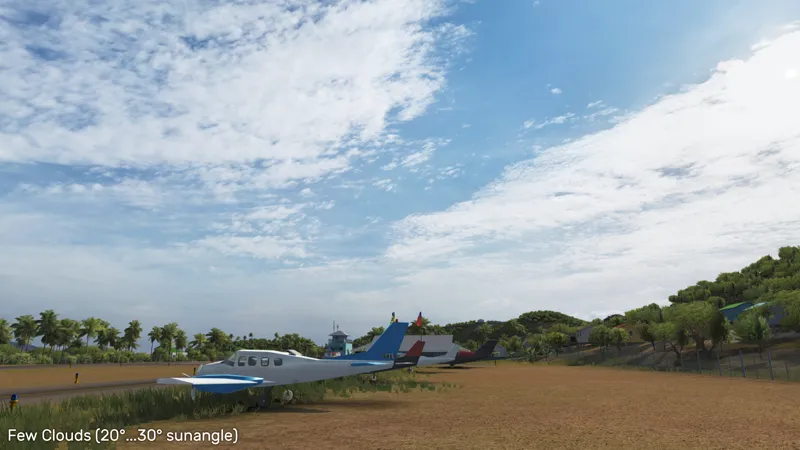
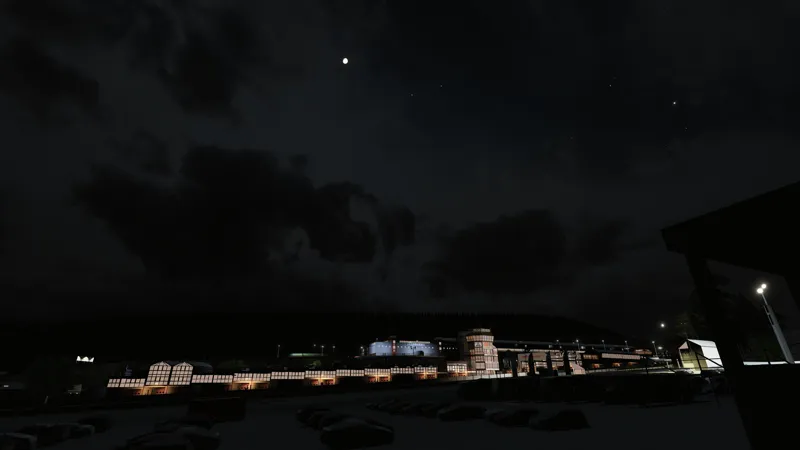
Pure 0.165 will bring some updated graphics. It comes with 5 new skydome textures, reworked skydome night looks and a reworked stars and moon look. I made a new moon texture from the NASA source, which has a correct normal map. So you will see the moon craters properly.
Pure also comes with an improved lighting, if the camera is in a cloud shadow. With 0.165 i introduce a new exposure handling mode. It is integrated in the new "pureCandy", "pureLinear" and the standard script (if no pure script is available for the used ppfilter). This exposure handling supports 5 different exposure modes. From fixed exposure to Autoexposure and a new hybrid mode, for realy stable exposure levels.
"pureCandy" got an update and i think it looks much nicer now. It has updated Glare settings and features the new exposure handling. So it could be a base for other ppfilter scripts.
Pure 0.165 - New features video:
https://youtu.be/g4LKgeE7tuc
Download no more available!
Please use later versions of Pure!
Comments (322)
now my sol planner has also stopped working keeps telling me to activate sol in weather fx but its already activated
Update to Pure 0.180a please....
so i have just run into a problem everything was working fine i accidentally clicked config.video_mode_seperation in the pure menu and it turned the whole sky black and has toatally bugged the pure config menu keeps flashing and wont let me change any inputs i tried to uninstall and re install but issue still remains any suggestions please my bro was so gassed to finally have everything running now its bugged again
Update to Pure 0.180a please...
Good evening. I have a problem with the virtual mirror, basically the exposure is blindingly high and I can't seem to find a way to reduce it to normal levels, no matter the PP filter, and messing with the Pure sliders in game didn't help either. Any tips?
Don't turn off PostProcessing for Virtual Mirros then: CM - settings - Custom Shaders Patch - smart mirrors - "Post-processing for virtual mirrors" must be activated if you use it with Pure.
Ok thanks
I have already read it but my problem is where i found that content manager zip?
In the CSP 0.1.80p218 post: https://www.patreon.com/posts/ais-update-for-81953257 scroll down to the attached files.
I didnt update content manager because i dont know where is the file.
Please follow this tutorial: https://www.patreon.com/posts/how-do-i-update-81980284 You find it in the same post like CSP 0.1.80p218
Im running the csp 1.80 the 2260 in the server i have the championship
Ok so i will try to instal the 180 and sol 2.2.8.
I have the same problem but i cannot find a solution
What CSP version the you run? Did you see that there is a new version of Pure? Pure 0.180 is the newest. If you run Sol and Pure weather script, please also install Sol 2.2.8.
Hello Mr Boese? I'm problème for Sol 2.2.7 and Pure 0.165. I installed everything by following the guide, but once in game I have an error message on the "Sol Planner", there is a message that tells me: --------------------------------------- - Sol 2.2 controller not working Please select "Sol2.2" as controller script in CM: Setting -> Custom shader patch -> weatherFX Controller script does not work in replays or online sessions!
Hey Peter, I want help with downloading pure 0.165 because when I download it with instal.bat it shows me that the filters have been downloaded but when I go into Content Manager there is nothing I tried to change the location of the game but it still didn't work and I don't know what to do before it was very good but I had to reinstall Content Manager and then I can't add my filter please help me. Thank you!
you download it and then you install Pure. Open the Pure 0.165.7z file with 7zip app. Then you extract the whole "Pure 0.165" folder to Desktop. You go into this folder on the Desktop and then you run the install_pure.bat Then you select the AC root folder (steamapps/common/assettocorsa/)
Hey Peter, so i was having problems with sol planner and i thought pure was problem until i discovered that csp was in fact the problem but it was too late, i had already deleted pure, at least i tried but it said that it did'nt find the files and now i'm stuck i can neither install pure or uninstall it and it doesn't appear in cm. Do you have any solutions i could try ?
Just try to open the Pure 0.165.7z and extract the 4 folders apps, content, extension and system to AC root folder. This will install it too...
Hi Peter, Good news! I used Pure uninstaller and then re-installed it again with Pure 0.165 from my desk top. Just carried out a test drive around Nordschleife and my FPS has increased to 89 in VR. Much better! There are still a few micro stutters which I don't get with Sol, but that's probably down to settings adjustments required at my end. The colours in Pure 0.165 look fantastic. The rain visuals are not working but I think that's because im using CSP 0.179. Thank you for your help with this 😉
Ah. Nice it's working now. Yes, you would need CSP preview to get rain...
Hi Peter, Yeah I extracted the whole Pure 0.165 to my desk top and then ran the install. It works but the FPS is really low. I will use the uninstaller and try again. Thank you
Hi Guys, I am experiencing the same problems as Anthony. Before the latest Pure update, I had my FPS set to 90 so the sim would run smoothly. With this latest Pure 0.165, I am getting just 19 FPS. I've been messing around with the CSP's, installing, reinstalling, following the notes but no joy. I have just swapped to a Sol filter and everything works again!. So I cannot use Pure 0.165. My settings are CSP 1.79, Sol 2.4, Filter Sol. RTX 3090, Ryzen 3800x, 32GB.
How did you install Pure? Did you extract the whole Pure 0.165 folder to Desktop with 7zip app and then run the install_pure.bat in that extracted folder? You can also try to install CSP manually, by copying the dwrite.dll and the extension folder to AC root folder.
I was getting 100+ FPS with just SOL but after installing Pure with the .bat file, I'm capped at 40. My PC specs are very similar to Amatertu (I'm using all of his settings too), so I'm not sure what's wrong.
Please install Pure the described way. Extract the whole Pure 0.165 folder to Desktop with 7zip app and run the install_pure.bat in that extracted folder.
were is download link
Just have a look in the post. There is a big download symbol. Just download the highres pack from Mediafire OR mega.
Hey Franck I am having the same problem however, I am 1.79! Is there anything that you can think of that will fix this problem?
Probleme solved, the probleme is the Shader Light Patch 1.80 preview 218
Hello Mr Boese? I'm problème for Sol 2.2.7 and Pure 0.165. I installed everything by following the guide, but once in game I have an error message on the "Sol Planner", there is a message that tells me: --------------------------------------- - Sol 2.2 controller not working Please select "Sol2.2" as controller script in CM: Setting -> Custom shader patch -> weatherFX Controller script does not work in replays or online sessions! -------------------------------------------- While before putting the latest version everything was working fine... I selected SOL 2.4 in "Controller script" and Pure in "Weather style" in CM...
on task
Please find out where your real ContentManager.exe is placed and replace it with the one from Ilja's patreon. Then follow the steps. I'm tired now... Maybe you renamed it to Assetto Corsa.exe?! This is one start option of CM. Or just extract the new CM exe to Desktop and launch this...
Hi. How to get SOL 2.4? I only have 2.0 and 2.2
Install the latest Sol 2.2.7 and Pure 0.165.
Hi, Anyone can help me, Im using pure and my game sky became very very birght and cant even see clound
Please deactivate CM - settings - CSP - reflectionsFX - "Shot cubemap around car...." Why did you set this. Did you followed someones settings? Like in a video or post?
I already miss the lens flare from .155 in PureCandy, but .165 seems to run run so much smoother. Keep up the great work! Edit: I found the lens flares and much more.
where did ya find the settings to get them back? i havent updated and love how the flare looks too
Hi, i have just fresh installed Pure with Sol 2.4 and i have high FPS drops if i enable Pure in the Weather FX as Weather Script. Anyone else facing those issues?
How did you install it? You need to extract the whole "Pure 0.165" folder to Desktop with 7zip app! Then launch the install_pure.bat inside this folder!
Wondering if anyone here knows - as im a bit confused about the difference between Pure and Sol controller etc, but ive got everything working - however I use a custom career mod - and I can change the weather to what I want ingame, but is there any way to have the weather randomized on every session start? I think the old Sol could run scripts that had random weathers, but im not sure how to achieve the same with Pure, I can edit the event.ini to add a specific weather name, but thats not Random or dynamic :(
There is no Pure controller for now. Pure comes with the Sol 2.4 controller. This is a weather controller which can do many things. It is bundled with Sol Planner app. There you can change the weather ingame, but you can also make a weather plan, even with random weather and you can also activate this plan then to start up automatically with the session. https://drive.google.com/file/d/1waF-s29mueZJo-CuUgEhHuVbcu_kHTrP/view?usp=sharing
I already installed it around 4 times, but it failed. I mean it says installed, but I cant choose any Pure options ingame. CSP is also the newest version:( UPDATE: Fixed it by dragging the files one by one into the assetto corsa files:)
EDIT: Just upgraded to the new CSP and came back to normal! Hi Peter, I'm getting a weird situation with onboard cams. Every cam with 60 or more of FOV clips the entire scenery showing only some shadows, groove lines, etc. I don't know if it's related to PURE/SOL but I disabled CSP and this still happened, so I thought it might be, also don't happen in AC vanilla. Here comes the link to an image to exemplify better: https://drive.google.com/file/d/15w_H48VUUeBpbOQos93-hMxKsyaSfReY/view?usp=share_link If this is not related to PURE/SOL would be nice to have an opinion in what could be.
also me the new cps makes the sky black
Please look at the awnser of the post above yours!
new csp preview gives me black skies, any way around this
Please lock into the CSP patreon post. First install the new Content Manager. Then install the CSP 1.79 version in settings CSP about&info. After this go to the CSP patreon post and click on the link inside the text at the bottom. This forces CM to install the newest versions.
Thanks Peter, I'll try this later
It would seem the new CSP doesn't work well with Pure - it's very bright and washed out now. Is it the same for you too?
No, please have a look at the reflectionFX settings and deactivate "shoot Cubemap around car instead of...." It will be added to the upcoming Pure settings checklist.
Hey Peter, I noticed with the new CSP version in WeatherFX there is only one dropdown called Weather Style, instead of the old two. Does this cause any issues for Pure since SOL cannot be selected anymore? Thanks.
Goto "Drive" in CM and click on weather. There you have the controllers now...
Hello Peter, little problem with rear view tv cameras in cars being super bright, any ideas or can you point me to if there is a setting I need to change to fix this? Thanks for all the work AC looks so bloody good!
Those need to be fixed in AC. Their exposure does not adapt to the new world brigntess..
hey I always had this problem no matter what I do if I reinstall or not no matter what versions of pure I have pure filters and in weathers fx pure is well checked but when I go in games impossible to see pure config
Try to install Pure manually by copying the 4 folders apps, content, extension and system to AC root folder.
I'm having an issue where my render keeps restarting and my skies are consistently flashing between Sol, and Pure. I reinstalled Pure and Sol Should I try reinstalling CM?
It sounds like the Microsoft Onedrive problem. If you don't need it, uninstall it. If you need it, deactivate it for your Documents/Assetto Corsa folder.
How is the performance with VR?? Sol make fps drops :(
when is comming a better version is it evy month or wath
What should be better? What is the problem?
is there comming an better version
Hi peter, how can those raindrops that come out of the f1 wheels when it rains be eliminated?they are badly made, they are too big and they also follow the curves, they are really unreal.. can you help me?
That would be csp contact ilja
Hi Pete! Amazing work Man! One thing i noticed, in 0.155 Pure, CSP emissive Light were a bit different, as it showed really nice lense flares, and i loved them so much. In 0.165 When u toggle CSP lighs emissive, headlights and interior lights just become blury and round without star shape looking flares and stuff. Tryed every setting but it just looks 90 degree differeent. Overal the quality is absolutely gorgeous . All in all 10 out of 10! Legend. If possible, would love to see the option to change the shape of the lights. Same thing go to Street lights at night. They are round shape without flares as it was before. PS. No bugs or wrong installation, or settings. Tryed to reset to default, same thing.
It depends on the ppfilter. Did you already try pureCandy?
Hello, I've noticed a glitch with mirrors. I play with VR and it only shows reflections for my left eye- the other eye shows black in the car mirrors. This issue isn't present in the non-preview build.
or I need to check with x4fab about this?
show up anymore no more smoke any ideas
Hi Peter I used to have beautiful thick white smoke now it doesn'
Go in game find Sol Plan Selector and just adjust Smoke Thickness above 100%
Morning Peter I'm having a game crash with 0.165 I've reverted back to 0.155 I have located the Crash File for Pure 0.165 in extensions/weather/pure/world/clouds/2d/class_weather.lua Currently don't know the reason for this but the 0.155 version works fine.
ok thanks, i have a look into this, but it works with many other users. How did you installed it? here are some steps to avoid the most crashes with CM, CSP and Pure: Extract the whole Pure 0.165 folder to desktop. Go into that folder and run the install_pure.bat, select the AC root folder (steamapps/common/assettocorsa/). If you still got crashes, try to update CM and CSP manually: download ContentManager.zip from here: https://github.com/gro-ove/actools/releases replace your ContentManager.exe with the one inside the zip. download CSP: https://acstuff.ru/patch/?get=0.1.79 OR if you have a CSP preview version, use that zip. open the zip and extract the dwrite.dll and the extension folder to your AC root folder (steamapps/common/assettocorsa) start CM and check the CM version in settings->content manager->general App version should be 0.8.2467.39678 check the video settings in setting Assetto Corsa - video, select the Pure ppfilter. If no ppfilter is selected here, the game will crash as well. select "Pure" as weather script in settings CSP weatherFX. Run a session.
Thank you Peter as always for your great work and continued support of this fantastic project! One question on the fly: when is the "return" of lightning expected during thunderstorms in PURE?
I'm currently educating myself in Shader development. So I'm working on many projects for Pure to integrate better fog, clouds and also lightning. But I don't know the time to get a release version of this new shaders. Sorry for that. Atm I'm working on the new tonemapping which will come with the new CSP. So the next version is a small update on ppfilters.
i want to install this plugin on Pop!_OS Linux how to do it without file install_pure.bat ??? CM and CSP already installed and working on Steaam and lasted GE-Proton 7-54 on my Pop!_OS Linux
Just copy the 4 folders apps, content, extension and system to AC root folder. Congrats for running CSP in Linux...
hi, I'm new here. Looking at some old guides, VAO patches were mentioned a lot but I can't find them in my pure folder, was the method of installing them changed? thx :)
I distribute them in former versions, but now the track modders and other people are doing them. So with time the track's will have correct VAO patches.
i cant change some of the pure config settings
It relies to the used ppfilter. If values are showing orange, the ppfilter script author intentionally wants to fix this parameter. Just try the pure standard ppfilters, there you change every parameter.
I have duplicated SOL weather presets after installing Pure (pretty sure, it wasn't like that before). Is there an easy fix?
If you have an older version of Sol still installed, please install the newest version of it (2.2.7) or uninstall Sol and install Pure again...
Hey is it just me or did rain just entirely stop working? Solplanner also no longer shows up in my apps list. At all.
A conclusion to fix the most crashes with CM, CSP and Pure: Extract the whole Pure 0.165 folder to desktop. Go into that folder and run the install_pure.bat, select the AC root folder (steamapps/common/assettocorsa/). If you still got crashes, try to update CM and CSP manually: download ContentManager.zip from here: https://github.com/gro-ove/actools/releases replace your ContentManager.exe with the one inside the zip. download CSP: https://acstuff.ru/patch/?get=0.1.79 OR if you have a CSP preview version, use that zip. open the zip and extract the dwrite.dll and the extension folder to your AC root folder (steamapps/common/assettocorsa) start CM and check the CM version in settings->content manager->general App version should be 0.8.2467.39678 check the video settings in setting Assetto Corsa - video, select the Pure ppfilter. If no ppfilter is selected here, the game will crash as well. select "Pure" as weather script in settings CSP weatherFX. Run a session.
Hello. Can you please tell me how to set up cm and the server so that the weather and time of day are clearly stored in the replay? It happens that on the server it is daytime, and in the replay it is night, and it does not change through sol (
I have an issue with all the cars shooting smoke in any track with rain in it ? the cars arent drifting or anything its very weird ex:https://media.discordapp.net/attachments/504100944846520321/1095887278842327041/image.png?width=1609&height=905
in pure config (IN-GAME) you go to 'shaders' and then you lower 'rainhaze'. or you can turn it off
its been working fine for the last 2 weeks and now i am suddenly getting this without warning just not happy about it
Sorry, but something has changed then. If everything is the same and nothing has changed, it would not crash. If it works for the most people it's not an error in general, it's a combination of settings. If you rename the "Assetto Corsa" folder in your documents path, all settings are reset. Could it be that some process or app is accessing your AC files? Things don't change out of the blue.
Error might have something to do with: 00007FF9FBA0AD60 (DWrite): (filename not available): DWriteCreateFactory 00007FF9FBA0B99C (DWrite): (filename not available): DWriteCreateFactory 00007FF9FBA15DE0 (DWrite): (filename not available): DWriteCreateFactory 00007FF9FB9E6848 (DWrite): (filename not available): DWriteCreateFactory 00007FF9FB9D60BA (DWrite): (filename not available): DWriteCreateFactory AC\game.cpp (261): Game::update AC\game.cpp (261): Game::update AC\game.cpp (261): Game::update AC\game.cpp (112): Game::onIdle AC\game.cpp (210): Game::run AC\acs.cpp (477): wWinMain f:\dd\vctools\crt\crtw32\dllstuff\crtexe.c (618): __tmainCRTStartup 00007FFA53BA7604 (KERNEL32): (filename not available): BaseThreadInitThunk 00007FFA544226A1 (ntdll): (filename not available): RtlUserThreadStart
Yes it works with Sol and i changed it to pure then it crashes again i got it working the last time you helped me but i went on it today and just randomly started getting that error message again i showed you earlier i don't know what else to do
i done all that still get the same error i renamed the file in documents and it worked then when i went to set the weather script to Pure and controller script to sol 2.4 it crashes again HELP i don't know whats caused it
If you set the weather script and controller to "default", does it work again?
Hi Peter i was playing my Assetto Corsa yesterday you helped me get Pure 0.165 installed all working fine for the last couple of weeks with no issues and today i went to start it and i am now getting this error again for no reason just out of the blue i haven't changed any of the files and now i am back to getting this now on startups basically i have the same problem again to what i had a couple of weeks ago can you help also you mentioned i had to rename the assetto corsa folder in documents and that fixed the problem but but now its gone back to assetto corsa again - Error might have something to do with: 00007FF978F3AD60 (DWrite): (filename not available): DWriteCreateFactory 00007FF978F3B99C (DWrite): (filename not available): DWriteCreateFactory 00007FF978F45DE0 (DWrite): (filename not available): DWriteCreateFactory 00007FF978F16848 (DWrite): (filename not available): DWriteCreateFactory 00007FF978F060BA (DWrite): (filename not available): DWriteCreateFactory AC\game.cpp (261): Game::update AC\game.cpp (261): Game::update AC\game.cpp (261): Game::update AC\game.cpp (112): Game::onIdle AC\game.cpp (210): Game::run AC\acs.cpp (477): wWinMain f:\dd\vctools\crt\crtw32\dllstuff\crtexe.c (618): __tmainCRTStartup 00007FFA53BA7604 (KERNEL32): (filename not available): BaseThreadInitThunk 00007FFA544226A1 (ntdll): (filename not available): RtlUserThreadStart
A conclusion to fix the most crashes with CM, CSP and Pure: Extract the whole Pure 0.165 folder to desktop. Go into that folder and run the install_pure.bat, select the AC root folder (steamapps/common/assettocorsa/). If you still got crashes, try to update CM and CSP manually: download ContentManager.zip from here: https://github.com/gro-ove/actools/releases replace your ContentManager.exe with the one inside the zip. download CSP: https://acstuff.ru/patch/?get=0.1.79 OR if you have a CSP preview version, use that zip. open the zip and extract the dwrite.dll and the extension folder to your AC root folder (steamapps/common/assettocorsa) start CM and check the CM version in settings->content manager->general App version should be 0.8.2467.39678 check the video settings in setting Assetto Corsa - video, select the Pure ppfilter. If no ppfilter is selected here, the game will crash as well. select "Pure" as weather script in settings CSP weatherFX. Run a session.
My parameters go to 0 and a new category is added called NoPure and I can't change anything
You could hit the "activate Pure" button there?! Which CSP version do you use?
i do not have all the files it is just 1 thing with no other things in but i have my filters but it is not proberly installed i think bc if i open the menu for pure it is flickering and saying things
Could you please open CSP Lua debug app and switch to weatherFX impl. Tab. If there is a red error, please post it here. How did you install it? You need to extract the whole Pure 0.165 folder to Desktop with 7zip app. Then you go into that folder and run the install_pure.bat and select the AC root folder (steamapps/common/assettocorsa). Also it could be that Microsoft Onedrive is accessing your Documents folder and restoring older files. It is better you completely uninstall Microsoft Onedrive. If you need it, then deactivate it for your Documents/Assetto Corsa folder.
does this work with sol
Pure is a separat weatherFX script. If you want to use it in parallel to Sol, please install the latest Sol version 2.2.7. Pure and Sol using same parts, like Sol Planner.
I'm having issues too. Download went fine. Pure config doesn't work for me. For example it wont let me click ultra or low or anything. And if it does let me, there is no effect.... Going back to 2.2.7. Not finding a lot of other people having issues. Perplexed..
if i open my menu in asseto carso for pure it flickers can someone help me pls
unable to download, file seems corrupted or both servers down
No, they are working. I constantly checking them.
My pure config GUI ticks and unusable, how to fix it?
Can you explain it a little bit more. Maybe Microsoft Ondrive is active for your Documents/Assetto Corsa folder. The best way is to uninstall Ondrive, if you not need it.
Can you specify which version, because i can't get it working ?
Please awnser in the question directly. CSP has certain preview versions. They all got rain, but the latest version (0.1.80p115) for example has a new rain physics. So you need to download 0.1.80p1 or 115. And better you install it manually. Open the zip file and copy the dwrite.dll and the extension folder to AC root folder (steamapps/common/assettocorsa)
I Can't install 0.1.79 csp version (recommended). Rain doesn't show (i have paid) and wipers can't be controlled manually anymore. This happened after i paid for pure and installed it as instructed. I can control Pure ingame, so it is installed but something is crashing ?
please look in the "Pure 0.165" post. You need a CSP preview version for the rain! Rain is a modul of CSP and only available in preview versions. Pure is just controlling it.
installing the first time, follow install instruction, but the pure isnt showing in wather fx setting. pls help
You extracted the whole Pure 0.165 folder to Desktop with 7zip app? Then you need to run the install_pure.bat in that folder! Which folder did you select if it asks you to select the AC root folder?
Sadly, It doesn't change anything.... Waiting for a future update maybe. No worries, you do a fantastic stuff ! ;) Thx
Dear Peter, Absolutly stuning job with 0.165, but... With Pure app, I can't play with the moon reflection on car or tarmac. It works with Pure Candy PPF. But, I use, as always, my own PPF I think I miss something, but I search since few hours, and don't found any solution. I need help, Please. Regards
Have you already tried the light.sun.speculars parameter? Sure I need to separate this in further versions. The moonlight uses the AC light source in Pure and so the specular reflection is actually the sun specular. For now use this. I will separate this sun angle based and add a parameter moon.speculars.
Hi Peter ! i m a little lost what's the best to install ? SOL 2.2.7 or PURE 1.65?
Just install both and then you can switch between Sol and Pure weather script in weatherFX. You will loose nothing.
what version of sol do i need for this update also im coming from pure v.148
2.2.7, the latest on Racedepartment. It's just about the controller and the Sol apps. They need to be compatible.
Hi Peter, I just uninstalled sol 2.2, then install sol 2.4, and downloaded pure 1.65 but now my game keeps crashing. could you help me out
A conclusion to fix the most crashes with CM, CSP and Pure: Extract the whole Pure 0.165 folder to desktop. Go into that folder and run the install_pure.bat, select the AC root folder (steamapps/common/assettocorsa/). If you still got crashes, try to update CM and CSP manually: download ContentManager.zip from here: https://github.com/gro-ove/actools/releases replace your ContentManager.exe with the one inside the zip. download CSP: https://acstuff.ru/patch/?get=0.1.79 OR if you have a CSP preview version, use that zip. open the zip and extract the dwrite.dll and the extension folder to your AC root folder (steamapps/common/assettocorsa) start CM and check the CM version in settings->content manager->general App version should be 0.8.2467.39678 check the video settings in setting Assetto Corsa - video, select the Pure ppfilter. If no ppfilter is selected here, the game will crash as well. select "Pure" as weather script in settings CSP weatherFX. Run a session.
Thanks Peter! I’m on a 49” monitor so every frame is welcome ;)
Hi Peter, just a quick question. I was playing with the PURE settings because I’m still a bit hunting for some extra FPS. How does the quality settings in de Pure config screen react on frames vs quality? Will the Low preset deliver much more frames but will it also look shit, or aren’t the differences that big? Thanks.
Those 4 quality presets will only adjust settings of the 3d clouds. If you have selected the skydomes, which is the default setting (with highres skydomes textures and no moving clouds), those quality presets will not change anything. Actually there is no setting, which changes the fps in Pure. But AC video settings and CSP settings will have a huge impact on fps.
Hi! Anyone else noticed that the puddles are not very visible on this new update? Or it's just me? For some reason the puddles, even at 100% are barely visible close to the edge of the road, on any track.
With CSP 1.80p115 the puddles system was changed and they actually are calculated by the map surface. So if you use a map with a very bumpy track, they should look different. Please keep in mind that Pure is not CSP. Pure is just a weather script, which is like a graphics mod. Rain and it's look is related to CSP RainFX, which is not my work...
Hello Peter, the game crashes when ı install the pure 0.165 and csp 1.80. Im tryed to extract the dwrite.dll of version 0.1.79 and its working but the sky is completely black and cant control the pure config. Im tried different tracks and cars but have the same problem.
thats how its look like https://imgur.com/a/OEw4Dzp
Hello , My game crashes whenever i use CSP 1.80 and Pure However it works when i use CSP 1.79 Does anyone know how to solve this issue since when i revert i no longer have the rain fx , This is the error message shown . Critical error: ERROR: Reverb node does not exist:
Did you try another track or car. This error comes with content like tracks or cars! If this is the case, just try to delete this certain mod/content and reinstall it manually, NOT via Content Manager. Otherwiese you can also try this: download ContentManager.zip from here: https://github.com/gro-ove/actools/releases replace your ContentManager.exe with the one inside the zip. download CSP: https://acstuff.ru/patch/?get=0.1.79 OR if you have a CSP preview version, use that zip. open the zip and extract the dwrite.dll and the extension folder to your AC root folder (steamapps/common/assettocorsa) start CM and check the CM version in settings->content manager->general App version should be 0.8.2467.39678
does anyone know how to fix the error with pure, it shows me that the reflections are set to static and in the game I have six faces per frame
Just ignore it, sometimes it can not get the right setting because of the user name in windows. If you set it right, then it's OK.
Game crashes.
That's too much info... A conclusion to fix the most crashes with CM, CSP and Pure: Extract the whole Pure 0.165 folder to desktop. Go into that folder and run the install_pure.bat, select the AC root folder (steamapps/common/assettocorsa/). If you still got crashes, try to update CM and CSP manually: download ContentManager.zip from here: https://github.com/gro-ove/actools/releases replace your ContentManager.exe with the one inside the zip. download CSP: https://acstuff.ru/patch/?get=0.1.79 OR if you have a CSP preview version, use that zip. open the zip and extract the dwrite.dll and the extension folder to your AC root folder (steamapps/common/assettocorsa) start CM and check the CM version in settings->content manager->general App version should be 0.8.2467.39678 check the video settings in setting Assetto Corsa - video, select the Pure ppfilter. If no ppfilter is selected here, the game will crash as well. select "Pure" as weather script in settings CSP weatherFX. Run a session.
Hello, thanks for the answers. I followed your instructions 2 times without success. The game crashes. Now I spend more time trying to install the mod than playing. I will wait for a new update or version that can be installed without problems. Your work is amazing.
But a new update will not change something in that direction. If it is not working now, than the new update will also not work. A crash could have many reasons. It would be better you you go to Sol/Pure Discord server and post the crash log. Outerwise a try to solve this is realy difficult. If you switch to "default" weather script and it is still crashing, then it could be a CSP setting.
Hello Peter. I have the same problem as others. The game crashes. I have followed all your instructions, but no success. Only the pure filter works. I hope you have other suggestions to solve it. Thank you.
A conclusion to fix the most crashes with CM, CSP and Pure: Extract the whole Pure 0.165 folder to desktop. Go into that folder and run the install_pure.bat, select the AC root folder (steamapps/common/assettocorsa/). If you still got crashes, try to update CM and CSP manually: download ContentManager.zip from here: https://github.com/gro-ove/actools/releases replace your ContentManager.exe with the one inside the zip. download CSP: https://acstuff.ru/patch/?get=0.1.79 OR if you have a CSP preview version, use that zip. open the zip and extract the dwrite.dll and the extension folder to your AC root folder (steamapps/common/assettocorsa) start CM and check the CM version in settings->content manager->general App version should be 0.8.2467.39678 check the video settings in setting Assetto Corsa - video, select the Pure ppfilter. If no ppfilter is selected here, the game will crash as well. select "Pure" as weather script in settings CSP weatherFX. Run a session.
One more thing Peter can i still use CSP preview 1.80 115 or will i have to use 1.79
Sure, try 0.179 and please don't open new post every time, just awnser in this post!
on my desktop
then replace this. Btw you can awnser right here in this post. Then you don't create a new post every time...
does content manager have a folder to replace the exe or do you just drag the new on the desktop
where is you current ContentManager.exe placed?
Hi Peter i uninstalled Sol and installed Sol 2.27 that all works fine so i decided to try and install Pure 0.165 from fresh and all installed fine i followed everything in your tutorial but i start a session and it comes up with game crashed with a load of numbers saying file name not available and ac game app game update game on idle do you know any other solutions to the problem
A conclusion to fix the most crashes with CM, CSP and Pure: Extract the whole Pure 0.165 folder to desktop. Go into that folder and run the install_pure.bat, select the AC root folder (steamapps/common/assettocorsa/). If you still got crashes, try to update CM and CSP manually: download ContentManager.zip from here: https://github.com/gro-ove/actools/releases replace your ContentManager.exe with the one inside the zip. download CSP: https://acstuff.ru/patch/?get=0.1.79 OR if you have a CSP preview version, use that zip. open the zip and extract the dwrite.dll and the extension folder to your AC root folder (steamapps/common/assettocorsa) start CM and check the CM version in settings->content manager->general App version should be 0.8.2467.39678 check the video settings in setting Assetto Corsa - video, select the Pure ppfilter. If no ppfilter is selected here, the game will crash as well. select "Pure" as weather script in settings CSP weatherFX. Run a session.
hi peter, could you tell us how soon we can expect to see lightning available with pure? thank you
No, sorry. Atm I'm working on another new shader for Pure. But I'm sure this will lead me faster to a nice lightning Shader.
Hey Peter, 2 questions. Should I enable fxaa? And My headlights are two bright and I am trying to find a setting to lower the intensity. For example my headlights sometimes blurs other vehicles. I tried Cars lit multiplier but this does not change anything. Im using pure candy btw Thanks in advance.
Hi Peter I followed all the instructions but my crash game, I reinstall CSP many times but the crash game still. Do you have a solution?
How did you reinstall CSP? Did you already reinstalled it manually, by copying the dwrite.dll and the extension folder to AC root folder?
Yes i did clicked on the install bat file pointed it to my AC Folder and it gives errors while installing with files not found i don't know what to do i am now my game still works the only problem is i am having to go back to using Sol again i have now completely uninstalled the old Pure i was using
You can also try to open the downloaded 7z file and copy the folders apps, content, extension and system to AC root folder directly. This will install it too, but without removing the former version.
Basically when i install it with install bat and its says files not found on sky domes ppfilters and other stuffin the cmd part also whats going on didn't have any problems the first time i installed 0.148
Did you extract the whole Pure 0.165 folder to desktop, before you run the install_pure.bat in that extracted folder?
Hi Peter what's your name on Discord
Just write in the Sol/Pure Discord "install" channel.
can i message you on Discord please Peter so i can send you a screenshot of the problem
Sure, you could also use the Sol/Pure Discord: https://discord.gg/nFBuQ9br Did you already reinstalled CSP?
Hi Peter i just installed pure 0.165 but now my game crashes and it comes with an error can you help but i did install it on top of 0.154 and now the game comes up with error messages while loading in game
Please try to reinstall CSP. The safest way ist to install it manually. If you have a preview version, please open the zip file and copy the dwrite.dll and the extension folder to AC root folder. I recommend to use CSP 0.1.79 or 0.1.80p115.
i download pure and it says file not found
There are 2 links, a mega and mediafire link. Did you try both links?
Hi I Have a Problem in Pure Config its not Working Can You Fix For Me Plz
Did you select "Pure" as weather script in weatherFX settings? Maybe it is just collapsed and you need to expand it with the little arrow upper right.
oh ok.. as simple as it used to be.. yes, things are looking good again now. Thanks
I now had a whitesky, when I use the weather script (sol2.2.7) everything runs as usual. (60fps) If I switch it to pure, it only runs at 25fps, and with a whitesky. I have now tried pure v0.155 and pure v0.154, no sky everywhere. I use the shaders patch 0.1.80 controller script : sol2.42 I don't know what it can be. is my rtx3070 too weak?
No. It is not install right, please try this. Open the Pure 0.165 7z and copy the folders apps, content, extension and system to AC root folder. This will install it too...
Hello, since installing version 0.165, my game crashes and displays an unexpected error. Everything works when I go back to the 0.155. Do you have an idea of the problem?
How did you install it? You need to extract the whole Pure 0.165 folder to Desktop with 7zip. Then run the install_pure.bat in that extracted folder. You could also try to reinstall CSP manually. If you already have a preview version, open the download zip file and extract the dwrite.dll and the extension folder to AC root folder.
I have installed it several times exactly as you have described it here again. nevertheless there was not in the content manager in the weather script. I have now also dragged and dropped the boch pure folder into the content manager, now I can also select pure v0.165.
just like in your youtube video, first uninstall.bat in the ac root folder, then install.bat
You need to extract the whole "Pure 0.165" folder to desktop with 7zip. Then go into that folder and run the "install_pure.bat", select the AC root folder (steamapps/common/assettocorsa). Don't know why you said "uninstall.bat in the ac root folder"? Do you mean the Sol uninstall?
hello, after the installation in the content manager i don't get the possibility to select the pure0.165 weather script. I only have sol v.2.2.7 to choose from
How did you install it?
no, but the image quality is almost the same
Hello Peter, I have followed the installation process and everything is fine, but when I enter a game the game looks blurry and low quality, I have tried to configure all the pure and sun settings and I have followed the installation process of several videos, but it still looks bad, I don't know what can cause it since I have good components.
If you switch to "default" weather script, does it still look blurry?
Good evening, Please can someone help me because my windshield wipers are not removing the rain from the windshield of the car. How can I settle this? thanks in advance
It's then a problem with the car mod. Does it work with the standard cars? Rain and all its problems is part of CSP. Sol or Pure just controlling the rain amount.
Hello Peter, one more time, GREAT JOB 😁 Is it possible to increase the breaking light in pure config?
Hey Peter, best pure version yet looks rly awesome, but i have 1 problem, i cant see the moon at night, i tried a lot but nothing helped, everything else is working fine, do you have any solutions for this?
Thanks. For the moon: CSP weatherFX simulates correct sun moon and stars positions. Please open Sol Planner app. There you see a sun and a moon symbol. The moon symbol shows you the moon phase and the number shows you the angle. If this is below 0, you can't see the moon, because it is below the horizon. Just use the date Buttons to cycle through the days. So weatherFX can also be used as a little planetarium.
really love it specially the night but i cant balance the dark and the stars on shutoko any advice
i have red sky at night
It's called Night Light Pollution. You can manually override it in Pure Config "Night" tab.
Is there a filter called pure gts?
Maybe you mean this one here: https://www.racedepartment.com/downloads/purelife-ppfilter-pack-for-pure-and-sol.48009/updates
Buongiorno ma posso avere sia sol che pure installati assieme?
Sure. Use Sol 2.2.7 and Pure 0.165. They will work beside each other. Just change between "Pure" or "Sol" as weather script in weatherFX settings.
I noticed that with Pure, headlights light up the environment and other cars during the day, this does not happen with Sol. Is this a known bug or an issue on my side?
Actually it depends on the ppfilter and and the car config. But thats what pure is. In Sol the headlights are just cutted while day. With Sol the headlights are still working, but they appear much dimmer, because the daylight is much stronger. But the daylight can be adjusted with the ppfilter script. So if a ppfilter uses very low daylight, the headlight will be bright.
hey so i jus seen your install guide on how to install pure but when trying to make the filter "pure" in settings it doesnt appear and i dont know why
Did you extract the whole Pure 0.165 folder? Did you run the install_pure.bat in that extracted folder? Which folder did you select when it's asking for the AC root folder?
Hi. Did I have to install SOL 2.2.7 whit this v0.165 or only have to install the Pure 0.165?
If you don't use Sol anymore, please uninstall Sol and then only use the Pure 0.165..
Hi , why can't I see or use pure config? it shows e nothing
How did you install Pure?
Hello Peter, I found about this wierd bug while using various PP filters, including those bundled with Pure https://imgur.com/a/6Q2QYaV The only 'clean' filter is S K Y. Any solution for this, please?
It's not related to weatherFX. This is a wrong setting with an other CSP modul.
Hi, I have 1.8 CSP, pure .165 and sol 2.2.6 (says 2.4 in script) but it all works and looks great as always. But I do not really seen any difference between clouds and sky box from last 2 years. Your pictures the clouds have stratified look at times, rays and golden hues. Mine always just look like big puffy clouds. I have tried changing from no clouds scattered time of day etc and clouds do not change much.
You need to activate the skydomes in PureConfig app, "clouds" tab. Set clouds render method to 1.
Awesome work :) I installed Sol 2.2.7 with this Pure update, and all is working fine except for one thing. I couldn't get any lighting bolt when playing in storm conditions. There are thunders, but not lighting bolts (not in single screen or VR). All the skydomes seems ok, so maybe is a CSP 1.80 bug or missconfiguration? I've checked the sol render method to be in 2.
There is no lightning yet in Pure. It will come later. BTW, if you use Pure, you configure it with Pure Config app. Sol and Pure weather script are two different things. If Pure is selected as weather script, Sol weather script is not running.
Hello, when i'm driving at night, the interior roof of the car become enlightened, how can i fix this ?
Is it with street cars too?
So much glare at night using PureCandy. Doesn’t feel different from last version. Fresh install.
Lower the "candy" slider. Pure Config app - PP tab.
If I install this new version (mine is 0.146), do I have to make my PureConfig settings again?
If you only use the "install_pure.bat" script then not. It will remove all parts, BUT NOT your settings. Only if you use the "uninstall_pure.bat" script, your personal settings are removed.
"sunrays" and "pure" are both on but the godrays arent in effect for some reason
If you open Pure Config app, switch to the "PP" tab and expand the PP adjustments. There is a godrays slider. Maybe try to dial it to 10.
Thanks! is there a way to turn on sun rays? Im pretty new to this sorry
Just use the "pure" ppfilters for the start. Be sure godrays are activated in the video settings.
I had deleted pure and tried reinstalling it as the sun rays/ trees had not been working for me but now i am unable to install it again (not showing in ppfilter/ weather script)
Did you install it like in the video? You need to extract the whole Pure 0.xxx folder to Desktop and then run the install_pure.bat in that extracted folder.
Hey Peter I had downloaded 0.165 as per the vid and instructions and now my game won’t load up I have the error script and a picture of it if needed . So I installed the 1.55 version to verify it was the update or something on my computer and 1.55 works perfectly with rain no issues any ideas thanks
Can you show it? You could write at Sol/Pure Discord: https://discord.gg/e8SuFPJZ
Aloha peter, everything is great but the Thunder noise is really really overpowering and doesnt sound pleasant even with high quality tower speakers, i saw other comments complaining about a similar issue with thunder or heay rain noises.. during race it would randomly periodically have an onset of really heavy thunder/rain sound that blocks out every other audio
You can adjust it yourself in Pure Config app.
Hi peter, I downloaded and installed 0.165. I was using 0.148 for the last few months and everything was working and looking great in VR. After upgrading to 0.165 I noticed everything looks darker now, both in 1st and 3rd person view. I tried opening the Pure controller from the right side in-game menu and reset everything to default, but it made no difference. Do I just increase the gamma in game manually to get it where I like it? thanks for all your hard work mate
Which filter do you use?
With this version of pure i get about 15 less fps... I downgraded to 0.155
Did you compare it with the pure filter? Actually in this update no fps relevant things were done.
Since I was running CSP 0.1.80-preview and the last version of pure without any problems I installed today 0.165 but now assetto crashes when I use it with pure (tried several track/car combinations to no avail). As soon as I change the Weather Script back to SOL everything runs smooth again. Any suggestions. I already uninstalled/reinstalled pure 0.165 bit it keeps crashing.
How do you install it?
Peter, here can I find a link for the latest SOL update, I need to make sure I'm up to date everywhere. I just installed 1.80 preview
Sol 2.2.7: https://mega.nz/file/0XVExRiD#1UhDEHdjCcgQLLQ-8YjSe3XWj9Tdb6GikXcNnWqb-nw or https://www.mediafire.com/file/fjeyw7ydw5l2z9o/Sol_2.2.7.7z/file
DONT PAY THE MOD DONT (ERORR)
Didn't you see that you are the only one, that act like stupid. All other people get managed to install it or getting help from me. But you are the first person called me a motherfucker out of no reason. Sure i will give your money back, but please don't come back. No one needs a person like you in a community! I don't know in which universe you live, but what made you so mad? Did you see the other comments? This is the way to communicate with other people! I refund your last payment and PLEASE DON'T COME BACK.
Thank you Peter for your really great work. Today I encountered a bug in the latest version. When I switch between day and night everything is extremely bright for a short time. Then I also noticed that the UI brightness changes extremely during day or night so that it is not possible to find a balance. If I have set the UI brightness precisely in day mode, it is extremely dark in night mode, and much too bright the other way around. I just tested 2 old Pure and SOL versions, there are none of the problems. Thanks for all.
Which filter do you use? This UI brightness needs a short time to adapt to the surrounded brightness. So it could be that it is too bright for a moment.
Anyone know why I’m getting sun rays from my dash displays? I like having sun rays on but doesn’t make sense for them to come from inside the car…
Which car and which ppfilter do you use?
Finally. How am I supposed to set good laptimes when the craters of the moon are not rendered correctly?? It's the update everyone was waiting for! Jokes aside, great job as always. Thanks for bringing this 2014 game to the year 2023! Edit: Ok god damn the moon looks amazing. Absolutely insane. Btw random thought, do you think it would be possible to implement a slider to change the size of the moon? I think it could be pretty neat to drive around with a large and bright moon in the sky.. just for fun.
Maybe later. I just thought of a separation of the level of options. So in "basic" mode you have very minor options in Pure Config. And the moon/sun size would be like on "extended" level. Moon and Sun have just 1 size in CSP, so sun will also getting bigger then.
Whenever I enable Pure in my weather settings I get incremental drop in fps from 144 to 1 in about 10min just standing in pits (heavy rain, clear, fog, all options) solo session. Please assist.
Seems CSP is restarting constantly. Mostly this is caused by Microsoft Ondrive, which will restore files in your Documents/Assetto Corsa folder. Try to uninstall Microsoft Ondrive, or if you need it, try to deactivate it for your Documents/Assetto Corsa folder.
Peter, you need to see this. https://www.facebook.com/groups/778198552329206/posts/2492291860919858
What is there?
Hello, first of all congratulations for your work Peter..I don't know if it's a bug, but immediately after loading the track you hear the sound of thunder for a few seconds, then I watch the race replays, with each camera change you hear the sound of rain for a few moments. It didn't happen in the old build Thanks again and good luck!!!
Please download Pure 0.165 again. I fixed this already, but you need to download it again.
Hello Peter Great work. Not sure if you answered this before. Whats the difference between cube map around car vs camera. Which should we enable.
i don't know what you mean. Where you want to activate something?
Peter, great work as always. Seems like in the Purecandy setting the interior rev lights and info dash, the bloom is way too intense. What setting do I use to turn this down?
This may depend on the car mod. If this has brighter displays and lights, the glare is triggered more. You can lower the "candy" slider. This will lower the glare effect too.
Thanks, any idea when lightning will be back? Storms just aren't the same without it.
No, but I'm on it...
Amazing update wow! the tonemapping on purecandy is gorgeous thank you!
Thank you for this great work :)
Maker :)
Awesome stuff...As usual ! Thx so much for your hard work Mr Boese ;)
Peter est exceptionnel ! Non seulement il travaille d'arrache pied pour nous fournir un Assetto de plus en plus beau, mais il prend le temps de répondre à une multitude de questions ! Merci Peter, merci pour votre travail et votre gentillesse ! Peter is exceptional! Not only does he work tirelessly to provide us with an ever-increasing Assetto beautiful, but he takes the time to answer a multitude of questions! Thank you Peter, thank you for your work and your kindness
Random question, that first picture, what track is that from?
https://www.patreon.com/posts/78835616
Can someone confirm this update works perfectly in VR too? I'd like confirmation before doing the install.
Yes. Nights are looking a lot better too. I've only experienced two issues: 1. Sometimes when I load in, there is no light. Everything is very dark. Didn't happen on the previous version (and not sure if this is exclusive to VR) 2. Fireworks reflections only render in one eye. I'm not seeing the reflections on the windshield in my left eye, but I can on my right eye. Not sure if this is a Pure/Sol issue though (probably CSP, if someone could confirm!). I feel like I remember this happening in the previous version as well.
Nice to have moon lighting now, I've been increasing the nlp minimum to brighten it up. This is the first time I've had working stars in years because I run a high FOV(74) and they tend to just not want to display. thanks peter
wow Asif night sky is amazing hats of to you
download is not available on mega anymore
I just fixed a little thing. Its again available
Update day is always a good one, thanks again for your work Peter. - Chris
where can i see which pure version i have? I installed the new Version but dont know if its actually installed.
Open Pure Config app ingame. Look at the upper text row.
Great work as usual, thanks Peter. Just one question, what controller script version am I supposed to see in WeatherFX after installation. Mine shows 2.3 and I thought the latest version was 2.4. Or is that because I am also supposed to install the latest version of SOL even if I only use Pure?
It should show "2.4". How did you install it?
Looks great! Is option for Death Star moon coming in the next update? :)
Actually if you would like to have this, you can simple replace the moon texture with everything you want.
Peter, can you recommend a realistic pure filter?
Its the question what "realistic" is in your eyes on your monitor? What is wrong with the built in pure filters? "Realistic" could mean everything. For one person realistic means a camera look where much blooming, motion blur and camera shake happens, because those effects represents "real" footage. For another person unclipped colors and very precise visuals are the key to a "real" look. The term "realistic" starts in your mind, with your expectations. So thats why there are many many filters out there and you will always find the rating "best realistic filter" for every filter. Because the certain filter matches the taste and the monitor of the user. So maybe try the different filters at Racedepartment as a start, if the pure filters don't match this term. https://www.racedepartment.com/downloads/categories/ac-misc.10/
Those new Skydomes look amazing!
Great Stuff! Thanks!
is there any way to get lightning to work with pure??? thunderstorms kind of need lightning otherwise its just noisy heavy rain lol. the clouds look amazing so thanks for that
It will come, I'm working on it. But it takes time...
Thanks Peter for this update and your excellent video tutorials for installations !!!
Thanks mate. Appreciating your continuous efforts!
Awesome! Thanks so much Peter, beautiful work! ^-^
Hello Peter, Amazing work on the New Pure update, thank you for all of your work.
nice...
thank you sir!
Wow!!! Just amazing, really, realy beautiful. Thank you, Mr. Boese.
Honestly you are single handily carrying assetto graphic improvements rn, thankyou for what you do bro!
I really enjoy you work! thank you for the update
This should not be called Pure !! but "pure genius" Thank you for all the hard work ....
Hi, Peter! Thank you for all your amazing work! I have a question. Do I have to uninstall Pure 0.155 prior to upgrading to 0.165? Thank you.
No. Always just use the installer. It will do everything automatically.
Cómo te quiero Pedro! Gracias por mantener al Assetto más vivo que nunca.
Whats with the "( )" at the end of "Pure"?
It's code and Pure is like a big function. In the most coding languages you write a function like function_name() So Pure() is like a symbol or logo for the whole code. Just a typo with recognition value.
Hello Peter, my replays always appear at night even if I run during the day. Is there a way to change the replay time? I have the most recent versions of sol and pure installed, but I can't use sol planner, I always get a message that says "controller scripts do not work in replays or online sessions" Can you help me please.
It will be possible soon with the new CSP version. Date, time and even weather changes are then possible in replays.
Thank you!!! 🥳🥳🥳
You make this game incredible, keep the good work, thx !
Thank you very much Peter for this once again magnificent work, where will your madness for perfection stop?, anyway, I and the whole community are delighted. The future is on. Thank you peter
Awesome as always!
Everytime I see one of your updates, it brightens my dark days. Literally and figuratively. Thank you so much!
It honors me, that i'm able to brighten up your day!
THANX!!!!!!!!!!
Thank you!
Hey, thanks for the update! Nice to see my track Tandragee as the header image :D
Keep up your great work!!!
Thank you for the quick updates and work! Pure Candy is one of my most favorite ppfilters.
Thanks, we need to uninstall the 0.155 version ?
no. just install it via extracting the "Pure 0.165" folder and running the "install_pure.bat" in this folder.
Thank you very much, just downloaded it, will test it tonight. You are godsend
Great !
Awesome! Thank you for the update Peter!!
Thank you, Peter. Can't wait to try after work!
Stunning work as usual. Any recommendations for weather import sets? I can't seem to get Lighting working in Thunderstorms? Everything else looks great combined with RainFX
Lightnings are not done yet. I'm on it...
Glad you got the moon updated as well! Looking great on the new domes. 🙏 Thank you Peter.
Three questions please, can you help??? - what is the setting (is there one) for increasing ai lights without anything else - their driving lights and night and brake lights in day, are hard to see? - what is the setting to reduce to get rid of the bright white glare you get on the rear of the car in front when you put lights on? - is there a way to have falling sleet and snow, as there are options for these in Sol weather, but nothing happens. I have rain as paid mod, rain and drizzle amazing!!! Would love to see snow Thanks in advance!!
1) thats not possible. You can only gain CSP lights in general. 2) CM - settings - CSP - lightingFX - "Cars lit multiplier". 3) There is no snow or sleet right now.
Can't wait to try it out later thanks!
Thanks for your awesome work Peter! Absolutely got my moneys worth!
Great work,I play in VR and struggle to find a good combination to get it looking just right,any suggestions ? Pure filters seems to make the car interior quite dark and I can’t seem to tweak it just right
Maybe gain the gamma or lower the "vao.track_exponent" in PureConfig app "light" tab.