
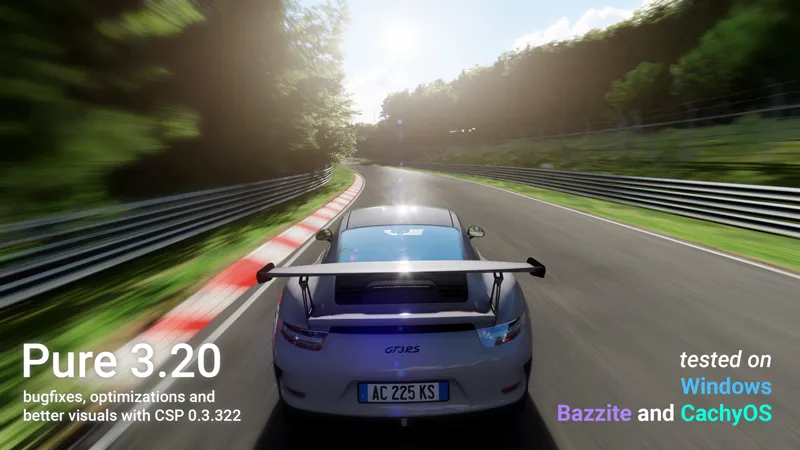






Pure 3.21
INSTALL VIDEO (Windows):
Youtube | Vimeo
Install AC + CM + CSP + Pure on Linux Bazzite:
Youtube
CSP 0.3.322 and Pure 3.20 are tested in Windows and Linux(Bazzite, CachyOS)
NEW FEATURES
Reworked PostProcessing for Pure LCS + CSP 0.3.302+
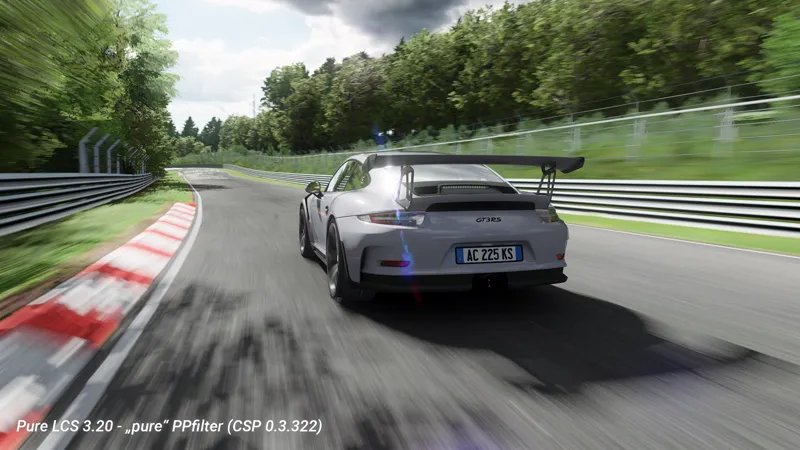
The LCS shaders had a broken specular part since their initial release. But now this issue is fixed and the reflections of the sun are as nice as in the Gamma shaders. The ppfilters of Pure were adapted to create a nice Glare effect on those. If you want a higher presentation of the reflections, just gain the "photrealistic" slider in the Pure PP app...
speed related DOF effect in pure and pureCandy ppfilter (new "Special" tab in Pure PP app)
better look for some weather like Sand
added several depthmaps for shader and ppfilter creators
BUGFIXES
Pure 3.20 -> 3.21: fixed a bug with loading and saving files
Pure Planner fixes (online override mode)
fixed the "skydomes rings" bug completely
added dithering to the groundfog shader (prevents visible edges of fog textures)
equal look for all weather in offline and online sessions
The different look of foggy weather is fixed. In online and offline sessions the visible distance is now equal between Pure Gamma and Pure LCS.
Highres - 3.3 GByte
mega: Pure 3.21
mediafire: Pure 3.21
(right-click the blue download button and select "save link as". You will bypass the ads then and it directly downloads the file!
As always, you need a CSP preview version to get rain and snow !!!
Like the most recent one (0.3p322)
https://www.patreon.com/posts/few-quick-fixes-153131527
CSP is the work of Ilja Jusupov. I'm Peter Boese the creator of Pure (the weather and graphics mod for CSP). Pure also works with the free public version of CSP. If you want rain, you also need to be subscribed to Ilja Jusupov!

Comments (334)
hi guys
OU YEAH
my pures saying its not activated but it is and it only does this with pureLCS and not gamma
It is not installed properly then! Please be sure you install Pure exactly like shown in the install video! You must use 7zip app and you must use the "Extract" button to extract the 4 folders to your used AC root folder. Also check your used AC root folder in CM - settings - Content Manager - general!
je n'ai pas le pure install dans mon fichier que j'ai installé est ce normal
Please use English here! And if you read the post, the first big message tells you, that there is no pure_install.bat anymore!
Hey! I found an issue on Bazzite. On a fresh installation, the script works fine, but after updating the system it stops working with the error: "cannot access '/var/lib/dnf/system-repo.lock': Permission denied" It looks like the script checks for installed packages using 'dnf list --installed', which doesn't work on Bazzite after updates. It would probably be more compatible to use 'rpm -qa' to check whether packages are installed, and 'rpm-ostree install' to install missing native packages (while continuing to use Flatpak for Flatpak dependencies). I made those changes to the 'CheckOS' function on my end, and the script works fine now.
Did you already try the original script by sihawido? https://github.com/sihawido/assettocorsa-linux-setup/ He updated it a month ago Direct script link: https://github.com/sihawido/assettocorsa-linux-setup/blob/main/assettocorsa-linux-setup.sh
Forza 6 sucks! keep up the good work Old man!
hi whats the latest csp that works with pure
Every CSP works with Pure down to the versions I display in the compatibility info of every Pure update post. For Pure Gamma the minimum version is CSP 2.0 and for Pure LCS this is CSP 0.2.3.
Yo why I dont have the "insatll pure" ? 😭
Don't you see the first big mesage that there is no pure_install.bat anymore? Please watch the install video!
I have a question, I am following a tutorial on how to get this cool sky and they go to weather preset and change it to whatever, when I change it it doesn't change, why?
The weather presets are not the way how weather is changed. Those presets are just used to define the default properties of the different weather types. Please watch the last chapter of the install video. There you see how you actually change the weather! https://www.youtube.com/watch?v=SX25fVdnI_A&t=452s You can set all weather properties the weather slot editor. You actually change the weather in the weather slots, there you have a "Weather" tab to select the weather type and a "Data" tab to edit the single weather parameters like rain, fog, temperatures and wind.
Hi, I’ve installed Pure but I’m running into issues. It’s not working for some reason; the mod only shows up in the "Custom Shaders Patch" > "Weather FX" settings section. Nothing appears in the Assetto Corsa PPFilter settings, and there’s nothing in the "Drive" section either. On top of that, the sky inside Assetto Corsa is completely black.
It is not installed properly then! Please be sure you install Pure exactly like shown in the install video! You must use 7zip app and you must use the "Extract" button to extract the 4 folders to your used AC root folder. Also check your used AC root folder in CM - settings - Content Manager - general!
hey guys ive installed everything correctly and the weather app works however when i go to manage weather preset nothing works. like example the rain probabilt or the rain wetness i can change them but nothing happens. if there is a fix id like to know thanks
The weather presets are not the way how weather is changed. Those presets are just used to define the default properties of the different weather types. Please watch the last chapter of the install video. There you see how you actually change the weather!
Guys i need help. i installed the pure config added it to my files but it doesnt work on content manager
Please use the community chat and post a screenshot! Btw, the Pure apps are not python apps! So you don’t see them in the python apps menu! The Pure apps are LUA apps.
yo for some reason WeatherPresets option is not working for me is there a way to fix it?
The weather presets are not the way how weather is changed. Those presets are just used to define the default properties of the different weather types. Please watch the last chapter of the install video. There you see how you actually change the weather!
How to download? I cant find download link
At Patreon you must click on the post title or the "show more" link to read a post! Please read the post and watch the install video!
This fix is another payment? Edit: My bad, just realized is another creator. Newbie question here: What version of CM should I use?
Try the last CM version. It updates anyway to this if you start CM.
I'm having a problem with the Thunderbolt sound. I've updated the CSP, but even though it tells me the settings are OK, I still can't hear them.
Sorry but this has nothing to do with Pure! Maybe open the "Audio" app ingame and reselect your device! Maybe you manually selected a different device?!
Hello @Peter Boese thanks for the beautiful mod, although i have just one problem , my car's reflections are not working when there is water on the track , i have csp preview build and rain effects work properly just the cars reflection that doesnt work
You must activate ExtraFX in CM settings CSP! You only have car reflections with the ExtraFX‘s SSLR module!
ciao complimenti per questo lavoro meraviglioso!!!!!! una domanda... come si può ridurre la grandezza delle gocce d acqua nei repaly piovosi e soprattutto togliere l artefatto delle gocce a "paletti" sia nella scia delle macchine sia nei riflessi asfalto bagnato ? e possibile? grazie mille
Sorry there is no way to customize the rain spray. But if you switch off the smoke and dust in the particlesFX module, it should be off too.
hey!! been gone for a few years and got pure working on my system again! I want all the options to adjust everything, what all do i need in Content manager to adjust everything within PURE, I remember PP filters but thats it, Thanks!
Maybe just watch the install video! It will show you everything!
Hey, I'm having a really weird sky problem where clouds don't show and everything is simply too bright.. I tried playing with settings and extracting with the 7zip app but nothing really worked out for me.
i answered you in the community chat...
low res?
High res!
I have a problem, while i downloaded it EXACTLY as the video said, still pure planner doesnt work correctly, like for clouds and wetness... i have been working on it for hours and cant find a solution... What should i do?
Please use the community chat and post some picture. Please show Pure Config app and Pure PP app
hi Peter, Great work as always and thank you for your dedication. i just got one question,before the 321 update,i had beautiful sunrays off the sun when it was low, sunrays blasting through the trees looked spectacular, however, now,my sun is like a big yellow blob in the sky with no rays atall, am i doing something wrong?
apologies i should have said i play in VR,all up to date with the latest csp and pure
Loving the mod. I have a small problem I think with daylight savings. I'll use live weather, the temperature works fine. But on starting in pit I am always an hour behind whatever track, whether its American, British, etc. Once I click drive, the config clock changes to account for the hour. Was just wondering if I could avoid the whole hour skip entirely or is it just a mod limitation?
Do you have the summertime active in windows?
Hi mate I am a new player, when I hit download, it takes me to the page but nothing happens
What link are you using?
Just a question I dont know how to fix this but the weather preset option is not working at all. Does anyone have a fix to this?
The weather presets are not the way how weather is changed. Those presets are just used to define the default properties of the different weather types. Please watch the last chapter of the install video. There you see how you actually change the weather!
Am I blind? Where can I download the low res version?
The lowres version is only available at Discord. Please notice there is NO performance boost with the lowres version! You just have lowres textures then. So just use the Highres version, you have no downside with it!
Pure works on mainline arch 7.0.10
hey i have a rtx 4070laptop gpu, 32gb ram and a i914th gen but when i turn on clouds i get under 30fps and it stutters
It is not installed properly then! Please be sure you install Pure exactly like shown in the install video! You must use 7zip app and you must use the "Extract" button to extract the 4 folders to your used AC root folder. Also check your used AC root folder in CM - settings - Content Manager - general!
cheers mate works like a charm
i do not have the same results as the photos published, which settings are you using ? thanks!
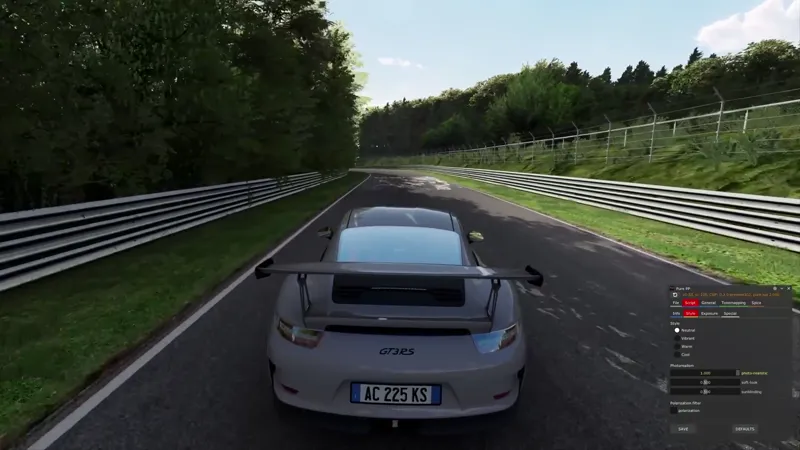
Please use the community chat to post screenshots. Please show the Pure Config app Main tab and the Pure PP app Script tab. I use mostly default CSP settings and the „pure“ ppfilter. Maybe use the 2 sliders in Pure PP app Script tab „photo realistic“ and „soft look“ to adjust your look.
Hey, just wanted to flag that the download speeds from the links are extremely slow. Took hours for a 3GB file. Is there an alternative mirror or is this a known issue? Love the mod either way, just wanted to give a heads up.
Maybe it is bound to your location. For most of the people the speeds are ok.
hey, could u message me on discord? usernameis xsicarios and i have a little problem in downloading pure, would appreciate it a lot
Link your Discord account in Patreon settings - More - Connected apps. You will be automatically linked with Pure Discord Server and get a role to view the Pure channels.
why my pure config doesnt loading
It is not installed properly then! Please be sure you install Pure exactly like shown in the install video! You must use 7zip app and you must use the "Extract" button to extract the 4 folders to your used AC root folder. Also check your used AC root folder in CM - settings - Content Manager - general!
hey mate it says clippers need to update what are those
Sorry, I really don’t understand what you mean! Please use the community chat and post a screenshot!
this is art mate, great work! i love it
Thanks a lot
having a really hard time with my game being over exposed during midday times and headlights/game being way too dark at night. been trying to fix it for months and have finally just came to here. can anyone maybe send me their settings or help me out? discord: lukeo.o
Please use the „pure“ ppfilter and be sure your exposure multi is set to 100% (PageUp/Down keys)
can someone help, I installed it but under the weather style it just shows an old verision (v2.38) and 3.21 doesn't pop up at all i have tried replacing all the files in each folder manually to make sure I got all of them and restarting my computer, checking for updates, idk what else to do
It is not installed properly then! Please be sure you install Pure exactly like shown in the install video! You must use 7zip app and you must use the "Extract" button to extract the 4 folders to your used AC root folder. Also check your used AC root folder in CM - settings - Content Manager - general!
Did you fix the DOF-Issue in replay-mode i mentioned earlier?
Could you describe it again? I checked it and there is only a "problem" if you are using the DOF speed effect in the "pure" ppfilter. If you are using this once in a session or replay, the DOF is blocked. But you can just deactivate it, then save in Pure PP and then reset Pure with the reset button in the top left corner. If you don't use the DOF speed effect it is not related to Pure. Or which ppfilter do you use?
beautiful work making a beautiful game even more beautiful
Is there anyway to join the discord every time i linked my account it doesn't join.
Sorry about this. Please tag me at the Discord and i'll give you the role: https://discord.gg/jaaBmzM9
do i need to subscribe to iljafor csp
Pure works with the free public version of CSP too! Only if you want rain and other additional features you would need a subscription of Iljas Patreon. But you could also support him for what he brought to AC in general!
needa app key'
I‘m not Ilja Jusupov. You probably mean the key for CM? Please ask at Iljas Patreon!
yo pete
WHEN I GO ON PP FILTER GAMMA MY GAME IS SO LAGGY
Then maybe it is not installed right, or your used ppfilter has an error! You must use 7zip app and you must use the "Extract" button to extract the 4 folders to your used AC root folder. Please use the community chat to post a screenshot of Pure Config and Pure PP app!
my sky is stilll dark i have tried everythinf
It is not installed properly then! Please be sure you install Pure exactly like shown in the install video! You must use 7zip app and you must use the "Extract" button to extract the 4 folders to your used AC root folder. Also check your used AC root folder in CM - settings - Content Manager - general! If you still have problems, please use the community chat to post a screenshot of Pure Config and Pure PP app.
is thats normal thats photo mode dont take dof filter in concideration by any way possible ?
like i can only take normal picture whitout effect blur never appear filter dont effect the picture in time lapse dont work at all
solo aparece un fondo gris y azul y no se ven texturas
It is not installed properly then! Please be sure you install Pure exactly like shown in the install video! You must use 7zip app and you must use the "Extract" button to extract the 4 folders to your used AC root folder. Also check your used AC root folder in CM - settings - Content Manager - general!
It's raining but the street is not wet - what's the problem?
You need a CSP Preview version for rainFX! Please notice the rain disclaimer in the bottom of every Pure update post. There you see the link to Ilja Jusupov's Patreon. Ilja is the creator of CSP and with a subscription of his Patreon you get access to CSP Preview versions which have rainFX included...
i cant download the file from anywhere . its finishing but after its start againg download
Sorry idk, try another browser and check your space on the C: drive or wherever you store the file.
Hey. I didn't use 7zip so it didn't work. How to undo all the steps and delete the folders inside AC root folder?
You don’t need to, just use 7zip and extract it over the existing files. If you don’t use 7zip some files are missing because Windows Defender is falsely blocking script files
My pure has not been activating for a month I have it downloaded the weather fx and the graphics but when I load in my pure doesn’t work it just doesn’t activate. Do you know how to fix?
It is not installed properly then! Please be sure you install Pure exactly like shown in the install video! You must use 7zip app and you must use the "Extract" button to extract the 4 folders to your used AC root folder. Also check your used AC root folder in CM - settings - Content Manager - general!
weather type no longer works :(
The weather presets are not the way how weather is changed. Those presets are just used to define the default properties of the different weather types. Please watch the last chapter of the install video. There you see how you actually change the weather! https://www.youtube.com/watch?v=SX25fVdnI_A&t=452s You can set all weather properties the weather slot editor. You actually change the weather in the weather slots, there you have a "Weather" tab to select the weather type and a "Data" tab to edit the single weather parameters like rain, fog, temperatures and wind.
YOU BREATHED NEW LIFE INTO MY GAME THANK YOU 🙏
Your Tier Descriptions state that the paid tiers allow us to download the preview versions. This infers that the free tier allows the download of non-preview versions. Yet this does not seem to be the case? It confused me greatly and caused me quite a bit of frustration digging around for links. I don't mind paying and indeed paid more than the minimum; but the ambiguity was very frustrating. Perhaps you could create a pinned post with the latest versions? It doesn't follow normal kind of interaction with the internet (in my experience) functionality to have a non-persistent link to a program. As a person brand new to this ecosystem, I do not have enough context to make the assumption that the top post is the actual version I should download [perhaps it is in development, simply news, etc]. As a further note, it seems that right clicking and selecting "save link as" does not have the functionality stated. It downloads a small HTML file of the link.
Sorry for your problems, but where does my tier description says you get a preview version? I'm Peter Boese and i make the graphics and weather mod "Pure". Pure needs CSP, but it works with the free public version and also works with the paid preview version. But you get the preview version from Ilja Jusupov's Patreon. Ilja is the creator of CSP and CM. I'm not the creator of CSP (Custom Shaders Patch) and CM (Content Manager)! If you watch the Pure install video, you will see how you install Assetto Corsa, CM, CSP and Pure. In the video, you also see where you get a CSP preview and how you must install it. You will need a CSP preview version, if you want features like rain. But you don't need a CSP preview version for Pure! Just try Pure with a CSP public version and then you can decide if you want to get a CSP preview to have rain. For the file download problem: If you use the MEGA download, just click it and it will start its download page. For the MEDIAFIRE download, click the link, and on the download page, right-click the blue download button and click "save link as" or maybe it is "save target as" in your case.
when i click download on the mega file, it stops at 99% for eternity
Sorry, maybe try another browser and check your space on your c drive
hey so i have to pay for you and the person to download it from?
Sorry, but i don't understand what you mean! If you subscribe my Patreon, you have access to the Pure downlaods. Pure is a weather and graphics mod for CSP. To run Pure you can use the free version of CSP (Custom Shaders Patch), but you don't have the rainFX module then, so you don't have rain grpahics and physics then. If you want rain, you will need a CSP preview version, which you will get with a subscription of Ilja Jusupovs Patreon. But to use Pure you don't need the paid preview. Also you don't need a full version of CM (Content Manager). The free version will do it too. If you are satified with all the advantages CSP and Pure brings, just subscribe to Ilja's Patreon and support him too and you get the CSP previews then...
Good afternoon, How do you get the road spray from the rain from the cars ? i have always wondered or is this an Iija question ?
You always need a CSP preview version for RainFX! Please notice the rain disclaimer in the bottom of the Pure development update posts. The spray comes with rainFX. If there is wetness set in the weather, the road becomes wet and spray appears.
I cant get the weather script to run in game, ive done everything possible, i deleted the weather files twice, i dont use onedrive and i even reinstalled the game, everything is selected in CM in settings and drive
It is not installed properly then! Please be sure you install Pure exactly like shown in the install video! You must use 7zip app and you must use the "Extract" button to extract the 4 folders to your used AC root folder. Also check your used AC root folder in CM - settings - Content Manager - general!
hey i followed the video but when i try to select pure in the drive menu there is no option for pure any fixes?
It is not installed properly then! Please be sure you install Pure exactly like shown in the install video! You must use 7zip app and you must use the "Extract" button to extract the 4 folders to your used AC root folder. Also check your used AC root folder in CM - settings - Content Manager - general!
when I go to change like the clouds or wetness, it wont work but the time works need help?
If you try to change the weather in the Pure Planner - settings - weather presets: The weather presets are not the way how weather is changed. Those presets are just used to define the default properties of the different weather types. Please watch the last chapter of the install video. There you see how you actually change the weather!
Hello, I was wondering if you are willing to share your csp and ac presets. I have been trying to get my game to look like your screenshots but I wasn't able to. Thank you in advance! Have a nice day!
Please use the community chat to post screenshots to describe what bothers you!
In VR, FPS and input lag took a 20% hit over Pure 3.12. Is this possible? 5070Ti
Sorry, idk, 20% compared to what? What if you switch to „default“ Weather style in weatherFX settings
This is amazing, working like a charm, thanks !
The mega link does not download. it reaches a percentage then stops. Tne other link is full of viruses/. This is absurd. Thanks for breaking my pc.
Both links have no viruses!!! Idk what you clicked, but maybe try another browser with the mega link and please show me what you clicked at the mediafire download! Please use the community chat, there you can post screenshots. You click the blue download button at mediafire. if an add opens, please close it, the download will start anyway. The Pure Highres files is 3.5 GB big.
Hi Peter, after downloading and following all the steps in the video.Subsequently, Pure doesn't appear in the menus to select it, for example in Weather FX; it's as if it wasn't installed.
It is not installed properly then! Please be sure you install Pure exactly like shown in the install video! You must use 7zip app and you must use the "Extract" button to extract the 4 folders to your used AC root folder. Also check your used AC root folder in CM - settings - Content Manager - general!
my 3060 gets 8 fps even with everything turned low with this
It is not installed properly then! Please be sure you install Pure exactly like shown in the install video! You must use 7zip app and you must use the "Extract" button to extract the 4 folders to your used AC root folder. Also check your used AC root folder in CM - settings - Content Manager - general!
The speed-related DOF is really cool, but if i watch a replay instant the TV Camera has also the DOF! Loading a replay doesn't have any DOF at all.
Hello, Sorry i can't reproduce this. Are you using Pure LCS and the "pure" ppfilter? I tested it and in replays it works as it should! Please use the community chat and post a screenshot. Also it can be that the replay data maybe are broken, but idk.
I'm watching your video on downloading everything but when i went into a hot lap to test like you said I don't have anything at all that shows when I move my mouse to the side of my screen its just a blank bar.
Did you press the all apps menu button there? Please use the community chat to post screenshots! Also: You must use 7zip app and you must use the "Extract" button to extract the 4 folders to your used AC root folder. Also check your used AC root folder in CM - settings - Content Manager - general!
i cant downlowd pure some how and mega is just not working for me. do you have any tipps?
Sorry i don't know. So both links are not working for you? Did you try another browser?
Hi Peter, First off, Pure 3.21 LCS looks incredible on my 4K setup—the lighting is a real miracle. However, I’m experiencing a total 'handshake' failure between the Pure Planner app and the weather engine in CSP 0.3.0-preview322. Even though the changelog from the 12th of April mentioned fixes for Weather FX time syncing and keyboard processing, the sliders in my build have zero visual effect in-game. Additionally, 'Save as Default' and weather presets do not persist after a session restart, defaulting back to nighttime every time. I'm also having a strange UI focus issue: my keyboard navigation works (arrows highlight the menu options), but the Enter key will not execute the command. I am forced to use a mouse left-click to actually start or resume. It feels like the 'foreground focus' and 'time extrapolation' rewrites mentioned in the recent notes might have unintentionally severed these links in my configuration. System Specs for context: AMD Ryzen 9 9950X3D | RTX 5070 Ti (16GB) | 32GB DDR5 | Windows 11. Is this a known regression, or is there a specific setting I should toggle to 'force' the focus and slider connection back? Cheers, Daniel
The weather presets are not the way how weather is changed. Those presets are just used to define the default properties of the different weather types. Please watch the last chapter of the install video. There you see how you actually change the weather! https://www.youtube.com/watch?v=SX25fVdnI_A&t=452s You can set all weather properties the weather slot editor. You actually change the weather in the weather slots, there you have a "Weather" tab to select the weather type and a "Data" tab to edit the single weather parameters like rain, fog, temperatures and wind.
hi peter, i'm very new to this. just downloaded asseto today. paid to download pure, but i see a screenshot that says do not download pure with content manager, which i've already downloaded and installed. should i uninstall if i wish to use these mods?
Just extract it over again, the installation is actually just an extraction of files: Use 7zip app and you must use the "Extract" button to extract the 4 folders to your used AC root folder. Actually the install of Sol and Pure never worked with CM, because it does not allow to copy to certain locations within AC root folder. Also 7zip app must be use to extract the files, because it is the only file extractor that uses its own file copy method and so Windows Defender is not triggered! The zip has NO trojans and viruses in it! I always check this. But Windows Defender is hyper allergic to script files of any kind and so it could be, that it is blocking files without any warnings. This is a major issue for all mods in AC and in games! So please always use 7zip app and its Extract button!
All of a sudden there are no particles anymore, no rain, no snowflakes. I hear the rain, but it's gone. I reinstalled Pure, Lights, CSP, still nothing
Please use the community chat and post a screenshot of the Pure Config app Main tab
Hello Peter.I accidentally deleted the PP filter settings in the game launched. I reinstalled Pure but I can't set PP Filter when I play. Do you know how to put the PP filter settings back when I’m in the car (on the right screen). Thank you for your help. Gilles
Sorry, but what do you mean with PPfilter settings? You must use 7zip app and you must use the "Extract" button to extract the 4 folders to your used AC root folder. Also check your used AC root folder in CM - settings - Content Manager - general! Also be sure "PostProcessing" is activated in CM - settings - Assetto Corsa - Video!
hi, so i noticed my weatherpreset tab doesn't work ive tried reinstalling pure, and reinstalling csp but nothing works, any fixes?
Please use the community chat and post a screenshot and describe what is not working…
hi pure config seems OK buit it says pure controller is not running in planner. Any idea hopw to fix this --> changed it to pure static working now but this is also the correct selection?
Did you select the Pure controller in CM Drive menu like shown in the official install video?
ran into an issue, cant select LCS in weatherFX, when i load into a race with LCS enabled, it says "pure weather script is not running" i have to delete 2 files, ive done that, it doesnt work... I dont have onedrive either, PureGAMMA works good though, so im not sure what the issue is, ive tried reinstalling multiple times.
It is not installed properly then! Please be sure you install Pure exactly like shown in the install video! You must use 7zip app and you must use the "Extract" button to extract the 4 folders to your used AC root folder. Also check your used AC root folder in CM - settings - Content Manager - general!
I confirmed that it rains well in solo mode using 'pure'. When using weatherFX in the multi-server settings, the rain worked well when set to 'SOL'. However, if I uninstall 'SOL', install 'pure', and select 'rain(SOL)', it does not rain. Is it possible to make it rain while using 'pure'?
Please check if all those older weather files are installed with Pure: \assettocorsa\content\weather\ There should be still all those "sol_xxxx" files. Those are weather preset files, which are just links to the real CSP weather types. You should have 58 "sol_XX_xxxxx" files there.
Sadly your youtube tutorial did not work for me. Cannot select Pure in weather FX and neither in post-processing filter. Extremly frustrating. Also the comments on the video are deactivated for some reason.
It is not installed properly then! Please be sure you install Pure exactly like shown in the install video! You must use 7zip app and you must use the "Extract" button to extract the 4 folders to your used AC root folder. Also check your used AC root folder in CM - settings - Content Manager - general!
hola me podeis decir cual es la opcion de quita la vista borrosa de cockpit cuando vas a velocidad superior a 80 que se nubla la vista de conduccion en la parte interior del coche,no la encuentro y me molesta.
Maybe you activated the speed tunnel effect in Pure PP Spice tab or the DOF speed effect in Script tab - Extra if you are using the pure ppfilter
how do i get the skydomes or is it not on this page?
You are actually posting in the post where you get it! At Patreon you must click on the post title or the "show more" link to read a post! Please read the post and watch the install video!
I have the following CSP now 0.3.0-preview132, does it work with this one?
Yes, for Pure you need CSP 0.2.3 minimum and it works with all CSP versions till the newest previews
i just drag an drop it works fine lol
It depends if Microsoft Defender is active. It would work with drag‘n‘drop in general if Microsoft Defender would work properly. But I do support for thousands of people and most of them have Microsoft Defender active and then it will not work with drag‘n‘drop
Hi, I play exclusively in VR. Does this version bring any new features, or December 2025 version I already have will not make a big difference for me ? I'm using an RTX 3080Ti with a Quest 3. Thanks a lot for your help!
If you are using the new CSP previews, it will have nice Glare effects with the pure ppfilters now...
Hey Peter- I watched the video, installed pure, and it works! I have rain and everything :] However, the video then simply says "Then open the app" to more get more granular control over the weather in real time- the folder doesn't contain any kind of independent app to control the weather from withing Assetto Corsa, and extracting those 4 folders to the root folder doesn't somehow install such an app to my computer, that wouldn't make any sense...... Everything resource I find seems to say I installed it correctly, and it is surely working!
Sorry, what do you mean, does it fully work or is something not working? You must use 7zip app and you must use the "Extract" button to extract the 4 folders to your used AC root folder. Pure Config app is to customize all Pure settings. Pure PP app is to customize your used PostProcessing filter and its script. Pure Planner is to customize the weather and weather transitions.
Hey! I tried installing (following as per the installation video, twice over with deleting the AC files and configs completely). My PC is on the lower end of the scale so when I install Pure alone, my fps counter goes up. but when I install the files from Jusupov, my fps tanks immediately. Do you think there's a certain reason for that? If you could enlighten me I would be very amused. Thank you, and keep up the hard work!
Sorry, I don’t understand what you mean! For Pure you would need CSP anyway, so what are you trying to do or what did you do? You can also use the community chat to post screenshots…
the pure config keeps flashing and i cant press any buttons have been trying to fix for 5+ hours
It is not installed properly then! Please be sure you install Pure exactly like shown in the install video! You must use 7zip app and you must use the "Extract" button to extract the 4 folders to your used AC root folder. Also check your used AC root folder in CM - settings - Content Manager - general!
amazing thank you
How to get a nice sunshine
Choose a nice weather and set a low sun.
this is so dumb, i bought it and i only have the uninstall bat option but not the install, cant even set it up
Please just watch the official install video. It is the first thing that is linked in the post! You must use 7zip app and you must use the "Extract" button to extract the 4 folders to your used AC root folder.
why the clouds look bad quality and blurry
Sorry, i don't know what you mean! Your clouds should look very sharp with Pure! Please use the community chat to post a screenshot of Pure Config app and Pure PP app.
Hi, my Pure Planner is working except if I select a weather like rain for example it just changes the sound but I dont get actual effects. I think that is because i dont have the paid CSP which is fine with me. My actual problem tho is that in my Pure config tab i just have a blank space with Save, Load , Export and Import and I dont know how to fix it because i havent seen anyone else having the same problem as me. I hope someone can help
You must activate the edit mode, the pencil symbol.
Hi, i installed Pure as shown in the turorial video, I also installed the lights-patch, and it somehow doesnt show up in the Weather FX tab, i just see default, i reinstalled the game, reinstalled content manager (also deleted localappdata) and it still doesnt work. (Pure version: 3.21), what could be the problem? Would be more than happy is someone could help.
It is not installed properly then! Please be sure you install Pure exactly like shown in the install video! You must use 7zip app and you must use the "Extract" button to extract the 4 folders to your used AC root folder. Also check your used AC root folder in CM - settings - Content Manager - general!
Hi, thanks for your excellent work. I just installed Pure 3.21, and when I set it to heavy rain (or any of its variations), it looks like small snowflakes instead of real rain, even though the windshield and water effects look correct. Regards.
Rain becomes snow with ambient temperatures below 3 degrees Celsius. Gain the ambient temperature or deactivate the weather particles in Pure Config app Weather tab.
if is select the weather i just hear not see
You always need a CSP preview version for RainFX! Please notice the rain disclaimer in the bottom of the Pure development update posts. If you have a preview version of CSP, better install it manually: Delete the dwrite.dll in AC root folder. Open the CSP preview zip file and EXTRACT the "dwrite.dll" and the "extension" folder to your AC root folder (Steam install folder of AC "common\assettocorsa").
Great job, mate.. Just a question. I installed everything properly and it seems that it works fine, but although i set the weather to heavy snow, the track is dry or looks dry. I guess i miss something. Thx for the help
But you have a CSP preview installed and you see snowflakes if you set snow weather? In CSP there are only snowflakes for now. There is no surface snow!
my weather is locked when i try to put on pure
Don’t select ideal or real condition there, this blocks the weather menu!
cannot figure this shit out, everything is isntalled. load into a race and cannot activeivate anyy of the config stuff. has done nothing but dropped my fps from 200 to 15.
It is not installed properly then! Please be sure you install Pure exactly like shown in the install video! You must use 7zip app and you must use the "Extract" button to extract the 4 folders to your used AC root folder. Also check your used AC root folder in CM - settings - Content Manager - general!
Please Peter I need help, I tried doing it with 7zip like in the tut but nothing works and suddenly all my files have that 7zip logo (when i want to open something it says (7zip installer instead of manager) Please help.
Yes, 7zip is then associated to compressed files like rar or zip. But that is ok. Just use 7zip. If you don't want this you can right click a file and say "open with", then select your favorite extractor and say "always".
saludos desde republica dominicana
Latest update is working great for me, thanks Peter
i downloaded and did erverything as in the video but in the end ingame it says that pure weather script is not runnin eaven tho i have selected pure in settings
It is not installed properly then! Please be sure you install Pure exactly like shown in the install video! You must use 7zip app and you must use the "Extract" button to extract the 4 folders to your used AC root folder. Also check your used AC root folder in CM - settings - Content Manager - general!
sky is black when i use lcs on weather fx and works on gamma but lags crazy using win war that my problem ?
It is not installed properly then! Please be sure you install Pure exactly like shown in the install video! You must use 7zip app and you must use the "Extract" button to extract the 4 folders to your used AC root folder. Also check your used AC root folder in CM - settings - Content Manager - general!
I installed everything, but when I choose a weather, the weather doesn’t change. I made sure to select pure weather but it still doesn’t work
I‘m trying to uninstall and install again but I can’t uninstall it
Great work 👍👍
i have somehow managed to put pure planner app all the way in top left side of screen and cant move it back to use it can only press the x
Maybe another app blocks it?! Close all other apps and you do d the reason for this! Otherwise if this does not work, please use the community chat to post some screenshots…
when starting game, pure doesn't get enabled automatically and i have to pull up pure config and click "very high" setting and then pure gets enabled, i have to do this every time i join any game in vr. whats with this? it mentioned to whitelist some folders in microsoft onedrive but I dont even have it installed.
Which ppfilter you are using? You actually don’t need to change the quality, you could also use the reset button (upper left corner). Is there an error in the Lua Debug app if you start the game? Please use the community chat to continue this and post a screenshot
Is it just me or are any of yall having this same issue to? Everything works fine in freeplay, offline but when i go online in servers like no hesi it just freezes till i exit the game. Im using the latest csp and pure 3.21
Sorry but this might have nothing to do with Pure?! If you use the default weatherFX style in weatherFX settings, you have the same issue?
For the love of God, can anyone help me? I recently got Assetto Corsa and I bought Pure, Custom Shaders Patch, and I'm probably going to buy Exility. However, Pure is just not working for me at all. I tried "Pure LCS" in Weather FX, and it keeps saying "Pure weather script is not active." I tried doing what it says, but it still doesn't work. I also tried Gamma, and when I get into the game, it shows me the Pure lightning shader, and whenever I try to click anything, it just flickers and shudders. I installed it by clicking and dragging, and it's not like I have Sol downloaded. This is a very clean install.
I downloaded everything use winrar
Hi, thanks for your work! I have one question and I don't understand how to change it. Sorry if this doesn't apply to Pure. Why are the brake lights of the car in front so hard to see? It's bad in any weather, but especially noticeable in rainy weather when you only notice the car in front of you at the last moment. Also, in normal weather, I can't see my opponent slamming on the brakes when we're driving on Shutoko. Is there a way to fix this? For example, making the brake lights brighter and more visible from a greater distance? I've been seeing this for a while and don't know how to fix it.
You could try to gain the CSP emissive light in Pure Config app Light tab
3.21 hangs the system a few seconds after loading the car and track. Going back to 3.10 resolved the issue. tested with old rtx drivers, different versions of content manager. the only thing that fixed it was a downgrade back to 3.10
Sorry i don’t know, how do you install 3.21?
In my game, it feels like I'm playing Roblox; I don't understand where I went wrong. The graphics are terrible, even with all settings at maximum.
Sorry, i don’t know why your game is looking like that!
just installed pure while watching the install video, everything is extremely bright and unplayable, any fix?
nevermind, i never opened pure config to confirm there were no setting conflicts and there was a setting i had wrong. got it fixed
Talk abounds of a hotfix for 3.21 for the blown out rear mirror - where are people getting this???
In the community chat is a hotfix channel or at the Pure Discord server. Link your Discord account in Patreon settings - More - Connected apps. You will be automatically linked with Pure Discord Server and get a role to view the Pure channels.
i have installed pure and it works in game like there are no errors or nothing i also bought the csp preview that you have in your recomendations but my game still looks the same and the rain still doesnt work
If you have a preview version of CSP, better install it manually: Delete the dwrite.dll in AC root folder. Open the CSP preview zip file and EXTRACT the "dwrite.dll" and the "extension" folder to your AC root folder (Steam install folder of AC "common\assettocorsa").
Bonjour, comment sa se fais quand j'utilise Pure je n'ai pas la pluie ? Ai-je mal fais ? J'utilise CSP 0.2.11
Please notice the rain disclaimer at the bottom of every Pure update post! You always need a CSP preview version to get the CSP rainFX module! Your used version is a free public version of CSP and does not contain the rainFX module…
Is there a Low Res Version (for the file size/space savers like me) ???
Yes at Pure Discord: Link your Discord account in Patreon settings - More - Connected apps. You will be automatically linked with Pure Discord Server and get a role to view the Pure channels. You will find a pure-downloads channel there...
Thanks for your great work!
Hey there, just became a member, thanks for all this. I take it if I race in VR the pureVR filter should be picked?
There are other filters that work fine with VR and the latest CSP using LCS like Natural Mod, ClimaxF1_pure, IV PureCS 2.0 etc . The purevr filter was the one I always used to use but lately I have found the rev led's glow too much.
please help ive tried everything but when i load into game it still says when i open the pure config that pure is not working
It is not installed properly then! Please be sure you install Pure exactly like shown in the install video! You must use 7zip app and you must use the "Extract" button to extract the 4 folders to your used AC root folder. Also check your used AC root folder in CM - settings - Content Manager - general!
i have a 3070 with a i7 10700k and i need pure with good config how can i do that pls lol
Just use default settings. Use the default "pure" ppfilter and reset in Pure Config and Pure PP app!
desde que lo e instalado tengo a menudo problemas, me desconecta mi base de movimiento nj motion o la base moza r25 ultra...en mitad de carrera... el pc va sobrado ya que tengo un AMD Ryzen 7 9800X3D 8-Core Processor (4.70 GHz) y grafica 5070 ti... lo uso en triples y me hace mantenidos y limitado por monitor 180fps sin embargo salta el error de cpu al 99% , cuando en valores veo que esta la cpu al 22% aprox y gpu al 85/95% y me los desconecta, e probado a bajar fps, bajar gráficos probar varias configuraciones y nada.... muy decepcionado con como va, soy de los que paga todos los meses para echar una mano y que siga funcionando esto, pero estoy planteándome quitar la suscripción llevo mucho tiempo con error tras error en la actualización y no puedo disfrutar la calidad grafica que al final pago
Sorry, but Pure does not cause all of you Problems! Pure has nothing to do with gaming controllers or crashes ingame! Maybe revert to a former CSP version and maybe reset your CSP settings: Goto /Documents/Assetto Corsa/cfg/ rename the "extension" folder to something different. Restart CM. It will create a new "extension" folder. You can restore it later. Select Pure as weather style again in CSP weatherFX settings. If you still have problems, please use the community chat and post some screenshots there. But i can't help you with gaming controller problems. Pure is a weatherFX script and has NO influence on your controllers. Maybe try to switch to "default" weather style in weatherFX settings and you see if you still have the same problem, Pure is not the cause, because then Pure is not running anymore...
I scanned the download link for the newest version of pure in virus total and it says that both of them are malicious is it safe to download?
what tools do you use for this? Actually only windows defender show some issues, but this is due to the lua scripts. I tried it too with virus total and if i use just the links, 1 of all of those reports says it is malicious, but already after 1 sec, so it was not loading and unpacking it, it just says this because of the used file hoster. I scan my system constantly with Bitdefender and also the archive. There is no issue with it. It is just that Windows Defender is hyper-allergic, so you can't use Windows Explorer to extract it. But thats only because of the included lua script files.
Thank you
i just dont find python folder what sould i do
There are no python apps in it!
Where can I install rain fx?
Just watch the install video, I show it there how a CSP preview is installed. The link to CSP preview is in the bottom of this Pure post
Hi Pete: This is a new one? Thank you as always, the effort you put into CM. I do have a slight issue, when choosing rain my windscreen is starts to fog up the wipers kinda clear it but it just gets worse as I drive.
Gain the ambient temperature!
Thank you for your amazing work! Keep it up, Peter, and God bless you.
Thank you so much for your work on Linux. Looking forward to the script also including SimHub and/or VR software. Maybe a look at what the StarCitizen LUG has archived might be worthwhile: https://github.com/starcitizen-lug/lug-helper Very happy to help on this whole topic if needed!
does it work with the new lights patch V0.3.0preview338?
Sure, why not?
I’ve finally bitten the bullet and installed Pure. Still learning how to tweak all the colour settings etc so that it looks as realistic as possible on my monitor and what some of the settings even are but enjoying the learning curve. Thank you so much Peter for the incredible effort you’ve gone to to create this. Looking forward to seeing what else is in store for the future 🇦🇺
Amazing update everything works perfectly! Graphics are even better than on AC Evo for me :)
Which Filter would you recommend for playing in VR?
With PureLCS just use the normal "pure" ppfilter for this. MAybe also try other ppfilters to fit your needs like the "Natural mod" ppfilter...
Does it work with the latest csp preview and dlss ? I have an issue with an over exposed rear mirror and trying to figure out if it is a csp bug or that the filter must be adjusted. Many thanks.
DLSS works fine with the latest CSP preview, but this has nothing to do with Pure, it does not matter which weatherFX style you use. If you mean the virtual mirror, which you activate/deactivate with F11, then you might have activated on older CSP settings. This settings switched off post processing for the virtual mirror. Go to your Documents/Assetto Corsa/cfg/extension folder and delete the smart_mirrors.ini, that should fix it...
Using the latest 338 preview of CSP, and 3.21 Pure, I am getting a crash at the end of loading when I use the LA Canyons online server - as you probably know, this track is huge and there are 75 cars loaded at the start. When I look at the CSP log file for the startup, I see the crash was triggered by a Pure config app load attempt - - "🔹 Loading app: `G:\Games\SteamLibrary\SteamApps\common\assettocorsa\apps\lua\PureConfig` 238778 M 🚧 Unhandled exception - Crashed, trying to generate a report" I have done a reinstall of 3.21, did not fix. Let me know if more info needed. The crash is specific to this online track, Pure works OK at other tracks online and on this track in single player mode.
I have reported this to the CSP dev as well, as it is not clear where the problem lies.
Hi Peter. I have been messing around with the AI on modded and kuno 's made tracks. The AI continues to follow each other no matter what I do with the Aggression and Strength of the AI. It worked fine before I had installed Pure 3.0 Preview322. I want to get back to multiclass racing as quickly as possible. Any ideas of what could be wrong?
This has nothing to do with Pure!!! This is a CSP issue and its AI changes. Maybe switch off the new AI behavior module completely! Or try the newest CSP preview. There were a lot of changes related to AI…
Love this so much but I can't seem to get my headlights to work at night. I'm pressing a button and the dash lights go off and on but It's still dark out there.
Maybe it is related to the car? Did you try the standard Kunos cars? Also use the "pure" PPfilter and reset in Pure PP app. Reset the settings in CM -> settings -> CSP -> lightingFX
Work perfectly !
I love pure
Is it normal to only get 50fps in 4k with a 3080ti? I means this in cyberpunk punk full rt type of fps idk what I do wrong
It is not installed properly then! Please be sure you install Pure exactly like shown in the install video! You must use 7zip app and you must use the "Extract" button to extract the 4 folders to your used AC root folder. Also check your used AC root folder in CM - settings - Content Manager - general!
Hi Pete I am currently running CSPv0.3.0-preview302 and Pure LCS v3.11hotfix. I also have Sol v2.2.9 installed. Just about to download and install Pure LCS v3.21. However in your Pure description you indicate that Pure supersedes Sol, so should I uninstall Sol - and how do I do that? Also most of us have to rely on 3rd party you tube videos as guides to correctly setup your (and Ilja's) software for our equipment. e.g. I have a AMD Radeon RX 9060 XT (16GB). Do you or Ilja have setup guides for various rigs - e.g. Nvidia vs AMD? Or can you recommend us to 3rd party guides? Again, thanks so much for the tireless work and Ilja do in keeping AC ahead of most current racing games.
It does not matter which CPU or GPU you have, the install is always the same, just watch the official Pure install video here from the post. But it is simple: If you still have Sol, you could uninstall it (with the included uninstall_sol.bat) or just deactiavte all Sol apps in CM -> settings -> AC -> python apps. Then you are safe that Sol does not interfer with the wiper control of CSP. Other than that if you select Pure in weatherFX, Sol is completely bypassed and you can keep it in parallel. For the Pure update, just extract the new files over the old one: You must use 7zip app and you must use the "Extract" button to extract the 4 folders to your used AC root folder. Thats all you need to do!
Guys i need help pls! so basically when i use pure, my sky is always like a dark blue, and the pure planner doesent do anything. I've tryed doing a lot of things to fix it, almost spent 6 hrs, and it still is not working. pls respond asap if you have a fix
It is not installed properly then! Please be sure you install Pure exactly like shown in the install video! You must use 7zip app and you must use the "Extract" button to extract the 4 folders to your used AC root folder. Also check your used AC root folder in CM - settings - Content Manager - general!
I can just overwrite with existing files or will I have uninstall previous version?
You must not uninstall it. But you must use 7zip app and its Extract button to extract the 4 folders to AC root folder!
do u have a good pure filter that accually handels a kind of bad pc bc i installed the newest one and im having like 15fps
It is not installed properly then! Please be sure you install Pure exactly like shown in the install video! You must use 7zip app and you must use the "Extract" button to extract the 4 folders to your used AC root folder. Also check your used AC root folder in CM - settings - Content Manager - general! Also just use the "pure" ppfilter!
I know this isn't directly related to Pure, but I figured someone might know how to fix it. Basically, when it rains, my windshield wipers turn on automatically, even though it's disabled it in CSP settings. When I turn them on manually, they don't stay on the speed I set them to.
If you still have Sol installed, please uninstall it or disable all Sol python apps in CM -> settings -> Assetto Corsa -> Python Apps. And in CM -> settings -> CSP -> weatherFX uncheck "Turn wipers on/off automatically"...
Hi I just installed Pure and its all working but my game visuals are over saturated I already played around with the lighting and saturation settings still did not work please help.
Please use the community chat and post a screenshot of Pure PP app
Hey, I just reinstalled all fresh but have now lost the weatherFX debug tool in game. How do I get back? Thanks
Sorry, but you will not loose it if you install Pure or CSP! Maybe you hide it? THere is a setup menu for the ingame menu side bar if you right click the all apps button. There is a list of hidden apps then. Otherwise please use the community chat and post a screenshot of your menu bar ingame where the weatherFX debug was...
Hello, I downloaded the most recent version of both Pure and CSP but I don't get my game to look as in the videos, the grass is not being generated. I already tried changing the weather fx and it's still not looking fine. Any piece of advice? Sorry for the inconveniences.
I don't know much but try to put your graphics to max in-game along with the quality preset for Pure to "Very High" if you have a good pc, if not then try to watch the video again.
i'm running the latest csp 0.2.11 but can't get rain effects. pure planner allows me to plan slots but when i play i get no rain. is it a setting i have missed?
0.2.11 is a public version and has no rain! You must install a CSP preview version. There is a disclaimer at the bottom of this post! If you have a preview version of CSP, better install it manually: Delete the dwrite.dll in AC root folder. Open the CSP preview zip file and EXTRACT the "dwrite.dll" and the "extension" folder to your AC root folder (Steam install folder of AC "common\assettocorsa").
So I have to pay another creator for the Lights patch to get Pure working?
NO! Pure will also work with the public free version of CSP! In the install video you see how you install that. You only need the payed preview versions if you want rain ingame.
Hi peter, I cannot get the weather preset to work
What is the problem? Please post a screenshot in the community chat where you struggle! You must use 7zip app and you must use the "Extract" button to extract the 4 folders to your used AC root folder.
That video looks really good.
Mate... thank you so much for your incredible job. Honestly as a VR player, I had gave up on AC in the past due to the lack of perfomance in VR until I found your patreon with your incredible PURE. It just changed the game completely, my AC looks more beautiful than ever and solid perfomance. Thank you so much mate!!! Legend!!!
Thanks for the feedback, have fun with pure and have a nice day…
Hello Peter, first of all thank you for the great job you provide to assetto corsa community. I wanted to ask about a problem i have been experiencing with the last versions of pure i have purchased, the glare is very intense, like the colour of white reflection when the cars are white, the colour of the car lights when driving behind me, basically i very bright and i cant seem to find a way to reduce this glair in pure configs or ac video settings (even with glare 0) I have standard pure pp filters so i am not sure what is failing. Thanks in advance
Please open the Pure PP app, what do you see there? Please post a screenshot in the community chat
Hey Peter, Just to let you know that it is not on side, everything is fine . The problem is with the lights-patch-v0.3.0-preview322-full on Ilja Jusupov aka x4fab side.
Hey Peter, hope all is well. I see that the AI now just follow in line not passing for position. Before they were racing and passing. Is there something we need to check or uncheck?
Sorry, but this has nothing to do with Pure! Maybe have a look at the CM settings CSP - Simulation - AI. Maybe deactivate it or change settings there: Straiten Ais trajectory when starting
How do I add the clouds to the game? Are they already included in this pack or are they separate?
Everything’s is included in this package! Plead watch the install video and follow the steps!!! You must use 7zip app and you must use the "Extract" button to extract the 4 folders to your used AC root folder.
After updating it, as soon as I enter the track the game drops to literally 10 FPS. The only way I can fix it is by opening the post-processing filter, switching to a different one, and then switching back to Pure — after that everything works fine again and I’m back above 90 FPS. I have no idea why this happens, but it happens every single time. The only workaround I’ve found is switching filters back and forth, it’s like it loads incorrectly the first time. Any solution?
did you get the news light patch from lija ? i got some troubles before i get it, all work fine again after this for me !
Hello Peter, thank you for your work. I have the following issue: i'm installing Pure as per instructions, copying the 4 folders into the AS core folder. When I launch content manager I can select the Pure preset in the weather tab but I dont see Pure or PureConfig the PythonApps section, therefore I'm unable to open the settings ingame.
The Pure apps are no python apps! They are Lua apps. You must use 7zip app and you must use the "Extract" button to extract the 4 folders to your used AC root folder.
Normal that the download is stuck on 21 % ? im new and thanks for your time
I'M HAVING THE SAME PROBLEM.
Hi Peter. Wonderful update. Only one small bug I've noticed. I've lost glare/bloom in HDR, which I had in Pure 3.10. I haven't tweaked any settings. I'll appreciate if you would give it a look. Thank you!
What was the prior version of Pure you used?
Hello Peter, thank you for your work! This question has certainly been asked before, but I can't find any information on it: how do I properly update Pure? Should I just copy and overwrite the new files, or do I need to delete the old files first and then copy the new ones?
Just extract the new one over the old one and overwrite the files! You must use 7zip app and you must use the "Extract" button to extract the 4 folders to your used AC root folder.
When I join to server after I press drive, my game crashes after like 10 seconds, I have the 0.3.0-preview322 version of CSP
When I switch to 0.2.11 (the recommended version) it looks like the pure is not working
if I have Content Manager installed, should I delete it or while installing/conf. type "no" on prompt install CM?
If you have all those parts already, just skip them…
tank You So Much !
It’s your amazing work (& Ilya) that keep AC as the most desirable sim! Great work again
Great Update , it's amazing. Thank you Peter for this great work
is the lights patch required or is that just for the weather fx?
Pure is a weatherFX script and weatherFX is a module of CSP (light patch). So sure you need CSP for Pure! But Pure works with CSP from the version 0.2.3 to the most recent 0.3.322. so you can use the free public versions and the paid preview versions with Pure.
it work good tkx
I can't use my G29 steering wheel with the graphics on, the game closes and crashes
Sorry, but this has nothing to do with Pure at all! Maybe try to reset your CSP settings: Goto /Documents/Assetto Corsa/cfg/ rename the "extension" folder to something different. Restart CM. It will create a new "extension" folder. You can restore it later. Select Pure as weather style again in CSP weatherFX settings.
thanks Peter
I am not able to change the weather setting in DRIVE tab for some reason
Don't select ideal or real condition there. That blocks the weather menu!
Hi Peter, I’m using Pure/PureVR in Assetto Corsa VR with: Ryzen 7 5800X3D, RX 6700 XT 12 GB, 32 GB RAM, Meta Quest 3. Before upgrading to an RTX 5070 Ti or 5080, what would you recommend as the best balanced Pure/PureVR settings for smooth VR performance with good visuals, especially in online races with many cars? Thanks a lot.
try to avoid 3d trees, extraFX and maybe "real mirrors" in smart mirrors.
Thanks for all the work.
Thank you sir
Insane work as always thank you !
For some reason everytime i go into pure it has a fisheye look thats really blurry
What ppfilter are you using? Use the "pure" ppfilter! Open Pure PP app and reset the settings there?
Thank you for your hard work!!!
Great Peter... Thanks really for this update! 🔥
Thank you mate! You an absolute legend. I will make the download and test it today. 👌
Thanks for all the work, and keeping this game looking better everytime.
Nice, ty! What is the map mod in this video called?
Its the Kunos Nordschleife with 3d trees from MoriSan
I want to download light path
Please watch the install video! And also there is a link at the bottom of all Pure update posts...
How to dawnlod light patch
Please watch the install video! And also there is a link at the bottom of all Pure update posts...
Thanks from #MixedRealityRacing