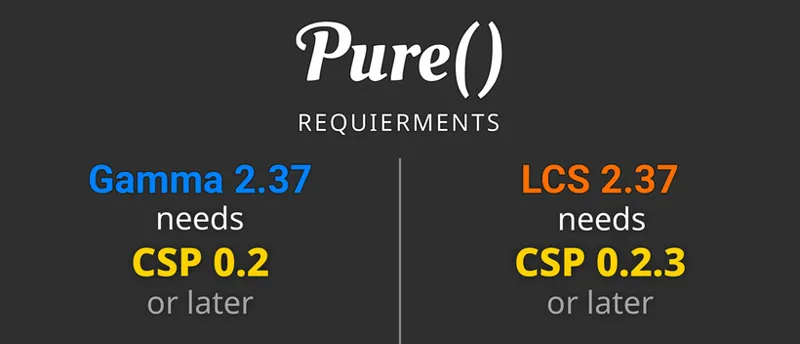
If you want to install the Lowres packages, please go to Pure's Discord. Link your Discord account in Patreon settings - More - Connected apps. You will be automatically connected and you get a role to access the Pure content.
Hi Peter, I'd like to mention an issue I've been having since I started using Pure LCS. It's related to the auto-exposure in the game. I've been using the "AE+CBE" exposure method from the "Exposure" tab in "Pure PP" and, generally, the exposure works well at all times of day and in almost all weather conditions. I say almost all weather conditions because, for example, if I select "Broken Clouds" in "Pure Plan", sometimes the "final exposure" fluctuates too much. Going, for example, from 0.038 to almost 0.070. And this causes the colors, and therefore the image, to look overexposed, turning that beautiful Broken Clouds Skydome into a stark white sky. This happens on every track whenever I choose that weather condition. I've tried selecting Hybrid method in Exposure settings, playing with the "Target" and "Mix" sliders, but I haven't been able to fix it. I should mention that this doesn't happen to me if I use Pure Gamma instead of Pure LCS. I'd like to take this opportunity to send you my best wishes for the holidays.
B
Barry Arends · April 12, 2025
What a great tool! Love it. Thanks Peter!
C
Capri Sun · March 8, 2025
my game crash with all csp
C
Caleb Amyotte · March 1, 2025
same bro
N
Noam Dalli · February 3, 2025
give me pure i payed !
P
Peter Boese · February 8, 2025
Are you serious?! You just need to open the post!!! Please watch the install video, it will show you how you install everything!
T
Truth777 · January 4, 2025
how can i download
T
Truth777 · January 4, 2025
its my first time
o
oscarfrayling · December 29, 2024
hello,for me it is saying uninstall_pure instead of install_pure can any one help
A
Andertxu Dominguez Espada · December 30, 2024
Theres´s no pure_install.bat
Z
Zorex Blade · December 28, 2024
Hello. i have a bug When i charge the race first time, the sky has no clouds and turns black, but if i change ppfilter, and i set up again, the sky show up the correct sky and cloud, did you have any idea to how to solve that? btw, i have csp 0.2.5 preview and the last version of content manager and assetto corsa with all dlc's.
P
Peter Boese · December 28, 2024
Maybe try to uninstall with the uninstall_pure.bat and reinstall again and use the "pure" ppfilter
M
Mamadou Dian Diallo · December 27, 2024
Hey, I can hear the rain and see the option to change weather in game menu. However, I can't see the rain. I am I am subscribed to CSP and on 0.2.3 version.
P
Peter Boese · December 27, 2024
CSP 0.2.3 is not a preview version btw! Just watch the install video and follow the steps.
J
James Cook · December 25, 2024
How do I select my server to use Pure weather? me and my buddy want to make it rain/snow on the server
K
King Nica · December 25, 2024
What if i have an oldr version of pure, can I just update it somehow?
P
Peter Boese · December 27, 2024
Just watch the install video!
T
TAR · December 24, 2024
Merry Christmas Peter. The new pure works great on my low spec PC. Thanks
P
Peter Boese · December 24, 2024
Nice!
h
hk · December 24, 2024
followed all steps and it says post processing is deactivated and shows pure config as a blank window ingame, how do i fix?
P
Peter Boese · December 24, 2024
Please post a screenshot in the community chat
k
kenny moss · December 23, 2024
Hi Peter. I am using the latest Pure and Pure VR filter. I have been messing around trying to make the night sky darker but with no luck. Could you please tell me which sliders I need to adjust. Can you also send me a link to Discord as when I reset as advised I have lost your page on Discord. Many thanks.
P
Peter Boese · December 23, 2024
Ok, and is something wrong with it?
S
Samy.O · December 23, 2024
Where is the download link
P
Peter Boese · December 23, 2024
Please watch the install video and follow the steps!!!
F
Falcon Munch! · December 22, 2024
youre amazing peter
1
10JTS · December 22, 2024
Hey, is it an issue if i download Content Manager and Lights patch preview, and the icon is a file rather than the 7 zip logo? i downloaded 7 zip but it doesnt display the 7 zip logo. Thanks!
P
Peter Boese · December 22, 2024
Maybe you must associate it to zip files then. Just right click and choose open with. Select the 7zFM.exe and say always....
R
Rxspect1419 · December 22, 2024
where can i find the pure discord ?
P
Peter Boese · December 22, 2024
Link your Discord account in Patreon settings - More - Connected apps. You will be automatically linked with Pure Discord Server and get a role to view the Pure channels.
A
Asad Chaudhary · December 22, 2024
hi, i downloaded your CSP and it currently says im running 2.5.1-preview1 but im missing extensions like extra fx and many more, how can i fix this?
P
Peter Boese · December 22, 2024
Actually i'm NOT the creator of CSP!
M
Maximilian · December 22, 2024
Why is the PP Option not showing in my pure config
M
Maximilian · December 22, 2024
And does anyone know why my clouds are just black
m
me · December 22, 2024
Hey! My rain doesnt appear? Is there any common issue to fix this or should i try to find videos on Youtube about it?
P
Peter Boese · December 22, 2024
You need a CSP preview version for rain. Just watch the install video and you see how you get it! If you have a preview version of CSP, better install it manually: Delete the dwrite.dll in AC root folder. Open the CSP preview zip file and EXTRACT the "dwrite.dll" and the "extension" folder to your AC root folder (Steam install folder of AC "common\assettocorsa").
c
chin · December 22, 2024
we need csp 2.5 release asap for new no hesi map offline features
P
Peter Boese · December 22, 2024
I don't know what you mean, but maybe ask no Hesi if you want to know something about no Hesi! Also please continue your posting in the same thread and don't create new posts. BTW i'm not the creator of CSP!
A
Asad Chaudhary · December 22, 2024
for some reason my weather fx isnt showing, do you know why this is?
P
Peter Boese · December 22, 2024
Please use the community chat to post a screenshot.
m
me · December 21, 2024
hey! I dont have any clouds showing up and when i change the weather (eg. broken clouds, or scattered clouds ) the sky goes black. Do you know how to fix it??
P
Peter Boese · December 21, 2024
Let me guess you installed the new no hesi 110 track??? It damaged your Pure install while you install this track! There is a serious issue with it and I recommend to not use it for now until the no hesi staff fix the issue. Reinstall Pure again and reset to defaults in Pure Config app. This will fix the issue and uninstall the 110 track for now, esp the autoupdater app that comes with it, which is the main reason for your problems. (Apps/Lua folder) And please let No Hesi do the support for there product!
E
Edoardo Coerezza · December 21, 2024
whatever i do it says pure is not working in game, what to do?
P
Peter Boese · December 21, 2024
Please watch the install video and follow the steps exactly! Also if it is still not working, post at the community chat! https://www.patreon.com/messages/a3e3fe9eebb1430d9273711e80960e75?mode=campaign&tab=chats
A
Artun kilic · December 21, 2024
the ground isnt shiny when it rains even tho i have preview versions (no hesi server lightrain)
P
Peter Boese · December 21, 2024
Please ask No Hesi staff then. I'm not responsible for this...
C
Christian Paz · December 21, 2024
in parctice the rain works perfect but when i go to no hesi sever it dosnt work only the sound i tried redowloading it too same thing happens
P
Peter Boese · December 21, 2024
Please ask No Hesi staff then. I'm not responsible for this...
A
Andy Cepeda · December 20, 2024
pure wont show in weatherfx and i have csp 0.24
P
Peter Boese · December 21, 2024
Please watch the install video and follow the steps exactly!!!
D
Drepaks · December 20, 2024
Hi Peter, how do I change clouds saturation only?
D
Drepaks · December 20, 2024
The cloud2D.saturation would seem to be the right thing for me. But there are only clouds2D.brightness and clouds2D.contrast
D
Dimka33100 · December 20, 2024
hello peter some vehicles get an error message after starting..ODE Internal ERROR 1 and assertion !row1_norm_fault falied in \ode\scr\odemath.cpp:296 and you have to reload 1 or 2 times then it works without any error messages..Is there something I know or am I doing something wrong? That was already the case with the 2.36 version
P
Peter Boese · December 20, 2024
Sorry, but this has nothing to do with Pure. If you switch to "default" weather style in CSP weatherFX settings and it is still there, it has nothing to do with weather at all. Also just try with default Kunos cars! If those work, it is realy a problem with the modded cars you use...
C
Christian Paz · December 20, 2024
I dont have any problems other then when i use pure gamma it takes away 110 fps from my game for some reason. My pc is pretty good so is there any way to fix that or nah?
P
Peter Boese · December 20, 2024
You must install it exactly like shown in the install video! Maybe use the uninstall_pure.bat before you install it...
Z
Z X V L milashka · December 20, 2024
Tip: You can install Pure correctly by dragging and dropping into Content Manager
P
Peter Boese · December 20, 2024
No you can't! This will work for a few amount of people but not for all. The mehtod shown in the install video will work for ALL people. The install per drag'n'drop only works if certain conditions are fulfilled! Please don't tell people such tips! In the current situation with Windows updates, a borked Microsoft Defender and overreacting internal Windows user protection tools, the only way to safely install Pure is the method in the install video! Just try your method in a virgin Windows install! You will see it does not work at all...
E
Esteban · December 20, 2024
For those who cannot find the download links, watch installation video. Step 4
C
Charlietroy03 · December 20, 2024
wheres the download link big man
P
Peter Boese · December 20, 2024
Please watch the install video and follow the steps exactly!!!
i
iquwfy watlington · December 20, 2024
i honestly cant find the download links
P
Peter Boese · December 20, 2024
Please watch the install video and follow the steps exactly!!!
F
FR33M0N7 · December 19, 2024
Good job, my man! All looks pretty! ** EDIT ** Solution for CrossOver 24+ users on mac silicon ** Motion Blur causes the problem. It needs to be set to Off, and for Pure LCS, "Replace YEBIS..." in WEATHER FX needs to be checked to make it work fine.
P
Peter Boese · December 19, 2024
Reset CSP settings completely! Goto /Documents/Assetto Corsa/cfg/ rename the "extension" folder to something different. Restart CM. It will create a new "extension" folder. You can restore it later. Select Pure as weather style again in CSP weatherFX settings.
H
Hewis Lamilton · December 19, 2024
Hey pal, I m usually pretty good with this, but on this occassion Pure is telling me it doesnt like Fxaa 3.1, to choose alternative ..one that it takes is SMAA, however, i get jagged edges with smaa no matter how much I fiddle with it in game or NV control panel. Will there be a patch to allow FXAA 3.1 (in CSP/graphic Adjustments)
P
Peter Boese · December 19, 2024
There is currently a graphics bug when FXAA 3.1. just try the older FXAA or the original integration
B
Baubaal · December 19, 2024
For the sun's rays to appear in Pure LCS, I have to select Pure Gamma, enter and exit the game and select Pure LCS again. This has been happening since version 2.35
P
Peter Boese · December 19, 2024
There is currently a problem with the visible sun disc in CSP LCS shaders. It is fixed in the development and will work with the next major CSP release...
A
Alex H · December 19, 2024
Thanks again Peter, everything is working fine except for the 'Spice' tab on the Pure CC app. It's just not there. Could this be because I'm playing in VR?
P
Peter Boese · December 19, 2024
Yes, Spice does not work in VR!
T
TaroAlex94 · December 19, 2024
should extra fx be deactivated?
P
Peter Boese · December 19, 2024
It's your choice, it brings some additional rendering like car reflections on wet tracks and better lighting. But it will half your fps ...
C
Cole · December 18, 2024
my screen is red and its saying upgrade csm but i have paid and latest version
P
Peter Boese · December 18, 2024
If it shows you this, you don't! If you have a preview version of CSP, better install it manually: Delete the dwrite.dll in AC root folder. Open the CSP preview zip file and EXTRACT the "dwrite.dll" and the "extension" folder to your AC root folder (Steam install folder of AC "common\assettocorsa").
S
Sebastian Delaney · December 18, 2024
Couldnt work better than it does man. Thank you for making the experience better playing the game :)
A
Alexander Atanasov · December 18, 2024
i dont have extract when i need to install pure
P
Peter Boese · December 18, 2024
Please watch the install video and follow the steps exactly!!!
s
skidda · December 18, 2024
yeh but it dosent show the link to it , it just teleports in ur folders
P
Peter Boese · December 18, 2024
What? Maybe use the community chat to post a screenshot then. Also, please don't create new threads over and over! You can reply in the same thread!!!
s
skidda · December 18, 2024
wheres the link for the newest pure i just bought it
P
Peter Boese · December 18, 2024
Do you see the BIG "whatch the install video" sign?
s
skidda · December 18, 2024
wheresd the link i js bought it for 2,20
P
Peter Boese · December 18, 2024
If you don't know how to navigate at Patreon, maybe just watch the install video!
M
Michael Sznytzer · December 18, 2024
how do i know which version of pure i have
P
Peter Boese · December 18, 2024
In CM settings CSP weatherFX you see the version if you hover oder the weather styles
N
Nicky · December 17, 2024
My vr has been crashing since I installed this. Single screen works fine tho
P
Peter Boese · December 18, 2024
Reset CSP settings completely! Goto /Documents/Assetto Corsa/cfg/ rename the "extension" folder to something different. Restart CM. It will create a new "extension" folder. You can restore it later. Select Pure as weather style again in CSP weatherFX settings.
p
perc · December 17, 2024
whats the pure disc
P
Peter Boese · December 17, 2024
WHAT???
R
Roger Tregelles · December 16, 2024
Thanks Peter for another amazing update! I'm running the straight pure filter. When I get into the game and car during the daylight hours everything looks washed out with way too much brightness and contrast. Do you have any recommendations on how I can correct this to look photorealistic once again?
P
Peter Boese · December 17, 2024
Could you please post a screenshot in the community chat?
D
Diego Serrano · December 16, 2024
your the best keep up th egreat work yo
n
noname _noname · December 16, 2024
Hello i can t see the rain ...
P
Peter Boese · December 16, 2024
Please read the post! At the bottom of the post you will see the rain disclaimer! Also watch the install video to see how you install the CSP preview version!
T
Timon Liebau · December 15, 2024
I use a scriptable filter "Panini Projection" for curve screen correction, Unfortunately Pure now overrides this after every session. It works when I choose the filter in settings before the session, but it does not stay on when leaving and joining a new session since Pure LUA PP Bridge is forced. Is there a way to have both scripts running all the time?
P
Peter Boese · December 15, 2024
Here is the link to fix the Lua Scriptable filters. You must then deactivate the LDR effects in Spice: https://drive.google.com/file/d/10t2rNVcyAX4N7zcj_2k2D5LJJMJAMEbn/view?usp=sharing You can deactivated Spice LDR in the Pure PP app and then you can use the LUA scriptable filters again
p
paz · December 15, 2024
Hello guys, in the driver list "Track," I only have Auto (set by weather); I don't have green or anything else. If someone can help me, please reply to me here because I couldn't join the Discord server. thanks
J
Jakob · December 14, 2024
in the lua debug in game i get a weather fx impl. error can you help me?
P
Peter Boese · December 14, 2024
Did you watch the install video? You must install it exactly like it is shown there! You can post screenshots in the community chat btw...
-
- PlexorPlayz - · December 14, 2024
theres a weird effect that happens when you go over bumps or crash while using the speed tunnel effect. the screen goes very dark for some reason
P
Peter Boese · December 14, 2024
Just reduce the "hit" slider then...
R
Romain Madec · December 14, 2024
Thank you Peter you re a legend for me, really, have a god christmas ( sorry for my english im french )
P
Peter Boese · December 14, 2024
Have a nice christmas too!!!!
d
deetsorf · December 13, 2024
I have an issue when trying to download from Mega, it says "The provided decryption key is invalid. Please check that the key is correct or ask the creator of the link"
P
Peter Boese · December 13, 2024
Just try another browser!
M
MAX GAMING · December 13, 2024
can anyone help i am trying to get the stars sky at night and can,t figure it out ?
P
Peter Boese · December 13, 2024
Just try it at a normal track and not a city track.
T
Traian Ionita · December 13, 2024
I have a problem with 2.35 and 2.36, maybe even earlier versions (unconfirmed). I play in VR on a Quest3, use LCS, pure_VR ppfilter; in the top-left of FOV there is a sort of "artefact" through which I can see a skydome during bad weather :) it moves with the field of view, always in the same place in relation to the direction one is looking. It usually "hides" behind the A pillar when looking forward. Should I save my video and csp settings and provide them to you, perhaps you can replicate the issue?
P
Peter Boese · December 13, 2024
I'm trying to fix it...
N
Nicolas De Castro · December 13, 2024
hi peter, i’m using pure gamma and i need to change the pp filter everytime i start an race, otherwise the game will be too dark, what could be the problem?
P
Peter Boese · December 13, 2024
Which ppfilter do you use. Always try the "pure" ppfilter first!
J
Jorge Lage · December 12, 2024
link to download???
P
Peter Boese · December 12, 2024
At Patreon you must click on the post title or the "show more" link to read a post! Please read the post and watch the install video! And if you want to know what is new in this Pure update, please watch the new features video...
D
Darren Lam · December 12, 2024
I only see 'uninstall' in Pure 2.36 folder. There's no 'install' file
P
Peter Boese · December 12, 2024
Yes, please watch the install video and follow the steps exactly!
R
RompaBeugs · December 12, 2024
i have watched the youtube video thouroughly
R
RompaBeugs · December 12, 2024
please help, I cant get anything to work. every time I install lights-patch-v0.2.4-preview I can no longer launch AC without crashing. I'm not very familiar at all with this stuff and I cant seem to figure it out, some help would be very much appreciated
P
Peter Boese · December 12, 2024
Reset CSP settings completely! Goto /Documents/Assetto Corsa/cfg/ rename the "extension" folder to something different. Restart CM. It will create a new "extension" folder. You can restore it later. Select Pure as weather style again in CSP weatherFX settings.
m
monza332 · December 11, 2024
i install it but it dosn't work
P
Peter Boese · December 11, 2024
Did you watch the install video? You must follow it exactly! Also check your AC root folder in CM- settings - Content Manger - general! Otherwise please use the community chat or better go to Pure Discord Server. Help is much easier there: Link your Discord account in Patreon settings - More - Connected apps. You will be automatically linked with Pure Discord Server and get a role to view the Pure channels. Make a new post in the pure-support-help channel!
m
mrthorMeow · December 10, 2024
in the file it only has the option that is "uninstall pure"
T
Trxly_Mari · December 11, 2024
same
d
dynosss · December 10, 2024
wheres the link to download?
P
Peter Boese · December 10, 2024
At Patreon you must click on the post title or the "show more" link to open a post. Read the post and watch the install video!
B
Brimmas · December 10, 2024
Pure 2.36 Lowres ?
P
Peter Boese · December 10, 2024
Just read the post!
M
Moonsung Jung · December 10, 2024
Hi. Im having some bright flashing on everyrhing when i use my vr...
K
Keith · December 10, 2024
when i try to test it on hotlap it would say the application was unable to start correctly
P
Peter Boese · December 10, 2024
Sorry thats not caused by Pure. Try a different car and tracks. Also maybe reset your CSP settings: Goto /Documents/Assetto Corsa/cfg/ rename the "extension" folder to something different. Restart CM. It will create a new "extension" folder. You can restore it later. Select Pure as weather style again in CSP weatherFX settings.
k
kenny moss · December 9, 2024
Hi Peter. I quick question. I’m on the new gamma and I get a holographic effect with low cloud in VR. Any help please.
P
Peter Boese · December 10, 2024
Is it also with Pure LCS?
D
Daniel Oliveira · December 9, 2024
I've already tried exhaustively to balance the graphics using pure and csp in the current versions, but many things don't fit. One of the biggest problems is that night running doesn't work with LCS, everything is too bright, incandescent. Another problem is that LCS only works with the native pure filter. I've already reinstalled the game to solve problems like completely eliminating the sol to avoid conflicts, but nothing works. I really need assistance, I have prints, where could I post them here?
P
Peter Boese · December 9, 2024
Maybe better you go to Pure Discord Server and report it there! Those are problems that should not happen. Maybe it's just not installed properly!
T
The /\nunnaki · December 9, 2024
Just experienced issues after updating to the newest Nvidia drivers (566.36). After updating the game would hang when loading from Content Manager at the “Lighting FX” when loading track lighting. After reverting back to driver version (566.14) the issue went away and the game loads normally. Figured I’d mention it if anyone else is having this issue.
P
Peter Boese · December 9, 2024
Reset CSP settings completely! Goto /Documents/Assetto Corsa/cfg/ rename the "extension" folder to something different. Restart CM. It will create a new "extension" folder. You can restore it later. Select Pure as weather style again in CSP weatherFX settings. Also maybe use the "Studio" drivers and not the "game ready" driver.
T
TACOCU NYAN · December 8, 2024
bro im fucking paid 40Turkish lira of shit and you whant me to pay another fucking 40turkish lira for the rain
R
Richard Goulet · December 8, 2024
The rain is part of CSP, which is another MOD made by another developper.
Q
Queden · December 8, 2024
Hi maybe a bit of a stupid question but I was wondering how you should update now the install.bat is gone? Can I just overwrite the old files or would you rather recommend to delete/uninstall the old ones first?
P
Peter Boese · December 8, 2024
Please watch the install video and jump to the "Install Pure" chapter!
c
corven · December 8, 2024
hi , i have one problem , if i want to race with rain there is no way for me that rain tires are choosen . i pick them in pit stop but they have no effect, also if track is loaded with rain they are not selected automaticly . i have extended physics on , rain tires select automaticly, anything else i can do ?
P
Peter Boese · December 8, 2024
Did you try with standard Kunos cars? Also road cars have no rain tires. Only race cars have those...
T
Toncu Andrei · December 8, 2024
I can t turn on dashcam anymore ?
P
Peter Boese · December 8, 2024
Its not a Pure problem. Just switch to "default" weather style in weatherFX settings. If it's not working there, it is not caused by Pure! Maybe another app has control over the cameras or your CSP settings are the reason for that.
k
kEvIn · December 8, 2024
When I put pure on it has a white atmosphere almost, can you tell me how to fix it?
P
Peter Boese · December 8, 2024
I see you already wrote at Discord...
B
Bekir Filiz · December 8, 2024
Hello in the folder i only can get uninstall_pure.bat and uninstall_sol.bat not install pure. can anyone help please
F
FX Garage · December 8, 2024
Hello, as you can see in the 2nd picture of the description the "pure_install.bat" is no longer available. I recommend you to watch the "How to install" video which the link is also available in the description of this post.
P
Paria23 · December 7, 2024
Can you explain to me what is the difference between Gamma and LCS? thank you in advance
R
RiZou71 · December 8, 2024
To put it briefly, it's a question of color compression. LCS renders a higher quality color range.
P
Paria23 · December 7, 2024
A big thank you to you for this incredible work, I installed the 2.35 a few days ago and since then I haven't taken off asseto, I take great pleasure in planning the weather, riding with beautiful graphics. Thank you, Mr. Boese.
a
astralvex · December 7, 2024
it doesnt show up in the apps section please help this has been happenning foreeverrr
P
Peter Boese · December 8, 2024
Please watch the install video and follow the steps exactly!
m
mariotrasporter9 · December 7, 2024
ok,Thank you
m
mariotrasporter9 · December 7, 2024
ciao bel lavoro ,se si puoi sistemare le gocce di pioggia sul parabrezza , che quando corri secondo me sembrano danno un po sul colore grigio, se si potessero dare sul trasparente sarebbe meglio.Per l audio dei schizzi di acqua quanto corri sono assenti se li puoi implementare , e anche per quando riguarda la nebiolina di acqua ,vedendola dal specchio retrovisore ,ci vorebbe un po sul bianco trasparente.
P
Peter Boese · December 7, 2024
Rain is part of CSP. The too dark visuals will be fixed with the upcoming version of CSP. And please use English here!
F
Fazi_D · December 7, 2024
-10% of FPS , nice job
P
Peter Boese · December 7, 2024
? What do you mean?
X
XSO · December 7, 2024
There is this weird bug, were my mirrors (cockpit view) are flashing when my cars headlights are off. Turning headlights on will stop flashing mirrors.
P
Peter Boese · December 7, 2024
Pure does not has an influence on that. Reset CSP settings completely! Goto /Documents/Assetto Corsa/cfg/ rename the "extension" folder to something different. Restart CM. It will create a new "extension" folder. You can restore it later. Select Pure as weather style again in CSP weatherFX settings.
D
Damian Zapaĺa · December 7, 2024
Where can i find discord invite?
P
Peter Boese · December 7, 2024
Link your Discord account in Patreon settings - More - Connected apps. You will be automatically connected and you get a role to access the Pure content.
O
Old Snapper · December 7, 2024
I have a weird issue. Each time I start VR and enter the pit, the image is ghosting. If I use the Pure Config app when in the cockpit and reselect a quality preset, it fixes the problem.
P
Peter Boese · December 7, 2024
Do you have the newest 2.36 already. Please use this and check the correct settings state in Pure Config app Main tab.
C
Colonelxenz · December 7, 2024
No drag and drop anymore? :(
P
Peter Boese · December 7, 2024
Sorry, but with newer Windows Updates this is an unsafe method to install Pure. It could be possible then, that not all files are extracted. So please use the method shown in the install video and your install works!
M
Malek · December 7, 2024
Bought Asetto today and instantly i was told u are the guy! nice work there !
M
MoriSan · December 7, 2024
TreeFX rendering in LCS mode seems much better now. Thanks for your hard work !
P
Peter Boese · December 7, 2024
The next CSP version will bring many other LCS improvements like fixed rain graphics and working PBR materials. So LCS will become to a no brainer then.
T
Thomas V. · December 6, 2024
Amazing update! Anyway to change the bloom and auto-exposure in VR? The image brightness differentiates depending on where I look :(
P
Peter Boese · December 6, 2024
Maybe use pureLinear ppfilter and then you have more options in the script tab of Pure PP app for exposure. Try to lower the mix setting in the hybrid mode
V
Van Chu · December 6, 2024
This is looking fantastic, however using LCS the rear cameras in all URS and RSS cars look super muted and barely visible in VR, has anyone experienced this?
P
Peter Boese · December 6, 2024
If you use "real mirrors" set the display mirror to render method "perfect" in the car mirrors app!
J
Jordan Farnworth · December 6, 2024
I keep getting a window pop up when loading a direct x error etc? game runs fine unless i close that tab?
S
Szymon Kijko · December 6, 2024
U just keep ac living very great job
S
Sebastian · December 6, 2024
Just downloaded. Great job 👌👌👌👌👌
T
The /\nunnaki · December 6, 2024
Just wanted to make sure I’m not falling behind here. 2.36 version was just released? Cause I was under the impression it was 2.35.
P
Peter Boese · December 6, 2024
After some days collecting bug reports and needed features I release an improved version which is now 2.36.
J
Josh Paino · December 6, 2024
Anyone else having issues with the rain not working?
P
Peter Boese · December 6, 2024
You need a CSP preview version. Please watch the install video! There you see where you get it and how you install it!
R
Rogue Designs · December 6, 2024
Thank you Peter, for keeping AC a high class simulator.
D
DS VISUALS · December 5, 2024
Thanks peter for keep ac alive
F
Finley Chalmers · December 5, 2024
Looks and feels fantastic, excellent work
R
RoyalResell · December 5, 2024
Hey, it shows that 'Controller' and 'Replay' mode doesent work on online servers but i can use pure fully on single player tracks and maps. How do i use Pure on servers like no hesi?
P
Peter Boese · December 5, 2024
You can't change the time, date and rain online. But you can use Pure Planner's direct mode online. Then you can change how the weather looks. Just open Pure Planner in online seesions and you see it.
d
dinony · December 4, 2024
Hi Peter! I'm using a pp Filter for correcting the projection on my curved monitor (panini filter: https://www.overtake.gg/downloads/perspective-correction-for-curved-monitors.63245/) When I start and exit the game, the CSP setting filter script is set to Pure LUA PP Bridge and the panini filter is not used next time I start the game. I cannot use the curved monitor filter in pp config, since it brings bad performance. Why is this setting overriden? Second question is about pureHDR. I would like to use pureHDR and the panini Filter. Is this possible? Most importantly: Thank you for your awesome work! It is really incredible how cool this sim looks now!
P
Peter Boese · December 5, 2024
In the next hotfix there will be a switch for the Pure Lua Scriptable Filter bridge. So you can deactivate it in general. No, in HDR those LDR filters (Lua Scriptable Filters) are not available at CSP level already. Also because you mentioned performance. Please have a look in the curved monitor settings. There is a Pixel Density slider. It could be it is higher than 1.0 and sure, then it will have influence on the performance, because AC is then rendered at a higher resolution!
T
The /\nunnaki · December 4, 2024
Is it necessary to remove previous version of Pure before updating to new release? Or can I just copy-paste and over right from the 2.35 archive to the AC root folder. If it is recommended to remove previous version where is the uninstall function in the AC root folder.
P
Peter Boese · December 4, 2024
If you experience problems after the install, please do the uninstall and install it again.
j
jamal · December 4, 2024
is a lot of the stuff not rendered for other people aswell its all kinda detextured and purple
P
Peter Boese · December 4, 2024
What???
E
Easton Finger · December 4, 2024
This shit looks like AC Evo fr!
t
tonytaylor25 · December 4, 2024
Hi for some reason everytime I use lcs and I start the game I get a black screen but gamma works fine do u know what the reason for this could be I’ve tried uninstalling and reinstalling?
P
Peter Boese · December 4, 2024
Yes, try to use the uninstall_pure.bat and reinstall it then...
M
Matt OLC · December 4, 2024
Hi Guys, I have a huge problem with the overall clarity of my visuals when using PURE. When I use SOL + any PP filter, my visuals are crisp and sharp, but when switching to PURE with all PP filters and trying different settings, it's blurry. I'm loosing hope with ever using and enjoying PURE. Does anyone have a possible fix for me? Thank you in advance!!!
P
Peter Boese · December 4, 2024
Reset CSP settings completely! Goto /Documents/Assetto Corsa/cfg/ rename the "extension" folder to something different. Restart CM. It will create a new "extension" folder. You can restore it later. Select Pure as weather style again in CSP weatherFX settings. Avoid things like fidelityFX and TAA in ExtraFX.
D
Dob12 · December 4, 2024
have you taken away ppfilter adustments in the config i dont really like this update
P
Peter Boese · December 4, 2024
Please watch the new features video!
T
Troy Neavins · December 4, 2024
getting a weird screen bug where movements have a blur when curved monitor setting isnt turned on (no I dont have a curved monitor)
T
Troy Neavins · December 4, 2024
https://youtu.be/g5jt15y9CUY video for reference
A
Alex Tigue · December 4, 2024
I’m getting a split second of picture in VR on both my monitor and headset and then it goes black on both. Any ideas? Haven’t changed any settings besides PP config in the app. Also works fine on single screen so very stumped
J
Julian R Pittman · December 4, 2024
I don't see the HDR calibration section under spice from the video.
P
Peter Boese · December 4, 2024
There is no HDR calibration! It's an LDR effect and if you use HDR in AC, LDR is not available.
J
Jorge Romero · December 3, 2024
i cant find the low resolution download in discord ...
P
Peter Boese · December 4, 2024
There is a Pure Zip download channel
S
Shane Politi · December 3, 2024
i followed the video instructions and for some reason on post processing under filter there is nothing in the drop down?
A
Alex Tigue · December 4, 2024
Same here idk if it’s normal because config app now but id imagine there should be some filter presets
C
Cristian Sanson · December 3, 2024
This is an INCREDIBLE HUGE step ahed, you made an indescrivable job. i tried ASR F1 1993, are completly other cars, the tyre reflex are real, no more yellow, the cars colors are fantastic: the yellow benetton, the marlboro red are now as real 100%. Thabks Peter I have NO WORDS.
M
MaxFrames · December 4, 2024
what version did you upgrade from?
g
gusttafa · December 3, 2024
Thank you for your work and your help! You are best
K
Kaan Hatipoğlu · December 3, 2024
You hi i dont have a install.bat document in my documents can u help me
P
Peter Boese · December 3, 2024
Please read the post and watch the install video!
J
Jared Jasper · December 3, 2024
I'm pretty new so forgive me if this is a dumb question: Whenever I join community servers (like NoHesi) it gives me a random weather condition which is typically night time and raining. Nobody else in the server has rain it seems. They told me it has to do with my settings. Is there a way I can change this?? Thanks!
f
falconitage · December 3, 2024
really bad experience with pure 2.35, still watching the sky instead of the road, too many crashes ! thank you Peter it' fantastic in vr !
P
Peter Boese · December 3, 2024
Thank you!
Z
Zach Jewkes · December 3, 2024
Have found from certain angles in VR, the left eye continues to show clounds and sky in VR, yet the right eye only shows a sort of hazy blue sky, any ideas? EDIT - Found its only happening with the skydome render menthod (1)
D
David V · December 4, 2024
Same, hope there's a fix
A
Andre · December 3, 2024
"This was a triumph. I'm making a note here: HUGE SUCCESS." :) Such a significant step up/ forward on this LCS journey. Great job and thanks for hanging in there, sir.
P
Peter Boese · December 3, 2024
Oh, thank you!
S
Shahid Bhati · December 3, 2024
Really love your work man! < 3
H
Hawky2k21 · December 3, 2024
When I used Pure my screen goes full blue glowing on my screen and also when not enable traffic light is far too bright
P
Peter Boese · December 3, 2024
Please use the Pure Discord or the chat system here: https://www.patreon.com/messages/a3e3fe9eebb1430d9273711e80960e75?mode=campaign&tab=chats Post a screenshot of the ingame CSP Lua Debug app
V
Valerio Oro · December 3, 2024
🤮🤮🤮🤮🤮💩💩💩💩💩
P
Peter Boese · December 3, 2024
Could you just say what angers you? It makes no sense to post all this messages. I have no understanding for trolls and it is actually not useful. If you post multiple times, please do it in the same thread. Otherwise i will remove them, esp. if they are nonsense! And please use English here in the chat!
A
ASPIRE · December 3, 2024
there are no links to anything
P
Peter Boese · December 3, 2024
Are you serious? Did you read the post. You must click on the post title or the "show more" link!
T
TougeNightDrifter · December 3, 2024
crazy how good this update is excellent work and thank you peter
R
Raz · December 3, 2024
black screen in vr with lcs and 0.2.5p1, rest works ok
P
Peter Boese · December 3, 2024
Did you use the "pure" ppfilter. If so, it could be a CSP settings thing then.
V
Valentin Barrier · December 3, 2024
I am getting some kind of motion blur effect since I installed this new update. AC's default motion blur is turned off, what is causing this?
J
Jeremy Stoutamyer · December 3, 2024
I'm running into the same issue. EDIT turn off FXAA or us SMAA only.
N
Nathaniel Espinal · December 2, 2024
peter you def cooked on this one great job as always!
G
Guilherme Silva · December 2, 2024
Any chance you'd upload this to Google Drive as well? It's a much better way of downloading for some people (me included). Mega has a limit of downloads and MediaFire is slow as a brick.
P
Peter Boese · December 3, 2024
Google Drive has a traffic limit and will not last long then...
T
Trent Rowe · December 2, 2024
Coming back to game after a bit. I can't believe how great you make the game look!. Thanks so much! The only thing I can't figure out is how to set auto-wipers. I think it may have been in SOL config? Can we still do this in Pure?
P
Peter Boese · December 3, 2024
For auto wipers, deactivate the ALL Sol apps and activate it in the auto wipers weatherFX settings
M
Martyn · December 2, 2024
Looks incredible, wasn't expecting such a noticeable improvement, thank you for your great work as usual!
z
zzzzzzzz · December 2, 2024
where find this spice?
P
Peter Boese · December 3, 2024
Please watch the new features video!
D
Dagger · December 2, 2024
Got to say I was a bit wary installing this as it has taken a few months to get my VR just right. Well this update was well worth it, tried all different weather systems day and night and it looks so good now, and a big improvement with the rain as well, many thanks i'm very happy :)
P
Peter Boese · December 2, 2024
Nice, thanks for the feedback!
S
Stephen Chandler Photography · December 2, 2024
New subscriber here. This is absolutely amazing work. Had a couple of hours at LA Canyons in a Ferrari F40 in thunderstorms in VR. Just incredible!!!
B
Bence Fülöp · December 2, 2024
Thanks Peter!
J
Jay Smith · December 2, 2024
Fantastic work Peter, works just as it should!
S
Storm1388 · December 2, 2024
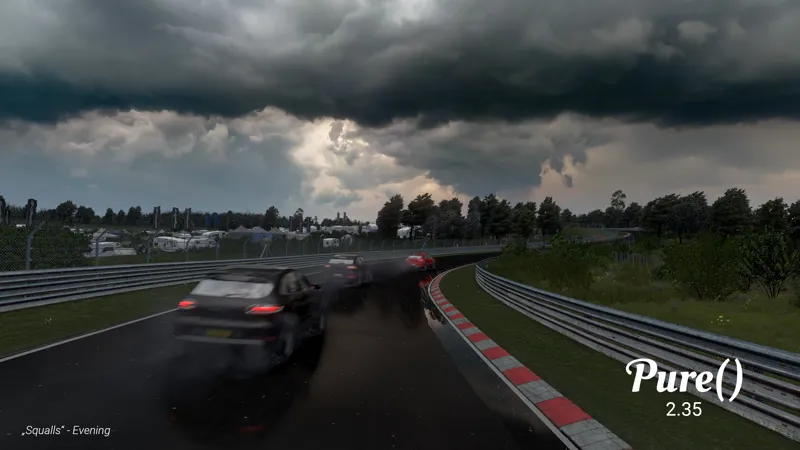
What tracks are those in the "Thunderstorm" and "scattered clouds" pictures haha
S
Super Assetto Corsa · December 2, 2024
Everything working and looking fine, except at NIGHTs (LCS and Gamma) .... Using ANY PPFilter (incluing PURE) ... The Nights are too/excessive DARK, the blacks are totally CLIPPED (as you can verify with the debug clipping on), no gradients in black and dark greys, no fixable using any correction of any parameter slider, and no, still too much darkness even in full moon light. You can notice this of course even more on track zones with a few or almost no lights (light poles, etc)
P
Peter Boese · December 2, 2024
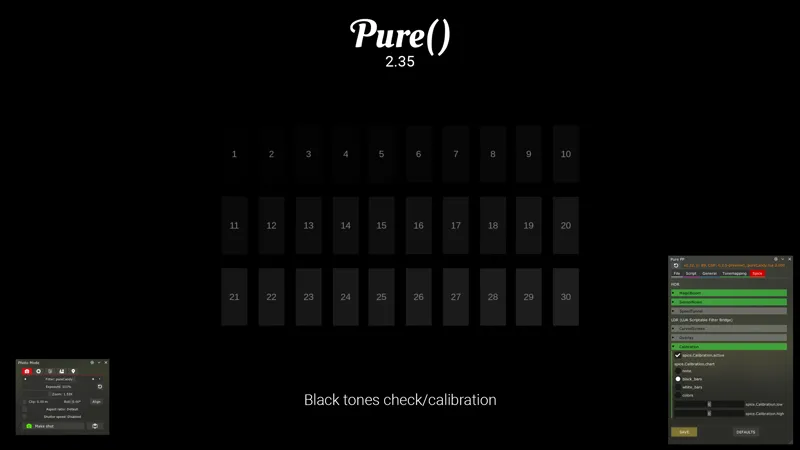
If you use the "calibration" black chart in Spice in Pure PP app, what is the first number you can see a difference from the background?
E
Eduardo Garcia · December 2, 2024
skydomes are so amazing, thanks Peter!!! you are awesome
B
BHLU · December 2, 2024
everytime i load in and open pure planner it keeps me on the lighting shader screen and wont let me off please help
P
Peter Boese · December 2, 2024
I think you mean Pure Config and you need to install it like shown in the install video! Please watch it, maybe just jump to the "Install Pure" chapter! Do it exactly like that!
A
Ash · December 2, 2024
I'm getting horrible motion blur and ghosting and weird lag after installing Pure 2.35, and I've never had issues with Pure. downgrading, because this is unplayble.
P
Peter Boese · December 2, 2024
Don't use FXAA 3.1 for now with the new Pure 2.35! https://www.patreon.com/messages/8a8d7f99b6b344c3a80e8a732f611c60?mode=campaign&tab=chats
7
777.exe · December 2, 2024
i did install it exactly like in the video but it still doesn't show up in the Weather FX
P
Peter Boese · December 2, 2024
Please reply in the same thread! Also please use Pure Discord or the chat system here: https://www.patreon.com/messages/a3e3fe9eebb1430d9273711e80960e75?mode=campaign&tab=chats Make a screenshot of your /extension/weather folder! Also check your used AC root folder in CM- Settings - general!
7
777.exe · December 2, 2024
Why is Pure not showing up as an option in weather fx - content manager?
P
Peter Boese · December 2, 2024
Please watch the install video - maybe just jump to the "Install Pure" chapter and do it exactly like this!
Q
Queden · December 2, 2024
Maybe a dumb question but now the installers are no longer a thing, can I just update by overwriting the files or do I need to somehow clean them out first?
P
Peter Boese · December 2, 2024
Sure, just do it like it is shown in the install video!
A
Algir2liz Nwm · December 2, 2024
shhould i make new update on clean instal or its okey on old files?
P
Peter Boese · December 2, 2024
Just install it over the exisiting Pure version.
0
0815 · December 2, 2024
After the update, everything works fine with pure LCS, but when switching to pure gamma, there is severe lag, and the FPS drops to only 20 (it was originally stable at 60). The overall display is also darker, and the sky only shows a light blue background. Both modes are using the same pp filter. How should I adjust this? (I just installed Pure 2.16 yesterday, and everything was fine, but the issues started after the update).
P
Peter Boese · December 2, 2024
Did you install Pure 2.35 like it is shown in the install video? Just jump to the "Install Pure" chapter...
R
Rian syah · December 2, 2024
how to fix black sun?
P
Peter Boese · December 2, 2024
Did you already update CSP to the newest version?
f
far.x · December 2, 2024
Hi amazing update! not sure why remove the PP tab, although i notice you seperated them , but how do i change exposure\bridgness ?
P
Peter Boese · December 2, 2024
Check out the post - i added a hint now...
A
Arturo Kayser · December 2, 2024
Looks brilliant. I especially like the built in Calibration :). I know it's unlikely since it is an HDR effect, but is Speed Tunnel working for VR?
P
Peter Boese · December 2, 2024
no - the spice suite is deactiavted for VR. Not really compatible
s
sean depledge · December 2, 2024
hi peter fantastic mate ,,only thing is theres no pp filter tab?
P
Peter Boese · December 2, 2024
Check out the post - i added a hint now...
T
Tim Leighton · December 2, 2024
Hi Peter I am having difficulty getting onto your Discord server. Discord is connected to Patreon and your server is shown (with the comment "not connected"). I have been able to connect to other Patreon servers but not yours. When I search in Discord for a "Peter Boese" server it tells me nothing is found. I wonder if you can help. Thanks!
P
Peter Boese · December 2, 2024
First of all: THANK YOU FOR THE LONG LONG TIME SUPPORT!!! Then, you must select a tier! The connection is tier-based. Just select the 1$ tier. You will not get charged twice!
R
R M · December 2, 2024
PPOff is very over exposed, how to fix? And no clouds with PP Off
P
Peter Boese · December 2, 2024
In Pure LCS? Or what do you mean?
c
chin · December 2, 2024
does downloading this cause issues with my current settings or everything will be okay? i got it but worried my stuff will change, i have the latest pure before this one and a good ppf filter from a friend
k
komandant · December 2, 2024
I don't see Pure in the weather selection..... solution: Install new CSP version
M
Marty Poranek · December 2, 2024
Severe ghosting/motion blur artifacting especially when camera pans. Very similar looking image render to low quality frame generation/ASW
P
Peter Boese · December 2, 2024
Do you have FXAA 3.1 on in CSP settings - graphics adjustments?
L
LGN · December 2, 2024
Thank you for this Peter, Awesome stuff - have however ran into a tiny issue where the cars/buildings/materials cant seem to reflect the light on materials properly and i can see all the lines and dots on buildings and anything that reflects light etc - I sent you a DM - im sure its an easy fix and hard to explain, have some screenshots that will explain it easier - typically only at night time its obvious
N
N3ONxAP3X · December 2, 2024
Hi, I’m relatively new to all of this. I installed pure a few days ago ( game looks beautiful btw, thank you ) How do I just update it? And will doing so change my current settings? Thank you.
P
Peter Boese · December 2, 2024
Download the Zip and watch the "Install Pure" chapter in the install video!
D
DeskTopGeek1973 · December 2, 2024
Looks great thank you for your hard work Peter
W
WA1T4M3PL5 · December 2, 2024
Hi. First of all thanks a lot for the incredible job Peter. I'm maybe the only one who have this problem but since I installed Pure 2.35 it's like I have a lot of ghosting, like everything is blurry. I'm running CSP 0.2.5 Preview 1 / Shaders ID 3117 / Playing on a new OLED LG monitor so that's not a problem from my monitor. What did I miss ? I followed the installation instructions except for the fact that I copy/past/replace the files in the correct folders like I always did. Hope to see you on track guys. Wish you all a good one !
P
Peter Boese · December 2, 2024
Link your Discord account in Patreon settings - More - Connected apps. You will be automatically linked with Pure Discord Server and get a role to view the Pure channels. Please make a new post in the Pure help support channel. We need to use a better platform to solve this fastly...
A
Aamer · December 2, 2024
My game keeps crashing on startup, any settings to fix it?
P
Peter Boese · December 2, 2024
Reset CSP settings completely! Goto /Documents/Assetto Corsa/cfg/ rename the "extension" folder to something different. Restart CM. It will create a new "extension" folder. You can restore it later. Select Pure as weather style again in CSP weatherFX settings.
P
Philippe · December 2, 2024
Yeaahh , un grand merci Péter, hâte de finir la journée pour voir les nouveauté que tu nous a fait , et je sais par expérience que je ne serait pas déçu
J
Jacopo Di Giuli · December 2, 2024
Your work with this filter will forever be remembered as the best MOD for AC, hands down! Thank you very much Peter!!! <3
E
Eduardo Garcia · December 2, 2024
I can't wait to get home after work to try it!!!! Thanks a lot Peter!!
K
Kenny West · December 2, 2024
santa is coming! thx peter
C
COBRA212YT · December 2, 2024
Thanks you Peter!! Guys, before asking how to install, watch the video!!! So much time and energy wasted.. 😮💨
J
JcBullit · December 2, 2024
yep, and the video say to install CM and lights etc. so i erase my pc and start again ? BTW download mega stucl at 24% (tried 2 times)
F
Flocons d'avoine · December 2, 2024
Perfect gift for my birthday :') thank you Peter !
P
Peter Boese · December 2, 2024
Happy Birthday!!! Sending you best wishes!
S
Silane la banane · December 2, 2024
Good ! I have installed the 2.16 version, do I need to delete it or just a normal installation and overwrite ?
J
JcBullit · December 2, 2024
lol, just watch the video !! i bet you wont be the only one to ask. I asked and that was the answer, sorry for you man, i dont know either
I
ItzGhosty420 · December 2, 2024
🔥🔥🔥
J
JcBullit · December 2, 2024
That's great, just watched the tuto. Hope the presets will help. So I have to upgrade lights and overwrite the old version of pure ?
P
Peter Boese · December 2, 2024
Just like the install Video tells you!
A
ATR Camtool Andre · December 2, 2024
Wow! Can't believe! 1st! I won't sleep now lol Thanks Peter!