

Mod It Yourself (11) - Screen Slam (Snippet Tuning)
SIMSMAS MODVENT CALENDAR DAY 11
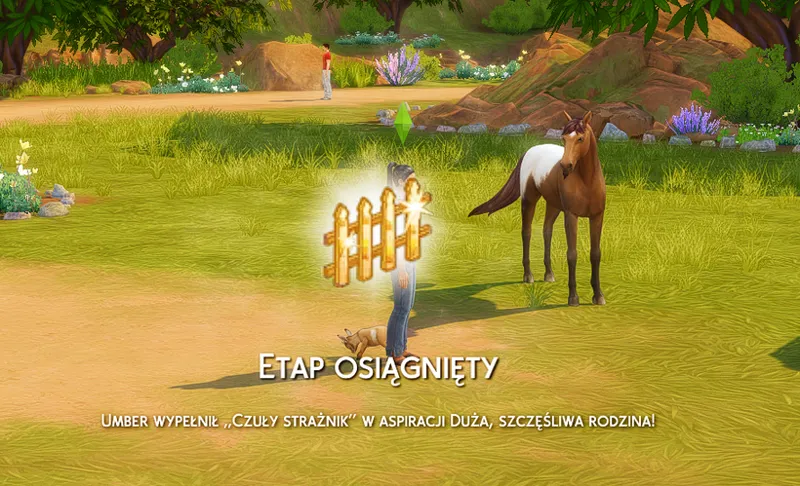
Once again, just to remind what we are talking about :D this is screen slam in the game, this popping icon with text underneath:
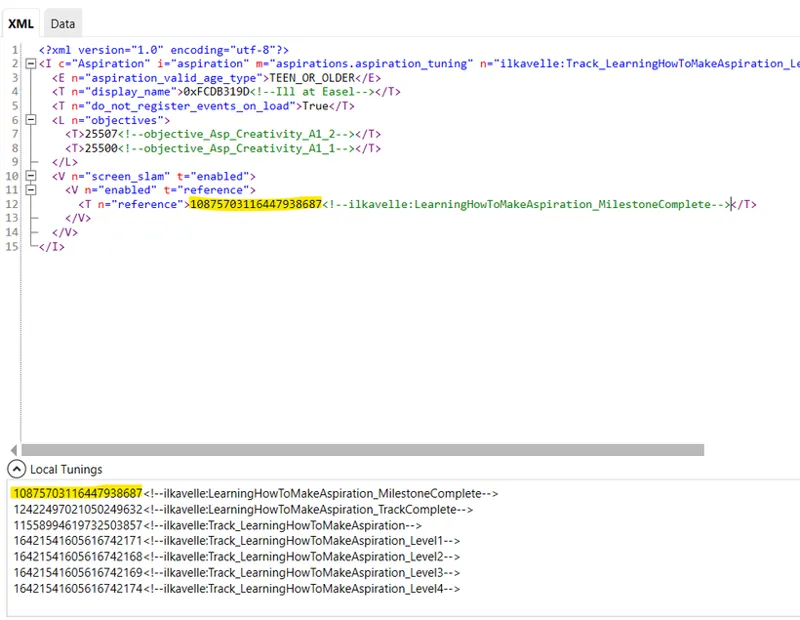
In game tuning of Screen Slam is done with Snippet Tuning. This one does not have SimData, just tuning file.
For aspirations we use Screen slam for:
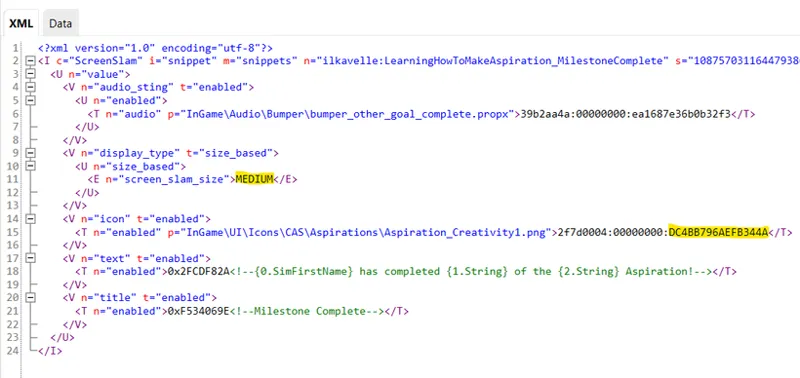
Milestone Completion (so aspiration level completion)
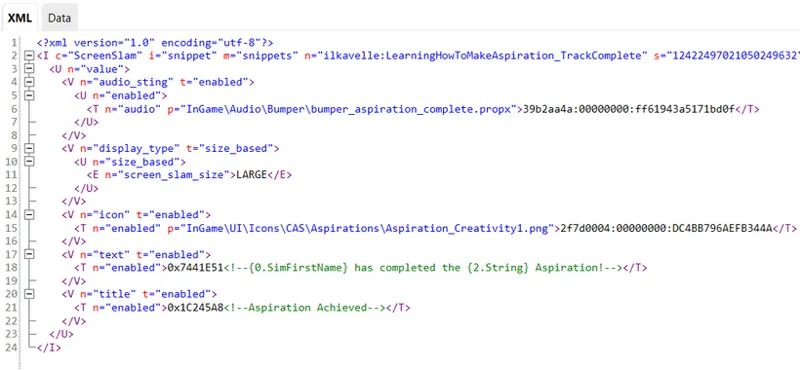
Entire Aspiration Track Completion - so at the very end, and the only difference is this one is bigger and has different text below, informing about completing the entire aspiration.
You can just duplicate the screen slam code, taking examplary TuningID from the Aspiration Tuning.
Tuning file structure
Audio - this is an audio sound. Personally, I never change that, because I don't create audio sounds.
Display type - size
Milestone complete uses Medium
Track complete uses Large
Icon - I copied here again the Instance of our new aspiration icon, the same one I used in the Aspiration Track Tuning.
Text - I also don't change it here. I just make sure the correct strings is for Milestone Completion and for Track Completion.
For the comparison, below picture of the Track Complete:
Creating your own aspiration
I created 2x Snippet Tunings:
1st for Milestone Completion
2nd for Track Completion
Now go to Aspiration Tunings. Within each Aspiration Tuning copy the TuningId of created Snippet tunings.
For levels 1-3 it should be Milestone Complete.
For level 4th, or simply the last one, it should be Track Complete.
This change is done only in the Tuning file, so you don't need to make any changes within SimData this time.
Thank you for learning with me :)
Comments (4)
Hi! I finished importing this series onto the Modders Reference website, and I thought you might want to take a look at and see if you like it before it goes live. And to see if you want to write the introduction yourself, too, since I had to write that myself. I can put a link here if you'd like, or I can DM it to you on discord?
I couldn't really leave it any longer, because a lot of updates for the site ended up mixed in, so I had to publish it. It can still be changed if you have anything to say https://thesims4moddersreference.org/tutorials/series/miy-aspirations-index/
Hi! I'm loving seeing these. When you're finished, would you mind if we linked them on the Modders Reference website https://thesims4moddersreference.org/, or included them if you prefer that? They could be very helpful to people just getting into modding, and to people not used to using S4S for modding or making aspirations.
Sure! You can do, as you prefer! I created it to help people so I will be happy if it reaches bigger audience :)