


Update 32
- added following item textures:
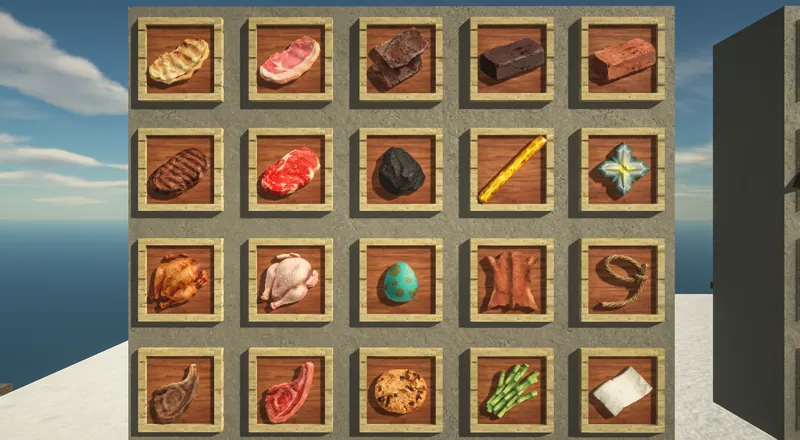
brick, nether brick, netherite scrap, nether star, blaze rod, coal, lead, leather, spawn egg, paper, sugar cane, cookie, pork, cooked pork, beef, cooked beef, chicken, cooked chicken, mutton, cooked mutton (2)
- added placeholder armor item icons via custom item model (2)
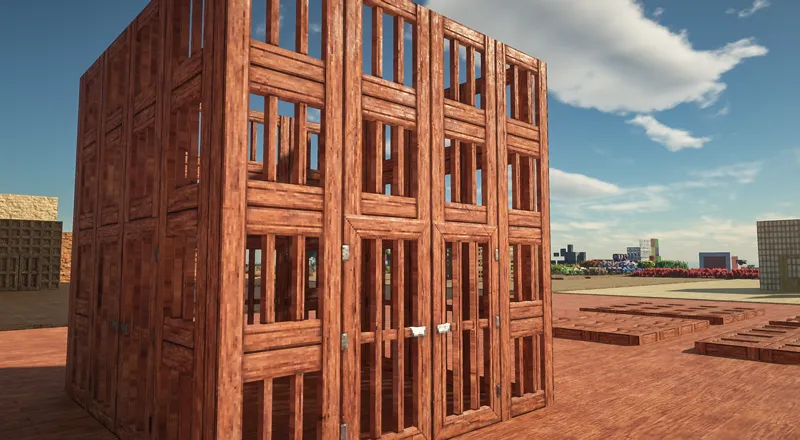
- added POM to various doors/trapdoors so they have some thickness (1)
- added random height variation to sunflower via custom model/blockstate (1)
- changed polished granite/andesite/diorite texture (1)
*(1)=basic (2)=items
More item textures will be added in the future, and maybe mob/entity textures following that.
Was too annoyed from thinking of a good way to make item texture for the armors, so I just made some tiny armor models for them as placeholder. May or may not change in the future.
Changed the texture test map, moved all the item and armor display over to north west side so the main area is less laggy from them
=================================
You can download the pack here (works with any 1.15/1.16 versions):
https://www.patreon.com/posts/update-36-53193316
Click on the files inside the folders individually to download them
Basic: all required essential vanilla textures
Addon: optional extra biome-specific textures that fits vanilla gameplay
Bonus: optional extra biome-specific textures that doesn't fit vanilla gameplay
Items: item and armor textures
Models: optional extra custom models, works with any res versions
The "basic" pack need to be loaded at the bottom (just above default pack), and the optional packs can be loaded on top in any order.
The texture resolution for "basic", "addon", and "bonus" pack need to match each other for pathtracing to work properly, but you can use whatever res you like for the "items" and "models" pack.
The extra grass in the "models" pack works best with SEUS PTGI HRR and "Smooth Lighting" option disabled.
Please check the included "features list" text file inside each optional pack to see detail descriptions of what they add, or how to remove unwanted features in the "models" pack.
!! Don't try the 256x versions unless you have plenty of RAM/VRAM !!
Make sure these settings are set correctly, or else the textures will get messed up:
"Quality Settings > Connected Textures" to Fancy
"Quality Settings > Natural Textures" to Off
"Detail Settings > Alternate Blocks" to On
"Detail Settings > Trees" to Smart or Fancy
"Performance Settings > Smart Animations" to On
"Shaders > Shader Options > Raytracing Options > Full Raytrace Reflections" to On (for SEUS PTGI shader only)
"Shaders > Shader Options > Texture Resolution" to match the res of the pack you're using (for SEUS PTGI shader only)
Optionally could download the block properties file included in the download link and use it to overwrite the same file inside SEUS PTGI shaderpack. The file adds several fixes, and makes ore crystals glow if you enable "glowing redstone block" or makes the bonus pack scifi panels glow if you enable "glowing emerald block" in the shader options.
=================================
Since I've already made posts explaining various common problems with my pack and another post on mediafire, any comments/questions on these matters or things already written in this post will likely be ignored.
Feel free to leave some feedbacks for the existing textures, or suggestions for new block textures!

