








Common problems with my pack
I've noticed a lot of people are having some common bugs/quirks using my resourcepack, so I decided to make a post just for it.
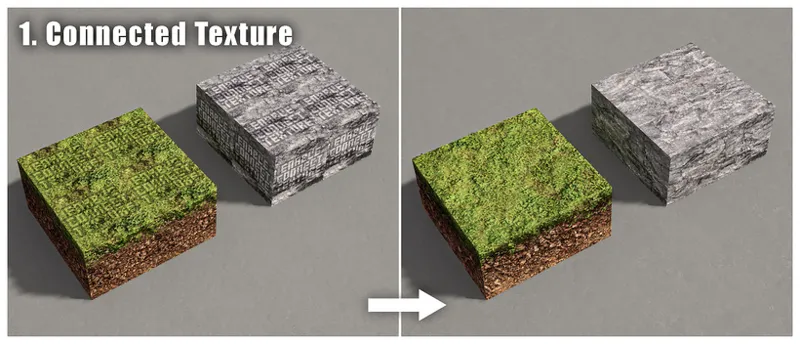
If the block textures aren't tiling properly and there are "enable connect texture" texts on placed grass and stone blocks, you need to install the fabric "Continuity" mod, or set "Quality Settings > Connected Textures" to Fancy for optifine users. If your game starts crashing or straight up unable to load the pack after enabling connected textures, please check the bottom section of this post for reference.
If the rounded blocks/items/mobs look weirdly flat even under angled-sun-lit environment, you might've disabled normalmapping in the shader settings, or the shader you're using doesn't support normalmapping. Could check this google spreadsheet for shader settings.
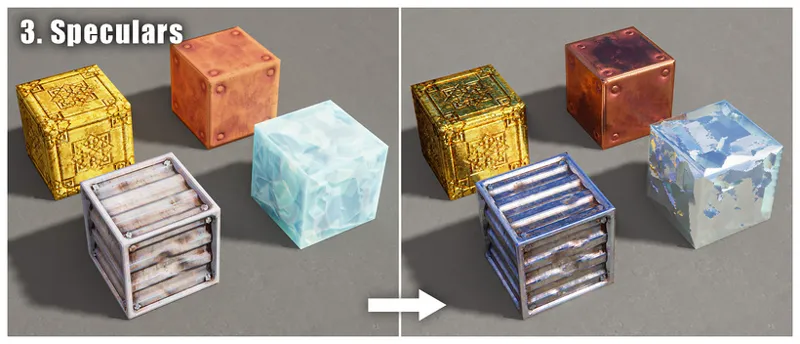
If the blocks/items/mobs with metallic or shiny materials look flat and missing reflections, you might've disabled specularmapping or reflections in the shader settings, or the shader you're using doesn't support specularmapping or advanced reflection effects. Could check this google spreadsheet for shader settings.
If the blocks that usually has 3D deep holes or crevices look flat from the sides, you need to enable "Parallax Occlusion Mapping (POM)" in the shader settings, could check this google spreadsheet for shader settings. However not all blocks in my pack uses POM.
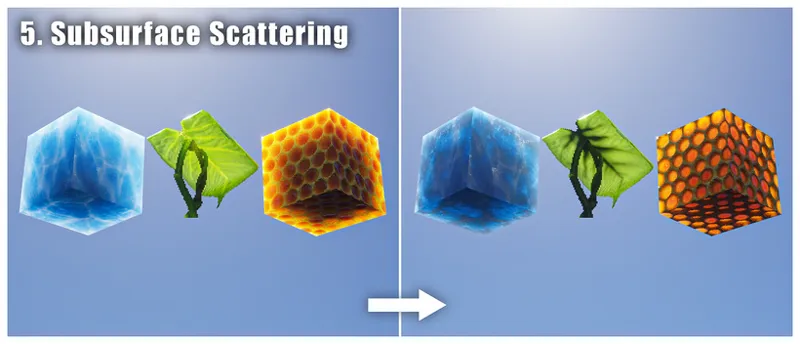
If the blocks/items/mobs that has waxy/fleshy/translucent materials look flat and lack detail under shade, you need to enable "Subsurface Scattering" in the shader settings, or use a shader that supports labpbr-format SSS, could check this google spreadsheet for shader settings.
If the blocks/items/mobs that look like it has glowing parts but doesn't glow as bright as it should, you need to enable "labpbr emissives/emission" in the shader settings, or use a shader that supports labpbr-format emission, could check this google spreadsheet for shader settings.
If your mobs appears glitched out and broken, you need to install fabric "Entity Model Features" and "Entity Texture Features" mod, or enable "Quality Settings > Custom Entity Models" for optifine users, and make sure the pack version you're using matches the minecraft version you're playing on.
The optional "models" pack adds various extra 3D model features, such as extra grass sticking out of grass block, 3D crystals sticking out of redstone/emerald/diamond ore blocks, or 3D stalactites hanging below various natural stone blocks. If you find these annoying, just don't use the models pack, or check the "features list" text file inside the models pack to see how to manually disable individual features.
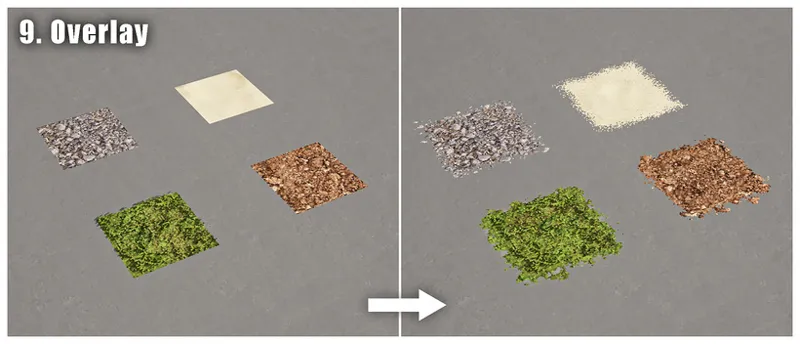
Use the optional "addon" pack if you want common terrain blocks to spread over to nearby blocks, and make sure your connected texture function is working (see #1).
Use the optional "addon" pack if you want connected glass block or glass panes, and make sure your connected texture function is working (see #1). However if you want seamless stained glass you'll need to disable the addon pack instead, or manually delete the texture files inside the addon pack.
Use the optional "addon" pack if you want glowing redstone/emerald/diamond ores, and make sure your connected texture function is working (see #1) and labpbr emission enabled (see #6).
The optional "bonus" pack adds various features that looks very different from the original blocks, such as timber-framed walls, sci-fi panel for black wool, bone piles for purpur block, or potion shelves for double oak slabs. If you find these features too out-of-place and weird, just don't use the bonus pack, or check the "features list" text file inside the bonus pack to see how to manually disable individual features.
Another very common problem with my pack is game crashes or resourcepack fail to load/reload or low fps/stutters. It's probably due to your pc not having enough RAM/VRAM or your graphics card not supporting a large enough texture atlas for my pack. You can try:
Only allocating ~4gb of memory to minecraft if you're not using other heavy mods or having far render distance
Disabling "Video Settings > Quality (optifine-only) > Anisotropic Filtering"
Lowering "Video Settings > Mipmap Levels"
Using a lower resolution version of my pack
Don't use the optional packs
Disable "Video Settings > Sodium > Animations" (sodium-only)
Disable "Video Settings > Animations > Terrain Animated/Textures Animated" (optifine-only)
For any additional help/support/questions please link your discord account to patreon and join the patron discord server.