


Patreon 0.28.0.0 - Gotta Go fast
Dear patreons, it has now been 16 days since we released our first nightly build on the dedicated Discord channel (read more). Thanks to our audacious members, we have been able to accelerate the cycle of detecting and resolving issues, allowing us to devote time to improving performance and reducing CPU usage. In case you missed it, nightly builds are now available roughly every few days for early adopters. With 0.28.0.0 we also added a workaround to the Windows Defender “Trojan:Win32/Vigorf.A” alert (WinRing0) issue by adding the affected files to Windows Defender exceptions list.
Improvements
Performance
Reduced CPU usage across all action classes (Button, Axis, Triggers, Mouse, Keyboard, Gyro) and state classes (Button, Axis, Gyro).
Reduced CPU usage when using Ambilight LED mode.
Faster sleep resume: HC should resume components on system resume even if session is locked.
Device/Controller handling
Reworked device/controller arrival–removal queuing and concurrency for HID/XInput.
Per-device default hotkeys are created on first initialization.
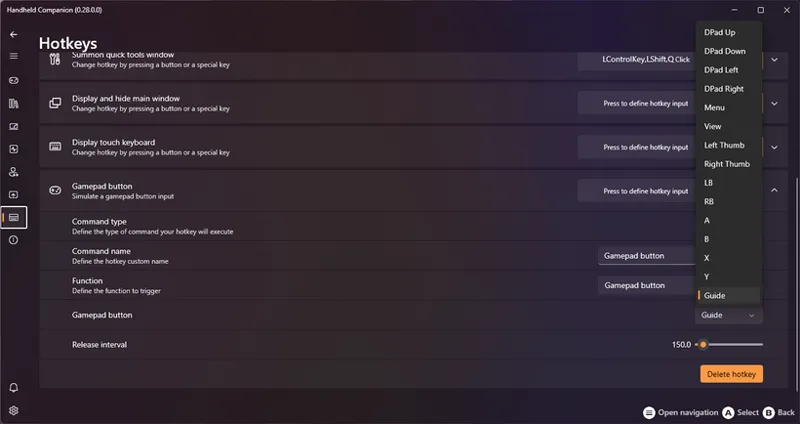
GuideCommands hotkey was replaced by ButtonCommands, allowing mapping to any gamepad button, not just Xbox Guide.
Navigation & UI
Gamepad navigation refined across the app; main window A/B flow feels more natural.
QuickTools: remembers last focused item, no longer targets the AppBarButton first, L1/R1 auto-enter the page, and L1/R1 now cycle within menu items.
QuickTools Home & Applications UI refreshed.
Layout Manager UI now uses SettingsExpander and SettingsCard components.
Profiles & Power
New profiles inherit all buttons/axes by default, including OEM buttons (OEM set to Inherit).
Users can now edit default power profiles.
When launching a game from HC, HC waits longer for the profile-related executable to appear before minimizing itself.
Revised Mouse actions acceleration logic, adding velocity memory logic.
Platforms & Devices
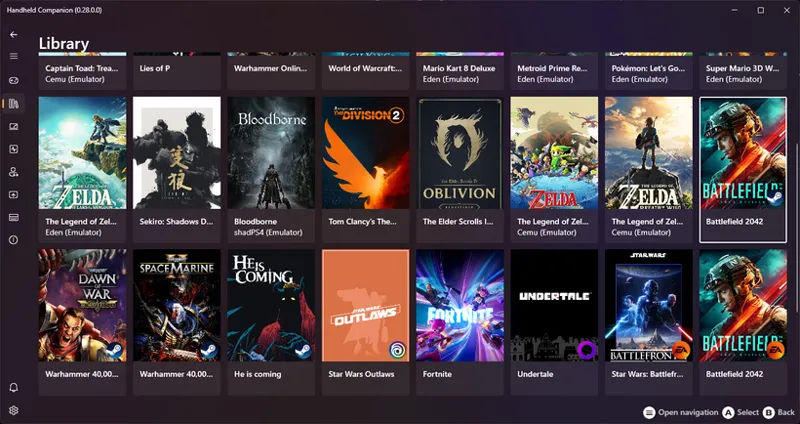
Improved EA Desktop library support.
ONEXPLAYER X1 (8840U) recognized with ProductName ONEXPLAYER X1z.
(Tentative) ROG Ally PerformanceMode & AsusFan behavior improvements.
Setup
Installer adds WinRing0x64.sys and HandheldCompanion.sys to Microsoft Defender exclusions.
Fixes
Hotkeys: duplication on migration resolved; regression from ButtonState logic fixed.
Legion Go S: fixed swapped LegionR/LegionL buttons.
ZOTAC Gaming Zone: VRAM control fixed.
ROG Ally: Xbox Adaptive Controller support fixed; fan & power management corrected.
Profiles: version check that excluded profiles fixed; duplication when a library import finds multiple executables fixed; updates during resolution/refresh changes stabilized.
QuickTools: transparency no longer lost after moving the window.
Commands: GameBarCommands & DesktopCommands now work correctly.
Controllers: tentative phantom-controller filtering; prevented SDL from randomly taking over XInput.
Mapping/Input: button→trigger layout mapping fixed; gamepad input injection from hotkeys on dummy controllers fixed; OEM buttons now correctly inherit default layout.
Dependencies: missing YamlDotNet library fixed.
Events/Concurrency: asynchronous HID/XInput event handling issues fixed.
Stability: rare UI rendering freeze fixed.
Comments (2)
Hi, on Legion GO S, I can't map the OEM button to the "Guide" button. In the new version 28, you added a hotkey to simulate the Guide button click, but it doesn't work; the Game Bar doesn't appear. If I plug in a wired Xbox controller, pressing the Xbox button opens the Game Bar. My workaround is to simulate Win+G, but the Guide button displays all open apps and therefore allows you to switch from one app to another if necessary, and the Win+G shortcut doesn't allow this functionality. I also wanted to know if you plan to move the QuickTool to the Game Bar, or if that's too much work? Thanks
Can you try and increase the press timer on the hotkey ? I don't know about moving Quicktools to GameBar. Advantage would be minimal and I have no idea how much work it'd represent.