

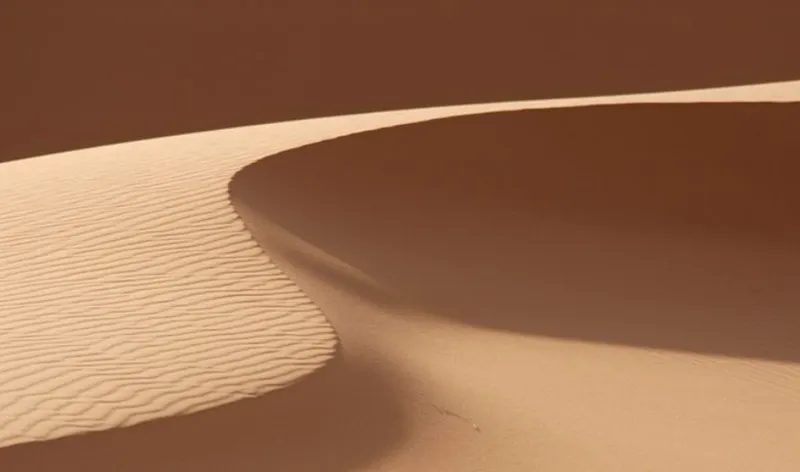

📝 Journey Sand Shader ● Sand Ripples (6/6)
Hi everyone!
The final part of the tutorial about Journey sand rendering is finally here!
In the final instalment, I will focus on how to recreate the ripples that wind creates on sand dunes. I have kept this as the last tutorial as it involves more Maths, compared to the previous ones.
I hope you have enjoyed this series. I have put a lot of work into it, and I am really looking forward to creating more content like this. But I think that for a little while, I will stick with shorter series!
You can the full series here:
Part 3. Journey Sand Shader: Sand Normal
You can also download the package to recreate the effect here:
Download Unity Package (PREMIUM asset available to all $25+ patrons)
A future series will cover how to slide and leave a trace on the sand that we have just created.
In the meantime, if you have any question, please do not hesitate to get in touch with me!
🧔🏻
Comments (4)
Hey Alan, im using your shader solution straight from the package but it indeed doesnt seem to properly interact with Point lights, it just seems to draw a big semi transparent white square instead of projecting light onto the surface
Hi! The package was designed to be non-photorealistic; it does not interact too well to additional lights! 😅 However, have a look at my comment in this post: https://www.patreon.com/posts/journey-sand-30540389?cid=54507258 I posted a slightly different version which reacts to shadows. It should also reacts to point light, although I am not sure if it will react 100% accurately to them!
Hi Alan! this is great, I was wondering how I could go about implementing point lights in this shader model. I'm relatively new to shader coding and would love to be pointed in the right direction!
Hi! What do you mean exactly? If you are extending a standard surface shader in Unity, this should already be enough to react to lights!