
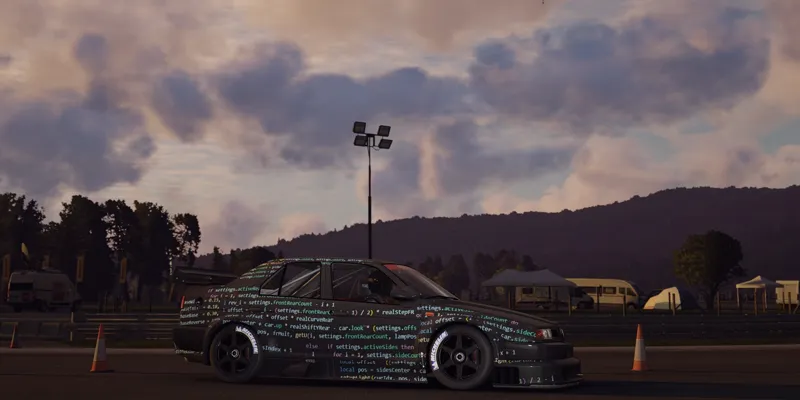


Staying safe with all the content, and a teaser or two
Sadly, it looks like we’re starting to see some bad-faith modders in the community. So, I thought I’d make a small post with a few recommendations, and work on making CSP a bit safer.
First of all, please keep an eye on the type of content you’re installing, and if you’re not using Content Manager to install a mod (or if it’s being installed as a generic mod), glance through the files to see what actually is being added. If it’s something like a new car, or something else contained within the “content” folder, it’s perfectly safe. But if a mod adds anything to “apps”, “extension”, “launcher”, “plugins”, “server” or “system”, or if it includes any DLL (or EXE for you to run), such a mod can, potentially, do anything it wants on your system, so please check those mods thoroughly. Especially if it’s a stolen mod: those are sometimes repacked by third parties, so some of the files might be edited.
With the original Assetto Corsa, there are plenty of ways a mod could add its own logic. Apart from obvious stuff like including its own version of Reshade DLL or adding a new Python app, they could also alter launcher logic, add a new AC plugin, adjust one of JS files loaded by the original launcher, swap Python libraries (either standard or AC ones). And, to be clear, the original Python apps of Assetto Corsa can do anything they want. If anything, they can do a whole lot more compared to Lua apps, but those also have pretty much no limits. And when it comes to this type of thing, if a script can as much as simply save a file somewhere within the Assetto Corsa folder, that’s already more than enough to compromise data files.
Now, Custom Shaders Patch adds a lot of other types of scripts for all sorts of tasks. Ever since adding script support to Content Manager (which allowed us to have much nicer, if static, weather conditions back in the day), I was always fascinated by how much flexibility can be achieved with a simple Lua script. But, the way the whole thing is currently set, those scripts aren’t a weaker alternative to Lua apps. If anything, Lua apps are the weak ones, with delayed loading, and sometimes loading skipped altogether. A specialized script — such as Pure (a great WeatherFX style by Peter Boese) — loads first, and has full access to your file system and other processes! So, all the scripts you’re installing explicitly (with CM warning you about potential dangers), and going to CSP settings to enable explicitly — including post-processing scripts, GamepadFX scripts and more — all can do pretty much anything. That’s how Pure can edit configs and load extensions, how Curved Monitor filter can export settings, it allows for Mobile GamepadFX script to exchange data with the phone, or for Wooting keyboard script to read analog values from those keyboards. It also allows for traffic mode to load missing assets, and more.
There are only three exceptions: car scripts (both regular and physics), track scripts and, of course, online scripts. Those are the scripts you might not be aware of installing, and they are fully sandboxed and can’t really do anything like saving files.
In the next update, I’ll add something for CSP to ask each time before starting a new script with full files access, and something for scripts to opt-out of that access. But even with that addition, I ask you to still be cautious — a malicious mod could always find a way to circumvent some of these protections, like replacing a config of another mod changing its behavior in a potentially threatening way. Using Content Manager to install mods and keeping an eye on its warnings should be enough though.
For extra safety, I’m also going to add some settings for blocking out scripts entirely, and maybe something that would prevent sandboxed scripts from accessing the internet (although, that might break some things like Android Auto or online scripts).
A teaser or two
With that out of the way, I’d like to show a thing or two we’ve been working on. If things go according to plan, the next update should be ready in a week or two, but why not hype things up a bit earlier too, if I’m already making a post.
First of all, live car swaps! It’s still far from the final version, and still has a lot of limitations, but it might already be useful for remote cars online, allowing for servers where drivers don’t have to choose an entry slot, but either, any car of the list of allowed. Later, of course, we’ll push this idea further, with loading missing content on demand, and allowing to change cars live while staying connected to the server, but it’s already an interesting start. And here is a small demo video of its current state (note, however, that for this video to work, I had to disable extended physics entirely, as it’s not fully compatible with live reloading yet). And, there are still some limitations, such as rain occlusion not being calculated for newly loaded cars, or occasional performance hiccups during some of loading stages, but I believe most of it will be solved soon (and if we’re talking about live swapping remote cars, we don’t really have to load them in their entirety too, so some performance improvements could be achieved there too).
Another interesting addition is a bunch of extensions to New Mode scripts, allowing them to kind of do their own online sessions. Basically, a script can be set in a way where it adds a few dummy “remote” cars in disconnected state, and then, once in-game, start feeding Assetto Corsa their actual state. There are many possible uses for something like this, like taking a real-life car telemetry and applying it to a virtual car — you could already do something similar with a ghost, but this way you’d have audio, collisions, effects and such — or, for example, to set up an entirely alternative online implementation! As an example of it, I’m working on a new mode with some basic one-on-one driving, connecting clients directly to each other without a server. The whole thing originated when SLX had an idea to use the Steam API for some peer-to-peer racing, so if you’re interested, make sure to check out his Patreon, as he’s working on something a lot more advanced.
Custom physics will see some additions as well, with a new physically-based multilayer finite element tire thermal model under development (correlation example below), hysteretic damping for tires, asymmetrical setup defaults for COSMIC suspension, and many other features in the works.
Thank you for your continuous support, and your patience! The next update is coming soon, and more cool features will be coming shortly after.
Comments (52)
could always start something with Peter, where you guys work with legit modders who can get a unique hash key from you. every other mod use with caution.
how I download ?
nice work
Is CSP still maintained...? There are tens of thousands of subscribers and in almost one month, no updates???
Good evening. The game is just crashing when clicking drive. I have both the latest Pure and CSP preview. Any ideas how i can fix it? I followed the video guide from Peter Boese to download
Hello, all chrome and alloy parts look black, like wheels, anti roll bars, speedometers frames on old cars... seems to be CSP as it does this even without pure. Doesn't happen in Custom Showroom, I can provide comparison screens
Any idea on why my tire textures are just black and wont change with the compounds
what car is it for. or is it all cars
my friend and i have done the complete download and install. we are having trouble with the app. When we want rain or a wet floor, nothing happens. Is anyone else having this issue?
same thing for me
I installed PURE, but it doesn't display in triple screen mode. With the original 0.2.11 version, it works properly in triple screen mode. Please tell me how to fix this.
is there a way that i can delete dream's spyware
yo i need help, the game for some reason keeps infinitly loading DATA FOR CUSTOM SHADER PATCH. idk what to do
where do i find the downloadable link for CSP?
Just scroll down to the previous post.
С нетерпением ждём о великий волшебник )
I have problem, the game keeps crashing for some reason. and i need help iam completly new to this. i start the game and after aournd 20 seconds the game crashes please help me :/
I had the same problem. After setting a frame limit of 100 in AC , no crashes anymore
Hi, sorry to bother you, I have a problem, some shadows/reflections are flashing along the camera, I also have a video if you're interested, can you help me please?
Are there any plans to rework the smoke physics? feel like it maybe time for an update to it - make it more realistic
To anyone having issues with version mismatch, the reason you're getting it is because every time you update csp with a version from here you have to also put the new dwrite.dll file from the zip file into the root folder of the game. Also is anyone else having the issue where preview 212 gets stuck on loading pit and crew and never loads in? I tried 140 which works for local, but when I try to load into no hesi it freezes on final step. 212 worked the other day and I changed absolutely nothing about my setup since then.
Hello, not sure where to put this. Just installed the latest preview today and it knocks out triple monitor support. All settings are correct and as soon as revert back to the non preview version everything works. Just an FYI for now, but if there is a known issue I thought I would see here. Thanks
I have the same problem, mate! I hope anyone can help :)
i keep getting " Failed to launch the race CSP installation is damaged (versions mismatch). Some tips that might help: • Reinstall CSP from its website; • If issue persists, make sure Assetto Corsa is closed, or restart Windows before reinstalling. Your CSP version is 0.2.11. Detailed report "crash_20260215_213430.report" has saved in "Documents \Assetto Corsa\logs". Would you like to see it?" I dont know how to fix this if anyone smarter than me can help please do im starting to think ac doesnt like me
Good to know, but in any case, the latest CSP version it has a bug, reported by some users including me, it's not about "bad mods" I think, and it happend sometimes at any random moment in some online servers only... I hope the next version fix that, I stick at CSP 0.3.0 preview 140 because of that erro in the last one. The Windows message says something that msvcp120 cant's find And Content Manager says: Error might have something to do with: d:\dev\csp\csp.cpp (1): [wB+Kjplr6lE] d:\dev\csp\csp.cpp (1): [5pcCeZ4osB4] AC\replaymanager.cpp (334): ReplayManager::onStepCompleted d:\dev\csp\csp.cpp (1): [A1JQpCgGhyo] AC\physicsavatar.cpp (169): PhysicsAvatar::onPhysicsStepCompleted d:\dev\csp\csp.cpp (1): [Kn4Qh1tngjQ] d:\dev\csp\csp.cpp (1): [0FJPaAk3gJU] 00007FF8E0BAD03C (msvcp120): (filename not available): std::_Pad::_Release 00007FF8E0AA4F6B (msvcr120): (filename not available): beginthreadex 00007FF8E0AA5098 (msvcr120): (filename not available): endthreadex 00007FF96B47E8D7 (kernel32): (filename not available): BaseThreadInitThunk 00007FF96B6EC53C (ntdll): (filename not available): RtlUserThreadStart
Since version 0.2.10 of csp, my game hasn't been smooth. It's like I'm constantly at 40 fps. So I have to stay on 0.2.10. anyone else with this issue ?
Ive had an issue with my mouse cursor not hiding when I press CTRL F8 after I installed this mod, anyone have a fix?
Thanks for the great work Ilja! Any plans to optimize VR experience going forward, I think it's still an area with massive potential and increasing demand going forward. Would it make to look into integrating dlss 4.5 for vr optimization?
I like the new menu and all, but: 0.2.5 is the last version I can use with VR on my system. Every later version causes massive motion sickness!! Any ideas what I can do or adjust? AMD Ryzen 5 7600X / RTX-5070ti / 32GB-DDR5-6000 / Quest-3 via cable
Have you tried locking the onboard camera to horizon?
Unfortunately I can’t post an image here which makes the issue more obvious.
After installing the latest version of CSP, If I wait for a race to finish and then launch the replay, I can't use the camera function. Any selection of tools from the right menu during the replay just shows a red box where it should launch on screen. As soon as you head to the box with the mouse it disappears. In order to take these shots I have to pause the game and launch the replay before the race finishes. I thought this was an issue with Pure but Peter says it has no influence on this and it’s a CSP issue. Or an app issue? If anyone knows how to resolve this I'm all ears.
My main REQUEST since CSP exists ... it's and will always be, Cars Reflection over the WET ROAD ... IN VR. Just like in 2D, I know the main problem it's that right now that it's part of "ExtraFXs" that don't work in VR. But it must be a woraround for that. Just like you did an interior windshield realtime stereo reflection, that was such an amazing impact on immersion In VR. No other Sim game got that feature yet, they keep using ugly flat 2D textures inside the windshield.
true that
I really appreciate your hard work on this Ilja, and I've not had trouble like some of the other guys on here, the latest version 0.3.0-preview2.12 works great! the ONLY thing I always hope to see in your updates is the ability to script AI behaviour, I think I'm not speaking for myself alone, but if we can enhance the AI in AC, it will continue being the best sim for many more years! Please find a way....
Could you please look into quad view foveated rendering for vr? Multi view rendering is a Nvidia API that expands on single pass stereo
Make me your little distraction 😔
May I ask is it possible to have the dynamic rainfx racing line back or add rubbered racing line in the future?
Anyone else have a bug where you press esc and the game hangs? It will eventually unlock itself, and then wont do it again until a new race.
Hi Ilja, many thanks for your hard work. However, I think we need to focus on stabilizing the current sate of CSP. Personnally, those 2 new things doesn't interest me. I had to roll back to 0.2.11 version as 0.30 brought bugs to the CMRT hud. Also, I encountered some issues when playing in HDR mode, many months ago. Since, I stopped HDR and did not find the will to test it after.
You need relaxation so be here 😘
First fix dashboard camera. Cluster disappearing and other bugs. Enough adding unnecessary things for now.
I have installed Pure 3.1 and had free version of CSP 2.11 working fully with OpenVR (Valve Index). I then upgraded to paid version and all the Weather FX stuff sprang to life and new UI, but for one problem - it no longer renders in my headset - I just see it all working in the mirror screens on my triples. I can use triple/single screen no issue, but am not interested in moving away from VR. It looks like its working very well, headset movements etc all perfect, smart mirrors etc, lovely weather effects, good framerate... but headset is not getting anything. Is this a known issue?
It's working since I enabled PP filter. Was working perfectly without one on my triples (and arguably better), but something was blocking it from getting to the headset and it followed me upgrading from freebie 2.11 to the new UI. I'm down from 72fps to 48fps which isn't good for VR, so I'll have to sacrifice other visuals to see if I can ramp it up again. Rain effects (including physics) are nice and a new toy for me to play with car physics.
Can you please look in to what is causing 0.3.0 plus builds to crash VR. Having to use 0.2.12. Many thanks.
Is there anyway to look into AI with these Preview and work on their throttle application out of tight turns? Since Preview 2.12 most AI will fishtail out of tight turns like they are flooring the throttle but if I revert back to the Free Version of 2.11 then the issue goes away
I am really disheartened with all the cheating going on in the public servers.
Please VR bug fixes all we need are bugfixes we dont need countless new features we need decade old features to work right please
Leave that and see here
I appreciate you making this more known to the community and for the great work, looking forward to the updates 🤍
yes
🔥🔥🔥