
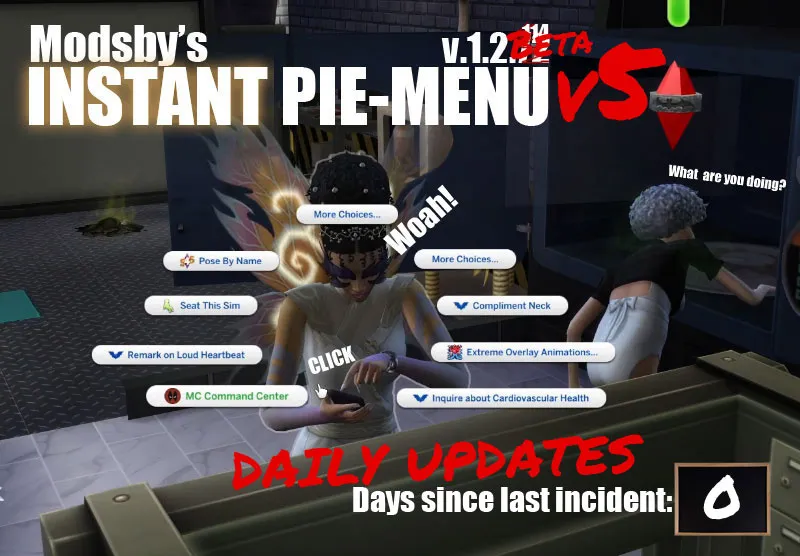


INSTANT PIE MENU v6.1 - BETA IS HERE! *Live-updates 18/10-25/10
Hello everyone!
Use this version v6
https://www.patreon.com/posts/173228957?utm_campaign=postshare_creator&utm_content=android_share
Do you use a million mod but hate the lag? You just want to play the game with a million of mods and not have any consequences? Listen, I get you, me too. This is the only way to overcome one of the biggest flaws playing with lots of mods. The pie-menu loading.
This is not the final solution, just a milestone. It's not perfect but it is a beta test.
MDM is next
Modsby’s Instant Pie Menu (IPM) is designed to reduce the pie-menu loading delay to zero seconds (on approx 75% of clicks) by preparing menu options in the background ahead of you clicking them, ready for when you need them and after its finished loading.
Test show with 45GB of mods it took around 18-20 minutes to load. The menu opened instantly after.
How this works:
1. Put IPM folder inside your mod folder. Delete previous version of IPM or MDM (you can keep queue menu)
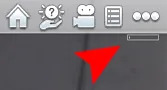
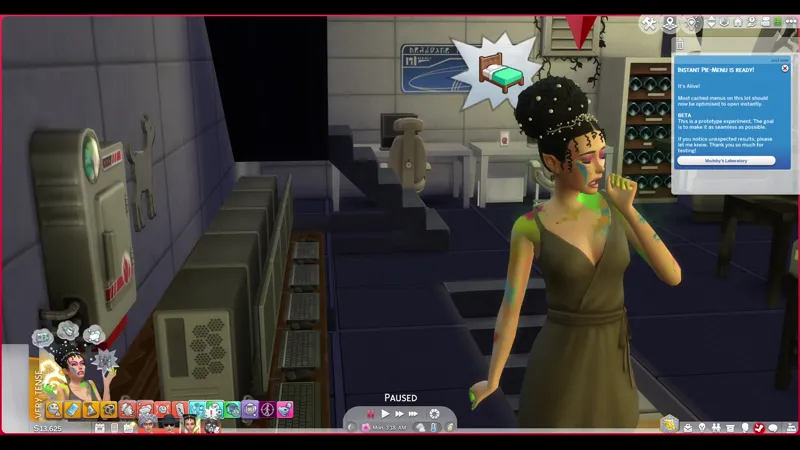
2. The moment you load your game a tiny progress bar will appear top right under the settings button.
3. That is IPM optimising/documenting/caching your lot/venue per sim.
4. Once its finished, the active venue will be have menu's appear instantly approx 80% of time. Its not exact science and its beta, we're getting there
I hear you say:
Q: Does this cause lag?
A: Not exactly, the caching is slow and designed in a way that it does not stress your CPU. You can argue the opposite and it removes lag? :)
more FAQ below.
Keep playing your game and don't worry about it. Ignore the bar it or type in ipm.preloader off into ctrl+shift+c cheats menu so it does not bother you. IPM prepares your lot’s menu options in the background even when you can't see it or feel it. The effect should be instant once you start repeated clicking on a Sims or Objects, if you used v.1.0.2 it will feel the same. Later everything you click will start to become instant displaying menu's in places you did not expect! That little progress bar shows how preparation is going per sim, per object on the current lot. Naturally you won't get that with neighbours, until you click them. Bigger households and venues with more objects may take longer, because different Sims can have different interactions and your mod folders are endless.
Prepared menus can open much faster, menu's you clicked last override memory. Some clicks will still need EA to generate or refresh a menu, so “instant” won’t apply to every click in every situation.
Preparation is ongoing even after it says it's done. Travelling, switching Sims, and changes to your lot or available interactions can require additional work. The progress indicator shows preparation coverage, rather than a guarantee that every future click will be instant.
This is an active beta
Behaviour will vary between households, lots, and mod setups. I tested with many different mods and had and scenarios, but I can't possibly guarantee compatibility with all of them.
Compatable mods:
- Modsby Queue Menu 0.4.6-alpha
- T.O.O.L (moving objects and not sure about ALT click)
- Smarter Pie Menu
- Lot51Core
- "Graphical" Pie Menus
- auto-pause mods that don't have .package (if yours has as .package - delete it, you dont need it :)
- Bunch of other mods i didn't think was worth testing
Modsby Dropdown Menu (MDM) is NOT compatible.
Known issues and limitations:
- Some Monkey-bashing testing failed. This means that you need to consider this may not be a miracle pill after all. We land 80% even when it's finished loading. All Sims Setups are different, try using it without mods and see how well it works :)
- Changing venues restarts the process for that vanue. What this means: That venue will become instant after a few minutes. This is expected. Same happens when you switch households or invite new members to your household. Don't worry about it.
Preparation can take longer on large lots and in bigger households, bigger mods.
Compatibility with every mod combination has not been verified.
You’re in control
Use these commands in the cheat console:
ipm.cache off - turn caching off.
ipm.cache on - turn caching back on.
CHANGE LOG:
- Architecture change to be more compatible with most mods reported in Alpha
- Runtime caching to a local database
- Fixed 30 second delay, 5 minute resets, countless bugs have been squished
This is Beta and IPM is at its the best I've seen and i'm a very big dreamer.
The dream is the same: Making sims 4 seamless, ad least on paper its possible...
Download files, dev-logs, architecture of how it works, FAQ below
THANK YOU FOR TESTING!!!
HAI GUYS! Sorry for the super late delivery, i was hoping this would be finished 10 days ago, hear me rant about some sleepless nights and personal drama. I thought it was done but then it exploded with weird edgecase bugs and delayed everything, took me days to narrow down mods that were causing it. I fixed it but then waiting 10-20 minutes for the mods to cache to test 6 clicks is extremely time consuming. I really need help. But i'm actually scared it will probably break for someone and that would be bad.
Anyway, I have learned a new super-power: I can tell you the size of your mod folder by the time it takes for you to open the pie-menu.
Formula: 1GB of Mods ≈ +1 mean second of pie-menu loading time. Weird right?
How it works - the architecture
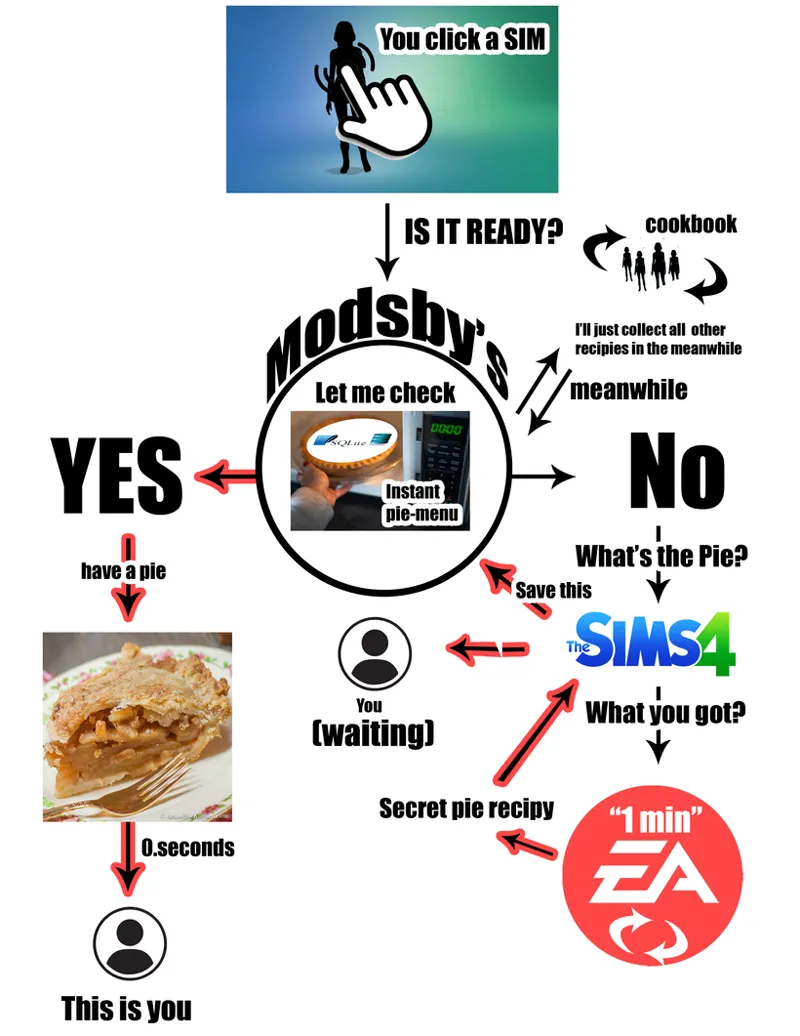
Normally, when you click a sim the game asks EA for the secret sauce. IPM asks for the menu before you do, but slowly so it does not lag your game. It will optimise all your interactions in game.
FAQ:
So what does IPM do while its caching?
- it secretly makes invisible clicks for every sim in the background and then saves those options that have been seen to a local SQLlite database in ipm's data folder.
- Your normal clicks also save to the same DB and update previous entries.
- If you click on an object or sim that has already been seen before it loads the same options from the database to you instantly
Q: What is the maximum size of the Database?
unreachable 200 MB
Q:What happens when it reaches over 200MB?
IPM starts cleaning up before the limit, at about 160 MB, aiming for 128 mb. It removes lower-priority cached menus first.
Q: Are we still using optimistic preloading to display the menu?
No, we moved away from that, for now. I think It might be a mistake, but optimistic preloading lived in the .package and that is the reason inculpabilities arise with shared resources now only the (progress bar) lives there. What this means: No major mod conflicts and no preloading the submenus in the background - we might reconsider this depending on how the feedback goes.
MDM will have this integration build into it in the future, if this version is successful that is. MDM + IPM 1.0.2 is going out next because that is almost finished.
HOW TO TROUBLESHOOT:
- Try using ALT + CLICK
Please report missing interactions, outdated options, menus that fail to open, or unexpected behaviour. Include what you clicked, what happened, and whether the issue still happens with caching switched off, so click with ALT + click and see if
REPORTING BUGS:
1. Only report bugs after the progress bar finishes when it reaches 100%, anything before that is not worth mentioning
2. Mods compatability is not my responsibility, but if it BREAKS your game and you know which mod exactly - I can look into it.
How to install:
1. Remove older versions of IPM and MDM. DELETE EVERYTHING.
1.1: Download latest version
2. Keep only 2 inside a folder \Electronic Arts\The Sims 4\Mods\[Modsby] Instant Pie Menu. They will generate cache files. You can delete cache by deleting everything but the 2 files in the zip
3. Wait for preloader to finish in pause for it to start working
Change log for BETA:
V1 - Reported bug where progress bar was stuck at 1% when paused
V2 - Attempts to fix but failed so was rolled back.
V3 - Prealoader only appears on Pause, fixed automation hang.
V4 - Fixed lag in menu now its back to Instant
V5 - Fixed auto-caching speeds and detections, some compatibility issues and hangs
Reported bugs fixed for v4:
- Small cache size leads to often rescans when can be kept longer > will be increased in v4
- IPM Keeps forgeting about old household > I fix in v4
- Investigating possible missing keys for social interactions leading to IPM to wait for EA to finish a confirmation high-five, aka interactions getting into the queue after vanilla load time
EDITS:
Updated v4: This version fixes the lags and makes the menu instant again.
Please let me know of any bugs you find and if you see a menu option that should not be there, please remember what it was and let me know. Maybe its one of those edgy-cases i havent seen yet
Updated v5: This version fixes slow loading, adds a counter on the bar and fixes item discovery. Also the doubleclick recaching now takes original EA loading times if cache is outdated, previously it got stuck so you had the same option seen and never going away.
Know bug : old interactions visible (please use alt+click where possible, or use command ipm.cache off to disable IPM. Fix is on its way soon.
Update v6:
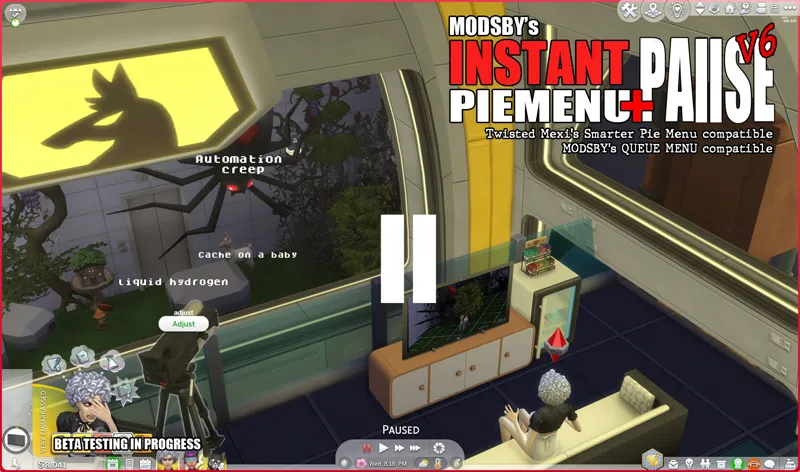
Fixed 2 bugs with 1 stone. IPM now pauses the menu.
If you post a comment here please make sure you mention if you are on v6.1
Comments (36)
Hello I'm fairly new to using mods in game, always played on console, i've installed your mod and i keep getting a BE report saying: Possible Cause (Confidence: 30%) modsby_instant_pie_menu/lifecycle.py Reason [BE Interceptor] BE intercepted this error from a separate mod log so that it can scan for the issue. (AttributeError: 'NoneType' object has no attribute 'min_lod_value')....I have no idea what this means...if you or anyone that knows please help and thank you.
Hey! Popping in to say I haven't really liked the way the v6's have functioned and have been using I think V5 (file name is 1.2.114-uc-beta) and using alt-click for the menu's that don't update (the only one for me is the fridge everything else works fine). Having the game pause every time for me is a little tedious and cumbersome and even disabling it I still don't feel like it's as smooth as the previous versions have been. I'll stick with an earlier version for now. Thank you!!
So, just gonna say something because I am pretty sure its the only one, have you tested to see if this works with UI Cheats? I'm currently having issues with it (specifically the "events" part of UI Cheats) and this is the only mod I have installed recently that could have changed anything (forgot to mention this is a very helpful mod thank you so much)
Love this mod, thankyou, I have noticed it conflicts with icemunmun custom food interactions Mod, could it be tuned in the future to fix this? I'm using V6.1
Awesome! This is what I'm talking about, more people should tell me incompatible mods so that I can take a look, I fixed wicked whims for next release, the bug could be similar. I'll take a look and thank you!
Hey so here is my latest feedback>> My ONLY issue I really don't like it.. It pauses my game every time I click on anything and it seems to be very glitchy.. I don't know how to turn it off and the instructions on how to do it are confusing.. How do I turn it off so it does not do that? Or can you remove that feature? Thanks so much
sorry for the late reply, not sure how i missed this. Shift click on your SIM then find "Modsby" > "Instant Pie Menu" > "Auto-Pause: On" and switch it to off. There is a picture in the description on how it looks like. I'll do something about it in the next version so its not so forced. <3
Hi, it's me again! Not sure if there's a designated spot to report bugs but I can't shift click on my sims with the mod installed. I can shift click on the ground but not on my sims. Just another report.
Ok, nvm, I tested the 6.1 version and the shift click issue is gone.
I'm on v6 and I have Queue menu as well but it won't let me hold click to queue actions, is it normal?
Thank you for your message, i've send you a tested working pair, if it does not work - good its another mod we can figure out which one is conflicting.
Hiiiiiiii i've noticed that there's a bug where if you try to reset object a sim absolutely nothing happens, it fixed itself once i removed this mod so i assume it's this mod causing that issue. Has it been fixed? 😊 Let me know if this ever gets patched
Hiii, hope all is well. I was building a lot and didn’t really play any actual gameplay since installing v6, but now that I have… the main thing is actions not being updated. For instance, my children sims were playing hide and seek, the game was over, had them go to bed and the child that initiated the hide and seek would keep popping up out of bed to “find hiding sims” although no one else was playing. The grandparents were also getting moodlets “found” while sleeping! And she’s stuck “finding sims” lol. Even upon being reset.
Hmm maybe you have your old database files installed. Make sure to remove everything and keep only the two files to start clean. I will investigate this now if it's on v6 I will make a patch ASAP. Thank you for reporting. Try Alt+Click and tell me if it fixes it please
Hi, I'm having an issue with the pie menu. When I click on an object or Sim, it keeps showing outdated interactions from previous actions. For example, if my Sim finishes their homework, the menu still shows 'Do Homework' instead of updating. Worse, now that my Sim got a job, the menu still shows 'Find a Job' instead of their career tasks, so they can't do any work-related interactions. It seems like the pie menu isn't refreshing or updating the actios, like the previous bug: "double click on pie menu", but now only with some actions.
Thanks for reporting! I am already working on a fix, for now only disabling ipm with the ipm.cache off command or using Alt+ Click to bypass it is possible for now
Hi! I downloaded version 5 and all of the issues seem to be resolved except for one. The fridge! It's so weird but this is the only item that refuses to update. I can't make any food )-: It is stuck on saying dinner at all times of the day for everyone in the house no matter how many times I reset them. It's so weird and it happens even if I remove all my other mods aside from this one. Not sure if there is a fix to it. Thank you! Everything else has been literally amazing.
“> Play with different households, visit different lots. I'm curious to see how it behaves and if its "meh" / "okay" or "wow"” Saw this in your notes. I’ll test some of this tomorrow 🙂↕️
um.. .sims can't interact for 3 minutes after first introduction because the menu won't pop up. I don't think that's convenient
I'll have a closer look at it, thank you
Hey! Finally had a chance to jump in and check out v4. The issues I'm experiencing right now are: 1. Things seems to be running normally but then I hit a wall. The options on objects won't update. Like the fridge, I click on it at 7:30 a.m. and it is stuck on "dinner" and won't refresh no matter how many times I open it. 2. Randomly I won't be able to press anything with any sim. No matter what object I press the menu option won't pop up. 3. Similar to issues 2, I am no longer able to shift click items. Other than that the menu's are functioning great. I just can't get them to reset properly and the issue with suddenly not being able to click anything. Thanks for your hard work!!!!
Ahh Thank you, that is very good observations. The dinner thing I definitely would have never caught by myself. I'll have a look at those tomorrow, we are getting very close. Maybe v5 will be the last one?)) :D
Hi, and thank you for this amazing mod! For some reason, the beta version works less efficient for me. Sometimes I click on a Sim and there are no interactions at all so I have to click one more time. And the game seems to lag more than usual. I haven't changed anything in my mods folder besides this mod version and tested both alpha and beta. Besides, seems that some interactions are missing from time to time. I was on beta and didn't find the sleep interaction on a sleep bag, but on the alpha version it's fine. Again, huge thanks!
Hi, thank you for testing... If it's not too much to ask, you can check if the ALT +Click on the sleeping bag has the sleep interaction or anything missing and let me know, if I missed a hook somewhere and something is missing I need to do a hotfix for it today. Thank you again, I'll look into this tonight
This version runs much better. The simulation is smooth, and the menu opens instantly 90% of the time. The only thing I've noticed is that the cache starts preparing again after every loading screen. Is that supposed to happen? Despite everything, I love your mod and am so grateful to you—it's a game-changer.
Oh nice! I was hoping for some good news before bed time. It's not ideal, it's supposed to happen on new lots, old lots should still reuse the cache, but all the entries need double checking because things might have changed. It's an optimization milestone I'm yet to meet face to face, not a bug. Thanks for letting me know v3 worked for you! Let me know if you discover anything that is game breaking. I will focus on merging this with Modsbys Dropdown Menu then
alors jai 200go de mod dont 75 mod script et dans moc cas cest le meilleur mod que jutilise actuellement
Hi, I'm having an issue where Sims aren't doing anything. Literally nothing at all. Then maybe after being idle for a while (and i mean A WHILE) then they'll move but go back to being "idle" again. I downloaded v2. Also, i see a message on the popup that says something about a progression bar. But there isn't one?
Good news is that I have isolated the issue now and am working on a hotfix (v3). It's 1am here now so it will have to come out tomorrow. Please remove the version and i'll ping you here once i upload a fix for this. Also thank you for reporting this so quickly!
Very cool! Does shift-click work? I know you said you were looking at adding it. I'm not much of a cheater but some of the mods I use have their settings behind the shift-click menu, so it's pretty vital for me.
Hi Carla! Sorry for the late reply, i keep forgetting to check. YES! Shift click works and it caches for instant click on second click, not passively.
Hi, just wanted to say I love your mod! Absolute life saver for my game haha! I have to download your new version to test it out. I do know previously I was having the same issue where I’d have to double click to get a correctly loaded pie menu, one case this would happen a lot with is when I would use my control any sim mod. I’d click to control someone, works fine but then when i want to click to stop controlling them, it would still show “click to control” even tho I was already controlling them. After clicking into the menu again it would show correctly. I’ve had this happen A LOT but only with that action specifically so maybe there is some conflict with control any sim mod ?? Nothing major though, like I don’t mind the issue at all lol because regardless your mod has helped a ton! But just wanted to do my due diligence of reporting!! :)
Hey! I'd say the issue of having to double click to get items to refresh is fixed, that was the main issue. Now I guess the only new thing is menu's that didn't previously take a long time to load before are now. Like clicking on the shower, toilet, fridge, etc. They'd pop up right away but now there's notable latency between clicking and the menu actually loading the first time. They load as usual subsequent times so I suppose it's not an issue and more of an observation. Also, I have 146G of mods! My game has been open for quite awhile and the bar hasn't moved even a centimeter haha. Not sure what that will affect. Thanks again!
Oh yes, I've spotted the preloaded bug and have a hotfix - apparently it happens on pause? I'll upload it in an hour. I'll update the files as v2 and let you know
Why is your sim going through it right now?
Love this mod 💋🖤💋🖤💋🖤