
DLSS 5 INSTALLATION GUIDE for Assetto Corsa EVO
BEFORE INSTALLING: DO NOT PLAY WITH RESHADE IN ONLINE UNLESS YOU WANT TO BE BANNED ON IT. I'M NOT RESPONSIBLE FOR IT!!!!
If you need help - join our discord and write about that in #dlss-ac-evo channel. We will try to help you!
What you need for it to work:
1. Your GPU has to be RTX 40 or 50 series.
However, about RTX 40 we are not 100% sure!
2. Reshade 6.8 or higher
3. Files
Note: unlike vanilla Assetto Corsa, EVO already has DLSS built in and runs on DirectX 12. So there is no Custom Shaders Patch, no Content Manager and no bridge file here. Fewer steps.
INSTALLATION
1. Install files
Download files here:
https://drive.google.com/drive/folders/11_ZDN2nuMg5YcRcIGFJZHiCqtToBbvmP?usp=sharing
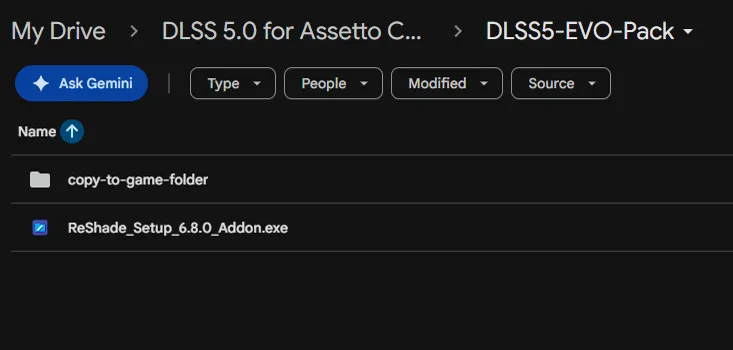
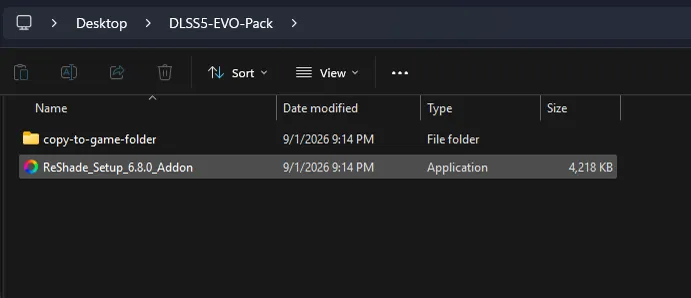
Open the folder, there you will see:
folder with all needed files
ReShade installer
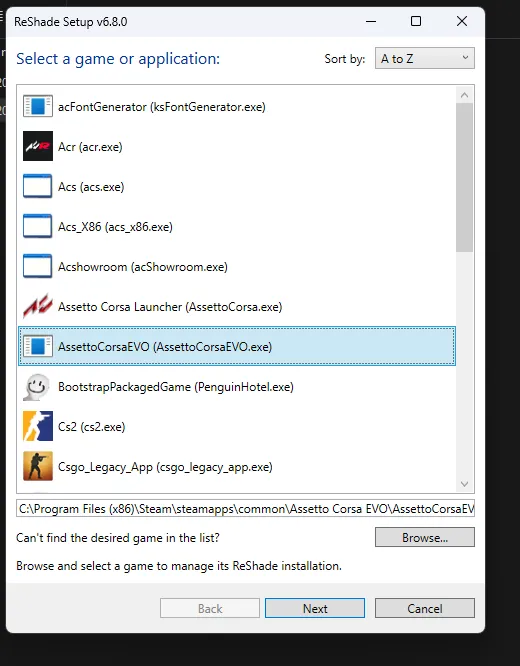
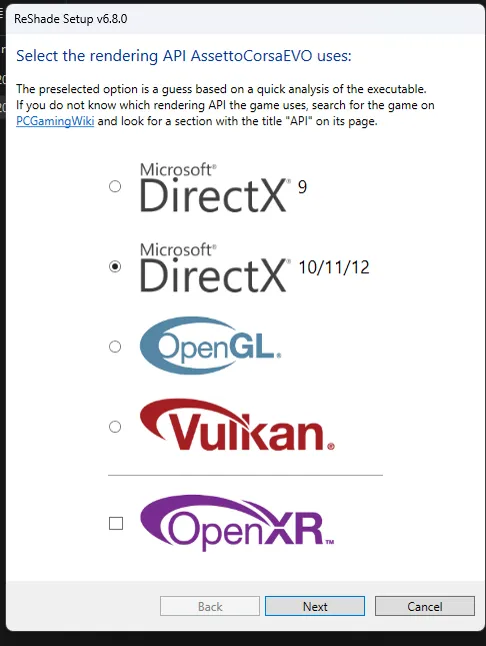
Run the ReShade installer, point it at AssettoCorsaEVO.exe, and pick DirectX 12 as the API.
Then just click "Next" couple times.
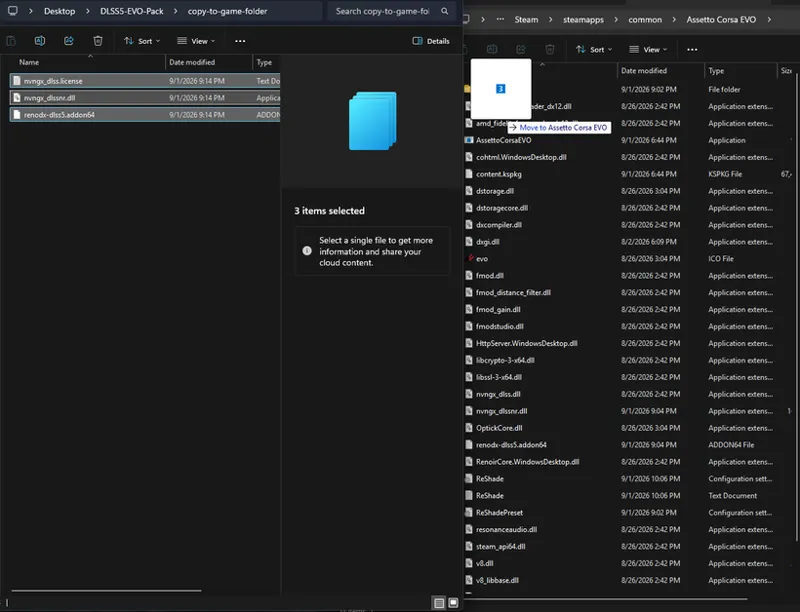
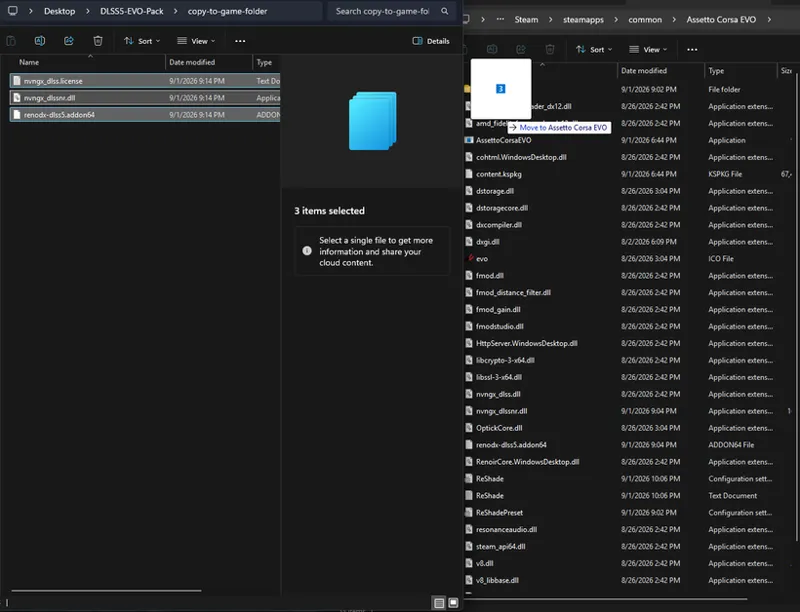
2. Copy files from "copy-to-game-folder" into your EVO root folder
Root folder is: ...Steam\steamapps\common\Assetto Corsa EVO
You should end up with renodx-dlss5.addon64 and nvngx_dlssnr.dll sitting next to the game's exe and the dxgi.dll ReShade just wrote.
3. Turn on DLSS in Assetto Corsa EVO
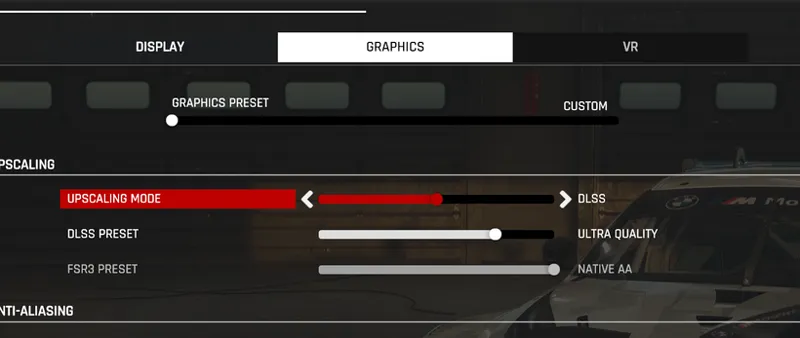
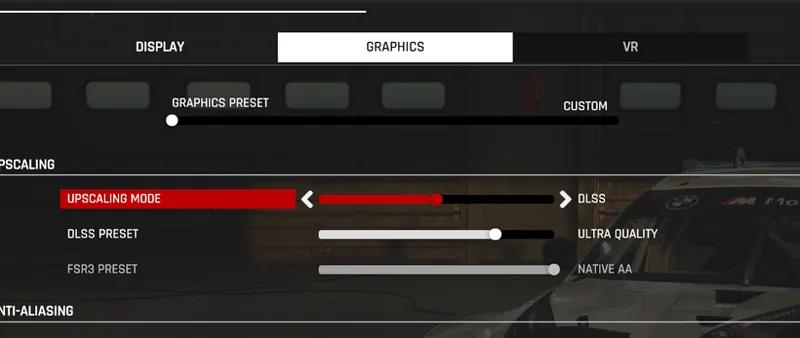
Open the game's graphics settings and set the upscaler to NVIDIA DLSS (not FSR), quality to Quality. Without DLSS actually selected there is nothing for the add-on to hook onto.
4. Setup ReShade in-game
Open the game
When you start a session press "Home" on your keyboard to open the ReShade menu (or use "Ctrl + Win + O" to open the virtual keyboard and press Home there).
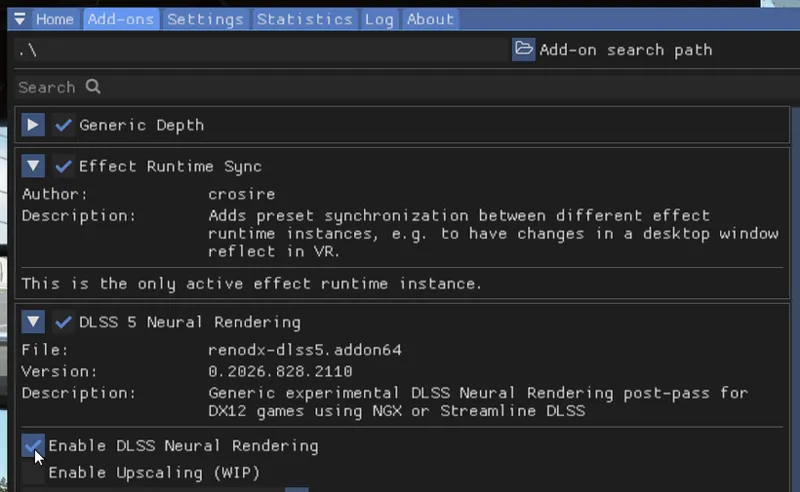
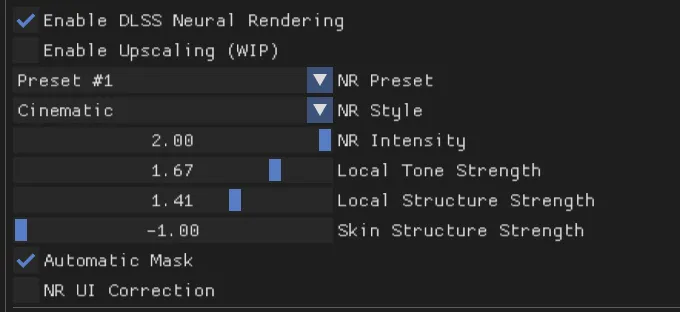
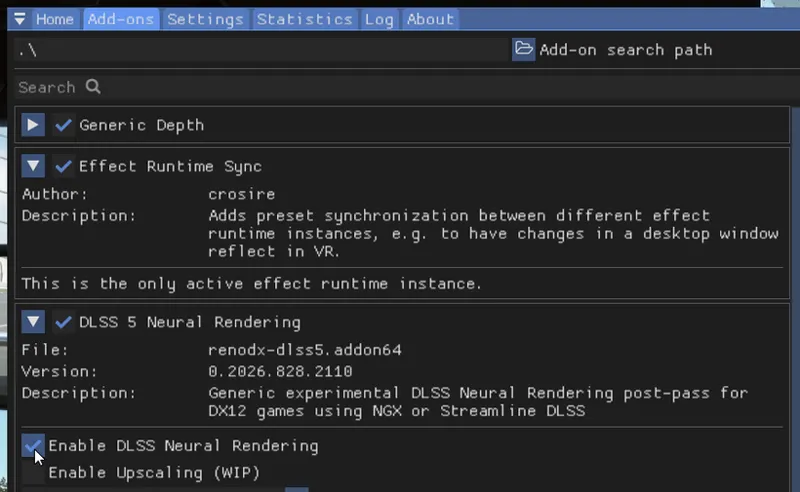
Open the Add-On tab. There you will find Enable DLSS Neural Rendering.
Important for EVO: the game only creates DLSS once you are actually ON TRACK. In the menu the overlay will say it has seen no DLSS yet. Load a session and drive, then check.
5.Recommended settings
This is the best combo I found.
Leave "Enable Upscaling (WIP)" OFF. It is experimental and it is what throws the 0xBAD00005 error. EVO's own DLSS does the upscaling, the add-on only does the neural rendering on top.
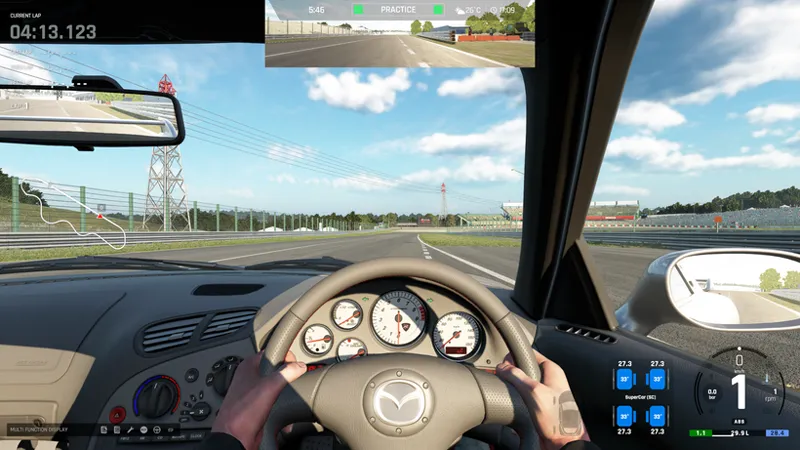
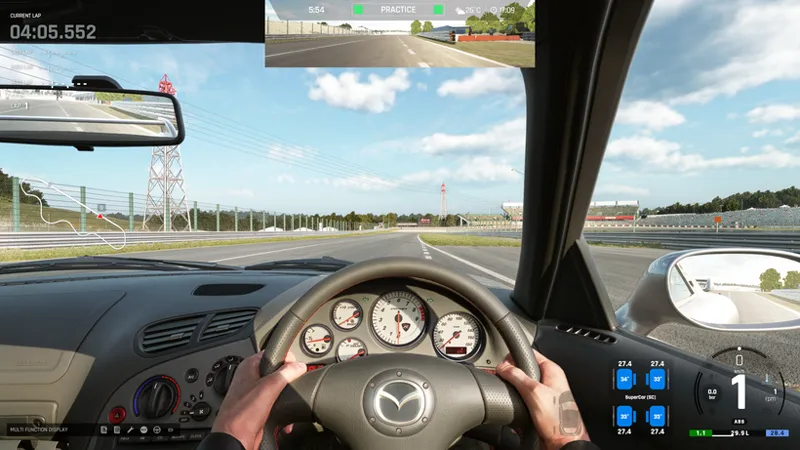
6. Comparison
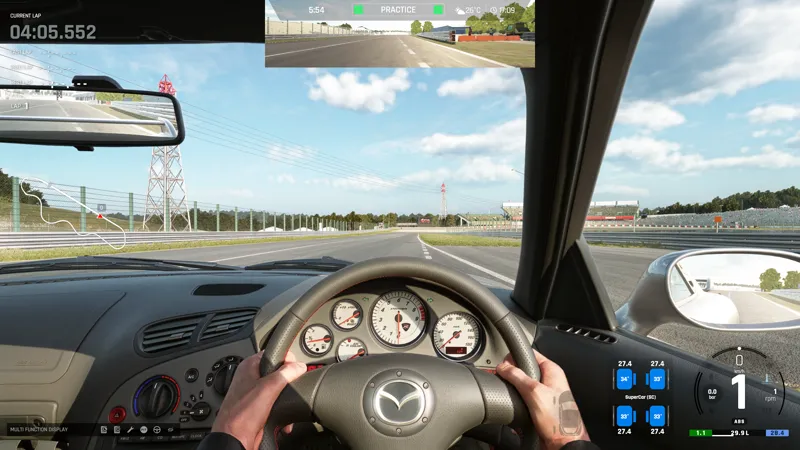
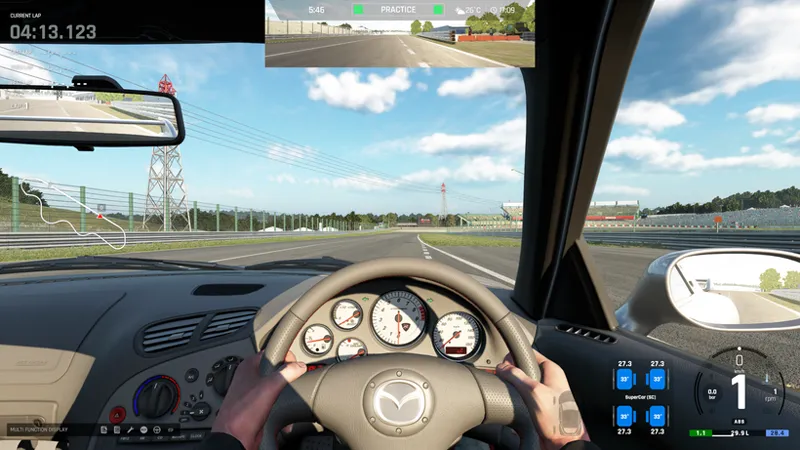
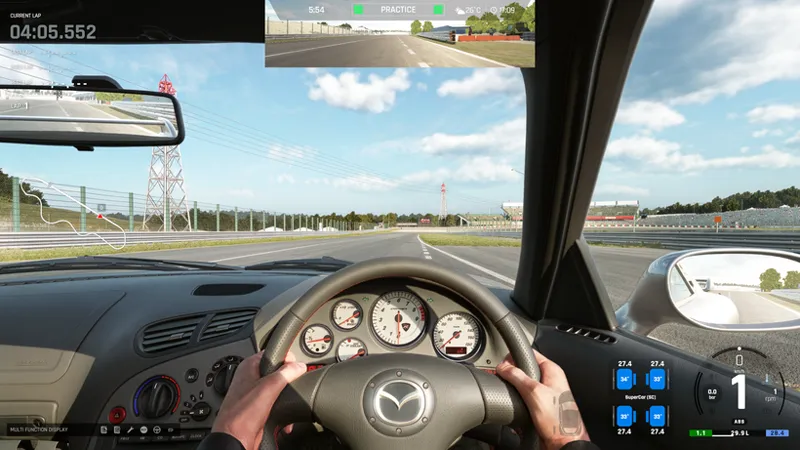
At daytime it looks awesome...
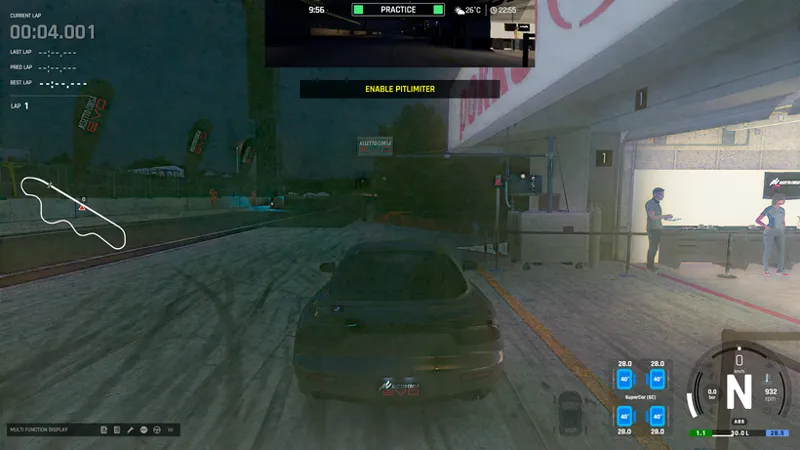
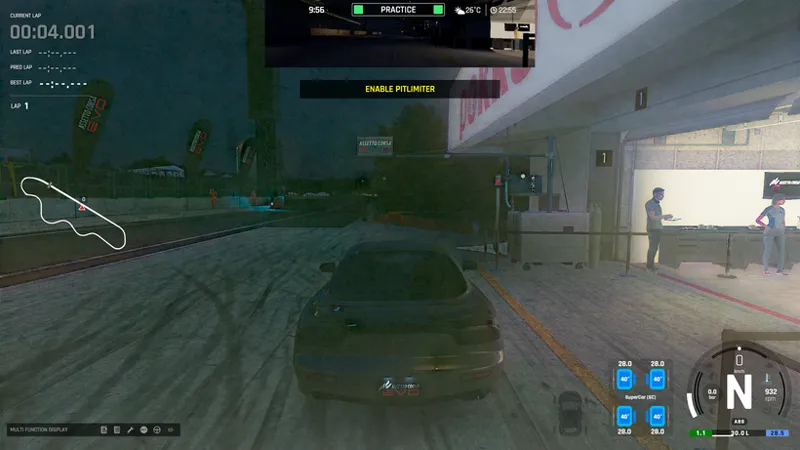
But at night... Waiting for fixes!
Remider: DO NOT PLAY WITH RESHADE IN ONLINE UNLESS YOU WANT TO GET BAN. I'M NOT RESPONSIBLE FOR IT!!!!
If you have any questions, or you run into some problems while downloading, join our Discord server https://discord.gg/PKsZ83VCCQ and ask your question in #dlss-ac-evo channel!