
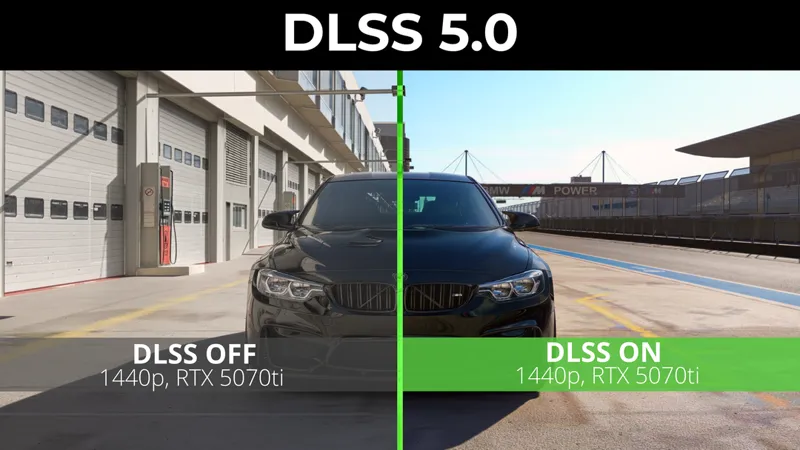


DLSS 5 INSTALLATION GUIDE for Assetto Corsa
What you need for it to work:
UPDATE : 1. Your GPU has to be RTX 30, 40 or 50 series.
UPDATE: New NeckFX, Chaser Cam and Master preset is available in #cevitee-presets channel in discord!
Previously we thought it won't work on RTX 40 series, but with new fixes it should (google drive was updated with new files!)
2. Custom Shaders Patch 0.3.0preview338 or NEWER!
All previous versions don't have DLSS. We need it for DLSS 5.0 from ReShade to work
3. Content Manager (any version)
4. Reshade 6.8 or higher
5. Files
6. CEVITEE ppfilter for the best look https://www.patreon.com/cevitee/posts/cevitee-ppf-v1-162798446/edit
INSTALLATION
1.Install files
Download files here: https://drive.google.com/drive/folders/1ht9WCwyStgNMNMI031klMmrgJ-BjvtqE?usp=drive_link
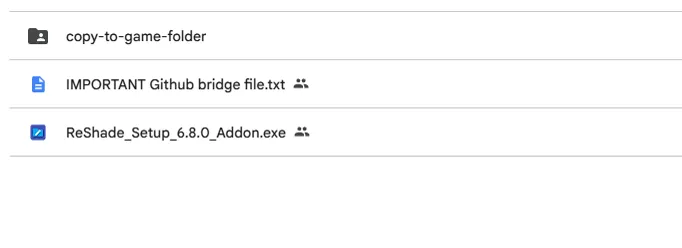
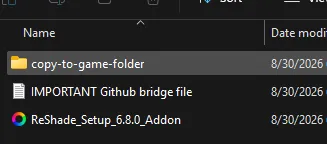
Open the folder, there you will see:
folder with all needed files
txt file with link on github (or just use this https://github.com/NIGos/dlss5-dx11-bridge )
go to "Releases" and download "dlss5-dx11-bridge.addon64"ReShade installer
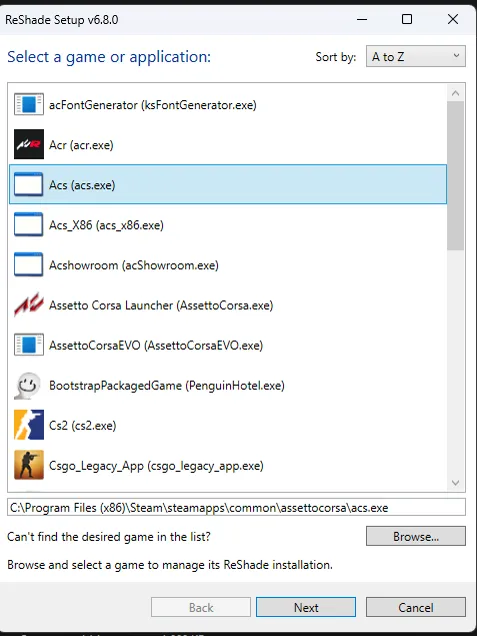
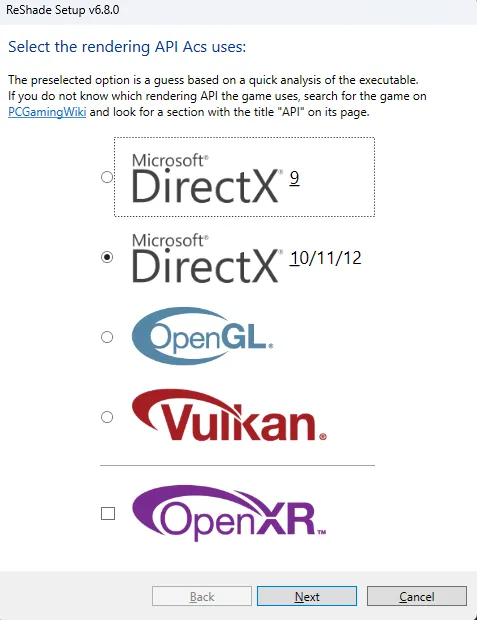
2. Run the ReShade installer, point it at acs.exe, and pick DXGI as the API.
This part matters more than it looks. CSP lives in dwrite.dll. Install ReShade under that same name and you overwrite your patch.
Then just click "Next" couple times.
3. Copy files from "copy-to-game-folder" and files from github into your AC root folder
Root folder is: ...Steam\steamapps\common\assettocorsa
You should end up with two .addon64 files there.
4. Turn on Upscaling in Content Manager
In Content Manager go to Settings -> Custom Shaders Patch -> Graphics Adjustments -> Upscaling. Set Upscaling method to "Active", set the method to NVIDIA DLSS, set quality to Quality.
5. Open the game
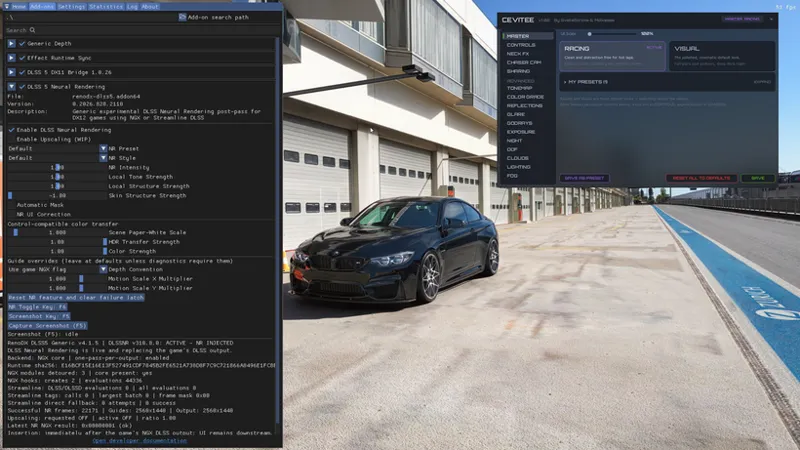
When you start a session press "Home" button on your keyboard to open ReShade menu (or use "Ctrl + Win + O" to open virtual keyboard and press Home button here)
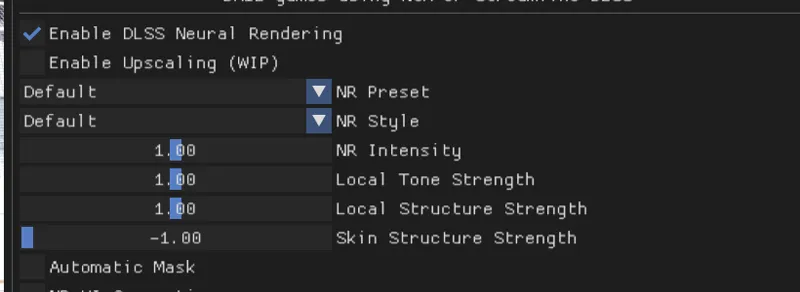
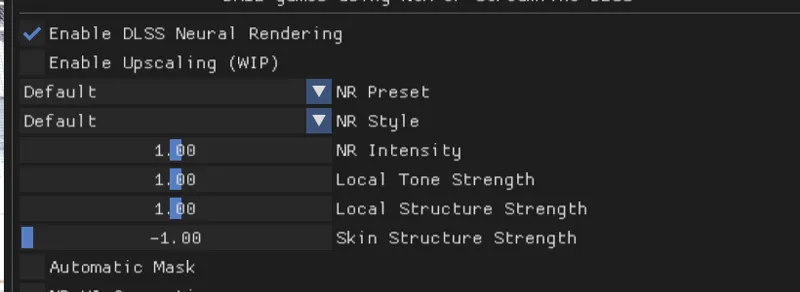
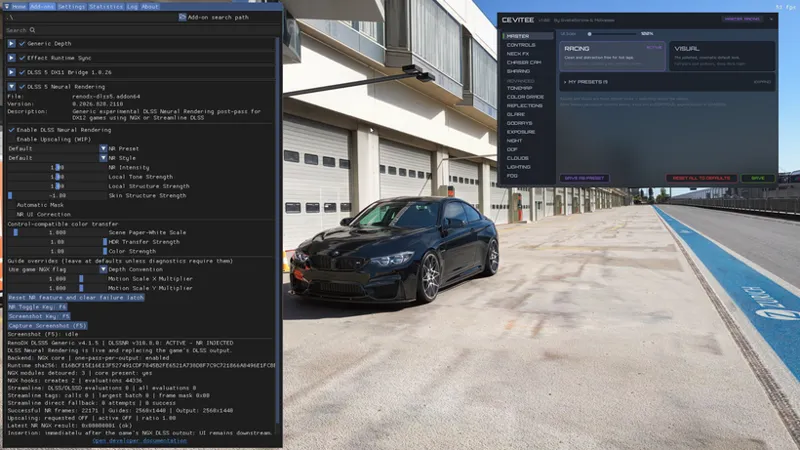
Open Add-On tab. There you could find Enable DLSS Neural Rendering.
Here you can enable it and switch presets in "NR Preset" and "NR Style" and use the sliders to fine-tune it.
That's it!
If you have any questions, or you run into some problems while downloading - join our Discord server below and ask your question in #dlss-how-to channel!
If your graphics card can't handle DLSS 5.0 - just use CEVITEE lcs, it looks amazing too!
How to get PHOTOREALISTIC Graphics in Assetto Corsa (DLSS 5.0 Guide) (YouTube)
Comments (15)
I have downloaded the files and done as it says but when go to my content manager settings it doesnt show dlss or upscaling and im suing a 4090. It only shows AMD FidelityFx super resultion if i searched up upscaling. could anyone help me
Join our discord for further help. Your CSP version is probably way too old, you need csp preview 595 at least
big grey thing that says error old files or smth
can you show it on discord in general chat pls
Hi ive followed the instructions but cant get reshade to even open the home key opens a console so i switched the key to (56) number 8 button and it wont open still could something have upgraded the directx version from 9?
you are on directx9?
Ok tanks
ca fonctionne pour la VR ?
DLSS or filter? DLSS - yes, filter - only partially right now, still in development
It can't work without ReShade on a 4090?
ReShade is a “bridge” for DLSS to work so you have to download it
I got this working perfectly on my machine at home with RTX 4090, however I have tried on my other computer with the RTX 5060 TI and I keep getting the error "No NGX Module Loaded yet... NR NG Result: 0xBAD00007"
It is still not confirmed but I’ve heard it doesn’t work on ..50 and ..60 rtx. However, for some it doesn’t work even on 5080. I really don’t know why is it happening so I recommend joining our discord, we will try to help
Merci ! Thank !
Always welcome!