
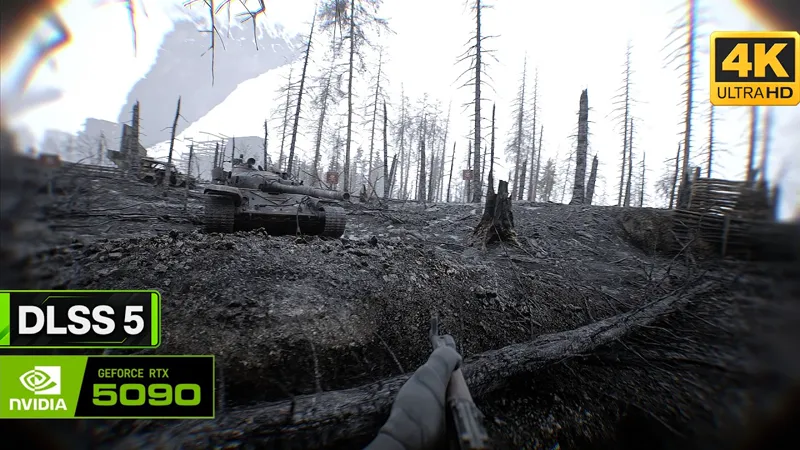


Bring the Bodycam Experience to your Games! (Update v1.5.1)
This time, it's all about Bodycams.
If you enjoy playing from a Bodycam perspective, this post is for you!
Since Update v1.5, you can easily create that Bodycam look with the GrimVisionFX shader. All you need to do is open the GrimVisionFX shader menu and adjust the settings to your liking.
The new update includes two new ReShade presets for Bodycam, as shown in the video.
It also adds a Bodycam preset for Cyberpunk 2077 and two new ReShade presets for Resident Evil: Requiem, including a Bodycam preset and a NatuReal preset.
How to activate that Bodycam look?
It's pretty simple, as usual. Just open the GrimVisionFX shader menu and adjust the settings to your liking.
Choose "Bodycam" for both Lens Distortion and Lens Shadow. I also recommend setting Edge Blur to 3 to create that nice blurry effect around the sides of the image.
Optionally, you can also enable Camera Shake and choose a Lens Effect for an even more immersive look and feel, as shown in the video below.
What's new in v1.5.1?
Improved the "Bubble" lens effect
Added new ReShade presets for Bodycam
Added new ReShade preset for Cyberpunk 2077
Added new ReShade presets for Resident Evil: Requiem
Download
Please download the latest files and replace the old ones.
You'll find the updated files in the following posts, depending on your access type:
Full Access (monthly): https://www.patreon.com/GrimVisionFX/posts/grimvisionfx-162912160
Lifetime Access: https://www.patreon.com/GrimVisionFX/posts/grimvisionfx-165558895
Thank you for your support! Your feedback is always appreciated!
- Grim Worlds
Bodycam with DLSS 5 - Photorealistic Combat Footage | 4K on RTX 5090 (YouTube)