
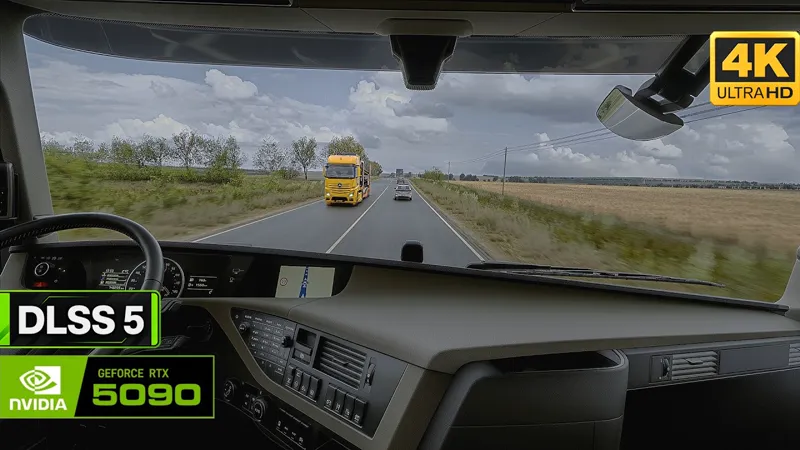

ETS2 - New DLSS 5 & RealMovie v2 ReShade Presets
Since a few of my YouTube subscribers asked which ReShade preset I was using in my first ETS2 DLSS 5 video, I've decided to include it in the Full Access package as well! In this video, you'll see both ReShade presets in action.
DLSS 5 Preset
This preset has been specifically tuned around DLSS 5 and the way it transforms the final image. Colors, contrast, sharpness and overall image balance have been adjusted to complement the new DLSS model and get the most out of its more realistic presentation.
If you liked the look of my first ETS2 DLSS 5 showcase, this is the exact preset I was using!
And don't worry if you're not using DLSS 5: the preset works perfectly fine with SnowyMoonV2 on its own and still delivers a great-looking image. DLSS 5 is not required to use or enjoy this preset.
RealMovie v2 Preset
RealMovie is also getting a complete visual overhaul with v2!
While the original RealMovie preset had a darker, more metallic and stylized appearance, RealMovie v2 takes a much more natural and colorful approach.
Colors are richer while still remaining believable, and the overall image is cleaner and more balanced. Bloom and excessive glow have been reduced to an absolute minimum, giving the image a more controlled, crisp look without that overly glossy appearance.
It still maintains the characteristic RealMovie atmosphere, but with a more natural and realistic presentation that works across a much wider variety of environments, weather conditions and lighting situations.
More natural. More colorful. Cleaner. RealMovie v2.
What's new in v1.5.2?
Added a new "DLSS 5" ReShade preset for ETS2
Added a new "RealMovie v2" ReShade preset for ETS2
What's Next?
Next up, I'll be focusing on American Truck Simulator and bringing the latest presets over to ATS as well:
Real TruckerCam preset
DLSS 5 preset
RealMovie v2 preset
Stay tuned!
Download
Please download the latest files and replace the old ones.
You'll find the updated files in the following posts, depending on your access type:
Full Access (monthly): https://www.patreon.com/GrimVisionFX/posts/grimvisionfx-162912160
Lifetime Access: https://www.patreon.com/GrimVisionFX/posts/grimvisionfx-165558895
Thank you for your support! Your feedback is always appreciated!
- Grim Worlds
ETS2 with DLSS 5 + SnowyMoon | Real-Life Graphics | 4K60 on RTX 5090 (YouTube)
Comments (4)
Hi, i downloaded all. But how do i exactly install it, step by step? I not found dlss 5 in reshade.
Send you a DM 👍
Hi mate! I sub for your preset. However i got red error messages with reshade. I have to use DLSS 5 with Reshade 6.8.0 but your manual refers to use 6.5.0 which won't work with DLSS 5. Can you refresh your manual for Dlss 5 pls?
Hey, thanks for pointing that out! None of my ReShade presets require version 6.8.0 by themselves. However, since DLSS 5 now requires ReShade 6.8.0 if you want to use it, you’ll obviously need that version for the DLSS 5 setup. As for the red error messages, if they’re not being caused by GrimVisionFX, then that’s not a problem. I get some of those too, and in my case they come from other shaders. Since I’ve now released a dedicated DLSS 5 preset, I’ll update the manual accordingly. Thanks again for the heads-up and for your support! 🙌