








Walker Inventory [UPD1.1] [BeamNG Drive] [Completely free]
Let's be honest: walking mode in BeamNG.drive has always been a dead end. You step out of the car… and there's nothing left to do.
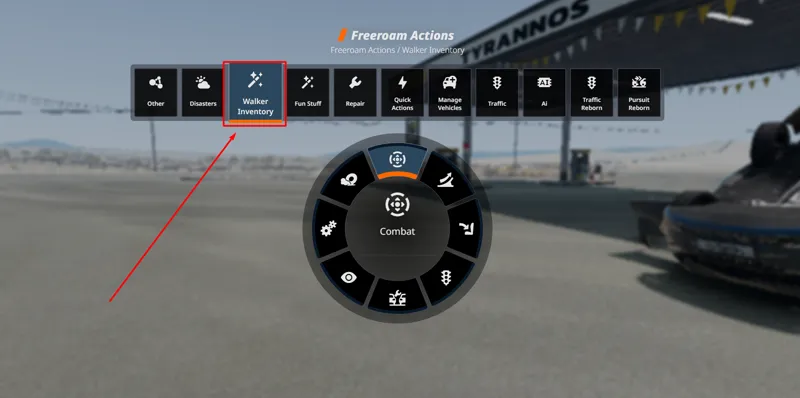
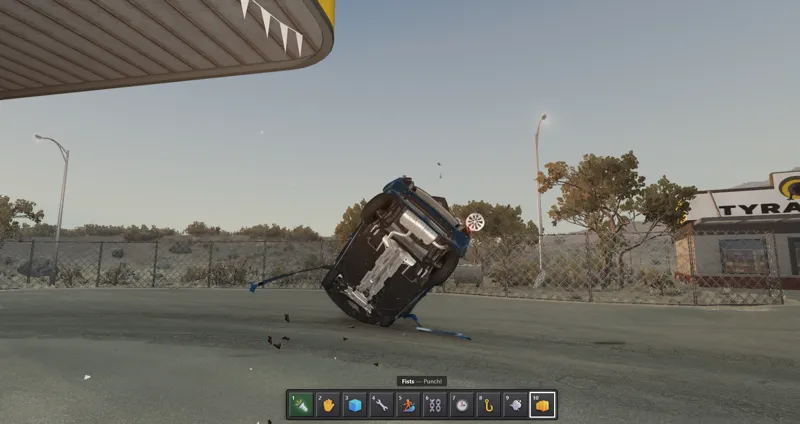
Walker Inventory fixes that. It turns going on foot into a full-fledged part of the sandbox — a complete hotbar inventory loaded with 37 tools you can swap on the fly through a radial menu. Pin your favourites to a 10-slot hotbar, and reach everything else with a single key.
Pick a tool with keys 1–0, aim, and hit LMB to use it. That's it.
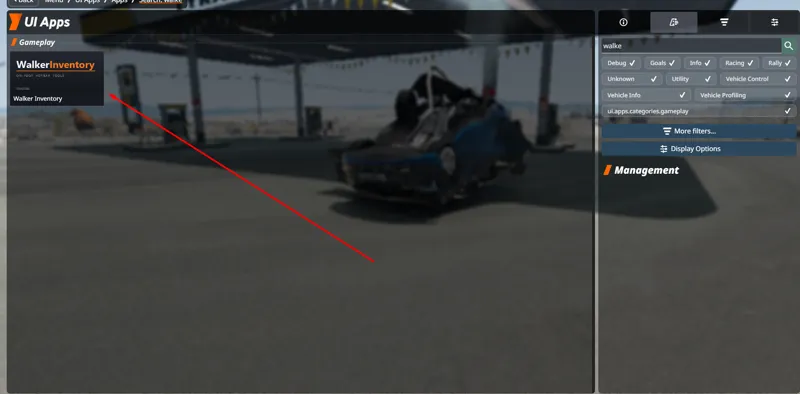
⚠️ Don't forget to add the UI app after installing, or the inventory won't show up on screen. (Full steps below.)
🧰 What's Inside — 37 Tools, One Radial Library
🏃 Mobility
Ultraboost (sprint) · Jetpack · Super Jump · Dash · Blink (teleport to your aim) · Free Flight · Low Gravity
✋ Manipulate
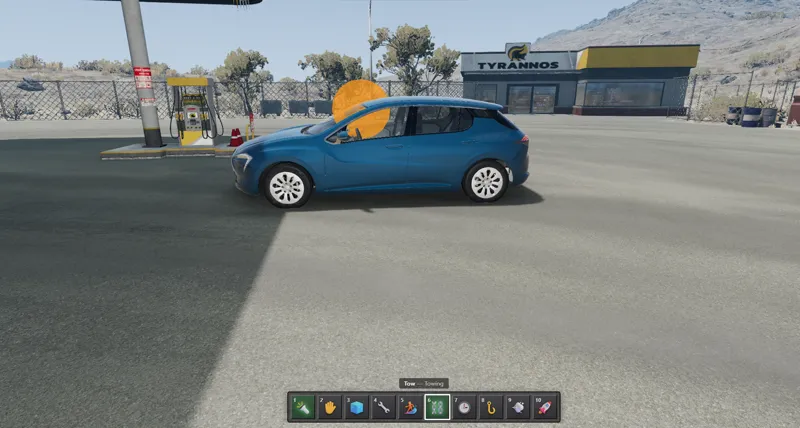
Hands (grab / carry / rotate / throw any vehicle, gravity-gun style) · Freeze · Tow · Grappling Hook
👊 Combat
Fists (dents + knockback) · Shove · Launch (fling a car skyward)
🚗 Vehicle
Hop In (get in & drive) · Ride On (ride the roof)
🚦 Traffic
Stop · Flee · Follow · Despawn · Spawn a random car · Summon a car to you · Convoy
🔧 Utility
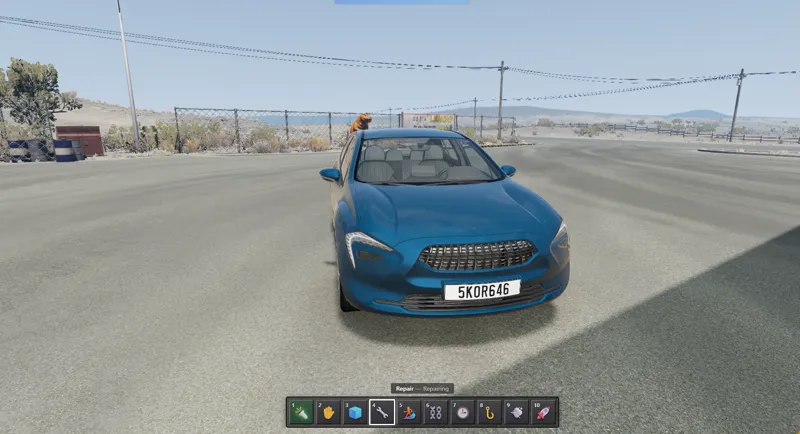
Flashlight · Repair · Inspect (model / speed / damage / fuel) · Refuel · Engine on/off
🚙 Car Tricks
Lights · Pop Tires · Recolor · Extinguish · Handbrake
🎬 Scene / Director
Slow-motion · Photo Mode · Time of Day · Weather
How it all behaves: Mobility tools move you. Scene tools change the world. Everything else acts on the car you're looking at — and Freeze and Tow even work on live AI traffic.
🎮 Controls
1 – 0 — Select a hotbar slot
LMB — Use the selected tool (hold for Grapple / Fists / Boost / Jetpack)
RMB / G — Secondary action (throw a held car, kick, start engine…)
Mouse wheel — Cycle slots, or push / pull a held car
T / Y · U / I — Rotate / tumble a held car
[ / ] — Move the selected slot left / right (saved automatically)
K — Open the radial menu to assign any tool to the selected slot
Everything acts only while on foot — your driving experience stays completely untouched.
📥 Installation
Download the Free or Pro zip below.
Drop it into your BeamNG mods folder (or simply drag it onto the game window).
In free-roam, open the UI Apps editor (Alt + Shift + U) once and drag Walker Inventory onto the screen.
From then on, the inventory appears automatically whenever you're on foot. 🎉
💡 Run only one edition at a time. To upgrade from Free to Pro, remove the Free version first.
🔓 How to Unlock the Free Download
The Free edition is gated through Boostylink — unlocking it takes about a minute and costs nothing:
Click the Download button — you'll be taken to Boostylink.
Click Become a Patron (or the equivalent) and join as a free patron. No payment required — paying is only for the Pro edition.
Return to the Boostylink page and wait for verification (you'll see a loading animation next to the Become a Patron step).
Once verified, click the green Unlock Link button — and the download is yours. 🎉
NOW THE MOD IS COMPLETELY FREE, NO MORE PRO VERSION, ALL PRO FUNCTIONS ARE NOW AVAILABLE FOR FREE.
Version 1.1.0.0: