


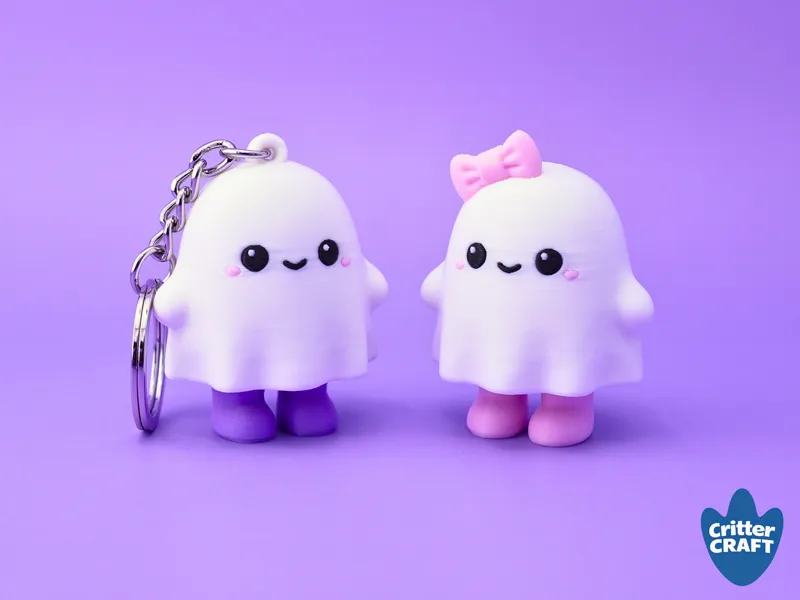
Mini Ghost Clicker
Halloween model #3 is a classic! 👻 The CritterCRAFT halloween collection wouldn't be complete without a cute little ghost, and of course, one that clicks!
Model notes
Original, keychain, and coquette(bow) versions included, each in single-color and multicolor variations
Default slicer settings: 0.16 mm layer height , 15% infill, 3 walls
Mostly no supports - The tall dome/clicker connection inside the ghost body needs some support but it should remove easily with custom support paining I've done on the model. If you are using STL files in a different slicer, you will need to remove them manually or paint them in a similar way.
Use Variable Layer Height to improve details if you have time.
I used the Cherry MX-style keyboard switch found here: https://amzn.to/4e1o14C - Glue may be necessary to keep the switch and the body together.
When using the STL folders, be sure to load all parts of the model at once as an object with multiple parts to ensure correct sizing ratio, then scale the model up to the desired size. I recommended referencing the preset scale size % in the 3mf file even if you don't use Bambu Studio as your normal slicer. The seam is set to 'back'.
Filaments Used
Charcoal Black PLA Matte - Bambu
Ivory White PLA Matte - Bambu
Purple PLA Matte - Ender
Orange PLA Matte - Elegoo
Sakura Pink PLA Matte - Bambu
There is still more Halloween on its way! Happy printing!
Comments (20)
hey! the feet print out wonderful but i’m struggling with the bodies; my printer has made noodles twice now 😭. should i slow down the printer? or maybe print them one at a time? any advice is welcome!
Hey! I’m glad the feet printed well! 😊 If you’re getting “noodles,” it usually means one of the bodies is losing adhesion or getting knocked loose during the print. I’d try cleaning the build plate really well with dish soap and warm water and adding a brim to the bodies. You could also try printing one body first just to see if it completes successfully. I wouldn’t necessarily slow the whole print down yet unless you’re still having trouble after that. Let me know how it goes!
These are ADORABLE!!!!
Thanks so much!
Even with a 900 flush from Black to White, I'm still getting a black color-bleed band around the eyes and head. Any suggestions? I don't have any purging to infil/support. Tried 2 different white filaments, but the same issue. Hoping someone here can help me out
Hey Freddy, you may need to increase the purge volume more, use a different filament that bleeds less, or increase the prime tower infill gap.
Every release just keeps getting better. This is on point for the season, great work, great model, you are awesome.
Thank you for the kind words!
These are so great! What flushing volume are you using for black to white?
I just tried removing the supports from the ghost bodies, and the supports have broken off and stuck in the X hole, exactly the same way for both. Similar to the original dumpling file. Can't force it out with an awl, pliers won't touch it. Any tips? I printed these the same way I have all your other clickers (did a couple baby dragons for neighborhood kids just yesterday!).
These are adorable!!! We’re excited to print them out!
Thank you! Enjoy!
You outdid yourself! Great work!
I appreciate that. Thank you!
these are so cute <3
I’m glad you like them!
Will this file be available to purchase anywhere?
Hey there, it is only part of the CritterCRAFT All-Access membership.
What access level do I need to be able to get files like these?
Hey Sam, all model files are included in the All-Access membership.