

📦 Update Bundle: Smartphone v2.2.0, Stylish Shop v1.3.2, Unboxing v1.4.0, Scanner v1.1.0
Four GlitchSmith modules ship together this round, with a few changes that connect them across module boundaries. Highlights include a new Circuit Maze puzzle (commissioned by riffin and opened to every patron), a Smartphone Banking payment option in Stylish Shop that uses Smartphone Widget's new public Banking API, and a System Toast tool for GMs in Smartphone Widget. Full per-module details are in the linked posts below.
📱 Smartphone Widget v2.2.0
GM-side tooling and cross-module hooks.
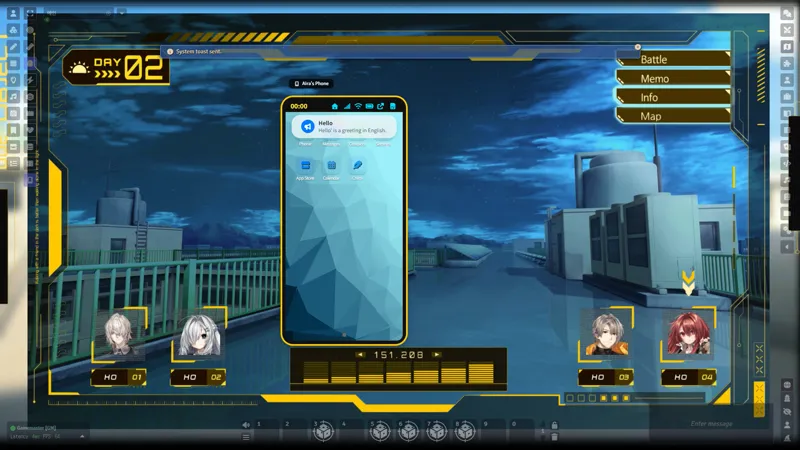
System Toast Sender: GMs can send smartphone toasts (default, info, success, warning, error) to all active users or selected users from GM Settings.
Simple Calendar Reborn: New time source alongside the original Simple Calendar integration.
Phone Number Editing: GMs can edit phone numbers regardless of the player custom-number setting.
Public Banking API: Other GlitchSmith modules can read and update a character's primary bank balance - Stylish Shop v1.3.2 uses this for its new payment route.
Read more: Smartphone Widget v2.2.0
🧩 Smartphone - Scanner Apps v1.1.0
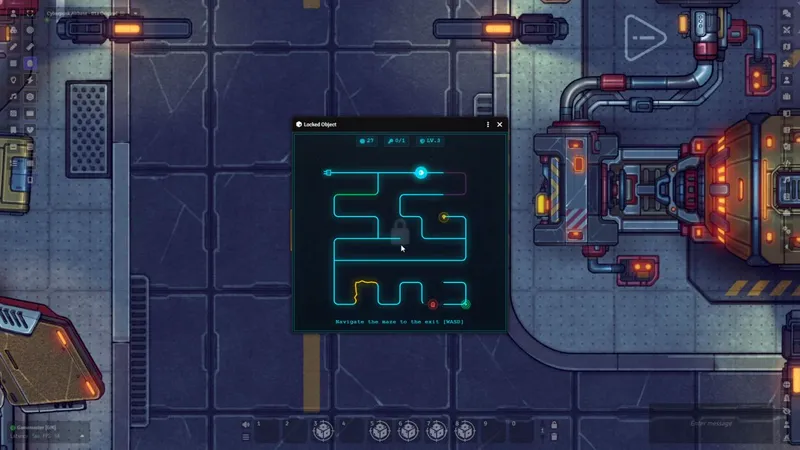
Circuit Maze scan puzzle: A new Glitch Scanner puzzle type matching the Circuit Maze added to Unboxing the Mystery v1.4.0. WASD or arrow keys, hazards, key/lock paths, five security levels.
Read more: Scanner App v1.1.0
[Early Access]🛍️ Stylish Shop v1.3.2
Smartphone Banking Payments: Shop Settings can route purchases and sell payouts through each character's primary Smartphone Widget bank account. Completed transactions show up in the bank history.
Integration Buyer Selection: New openShopWithBuyerSelection(shopId) API for modules that open a specific shop directly.
Fix: Shops no longer fail to open when an item stores rarity as a number or object instead of a string.
Read more: Stylish Shop v1.3.2
🎁 Unboxing the Mystery v1.4.0
Circuit Maze: New procedural circuit-board puzzle with WASD movement, lightning resets, slowdown/speed hazards, key/lock paths, and five difficulty levels. Spectator mode is supported. Originally commissioned by riffin, who chose to share it with every patron.
Unified Currency Dialog: System currencies (cp/sp/gp) and special currencies (gem tokens, event coins) now share one setup dialog.
Shared Special Currencies: Special currency balances are stored in the GlitchSmith Library wallet, so the same balance is visible across other GlitchSmith modules.
Broader System Support: Container payouts and gacha sheet-currency rewards now work in every system the library supports - D&D 5e, Pathfinder 1e/2e, Starfinder/SF2e, Daggerheart, Cyberpunk Red, Shadowrun 5e/6e, Savage Worlds, Fabula Ultima, WFRP 4e.
Read more: Unboxing the Mystery v1.4.0
🔗 Cross-Module Highlights
Smartphone Banking flows into Stylish Shop: Set a shop to use Smartphone Banking and shop purchases or sell payouts move straight into or out of the buyer's bank account, with history entries on both sides.
Shared special currency balances: Event coins, gem tokens, and other special currencies from Unboxing the Mystery are now visible from other GlitchSmith modules that read the same library wallet.
Requirements
GlitchSmith Library v0.5.0 or newer
Foundry VTT v13 or v14
Smartphone Widget v2.2.0 only if you use Stylish Shop's Smartphone Banking payment route
Links
Install Guide: How to Install Premium Modules


Comments (6)
Neat. Would there possibly be an option to make one connected Smartphone for all players to access to?
While the system doesn't natively support a shared smartphone for all players, there is a great workaround for this! You can create a dummy actor (like a Party token) that doesn't do anything else, grant 'Owner' permission to all players for that actor, and then assign the smartphone to it. That way, everyone can access and interact with the exact same phone.
Hi, I'd like to know how to add the "open shop" option above the vendor token. I've already configured the shop, but this option isn't appearing for the players. Like this: https://ibb.co/q3g8MrHz
By default, you just need to press the 'G' key. If you want to change the hotkey, you can do so by going to the keybinding settings.
Is this for all tiers? I'm supporter and I can't download the shop
All other updates except for the Stylish Shop are available for the Supporter tier!